I recognize that the field of Physics has a long history of structural racism and misogyny that has kept many aspiring physicists from achieving their goals and dreams. In addition to the devastating impact on individuals, the community as a whole has suffered in losing out on the wealth of experience, differing points of view, values, and ideas brought by a community with rich diversity. Having spent 20 years of my life in Physics, 15 of those here at Reed, and having benefited from being a white male in this field, I accept responsibility for my role in why this has and is still happening.
I understand that many of you may have experienced racism or misogyny in your studies here and want you to know that I’m here to support you in whatever way I can. I’m in the process of educating myself about the history, impact, and effects of racism and misogyny in Physics and will work to make this place a more inclusive, welcoming space for all of you. I encourage you to come talk with me about what I’m doing and what we can do together to make Physics more welcoming, inclusive, and less racist.
In my role as machine shop supervisor I am working to make the shop comfortable, safe, and inviting for everyone. I’m around and available to work on projects with you but am also excited to talk with you about your concerns, aspirations, and goals with respect to Physics, Reed, or anything else I can help out with.
I welcome your engagement and criticism and recognize that I will make mistakes at times but know that I’m going to do better. I ask that you be accountable for your words and actions in the shop as well, knowing that we’re all learning and figuring out what works best together. I look forward to the opportunity to get to know each of you and to be a resource and support for you as you navigate your way through Reed.
]]>The first print I did was a standard 3D printing benchmark, #3DBenchy. It came out really well, much better than the one I’d made earlier with the Makerbot. Here’s the Ultimaker 3 print (white) next to the Makerbot print (red), both in PLA:

The Ultimaker print looks better in many ways although the comparison is a bit unfair given that white is pretty forgiving while glossy red isn’t.
In order to test out some of the capabilities of the new machine I wanted to do a two-color print. There are many available to download but this two-color frog has struck me as really nice looking and worth having around to showcase the printer’s capabilities. Here’s how it looked after some post-processing (cutting away the “brim” around the outer perimeter mainly). 

It came out super well just using default settings on everything. More prints to come, soon with one using the dissolvable support material (PVA).
Since the Ultimaker has a heated bed we’re not having to use the blue tape anymore, even for PLA. Keeping the bed pretty warm ensures good adhesion although it can help to add what’s called a “brim” around the base of the part where it attaches to the bed. I did that with both prints, here’s a photo of the frog on the bed showing the brim. 
You can see it even better from the underside.
Notice the square post in the photo above next the frog? That’s the “prime tower” where the printer clears extrudes a little extra scrap material between colors. Apparently this improves the quality of the print. I’ll have to learn more but for now things seem pretty good. Here’s a close-up of the tower which is interesting in itself. 
Getting the brim off the frog was rather labor intensive so I’ll probably skip the brim next time and put down a little glue using a glue stick on the bed before printing. I believe that’ll be more than enough to hold this print on the bed.
]]>
There are tons of ways to make boxes and join them together and I know very little about almost all of them. My boxes were clunky and uninteresting, albeit functional.
Post-laser cutter, box making has become much more fun and satisfying. A good part of that is just due to the laser cutter being such an amazing tool but a non-trivial amount is due to one website:
While there are other box making websites out there I find this one to be the easiest to use and have had great success with the files it outputs.
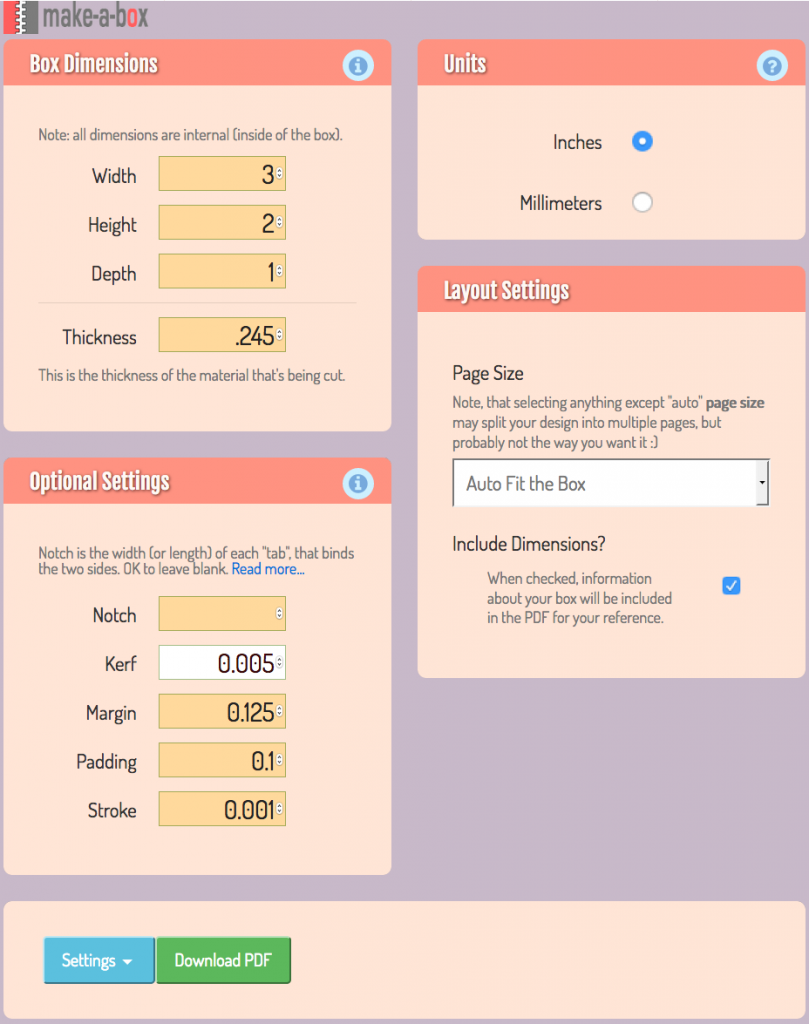
You use it by entering in a set of parameters about your box (height, width, depth), laser (kerf), software (stroke), and material (thickness) and then downloading the PDF file of your box.
Here are the parameters I use (and a screenshot) when setting it up for our laser.
- Width, Depth, Height – just remember these are the inside dimensions!
- Thickness – the box joints are sensitive to thickness, measure your material with calipers if possible for an accurate reading.
- Notch – I leave this blank and let the software determine the best fit
- Kerf – although I haven’t experimented much, 0.005″ seems to work well
- Margin and Padding – not relevant since we’re goign to copy the file out of the PDF anyway
- Stroke – we use Illustrator so cut lines need to be 0.001″
 Here’s the PDF file this set of parameters generates:
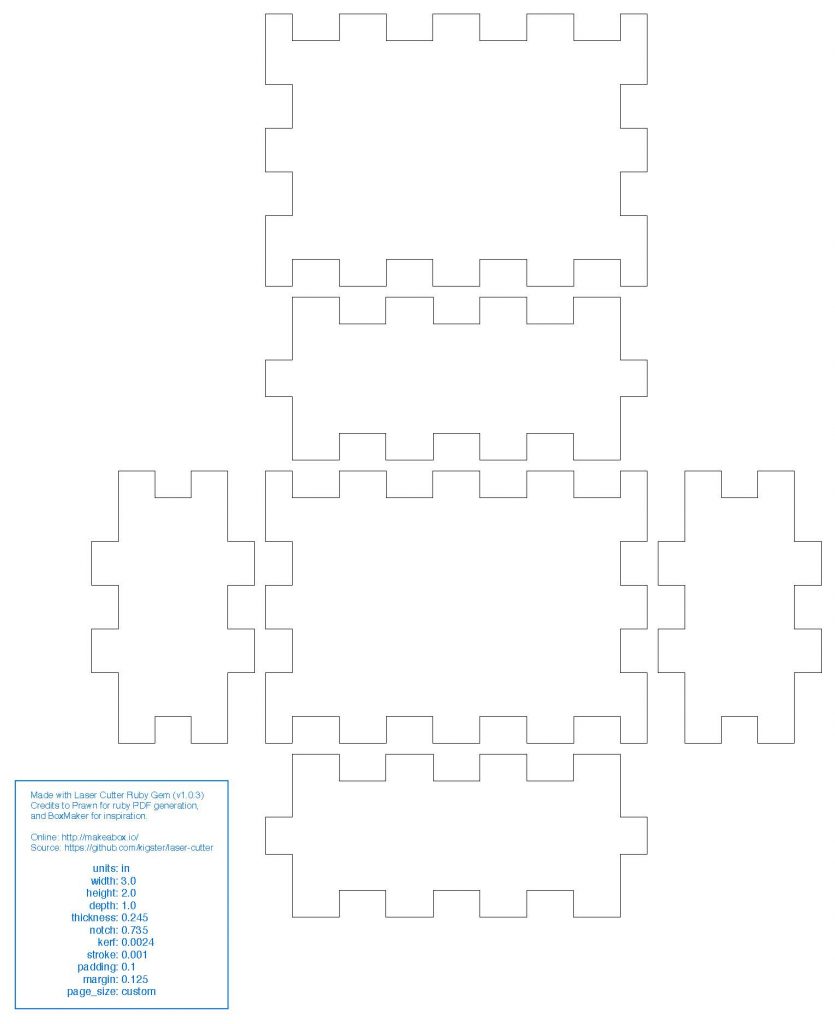 I’ve never tried to go directly from the PDF to the laser since I like to organize the box pieces to maximize material use. My workflow involves opening up the PDF in Illustrator, copying the box cutouts to the Laser Cutter Template and then reorganizing them appropriately to fit my material scrap.


At the same time you can add holes, images or text for engraving, or even trim the edges to make a five-sided open box without a lid. Once you’ve got it in Illustrator you can make the modifications fairly easily. Be careful when moving box pieces around though since the paths aren’t joined and so much all be moved together. Feel free to join them for easier maneuvering, the laser is happy either way.
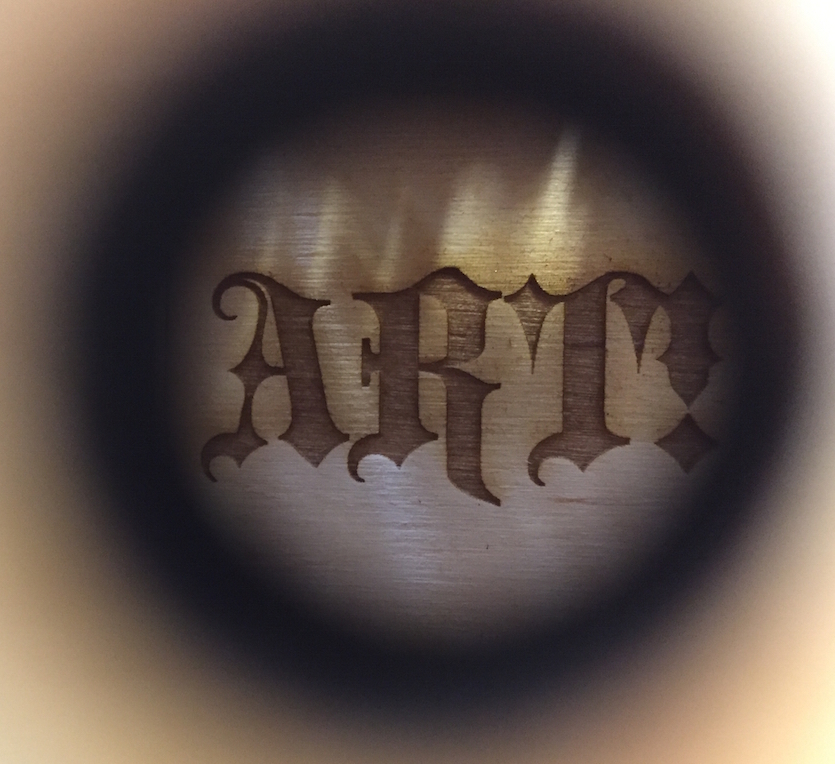
Once you’ve doctored up your Illustrator file it might look something like this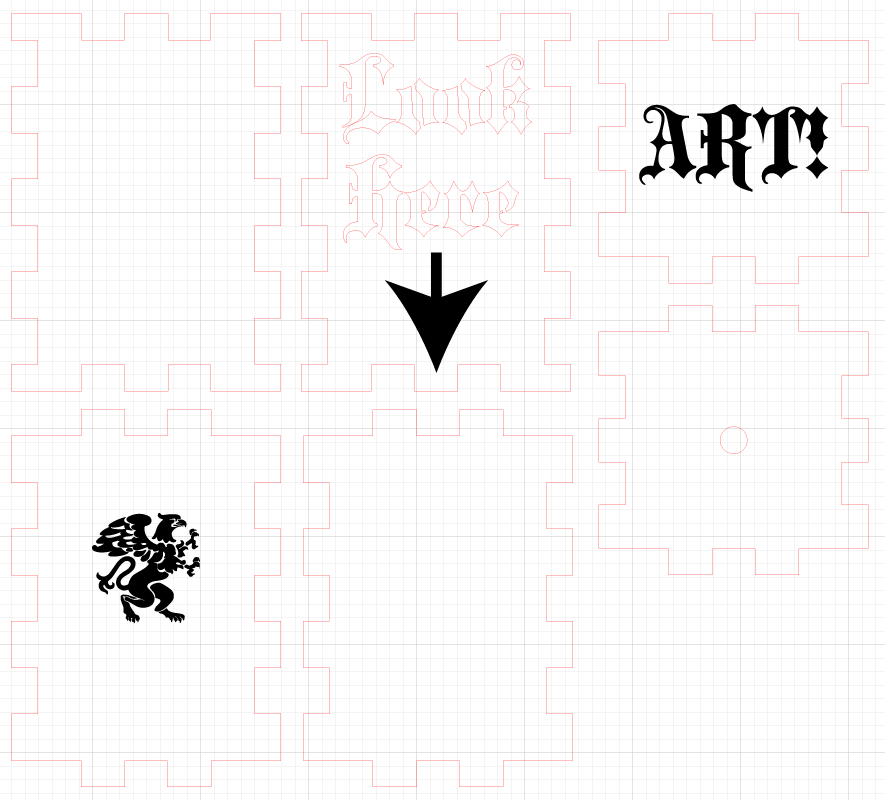 Now it’s just a matter of running the file and ending up with your own Art! box: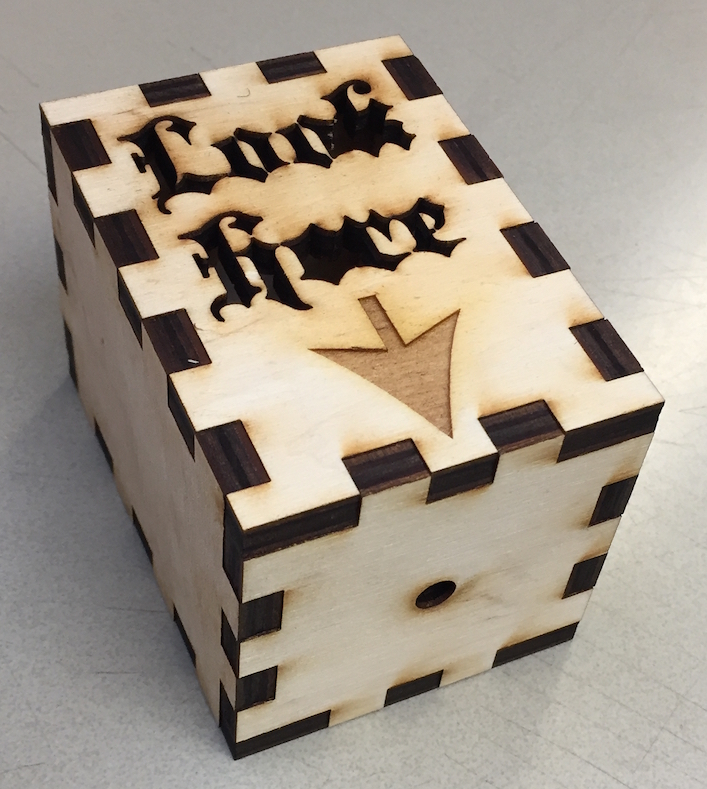
]]>
It was great to get to use the Makerbot since I’d never done any 3D printing before. I feel like I have a much better sense of our needs now and am more comfortable choosing the right printer for our applications.
This printer was just released earlier this week and looks like it is the one I’ll get.

Ultimaker has long been known as a reliable, consistent performer in the high-end consumer grade printer market. Their new release appears to be targeted even more toward professional use. It includes some cool new features (like dual extrusion) which, when paired with the reliability of their printers, makes it a great machine for school use.
It’s not the highest tech machine out there but it’s a good performer with a lot of usable features. Unless something new appears in the next month or so we should have one here before the end of the term.
Here are some others I’d considered:
]]>


An older post discussed 3d printed meissner tetrahedra and I’ve made more of them but smaller and in blue filament. The first photo shows them as they’re being built. You can see how the printer deals fills internal space of a solid object with a certain amount of infill. You can set the infill from 0% (open space) to 100% (solid plastic). This is about 40% infill.


One of our faculty members made a little setup for measuring light transmission through a liquid sample in a cuvette. It’s a nice little compact setup that is properly aligned right from the start.

Greta and a student made up a pipette holder to mount on the wall in the lab.

I think this is some sort of molecular orbital model.

Print of a pseudosphere.

The bio department is going to use these microscope clamps from Thingverse to attach mobile phones to eyepieces on microscopes. They’re easy to assemble from a few 3D printed parts and work great. Here’s a photo of a whole bunch of the parts being printed at once.

Here’s a photo of the final product in action:
]]>
Here are a few of the many sites where you can find files to use with 3D printers. Since the 3D printers we have use .stl files look for that type of file first but it’s possible to convert other solid model file types (like files from Fusion 360 or Solidworks) into .stl files fairly easily.
- Thingverse – I always check here first. Models usually work great on our printer.
- GrabCAD – most models won’t be in .stl format but there are many more engineering-type models here than on Thingverse
- Turbosquid – never used it but appears to have lots of models, lots aren’t free though
- stlfinder – search engine for .stl files, uses above sites plus others
- yeggi – another .stl search engine
Feel free to send me links to other sites you’ve used to find .stl files.
]]>Recently we acquired a Makerbot Replicator 5th Generation 3D printer from a faculty member who is on sabbatical. We’re babysitting his printer while he’s away and he’s generously allowed us to put it to work.
In addition we’ll soon be getting an older Makerbot Replicator Dual Extrusion 3D printer from the Art department. Once it’s all set up both Makerbots will be available for use.
More posts to follow, check back soon!
]]>


]]>
I’m not sure we can truly call ourselves a Fab Lab or Maker Space yet but with an awesome laser cutter along with a networked Solidworks license we’re well on our way.
]]>