Be a digital Ally 2026 brought to you by
Knowbility
supported by Evinced, Performedia, St.
Edwards University, Salesforce, Monkee
Boy, and Microsoft.
So, we are here to talk about AccessU
and introduce you to three of our
amazing instructors
um who are excited to share some of the
latest and greatest in digital inclusion
that they will be covering at AccessU.
And today's conversation is going to be
guided by our fearless leader, Sharron
Rush, our co-founding executive
director. I am Jillian Fortin. I am the
incoming executive director who will be
taking over after um Sharron retires at
the end of May. And so we really have um
have put a lot of heart and soul, pun
intended, to making AccessU really really
special this year.
Um,
if you are new to Bada and
Knowbility, we are uh one of the OG
pioneering digital accessibility
organizations. Have been around since
1998. We're headquartered in Austin,
Texas, and are privileged to
work with folks all over the country,
the world, sorry. We have several
community programs. Um we're here to
talk to you about AccessU, but our impact
doesn't end there. We have the
accessibility internet rally which is
coming up later this fall. We have
access works which is a year round uh
micro employment program for people with
disabilities. We hire them on as user
testers for our clients who engage us in
few based services. We have uh K12 visual
accessibility which is a consulting arm
of ours that um that focuses on um K12
specifically and you are here for be a
digital ally our free monthly webinar
series where we focus on empowering
content creators of all roles all
responsibilities to create digital
experiences that everyone can enjoy.
Um, a little bit about AccessU. It will
be next month. We're officially less
than one month away from AccessU. Um,
also known unofficially as summer camp
for accessibility professionals. We will
be meeting up in Austin, Texas at St.
Edwards University from May 11 to 14th,
2026.
If you would like to learn more about
how to create digital content for
everyone, if you are into barbecue, ice
cream, if you want to attend
professional development that allows you
to wear linen shorts and flip-flops,
this is the spot for you. So, if you
have any questions about
attending or would like to learn more,
check out Knowbility.org/acessu
and we'd love to see you in
Austin next month.
And you mean
ice cream and barbecue, not ice cream
barbecue? That would be a very Texas
thing, but
I mean there's pickle ice cream. So why
wouldn't there be barbecue ice cream?
And you know, we're all about innovation
here, Kelsey. Don't knock it till
you tried it.
Um, a little bit about Knowbility
Services. Um, we offer uh fee based
services to help support any
organization of any size to reach their
accessibility goals. Um, if you have any
questions or would like to learn more,
please message us via our website.
Awesome. All right. So, we are going to
go ahead and dive in. Ask any questions
you have at any time within the QA
portion or within the chat. I will be
turning my camera off here shortly so
that you can fully focus on the
conversation that Sharron will guide our
panelists through. Towards the end of
the conversation, I will ask if you
have any questions, I will ask you to
hit that react button and raise your
hand. That way I can pull you on stage
so you can ask our panelists questions
directly. Um you it sometimes some the
the best conversations happen when you
get to talk to our experts one-on-one.
So with that Sharron I will stop
sharing my screen and turn the mic over
to you.
Okay great. And what happens now? Do you
guys go backstage again or do we just
No, I am not making that mistake again.
Okay. Okay. Well, this was a new this
was a new format for me too with that
backstage part. So welcome everybody.
Thank you so much for being here. As
Jillian said, I'm Sharron Rush. I'm the
co-founder, executive director. Been
leading Knowbility now since 1999 when we
were founded. And uh this turns out is
like year number 24 for AccessU too
because we started doing AccessU
pretty soon after we were founded.
I'm so excited for my guests today
and uh I'm going to I'm going to just
welcome them and let them introduce
themselves to you. But I will tell you
that these are some of the best
presenters and all of them have been
with us for years and years. They're
here with me today because their
content, the things that they bring to
AccessU every year are fresh. They're
vibrant. You always learn from them and
they are of course wildly popular. So,
um, Becky, Mark, Kelsey, I'm going to go
in that order. Becky, if you would start
and introduce yourself and say a little
bit about how you came to AccessU and
why you keep coming back while you're at
it.
Yeah. Okay, great. Thanks, Sharron. Uh,
my name is Becky Gibson. Um, I've been
kicking around the accessibility field
for 20 plus years. Um, I started, um,
working on accessibility full-time when
I worked for IBM. And IBM was also
located in Austin, Texas. I wasn't I was
remote but that's uh our one of my our
team members Richard Short Figure was a
um board member of Knowbility. So he
supported Knowbility and encouraged us to
start talking. Um I guess my claim to
fame is that I worked with Rich and
Aaron Levventhal on the what became the
Arya specification. So it came out of
IBM before it went to the W3C. I've
worked on the worldwide uh the working
group for WIKG 2.0. I wrote some of the
JavaScript techniques and I have been in
the APA
um as a co-chair for a while of the APA
working group accessibility platform
architecture. I'm told I'm supposed to
do all this stuff by my coaches by my
life coaches Laney Fiengold and others
always say tell you what you've done.
and um and now I'm working part-time
with ma MIT as a project assistant but
I'm really assigned to work with way and
I've been going through the trying to go
through the issues of the web
accessibility initiative tutorials few
okay
and how did you uh um what are you going
to bring to us this year at access
I'm presenting on Arya on labeling how to
label things using you know basic
labeling with HTML and then also how to
use Arya labeling properly because I've
also worked for other companies and done
testing and labels are still things that
people get wrong. So,
well, a lot there's a lot about Arya
that people get wrong, isn't there?
Yes, there is. Some people hate Arya,
but
used properly, it really can do good
things.
It really can do good things. I know.
And you help us get there. Hey, Mark,
how are you doing?
I'm just dandy Sharron. How are you?
Dad again. Another new dad. I am. I am a
dad again.
Congratulations on that.
Thank you so much. Yeah. Um I'm Mark
Steadman. Uh I am the squad leader for the
accessibility squad at Fidelity
Investments. Um I've been in the
accessibility field for 11 years now.
Holy guacamole. I can't believe I just
said that out loud. Feels like I'm like
only two years in and I'm 11 years in.
Um I've been my focus uh from an
accessibility perspective has always
been developers. Uh my career has been
from State Farm, TDQ systems, now to
Fidelity. Um and in that time, I was
actually a web developer um at State
Farm. And I just as I was doing that
stuff, I learned so quickly from a lot
of people in the accessibility field
that are so awesome how much the work I
was doing is actually hurting those who
are using State Farms content. And
that's where my passion came from. I
kind of learned really quickly how
simple things can make developing things
accessibly
easy. Um, and I my passion is trying to
share that same story with everyone. Um,
now across web and across mobile. Um,
I've been going to AccessU geez
Sharron since 181 17 in there. Uh, my
first talk actually playing off of what
Becky had was actually about misuse and
developers doing a tangled web of Arya.
um first time around but uh for the last
geez five years now I think Sharron I've
done the simplify and mobile
accessibility workshop and I'm doing it
again this year um the focus of it is
taking something that a lot of folks
just have absolutely no idea where to
start doesn't matter if it's developer
doesn't matter if it's a project manager
any of that and trying to bring in um
just really easy ways to make mobile
apps accessible because it's really hard
to find information um out in the wild
for mobile accessibility. There isn't a
guideline that's strictly put out there
from a WG perspective to mobile. And so
some of those translations are difficult
for people um to find and where to
start. And so everything's kind of going
the mobile route. And so my simplifying
mobile accessibility thing kind of gives
10 key factors to look at um and to take
away from it um to add to mobile
applications and make them accessible.
So for those of you who are coming or
thinking about coming to AccessU in May,
you should know that Mark does a
pre-conference session that's you know
deep dive into the um the mobile issues
but then he also does some shorter uh
focus sessions during the regular
conference and they are always really
really well received and like Mark said
this is the kind of information that you
can find information out there but it's
not always uh accurate or dependable. or
reliable. And so, uh, I always figure
whenever I have a mobile accessibility
question, it's, you know, what would
Mark say? I think I'm going to give him
a call because he just he he's mastered
this this aspect of it. So, thanks,
Mark. I'm looking forward to seeing you
uh in just a few short weeks.
Absolutely. And uh Kelsey Ruger is uh
going to going to uh talk a little bit
more about what he's doing. He's one of
our keynote speakers this week. And
Kelsey, you've just also joined
Knowbility's board of directors
for the second time because you were on
the founding board way back when and now
you're but you've uh we we've wrangled
you back to uh to join again. So that's
welcome in so many ways.
Thank you. Thank you. You know, whenever
someone asked me about Knowbility, I
always say, you know how you hear the
story about John Wooden having this
coaching tree and he's sort of the root
of all these coaches that have gone
everywhere and shared that vision? Well,
Sharron actually is my root. And so, here
I was 26, just moved back to Austin
after Prodigy had acquired all of these
teams. And our CTO at the time, Bill
Kirkner, calls me in and he's like,
"Well, Kelsey, you your team needs to
learn about accessibility." And I'm
like, "What's that? I don't I don't know
what that is." And it was that week
Sharron and John Slayton came in to
train our team at Knowbility. And at the
time, we were doing all desktop because
it was dialers and browsers. And they
introduced us to web because most of us
were really starting to build websites.
If you think about the time, this is
when we were really starting to spend a
lot more time building web. And so
Sharron and John introduced us to this
whole world of um accessibility back in
1999
and 2000. Um and that sort of set me on
the path that I'm on today where I've
spent pretty much the last 25 years not
just championing accessibility, but
access. And when I talk about access,
it's really beyond the software.
And Sharron's heard me say this a
thousand times that I don't really think
about accessibility as a checklist. I
think you got to build it into the way
you think, into the way you design your
stuff so that it's always there and
you're not coming back at the end and
saying, "Hey,
we should have thought about this."
Because at that point, it's much more
expensive. Um, and so that is sort of my
introduction. I've been on the Knowbility
board uh now twice. Uh served as one of
the founding members of Air Houston when
we were doing Air Houston here. Um has
spoken at AccessU many times and
I I always tell people that the way I
feel about like how I first got into
access really deeply, it's sort of the
same way I got into South by Southwest.
that sort of feeling of community around
the people who were doing it, what we
were learning when we got together and
some of my best friends to this day um
came through my relationship with
Knowbility. And so that's my Knowbility
story. This year I am going to be
teaching a day long pre-workshop or
pre-conference workshop on AI based
development and how you can integrate
that into your workflow. And it's not
necessarily going to again focus on
tools because whenever someone asks me,
well Kelsey, how are you doing this? And
I'll just answer, well, this week I'm
doing it this way. And I realize that
there's a framework that you should have
in place because things are moving so
fast and the technology is evolving. And
I actually think even alongside the
technology evolving, the way we're going
to interact with things that come
through the internet is evolving. And so
it's a really good time to learn about
accessibility because it'll be a core
part of how we build things going
forward into the future.
I love to hear that. I love to hear that
because I'll tell you the first several
years of Knowbility, I thought, whoa, I
thought this would all be solved like in
five years once people understood the
issues. But I didn't take in into
account the rapidity of the change of
the tech itself. And you know when
Jillian was introducing us and she said
uh this is where you can come with
flipflops and it's uh summer camp for
accessibility professionals. And you
know I find that spirit is exactly
right. It's a very joyful spirit.
We're on a college campus. It's a it we
we get to spend a lot of time outdoors
which is rare when you're going to a
conference but sometimes I wonder if we
under communicate the seriousness of the
work that goes on there because I mean
each of you have mentioned your focus
for this year and there are classes that
are so um so critically important to
building the skills that developers and
designers and as you said Kelsey project
managers need. So, what do y'all think
about that? How do you how do you
characterize the experience of AccessU?
And what really makes it um stand out to
you as something a different kind of
experience? What are some of the
things you mentioned, the friends you've
made? Um what about some of the things
you've learned? Anybody want to talk a
little bit about that?
Oh, I can talk to it really quick. Mine
will be super short and sweet, but I'll
say the biggest difference again like my
first year going I have been to a bunch
of other conferences accessibility or
not. I think the number one thing that's
different with AccessU is the
approachability of it all. And that
means from instructors to the people
everything. I mean I've sat in talks and
like when we talk like even in my own
talks there like people will raise their
hand and we'll go down different paths
that even like I planned before because
that's what people want to talk about
and it's and that's the great part about
it though is the ability for everyone
there. has just got an approachable vibe
to where I can, you know, hey, I came to
this talk and I want to learn this, but
I have this question on this. And it's
like nobody's ever just like, oh yeah,
that question, but no, it's like, hey, I
I'll roll down this path. I'll start
talking about. And I and I really
appreciate that because then the
conversations keep going like outside of
just like the sessions that you're in to
keep jamming on. That's my that's my
number one thing that I that I advocate
when it comes to AccessU is the
approachability of it all and allowing
everyone doesn't matter if you're new to
accessibility doesn't matter if you're
an expert in accessibility to ask those
questions and just kind of like take it
the path that you want like that you're
there for and that's what I've always
liked about AccessU
yeah
I think it's I just think of it as going
to see my friends like my family
my accessibility family and I you know
I've also been to a lot of different
conferences, big ones, not
accessibility, accessibility and you
know where do you get to sit down with
you know um
Mike Paciello or Molly Hull or some of
the names that have you know that people
rec name recognition to have lunch with
them right even you know you go to you
go to the bigger conferences and you
know everybody gloms on to the person
after the session and then they you know
run off and you never see them again but
here you're having breakfast with them
or going to an event with them and you
know you just get to meet some of those
you know respected where do you get to
you know um Sharron interviewed Judy Hume
you know and it was a video interview I
mean things like that are
that was during co Yeah.
Yeah. Um, and then you know just the
long I like the longer talks just like
Mark said you can go down and you can
have more time to dig into things with
people and you know just the questions
and people outside you know having a
free ice cream you know just shooting
the breeze and saying what did you go to
this or that and just having the access
is a good and approachability I think is
is nice and then the breadth of topics
right you've got designers you've got
testers you've got you know, people
from all sides of the industry that
accessibility is affected by.
Yeah. For me, I think Becky touched on
it.
It's a space in between because you can
learn a lot in a classroom, but the
place where you get real synthesis and
takeaway is when you can sit at a table
and have a conversation with someone and
talk about something and think about it
because that's where you're thinking
about things evolves because we can
teach you technique, right? But the
relationships you get and the thinking
you get from interacting with other
people who are like-minded, it's hard to
find that, especially now where
everybody wants to stay home and do
everything online.
Yeah, we're uh I think we got a
little acclimated to that during we
mentioned we got to meet we didn't
really get to sit down to lunch with
Judy Hume, but we interviewed her
through the right
through the uh the great technologies
that we have now. Well, you know,
speaking of that, it feels like just
like all the other sectors,
accessibility is really being disrupted
by, you know, by the fact that
everybody's sheltering more and by AI,
of course. And I know that this year a
lot of the sessions that were submitted
have some component of AI in it.
And one of our main keynotes with
UT and Jutta Treviranus and and Bill Curtis
Davidson are going to be sort of a
little bit of oppositional points of
view about how valuable and what are the
risks around AI for the disability
community. So I was just wondering
what you all think about what you're
going to be bringing this year as a as
an instructor, as a guide. Are you
anticipating that kind of those kinds of
questions and uh disruptions?
Are there any of the special events that
you're especially looking forward to? I
know that Laney's going to release Laney
Fiengold is going to do her book release
at AccessU this year. She just wrote a
book on digital accessibility ethics,
which is another topic I think that's
kind of disrupting our
community, the work we do, the way we
think about it, how it's evolving. Um,
so
what do y'all have? You have any
thoughts about that?
for me because I spend so much of my
time right on the edge because I'm
working for a company that's building
software and kind of working in that
space. What I see that is going to be
interesting to discuss and I'm sure you
will bring this up is there going to be
new levels of access and accessibility
we need to think about that we never had
to think about before both in the
software and who can access certain
software. So if you think about the pace
at which AI models are evolving, for
example, today you can get a great AI
model for $20 and
Open AI is very willing to subsidize
that.
A year from now, we don't know that
they're going to be willing to do that.
It may cost
$6700 to get access to the best model at
which point you have another access
problem. And so I think it's going to be
interesting to see not only what people
want to hear on that level and how their
companies are dealing with it and then
give them some tips and pointers to
be prepared for whatever comes because
it's hard to tell right now.
Yeah. As much as we can be prepared for
what for so many unknowns.
What about you Mark, Becky?
I think it's
you hit on AI and we could sit here for
four and a half hours and talk through
like some of the stuff and I actually am
very interested in the opposing views of
like the pro against not saying against
but like the opposing views of it
because
I I'll say this kind of playing off of
what Kelsey just said like the access to
it right now is pretty open for like
everybody. And so there are things being
made at I mean we used to say
accessibility just from like development
side of things is that light speed. This
is making it like
I mean I what's past light speeded at
this rate. I'm not scientist say but
like but it's the truth. But it's the
truth though, like the amount of
people and people that I talk to in the
accessibility field, like I'm sure for
the mobile talk I'm going to do, I I'm
trying to add in just small tidbits of
like things you can work on to help with
teams to develop things with AI tools,
right? But is that I mean, I'm being
serious. By the time it's May 11th, is
that still going to be valid? Like the
opinions I'll put in there and talk
through, right? Like with how quick it's
going. And so everybody, it seems like
everybody, and this is why I think that
coming to AccessU and allowing people
to kind of have these conversations is a
big deal
because
everybody feels like they're behind.
I'll tell you that right now. Like I
feel like I'm behind. Like even from my
advocacy side of things, I always feel
like I'm behind. And hell, I'm using
this stuff and I'm like, "Hey, I could
build this this thing. I could build
this, build this." And I'm like, "Oh,
wait. This new thing just came out. I
could do this even faster now." So, it's
almost changing entirely how we advocate
for accessibility in general. I'm more
speaking from a development side of
things and like how we work with teams
now to do that. But it's so difficult
because if you get so into like the
minutia of it, you're going to be
outdated really quick. So, how do you
advocate for something that's moving? I
saw someone put in the chat ludicrous
speed. So, it's a great Space Balls
reference um for it, but like it's true
though. So, like how do you advocate for
that? That's what I look forward
to is like the opposing view, but also
just to have conversations with folks of
what they're running into, what they've
been trying to advocate for, how they're
dealing with it, because it seems like
everybody is just like we're behind.
It's kind of like, well, I think the
world is when it comes to that a little
bit too, right? So
yeah,
I feel like I I'm I so I retired from a
corporate job at the end of December and
I'm, you know, doing this work with the
way and it's like I don't really
see, you know, I'm like I really should
be doing more with AI, right? They're
really the company I was at was really
pushing um AI, you know, what can we use
for accessibility? How can we do this?
And I and I'm like I don't want to get
left behind even though I'm not working
full-time, but it is hard to keep up and
like I don't use it in my personal life.
I don't want to pay for it. I'm like I
don't have enough appointments that I
need to have somebody schedule them for
me. But I you know I am using it not so
much to talk about at my talk but I
was like all right I need a good example
right and I and I got tired of trying to
find a good example of a well-written
dialogue that wasn't in react with div
soup you know very convoluted code I
wanted nice clean code and I'm like okay
write me here take this picture which
I've used in another bad session about
labeling that I'm expanding on in this
talk and I said here take this label and
you know generate the dialogue code for
me and it did a half a decent job
and I had to tweak it. So I mean I'm
trying to use it but I I hadn't really
thought about you know how can you use
that for labeling within your uh you
know within my talk so much as AI and
you know I try to say this is what the
clean looks like because I'm so used to
looking at code that has you know just
and I'm using labeling as an example but
code that you know has multiple um
attributes and things. It's not it's not
clean. It's just this mess. And yeah,
sometimes it works and sometimes it
doesn't. And
I would like to see AI maybe do things a
little bit more streamlined than
what we're seeing coming out of some of
the developers. But
I love your phrase, div soup. Div soup.
That uh Yeah,
div soup is awesome.
I met um I met Oliver
Emberton the other day at Driscoll
Hotel when Jillian was here for her
week in Austin. and he it as it turns
out he's the CEO of Silk Tide. they're
going to be uh an exhibitor at XSU. And
he got he got a um his master's degree,
I think he said maybe it was a PhD in
artificial intelligence in the late 90s.
And so he sort of feels like, oh, the
world is blooming, opening up. We had a
great conversation. I can't wait to see
him again. um during the during the
conference they're going to do an
exhibit and some demos of the work
because they work in accessibility but I
mean he is so focused on AI and the
benefits of AI and he pretty much
dismisses the risks which I think is
kind of dangerous and you know one of
the things like okay John Slayton
was an educator he was a teacher and he
founded I mean he it was his idea to do
AccessU and the idea was what people
need are skills they need these
practical skills. We're going to teach
them these practical skills and we've
done that from the inception. That's
been the whole thing. We have 90minute
classes. They are classes. Sometimes
they're three-hour classes.
But in the last few years, I think some
of these philosophical questions have
really emerged
and people do want to pay some attention
to them. So what we've done for the last
two years and we're going to do it again
this year is the last afternoon of the
conference has turned into an
unconference. And so as questions come
up during the during the week that
people, you know, these big questions
that people want to be able to talk to
others about and to try to sort through,
we're going to we're going to um collect
those during the week and you know,
vote them up and have a regular
unconference on the last afternoon. And
um and then and then we've got one track
that's just a flipped classroom track
where you prepare in advance. You read
the things that and UT has been very
instrumental in getting her students
involved in writing some of the white
papers for those classes and then you
come into the session to talk through
those. So that's a little bit of a
change this year. And we're also
bringing back um an evening event called
Sight, Sound, Soul, which is now this
goes back to summer camp because this is
really really fun. We've got D-Madness
who's a blind Austin musician. We've
got a painter who's going to do live
painting while he's playing the
music. She's going to be inspired by his
music and do a painting. We're going to
have spoken music by Ashley Shu who
wrote the book uh I mean spoken word. So
we are going to throw in some really
fun things and some philosophical things
and you know try to stir things up a
bit. And I I wonder if y'all might want
to comment on
you know what you're looking forward to
this year this year in particular.
I'm excited to have sight sound that
that sight sound and I can't remember
that last one but anyway sound soul
sight soul. Yeah. Yeah. I remember
because I remember you did that before
and it was it was really fun. So I
definitely am looking forward to that
and again I'm always looking forward to
seeing my friends right and making new
friends. Um you know that's just what
it's all about for me and why I want to
come all the time because I've been
coming for many years. Have you seen any
Have you looked at anybody looked at the
schedule and seen any of the classes
that are We've got some new folks uh
presenting this year and I'm kind of
excited about Christine Fouchy who's
doing uh one of the pre-conferences and
uh a few others that I've that I haven't
seen teaching before. And I think,
what's in the chat here? Is there were
there some questions? Oh, no. I I'm just
dropping links um as y'all are talking
about things in case folks want to read
more about sites on soul and the class
schedule.
Oh, okay. Great. Great.
So, do we have any questions from the
from the audience or
We do not have any just yet, but I'd
love to open up the um the opportunity
for folks to um maybe raise their hands
uh if if you have any specific
questions. Eric Sterns. Okay, I am going
to invite you to join our panelists on
the stage. Give me just one moment.
Alrighty, here we go.
Hi, Eric.
Hey there. Can everybody hear me?
Yes,
we do.
Yep. Cool. Sorry about the camera issues
and all that stuff. I've been
reconfiguring things. Got a couple of
questions for you. Um first of all um I
am uh I was I saw the fact that you had
all put out the vendor or not
the vendor but the volunteer uh
application forms. Are you still
accepting volunteers for AccessU?
I would imagine we are. I think I think
that's ongoing but I'm you know that
would be a decision for TIA but I'm
pretty sure the answer is yes.
Okay. All right. Cool. Cool. Um yeah,
I'm very excited to hear about uh mobile
development as well. Um also one of the
things that I also want to mention
just in passing is that I'm also a
musician as well. Um I play Native
American flu as the harp and percussion
u and do a lot of ceremonial music. But
anyways, um
So do you live in Austin?
Yes, I do.
Okay. Well, of course you're a musician.
Yeah. Uh yeah, kind of kind of almost a
prerequisite to live here in Austin, I
think. But anyways um but yeah what uh
to the question to the panelists uh kind
of a little more meteor media uh meteor
question is that what is your
observation as far as seeing AI in the
development of accessible uh websites
and applications both desktop and mobile
as well as AI in testing.
I think Kelsey that's going to be your
topic isn't it?
Um let me touch each of those
separately. I think
here's what I would say and this is sort
of a compressed version of what I'll
cover. I think when you think about AI
for any type of development, you have to
be willing to spend time on planning and
thinking through what it is you're going
to build. I think when people hear build
things with AI today, they think, "Oo,
vibe coding and I'm going to get in and
I'm going to tell it what I want to
build and it's going to create this
amazing piece of software that works
right out of the box."
And that might be true on your desktop,
but when you want to move that into a
true business environment, there are so
many variables that people don't plan
for. And that's really
with and this isn't new to AI, right?
like you needed to plan software all
along. But I think people think that now
they have a quick ticket to the right
answer. And for me, QA has been awesome
with AI because it's sort of designed to
do that step by step really well. But
again, you have to plan and know how
these agents work or otherwise they'll
I'll tell you in the last two weeks,
I've gotten into so many arguments with
my AI agent for not doing what I asked
him to do.
Oh, good.
Um and and you just have to
understand why that's happening. It's
not magic. Like there's a mechanism to
how these models work. And if
you're not planning and working around
that, you could end up not with div
soup, but a lot of sloppy stuff.
Yeah. Yeah. The
unintentional emergence of AI slop
basically.
Yeah. Yeah. Okay. All right. Cool. Yeah.
Um that's uh that's really interesting
because of the fact that I come from QA
background. I've moved into more of uh
you know governance and business
analysis and stuff like that. But uh you
know uh I also use a lot of AI now
especially in the past few months as
well. And so I thought I'd ask that uh
ask that question especially considering
the fact that uh it seems to be
pervasive and it's also uh being used in
uh tools like TPGI as well as uh DQ and
stuff like that. So thought I'd ask.
Well, and the events tools, I think all
of their tools are AI based, right? The
their web flow analyzer, the mobile
analyzer, those are all web- based tools
and they're and is a big sponsor of
AccessU this year. Um, in fact, they're
our co-producing sponsor and they um we
Knowbility staff worked with them on some
learning modules that they're about to
release and I think they wrote the first
version of it with AI and we went
through and there were some, you know,
coffee chats about, can you
believe what they came up with, you
know, the AI? Haha. But then once you
start working with it, I don't know,
Mark, you worked on that project. What
did you think?
Yeah, that's kind of like my answer.
It's it's
Yeah,
I'll I'll say it's for doing so I I'll
actually share kind of like off of that,
Sharron. Like I've taken some of my
materials be like, "Hey, could I make
this into like a training stuff too and
like some of the things where like you
kind of get back to what Kelsey said,
like arguing with your agents and
arguing with it like you're like where
where the hell did you pull that from?"
Like
how actually I I'll share So, just as a
funny tidbit, one time I asked it for
help when I was developing something and
it was like I pulled this example from
blah blah blah and I'm like, "Hi, I
wrote that like I know I'm trying I
you pulled from my example. I was trying
to do something else, but thank you.
Appreciate it." No, I mean it's it
has it has some good accuracy, but
there's also just when it comes down to
it, there's to me there's always going
to be a human element with it. Take
access picture. there's always going to
be some human element to seeing the
output, seeing the things from it. Um,
you know, and it was good, but
there's a lot more rework and things in
there that like it just doesn't have
down that takes a human eye to be able
to see like is this going to be
effective or not. Um, especially if
you're like making trainings. Um, hell,
back to what Eric said before, if you
come from a QA background, Eric, like
I've had people try to use AI to build
out their test suites from an automation
perspective.
And I'm like, it missed XYZ. Like, you
need to go back through and make sure it
does those things. And it's like, oh
yeah, I I just kind of I just kind of
pulled this and put it in here just to
get some like accessibility test cases
up and random. That's awesome, but
you miss the mark on about four
different things. It's just pulling what
it knows, right? And so that's kind of
the accessibility awareness piece of
this too of like you still have to have
some of that knowledge. Some of it I'm
saying like a lot of knowledge
to advocate and actually get it to get
things right as well. Right. And so I
kind of pivoted on your question
there, Sharron, like in five different
ways, but
Oh, no. That's great. That's fine.
That's what that's one of the
things I love about getting y'all
together is that the conversation goes
often in all kinds of branches. Becky,
were you
No, I just was
Yeah, I was gonna The only thing I was
thinking of, you know, as far as, you
know, writing code, I mean, it does do a
pretty decent job because I guess, you
know, the AI can read the spec and try
to follow the spec, but, you know, you
think of the there isn't a lot of
training material out on the web that is
accessible for it to use, right? it
have, you know, it it's not like it
can pull in code and potentially it I
mean it does it pulls in code, but it's
not pulling in necessarily always good
code. It's just like, oh, here's
something that, you know, somebody used.
And that's where my biggest fear is. And
and I agree, you really you can see what
it produces, but you're going to have to
tweak it and you're going to have to
have that, especially with
accessibility. You just telling a
developer, you know, tell it to make it
accessible code and they don't know if
it's right or wrong, the average
developer if they don't care about
accessibility. And then, you know, you
still have that gets thrown over the
wall to the accessibility person to say,
"No, no, no, it didn't do that right."
You know, and that's where the problem
comes. It really need we need the
testing ability or the be ability to
know that it's right. You know, you
don't know what you don't know. And a
lot of the developers, at least in the
last company I worked with, didn't have
that background knowledge.
Yeah, that's that is still a real issue.
I think that the fact that most the
great majority of
developers, designers, web
professionals, digital professionals do
not have solid foundational training in
accessibility. And that's kind of what
AccessU was meant to get started.
Jillian, are there any more questions
from our folks in the audience?
I have not seen any, but if anyone would
al would like to do what Eric did and
raise their hands to join our panelists
on the stage, you are more than welcome.
They are here to answer any and all
questions you may have.
Well, Sharron, what questions do you
have?
Well, I'm you know, I I don't have a
lot of questions for y'all. I have
questions about the future of this, you
know, this whole field because of the
fact that like I said when I started my
my career, I was uh I was almost 50
years old when I started Knowbility. So,
um so I' I'd knocked around. I worked
for Easter Seals before that. I I'd
managed restaurants. I was a bagel maker
for a while. I managed a bagel shop. I
mean, I I had all kinds of things that I
did and I never thought that I would do
anything in my life for 25 years and but
but I had, you know, I had a background
in computer science because I got a
little two-year degree. I got a little
associates degree when they were still
using IBM punch cards to write Cobalt
and Fortran and that stuff. So, so HTML
was a breeze to me. And once I
understood and I was working at Easter
Seals trying to find jobs for people
with disabilities and once I understood
the potential for technology to give
real good professional jobs to people
with disabilities, these barriers made
no sense to me. And honestly, I guess my
big question would be why is it taking
this long
to make, you know, technology
can do anything, right? So, why is it
taking this long to give people with
disabilities equal access to the
opportunities of the digital world?
That's um that's always been my
question. I thought honestly Kelsey I
thought oh yeah okay well we'll just let
people know about these barriers clearly
they didn't sit down and say let's block
out all the blind people you know it was
just that they weren't aware and once we
raise awareness once we get a lot of
smart people thinking about this problem
it'll be solved
so I still don't know the answer to that
one
I think with the work I do in
strategic foresight
When people ask me like, well, what is
it going to mean for mobile? My mind
immediately goes to I don't know if in
10 years we'll still have mobile phones.
We may have moved on to another form
factor.
If you look at the the way things
are progressing, the difference between
now and when we when you saw when social
media came in, when the smartphones came
in, when we started using the web is
that those were largely consumer-driven.
In this case, what's really interesting
is consumers are not always on board
with AI.
Yeah,
there's a there's a there's definitely a
divide in whether people think we should
be progressing as fast as we can. So
that consumer uh demand may not be what
actually drives it.
Yeah. I think sharing to your question
sometimes you say technology should be
for everybody and I think the last part
that you put there everybody it's human
aspect and I think that gets lost in how
fast things move.
Yeah.
And accessibility is a human
problem. I mean, hell, you could take
accessibility out of the picture and say
anything from like technology is a human
problem because there's always a human
on the other side's using the technology
and that stuff kind of gets lost in my
opinion just looking at how fast things
get built now. It's more of like did
that thing get out the door and make me
money, right? It's not like
for a long time. Yeah.
Yeah. User Yeah. Users be damned. Let's
get this thing out the door. And now,
you know, with the rise of AI tools, all
this stuff, right? It's even faster now.
I mean, I think I can't remember if I
saw a stat somewhere along the way, but
there was a something about like this
the amount of startups that have like
come into play in the last like three
years alone just from people in the
digital space making something, having
an idea and being able to light speed it
out the door is like jumped massively.
Yeah.
But in that time frame, they're just
trying to get it out the door. There's
no aspect of like, hey, what would this
do for somebody, right? Or how someone's
going to use this. that kind of gets a
little bit left behind at least in my
opinion just when you talk through it.
If you talk to developers and you say
what the impact is what they're doing, I
I always say it's 99% of developers,
people who are building stuff say, "Oh,
damn. I didn't know like, you know, I'll
change. I got you. Like I'll make
changes for it." Right?
But that's a great point.
Why isn't that But why isn't that the
starting point, right?
But that is a great point that a lot of
times it's just lack of awareness that
people don't know. And until
unless and until you have something that
you've developed or created or made and
you see the impact that it has on people
who cannot use it because of certain
design choices it that's when the
profound sort of change happens. I think
on that note um this is me and Jillian
wanted me to read my comment in the
chat. I just said, um, Sharron, I didn't
know all that part of your story and you
should document with the Austin History
Center because you're a total change
maker here in Austin and the digital
accessibility field and you honestly
changed my career path. So, thank you.
Well, thank you for those kind words.
That's true. I'm retiring. I guess I'm
gonna I'm gonna just go to the history
center
and become part of history.
No, that's very kind of you, Meg. Thank
you. I love that that it had an impact
on your career. I mean, that was my
situation, too. It was John Slayton,
Jim Thatcher,
those guys who when I started
learning more and more about it, you
know, Anna Sisnett from Austin Freenet, I
mean that is true for all of us that we
we march through this generation of
humans and um we have these impacts on
each other and yeah, you definitely see
that going on at XSU. It's just it's a
wonderful wonderful community and uh and
that that spirit of you know nobody's
going to tell you oh I'm not going to uh
I'm not going to tell you about that
it's proprietary or anything. You won't
get that kind of reaction from anybody
there ever. So uh so yeah, it should be
fun. I hope I hope I get to see a lot of
y'all there. Yeah, I know one of the
things when I first started getting into
accessibility and at the time it
was because of IBM, I was working on
something and IBM said it had to be
accessible. I think they've gone
backwards quite a bit in their support
for accessibility, but that's how I got
into it. And then Rich, I met Rich and
then full-time on accessibility. And
that was nice. I didn't have to program
email anymore. But the you know the
thing that I was going to say is when I
first went I got so sick of going to
talks and hearing about alt text and I
said I'm never gonna talk about alt text
in my talk because that's so basic
everybody knows it and you know I am
still talking about alt text because
it's a new set of people and it's just
something that's like a good way to
introduce the whole concept to people
like okay you know this is a simple
thing you could do but yeah I just
remember back at the time I'm like I'm
not going to keep talking about
that. But unfortunately, we still do.
Maybe AI knows that we need all text now
more, but
yeah, but they're not always they're not
always real good at
they don't have the right all text. No,
but at least there's an attribute in
there. Maybe,
you know, Wendy Chisum, who was the she
was the W3C contact when John Slayton
was the co-chair of the WICAG working
group and wrote that first set of
guidelines, WICAG one. Um, and Wendy
Chisum was the contact at the W3C. She's
went on to work for Microsoft in their
field and she has said something similar
to that, Becky, about I never want to
tell anybody about all text again. But
what she said is that I never want to
have to be in a position where I have to
convince someone else about the value of
accessibility. And so maybe before we
close, I think we've only got five more
minutes. Um uh
y'all could tell if you know people here
who are attending want to come to
AccessU, but they can't get their bosses
to pay for it or they can't get the
funds to make the trip. What would
you tell these folks that they can to
make that to make that case to their to
their bosses? Any ideas about that
before we close up
convincing somebody that this is
important enough to invest in?
I
mean, I think you can do a cost benefit
analysis as well for people and say,
look, this is, you know, I'm going to
get training long, you know, meeting
people. I'm going to be able to get
one-on-one with people and you know
longer sessions that are the it's
focused on training so I'll come back
with real skills. I mean, we also didn't
say a lot that you can attend um
remotely and you know, but even then, if
you look at the cost of AccessU, it's
it's very reasonable for what you get
and just saying
because you get the recordings for a
whole year. You can attend all of the 90
classes there or Yeah. So,
I think I'll play off of what Kelsey
had said earlier, which is some folks
reject some of the trends and things
that are going on right now, right? And
I say trends like the AI trends like
everything like if you call an agent
right now, you could call somebody and
you might get an AI bot that responds to
you on the phone for crying out loud.
But
yes, awesome.
The the human aspect of it, I
just keep going back to it, right? That
is the thing that's never going to go
away. And so if you're looking for a
selling point to get here, right, if I'm
a product owner, if I'm a business
analyst, if I'm a developer, a designer,
right, what I want to bring back is at
the end of the day, there's a human on
the other side of this, right? And
making things accessible only helps
everyone, right? Doesn't matter if it's
somebody who, you know, for the first
time ever, they don't have a disability
and they say, "Well, this site's really
easy to use and go through." Right?
That's access. That's making things
really easy and understandable for
everybody. Right? And so, I always go
back to there's always a human on the
other side that's using the content you
create, right? So, do you want to get
more people to understand the content
that you're creating and make a better
market? Then go, right? Learn about
accessibility. bring it home and bring
like Becky just said talking having
conversations with other folks about
their impact with it too right that's
invaluable stuff you get from AccessU
Sharron you've heard me say this for
years I almost never ever sell the cost
benefit because
at the end of the day I try to think
in terms of how I have seen business
leaders think for decades two decades
now and so I know that there's humans on
the other side. But what does that mean
to a business to a business leader? It
means more people have access to buy
your software, more people have access
to spend. And that's what I talk
about. I say this is an opportunity for
me to learn a skill that will allow us
to expand our audience and here's how it
benefits the business. Here's where it
benefits our OKRs because that's the
world they think in. And so I learned a
long time ago I can't go in there and
say we're gonna while I think they care
about people with disabilities and they
understand that what is incentivizing
them is performance. And so I take what
I want and I spin it to that. And so
that's what I would tell someone is
translate what we do for people into
what that means for the business. And
that wins almost every time.
Yep.
Okay. Well, Jillian, I guess we're
turning it back over to you to wrap and
take us out of here. Thank you all for
coming. I hope to see you at AccessU.
That'd be great.
Yes. Thank you so much, Sharron. And I do
want to recognize Georgette. You had a
really great question in the chat. What
I'm going to do is I'm going to take
note, send it to our panelists and um
see if they have any feedback they'd
like to share and loop everyone in via a
follow-up email. Again, thank you all so
much for attending our AccessU preview.
AccessU really is one of my most
favorite seasons of the year. It is
Christmas for accessibility
professionals, summer camp for
accessibility professionals, all of the
things. Um so we really do hope to see
you there. Thank you so much and have a
great great weekend. Bye y'all.
Bye bye.
Thanks for watching. For more visit
Knowbility.org.
]]>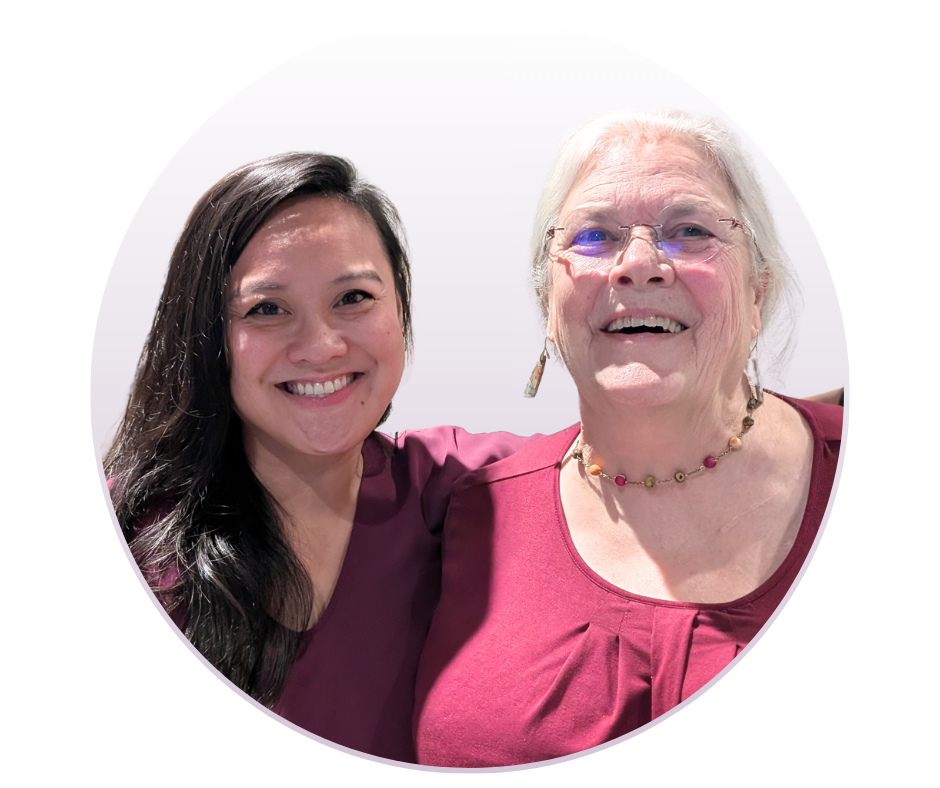
After more than 25 years of leadership in digital accessibility, Knowbility co-founder and Executive Director Sharron Rush will retire at the end of May 2026. Jillian Fortin Burtnett has joined the organization as incoming Executive Director, beginning her tenure this month and working alongside Sharron during an intentional transition period.
This is a moment of both gratitude and excitement for the Knowbility community.
Sharron's legacy
Sharron co-founded Knowbility in 1999 with Steve Guengerich. What started as a community collaboration in Austin — a creative, joyful effort to engage the tech sector in removing digital barriers for people with disabilities — grew into one of the most respected voices in the accessibility field.
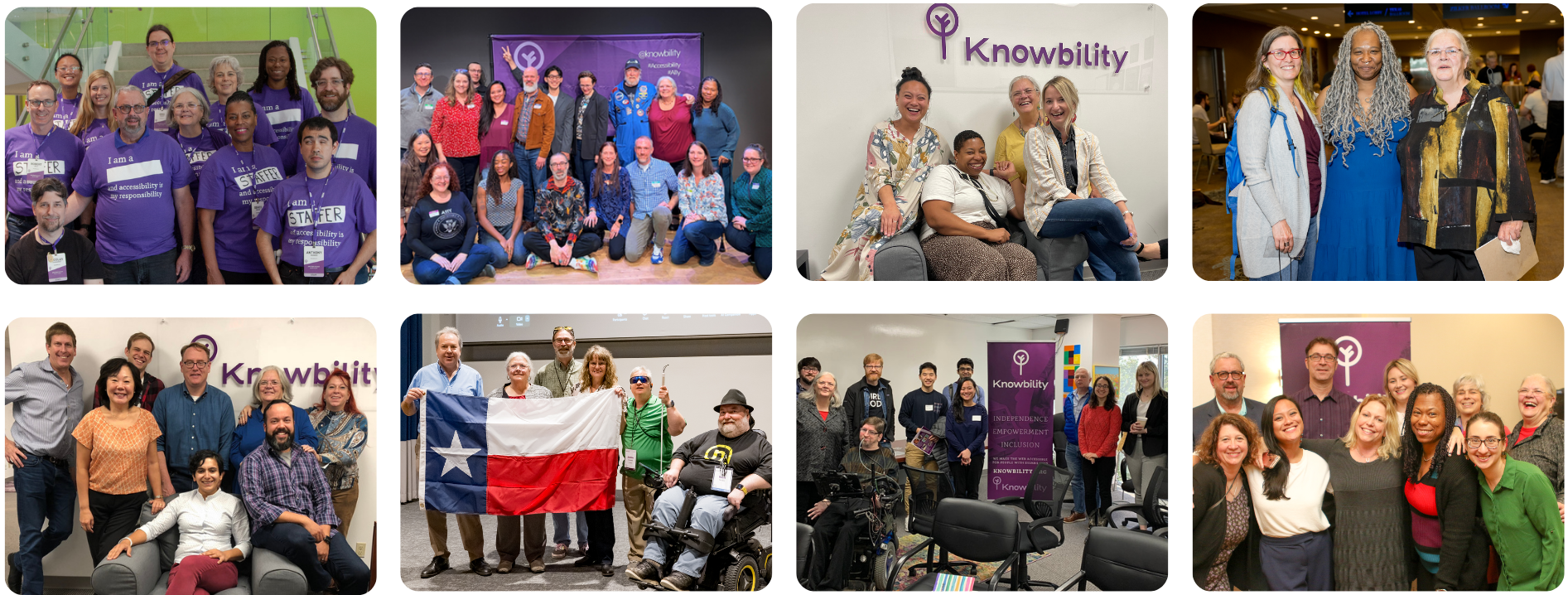
Under Sharron's leadership, Knowbility has trained more than 6,000 web professionals through its annual John Slatin AccessU conference. The Accessibility Internet Rally, which began as a one-day hackathon in 1998, has become a global eight-week competition that has introduced thousands to digital equity — not as a legal mandate, but as a creative challenge. The monthly Be A Digital Ally webinar series has broken attendance records year after year. And Knowbility's consulting and accessibility services have helped organizations of all sizes build more inclusive digital experiences.
Sharron's work has been recognized by the Clinton White House, the FCC Chairman's Award for Innovation in Accessibility, the AARP Purpose Prize, the Texas Governor's Award for Volunteerism, and many others. She was invited to consult on disability and employment issues with the Obama White House, and has been honored by the US Congressional Black Caucus, the National Association of Social Workers, and SXSW Interactive.
But those who know Sharron know that it was never about the accolades. It was about the people — the staff of seven doing the work of seventy, the small army of volunteers, the AIR teams staying up late to cross the finish line, the AccessU instructors sharing their knowledge, and the millions of people with disabilities whose digital lives have been made better because Knowbility exists.
"It has been the privilege of my life to work within the community of disabled people and their allies on the critically important mission of digital inclusion," said Sharron. "Knowbility is grounded in collaborative effort and has been a true catalyst for progress in the field. Jillian brings the vision, energy, and deep commitment to inclusion that this work demands, and I could not be more confident in the future of this organization."
Jillian comes home
For Jillian Fortin Burtnett, this appointment is a homecoming.
Eighteen years ago, Jillian first learned about digital accessibility through Knowbility's Accessibility Internet Rally. That experience set the course of her career. She went on to spend nearly two decades as an accessibility advocate across the startup, agency, and nonprofit spaces — and returned to Knowbility's staff twice since 2010. Many in this community already know her well.
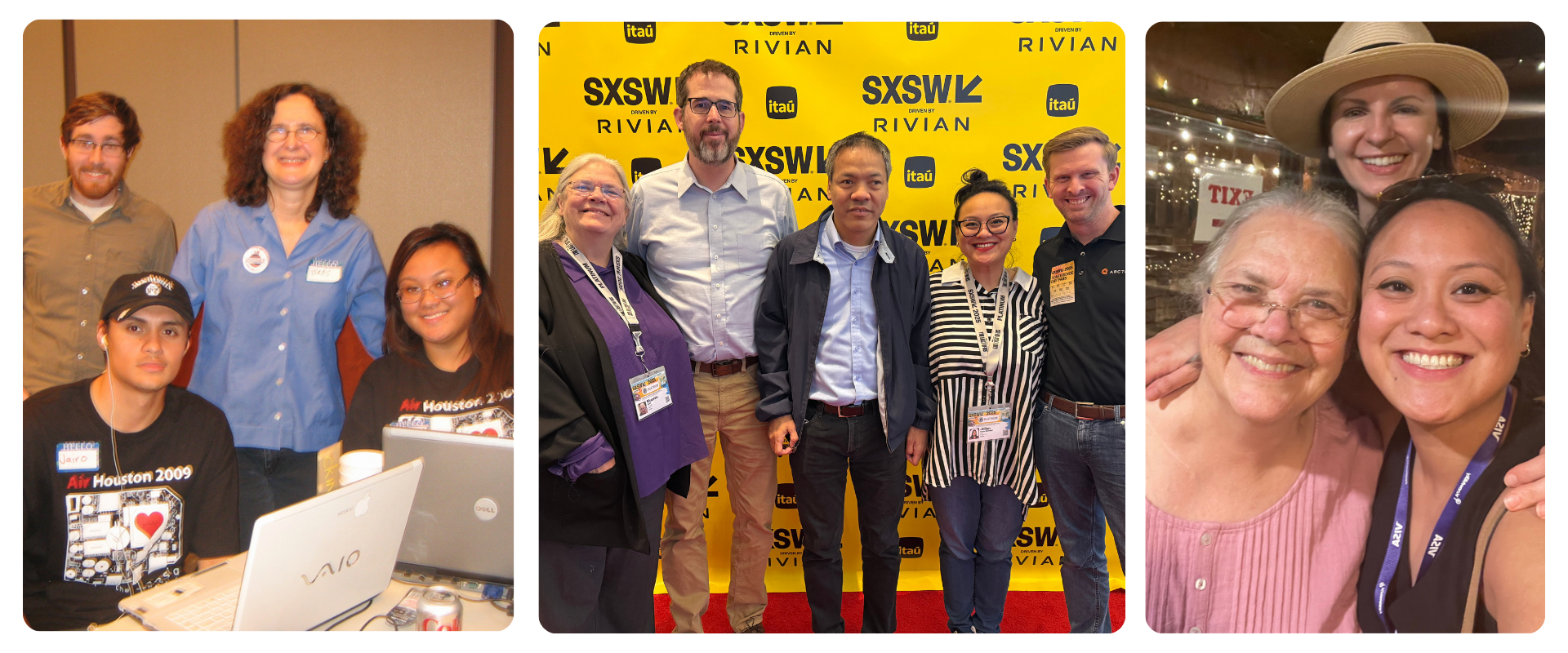
Jillian brings a firm grounding in Knowbility's history, mission, and role in the community, along with a clear vision for the future. She understands where this organization has been because she's been part of it — and she understands where it needs to go.
"As someone who first learned about accessibility through Knowbility's Accessibility Internet Rally, coming home to lead the organization that made me who I am today is truly a full circle moment," said Jillian. "I am honored to carry this mission forward and to build on the extraordinary foundation Sharron has created."
What's ahead
This transition is about more than continuity — it's about growth. The digital landscape is evolving fast, and the need for accessible, inclusive technology is only accelerating. Knowbility is preparing to meet that moment by scaling its programs, partnerships, and services to equip professionals with the training, tools, and support they need to create inclusive digital experiences for all.
Knowbility was founded from a collaborative community effort, and that spirit remains at the heart of everything the organization does. As Knowbility enters this new chapter, it is actively renewing the strong community partnerships that built this coalition and welcomes new ones.
No one should be deprived of access to online opportunities simply because they are disabled. That conviction has guided this work for more than 25 years. It always will.
Celebrate with us
To our AIR alumni, AccessU veterans, longtime volunteers, and everyone who has been part of this journey — we want to celebrate this moment with you. Join us at John Slatin AccessU, May 11–14, 2026. Come build your skills, reconnect with this incredible community, and help us kick off Knowbility's next chapter together. If Knowbility has been part of your story, we'd love to have you in the room for this one. Register for AccessU 2026
To learn more about partnering with Knowbility, volunteering, or supporting our work, please contact us.
]]>
My name is Daniel and I'm a high school student in Singapore.
ReadAble began when I first got into web development and learned about accessible design. Things like semantic HTML or WCAG guidelines were not concepts I had in mind when I was learning how to make a website. Because I had never heard of the term before, I became curious and started looking into what it actually meant, and I quickly realized that accessibility was a real problem that many people weren’t aware of or talking about. Even people I knew who were also into web development had never heard of it. The internet plays such a central role in modern society, from education to communication to access to essential resources, which makes accessibility especially important. That curiosity turned into a desire to build something practical and useful, which led me to create ReadAble as a Chrome extension. Built using React, ReadAble provides simple tools that allow users to customize how they read content online, including adjustments to text size, appearance, and color. The extension aims to make everyday browsing more accessible for people with visual impairments while also helping raise awareness about why inclusive design matters.
]]>Mark Boyden: Welcome to…
The first, be a Digital Ally of 2026.
Where we're focused on creating accessible PDF forms.
If that's what you're looking for, you're in the right place!
So, thanks for letting us be a part of your journey.
The goals of Be a Digital Ally is to cover the basic skills and principles behind accessible digital design, and to help
You and others who make digital content accessible to people with disabilities.
Our audience is content creators of any skill level,
And especially those newer to accessibility.
As a part of your journey, we always strive to create inclusive and accessible spaces, and that's what we're working towards here, so please be kind, polite, and respectful as you…
engage with us during this, and we also strive to ensure accessibility.
We have the captions going, so you can turn those on if you'd like.
Um, went too quickly through that. All right, um, a quick pee…
piece about Knowbility. Knowbility is an award-winning leader in digital accessibility.
Our mission is to create an inclusive digital world for people with disabilities.
Founded in 1999, we are a 501c3 nonprofit. We are based in Austin, Texas, and serve a global audience.
Almost 27 years now.
So, we have community programs that we bring to the people, and our constituency. The Accessibility Internet Rally, which I'll talk a bit more in just a moment.
But it's our hackathon to…
to, uh, teach people how to create accessible websites.
AccessU is our upcoming conference. I'll mention a little bit more about that in a second.
Our Excess Works program is where we engage with people with disabilities who want to work as user test…
subjects in real life, and we pair them up with people who come to us looking for those types of folks.
And they're paid a fair wage.
We also have a focus in K-12 digital accessibility, and then this program, Be a Digital Ally.
Hey, we just finished up our accessibility internet rally. It's our annual web accessibility hackathon. We start recruiting it each year in June. We bring together web developers.
and nonprofits, or non-government organizations across the globe, as well as artists and musicians who need websites.
And we have created night-week accessibility training competition where we train people to
Build accessible websites, give them mentors,
And we have a fun-filled 8-week program, turn in our websites, and then we judge them, provide feedback, and we have the awards ceremony that we had a week ago on the…
On January 15th.
Uh, I ask everybody, I tell everybody about this program, it's how I came to Knowbility for the first time in 2000 and 2001, participating in that program.
The Air 2026 interest form is open, so if you or anybody else you know is interested, you can go to Knowbility.org slash air to find out more, to watch the video, to find out who won this last one.
Um, and to sign up for the entrance form for next year.
John Slate and AccessU is our annual training conference. It's hands-on, in-depth training. It's not just a bunch of sales jobs.
It's coming up May 11th through 14th, and it is a hybrid event.
We do it online via Zoom events, sort of like this, and we do it live, in person, in Austin, Texas.
As well, and it's immersive, whether you're here or remote.
More information at Knowbility.org slash AccessU.
Alright, services we also provide. This is what allows us to bring you the programs we talked about earlier. So we do accessibility testing, auditing for both websites and smart apps.
And help you develop and fix those accessibility issues in your…
applications. We also can provide leadership and strategic consulting to help you build a better team inside of your organization.
As well as training and accessibility at whatever level you want. We have some programs we already have together, or we can develop custom programs for you.
I talked about AccessWorks as well a moment ago, and we also have the Accessibility Help Desk, where you can
get a block of hours and call us to get help with accessibility in your applications.
At the end of the program, I will put this survey code back up, Knowbility.org slash badasurvey. That's short for Be a Digital Ally, B-A-D-A survey.
Um, so I'll bring that back again. You can grab it now, or stick around right afterwards to please give us feedback, because that's what feeds this program and helps us bring you
What topics you ask for.
You can stay connected with us. You can sign up for our newsletter.
Knowbility.org slash subscribe. You can find us on social media, at Knowbility.
Or you can email us, events at Knowbility.org.
Next month, program is already ready, um, it's the third Thursday, typically, at 3 p.m.
The Joy Zabala Fellowship for mentoring and Assistive Technology and Accessible Educational Materials.
Co-chairs Joan Larson and Terry Foss…
of the steering committee for Joy of Zabala, will be here.
And share with us about that program.
Technology for students with disabilities.
And they're both members of the QIAT leadership team, so you can sign up for that.
After you're done with this, uh, show.
Alrighty. During this little, uh, um…
a bit about how we'll handle things during this program.
If you have questions, you can put it at any moment in time in the Q&A. You can find the Q&A in the menu at the bottom of the screen.
And you can also ask anonymously that way. If you'd like to ask in person, you can raise your hand.
And that's in the, uh, at the bottom in the menu under React.
And you can type in the chat, but it'd be better if you can get them into the Q&A, either way.
So at this point, I'd like to introduce you to your instructor for today, Teenya Franklin.
She is Knowbility's Director of Community Programs and an expert in PDF accessibility and other document technology.
Teenya, please take it away.
Teenya Franklin: Hi, y'all. Um, Mark, there's a comment in the chat that some registered users are unable to join the session, that they're waiting in the lobby.
And that one's from…
Mark Boyden: I'll see what I can do, thank you.
Teenya Franklin: Awesome. So, my first question to you before I begin, um…
is… does anybody on the call…
create forms in Word for conversion to PDF.
And you can either put it in the chat window.
For me. Yes, no.
And you can…
Yes, yes, yes, no.
Okay?
Okay. Ah, a lot of you.
Mark Boyden: And you can share your screen when you're ready.
Teenya Franklin: Yeah. Okay, so that said, I'm going to… this is a basic, a very basic class on creating PDF
form fields in Acrobat, but…
I want to, before we go to a sample file, I have a short
PowerPoint that I want to talk about.
When you're designing forms in Word for conversion to PDF, because that's kind of a key…
Um, an integral part of creating accessible forms is that your source file or your Bible, as I like to call it, needs to be accessible.
So let me…
Hide my meeting chat, I will rely on Mark and or Jill to help me know if there's things in chat. I'm going to share my screen real quick.
Alright, now I'm just gonna share… I'll share the whole screen so I can make it big.
Alright. So…
Let's talk a little bit about designing.
forms in Word for conversion to PDF.
So, the first thing that you want to do is think accessible, right?
Before you create any document, there are design decisions which you need to think about.
Especially when they're being converted to PDF, as certain elements such as color, font type, size, and more cannot easily
be edited in a PDF. They can be edited, however,
If that document
the PDF is already tagged, you stand a chance of breaking all your tags, right?
So you want to kind of think about things as you're going.
The word is often the blueprint.
forms, and Acrobat builds on it. This class is taught specifically to Acrobat and on a Windows machine, so if you have a Mac,
Things may be a little bit different if you don't use Acrobat.
things may be a little bit different. Fox at IT is similar to Acrobat, so it shouldn't be too much different, right?
So, if the award file's messy, the PDF's messy. If it's clean, tagging and field placement are easier.
Um, assistive technology…
relies on form-filled labels, roles, and states, logical reading, and tab order, if it's not tagged correctly, users may not know what the field is for, whether it's required or how to complete it.
Basic form structures, accessible forms should have clear instructions at the top of the form or along the way, depending on how it's built.
headings that break the form into sections, for example, personal info, contact details,
Make sure you're… your related fills have a logical grouping, and your labels or your text
is placed consistently to the left or above, however your form is designed.
It helps the structure support understanding and efficient navigation for not only screen reader, but keyboard users always, also.
So, one of the first things you want to do is make sure that you're using Word's built-in styles for semantic instruction.
the visual formatting, um, that you see on the ribbon next to the font section.
bold color italics, it only changes the appearance. It doesn't label headings for screen readers programmatically.
And without those styles, the documents are going to lack structure that assistive technology can use.
In addition, when you convert to PDF, you're going to have to build in your heading structure. Nobody wants to do that, it just takes forever.
Right, so you want to make sure that you're defining
headings, you're using built-in paragraph and character styles and list orders.
Um, his proper semantic heading structures.
Heading 1, Title of the document. Now, here's something that most people are unaware of.
In Word, the title style?
does not convert to a title in PDF. PDF does not have an associated title tag.
So, when you're going to convert to PDF, always use Heading 1 for your title of your document.
And then go down consecutively 2, 3, 4, and so on if needed.
And what not to do with headings is if you have…
pages with the same title, you don't need to use multiple headings, just continue with the content for the sections.
And don't use headings at the top of the page.
or a bulleted or numbered list has been contained from the previous page, so if you have, like, 8 bullet items on one page and 4 on the next, don't repeat your heading. It's going to break the flow of the list, and you have to merge it together.
in Acrobat as well.
So, a lot of people like to use warm-forward controls, which can cause issues. Legacy fields and macros don't always convert into the fillable PDF fields. ActiveX controls can block tagging and screen reader access, and those elements can often disappear or break during conversion.
So, when you're just… let me get rid of this.
floating meeting controls. Sorry, y'all.
There we go. So…
So, when you're…
When you're designing layouts for fields outside tables,
You want to use your columns thoughtfully, and use words column formatting. No tabs or manual spacing. All that does is add space, and…
And assistive technology will pronounce them and hear them.
It also causes problems when you're tagging in a PDF.
You want to make sure that your columns are wide enough for field placement and avoid wrapping questions across columns.
When you're using… when you're designing your forms, make sure you're leaving space for fields. You can use underlining… underlined formatting to indicate
blank areas. Avoid underscores, because it will read underscore, underscore, underscore, or dash dash dash.
And make sure that you leave extra space for longer responses or comments.
You can do that by using paragraph spacing, so that you don't…
have a bunch of blank lines from using ENTER to provide that space. If you use ENTER to provide spacing, those lines are going to come through as blank lines in your PDF, and you're going to have to go find them in Artifact
You want to keep it linear. One question, one field per line, whether it's radio buttons or checkboxes.
You want to try to avoid side-by-side fields unless they're clearly labeled.
Again, use formatting tools, not manual spacing to guide your layout.
Acrobat needs the space to drop in the fields. If the
Layout's too tight, fields are either gonna overlap, get misaligned, or end up being in an 8-point font, which
Nobody wants.
So, you want to make sure you're using clear, descriptive labels, for example, first name, last name, email address.
If you've got areas where you need more than one email address, for example, if I wanted a form to tell me what a presenter's email address is, and a co-presenter's email address, label those clearly, so that when you're doing your form fields themselves, you can give them an appropriate
field name. That makes it easy for continued authors or changes to that form to be made.
And it also will help with your tooltips.
left-aligned labels for easier scanning and place your fields consistently.
Again, I can't say it enough, use paragraph styles, not tabs for spacing.
So, common form fields include text fills, like name, email, address, check boxes, yes, no, agreements, radio buttons, which are a select-only-one option.
Drop-downs and list boxes, which avoid if you can.
Those can cause problems for people with mobility impairment. It's better to use in those instances for a state or a country, a text field, right?
Each field must have a clear label, be in logical order, and correct rules so it can announce it properly to assistive technology.
So, when you're designing…
Think about what to use and when, when it comes to checkboxes, radio buttons, and drop-downs. Checkboxes used for, like,
Select that it'll all apply.
And make sure you label it clearly in your… your… your Word template. Select all that apply.
radio buttons you want to use for things where you can only have one choice.
and label it clearly, choose one response.
One of the things that's not on here is required.
If you want a fill… to be filled out, it's required.
Put an asterisk and put the word required.
And put a note at the top somewhere, asterisk indicates required fields, right? Because you don't want to use color alone.
If you put it in red, someone's colorblind, they're not gonna see it.
So, and again, avoid if possible for drop-downs.
And the field type should match the user task and be clearly labeled.
Make it clear. Should it be a checkbox or a ready button? For example, I've gotten many files in Word
that are all squares, right? People use squares for radio buttons and checkboxes.
Because you can change that format in Acrobat.
But I need to know if I'm the one making the PDF, which one you want.
So use simple squares or circles. For checkboxes, squares are great.
Radio button circles are great, no bevels or tiny shapes.
try to leave enough space around each option for field placement.
And don't cram multiple options in tables into one cellar line.
And keep your consistent layout across the forum.
For your labeling tips, make sure you include field instructions in. Select all apply, or choose one.
That helps both users and remediators understand the intent.
It leads to faster remediation and better usability.
Using tables to create forms. So…
Tables should only be used for data not to manage layout. However, 9 tenths of the population is using tables, especially state agencies, for clear, consistent layouts. So, if you must…
Provides sufficient spacing to allow for form fills to be added in.
Please only put one question or one field per cell, so in the cases of radio buttons and checkboxes,
one set, not two. I'll show you an example in a minute.
try to avoid multi-level lists inside tables.
Oftentimes, if I have a list in a table,
And that table is for visual.
and design layout only, it's easier for both me and the end user if I tag that as a list.
in Acrobat, which maintains the table layout.
And allows the end user who's using assistive technology to easier navigate through the list and form fields, rather than
tables and forms mode.
Um, so those are just suggestions. They're not hard, fast.
So, to reduce the cognitive loan for screen reader users, format content, and we're using simple tables.
Allow the content to be tagged… and again, this is what I just mentioned, it will allow the content to be tagged in Acrobat as a list or text with form fields, right, preserving the layout. And it creates a linear, predictable experience for assistive technology users.
Tables, what not to do.
Please, please do not use tab or enter to create a visual table layout.
Screen readers interpret this as one long line jumbling the content, because content is read from left to right, top to bottom. So if you use TAB,
or enter, it's gonna create, as I said before, just space.
Um, try not to use them purely for layout and formatting. It announce rows and columns, which can confuse the intended meaning.
And again, as I previously mentioned,
someone who's remediating it.
And has the experience, can tag it.
in alternate means, and still maintain that visual layout.
Do not allow single rows to break across pages. If possible, it disrupts the reading flow and causes loss of context.
Because, again, it announces header and column rows.
Again, it can be remediated in Acrobat, but takes long… takes longer to do it.
So, to create tables,
Use the true table… create true tables by using the insert table function in Word.
Enter your headers and first and last columns are labeled and defined.
Use short descriptive names for your column and row headings.
Set the option to repeat the header road on each page.
For complex tables include alternative text to describe the table contents. Now, if you have to pass the Acrobat Checker,
It will ask you for a table summary, but that should be very short.
Right?
So, this slide, I'm not going to cover, it's… it's literally step-by-step instructions on how to label your header row, first and last columns.
You guys will get this in a couple of days when I've finished, um…
finessing it, shall we speak.
And again, this is allowing the header row
for header tables that span multiple pages, make sure that that header row is repeated at the top of each page.
Because screen readers rely on headers to interpret the cells, meaning if the header row isn't repeating,
Losers can lose contact when they can… table continues on to the next page, especially if it's
The table that spans 10 pages.
So you want to make sure that you do that.
Um, so, and here's a step-by-step screen of how to…
apply the repeat as header row.
Um, here's an example for table forms. Please don't do this.
So you'll… on my screen, I have a three-column
One row table, just as a sample.
And then the first column…
first cell, you can see that it's got two questions, but with one number one.
In the second…
column cell. It's got two sets of
radio checkboxes.
Which is not proper. Um, I take this from a sample I got, that's completely improper, because those are not check boxes, those are radio buttons. You can only pick one or the other.
And then comments. And in this slide, there's macros built in the back end, so you can see how the macros can cause a problem.
So, this is the what-to-do example. You can have…
the fields in there. But you should only have one question, one line item per
row per cell. As you see, I have a 1,
And then one question, and I broke the two… the second question into the next cell.
Because then you can tag it as list items with form fields in them.
And it could also be tagged as a table. And if you notice…
the header cells are appropriate now. It's an item response selection and comments, right? Whereas on the previous slide, it said item checkbox.
and comment. So, not… the checkbox is not very contextual there.
So I just kind of wanted to give you an example of that.
So, Word to PDF conversion.
So, I'm gonna open my chat real quick and ask a question.
How many of you use the…
export as, or…
save as Acrobat from the ribbon, the plugin at the very top.
Okay, anybody else?
Okay…
Okay, and now how many of you have experienced issues with that in the backend PDF?
Okay, so I'm going to give you a better option.
When I remember. That's… that's nice. Okay, so let me go ahead and hide this again.
So…
Why is it… there we go. So, here's the issues with export options. First of all, it bypasses Words PDF settings.
It may strip your alt text, form field, and heading tags.
And we'll generate an unstructured, dumb PDF.
So, screen readers can lose navigation landmarks and jump unpredictably, and then you have a lot of work to do in your back-end PDF, right?
Issues with the Acrobat tab in the office, you know, the little Acrobat
That you see in the ribbon at the very top. Again, it overrides word accessibility tags often.
And it may reorder or remove tags, or introduce proprietary tags, which will break your reading order,
and makes content unreadable for some assistive technology.
User impacts, headings, tables, and images may lose contacts. Users… context. Users may miss information, lose their place, or become disoriented.
So here's the better option, and I've been doing this…
I'm about to date myself, y'all don't laugh at me. For about 25 years now.
Here's your better option. So you're going to use Save As.
So you're gonna go to File, Save As, and I'll show you this in a minute, and then you're going to choose your options.
This will retain your structure, your heading list tables, retains your alt text and form-filled tags for images and interactive elegance.
elements, where we hopefully maintain your logical reading order and navigation of landmarks.
And it shows your options dialog box, so you can confirm that you want the document structure tags for accessibility.
So, this is how you do it.
You go to your File tab in Word, you'll choose Save As,
and pick your save as… save…
location, where you want to put it, right?
And so, on my screen, it's not a very good image, because it's blown up.
But when you get there, you're gonna go to Save as Type, and you're gonna open the drop-down and choose PDF.
Then you've got a little box underneath that that says Options, and it's here.
In yellow, which…
I'm using color to convey information, but it's going to be right underneath.
And it'll say options. So when you select the options menu, it's going to open a dialog box.
here. Why does this keep showing up?
And this is… this is what you want to make sure you do.
You're going to locate the include non-printing Information section, you're going to make sure that…
Both checkboxes for document properties.
And document structure tags for accessibility are selected.
And then under PDF options, you want to make sure that bitmap text when fonts may not be embedded as selected.
then you're going to hit OK, and you're going to save your file.
Okay, so now I'm gonna come out of this…
And I'm going to go to a sample file, and we're going to get down into the meat of it.
Alright. Do we have any questions so far?
All right.
Mark Boyden: What about the export?
create PDF XPS document option.
Teenya Franklin: I have a question. When a PDF document contains a form section with fields such as first name, last name, address, email address, and notes,
And the entire section is tagged as a figure.
Uh, no.
So,
Is this considered correct and compliant? Should these elements instead be tagged as form fields with appropriate labels to ensure accessibility for screen reader user?
Yes, so here's the thing with automated checkers. They don't…
Especially Acrobat, it's not gonna catch it, right? If it comes through as a figure, it thinks it's a figure.
Right? So, it should absolutely not be a figure, and that would tell me that something happened either in convert…
conversion, um, or creation.
So they should absolutely be tagged as text with form fields and appropriate labels, and I'm going to kind of show you guys how to do that.
So, I'm going to start from the Word file, and I'm going to convert it.
Mark Boyden: Hey, Teenya?
Teenya Franklin: Yup.
Mark Boyden: Yeah, we had a couple other questions, if you want to address them. They're in the Q&A.
First question is, what about the export, create PDF, XPS document option?
When you're saving…
So that's this one.
Not sure document.
Teenya Franklin: It doesn't… it can cause tagging issues. It can cause you to have more and
work on the back end.
And I always tell people, Acrobat, you can be…
You can have two people side by side, working on the same file, following the same steps, using the same
tools. Each one can convert it and come up with two different things. One of the things I tell people to not do is ask themself why Acrobat does the things that it does, because it will
drive you insane.
Yes, you will receive the presentation slides, but…
It will be a little while. The save as Adobe…
That's this slide here, the issues with the Acrobat tab in MS Office.
Which is…
Let me hide these floating again.
So this, you're talking about this acrobat here.
This here doesn't work right.
They don't like it. Is there a better product than Adobe Acrobat?
There is, but they're highly expensive.
Um, I have been working solely with Acrobat for 25 years.
Um, we can talk about other things.
But there are other products that can be used if you have access to them. But for this training, we're just going to focus on Acrobat.
Um, is it Best Plasters?
So, as far as displaying borders on the table, yes, you can have your borders, because
When you go into…
the PDF, you can tag it without those borders. Yes, always display your borders if you're using a table.
Or you can… you don't have to, but if you want it to be identified as a table, you can.
Um, so the Word file, Save As, that's exactly what I talked about it a minute ago, which is what we're going to do. That's the pro… that's the one that I use, which is this one here.
Mark Boyden: I've got a couple other for you, Teenya. Gabby writes, prior to my exposure to accessibility and document creation, I always used this preferred method. My employer specifically told us to use the Acrobat tag,
tab to conserve tags.
Why even have the Acrobat tab? Why would accessibility folks recommend using this tab if data is lost in the conversion?
Teenya Franklin: So, here's the thing, it's not always lost in conversion, but it can be, because Acrobat and Office don't always play nice.
Um, you have Save as Acrobat on the left navigation, and my Save as option, but I also have it on the Acrobat toolbar.
So, I'm on the Acrobat toolbar, and I don't have…
that version, so I'm not sure which option you're using in.
it in, but I always save as Acrobat.
Adobe PDF, which is what we're fixing to do here.
Was there another question I missed?
Mark Boyden: Yes. Jen asks, is it best practice to display borders on the table, both inside and outside, so it is visibly identifiable as a table?
Teenya Franklin: So, this is how I do mine. So, yes, you can have your borders.
You can have it visually identified as a table, so it still visually looks like a table, and we're going to kind of go through some of this and tag it.
Because what happens with these borders, you can tag it as a table,
But in instances where you want just the table for layout purposes, there's multiple ways to achieve something, right? So you can tag it as a table with form fields in it, which does cause a little bit of an
of a cognitive load for screen reader users.
Um, there is a setting where you can have it read both, but it's an advanced setting.
Mark Boyden: That's all we have at the moment.
Okay.
Except… oh, there's a new one that popped on, uh…
Into the chat.
Teenya Franklin: It's a resource from Marcia.
Yeah, alright.
So, again, there's multiple… now, I'm gonna tell you this before I get started. There are multiple ways in which to achieve something in Acrobat.
Um, so the workflow, or as far as how you choose to do it, is going to depend on how you work the best, right?
So, the first thing I'm gonna start with here is I've got my sample form in Word, and I'm going to go to File,
I'm going to save as…
And you can use Save as Adobe PDF as well, but I'm used to going this way, and I go to this PC, I'm going to browse…
I'm gonna choose where I want it.
And then here…
I'm going to choose PDF.
And then I'm gonna open my options and make sure that, by default, these are selected, but I just want to make sure I didn't change anything when I was making things.
And then I'm gonna… I have open file after publishing selected, so I'm gonna click OK.
I'm gonna save it.
And we have our PDF.
So…
Now, because I chose…
the options and told it to structure it.
I have my…
structure here, right? Now, it's… it's… it's not perfect, right? There's things that need to be fixed.
But you have… you can see I have my headings.
and paragraph. Now, here's an issue here. One of the first things that you need to do…
When you're working on forms.
is before you add in your form fields,
go through, especially if you've
got tags. You want to go through and you want to walk your tags, and you want to look at what you have.
Because you're gonna need to change things and tag it properly.
So that when you put your form fields in and you have…
tag annotations selected.
It will put it in the right spot.
Right? So, right here, you can see that I have tag annotations selected. If you open up the little drop-down next to the I in your tags.
I have a couple of things. Tag annotation, apply role mapping, and highlight content.
That's so that I can see where I'm at in my tags.
Which puts a, um…
Lovely little hot pink box around it, right? So I can already see that I need to…
come in here and re-tag name, email address, and phone number so that I just have the text.
And not the lines, right? Because we don't want the lines red.
So, the first thing I'm gonna do is open up my accessibility tool, go to the reading order,
And I have some tricks that make some of this a little faster.
So right now, all I'm gonna do is deal with…
these three paragraph tags. I'm going to take name,
text paragraph, email address…
And the colon, text, paragraph.
Phone number, text paragraph. Now, again,
The way that I work, in the order I go in,
It may be different than the order you go in, depending on how your brain works. I like to fix everything as I go.
Before I do the form field, so my next step…
is I'm going to find…
this name paragraph right here.
And do you see the outline?
If you expand the tag where the line is,
In the tags tree, and you right-click on it, and you tell it to show it in the content panel.
It'll take you directly to it, so you don't have to dig.
Now, I don't have to make these artifacts one by one, I can do them all at once. If you choose to do this, be very careful what you do.
Because once you artifact it,
There's no bringing it back easy.
You can remove it, sometimes it will disappear, sometimes you'll get lucky and it won't, so just be very careful.
So what I want to do is I want to get rid of all of these lines, so this P tag…
PTA tag for email address that has the line, and the same for the phone number, because I don't want them read aloud, and I don't need them in my tags.
So I'm gonna left-click on the first one, I'm gonna hold my Ctrl key on my keyboard.
I'm gonna grab the next two.
I'm going to right-click. I'm going to hit Create Artifact from the Contacts menu.
Then I'm going to tell it to choose Layout.
nothing else need to be touched, just change it to layout and click OK.
And if I go back to my tags,
You'll see that I now have name, I have email address, and phone number, and I have some blank, empty tags.
Right? I don't have to delete those all one by one either.
If you come up here to tags,
at the very top, and you right-click where it says Tags,
You tell it to delete empty tags.
And they go away. And then I'm gonna save this real quick.
Right? I'm gonna do the same thing. This space is actually part of a bounding box for the figure.
So, let me just do this real quick.
There we go.
Hating 2, paragraph H2. So now I have name, email address, phone number. I know this section's clean, right? So now I can move to the next section.
So, what I've done here…
is in my Word file.
If you notice, there's no… if I go to the next tag, there's no spaces in between.
That is because I used paragraph spacing in the Word document to give it enough space to have a multi-line
text field inserted into here.
Right? And if I go down again…
go to my next H2.
And then it's gonna go to…
the two questions, which are going to be in the proper order.
Because I used proper column formatting.
When I created the file in Word.
Right? Which means I can drop in my form fields, and it's gonna go in the right reading order.
Um, and then I have some blank spaces here, right? So again, I can open that up.
And let me drop that down a little bit.
And I can click on the spaces.
In the tags panel, the container. You always want to click on the container when you're doing this, not the tag.
Click the container, right-click.
Show and Content Panel.
create artifact layout, right? We don't want blank spaces.
Okay, so that whole first page is clean.
Right?
Now, moving to the second page…
So these came through as figures, which is fine. We're gonna actually artifact those, because what we're going to do is we're gonna insert a radio button on top of that,
And it's gonna cover that hole.
circle, but you don't want the figure behind it, or the path.
Right? So, I can do the same thing with these three.
Here, and we're going to do the same thing.
With the checkboxes, we make them artifact, just like we did.
So, a real fast way to do that, since you know where they're at and you know it says path,
So you're gonna go to the first one, go into Show and Content Panel.
And they might not be where you expect them, but…
If you hit your shift key,
And you hold down…
It'll highlight as you go.
So, it's highlighting all the checkboxes.
and the radio buttons. Now, I can see that I have all the ones that I want selected, because they
I have that highlight content on, so it's got that pink box around them.
Then I can right-click, create artifact,
Layout, click OK.
Now, if we go back to our tags…
Delete empty tags again.
And you can do that all at the end if you want. Again, it's all dependent upon how you work.
We'll start at the top of my page, and make sure that it's correct.
So now you can see that my text is just tagged as text and the boxes are gone.
With the exception of here on other Please Specify.
We need to do the same thing that we did above.
And make the text text.
And then an easy way to find it, you don't have to dig in your tags, you can double-click on it.
Go to your context menu,
Find tag from selection, and from there…
I see the one below it.
The line, I want to show content panel. Now, here's the thing.
There are always more than one way.
to create an artifact.
If you choose to draw a box around this and use your reading order tool and hit background artifact,
it will still show up in your reading order.
The reason I use the content panel is because I don't like that in my reading order. It confuses me.
So, I have cognitive issues where I need a clean file, so I always go to my content panel to get rid of those.
So I'm going to right-click there…
create artifact, layout, click OK.
Okay. I'll just delete that tag.
So then we have our table.
And as you can see, there's a lot of spaces and things in the middle that we don't want, right? The only thing that we really want to stay
Is this yes, this no?
Yes and no, because we're going to put form fields in here.
Right? So…
I want to…
And you'll see that they're all labeled.
that my table is labeled properly.
So if I go here…
do tables and figures, you can see it's all in the table, and it's all there.
Show a content panel.
And again, this time I'm going to use my control key when I go through the content panel, because they're not back-to-back.
So, I'm gonna hit that.
They have this first band, which is the first space and the first cell.
Get the next one.
I'm gonna… I do not want the yes, but I want the span there.
The no stays. Another span here.
span here.
And the spans are the spaces.
Right? And then these four paths, I guarantee, are going to be my radio buttons.
So I want to grab all of those and create artifacts out of those.
You can do it all at once.
Choose Layout, click OK.
So now it's a little cleaner, right?
And when we go in and add our form fields, it'll be a lot easier for us to do.
So, since I already know I have another one…
I'm gonna go back into this one and do the same thing.
On the next page.
And that's gonna be page 3.
There we go.
item, response, so… let's see here…
blank space. I want to get rid of that one?
I want to get rid of that blank space, and that one.
As well as that one.
And I see there's a blank space here, so I'm going to go ahead and get rid of that as well.
Now we have a cleaner form here. I still have…
Couple of…
You can see in the reading order are 25 and 26, those are those boxes behind it, so I still need to find those.
Aha. Here they are.
Okay. So now…
Gonna hit save.
I want to go back to my tags.
I'm gonna tell it to delete empty tags.
And then I did do it here.
That'll end up having…
form fields put in.
And you'll notice that when you're doing nested tags, it will leave some in, and you'll just say you just want to make sure you clean up your tags first.
Those are actually right.
You can also do this afterward, but…
I found that a lot of times, if you wait and you put in your form fields first and your reading order is out of order,
you, when you go to correct your reading order, it breaks.
your entire…
form.
Okay.
So, now that we're all cleaned up,
We're gonna go into…
Starting to add in our form fields.
So to do that,
I don't know how many of you have your Acrobat set up.
But I have all my tools.
And mine is set to classic view. If you have the new version, or the new view of Acrobat, this is going to be a little different. Your stuff's going to show on the right, and the way you get there is going to be different.
So, for me, it's all on the…
On the right-hand side. And to add these on,
to your toolbar.
There's, uh, across the top of Acrobat, you see Home, Tools, and then the file. If you go to the Tools tab,
Shows you all the tools that are available.
If it says open, then it's already on the toolbar. If it says add…
You're gonna add it, and when you click add, it adds it over here.
Okay?
So, any questions before I start?
With the tagging, or the fields.
Okay. Step 1, you go to Prepare Form.
And one of the things that you want to make sure that you have on, it says for… is…
form-filled detection is on.
I have that on. Sometimes it will put in form fields and blank spaces that don't belong there, which is another reason you clean it up.
Um, but it helps because if you have things that are labeled property, it should put in the form fields where they need to be.
And this is the source file here.
So I'm going to click Start.
And… let's look at it.
So, what happens is, you see the form fields in,
the text. And over here, you see…
which you have in your…
forms pain.
On the right, for me.
Now, what you want to do before you start messing with everything is you want to make sure that
everything is in there, and it's not, right? Now, one of the things that happens…
is when you leave a space, instead of putting a box,
Acrobat's not going to recognize that should be a form field, right? It's just a blank space, right?
So what I want to do here is I need to go ahead and I need to add a text field here.
That's multi-line. I need to add two text fields here.
The radio buttons came through.
And we'll look at the tooltips and the labels in just a moment.
All the checkboxes came through, as well as the other, please specify.
Now, in here, you'll see that the form fields are there.
However, you got one here that's extra, right?
Because there was an extra space.
Because that's actually a header cell. So what I want to do right there is get rid of that.
And it did the same thing next to the yes-no, because it saw whitespace.
So I'm gonna get rid of that.
And I'm gonna get rid of that.
Okay, so that… that one's cleaned up a little bit rather nicely.
So I'm going to go to the next table.
And as you can see, they're all in there.
And that's the end of the sample. But what I want to do…
Because every form field needs to have its own unique name.
or label, and it also needs to have a tooltip.
Now, when you're talking about labels and tooltips,
You want to make sure that they're not exactly the same. A label tells…
tells you what it is. It tells the author what it is, right?
And it's… the labels on the page, so that's tagged as text for end users.
But for someone who's editing a form…
You want to make sure that your label
is consistent and easily identifiable. For example, you can see that name is fine, right?
However, if you want your first and last, someone to put their first and last name in there…
You kind of want to provide those instructions, so…
You're gonna right-click on the field, and you're going to go to Properties.
It's gonna bring up the text field properties box.
So, on name…
Name can stay, that's fine, because that's just the back end.
The tooltip is what the end user sees and what you see over Hover, and what assistive technology hears.
So, for the tooltip, I'm gonna put…
Enter… first…
And last name.
I'm gonna tab out of it. Now, there's ways you can format the form fields if you want.
There's appearance, you can do a border color, which I have as none, a fill color.
You can change the text size to where it comes out an appropriate size.
And you can change the font type so that when they type in it, it comes out in a certain type of font as well.
put options, and we'll address this in a little bit.
Check spelling, multi-lying, scroll along text…
actions, these would be for links.
and format, validate, calculate.
For the most part, you're just going to mess with the general.
and the appearance, right? So I don't like to put borders around mine. I have it set to show…
excuse me. As… as just, um…
I highlighted.
Okay, so I'm going to move to the next one.
Now, here's the cool thing about the properties. You don't have to close them.
As you're moving through your form fields. You can leave it open.
And go and change your tooltips easily.
So, for email address, because you don't want the label and the tooltip to be the same, you need to provide instructions.
So you could put enter…
Email address, right?
Plain and simple.
Phone number. Now, I've got 3 different fields here for phone number.
One is for the area code, one is for the first three digits, and one is for the last 4 digits. Now,
I designed it this way on purpose to show…
that there's a variety of ways that it can be done. You could do a single text field that just says, please enter your phone.
phone number, and then the tooltip would be, please enter your
phone number, area code.
First, or including area code, right?
So, this is going to be… this is phone number area code, so I'm going to change the name of it.
So that any feature editor will know.
that that's the right field without having to dig.
And for the tooltip, I'm going to put in…
Enter phone number area code.
Right? And the next one…
You notice how it says undefined?
Because it only associated the first cell.
The first form filled with phone number.
This is going to be…
Phone number… I'm gonna put first 3, again, for editors.
And yes, it would be simpler to just do this as a single text field.
Make sure your spelling is right, too, because people who use refreshable braille displays will pick up your spelling errors.
So on this one, I'm going to put enter…
First 3…
digits, or numbers.
I'm out of it, then the next one is gonna be…
Did you just do?
I'm actually going to leave this misspelled so that you can see.
Um, the difference when we go to…
However.
Okay? I'm gonna save.
Now, at any time when you're working,
Oh, so you have to say, when you go to save it, it's going to ask you to save it, because it's now a form.
So, I'm actually going to come in here and call this a form.
And… save it.
So at any time when you're working in your form fields, if you want to see what it looks like,
This is in my way, y'all, sorry.
There's a little preview button right here.
at the top of your… of your form fields pane.
If you click preview, you can actually see.
When you hover over, you can see your tooltip.
And as you can see, you can see my spelling mistake as well.
So you really want to be careful with your spelling.
And then to get out of that, you just go back to Edit.
Okay? So, for a multi-line text field that you need to enter,
At the very top of Acrobat, these are your…
various options for form fields. Some of these you'll never use.
Um, a note on a date, if you ask for a date, the date…
that I've discovered that this date field…
Is it very accessible? So I would just ask for it in text format, and use your tooltip to tell them what format you want it in.
So, for this, I need a multi-lane text field.
So I'm going to select a text field.
I'm gonna put the start of the box where I want it, and I'm just simply going to expand it.
out. I'm going to right-click and go to Properties.
And so on this one, you have a briefly described the strangest anomaly or issues you've encountered.
when tagging a PDF accessibly. I don't want to put that whole thing, right? So this is going to be the name of this is going to be…
PDF, strangest.
Anomaly.
That's going to be the name of this.
The tooltip for this one is going to be…
Enter…
Um, the strangest…
anomaly.
you have encountered. Because you don't want it to repeat…
what the question is, right? Or what you want.
So, you don't want to retype out whole, briefly describe. You don't… you don't need that. You just tell them to enter the strangest anomaly they encountered, or enter whatever the data is in question.
Okay? So here…
You can do the same thing.
Now, you can actually duplicate
or copy and paste.
form fields, but when you do that, you gotta be really careful, because it's going to give you really…
funky numbers, right? So if I was to copy this…
Just for an example, and I hit paste.
And I come down…
It's got the same exact title and the same tooltip, so you need to make sure that you go back and you change those, right?
So for right now, I'm going to Ctrl-Z.
twice, three times, because I forgot to do something.
I need to go into the properties of this multi-line text field.
And go over to Options.
And I want to make sure I select this multi-line, and make sure that Scroll Long Text.
is checked as well.
Okay? I'll close that, and I'm gonna save.
And yes, Acrobat will jump. Please don't ask why it just does.
So here…
I've got text in two columns.
So what I need is two text fields.
So… I'm just gonna do one.
Drag it down. In this instance, I am going to copy it.
And paste it, and when you do this, there's no telling where Acrobat's gonna put it on the page, so you'll have to move it.
I'm gonna put it right underneath it.
And I'm gonna go to Properties…
And for the name on this one, I'm gonna put Accessibility Meaning.
Enter…
Accessibility…
means to you.
And here, it's gonna be usability.
And then, again, on both of these…
I need to put multi-line, so I can just jump back and forth from box to box.
Hit multi-line, and click Save.
Okay. So what I like to do before I move to the next page is make sure that all of my
Form fields are in the right…
tab order. So to do that, you can either come here,
into the fields, and you can…
There's a little more thing that has some…
tools, and then you've got fields in this context menu.
I have mine to set order tabs by Structure, which is important.
So when you do that, it should order them, but if you go back and you add a form filled in, it might not put it in the right order.
So another thing that I like to do is come up here to the drop-down,
It's a teeny tiny little drop-down.
Which I wish they'd change, because you can barely see it, but if you open that,
There's a show tab numbers.
You click on that, it's going to give you this dialog back that says… box that says to change it, sort it manually.
Great. We know that. Wonderful.
So now you can see these itty-bitty numbers.
Up in the tiny little corners of
The left-hand side of the form fields.
Right? And you can see that these form fields are indeed in the correct order.
Okay? I always like to do that page by page, because if I do the whole document and I forget, and then I go and I do…
because I have a feeling that this one did not tag the annotations like it's supposed to, and I go to add them in.
it's gonna jack it up.
Um, so that's the first page.
So, does anybody have any question on text fields before I move on?
I can't see the Zooms. Go ahead.
Mark Boyden: Let's… yeah, I've seen some people artifact… we got a couple other questions, I'm gonna say those for the… well…
You had previously, from Joe, we… it says you had previously stated not to use underscores for fields. What is used in this document for the lines?
Teenya Franklin: It's an underline.
So, I had… it just has underline… it's an underline, it, um…
It's just an underline. You, like, highlight the space, and you hit underline, and it'll give you an underline.
Now, again, you can't… if you're going to convert to PDF,
You can use underline if you're going to artifact it. If you're going to leave it in Word, don't do that.
Right? So, if you're gonna… you're gonna convert it. Also, Underline gives you, like, spaces in between them, like little thoughts.
For example, when you have a TOC and they've got those lead dots,
Those are red as well. So…
You can if you're going to artifact them.
Next.
Mark Boyden: Uh, Christina asked, I've seen some people artifact the question text and put the full question in the tooltip. I'd like to hear your thoughts on that.
Teenya Franklin: No.
So, here's the thing.
So you're saying, to clarify, you're saying that, for example, they would artifact this text…
And then just put the entire question in the toolkit.
So the thing about that is, is that you have to be able to tie this form field to some container
on the page, right? So if they're doing that, then it's not tied, and it's not going to have an OBGR tag.
I would need to see an example of that, because that just doesn't sound like a good idea.
At all.
Mark Boyden: We have some other questions, too, but I think it might be best at this point, Teenya, to hit these and then allow people who, um, have some additional questions to, uh, stick around afterwards.
Okay, I'm gonna move forward.
And then we can hit any of these that are left over.
Okay.
When we, uh, share the video and stuff next week. Because you've still got a few things you're working on here.
Teenya Franklin: Yeah. That sounds good to me. So, on radio buttons, I want to show you something over here in the… in the…
And I wish I could expand this, but you can't make it any bigger, like, you can't…
pull this sidebar to make this bigger, which is really frustrating.
There's a little scroll bar down here where you can scroll.
a little bit to see it.
Um, so you see that it's got…
a group, right? These are radio buttons, and they're connected.
So, it already put those in.
Because I had my source file.
created properly. And with the thing with radio buttons is, I want to show you the properties.
So, the group name here is, do you primarily?, and it says select one. The thing about radio buttons…
that's different, is they're all gonna have
the same group name.
And the same tooltip, so that doesn't change, right?
So, that's fine on this one.
If you look at the options,
So you see, you can change it from circle…
or a square, whatever, whatever someone's used, right?
I always say it's good for him to use a circle for a radio button, but if they don't, you can choose it from your options in here.
Okay? And then…
your radio button choice…
is where… this is where you would…
add in, in this instance, you would actually put the same…
tool text, or the text
It's the same text that you have here.
or part of it, right?
So you don't… you don't necessarily have to put the whole thing.
So for this first one…
You'll notice it's already got that filled in because I created it properly.
Right, so I don't have to add anything in there.
And if I look in my fields, you can see that it's the same for all.
Right? It made it a circle, because it was a circle.
And then it added the options to my choices.
Now, if you're creating them by hand, you're going to have to go in there and do that.
yourself, right? But it already did it for me.
So that's really great, because my Bible was accessible.
Okay? So if I go down…
To the next one, here's the difference with checkboxes. Checkboxes, you can select more than one.
Right? So you actually have to change
the tooltips on these, right? So, you've got email listserv, I've got
four options here. How did you hear about this class? Select all of the applies. So somebody may have heard it.
about it from an email list server, or from a coworker or manager.
Or they saw it on a mobility website, or they saw it on a social media post, right?
So, you want them to select all that apply.
So, for the name…
In this instance, it's fine to have email list servers, but the tooltip would be…
You just add a couple of words,
select…
If…
And I'm struggling with words here, um…
from…
from email listserv, right? Now,
I don't want to type this over and over and over again, so I'm going to actually take the first 3 words that I just typed, and I'm gonna…
highlight it, and I'm gonna hit CTRL-C on my keyboard.
I'm going to move to my next
checkbox.
And I'm gonna go right in front, and I'm gonna hit CTRL-V.
Right? So, selected from coworker manager…
And then they want… you want them to select this one if they had it from the Knowbility website.
This one did funky, so this is why you always gotta check. This one actually took the text from the table below,
And put it as the name.
Right? So, I need to change the name to Other Source.
And then the tooltip…
Select it from another source.
Not listed.
And then… on the other, please specify, it's gonna say, other please specify, and I'm gonna say…
Enter source, right?
It could be whatever you want it to be, as long as it's contextual.
Okay? And then I'm gonna save.
Okay?
So, we're gonna move down to our tables.
So, in this one, I've made a couple complex… well, they're simple, but complex, because they have form fields in them.
So, I've got two… four text fields, and I've got two sets of radio buttons, and I can already tell that my tab order is correct.
So I just need to correct the…
Name and tooltip. So…
I don't need class row 1 in here, because it's in a table that's going to tell them.
It's the row. So, data, of course,
is fine.
For the name?
And the tooltip would be…
Let's get rid of that.
Enter…
date of… and here's the thing, because there are no
There's no 1, 2, 3, 4 in this table.
I always kind of view common sense, and… because I don't want the tooltips to be the same.
So I'm gonna put either enter data of first course,
or enter date of first course entered, right? Something like that, so that there's…
a delineation between
The tool… the tool tips for users, say that 5 times fast.
So you just kind of want to make sure that it's clear that they're at a different field.
Um, so I'm gonna put in her date of…
First course.
entered.
Right? And then I'm actually going to copy this.
And I'm going to go to the one right below it,
And this is going to be date of…
Again, you don't want your name to be the same, so I'm gonna be… I'm gonna put date of…
Second course?
As the name, so that future editors will know, okay, this one goes to that one, without having to click through everything, right?
And in the tooltip, it's going to be date of…
Second course entered.
Right? So just small things that can make things go a little bit faster.
Right? So…
I'm going to move to the next one.
It's just under course class name.
So, what I can do here…
is…
Copy the last 3 words from first course entered.
Come over here, and this is going to be…
First…
class name for the name.
Then here, I'm gonna put…
Enter the name…
Uh, first course entered.
And you could change entered at the end, and just…
kind of change it to listed, maybe?
Would sound better, so you're not hearing entered, entered over and over again.
And if I want to go back and change the other one, I could do the same thing here.
Because I don't have to close that box, right? It makes it easier to go back and forth.
And then, again, I can CTRL-C.
And I tab out so it saves it.
Come over here, I want to make that small, slight change, because I know it just sounds better, and I want to do it before I forget.
So, then we can come to…
This one here…
This would be…
Second class name…
for the field title, or name, I mean?
And then I don't want to retype everything, so I'm going to come over here,
Copy the first one.
Ctrl-V and change first to second.
Right? Tab out.
Okay, so now my radio buttons.
We have it undefined.
So, the name on this one would be…
And again, they're… they're gonna state again…
Together, so it's gonna be…
Of course.
completed.
Now, you notice…
When I did that,
my other one dropped out from underneath it, right?
in my… if you look in… in the…
the pain. It dropped out.
of my radio buttons.
So, all I have to do here to fix that…
is drag and drop it at.
And actually, it wants to be a pain, so I'm going to CTRL-Z, click on this one.
trophy, and now you can see that it's merged back together, and all I have to do is hit the tooltips.
Right, and on a radio button like this, where it's yes or no,
One tool tip, because it goes… applies to both.
Select the correct…
response.
Because it applies to both.
Right, and it automatically changes.
Because you can see, when I go from yes,
select the correct response, and I go to no.
Select the correct correspondence, right?
And on this one, I would actually…
change the name on this?
to the first…
course completed.
Because we have two listed here, right? So that means when I go to the next one, I can fix the next one.
Now, here's another cool little tip.
In your pain, your form field's pain,
Where I have undefined 4. That's the second set of radio buttons.
You can actually open this,
and right-click, or double-click in here,
I don't know if you can see the change, but when I double-click in…
Where it says Undefined 4,
I can change it here, and say…
Second class.
Completed.
Right? And it changes it for me.
So I don't have to go inside each one.
Right? I just have to go…
and do the tooltip, right? So, select…
Now, my option here, it says yes to.
We want to get rid of the 2. It says yes to because it has another yes up here.
You want to get rid of that, too.
The same thing for the no.
You want to get rid of the 2, because when we add it to the tags, it'll apply to the proper
So, right? So you just want to make sure you don't have that.
Why did it do that?
There we go.
And I'm gonna save.
Okay, moving down…
to the next page.
These are check boxes, so they're going to be individual, right? So the name on this…
Again, was…
You're gonna look at your… sometimes you gotta look at the text.
like, in the question, to determine
kind of what the name should be, right? So…
I would, for this one, I would put…
feedback provided.
And this would be… the tooltip here would be selective yes.
And on this one…
Because we've got two,
We've got a yes and a no, which these should have been… could have been radio buttons as well, but I wanted to do this to show you as an example of what sometimes people do. They don't always use radio buttons when they should. They don't always use checkboxes when they should, but there's a way to work around it so you don't have to redo the whole document.
Right? So in this, I'm going to put
Feedback provided, yes, is the name.
The tilt appears, select if yes.
Right? You could change it to select if feedback…
was provided.
And then I'm gonna actually copy that.
Go to the know, and I'm going to change this to Feedback.
With a name.
And make it feedback not.
Provided.
I'm gonna select if feedback was…
not provided, right?
And then comments…
So the name on this would be Feedback…
Actually, for this, it would be question one comments.
Because it's on question 1 in the table, and if you tag it as a list as well, it's going to tag Tie to…
to number one, right? You could either do question one, comments, or item 1 comments.
whatever you need.
And then you could put enter comments…
About…
feedback. Any comments they have? Again, I received this as a sample, so I went ahead and put it in here.
Um, not the best design and layout, but…
It happens. Okay, so you're just gonna repeat the same thing for the next one.
So…
For the name on this, feedback…
Provided…
None. That's good enough.
Tooltip…
select if…
So this is where you look at the…
text, so it says, if feedback provided was none or something similar, has the training been revised since the feedback was provided, right?
So I'm going to say select if…
training revised.
Right, because that's on the yes.
I'm gonna copy this…
And go to this one…
Feedback provided.
I'm gonna put similar on this, because it's just a name.
No one's gonna see that but the author.
And I'm gonna put… select… if training revised, then I'm actually going to put the word not.
In between.
I'm gonna tab out. Okay, so now we've got them all labeled.
We've got them all in there. Now, we need to see if they're in the tags.
You know, I have a feeling they're not.
So, before I go and start…
Because I can tell they're not, because there's no OBGR, and we can do that.
But there's a couple of tricky things, and we're not going to get through the whole thing, I don't think, but I'm willing to go through them.
But one of the first things that you want to do before you start adding in your annotations or…
form fields if they didn't automatically add in, which for some reason mine didn't.
I don't ask myself why Acrobat does things anymore. I just don't.
because I had tag annotations selected.
didn't do it. So I want to check my reading order.
And make sure that everything is in the right order before I start adding in fields, because if it's not
you're gonna have to go change things. And as you can see from this
document. These are not in the right order.
Right, I go from 1, 2, 3, 4, and then 2.
13, 14, 15, 16, 17.
Right? So you… you can see they're in there.
But they're not in the right order, right?
So it did put them in, it's just…
don't know where they put them.
So… and I have a feeling that because I had my table selected,
It put it all at the bottom.
And this is where it gets tricky.
So, it's not in the tech, it's not in the tags, because if I expand them all…
Ah! There they are.
That's a link.
Oh, look at that. So that's one of the things. That's why you don't see them when they're supposed to, because when I actually started adding in my form fields,
I had the table selected.
So, I need to move them all.
Right? Which is not that hard to do.
So for right now, I will show you how I would fix this. I would grab them all.
And I'm going to take them and put them all over the top.
I'm gonna drop them right here so that I see them all.
Because then it's easier to move, right?
So, you want to make sure…
that your label…
And your OBGR tag. The OBGR tag is what makes it an actionable link.
Which tells assistive technology that this is something that you can interact with.
So I'm gonna drag Name in.
Pull down Email.
Now, to keep track, you don't have to keep them all at the top.
You can select them all.
And move down as you work.
the better way to have done this was to be not to have a tag selected.
Um, but this actually gives you a good idea of what's going to happen if you go to prepare for them and you've got a specific tag selected, that's where it's going to put them all.
Right? So…
If I move phone number first 3 digits down…
Actually, I want to try a trick real quick.
I'm gonna show you guys something.
So…
I want to go back into prepare form.
And I'm going to minimize this.
The first thing I'm gonna do real quick is… and don't scream.
Okay, I'm gonna delete all my OBGR tags, because I want you guys to see something.
Okay, I'm gonna save.
Chess gonna get off of the tags real quick.
Just go to my content, make sure I'm not on the tags.
So, I'm gonna try something.
I'm going to hit CTRL-A with my prepare form open.
And you see how it's selected all of them?
Now I'm gonna CTRL-X,
or cut them off.
That's not gonna let me, I'll have to do it page by page.
I grab all those.
I'm gonna cut…
And then…
I'm going to paste them all right back in.
I want to look at my tags.
And I think it did the same thing.
It did.
Well, let me save.
Well, I didn't add them in, but we can add them in.
So we'll just start from here. So, say your form fields are not in, there's an easy way to add them in.
It does… there is an annoying feature in Acrobat, which is…
Frustrating, you can go to Find.
Make sure you're on the right P tag.
unmarked annotations, fine. Tag element.
Unfortunately, they haven't made this…
Where you can continue going, right? It just…
You have to click Find Next.
Oh, they did fix it. Tag element.
If you click on Search Document,
your Find Next will come up.
You can go find next, tag element. In this case, we want all three tagged together, so I found number P tag.
You may have to reorder them.
Okay, so now they're all in. You got phone number, area code, first 3, and last 4.
So this form field needs to be tagged with this
this multi-line text.
Gonna go here…
This is another reason to make sure you're
your form fields are in the proper tab order, because you notice it's going to put them where it's supposed to.
tag element. And it's actually pretty quick.
Okay. So that…
page is tagged.
Now, the one last step that I always take that is above and beyond, you don't have to do this to make it past the Acrobat Checker, but
for PAC purposes, or for PDFUA.
It's always helpful to come in here and change these to a form tag, and you can do that all in one time. So you're going to highlight your P tag, your first one, you're going to hit CTRL.
And for every one that you want to change to a form,
You're just gonna highlight them.
And then in one fell swoop, you're gonna right-click,
on the tag, you're gonna go to Properties.
And you're going to change it from paragraph…
to form.
So now they're all identified as form fields. The label with the form.
Okay? So I'm gonna move on.
And on this one, you want to make sure that you're grabbing the actual
proper spot to put it on.
So this first one here…
I'm gonna grab the first one.
Okay, so now we have all our OBDRs. Now, here's the difference.
In these. If you notice above,
My OBGR is below the text.
Right? Which, you want to hear the text before the OBGR, but depending on where you have your cursor,
When you pop your OBGR in, it could come above or below.
On this one, I happened to hit the tag instead of the container.
So I put my OBGR above it.
Easy way to fix that is just grab it and drop it underneath.
Making sure it stays nested.
Okay? So I'm going to move on down to my checkboxes.
And to get this to ungray, I'm going to hit Search Page.
Find next, tag element.
And again, it put it above, because I didn't have it in the right spot.
So on this one, I'm gonna make sure I grab the container.
Search document…
by next, tag element, and this way you notice that it's in the proper place. So, if you hit the
The tag, it's gonna put the OBGR above the text.
You hit the container, it'll put it below it.
So I'm gonna go to the next one.
Get it to ungray out.
I'm gonna hit search page. So, if you switch back and forth on these, it'll ungray, and you won't have to close and open it all the time.
Find next, tag element.
other. Swap back…
Find next.
search page, find next.
So in this instance, I wanted to… I noticed that when I hit search document,
It was on 5.
And these are actually in the wrong order.
So what I want to do here, real quick, before I…
Tag that, is I want to come here…
Back over to my prepare form.
And I want to find these…
checkboxes.
And if you notice here, in my pane, they're out of order.
So, other source should come first. This should be 5, this should be 6.
So all I need to do, really, is…
Drag that up.
and move it, and now it's in the right order, so that when I put it in my tags, it's not going to mess it up.
So here…
This other, please specify,
You've got your other source, which is your checkbox.
And then right after that,
You want to add in your
Please specify text field.
That's odd. I must have a line I didn't background.
Give me a second. Page 2…
Father, please specify…
Oh, we're good.
Huh?
Y'all see that?
They're still a line there.
Show and Content Panel, and there it is.
Uh, and it's nested in, so sometimes you have to go look.
pull stuff out.
and then artifact it.
We'll figure that anomaly later.
Don't have time to do that right now.
Okay, so when you get into your tables,
It's gonna be a little difficult. You're going to go into your table, you're gonna click on your table header cell, because…
You have your table header, but this is a table row.
Got a title table. This should actually be a data table data cell.
So I want to change that to a data cell.
Hit Search Page.
My next…
Apparently, I didn't clean these out.
Okay, well, since I didn't clean them out, you're gonna follow the same path, but you're gonna go through your table data cells. I would need to go clean this up real quick.
Because I didn't background the grids.
So it's not seeing everything that I need it to.
Marked annotations, and let's try that.
Oh. I just found my air.
I don't know if any of you saw that, but I had…
find artifacts instead of annotations selected.
Okay, that fixed that one.
And now my Tat Dable cell has the first one in.
Gonna move to the next data cell.
Gonna flip back and forth.
to search document in the search page, find next, you see it highlighted the next
appropriate one. Tag element.
And it drops it in where it belongs.
Okay, on this one where you have the P tags, you don't need these P tags on tables, it's… it kind of makes it messy, so…
You can get rid of the pay tags, you can…
Well, let me CTRL-Z that.
Just gonna leave it there, because it doesn't hurt anything, but…
Search document, search page, find next, tag element.
Same with this one.
And as you see, they go in exactly where they're supposed to go.
Again, in the next row.
Should not be a table header cell, it should be a data cell.
Make sure it's clicked.
Search page, find next, tag element.
So the easiest way is if this thing would have done what it should have… would have… if I wouldn't have had my tags selected, and they would have gone in, but now you can see that there's a way to add them in, even if…
It doesn't automatically.
add it in for you.
I'm gonna do the same here.
Okay, that page is done.
Now we're going to move to our next page.
In our next table.
And in this instance, it's a little different, right? We have a list.
And a list item.
Which is fine.
I also have an MTP tag, which needs to go away.
Okay, so table data cell…
This empty figure tag needs to go away.
But he figured tag needs to go away?
To paragraph tag needs to go away, so here's the yes.
And when I hit my find…
Make sure I change this to unmarked annotations.
I'm gonna tag it, go to the next cell…
swap back and forth again.
Tag that one, open up my next data cell, which, of course, this is a…
MT1. But it's a comment, so…
Find next, it grabs the comment.
Tag the element, and now comments are in there.
I'm gonna do the same thing for the next row.
Those empty figure tags are from when I artifacted the squares behind the checkboxes.
Delete that, and I'm gonna click Save. I'm still some errors.
Because I haven't gone through the entire document for accessibility.
But…
They are all in now, and if I go here…
Let me close that, run my accessibility check…
You can see that we have no errors on forms, right?
Uh, tab order failed because I did not go to the thumbnails.
If your tab order fails, go to your thumbnails.
Grab the first one, hit CTRL-A.
Go to page properties, choose Document Structure, click OK.
Save, go back…
Check again. Now it passed.
Okay. So with that, I'm going to…
Oh? Did I lose the zoom?
Mark Boyden: No? You're still here. You're still here.
Teenya Franklin: Hello? Oh, there it is.
Okay, so does anybody have any questions so far?
I hope I was still sharing screen that whole time.
Mark Boyden: You are…
Teenya Franklin: Oh, thank God.
Mark Boyden: You still are.
Teenya Franklin: Okay, good. So, let's see what you got here in questions. I know this ran over, y'all.
Uh, let's see what I have…
Mark Boyden: There's a bunch in the chat, and I got two still in QA.
Teenya Franklin: So, Tina Advent said, can you create an… can you address creating a PDF using print-to-PDF? Okay, so when you go print to PDF,
You're gonna get an un… un…
unstructured…
PDF. It's gonna come across as an image.
Which means you'll have to auto-tag it.
Okay, Anita, when I use prepare forms, some fields are not automatically detected and tagged as form field.
Even though there is a visible blank space after the label, is there a recommended approach, best practice?
to ensure that all intended forum builds are correctly recognized and tagged.
So, for example, on my form,
But I could have done…
Because remember, these multi-line fields, it didn't recognize it because there was no indicator, like,
a line or a box.
So you can put an underline,
Like, I could have put an underline right here in the Word file.
And then it would have said, oh, there's supposed to be a form filled there, because Acrobat would have seen the space and the line.
Or you could put a box, right?
You could do that as well. And then that would… that will help those
things be picked up.
Whenever to you show how you added space in the Word document.
Yes, I can.
So, we go to our Word file,
So right here…
what I did…
is… in… in Word, you've got this…
paragraph spacing.
Here, right? But that's…
doesn't really do a whole bunch.
What you want to do is right-click,
Either before or after.
Like, either before the… before the text, the following text, or after. Now, the reason I didn't do following is that's my heading.
Those are headings. I don't want to mess with my headings.
layout. So if you want to add space after a specific line of text,
You're gonna put your cursor right after it.
The last… so, for here, it's the colon. I'm gonna right-click, and I'm gonna go to Paragraph.
And here I have it set to 108 point.
Right? Now, for someone who may come in here and want to edit it, they're going to need to know that, but for me,
I would rather create it excessively than having to go into PDF and find all those blank lines and artifact them.
Right, so this is how you do it.
Again, I'll show you again on the next one.
So, in here, I've got two columns.
And if I go to Layout,
columns, more columns, you can see that I have two columns.
of equal width.
Right? And it's applied just to this section.
And then I did the same thing with the paragraph spacing here.
So if I get a paragraph again…
You can see that I have it set to 90 point.
And it's going to be equal with this one, because they're column width.
So, 90 and 90.
So that's how you set that, when you give those empty spaces.
Um, do you offer a course on… I do.
I do offer a course on creating Word documents.
It's actually not just using themes, it's, um…
It's creating accessible Word documents, and it includes how to use styles and fonts and…
Which fonts are recommended sans-serif and which fonts are not recommended.
I absolutely have those courses.
Um, and I often get
document that another person has created in a Word file, and it needs to be fixed, absolutely.
Hmm…
The entire table with yes or no's was crossed out with an X before you starting. Okay, so the X in a PDF
You will notice an X, so let me pull up my reading order tool real quick.
So you're going to notice an X on a couple of things here.
Figures are going to have an X across it, it just means that that's the entire figure, right? Same thing with the table.
All the X does is indicate to you
that this is the entirety of the table. It's not a don't do this, and it's a…
I don't… I don't like the way they do it, but it just… that's Acrobat's way of telling you,
what content
your table spans.
And if I uncheck this little button, Show Tables and Figures,
it goes away. Then when it comes important is when you want to get to this table editor that's grayed out, in order to get to that,
You actually have to come in.
have this show tables and figures selected, and actually come into the first content, and I don't know if you can see how my cursor changes to a hand.
But when that happens, you can click on that,
In this table editor, ungraze out.
You click on Table Editor,
then you can come in here, and I can do it all at once, these first three.
our table headers, or column headers, right? So I want to go to table cell properties, their header cell, and the scope is column.
Right? And that fixes that. So that's why those… that's why that's there.
It's not anything you did wrong.
It's just their way of showing you where there's a figure or a table.
Let's see…
Okay, were there any other questions?
Mark Boyden: Yes, let's see. When I use… Anita asks, when I use PrepareForm, some fields are not automatically detected and tagged as farm fields
Teenya Franklin: I answered that one.
Even though there is a visit… oh, okay.
that's the one where I talked about where you can put a box
like a text box in with a border, but…
Mark Boyden: That's right, I'm sorry, she put it both in chat and Q&A.
Um, and there was a question about, uh, if you've…
Okay.
Uh, that you may have already mentioned. Why were you artifacting in the content panel?
rather than the tags panel.
Teenya Franklin: Okay, so I'm gonna break my PDF to show you why.
So, just to show you why…
So, for example,
We're just gonna use this right here, this header.
Right here, right? If I grab this,
And I use the reading order tool until it…
First of all, let me show you my reading order.
For page 2, right?
So you have your reading order here, right? And here it is in the order.
Right? And everything else that I've artifacted is gone.
Right? And then the numbers on the page, you don't see numbers on the page where they are, right?
But if I take this,
And I tell it to background artifact it,
Still stays in my reading order.
Now, if I change this from page contact order to structure types,
And I save…
Uh, I didn't take it out of the sections. Let me go to the content panel. There's a little bit more work to do on this one, but I want to show you what I'm talking about.
So, you see how it's an artifact?
It remains in your reading order?
That's why. Because I don't like that.
So let me close this and reopen it so it doesn't mess up my PDF.
Because y'all don't want to mess that PDF back.
So, let me try a…
Oh, I don't know why that's at 243%, but wow.
The same way I showed you in Tags panel to show in Content Panel, you can do the same thing vice versa. If you're in your Content Panel, you can go Show and Tags panel.
This is not a span, it's a heading.
Okay, so there's… can we get more ender?
So, um, I don't know that we have currently any word
Um, scheduled. However, we do have access U coming up, where there will be lots and lots of classes on document accessibility, PDF, Word,
Um, and other various ones. I also, um, if you contact me, um,
We do offer… I do offer one-on-one training.
Depending on the topic and cost, just reach out to me, and I can get you some quotes on how much it would cost to meet with me one-on-one.
Um, to do, kind of,
hour-long sessions back, you know, over a span of time to learn things. I do those as well.
There is often debate about checking readering order only in the tag tree versus checking the order panel.
is both… is best practice to ensure both are aligned since different assistive technologies rely on different structures since reflow follows the order panel? Yes.
Your tags panel, your tags tree,
should match your reading order.
And so, one of the easiest ways to check that
Sorry, y'all, let me get that out of my way.
Um, am I still sharing my screen?
Mark Boyden: Yes.
Teenya Franklin: Okay, so one of the easiest ways to check that is to have your accessibility rating order open.
And you're gonna have it show your page content order.
then all you have to do is…
Watch your highlights.
Go through your tags, and walk your tags. So I clicked the first tag, highlight it, and then I use my arrow keys to go down.
And if you go in down, and…
Your second tag matches the number 2, your third tag matches the number 3, 4, 5, 6, 7, 8.
Form fields are going to come together.
Right? Because they belong together, bound together.
So they're in the right order, that's an easy way to tell if they're both in the right order.
Right? And that's a really fast, easy way to do it visually, because you can keep your eye…
If you have good peripheral vision, you can keep your left eye on the PAGS panel and your right eye on the page, and watch that highlight.
As it moves. And then you can check both of them at the same time.
Absolutely, they should both match.
Without a doubt.
Okay. Another question?
Um, sometimes the order and prepare form is out of order, however.
The tag order is in the correct… yes, you still need to prepare the… fix the prepare form order, because that is the tab order of your form fields.
Absolutely. So, in the case of form fields, you want to make sure that your tags pane
your rating order and your tab order in the prepare form all match. In fact, I would do the prepare form first when you're doing that, to make sure
that they're in the right order, because if they're not, and you go to move them,
It's gonna break your tag structure, and you have to redo the whole thing.
do it all again, and I've had that happen many times.
It's very frustrating.
I hope this did y'all some good.
Y'all can feel free to come off of mute.
If you want to.
Mark Boyden: Thank you so much, Teenya. This was an excellent presentation. There's a lot in there to build on, but you've gone through pretty much every form field and type of, uh,
Most situations, I think people are going to go through, and they'll be able to
Rewatch this video and the various parts, um, as they go through working on their form and or reach out.
We do appreciate you providing any feedback about this program.
what you liked, what you felt we could have done better on, and um…
Any other topics that you might like us to do in the future?
So, uh, we make those decisions based on y'all's feedback, so please do give us the feedback.
Certainly subscribe to our newsletter if you'd like, and we hope to see you again at another one of these.
We will be sending out a recording early next week after we've got that and these materials together, and we will provide them together as a package for y'all.
Thanks again, and you guys take care.
Teenya Franklin: Thanks, ya'll
]]>
Jillian Fortin Burtnett: Be a Digital Ally is our free monthly accessibility webinar series for
Content creators of all skill levels.
Um, specifically digital content creators, so if you're create… if you're publishing website content, marketing content, if you are creating, uh, digital
Templates in the CMS of your choice. Anything digital that will be consumed by people on the internet, we are here to support you in ensuring that
Everything you publish and create is accessible.
for people with disabilities.
Our main goals with these monthly sessions are to cover the basic skills and principles behind accessible digital design,
And to make digital content accessible to people with disabilities.
A little bit about us.
Knowbility was founded in 1999.
after our landmark program, the Accessibility Internet Rally.
From that program, we decided to incorporate
We are based in Austin, Texas, and over the last
26 years have, um, established ourselves as an award-winning leader in digital accessibility.
Our mission is to create an inclusive world
for everyone, including people with disabilities.
We have a variety of community programs for everyone, no matter where they are in their accessibility journey. BADA is just one of them.
I mentioned the accessibility Internet Rally, or AIR, which is run every fall.
Um, folks who are learning about, um, accessible web design, accessible content creation, are paired with nonprofits every fall.
to compete in
to compete in, um, a really fun competition, um,
I'm building the most accessible website. And fun fact, 18 years ago, I got my start in the accessibility world through an AIR program.
Another one of our programs is John Slayton AccessU, which is our annual accessibility training conference.
I like to tell folks that accessibility people go to CSUN to learn
what they need, um, to… to stay on top of.
And then they go to AccessU to actually figure out how to do it, or learn how to do it.
So, um, for those of you who are attending CSUN next month,
Also, mark your calendars to come join us in Austin for AccessU.
Which is also what I'd like to call summer camp for accessibility professionals.
More on that later. Um, some of our other programs include Access Works,
Which is our employment program for people with disabilities through user testing experiences.
K-12 Digital Accessibility, which is a consulting arm of our team that focuses specifically on the needs
For K-12, and last but not least, be a digital ally, which you're here to join us for today.
I mentioned John Slayton AccessU this May. Um, it is both an in-person event and an online event. So, for those of y'all who
don't think you can make it to Texas this May. You are absolutely invited to join us.
to join us virtually. So…
More details can be found at Knowbility.org slash accessu.
We also offer fee-based services to help you and support you along your accessibility journey, no matter where you are. So, some of the services we provide are accessibility testing and auditing,
Consulting for organizations of all sizes,
training, uh, one of our most popular trainings is our PDF training.
So, those of y'all who are prepping your documents for April 26th this year, and need a little bit of help, you know who to call.
Uh, I mentioned AccessWorks, which is our user testing service and the Accessibility Help Desk, which connects you with
experts in technology, programming, and development as you go through your remediation journey.
Like many other webinar series, we want to ensure that the programming we provide you every single month is relevant, is helpful, is meaningful, and has an impact.
on you and your organization. So…
We would love if you'd consider filling out our… our feedback survey after today's session. Um, you can
easily navigate to it by going to Knowbility.org slash betta survey.
Um, or scanning the QR code on the screen.
Next month, we are excited to…
welcome Alert Drive, UT Austin's EcoCar vision for inclusive mobility. It will be…
something new that we have featured on VADA, and it's really… it's an honor and a privilege to showcase these young students who have, um,
who have worked on this project. So, if you're interested, please join us, and um…
be on the lookout for more details on how to register.
With that, that pretty much wraps up my housekeeping items. Um, couple of…
uh, reminders on how to interact.
with our esteemed speakers today. Um, you can ask
Any question, any time in the Q&A.
So, there is, um…
There is a Q&A, um, icon or section in your Zoom toolbar, um, where you can input your questions, and I will ask them on your behalf, or ask if you'd like to, uh, come on stage and unmute your microphone and ask
the speakers directly. Um, you can also ask in person.
By raising your hand, so if you click on the React button, there is an option for you to raise your hand. You can do that as well, or you can also type in the chat.
Whatever works best for you. We want to make sure that all of your questions get answered, and you're able to interact with the speakers in a way that will, um,
help you. So, with that,
I'm excited to introduce to you today's digital allies, Joan and Jane.
Um, Joan Breslin Larson is an independent consultant on issues relating to assistive technology.
Her work has a particular focus on policy, leadership, and developing effective teams to improve services
For assistive technology in special ed. Jane has a degree in elementary education from the University of Kansas and an MA in speech pathology and Audiology from the University of Illinois.
She has worked as a speech pathologist and AT resource specialist with individuals of all ages, having significant sensory motor differences and autism.
Um, previous experience and accolades, um, aside, both Joan and Jane are
extremely vibrant storytellers, and it is inspiring to see how
The work that they've done and the mission that they live their lives by have been the common denominator in an amazing friendship. So, I have no doubt that today's session is going to be very informative, very vibrant,
Um, and I'm… I'm so excited to pass the mic over to them. So, Joan and Jane, over to you.
Joan Breslin Larson: Thank you. Um…
Thank you.
Goodness. Go to the next slide, please.
Oh my goodness, let's go back to the beginning. There we go.
Oh, okay.
Thank you.
Jane and I are friends, um, we've known each other probably for about 20 years, um,
She's one of my heroes, so that, you know, it's like I'm gonna make her feel really, really important today.
But we're going to talk about the Joy Zabala Fellowship in Assistive Technology and Accessible Educational Materials.
Um, we represent the steering committee, uh, for the, for the Zabala Fellowship, and we'll obviously be talking more about the… all about the fellowship today.
And I want to mention that one of our co-steering committee members, Jan McSorley, is also, um,
in the audience today, so Jan, feel free to pipe in whenever you have that opportunity, and thanks for
Hooking us up with y'all to present today, the Zabala Fellowship is a collaborative organization.
Um, between the assistive technology industry association, the Zabala family, the Quality Indicators for Assistive Technology, which is the organization that Jane and I belong to, and Jane, in fact, is a co-founder.
And cast out of Boston, which deals in accessibility, and…
educational technology. So, moving on.
Jane Korsten: So, when we talk about who Joy was, uh, I always think that maybe the Energizer Bunny was modeled after Joy.
It was one way or the other. They might have been twins separated at birth.
She was a leader in the field of assistive technology and accessible instructional materials.
She co-founded, um, the Quiet Community of Practice,
to develop and disseminate information about what really makes good quality services for AT.
And she also developed a framework for consideration of AT in the IEP.
And it was called the SET Framework, where we looked at student, environment, task, and tool.
She also, and I don't have…
forward, I don't… do I have a con… yeah, okay.
Um, she was Senior Assistive Tech, um,
Excuse me, technology.
technical assistance advisor.
co-director of AIM. She was the director of AIM Consortium from 2007 to 2009.
Co-Director of the National Center on Accessible Instructional Materials,
From 2009 to 2014.
She was Educational Program Chair for ATIA. She served on the faculty of the Center on Technology and Disability.
The editorial board for assistive technology outcomes and Benefits Journal, the ATOB.
And she was on the advisory board of National Accessible Materials Access Center.
So, the Energizer Bunny was there, but above all, she was a mentor.
And so, after her death,
Um, the colleagues and friends look to see how could we support her ongoing legacy. And that developed into the fellowship in AT.
And so the first class of fellows was formed in 2022, and we really didn't know what we were doing other than that we were clear we wanted to honor Joy's legacy of mentoring.
And so, as we said the first year, we were building the plane while we were flying it.
And there was a lot of scotch tape involved.
Joan Breslin Larson: So…
I just want to interrupt, Jane, because you know I'm going to do it anyway. Uh, just…
Jane Korsten: Yeah, I know. I've been waiting.
Joan Breslin Larson: Uh, just to talk a little bit about how naturally mentoring came to Joy.
Um, I first met Joy in 1999, I think it was. I was a brand… I was just hired to be a brand new state specialist for the state of Minnesota Department of Education.
to focus on assistive technology, and I, of course, had no idea how to do that.
And a friend of mine said, well, you have to go to this conference, Closing the Gap, and go to this pre-conference, a day-long session with this woman named Joy Zabala, who's going to tell you about the SET Framework, because
We need to use the set framework. I said, fine, okay, what?
And went to the conference, and during the lunch break, I ran back to the room to get my jacket.
And, um, I noticed that Joy was sitting at the table up ahead in front of the room. Joy was…
presenting the full-day workshop, obviously.
And working on her computer, and my first thought was, oh geez, she doesn't have anyone to have lunch with.
Now, in retrospect, now that I know Joy…
And knew her style, she was rewriting the afternoon session based on the needs of the participants of the needs we expressed in the morning, and she was trying to address our needs.
But I said, oh geez, you know, you want to go have lunch with me? And she said, yeah!
Great! And from that moment on, she took me under her wing,
Talk me how to be a state specialist, taught me who the other people in the world I should go to for mentoring,
And I joined the quiet listserv, which is a very vibrant online community of practice via email.
And one of the things I remember most is my first post to the list, of course, were kind of dumb.
Um, because I really didn't know much.
But as I gained capacity,
capacity and competency in my role, I started answering people's questions and providing some guidance and advice on how to provide good services and assistive technology.
And every time I sent a message that was
a little more insightful than usual, Joy would email me privately and say, that was really good. We really need you to speak up more.
She was making sure that I knew that I was a valued member. She automatically just mentored every one of us in our career.
Um, and as I've spoken to literally hundreds of individuals across the country,
Since Joy's death, they always refer to her as their inventor. So this became the only way we could find
to, uh, carry on her legacy and to honor her, so…
Jane Korsten: I also met Joy at closing the gap, and we were going to meet for dinner, and um… when I got there, there was a little
cadre of people that expanded and shrunk and shifted over the course of about 3 to 4 hours.
No one knew everybody, but everybody knew Joy.
And she would connect them with information, she would connect them with each other, and so the
Three things you always knew when you were with Joy.
was that you were going to have fun…
You were gonna talk shop.
If you were gonna learn something, and it didn't matter whether you were kayaking in the bayous off the coast of Georgia, whether you were swimming in the eclipse in the, uh,
Caribbean in the rain, or…
Joy was there, and you would be laughing, and you would be solving problems in the world of AT. And so from that
group at Closing the Gap that kind of ebbed and flowed, um, a core group emerged.
And they became the first group of quiet.
And we were telling Jillian before that nobody knew any… everybody. When Joy and I made the original list, we were afraid that none of these people would come.
Because it was on their own dollar, on their own time.
We didn't know what we were going to do, so how do you invite people to come spend a week in a field in Kansas and do something?
That they're going to pay for. And 201, the group came.
And so Joy very early found her crown, and she became the
Queen, and she would direct us skillfully, always linking and mentoring as we went along.
So…
Um, when joy passed, we really looked at how to honor her legacy, and because she was such a consummate mentor, the mentorship became the obvious thing.
And so, looking at mentoring between experienced and emerging practitioners in either assistive technology or accessible instructional materials.
So, it was an opportunity for emerging practitioners to strengthen their skills,
develop their expertise, and have measurable outcomes that they could share with other practitioners.
The fellowship partnership works together for one year, and they have their goals.
Um, the steering committee, Joan and Terry Breslin-Larson are the co-chairs of that steering committee.
The Zabala family supports that process. Um, the quiet leadership, Diana Carl, Shannon Page, and I.
caste representatives, um, Perez and Skip Stahl, ATI representative, Dan Hubbell, and looking at AT and AIM at large.
Kurt Beenke, Chris Baguay, Cynthia Curry, Rick Ferry, Beth Poss, and Carolyn Van Hau.
And so that is the group that comes together. And it is a two-phase application process.
I want you to be taking notes and thinking about what you might bring to this process. You can apply as a mentor or a mentee.
Or if you already have somebody that you have been working with, you can do a paired application where you submit it together.
If you're submitting as either a mentor or mentee, that steering committee looks at matching those goals and skills.
So, there's a blind review of the applications, and then some are selected to move to Phase 2,
During which those teams develop a work plan, with goals and objectives, a budget,
And a little video introduction of themselves and what their project would be.
Mm-mm. Um,
So, the mentors are self-identified, experienced practitioners in either AT or AIM.
They receive a $1,000 stipend,
They agree to meet monthly with their mentee,
And they're supported by a connector from the steering committee.
The mentees are emerging practitioners in either AT or accessible instructional materials.
And they're focusing on activities to achieve the goals they established in their work plans.
They have a budget for up to $1,500 to achieve their goals, and they must have the approval of their supervisor in whatever their agency is.
Um, you know, approval for their work plan.
So, the connectors, you know, Joan, I'm not sure what number we're on. My walking past where you should be…
Joan Breslin Larson: Yeah, I think this is… you're coming to your end.
Jane Korsten: Okay. Okay, okay, uh-oh.
The connectors are members of the steering committee, and they're just a liaison between those… the partnership and the steering committee. So when there are questions or things they wonder, they can ask their connector, and they can take it back to the, um,
committee and talk. They act as a connection to the broader AT community.
And they act as a resource and counsel. They approve expenses, and they are cheerleaders and guys.
Joan Breslin Larson: So, we'll talk a little bit about our fellows. So far, we have… we accepted our fourth class of fellows this past June.
Um, in all honesty, as Jane mentioned, when we started this off, we were building this airplane while we were flying it. We weren't even quite sure.
You know, if we make it through our first year. So the fact that we've accepted our fourth year,
Um, is really exciting, and we're making plans now for our fifth year. So this, this class that was accepted, their applications came in a year ago, March, so almost a year ago now.
Um, they were, um, notified of their acceptance in the end of…
May beginning of June, and they began their work together in August.
For most of our teams, most of our fellowship teams, with the exception of one team,
These folks do not… have not known each other.
So, the mentor and mentee were introduced by the steering committee, going,
Congratulations, Sarah, you've been accepted to be… to move on to the next phase, you've been matched with this mentor named…
Bob, here's your, you know, here's each other's contact information.
get together, see if you think you'll be a good team.
Develop a work plan, submit a video,
And, quite frankly, we think that what's happening has been pure magic.
Um, so our last class began their collaborative work together in August.
They work together formally through the next June, so June of 2026.
And one of the most wonderful things we've learned is out of all of our classes of fellows that have been identified and have completed their year, they continue to have their relationship going despite the fact that there is not
formal support or recognition
from the steering committee. We, of course, maintain relationships with them, we see them at conferences, we exchange emails, we have phone chats, video chats.
Um, but the formal relationship ends after a year.
And we are very pleased and very excited about the fact that these relationships continue.
One of the really lovely things I have seen happen is the mentees
sometimes become mentors.
for their previous mentor, uh, one of the… one of the…
teams that I worked with as a connector.
Um, he took on a new role in which he had to oversee speech and language services, and his mentee said, oh, I have expertise here.
Let me help you with that. Several of our fellows have moved on to leadership positions in other agencies,
And we're seeing really exciting things happen as a result of this.
So our current fellow… fellowship teams…
Um, you'll notice that most of our fellows come from very different states.
Um, so that, um, we very much do rely on, um, Zoom, other digital tools to make sure that we have access with each other. Oh, one thing I wanted to mention,
Um, regarding accessibility.
Um, we have a lot of expertise regarding expertise in our steering committee, including folks who need accessibility supports with, uh,
you know, manage me, uh, navigation of a screen, um, text-to-speech, those kinds of things.
Our application process is accessible.
Um, we use a Google Form, and we worked hard to make it accessible. When we asked folks to submit videos, which we do at several points during the relationship,
We require them to be captioned. Um, we do focus a lot on accessibility.
So that's… that's a big, big priority for us.
So, um, Hilary Goldthwit Fowls and Donna Calhoun are collaborating this year to work on building district-wide capacity. You'll notice as we talk about these teams,
Some folks are focusing on a district, some folks are focusing on a region of their state.
Some folks are working on an entire state, and we're… or an individual school, so we've been very excited about the scope.
of all these teams. One of the things I want to point out, Hillary,
Um, applied to be a mentor three different times before she was accepted.
Three times we asked her to go to the work plan step phase of the application. She's an outstanding individual and leader in the AT field.
But we never quite matched her correctly, or found a good match for her, until this year.
So, Hillary is a great example of someone who is persistent in saying, I have something to give back to the field.
And I want to make sure that
I get a chance to give back the things that I have received.
So we're very excited. In fact, we… I wrote to her this year and just said, you know, please consider applying again, because I think
We've got the right mentee for you this year.
So that… and I was very pleased when she… when she submitted her application, and…
She and Don are just doing a great job.
Okay, next slide. Mike Murata and Emily. Mike is probably a very well… well, we… Mike is very well known in the assistive technology field.
And Emily is brand new at being a state leader. She was feeling like
as I did way back in 1999, that taking on this whole state thing was way more than anyone person could handle.
And so she's collaborating with Mike, who is a leader for the state of New Jersey,
And they are doing, um, monthly seminars between their two states.
With all of their practitioners, they, um, they have been managing to get together more times than any other team face-to-face.
Um, and are doing very, very exciting work.
Um, Mike said that he, uh, decided to apply to be a mentor simply because he thought it was expected of him, uh, based on his experience in the field.
But what he's finding is he's getting an amazing amount back
from the field as a result of being a mentor.
So I'm very excited about that. They're focusing a lot on adult learning skills so that educators are taught properly
how to learn the assistive technology and AIM techniques,
that they need to support the educators in their state. So we're very excited about that.
Our next group, Paula Gumpman and Joan Goldfarb,
Um, again, we have someone from Georgia and Indiana working collaboratively.
And they're developing lots of training materials to go out so that the folks in Indiana will get the supports they need.
Okay, next slide.
This is where you're going to learn how to apply yourself,
Um, if you go to Joy Zabala.com,
Um, you will find a lot of information about Joy, as well as applications for both being a mentor and a mentee.
And as we mentioned earlier, folks self-identify whether they have the skills or knowledge to be a mentor,
or the needs to be a mentee.
Every mentor I've talked to said, I really don't think I'm an expert.
none of us are experts in all areas of assistive technology. What we do develop skills and capacity for is assisting others in learning.
One of the really nice concepts we have that Jane mentioned is our connectors.
Um, this was a concept that came up very early in our conversation, and it's been a really fun thing. I've been a connector for several years.
And one of the fun things that I have is, you know, the mentor and mentee might be talking about
Well, we really need to focus on this, but I don't quite have the skill.
The mentor says, to help you with that. Then they say, connector, Joan, can you help with this? And I go, oh, you need to talk to Cynthia.
Cynthia's in charge of AIM practices for the country. Let's give Cynthia a call.
Let's give Kelly Fonner a call. Let's give so-and-so a call. And you send an email, or you call them up and say, hey, can you talk to this person?
And, um, basically we find that our mentees are really kind of scared.
that they think that if they call Joan face-to-face, that I'm going to be snarky and mean and, you know, too busy to help them.
But in all actuality, all of us who have been around the AT field for a long time know that it is our role to give back, so we find that folks are very, very excited to be asked
to be of support to teams.
So, next slide, please.
So this is where our fellows are. I do want to comment that there are multiple states, for example, Florida has at least 3 fellows. Michigan, I know, has 3.
Um, I could not break it down so that it showed where mentors or mentees were.
But my goal is to get every one of these states colored in. I'm pretty snarky.
that we don't have someone representing my state of Minnesota, so I'm nagging all of the practitioners here.
Um, but you can see that we have some pretty wide geographic dispersal of fellows.
Interestingly, we have a mentor who was in Germany!
Um, Erin represents the U.S. Department of Defense schools,
in providing assistive technology. So he… he…
all of Europe is his… is his focus area, which is a huge job, of course.
And so when we matched him,
with a mentee, we had to look at someone who was also working on systems pieces,
And that the time differential wouldn't be too broad, so that was… that was always challenging. I think, Jane, you were the connector for that team.
That year. And, uh, they were, they were pretty interesting.
Um, Saird and Amy are… were a partnership from last year.
Um, Serge was one of our entries into the world of higher ed. She's been a, uh…
adjunct at University of Illinois, um, also working with Amy from Ohio, and they're working on building very specific
skills for their local district there in Ohio.
We also, last year, had… next slide, please.
Judy Schoonover and Amy Thompson.
Uh, Amy, working in South Dakota, was very geographically remote from other practitioners.
And so she was really struggling, looking for someone to support her.
in building capacity in the district where she worked.
And so, um…
Judy had being a long-term, um…
professional development provider in assistive technology was able to help me a lot of those needs, and they developed a lot of resources.
This team, uh,
is one that I was particularly proud of.
Um, I was at a meeting for state leaders in assistive technology to promote the idea of the fellowship.
And I started chatting with Judy Nomura from Hawaii.
And she's going, I am so isolated, I have nobody here who knows anything. What I really need is somebody smart in how to build capacity.
And I said, oh, well, over on the other side of the room,
is my friend Brian Wojcik.
Ryan is the smartest person you'll ever meet, and he is so giving and so generous.
Brian, get over here!
and introduce them to each other, and uh…
begged and twisted Brian's arm,
And they began working together and have developed an incredible process.
that the state of Hawaii is adopting.
Um, obviously there are a lot of challenges with time…
timeframes, um, for both two very busy people to meet and work together. All of us wanted to be their connector, because we thought we could maybe, you know, swing a trip to Hawaii. That didn't happen.
But, uh, they've done some amazing work together, and we're so very, very proud of them, and I always take credit for that one, even though I shouldn't, Brian gets all the credit for that.
Okay, next slide.
Jane Korsten: And I think, you know, Joan, I think…
to highlight the work plans and see how different… differently
Um, the needs are addressed in each work plan, and it's not like there's a cookie cutter and you have to be doing this or doing that.
That they really identified sometimes a local, um,
their district, their county, their state, their LEA,
Um, it's been interesting to see what the need is in each of those, and how they've developed their plan.
According to that, there really haven't been any that came out exactly alike.
Even when sometimes it looks, going into it like they had similar goals.
And I think that's pretty fun.
Joan Breslin Larson: Absolutely.
One of the things that we have found that has been incredibly
Um, reinforcing to us is when we get together sort of as a gathering of fellows,
Um, during the ATIA conference, and sometimes during the Closing the Gap conference,
CSUN, other conferences. We try to get folks together just to have some face time with each other.
And what we are finding is that we have cross-fellowship team
ongoing relationships, so a mentee…
Um, from year one might start working on a project with a mentee from year 3.
Because they find that they have some similarities in their needs,
But they've had different approaches, so how can we combine these different approaches to come up with a more cohesive plan moving forward?
Um, one of our teams that we'll talk about in a minute, um, the, the mentee is currently finishing up her dissertation.
Uh, for her doctorate. And she, uh, gives a lot of credit to the skills and knowledge she gained as a mentee.
in supporting her achievement in this, and so we're very, very proud of all of the things that these folks are able to do.
Uh, this is our last team from 2425. Stacy.
Uh, is another example, or Lindsey, excuse me, is another example of someone who applied more than once. The first time she applied, she was not accepted.
Second time she applied, we said, wow, this looks terrific. Um, she had really tightened up her application.
One of the things that was unique about her application
Is she actually works with a Year 1 mentee.
Um, and so they were able to combine some of the components of their work plans and build a more consistent approach that, uh,
It meets a broader need. These two individuals, the year one and year three mentees,
support 11 different school districts, and I told them originally that that was far too big a task, that they shouldn't… wouldn't be able to do it, and of course, they've exceeded all of our expectations and have done all of that and more.
And they are building just an amazing, um…
cross-district leadership team with 25 representatives across those 11 districts, folks are anxious and hungry.
For information about assistive technology, so we're very pleased about that.
Okay, next slide, please.
These are our year 2
Teams, Darla and Candace focused a lot on
Um, building capacity, one of the things that was, uh, disappointing was Candace moved on to
Working in another position outside of a school district, but Darla continues to work with her replacement.
So, despite the fact that the original mentee is not there,
the work is still continuing.
Erin and Jamie were our teams from Germany and South Carolina.
Um, they are… they…
really rose to the challenge of figuring out how to meet and collaborate. Jamie has more energy than any two people need to have.
And, uh, she is a firecracker, and if you ask her to do something, she'll do it, and then more.
And then Dandelin and, um…
Megan, their relationship was very unique because Dana Lynn
Um, was… had some oversight for the state.
And so there was, uh…
potential of conflict, because in some ways it was viewed that she oversaw Megan's work
In her position as the state overseer,
But we were able to work it out so that we could… they… we could have them be a good fellowship team.
And we saw very, very nice outcomes from that group.
And then our first-year teams, boy, these are the ones that, uh…
We really, you know, we cut our teeth on them.
And the fact that they stuck with us while we were struggling to figure out how to do this,
is, you know, gives a lot of credit to them and to all the things they did.
I had the pleasure of working as a connector with Matt Newton and Kristen Blaine.
Matt is in Virginia, Kristen is in Michigan.
Um, they found first that they had a lot of commonalities personally, young parents with, uh, you know,
Young children struggling to get to work and make sure things happened, but in their applications,
They both use the term
I work on an island.
that they were the only people there
with responsibilities for AT.
And we thought that there might be some ways for them to connect, and they, in fact, have.
They've developed a very strong relationship, friendship, um…
And there are best example of the team that continues to work. Kristen, in fact,
Mentors Matt on issues related to
Um, some AAC kind of issues that she has better skills with. Matt continues to mentor on systems change.
Alyssa is in Florida with her mentor.
Uh, with her mentee, Susan, from Texas. I had the pleasure of working with Susan this past fall,
at the Closing the Gap conference, where she came and talked about her experience.
As a mentee, um, they also have a very strong relationship. Alyssa has pointed out to us that if you get to the work plan phase,
Even if you're not accepted as a fellow, you still have a plan that you can put into place.
You don't get the money, the $1,500 to, you know, buy tools or supports or strategies.
To implement your plan, but you already have a concise work plan that gives you goals and objectives.
Um, and that's really one of the strong points of that work plan.
And then, um, Stacy and Bethany, um, both from Ohio, they did not know each other going in.
Um, but they… they ended up developing a good working relationship. Bethany introduced the concepts of assistive technology
to her district in Ohio.
And, um, did some really nice work just to introduce gently assistive technology tools to teachers so that they became intrigued with it and really anxious to learn more and explore more.
So those are all of our teams moving… we have, uh…
The Zabala Fellowship is entirely supported by donations.
Each team, um, receives the $1,000 for the mentor, which they can spend any way they want to do.
Uh, it's just a pure stipend in recognition of the work they do.
And then the $1500 to the mentee, which they must spend in ways that move their projects forward. We do allow them to spend
a certain percentage of that to go to conferences. I think it's $500 maximum.
Um, it's entirely supported by donors, uh, either organizations or individuals. PRC Saltillo and Savas Learning.
Um, have been sponsoring teams for the last several years.
Um, 99.9% of our donations go directly to fellowship teams.
Um, the steering committee and our sponsoring organizations donate all of our work and materials.
CAST is our fiscal host, donations are tax deductible.
Um, and…
Jan McSorley: Hi, Joan, we have a question in the chat.
Joan Breslin Larson: Yes. Yes.
Jan McSorley: Do you have to be in the education industry to be a mentor?
Joan Breslin Larson: You have to have skills and knowledge regarding, um, education.
Primarily because the mentees will be in education.
So, you at least have to have an awareness of how education works.
So that when someone says, you know, this is how I'm trying to get, um, awareness of AT to all of our teachers across six school buildings, what ideas would you have?
in those cases, some… you know, for example, I have never worked directly in a school system. I've consulted with school systems, but I could be a mentor.
Um, because I know how schools work.
Hope that answered the question.
So, this year, um, we are recruiting our fifth
class of Zabala Fellows, we opened up the application window, I think on January 28th.
Um, and so, uh, next January, at the ATIA conference, we're planning on celebrating the fact that we made it to 5 years.
And that we've actually had
Um, some amazing outcomes. We are working on collecting data on outcomes from our team that we'll be able to share.
Uh, with the field, um, we know that mentoring is one of the primary strategies to support teacher retention.
Um, we conducted a study when I was at the Minnesota Department of Education,
Um, in a mentoring project that I was overseeing then, and we knew that we had a turnover rate. The teachers basically would stay in the field for 5 years, and then, you know, need to leave.
What we have found is that with good, planful mentoring,
Um, we have teachers who are staying 7, 10, or more years, um, because they have that relationship, someone who understands.
And so we're very excited about the fact that we are contributing to the future of the assistive technology and accessible educational materials field.
by having this ongoing retention and cadre of practitioners.
Um, so we're really excited about, um,
what we can… what we can do to support teachers moving forward.
So, as we look at Year 5, um, one of my friends is named Kelly Fonner. Kelly is a well-known professional development provider.
in assistive technology and accessible educational materials.
And after a presentation we did one year, she came up to me,
took me by the shoulders and shook me and said, what would Joy do with those folks that you haven't accepted as teams? What are you gonna do for them?
It's like, I'm a man!
Um, so from that, we've been discussing inside the steering committee, how do we support those not accepted?
Um, so we're looking at developing, um, libraries of resources.
Um, the teams that we've spoken with, we had a lovely roundtable of teams.
At the most recent ATIA conference last month,
And the need… they explained to us was they wanted support for multiple years.
Um, should we be reaching beyond K-12 education? Should we be looking at
Um, higher education, should we be looking at
Community Living Assistive Technology needs. We don't know. We have a lot of room to grow and expand our
Um, services based, of course, on our own capacity as steering committee,
and financial support. So we're continuing to build our airplane while we're flying.
Um, we suspect that we're going to have a bigger, better airplane each and every year.
But, um, we are looking forward to, you know, what would Joy do? I carry my WWJD bracelet around with me. What would Joy do?
Looking at ways to find more ways to support our emerging practitioners.
And I'd love to hear what questions or thoughts y'all have. You can either use the chat box, you can unmute yourself and chat,
Jillian Fortin Burtnett: Yeah. Joan, we actually have Eric, who would like to, um,
come on stage, virtually, um, unmute his mic and ask you a question.
Perfect.
Yes.
Eric Stearns: Good afternoon, and I hope you can hear me well. I have a question because of the fact that I am very deeply involved in ATS because of the fact that I was visually impaired since birth and I have basically grown up watching and participating in the evolution of assistive technologies.
Uh, so forth and so on, and that led to me, uh, not only doing quality assurance and accessibility, but also, at the same time, uh, doing also mentorship with stakeholders and stuff like that. I do have some education experience with regards to doing remediation and also, uh.
training in the higher education sector for some of the community colleges around Texas. And also I've done some remediation and training work for.
the headquarters of the Austin Independent School District. So, my question here is, is that based on those credentials, uh, would I potentially qualify as a mentor, or would I need more experience in, uh.
Uh, in the education field in order to bring my expertise to the, uh, to the table.
Joan Breslin Larson: in… excuse me… in my opinion, you'd certainly qualify to be a mentor. One of the things that we would be looking for is
an appropriate mentee match for you.
Eric Stearns: Okay.
Joan Breslin Larson: I mentioned earlier that Hillary applied 3 times before we found the right match for her, not saying she wasn't fantastic,
The first year she applied, but there wasn't the right match.
Eric Stearns: Uh-huh.
Joan Breslin Larson: Um, I would… Eric, I would, you know, if you would apply to be a mentor, I'd be looking for a mentee who is looking to enhance their skills in blind visually impaired.
Eric Stearns: Okay.
Joan Breslin Larson: Um, and so, um, we would be, you know, we might put the word out, you know, does anyone know a BDI teacher who might need some supports in some accessibility strategies?
Um, we typically don't go out and do, you know, specific recruiting for mentees, but we do have ways to say, oh geez, you know that BDI teacher? Ask her to apply.
Eric Stearns: That sounds cool. That's worth at least taking a shot for because of the fact that I just came off of Knowbility's Air 2025 project and my team won first place, by the way. Gotta brag about that a little bit. And so anyways.
Joan Breslin Larson: Bravo!
Congratulations! That's great!
Eric Stearns: So the so yeah, I'd definitely be interested in taking a shot at this and all that stuff. Um, who can I contact if I have questions regarding filling out the application and stuff?
Joan Breslin Larson: Um, that would be me.
Eric Stearns: Okay.
Joan Breslin Larson: Um, and you can reach out to me privately at joanbreslin at gmail.com.
Um, there is the Joy Zabala website.
Okay.
Um, at joy zabala.com, and they have a link to the application.
And if it's not accessible, please let me know, because we think it is.
Yeah.
Eric Stearns: Okay, I'll definitely do that. I've gotta have it as pointing out stuff like that, so anyway…
Jane Korsten: Well, and I think, Eric, you have some incredible skills that, you know, could
come into… with the right mentor or mentee.
Absolutely, the supports are there, so…
You should apply.
Eric Stearns Absolutely.
Jane Korsten: I don't want to should… I don't want to should on you, but you should.
Eric Stearns: Okay. I will definitely do that then.
You know, and…
Well, that's a good one. I'll take that one. Everything else just about is stinky. So, anyways, but I appreciate the support of that. Thank you.
Joan Breslin Larson: Yeah, and when, you know, so we'll ask in the application, the application asks some very broad questions. Why would you like to be a mentor? What, in your experience, leads you to, you know,
to be a mentor. One of the things we found was that there's a lot of folks who are using AI to generate things, so we had some fairly similar applications. So we rephrased the questions, what, in your experience?
Um, but I think that would be an instance where you would actually, you know,
Mm-hmm.
Despite the fact that we make them blind, uh, golly, that's a bad phrase,
Um, we, um…
Yeah, we take away identifying information, but I think it would help for you to actually acknowledge that you have a visual impairment.
Mm-hmm.
Because then that tells us that you have some unique skills to bring to the table in supporting us in finding the right match.
Um, neither Jane nor I typically do, um,
The selection, uh, our current process for selecting fellows to move forward,
is right now, we're typically asking members of the steering committee
and former fellows, or past year fellows, to make the choices.
And we're finding that that gives us a lot of value, because folks know what their, you know, what the expectations are. So, um, I think that's…
Mm-hmm.
I would look forward to seeing your application, but I couldn't personally say, yes, I really want him.
Because, like, I don't get… I don't get a vote.
Eric Stearns: Yeah, no, that's fair. Yeah, well, no, that's fair. I really appreciate that, the honesty in that. But yeah, I mean, not only that, I also have a lot of experience as a process engineering analyst as well. So, and I've, you know, I've been able to basically cross-functionalize, you know, the, uh.
Uh, the AT stuff, as well as, uh, you know, process engineering and stuff like that. So, you know, those… those are some of the key factors that I can, uh, uh, basically say are primaries to, you know, my bringing, you know, assets to the table.
Joan Breslin Larson: Perfect, and if you're not accepted as a mentor, we might be hitting you up to help us with the steering committee anyway.
Eric Stearns I would, uh, I would be honored to do that.
Joan Breslin Larson: Ensuring we're doing a good job.
Cool!
Eric Stearns: Yeah, I'd be honored to do that. As a matter of fact, Knowbility drafted me for their Air 2026, uh, advisory Board, so I'd be more than happy to do it.
Joan Breslin Larson: Wonderful.
Excellent. Well, thank you, Eric. We're looking forward to hearing from you.
Eric Stearns: Thank you. Likewise.
Jillian Fortin Burtnett: Thanks, Eric, and yes, um, we, we absolutely did, in fact, draft him to join us for the next season of AIR.
Um, Eric, I think, um, you have so much to give, and both organizations are lucky to have your interest.
We still have a few moments, uh, 6 more minutes until the top of the hour here.
For those of y'all who have any…
Additional questions for Joan and Jane. Um, you're welcome to drop them in the chat, or put them in the QA window,
Or, just like Eric did, uh, come off of mute and ask your question directly.
Jane Korsten: And while you're thinking about that, I want to put in another plug.
I think that when you are where the rubber meets the road, you are in the best position.
to identify needed tools and skills, and to recognize what you have to share with others. So we really want to encourage you to look at the application process
And think about in terms of what are your strengths and what are your needs. You know, what might you
want to explore and really be able to dive into with that support.
Jillian Fortin Burtnett: Awesome, thank you so much for that, Jane.
Well, I believe we don't have any additional questions.
So, on behalf of the team over at Knowbility, I want to thank you once again, Joan and Jane, for sharing
Wonderful stories of Joy, um, for sharing stories of the successful mentor and mentee matches you've seen over the years.
And I hope that
In doing so, we've inspired a lot of the folks on the line to engage with your program.
And, um, and, uh, take advantage of the…
connections and the resources that the fellowship will provide them.
Um, so thank you once again. For everyone on the line, we hope that you enjoyed today's session, and we'd love to hear your feedback.
Uh, for upcoming BADA webinars.
So, I've dropped a link in the chat to our post-event survey, but you can also visit it through our short link, which is Knowbility.org slash badasurvey.
Um, and as a reminder, Knowbility is a non-profit, and we have been able to
made the impact over the last 26 years through the support of community members just like you.
So, if you feel moved to take part in the service
That we provide our community. We'd love if you'd consider a donation at Knowbility.org slash donate.
With that, my name is Jillian with Team Knowbility, and we hope to see you again next month.
Thanks again, Joan. Thanks again, Jane, and we hope to see y'all again soon.
Joan Breslin Larson: Thanks, Jillian. This was fun.
Bye-bye.
Jillian Fortin Burtnett: Yes, likewise.
]]>Mark Boyden: Welcome, I'm Mark Boyden. I am the IT cowboy for Knowbility.
I wear a few other hats, too. We are a small but mighty non-profit in Austin, Texas.
You are welcome to be a digital ally. You are here…
For the equalize editor, a web app for Braille math document translation.
And I'm pretty excited to see this one today, too, myself.
A little bit about Knowbility.
This be a digital ally program is a monthly program with the goals of covering the basic skills and principles behind accessible digital design?
And to make digital content accessible to people with disabilities, which is effectively our overall mission.
And the audience is content creators of any skill level and those newer to accessibility, because those are the people that are interfacing
With the people who want the content.
Um, thank you for letting us be a part of your journey.
We always strive to have an inclusive and accessible space here at Be a Digital Ally and all our events and programs.
We ask that we all be kind, polite, and respectable of each other, and to ensure accessibility.
A little bit about Knowbility before we get started. We're an award-winning leader in digital accessibility. As I said, our mission is to create an inclusive digital world for people with disabilities.
Founded in 1999, about 26 years ago.
We are a 501c3 nonprofit based in Austin, Texas, and operate globally.
These are our primary community programs. The Accessibility Internet Rally, which is a hackathon I'll tell you about a little bit more in just a moment. AccessU, which is our upcoming digital accessibility conference.
And AccessWorks, which is a community program that brings
People with disabilities who want to do real-world testing for
payment, uh, we bring them together with those who need it.
Uh, we do K-12 digital accessibility, and this program, be a digital ally.
The Accessibility Internet Rally, it was our key program we started a little over 26 years ago, before Knowbility became a thing.
We bring together web developers with nonprofits, artists, and musicians.
They work together to develop a website along the way. We train the web developers how to build digital web media and technologies.
Tonight, weak accessibility program that ended a few weeks ago. The sites are being judged by our judges because it's a
fun, uh, competitive program.
The winners actually get tickets to our conference, and we have an awards ceremony coming up January 15th.
And if you're interested, you're welcome to join us for that program, either online or in person.
For more information, you can go to Knowbility.org slash air about this great program, but I recommend everybody tell everyone about it because it's great for nonprofits.
And artists and musicians who need websites, and it's great for the web developers, and the cost of entry is extremely minimal.
We also have a training conference coming up in May. Always an exciting time where we bring hundreds of people together to learn about digital accessibility. It's a hybrid event.
Where you can fully participate online or in person in our… in Austin, Texas at the St. Edwards University campus.
For more information on that, Knowbility.org slash AccessU.
We are in the… that time of year where we're doing an end of year fundraiser. We'd appreciate if you would support our work.
You and everybody like you are what keeps us going to be able to make this
work happen.
And we have improved technology access for millions with disabilities in our 25 years.
Our programs are free.
like this program, very low cost, like air, and provides scholarship opportunities like AccessU.
Tech equity relies on support of the whole community. You are part of that community. Please give to our year-end fundraiser at Knowbility.org slash donate, and together we'll create a more…
accessible digital world.
The other way that we bring in a little bit to cover what…
you and me and everybody else together can't, uh, help make it cover. We provide some services, so…
We work with corporations, government institutions, and anybody else that needs that assistance in accessibility testing and auditing, so we can audit your website and take a look at how that all works and what needs to be fixed, and help you
figure out how to get it fixed. We also work with teams and management to develop leadership and strategic consulting aspects.
We work with teams and build training programs, or bring in already pre-built programs.
Told you a little bit about Access Works, but the corporations, governments, and people who need this assistance are who come to us and look… looking for people.
Who can do real-world,
Testing by people with disabilities.
We also offer an accessibility help desk where you can buy blocks of time and contact us.
as needed to get assistance on any of your digital accessibility needs.
Later on the program, right afterwards, I'll ask you to give some feedback. I just want to remind you to stick around briefly so you can grab this QR code, or you can take it now. The URL is Knowbility.org slash badasurvey, B-A-Digital Ally Survey.
B-A-D-A.
Um, and you can stay connected with us. We have a monthly newsletter we put out, Knowbility.org slash subscribe. You can follow us on all the social medias.
And you can always email us at events at Knowbility.org.
Next month, in January, is Creating PDF forms. It will be led by Teenya Franklin, who is our Director of Community Programs and a PDF Accessibility Expert.
Now, a little bit about, uh, how we'll handle things in this program, and then we'll get started. You can ask your questions anytime in the Q&A, down along the bottom of your application screen, there are a bunch of buttons.
And there is a Q&A button.
You will also, if you'd like, you can ask in person. If you raise your hand, we will, um…
Sorry. If you raise your hand, and that is in the panel items or the menu at the bottom, it's under React, and then you'll find a raise hand label.
And if you do that, we'll find a place and recognize you to be able to unmute and ask your question in person. You can also type them in the chat.
Um, if that's the only place you can get to us with.
So at this point, I'd like to present to you the man who created this wonderful thing, and has
brought it forth,
to all of us, uh, so…
Sam, I'd like to turn it over to you. I introduce you to Sam Dooley. Take it away, sir.
Sam Dooley: Thank you so much, Mark, for the opportunity to present.
The Equalize Editor, let me make sure that I can…
share my screen here.
There. Not gonna be a whole lot of slides, but I did want to put up a title slide so everybody knows, yes, you're in the right place. I'm going to be talking about
The Equalize Editor, which is a web application for Braille math document translation.
And… see if I can…
switch to my contact information. This will be around in the background, but I'll also bring it back up near the end of the talk. But now you've seen the entirety of my slides today, because the rest of the talk
today will be a demonstration of the Equalize Editor. So I'm going to switch to my web browser.
I happen to be using Google Chrome, but any other browser should be able to do. The URL that I'm using is lakepinesbrail.com.
slash EE. This is the…
website, where the Equalize Editor is hosted.
The Equalize Editor is a free, web-based application.
It allows Braille professionals to create, translate, remediate, and deliver braille-accessible, interactive documents using UEB-contracted text and Nemeth Braille math.
And we're gonna, as we'll see today, the user interface allows both sighted and braille users
equal access to the online math content, both in the authoring slash creation phase, and also in the consumption reading the document.
And being able to modify the document in interesting ways.
So, just by way of, uh, visual description to give people a little bit of context, the Equalize Editor contains
a large input area, which operates as a normal visual editor.
Outside of the input area, above the input area, and afterward in the tab order, there is a series of quick bar buttons.
For things like plus and minus and times and divide that have tooltips, both in text and in braille.
Now, if I get to the end of the quick bar, I get access to a set of sidebar panels.
That include expandable panels,
which contain even more operations, and we'll talk about those as we go through.
Before the…
Uh, input area in the tab order.
There's also a set of application menus, file menu, drive menu, edit menu, view menu, help menu, and we'll cover some of those as we go through the demo.
Also on the screen, below the input area,
is a visual panel that displays the braille equivalent of everything that's in the input area.
So if I want to create Braille using the equalize editor, I can just type in plain text.
the quick, round fox.
jumped over the lazy dog.
And as I type in plain text,
The Equalize Editor converts it to contracted UEB,
And displays it in the Braille panel, and echoes that
to any attached rail display that your screen reader is communicating with.
I could also switch to…
Home row key entry mode, and use the home row keys of the applic- of my computer keyboard.
to type Braille in a similar way. So I could type .6
T-H-E…
Uh, QK, real quick.
B-R-O-W…
in… and as I type each word…
The Equalize Editor will type whatever,
Royal, I type in and convert it into
Uncontracted text.
to put into the document, if I can type the braille today.
I'm typing the same letter over and over.
P… ED, and this is how you know that it's a real demo, is that you're going to get typos and stuff like that as I go along.
O-V-E-R.
And so on. The…
L-A-Z-Y
D-O-G.
And clearly, my braille typing is not nearly as fast as my QWERTY typing.
But the idea is that whether I'm typing as a sighted user, using a computer keyboard, or whether I'm typing in Braille using the Braille keyboard, I'm creating the same content here in text in both cases. So if I come up here to the File menu and say Alt-Shift-F,
V for view, S for source, what I see is that this document is represented in HTML. So I see an HTML paragraph,
For the text for the first line I typed in.
and an HTML paragraph for the second line that I typed in.
And they're exactly the same paragraph.
I can't tell at this point which one I typed in Braille, and which one I typed in as a sighted user.
I could do the same thing with math. I'm going to remove this second line, because I don't only need one of them.
But if I want to type Ctrl-Alt,
M, I can type visual math that then is going to be converted to Nimeth Braille on the fly. So if I type…
Why?
equals V…
underscore zero.
Close parenthesis, T.
plus 1 slash 2, close parenthesis, a…
T squared,
I get a simple equation that might just represent the vertical motion of that quick brown fox as he jumps over the lazy dog.
And as I type in that equation, it appears in Nemeth, here in this bottom panel, and therefore on the Braille display.
At the same time. Now, just like I can type in
Text using braille. I can also type in…
the math using Braille as well. If I switch back to home row key mode, I can say that I want a displayed equation by entering the begin Nemeth indicator,
And now I have a displayed math equation.
And I can type in Y…
Two braille cells for equals.
The subscript.
0.5 to return to baseline.
T plus…
open fraction.
1 slash 2…
5 to return to baseline again. I could also have typed the close fraction indicator at that point.
T, superscript to return to baseline.
And I've typed a math equation, both as a sighted user and as a Braille user.
And when I create these equations, whichever way that I create it,
Again, going back to
the document that's being produced,
In this case, the document that's being produced still has that paragraph that we created earlier, but now in the second paragraph,
We have a bit of markup.
That's encoded in MathML.
That's a very special kind of mathematical content math ML, that I'll explain in a moment.
But once again, regardless of which way I typed it in, I've got two paragraphs now that have the same markup in them.
And I can't tell whether I created them using
The cited user interface, or using Braille.
Now, I'm gonna go ahead and…
make it to where they only have one of these, I don't need two copies of this equation.
Now, going back to this…
source markup. If you've encountered
Content MathML before.
then that's going to be very unusual. If you encountered MathML at all, what you've probably encountered is something called Presentation MathML.
Which represents the way that form… that math symbols
are…
Written on a page.
So it's very good at creating a pretty picture of the math, but not very good at telling you what the math means.
Content MathML is an XML markup.
That's part of MathML that represents things like equals,
Plus… times…
subscript.
divide, power, and so on.
that tell you something about the formula that's being created.
And so, when you get done creating content in MathML using the equalize editor,
What you get is an unambiguous representation of the formula.
You can get that using… as a sighted user, timing it as a… treating it as a visual math editor.
Or, you can get it using Nemeth Braille.
And again, in either case, the formula that's created
is displayed visually for the sight to the user.
And it's also displayed in braille for the Braille user.
And either method creates ContentMathML in HTML context.
So the equalize editor allows visual users to create Braille documents, and Braille users to create visual documents using an accessible authoring process.
It creates really accessible, interactive documents so a sighted teacher can create accessible documents without using braille.
The Abrail student can read.
And a braille student can create visual documents using only Braille.
that a sighted teacher can read.
Now, if I wanted to continue this example a little bit, I could…
turned back into, uh, QWERTY entry mode, so I can type this a little faster.
And I could say, well, in this equation, I want to explain it a little bit. I can say…
Ctrl-M, V sub 0.
Ctrl-M to exit math mode is the initial velocity.
If I could type today, if I could spell.
A is the…
Acceleration of gravity.
And… Well, what does the gravity? Let's see, if I remember right, that's minus 9.2
8 meters…
per second.
squared.
End of math, comma,
Comma.
And… T…
is the elapsed time.
So now I've got a little, uh, mini-lesson that I could entitle,
a basic…
equation of motion.
I could say CTRL-Alt-1,
To turn this first line into an H1 title.
And then when I look at the source file for this document, I've got my header,
I have my paragraph that has only text in it.
I have the paragraph that includes only math in it.
Then I have another paragraph that contains both text and math interleaved.
represented in HTML, plus content MathML.
This is great. So now I can…
save this file, I'm going to save this.
As source. I'm gonna call this
FoxMotion.equationEditor.
Because it will save the content markup and HTML markup needed to represent the document.
And load it back in.
Then I could take this document, I'm gonna go ahead and replace the version that's there.
And share it.
with someone else. They can also run this…
this program.
Just log into the website, I could go File,
Open, navigate to that file, and open it, and now I've got this file loaded back in.
And so, now the student can read this document,
Either as a sighted student or as a Braille student.
And understand what happens when the quick brown fox jumps over the lazy dog.
Now, if I'm an instructor and I want to make a little bit of a quiz out of it, I could come in here and say, well, maybe I want to remove some of this.
see if I can make this work.
And I'm going to use an omission symbol.
to fill in.
these words.
That V0 is… well, I don't remember what ZV0 is anymore.
I don't remember what A is.
I don't remember what T is.
And so that's going to be kind of a mini-quiz.
For the students, where that if I distribute this document,
Let's save that as…
The quiz?
to replace it. And when the student loads that in,
They have the opportunity to navigate here to these emission symbols, and for the villain, let's see, what was V0?
It was the acceleration.
Gravity?
No, it wasn't.
See, I've already got my own quiz wrong. That's why you know this is a real demo. V0 is the initial velocity.
A is the acceleration.
of gravity.
And T is the elapsed time.
And so, you can imagine giving a quiz to a student,
who reads Braille, not having typed…
A single braille cell.
Send the quiz to the student,
And have them return it to you.
in real time, or near real time.
It's kind of hard to give a pop quiz if it takes a week
to prepare the pop quiz,
out of line, the student will see it coming.
So, cited teacher can share this simple quiz with a Braille student or a sighted student without having to code the Braille themselves.
And now the Equalize Editor then creates Braille-accessible documents from visual or braille mathematation,
Using keyboard input, and produces print and braille output presentations that are accessible to either audience.
It also provides editing tools to allow you to remediate common class… classes of visual math tool limitations.
And do all the kinds of interactions that you would hope to do with a visual math editor.
But you can control it all within Braille.
Now, the equalize editor can save output files that contain lots of different markup formats. We've already seen…
the source markup used by the equalize editor as HTML, plus ContentMathML.
You can also look at…
the HTML markup,
produced by the Equalize Editor, which includes HTML,
Plus, MathML.
That is…
ready for display inside a web browser.
or we're inside a web browser. Why don't I just take and…
preview that HTML.
And now I've got a dynamic web page that is the basic equation of motion that we just typed in.
And not only that, I can tab to the math,
And… get…
all the MathJacks support that I might want from the webpage that I just created dynamically.
And you didn't have to use any of the math markup to be able to make that happen.
Now, if I can create that kind of a web page, I could also
print it as HTML.
Where, by just invoking the print dialogue from the browser.
So it says, here's my document, and I can either save it as PDF,
Or if I happen to be connected to the right network, I might be able to connect to my printer that's at my house, and I can go ahead and print that off.
exactly the way that MathJacks will
display it.
In addition, you can also produce
BRF files. So,
If you're look… if you're watching…
The output here from a basic equation of motion
And you see that this is…
computer braille, and if you can read this computer braille, my condolences to you.
It's a little bit tough to read, but there's an act to it. Certain
Uh, symbols.
are mapped to Braille patterns, and you can learn to recognize that the open curly brace is the OW contraction, and so on.
And this is the same BRF notation that you could then
send to a Braille embosser.
So, if your technology is aligned correctly, and
You've done all the right connections, and so forth, you can say print…
PRF, and if you have a braille embosser on the list of your printers,
then you could send this BRF file directly to your printer.
In most cases, what you'll want to do is take the BRF file, save it to a file,
And loaded inside another program like Duxbury, that's more familiar with how to communicate to your embosser.
You can also, uh, preview.
a BRL file,
Which uses a Simbraille font to display the actual Braille contents.
In a visual form, so that if you're a sighted user and you want to
copy edit the Braille that's being produced. You can look through this before you
Imagine sending it to your embosser.
So with all these different file formats, the Equalize Editor
rail workflow supports the standard braille formats that can be used by other well-known
rail tools and devices, so that you can get
The document that you want to create,
into the Braille format that you need, and deliver it to the location where you need it to deliver it to.
So far, we've taken a look at the use of the equalize editor with the file system. You've seen me use File Open, File Save.
which writes to your local machine.
You can also interact with Google Drive.
So if I say drive open instead of file open,
Google will authenticate me as what user I want to use, and then it will connect me to
folder picker.
Where I can navigate to whatever file that I want to open. I'm going to go back and…
open a copy of Foxmotion.exe,
As I saved it over to Google Drive, and that this is a convenient way to distribute to other Google Drive users. So this file is now on Google Drive. I could now save it on Google Drive.
And…
I want to select a folder to save into.
And once I select that folder…
There, I want to select the folder. It will ask me for a name of the file, and then I can save it off into that file.
I want to cancel out of that.
In addition,
The equalize editor can be integrated into the Google Drive user interface, so if I say, help
samples, it will bring up the Google Drive user interface using my user.
And I've created… I have my Google Drive folder that has some files that I created for the purpose of this demo.
And I can come in here and select one of them.
And say that I want to open that with the accessible equation editor.
And it will open that document in a new window.
So in addition to being able to use
file system, you can also use
Uh, Google Drive to get to…
these files and to share them with others.
All right.
Unwinding some of that.
So that you can add the equalize editor as an app to Google Drive so that it will allow you to open these files from the Google Drive user interface. Alternatively, you can use
equalize editor drive menu to open and save files contained in your Google Drive space.
And using the equalize editor with Google Drive provides a convenient, shared workflow between cited teachers
And real students.
I'm fully aware that Google Drive itself
is not the most accessible user interface.
But with better integration for these kinds of tools, we can
mitigate that somewhat.
Alright, any questions so far before I move on to the next…
portion of the demo.
Mark Boyden: Uh, the… so, Nancy asks…
Can a screen reader use it with any OS and screen reader? How is a screen reader user's location indicated?
Sam Dooley: How is the screen reader's location indicated? Well,
The equalize editor works inside of a web page as an application,
And so there are special ways that the screen reader interacts with
forms and other controls and applications within a web page.
And I wish I could say that I…
can predict what exactly a screen reader is going to do at any one particular time with those, but if you're familiar with
Forms mode in a screen reader. That's the kind of technology that will happen.
And as often as possible, the Equalize editor will be in control of
the location that is displayed on the Braille display.
And this is true both using
different browsers, Chrome, IE,
Um, Firefox…
Um, on Mac, Safari,
And on Chromebooks,
Google Chrome, of course.
All of these browsers have ways of interacting with applications running inside of a web page, and the equalize editor will take advantage of
those facilities to do that.
completely answer your question, but hopefully it gives you a little bit of an introduction to the kinds of things that we're going to be able to do.
Other questions?
Mark Boyden: The, uh, the other question, which you may be covering here in a little bit, is can you take plain text math from some other source and paste it here?
Sam Dooley: That is absolutely a great question. I'm so glad you asked that. I'm sorry that I somehow gave you a copy of the notes that I'm using so that you can see what I'm going to do next.
But let me make a transition now, and talk about
Uh, math that can be retrieved from other programs.
So, I'm going to start with Microsoft Word.
So, if you're familiar with Microsoft Word,
Here's a document that I created using Microsoft Word, just by looking at Microsoft's
insert equation.
drop-down box, which contains a list of about 9 or so sample equations that can be created using Microsofts.
Equation Editor. It's got the area of a circle, binomial theorem, expansion of a sum, Fourier series,
Pythagorean theorem, quadratic formula, Taylor expansion,
And a couple of trig identities now at the end.
And you can select any one of these and have it be inserted into a Microsoft Word document.
Or you can use the Microsoft Word equation editor to create these yourself.
Now, I'm not truly a user-level expert on Microsoft Word's Equation Editor.
But there are a couple of things that I can do with it.
So, if, for example, I select this first equation, the area of a circle, A equals pi r squared,
and copy it to the clipboard using CTRL-C,
And what that does is copies
You remember we talked about presentation math ML before? It copies the Presentation MathML that Word produces,
to the clipboard. And so I could type
Windows V and look at
this first piece of markup,
for that equation. Oh, and it looks like I added another copy, which I did not intend to do.
go back to that. You can see that it begins with angle bracket math equals, and this is the same presentation math up… mathML that we were talking about before.
But the equalize editor doesn't rely on presentation MathML, it needs the Content MathML. Well, let's see what we can do with it.
I'm going to copy that equation to the clipboard, I already did that.
back to the equalize editor, I'm going to type Ctrl-V.
And sure enough, the equalize editor is able to take the presentation MathML that was on the clipboard,
con… it was able to convert it
From Presentation MathML into content math ML, and
render that equation,
In Content MathML, A equals pi R squared.
And in Nemeth Braille.
And… I didn't have to type any Braille, I just had to copy and paste.
I don't know if… I know that Word…
probably doesn't have a whole lot of knowledge of Nemeth Braille. If you put it with a screen reader, it probably has more, and I know that there are add-ons to Microsoft Word that help it
work with Duxbury and so forth, but to me, it's much more convenient just to be able to copy and paste.
So I could continue on here, I could take…
This, uh, binomial expansion.
Copy, paste, and I got a summation there. I've got an infinite series.
for 1 plus X to the n…
Oh, yes, and here's my Fourier series.
That has both square root… or sorry, summations, cosines, and sines, and a lot of parentheses and other expressions.
Good old Pythagoras shows up and gives us a very simple equation.
And for each of these equations, I'm taking the presentation markup,
that Microsoft Word is producing.
And converting it to content markup, and thereby to Nemeth Braille.
Some of these tough ones down here include…
interesting operator precedences involving trigonometric functions.
So, something that we often look by… look past very quickly is that 2 times sine times 1 half times alpha plus minus beta.
Sign of the 1 half times the alpha plus beta is inside the sign, but then you want to multiply it times cosine, which is outside.
the sign. And so, interpreting that operator precedence can be a little tricky.
But again, all of these are now represented in Content MathML.
Now, if I wanted to take a deep dive on one of these, copy it.
Get rid of the rest of them, paste it back in, and we could take a quicker look that this equation
is parenthesis 1 plus X to the N.
equals 1 plus…
open fraction N times X over 1 factorial, closed fraction plus
Open fraction, N…
parenthesis and minus 1, close parenthesis,
times X squared,
over 2 factorial and fraction.
Plus… dot dot dot.
And the dot dot dot then gets represented as a symbol in the equation.
So, it would take me longer to…
copy, edit, and take a look at the map at the Nemeth markup that's being created, the Nemeth Braille that's being created, than it does to just copy and paste it.
Now, Microsoft does me dirty. If I want to select everything in the equa- in the document, I can do that, and copy everything.
But then when I paste it into the equalize editor,
Microsoft doesn't give me the nice presentation mathML that I was using just a minute ago. It gives me a plain text representation for the math,
Because it thinks that that plain text needs to be embedded in a larger context. Well, no matter, I can come in here and select each one of these equations,
Type Ctrl-M, and convert…
Each of these pieces of text.
one line at a time into the Content MathML
And the Nemus Braille that I want.
Just to give you a sense that…
Not much in the way of smoke and mirrors going on here.
It's just trying to deal with…
whatever it is that Microsoft Word wants to do, as far as its math markup.
But the idea is that if you've got math markup,
in Microsoft Word as Presentation MathML.
You can copy and paste it into the equalize editor.
as Content MathML.
I got a lot of things in the chat window. I should probably stop for a moment, Mark, and see if there are any questions that need to be, uh,
into the discussion here.
Mark Boyden: The basic, uh…
Uh, wording that's happening in the chat right now is,
Wow.
Sam Dooley: Thank you for that. I appreciate that. Uh…
Any of you that are familiar with MathML, you might recognize that it's very easy to convert from content MathML, which represents the formulas, into Presentation MathML that represents pretty pictures. And the Equalize Editor's been able to do that for some time.
But it's only recently that we've been able to add the capability of being able to
interpret the presentation markup, and produce content markup.
Now, this presentation markup to content markup facility can be used not just with Microsoft Word,
but also with other tools as well. Let me clear this document. And…
I want to switch over to another program that many people might be familiar with called MathPix.
So let me see if I can…
get to my math picks here. I'm going to have to…
There we go.
So I'm going to log into my MathPix account.
And take a look at a particular MathPix SNP.
A MathPix SNP is just a…
Capture of an image that's been loaded into MathPix.
Which can then be…
converted into math markup.
The type of math markup that MathPix produces is it does an OCR on an image, like a PDF,
And it will produce ASCII math,
It will produce LaTeX, where appropriate.
And so we're dealing with the same kind of presentational forms that we see coming out of Microsoft Word.
Now, you know that you're a geek,
a math geek,
If I take a look at my SNPs here, let me go find the… ah, yes.
When your adult daughter sends you a math
image, which is a limerick.
By a text message.
So, my math geek daughter, who is actually a music teacher, not a math geek,
Send me this and thought it was funny.
The image looks like this.
It says, a limerick. The limerick is…
Open fraction, 12 plus 144 plus 20 plus 3 times the square root of 4.
All over 7 in the denominator, closed fraction.
Plus 5 times 11.
equals 9 squared plus 0.
wait a minute, that's not a limerick, that's a math formula.
Doesn't look like a limerick to you? We'll try this.
A dozen, a gross, and a score.
plus 3 times the square root of 4,
Divided by 7 plus 5 times 11 is 9 squared and not a bit more.
Now, this image I found to be very funny, because the math actually works, and it actually
matches the Ryman meter of a limerick, if you read it through.
But for the purpose of this talk,
What we want to focus on is the fact that this is an image.
And so, MathPix has to do OCR to recognize the text and the math,
And to produce something that you can then export to other programs.
Now, if I were to hit the Edit Snip button, it will show me what markup it creates, and it looks a lot like plain text with a little bit of
LaTec inside of it, if you're familiar with LaTeX, LaTeX is almost a programming language that lets you describe what math looks like.
It's another one of these languages that's good for…
producing pretty math pictures.
But I can copy
this markup.
switch over to the Equalize Editor,
and paste it into the equalize editor, and I get both the text
the math formula.
And the lyric.
And… sadly, the equalize editor doesn't know anything about the proper rhyme and meter scheme of a limerick, but you can read it through and
Uh, and decide whether or not it makes sense to you from that perspective.
But again, the idea is that the equalize editor can be used in connection with OCR tools, like MathPix,
convert PDF files into interactive, rail-accessible forms.
So, we've taken a look at different features of the Equalize Editor. It supports FileIO, clipboard, cut and paste, document export to HTML, PDF, and BRF formats. It supports input from HTML, MathML, ASCII math,
Markdown, LaTeX formats,
And cut and paste from programs like Microsoft Word and MathPix and the OCR output that MathPix can produce.
And all of these features, taken together,
position the equalize editor as a tool that can help math document remediation.
in a lot of different contexts.
It is not a one-size-fits-all solution.
Because there is no way that
one application can predict
Where you're getting your math documents from, or how they're being produced, or what formats.
And can predict what type of format you need to convert it to.
You've got a low vision user, and you need an interactive document that you can then scale.
The font size. Maybe you have…
a dyslexic student that needs to feed this
Uh, markup into other software that helps them
deal with the print limitations that they may have.
So all of these things can be done, because…
The equalize editor will produce
these documents using standard markup formats.
Alright, so now, I've got a little bit of time left, and so what I'm hoping to do now is drop into a series…
A part of the talk where we can talk about questions a little bit more actively, and where I can show a little bit more deeply some of the capabilities of the Equalize Editor.
Marker, are there any questions that I should…
handle before I deep into… before I drop into a couple more examples.
Not at this point, sir.
All right, so…
We've talked a lot about Nimeth Math, we've talked a lot about contracted UEB, we've talked a lot about
Entering Braille, and so forth.
But I want to dive a little bit deeper.
The Equalize Editor supports Nimeth output and input translations,
For over 2,200 mathematical symbols. If I go to the Help,
to the settings, open up all of the symbol palettes that are available,
get… some…
these windows out of the way, alright.
And everything from…
arithmetic, free algebra, algebra, geometry, trigonometry, uh…
Calculus. Chemistry.
Units of measurement, math alphabetic symbols,
Greek, Hebrew, Cyrillic…
Bold, italic, bold italic font variations.
These are all the symbols that are supported by the Equalize editor, both for rail input,
and Braille output.
You may recognize some of these forms don't have standard Nemeth Braille…
Uh, corresponding…
Uh, braille sequences defined. So, in some cases, we've had to make some conservative extensions.
Um, I doubt that you will…
You might be able to find, uh, Greek sans-serif, bold italic,
fonts…
in Unicode.
Not sure if…
Nemeth Braille actually gives me a correspondence for that, but you could get it by doing Greek is .46,
bold is .456.
Uh, I just happened to type a…
partial symbol, which is a variant.
Delta, so that would be a…
dot 4, .
4-6 for D. So that's basically…
Greek, bold, variant.
D is used for
Old italic, partial. And repeat that for
like I say, 2200
symbols that are supported.
So these symbols can be entered either by navigating
these pallets, which… these pallets are searchable by sighted users, simply by virtue of the fact I can type in here and
Use the browser search mechanism. If I want to search for, uh…
elements, and I can find my chemical elements.
pallet, which has all the chemical element symbol on it.
Um, sadly, there seems like that there are a whole lot more chemical elements on the periodic table
than when I took chemistry, but that's neither here nor there.
But we can actually insert these into a document
to start building formulas that
that could be used to represent chemical equations and reactions.
Well, I haven't been able to do yet is find an equally accessible way of searching these pallets.
or a rail user.
we'll still work on that.
All right. Couple of examples, since we mentioned chemistry.
We support both chemical element symbols and SI units, so that you can type in, for example,
kilometers as a unit symbol, so if I type in KM,
It will recognize that as a kilometer and represent that in Nemeth Braille as
shape you for a unit?
K, M, and shape.
And then a Braille user could recognize this as an SI unit.
You may… maybe you… maybe you haven't thought about this problem, but can anybody tell me…
An SI unit
whose symbol is the same as a chemical element symbol.
Mark, you're gonna have to tell me if anybody is raising their hand here.
Or did I stump the audience?
Mark Boyden: Well, if you've stumped me.
Sam Dooley: All right, well, we'll give it away by opening a file that I created to show these off.
see if I can go grab it.
Uh…
There are… I found exactly 4…
Chemical element symbols that are also SI units.
So, capital MG is both magnesium
And Megagram?
PM, I think, is Polonium. I may not be pronouncing that right, but it's also Petometers.
TM is terra meters, and I think tellurium or something like that? I don't even know all of some of these. Like I said, these were…
I don't think these were on the periodic table when I took chemistry. I think they added a few of them and snuck them in there. And PA is for pascals, and I think…
uh… protactinium.
is that one. So how do we distinguish these? Well, in Braille, it's easy enough. We can just invent
codes to say that if I want a chemical,
unit symbol, I can type shape
you for units, and then shape X,
or chemistry.
If I want to do this in content math ML,
Oh, nope, nope, nope. Cancel.
File, view, source,
I can use UnitMg for a…
the SI unit, and CH…
MG for the chemical element.
And keep them apart that way, so that I can produce the appropriate braille.
If I take a look at the presentation markup,
Presentation markup is almost exactly the same.
They both use the symbol MG.
One of them is marked as being
sourced from a unit, and one from a chemical element.
And so this approach allows me to take this document, and I can even save out the presentation markup.
which no longer contains the
chem… the content markup,
And I can read it back in and preserve the semantics of what was created, whether it was a chemical element,
or an SI unit.
So, this kind of approach allows me to disambiguate
lots of different mathematical formulas.
that might otherwise be…
difficult to distinguish. If you've ever tried to…
translate a piece of math into braille?
And you didn't know what math you were translating?
And so you didn't know what braille to use.
This is a way of approaching those kind of ambiguities.
All right.
Any other questions so far? I'll see if I can grab one more, two more examples while we've got time.
Mark Boyden: This is, uh, sort of a question, um…
Sam Dooley: Yes.
Mark Boyden: Well, Aunt Nancy says, not playing with this yet as a screen reader user.
I'm guessing that if a colleague typed a worksheet into this, the beginning and beneath indicators would show,
As long as they were in math mode when typing.
Correct?
Sam Dooley: Correct. So if I type in math mode, I can type an equation like AX squared,
plus B… plus BX, if I could type the plus, plus BX plus C equals 0 as a sighted person,
And it includes the open Nemeth and closed Nemeth indicators
around the Nemeth formula when it does, whether it's in displayed mode or in inline mode.
Does that answer the question?
Awesome.
Alright. Couple of other quick things, just in terms of rail entry. I use what's called QWERTY Entry Mode.
For the most part, where I'm acting as a QWERTY computer user, and the…
Equalize Editor acts as you would expect, a math
As we were for a visual user interface to act. I can also use home row key mode.
to simulate a braille display on my
There's a third mode called Rail Entry Mode, where the Equalize Editor is now set up to expect
Uh, computer braille, the way that it would be sent from a Braille display when it's configured to do so.
So, the equalize editor assumes if you've got a Braille display, you set it up to send computer braille, and then if I type
The letter B. That's gonna be…
provide me .12, I hit a space, and it will expand it to the word BUT.
And similarly with other single-letter contractions, you cannot quite have
It just as you will like.
And each time that I'm typing in
computer braille, I can simulate that on my computer keyboard, of course, but I can also get it directly from the Braille keyboard.
And as you type each word in succession from the Braille keyboard, it will expand the contracted form into the uncontracted form at each word boundary.
So if I type B followed by a hyphen, it says, aha, I must be at the end of the word. Expand that to the word but.
Uh, if I also type, uh, let's see, it's quote dash, I think.
Nope. Uh, become a dash is the longer… a little bit longer dash,
double quote, comma, dash, for a M-dash.
And so there's all sorts of knowledge in the editor for handling UEB contractions, for things like hyphens.
For things like, uh, numeric fractions, I could type number sign,
Uh… A slash…
B, and that gives me the fraction 1 half, which is a single Unicode character. I could do slash
1 slash 4, same… whoops.
If I could type it right, slash A slash
D gives me 1 fourth, but if I type number sign
A slash J, which is the fraction 1 over 0. There's not a Unicode character for that, so the equalize editor will leave it as multiple characters.
I could do the same thing, uh, in the UAB.
tech support for things like accent marks. Let's see if I can remember some of my accent marks.
And type some of those in.
If I type in the sequence,
tilde star A in computer braille.
You would do that using your…
Uh, rail display using dots,
5… dots 45 dots 16.1.
That gives me an A with a grave accent.
And so on, I could type in
An A with an acute accent.
type in… whoops, I don't want caps lock on.
Okay. I could type in…
tilde at sign A for circumflex, so the close paren A for a tilde.
Uh, till the DA for a dotted A.
Umlaut underneath. I could even type.
Asidya under a sea.
Or since I had recently lived in Albuquerque, sometimes I like to put the Cedilla underneath the letter K.
giving me a quesadilla.
I know I heard at least one person say they were from Los Angeles. I know they know about quesadillas out there, so I had to make sure that I could copy and paste and make sure that I could bring enough for everybody.
So, there's your dad joke for the day.
Also, quotation marks,
I could type single quote, a quote.
I can type, uh, 8…
a zero for the straight double quote.
tilde 8A, tilde 0 for the curly double quotes.
comma 8A, comma 0.
For the curly single quotes, and so on.
So the equalize editor interprets each key…
As the computer braille code for a braille symbol, and then interprets the braille symbol,
According to the rules of contracted UEB for literary text, or the rules for Nemeth Braille.
If they're typing math.
Alright, one final thing that I wanted to be able to show. We talked a little bit about this, but I didn't get a chance to show it yet.
I'm going to…
create a new document here, and I'm going to load a file.
With some examples of…
Let's see… I want to be…
I want to load a couple of examples of LaTeX Markup.
You may be familiar with LaTeX Markup as another way of representing presentational forms for mathematics.
It has a lot of backslashes and control sequences and curly braces.
So this is the formula that would represent the solution to the quadratic equation.
I can type that into the equalize editor, and type Ctrl-M to convert it to ContentMathML.
Using the same type of features that we were talking about before. We can say e to the i pi is negative 1.
Oh, and here's an interesting chemistry formula that shows off some of the other chemical symbols we were looking at earlier.
Uh, transfinite Cardinals using the letter Alla from the Hebrew alphabet.
a definite integral with its solution.
So, clearly, I could stay here all day long with these kinds of examples. I would love to be able to share everything
editor could possibly do. I'm happy to stay around later and answer.
questions as we close… bring the media… the meeting to a close.
But I wanted to be able to emphasize that the Equalize Editor is a free web-based application.
That allows Braille professionals to create,
Translate, remediate, and deliver
rail-accessible, interactive documents using UEB
contracted text, and Nemeth Braille math.
And the user interface allows both.
sighted, and Braille users
Equal access to that online interactive math content.
So, I promised that I would make it possible for you to
C… contact information. Again, my name is Sam Dooley. My company is Lake Pines Braille.
And the equalize editor can be accessed at lakepinesbraille.com slash EE.
My email address is fam at lakepinesbrail.com, and I am… I would be…
Happy to receive emails from anybody who's on this call. If you have additional questions, comments,
Suggestions. There's also a collection of
Uh, YouTube videos on how to use the Equalize Editor on the YouTube channel Equalize Editor.
And I'd be happy to have you subscribe to that channel.
View the videos, and any suggestions for additional videos you'd like to see, I'm happy to receive those as well.
Thank you so much.
Jan McSorley: Okay, Sam, this is Jan.
I know that, uh, you mentioned it, but could you take just a second and show them the contractions, how you can turn those on and off?
Sam Dooley: Yes, I can. I knew that's where you would be headed. Thank you, Jan.
Jan McSorley: Yeah, you knew that's where I was going, yes, because…
Sam Dooley: Yes, I did. Uh…
Jan McSorley: Guys, I think this is great for kids who've been adventitiously blinded and are…
Maybe late Braille learners, um, in terms of being able to give them content
Sam Dooley: So what I can do is I can drop in here to the options page, like Jan mentioned, and I can turn off all Brio contractions.
I can say, now I can work with the equalize editor as if no contractions existed. So if I type the
Quick brown box.
then everything is in uncontracted braille. The word the spelled out, quick is spelled out, the OW contraction is not used. But now, if I go back to the settings page and drop into the rules, let's see. V is a strong contraction, if I remember correctly.
Uh, QK is a short form.
Let's just do those two and see what we get.
Well, we got the contraction for the word the, good.
We got the contraction for the word quick,
And we did not use the contraction
for the OW contraction in the middle of the word brown.
And that's exactly what we requested, under the assumption that those were the contractions that we were familiar with.
and able to use. And so, as the student would typically progress through this, you'd say, oh, let's just turn on these first few that I've learned so far.
And then I can interact with the program. Well, maybe I'm learning the next set of contractions that I want to be able to learn.
that only has the contractions that they have learned and or are in the process of learning.
So, Jen, thank you for reminding me of that.
Can you… can you tell them again where to get to that?
Just one more time.
Help. Settings.
then under Braille Rules,
You're welcome.
Mark Boyden: Yes, indeed, Sam. Thank you so much. This is, uh, as people have been saying in the chat, this is a game changer. It's just wow.
Uh, Nancy… I'm sorry, Norma was asking about a blind student wanting to take engineering classes, and if this would be helpful.
Which I can't imagine it not be, but what have you got to say about that?
Sam Dooley: What I have to say about that is that the engineering classes will stress the level of math that gets used more than any other classes, I think, will.
But there is support.
As we showed just a little bit ago.
Let me get back to that.
And on the series,
palette for things like summations,
products, integrals,
Uh, multiple integrals, even…
Uh, circle integrals and other large operators that are used in such engineering courses.
Many of the things that are on these pallets are motivated by corresponding operators.
or characters,
that are defined by the Unicode standard. So again, these will use standard Unicode concepts.
standard MathML concepts to communicate these math formulas.
So, yes, I believe it would be helpful, but as with all of this, I would…
Uh, caution that…
Again, since math has such a large learning curve,
The learning curve for finding the symbols
to be used, how to encode them in Nemeth, and how to
Uh, enter them in Nemeth, how to read them in Nemeth,
And so on. It's going to be a little bit of a learning curve, so I'm happy to help out if you've got a particular student in mind looking for particular symbols, and making sure that those are going to work for you in a way that would be successful.
Mark Boyden: Thanks again, Sam. We're essentially out of time, but while I share the feedback code here, one of the questions was, I am so curious about your development process.
Sam Dooley: Haha! Good question. So am I. Uh, no, I'm teasing.
The development process for this software is that it initially started as a project at IBM Research,
to provide a visual,
Math Editor that could be used in interactive
Student experiences in web pages.
and about the Netscape 3.
time frame. So this was mid-90s.
Where some of this was originally being developed.
as it, uh, developed over time,
I was introduced to my first
Royal Student, and to my first Braille professional.
Um, I think Susan may still be on the call, Susan Osterhaus, uh, was a wonderful resource.
for teaching me where to find resources about the Nemeth Code,
And how the technology that I already had in place
for handling
Both content and presentation MathML,
could be adapted to treat Nemeth
rail, as first a presentation,
Output language, and also as an input language, where each Braille symbol
works the same way that keys on the keyboard do.
So, that's a quick view into the development process. This is all written in JavaScript.
And… it is not open source, but it is a free application.
that you can log in and use it.
on the website address that we gave you.
Mark Boyden: Alrighty, folks.
Sam Dooley: Anything else I can answer?
Mark Boyden: I'll bet there is, but uh… so far, nobody has put anything in, so we'll call it a day. Thank you again, Sam, so much for being here, and you guys have the contact info, we'll include that as well.
When we send out the recording information and other accompanying materials.
Y'all have a good evening and a happy holiday, however you celebrate.
Sam Dooley: Thank you, everyone, for coming and attending.
]]>Mark Boyden: All right, friends, we're going to go ahead and get started. We like to try and keep these things rolling on time. You are here at Knowbility's Be a Digital Ally for the WCAG 3 Status and Review by Rachael Bradley Montgomery.
Couple of pieces of housekeeping I'm gonna roll through here, as soon as my,
Slide changes there. So, Be a Digital Ally is a monthly program that we do here at Knowbility. Our basic goals are to cover the basic skills and principles behind accessible digital design, and to make digital content accessible to people with disabilities.
Our audience?
Are people who are newer to, accessibility, typically, but
Also, for any skill level who wants to learn the topic at hand.
We, we're glad to be a part of your accessibility journey. In these webinars, we always strive to create an inclusive and accessible space for everyone, so we ask that all be kind, polite, and respectful, and we work to ensure accessibility throughout.
Knowbility is an award-winning digital accessibility organization. We were founded in 1999, so a little over 26 years old now. We are a 501c3 nonprofit. We're based in Austin, Texas, and we operate globally. And our mission is to create an inclusive digital world for people with disabilities.
We have several community programs. Right now, the Accessibility Internet Rally is going on.
I'll tell you a little bit more about that in just a second. AccessU is our annual conference. We're beginning to gear up for that. That happens the second week of May.
And AccessWorks, that's a program where we match, help match companies that need users with disabilities to do user testing, and we pair them up with people that we have in our database.
And they get paid a livable wage for doing that work. It's part-time, but it's one of our programs. We also have a K-12 digital accessibility program, and then this program be a digital ally.
The Accessibility Internet Rally, they're turning in their, their websites this coming Friday. It's an annual hackathon on it, building
accessible websites. We bring in web developers and nonprofits and artists and musicians who need websites, and over 8 weeks, the developers
learn about accessibility, are trained in it, and they build a website for the nonprofit. Winners get tickets to AccessU, and we have an awards ceremony coming up January 15th, if you'd like to join us. And you can find out more about that program at Knowbility.org slash air.
Also, coming up soon is our annual training conference on digital accessibility. It is a hybrid event. It's May 11th through 14th in 2026.
You can either attend in Austin, Texas, or join us online, and you can get more information about that program at accessKnowbility.org slash accessu.
Then we have services, too, and so we can do accessibility testing, auditing for your website or smart application.
We also do leadership training and strategic consulting for organizations.
As well as customized training programs. Access Works is also part of our services, as described earlier, and we also have an accessibility help desk where you can contract with Knowbility to get on help as needed.
So, coming up next month, we're going to be dealing with making math accessible, and we'll have more… we'll be sending out more information about this, but that will be December 18th.
And, at the end of the program, we'll ask you to give us some feedback.
So, I'll put that up much later, but I just wanted to let you know that we'll be putting that up when we complete this,
The succession.
You can stay connected.
to Knowbility in multiple ways, our newsletter, Knowbility.org slash subscribe. You can follow us on social media at Knowbility, or you can email us at events at Knowbility.org.
All right, final on the housekeeping side of things. You may put your questions in the Q&A. They are on the, in the button on your menu at the bottom of the screen. Other places, if you're on a small screen, sometimes found under More.
You'll be able to ask in person, and raise your hand. That's under the panel item. React. There's a raise hand option there.
And during this, you can type in the chat, and Rochelle will, see those and comment on them and answer them as we go along, but otherwise, we'll handle most of the Q&A at the end, and that'll be the time when you can raise your hand and all of that.
So, I would like to now introduce you to your instructor, Rochelle Bradley Montgomery. Rochelle, go ahead and take it away.
Rachael Bradley Montgomery: Alright, hello and welcome, everybody. Let me go ahead and share my screen.
Make sure that is all working correctly. Can you go ahead and see the WCAG 3 status and review?
Mark Boyden: We see it.
Rachael Bradley Montgomery: Fabulous. All right. Well, let me start off with a question that everyone, seems to ask whenever I talk about WCAG 3, so before we begin our journey together through WCAG 3, I want to address this question, which is, when is WCAG 3 coming?
There we go. So here is our draft schedule.
While this is a draft, there's always the chance of slipping, and that chance increases the closer we get to a final publication. This is what the chairs of the Accessibility Guideline Working Group are working towards at this point.
So, previous posts, if you have been following the WCAG3 effort, have asked, kind of… they're asking for patience while we come up with how long this is going to take, and so we have been experimenting for the last two years and running different trials to have some data, and so we are kind of pulled that all into this particular
draft. You are going to get a draft of WCAG 3 in January of 2026, so maybe the end of December?
early January, and that is going to be a fairly complete initial draft. I'm going to talk about maturity models, or maturity levels in a little bit, but it is a developing draft, but it is a fairly complete developing draft.
It is going to be available for comment. We're gonna… I'm gonna go over with you today some of the comments we are looking for. At the end of 2027,
beginning of 2028. We will be giving, or putting out the last major draft for comments, so we're hoping to have been through a lot of iterations by then, it's a two-year period, and are going to be down to the last set of review and revisions, and we are aiming to have WCAG 3, the recommendation document and some of the supporting informative content.
out in 2029, probably towards the end of 2029. Then we will be finishing the rest of the informative content in 2030. So…
Now that that is out and available to you, I will say again, this is a draft, we're finalizing it. This information that I'm giving you today is about as hot off the presses as it possibly could be. The full schedule, once we are completely finalized with it, will be available at a link in the slides.
Which is the WCAG3 timeline. You can actually, search for WCAG3 timeline, and you will see the current one. But this new one will be available then.
So, with that in mind,
I want you to kind of step back.
And, get comfortable. I'm gonna walk you through this journey that we are on with WCAG3. I'm gonna step back into some background, make sure we're all starting from the same place, and walk you through from beginning to end.
So WCAG 3, the Web Content Accessibility Guidelines, are now the, sorry?
were developed by, or are developed by the Accessibility Guidelines Working Group. This is the same group that did WCAG 1 and WCAG 2. It's under the W3C. It represents a major development from WCAG 2. So in the same way that between WCAG 1 and WCAG 2, there were notable differences and changes, there'll be just as many differences between WCAG 2 and WCAG
3. It is not guaranteed to be backwards compatible, that's why the number is going up from WCAG 2 to WCAG 3.
It does not deprecate WCAG 2, and so I really want to stress this. Just because WCAG 3 is coming doesn't make WCAG 2 any less important. It is still the standard that is pointed to by most…
International laws, it is still the one you should be working to, and even after WCAG 3 comes out, it will take time before the.
Tamer Zaid: one.
Before there's actually a change in WCAG… in the laws, picking up WCAG 3. I'm going to pause, because I'm hearing someone speak, so do I need to address something?
Mark Boyden: I believe that was a new person who came in with Mike on, so I muted them.
Rachael Bradley Montgomery: Okay, perfect.
Wanted to make sure. So…
There's a couple goals that WCAG3 is setting out to resolve. Our first goal is that we want to make sure that WCAG3 is written so it can be adopted by government regulation and support harmonization between the different laws that pick it up. So we want to make sure that it is something that can be adopted worldwide, and as it's adopted, everyone's pointing to similar and related standards. That just makes it easier for
everyone to comply. Very few things are only in one country or legal area these days. Things are adopted worldwide and used worldwide, so the closer the standards are to each other, the better.
We want to design WCAG3 to make sure it keeps pace with rapidly evolving technology. And that's not just the rapid change that we're dealing with in how content's presented, it's also the change in the types of content and in how AT supports
Different interactions with that content.
We want to make sure whatever we create scales for both small and large sets of content, and also simple and complex sets of content. There's such a variety on the web and within all digital content and technology.
We want to make sure it applies as widely as possible to as many digital content situations as possible, from a simple website to a virtual reality environment.
We want it to be able to support solutions from more than just the author, and this is a big shift in WTAG3. So, WCAG1 was very technology-specific. WCAG2 strive to be more technology independent. We're pushing that even further in WCAG 3, and we also want it to be solution-independent in many ways. So, we want to be able to write outcome-based
Standards, and then have specific solutions underneath that, but that allow it to be flexible as it's written and can comply for a longer period of time.
We want to make sure that it's easier to read, easier to understand, and easier to use than WCAG2 is.
And we also want to expand it so that it addresses more disability needs than WCAG 2 is. So those are the goals we set out with. It's not a small task. Even updating a standard is a huge undertaking
Re-envisioning a standard is, quite a journey to go on, and welcome to that journey if you are just joining us on this.
One of the ways that we decided we would work as a working group is, with maturity levels. And I should pause and say, I am one of the co-chairs of the Accessibility Guidelines Working Group, I'm Executive Director of Accessible Community and an Accessibility Architect at the Library of Congress, so, have been working in accessibility for a number of years and am deeply involved in this particular project, and I appreciate Knowbility.
Inviting me here to be able to talk about it.
In order to be able to get through the process of writing and re-envisioning a standard, we decided to work at different levels of maturity. And so the content is evolving over time. And all of the content has an indicator next to it in the drafts of what level of maturity it is.
So that tells you, as a reader.
Where in the development process the content is.
Whether the draft content is ready to be experimented with or adopted, we don't want you building things that are likely to change in 6 months, but we do, when it gets more mature, need people to be building and trying out those standards. We're also telling you what kind of feedback we're looking for. The more mature it is, the more details we want, the more implementation trials we want.
So we're trying to communicate with you with those markings about what we need back from the public.
At each step, the draft becomes increasingly detailed, and the content is more definite. So the first and fuzziest set of content is placeholder content. That is going to change. If you see something marked placeholder, assume it is changing
Don't worry too much about providing feedback on it. If you see something marked as exploratory, change is very likely. We're looking at it as a group, but we're still evolving what it's going to become.
If it's marked developing, the details are still likely to change, but the overall direction is pretty set. The group's fairly confident in the direction, and so while we're still working on it, it is…
ready for comment. And that is the stage that is coming out for the majority of the draft in January. So the draft that's coming up will be at the developing stage.
Then, content will move on from there, in chunks.
And it will move to refining. And at that point, details may change, but they're not likely to change. The overall direction is very unlikely to change when it reaches refining, and when it is mature, it is very unlikely to change at that point. So, again, not all of the draft will always be at the same level. This January draft will almost all be at the developing level.
WeCAG 3. What is so different? And I'm going to walk you through all the different pieces that are coming in January in hopes that you can start thinking about it now, read the draft.
And provide comments back to us.
The first part is the structure.
So, to orient yourself on WCAG 3, it is organized into guidelines, and those are plain language outcome statements. So, for example, it might be, users have equivalent alternatives for images.
Or users can review, confirm, and fix the information they submit in order to prevent errors. They're all user-centered plain language statements.
Under those will be a lot of informative content, that's called how-tos. And when I talk about informative content, that's content that's not part of the main standard. It's understanding documents in WCAG 2.
It's called How-Tos in WCAG 3, and it is content that is easier for us to update, change, and add to than the main standard. Updating a standard is a very,
intensive process, and so the informative documentation is something we can update pretty regularly and easily. That content is going to include things like understanding why a guideline is there, who it affects, how to get started, and we're going to create activity-centered
Documentation for planning, design, development, and testing, all tied to that guideline.
Underneath the guidelines are a combination of requirements and assertions.
Now, I want to note that the word foundational, supplementary, best practices, a lot of this terminology, we're all still discussing it in great length in the AG, in the Accessibility Guidelines Working Group. It's going to change, but the concepts are pretty, agreed upon at this point.
So, one part of the guideline is going to be foundational requirements, and those are requirements that will need to be met in order to conform to the standard. So, they are things that essentially are required for you to do.
They are also very testable. They are items that can be tested and verified with very repeatable results.
Those will be in the standard itself, and then the informative documentation underneath it will be methods, those are very similar to techniques in WCAG 2, and under those will include different tests.
In addition to the foundational requirements, guidelines will have supplementary requirements. Those also have methods and tests. The difference is that supplemental requirements or supplementary requirements go beyond the foundational requirements. They're used at all levels of conformance, but there is some flexibility, at least as proposed right now, in which ones are picked and used to meet
conformance.
So I'll talk about that a little more in the conformance model. Just know right now, you've got these foundational requirements and supplemental requirements, and then you have something new called assertions. So, requirements are very similar to success criteria, but assertions are brand new. These are statements of fact.
that, talk about having completed a procedure that we know, from accessibility practice, improves accessibility. So we know that doing usability testing with people with disabilities improves accessibility.
But it's not like a success criteria, where you have these repeatable results. I conduct a usability test, and you conduct a usability test. We may get different results, so it's not as provable. But we do know and want to encourage
People, too, go ahead and do these processes because we know they lead to better results. So we're letting them make assertions that they did conduct these processes as part of conformance. These have to be documented.
And they have to be attributable to a person who's making the assertion in order to be used. But they do then have the potential to be used for conformance.
Something else we've learned over the years is that there are best practices, things that we just recommend in general people do. They're not necessarily testable, they're not necessarily applicable to everyone, so we can't really make them requirements. But we want to put them in
where everybody can see them, right along with the requirements and assertions. So those are also there to support guidelines, and will be visible within the document.
Here is an example requirement, and you'll see some of the differences, and I'll compare them in a little bit with WCAG 2. So there's three sections to any requirement. The first is just the requirement text.
And in this case, it says, text can be increased in size to at least 200% of the platform's default body text size.
The second section of this is it applies when text is presented, except when the same text is available elsewhere in the page view, and can be increased to at least 200% of the platform's default body text size. So essentially.
Text has to be increasable when it's presented, unless there's an alternative version of it. That's kind of what this is saying, but it's trying to be as close to plain language as possible. We aren't trying to put everything into a single sentence anymore, and we're trying to break it out. So this is the format of the requirements you are going to see in the next draft. All of them are written in this
way.
An example assertion?
is a plain language review. So the content author, and this would be replaced with whoever actually was doing the assertion, conducted a plain language review to check against, and then applied plain language guidance appropriate to the language used. This includes checking that the verb tense used is easiest to understand in context.
The content's organized into short paragraphs.
And the paragraphs of informative content begin with a sentence stating the aim or purpose of the content. These are good plain language practices. Conducting a plain language review creates notably more usable
Content. We want people to do this, and we want them to be able to assert that they did it, and take credit for having done the work in creating a plain language review.
So, this is, just an example assertion.
So 220 versus 86. This is one of the big things that comes up when we start talking about WCAG 3. It is the difference between the number of requirements and assertions.
and the number of success criteria in WCAG 2. So there are 220
approximately 220 requirements and assertions in WCAG 3. It is a long draft. But what we have found is that by increasing the number of requirements, we are lowering the confusion that is there in WCAG 2. Here is an example of why.
In WCAG 2, there is success criteria 1.1.1, non-text content. It says that all non-text content that is presented to the user has text alternatives that serves the equivalent purpose except for situations listed below, and then it lists a number of different situations.
This is being broken down into at least, it's actually quite a few more than this, but at least four different requirements just on images alone. That non-decorative images are detectable.
That decorative images are programmatically hidden, that equivalent text alternatives are available for images that convey content.
And an assertion that
you can use, that we follow an organizational style guide for image-text alternatives. So these are four different pieces that are all implied and kind of buried underneath success criteria 1.1.1. We're trying to bring all of the implied requirements, all of these extra checks that we do as accessibility professionals, but aren't directly in the success criteria, up to the forefront, make them clear.
Explicit requirements that people can see and understand simply.
That increases the number of them. But it does seem to reduce confusion, and you don't have to go hunting through extra materials to see what you have to do.
12 versus 4. There are 12 different categories of content in WCAG 3, versus only 4 categories of content in WCAG.
Q.
So in WCAG 3,
We are organizing it, at least at this time, by the thing you are testing or working with. In WCAG 2, the guidelines are organized by perceivable, operable, understandable, and robust. In WCAG 3, the categories are image and media alternatives, text and wording.
Interactive components, input operation, Error handling, animation and movement, process and task completion, layout, risk.
Consistency across views, help and feedback, and user control.
So… Part of the…
way we are approaching WCAG3 is that we believe in tagging, and we are going to tag the content as perceivable, operable, understandable, and robust.
And we will provide a way to actually sort the content. So if you want to use the original organization of those four categories, you'll still be able to. You'll just re-sort the content. But the default view we are tying into,
The thing that is being… Written about from a standards point of view.
I see I have comments, and I apologize, when I shared screen, they went away.
Mark Boyden: Well, one was, from Cam. Higher count, lower confusion. This is great. Has a personal checklist breaking down SC111, 131, and others into multiple checkpoints.
We are also… sorry, Kevin. And having something like that is, I'm sorry, having something like that more universalized is exciting.
Rachael Bradley Montgomery: Like many accessibility professionals, I've had to rewrite checklists to make it more explicit, so I'm excited by it, too. It also lets us deduplicate. There are a number of success criteria that over the years have intersected with each other. By breaking it into smaller pieces, we actually get to reduce some of that duplication and overlap.
Mark Boyden: A similar one is, so an assertion is a type of audit support, question mark.
Rachael Bradley Montgomery: An assertion can be an audit, it can also be part of development, so it is going to be tied into from a conformance statement.
But it has to be somewhere. So if you were writing a VPAT, you could… the company could make a statement, an assertion on the VPAT, or they could put the assertion as part of their accessibility statement on the website, for example, or the product that's being provided. It has to be available somewhere in order to use it.
But it affects a number of different processes, like the plain language review, but it could also be usability testing, it could be having a style guide that is used across,
Across an entire product in order to create consistency, so they touch in different areas, it just depends on what the assertion is.
Mark Boyden: The last one I think you just answered is… was, is it expected to stay within the poor framework?
Rachael Bradley Montgomery: So, it is not expected to save day in the poor framework, but if you love the poor framework and want to use it, it is a great educational tool. You will still be able to sort everything and use the poor framework instead of the framework we're going to use by default.
And again, all of this is up for comment and conversation, so feel free to counter that in the comments, and provide comments if you disagree.
So, lots of opportunities to do that over the next two years.
Some other concepts in WCAG 3 that are worth noting and knowing about. The first one is views. So, you'll see page slash view in a lot of places in WCAG 3 in the draft that's coming up, and that's because we are going to be using views in addition to URI-based web pages. So, in WCAG 2, it's a web page as a way of evaluating
And that is tied to a URL as…
different technology involves, as the web has moved out into different areas. A web page as a concept is becoming less frequently used. There's a lot of situations where we need something different, and the view is what we will be using as that alternative. It is content that is actively available in the viewport, whether that viewport is a VR glass set, or a single-page app, or a mobile app.
This allows for interfaces that don't fit in the web page or website model to still use these standards. And if you are creating a web page, you can still use a web page that is still perfectly valid as a unit of conformance. So, that is an expanded area that's coming.
Another concept that's in WCAG 2, but we don't talk about or leverage anywhere near as much as we could, is this concept of accessibility supported, and we are leaning on that a good bit more in WCAG 3.
The concept is similar. It is how, how does an author know that a technique will work in practice? And if any of you were working during, kind of ARIA's adoption, some browsers used it, some browsers didn't, different browsers used ARIA differently. I mean, we always go through these evolutions of technology.
We need to know, is the method that you're using to make something accessible actually going to work? Is it going to work with the technology stack that you are using? And that's what Accessibility Supported really asks.
In WCAG 3, we're going to have something called an Accessibility Support Set, and that is a defined set of user agents
Assistive technology and plugins that you are making your conformance statement based on.
We're going to have a default set for WCAG 3, but especially in non-English languages, you may be picking a different default user set. If you're working in a kiosk, you may have a very restricted accessibility support set. It's the things installed on a kiosk. If you're working behind a firewall, your company or organization likely also has a slightly different accessibility support set.
This lets us explore the option of not just having author solutions to problems. One of the ways we may… we are trying to write
WCAG3 requirements is to focus on the outcomes, not who is solving them. So, if the accessibility support set solves it, and you have a scoped accessibility support set, the author doesn't necessarily need to fix something.
And an example of this is, like, text on images. Increasingly, we are finding that the accessibility support set can pull text out of images. Ten years ago, it couldn't, but it's pretty, pretty robust these days, and as it becomes more and more robust, the need for the author to provide, excuse me, provide a text alternative to images of text
is reduced.
And it becomes more important that they don't break the operating system and assistive technology's ability to pull that text out by doing things like creating crazy backgrounds. So, it's shifting how we think about assistive technology and how we think about accessibility as we move forward. How can we encourage more universal solutions? How can we allow the standard to be used
useful across these different pieces of technology in these different areas. So you're going to see some things in WCAG 3 that aren't in WCAG 2, because they've been solved by browsers for a long time, like pointer visibility.
But we can't assume we're going to have browsers. We have to assume that technology will be using web content in applications and areas that aren't within a browser framework, and we want to make sure they know they need to figure out the pointer problem, too.
So, we have things that already are defaulted as working within a certain and, kind of conventional current accessibility support set of Firefox, Google, with
existing assistive technology, but we're not assuming that's always going to be the case. So that'll be something a little different that's coming in WCAG 3 as well.
At the foundational level, we want to make sure that the methods that we provide in WCAG 3 can be relied on by the accessibility support set. So, within the context of writing a standard.
The accessibility support set will, say, alright, within this set of technology, this set of methods is going to work. We've tested it, we know it's working, and then if you're using things outside of that, you'll have to do a little more testing. At the higher conformance levels, especially when we start doing non-English language support, things may be regional or contextual, and there'll be more, more details on that.
And Mark has provided a link to the current version of Accessibility Supported. If you haven't, looked into that or have forgotten it, again, it's not talked about all that often. You can see it in WCAG 2.
How will the accessibility support set be kept up with constant updates from browsers, AT, etc? We will have to, have a process for doing that.
And some of that will be coordinating with those companies and organizations, so, that is definitely something that we are… have started doing already, and will need to do over time.
I know that a number of other organizations track where different user agents are at supporting different technologies. I don't know if we'll be relying on them, or if we'll be doing it ourselves. That's a question that's still to be determined.
Great question.
Functional needs. This is not, again, a new concept, but how we're using it is a little different. So, when you read EN 301549 or Section 508, you run into functional performance criteria.
Functional needs are similar, but their functional performance criteria as they are right now aren't sufficient.
So, we are working to create a set of needs, that are created by kind of a limitation that people are experiencing. And so, for example, without vision. They have to be able to use content without vision, with limited memory, with sensitivity to motion, and so we're putting that together.
And we want to make sure, again, we are expanding coverage of WCAG in a way that still lets people need it. And…
So…
the requirements, all requirements and assertions, are going to be tagged with these functional needs, based on which ones they most impact. So, some requirements, support a functional need, but it doesn't… it's not a…
kind of, it's not as important as certain other requirements or assertions might be to supporting that particular functional need. We want to make sure the most important assertions and requirements are tied to the functional need and tagged with the functional need that they impact.
And that leads us to our conformance model. And I want to stress, this is a draft, this is the thing we are talking about most right now, but this is what'll be coming out for comment and conversation in the January draft.
At the most basic level of conformance, which is bronze.
People would meet all of the foundational requirements.
and some portion of the supplemental. So I have an image on this screen of a bar.
And that bar is divided into one-third at the bottom, which is the foundational requirements, and about two-thirds above it, which are the supplemental requirements and assertions.
The line that dictates bronze is in the supplemental section, so that all the foundational are included to get to bronze, and some of the supplemental are included to get to bronze.
Because all the requirements and assertions are tagged by functional needs.
then we would put a requirement in to meet Bronze that a certain subset of those, a certain number of those supplemental bifunctional needs would have to be met.
So the conformance scope to meet it would be a certain… all of the foundational and some set of supplemental requirements and assertions within each functional need. So you couldn't just support individuals without vision, you'd also have to support individuals with limited memory and individuals with sensory disabilities, for example, or sensory requirements.
Again, how we work those functional needs out, to be determined, but that's the concept we're working on.
When a requirement's not applicable, it's marked as passed. And why that's really important is that gives us the complex to simple scoping ability. If you have a simple website, and you're not building in motion and video and a number of other complex, technologies.
You don't need to meet those, you just automatically get credit for having met them.
And so, there's not a tax for creating something simpler.
So that's just an important concept here to understand. So again, I'm going to repeat this again, because it is… and then I'll answer the question, it's a little bit hard to understand.
All foundational requirements must be met in this set.
The supplemental has requirements and assertions.
And a minimum number against each functional need would have to be met to meet bronze. You would meet more to meet of those supplemental to get to silver, and you'd be even more to get to gold. Now, the question, is this equivalent to level A? The answer is, we don't know yet, and that is one of the questions we're going to ask you. So I'm going to go to the next slide.
We really want public feedback, so how do you get involved? Where do you go from here?
We have goals for the draft that's coming out, and we really want public engagement. We want to know what guidelines, requirements, and assertions we missed, because I'm sure we did miss some. So, even though there's 220-ish in there, we would like to know if… which ones we didn't get.
We would also like comment on the conformance model. Is it an improvement over what we've got?
is it doable, or implementable? And are there alternatives that the public would suggest, that you would suggest, that we haven't considered? Now, we've considered a lot, and… but we would really love to hear your thoughts on those.
We also plan to take this forward with different examples and discuss the conformance model with different regulators worldwide to get additional feedback. So those are our goals for basically January through June, and we publish every 6 months.
Some of the questions that we have as a group, and we would like more comment and thought on.
Does the new format, so all of those broken-out requirements, how we're writing them, does it make WCAG 3 easier to read and understand? So when you take a look at it, do you feel like you can digest, understand, and use WCAG 3 more easily than you could use WCAG 2? And are there things we could do to make it even better?
Then we get to the foundational set question.
Should the foundational set, that set of mandatory, be smaller?
approximately the same as WCAG 2A and AA, or, I'm sorry, smaller, approximately the same, or larger than WCAG 2A and AA. So there are 3 different levels we've been talking about for that foundational set. One is extremely tiny.
And it could simply be, are things detectable? Do they cause harm?
like, immediate physical harm, and do they limit the interaction? So, is it, saying you must use a mouse or a pointer? So, those could be a very small set, it's about 21 of those 220.
requirements, and it would be a very tiny set, which would give a ton of flexibility to people on how they met the other supplemental, which supplemental they picked, and how they met that bronze level.
We could put it to be all of those prerequisites, those kind of… that tiny set, plus do things exist? Do captions exist? Do audio descriptions exist? Do abbreviations, are abbreviations spelled out?
But none of the quality checks. So, is there text alternatives? But we wouldn't get into, are they comparable and high quality in that foundational set? So we can kind of make it a little bit bigger than that, and go to that level, which is a little below
2.2A and AA.
Or, we can take that foundational level up to where 2.2A and AA is, so that all the existing success criteria are there, and covered, and a few extra things that are comparable to those would also be there.
That shrinks down the flexibility, but it makes sure that, accessibility in WCAG 3 is about comparable to accessibility in WCAG 2. There are trade-offs in all of those decisions. If you think about that sum, if you think it should be a smaller set, what rules would you use to select that set? If you think it should be approximately the size of WCAG 2.2A and AA,
You know, what are your thoughts on that? That is a comment we would really like you to think about and, come back to us with.
Should we include assertions within the foundational set is another question. Right now, we are assuming assertions will all be supplemental, but there are a few assertions, like the plain language review, that are so valuable to people with cognitive disabilities. They are not repeatable, testable statements.
But the process itself has value, should those be required.
should we tag, a very small set as a starting point? So, separate from performance entirely, we have had conversations about kind of a prerequisite set. Things that are detectable, avoid immediate harm, the ability to, edit content, very…
small, defined set, and not have them tied to conformance, but just give them to the public and say, here's the starting point. If you don't meet these.
Don't go on until you meet these. That's something we've talked about, we'd like to hear more from the public about whether that's useful.
And should there be one or more levels within the foundational set? So, in WCAG 2, we have A and AA. In many ways, we treat those as the same thing, because AA is required in most places.
But, there is this potential on-ramp. We could…
create an on-ramp in educational materials completely separate from the standard itself, and talk about it from an educational side. Is there a value in putting multiple levels within that foundational set from a conformance side? So that's a question back out as well.
I will come back here.
And C…
The technique document, so all of the understanding content and all of the techniques are being rewritten and moved over. So all of that content will be available, along with additional information, in WCAG 3, but it's not going to be a one-to-one relationship, because we're breaking out the requirements in a very different way.
So…
How do you do feedback? I just gave you a ton of questions to think about. I hope it will, give you something to peruse… ponder and think about going forward. There are a couple different ways you can tell us your answers.
The first is to file an issue on GitHub.
That is our preferred way. It lets us track things, get back to you, you can set it up so it emails you back, so you can keep up with our discussions.
So that is definitely the first way, but we also have discussions on GitHub. That's something new in WCAG 3 we didn't do in WCAG 2. When we are having some of these conversations, if you are passionate about one, find the discussion on GitHub and jump in.
You can also send an email to public-agwg dash comments at w3.org. If you're filing issues or sending emails, please send one issue per GitHub, or one topic, one concept.
per issue or email. If you send us 10 pages of different comments, we then have to break them all out into separate issues, and we can't track it back to you. You aren't seeing the feedback on each individual issue the way you will if you put it in as one at a time.
So, again, ideally file an issue, send an email if you can't, try to keep it as a one-to-one relationship between the thing you want us to address and, the issue you're filing, or the email you're sending. That just really does help us respond.
More effectively, and helps you track it better.
If you're ready to take another step in and join the AGWG, the Accessibility Guidelines Working Group,
You can do this a couple ways. So, one is if you're working for a member organization. If you are, talk to your AC rep for the W3C, they can assign you, you can join, and start contributing immediately.
The second way is you can become an invited expert. Invited experts are individuals who aren't employed by a member organization, but contribute their expertise and time to working on WCAG 3. There was a time when I was sitting in an audience from the other perspective and thinking, wow, I really want to do this. I discovered I was part of a member organization and didn't know it, so that was a quick join.
But I've also worked as an invited expert on WCAG, and both are fantastic ways to contribute. If you want to be an invited expert, there is a form you fill out. I will tell you from a chair's perspective, what we look for is people who have already contributed. So, if you want to come in as an invited expert, I would suggest the first thing you do is hop on to GitHub.
get into some discussions, provide some comments, some thoughts, and then put your invited expert application in. If we see a history of participation, then we are much more likely to accept you in as an invited expert, and we also know where to place you, on what subgroup, what area you've been interested in or engaged in. There's a lot more information about all of that on W3.org forward slash
Membership.
And with that, I will take questions and conversation. Happy to help with, any… any questions you have coming out of this.
Mark Boyden: Rochelle, there was, just a little above the question and answer, it was a fairly lengthy little comment.
About WCAG failures and deaf users that might be worth reviewing and…
Rachael Bradley Montgomery: commenting on. Alright.
So yes, for individuals who are deaf, we are working on a new sign language-based section in WCAG 3. That is an area we are looking for invited experts on, so if you are excited about that, put some issues in, send… and are willing to come join the group and work with us on it.
We are definitely writing some, they will be in the January draft, but we definitely would like more input from the Deaf community to make sure we are doing and writing what needs to be there.
Mark Boyden: As a reminder, if you'd like to ask your question live, just go to the React button, and then click Raise Hand, and we'll ask you to unmute and ask your question.
Let's see, we have one comment from Roger. Roger's long advocated that accessibility stop being treated as an add-on, but is integral. It appears that this is where it's headed. Thank you.
Rachael Bradley Montgomery: I am hopeful that it will be too, and I'm hopeful that if the standard's a little more readable, and the processes are a little more important, that we'll get there, that it will move that forward. But so much of the work you all do is critical for that step. The standard by itself cannot force adoption.
Mark Boyden: Is 20… Christina asks, is 2030 the anticipated published date out of draft, or the date the draft will be completed?
Rachael Bradley Montgomery: So, I've put the draft schedule for those of you who joined late, because it's the first thing I put on. So, the 2030… 2029 is when we're hoping that the draft is published and out. That does not mean adopted into law. It means that the recommendation is finalized and put up as WCAG3 is here.
2030 is when the rest of the informative content would be done, so for 2029, what we learned when we wrote WCAG 2.1 and then 2.2 is that there is some informative content, the tests, the methods and techniques, that we have to write in order to write a good standard. If we don't write them, we don't end up with as good a standard.
So, we know we're going to be providing that out with the normative document.
And that 2029 goal date here. But things like, how to integrate that particular guideline in planning, or in design, or development, those additional guidance, longer descriptions, more examples, all of that extra content we probably will not have in the 2029
date, we're looking more at 2030 for getting all of that content out.
Will there finally be limitations on maximum color contrast? For example, yes, we do have a, I believe.
I've seen go past, though have not verified in the last two weeks, that there is a requirement around, maximum color contrast. I believe it's a range. When you get to WCAG, one thing a lot of people are looking for beyond the schedule is the contrast algorithm we will be using. We are still getting research together for that.
So we won't have those numbers, but the concept that contrast needs to fall in a range based on size and based on, having an upper end as well as a lower end is in there.
Did that make sense? Did I answer that in a way that made sense, Mae?
Excellent.
Is there a plan for working with governments and organizations to ensure this actually gets adopted? So, yes, that is a… are we stuck with WCAG2 for the foreseeable future? Practically, what does two standards mean? There's a lot in there to unpack. Yes, W3C…
works with, different government regulators and converses. A lot of the WCAG members, or at least some of the WCAG members, are on some of the groups that write EN3159 or Section 508.
We don't have the ability to…
in any way force governments to adopt it, and my expectation is it will take time to be adopted. We will have these two standards overlapping for a good bit. WCAG 2 will likely be,
The legal requirement for probably at least a few years out, even after WeCAG3 is out.
Practically, what does that mean? It means that you're still going to need to meet WCAG 2, and our hope is that we're building WCAG 3 in a way that you'll be
at least working towards meeting WCAG 3, if not meeting WCAG 3 by meeting WCAG 2. There may be a few extra things. My hope would be that by providing clear guidance, that people are adopting WCAG 3 and starting to build towards it, even though they're meeting WCAG 2 in the interim. So there'll definitely be a changeover period, just like there was a changeover period between WCAG 1 and WCAG 2.
And a lot of times, it just depends on the organization, where they're working, and how forward-thinking they are, what standards they're using.
All caps! Is all caps in there as a requirement? I can't remember. I know we've talked about it, but what I don't know is if it's part of the plain language assertion and writing assertion, or if it's in there as an actual requirement.
But if it is not in there, and you can point to some research on it, that would be perfect. Put us, anytime you can point to research on how a requirement or an approach
helps people with disabilities, it's easier for us to put it in, because we have to be research-driven. So, if it's not there, please go ahead and file an issue, and just point to that research, and
We're happy to get it in there.
And that's exactly why we want to put this out for comment. We want you to be able to look at the list and go, yeah, missed!
Fill in the blank. Missed sign language, or you missed all caps.
Mark Boyden: We've got a few more minutes for any more questions, if you'd like to ask them.
Okay, meanwhile, I put in the chat a link to our survey, and I'll put that slide up here in a second, but Rochelle, thank you so much for being here, taking the time to put this information together.
And, and help us understand what's going on with WCAG3. I certainly appreciate it.
Rachael Bradley Montgomery: Oh, thank you all for joining us.
Hopefully there is… a,
hopefully the recording is available so people who missed the first little bit can catch up. I did see a question here, was there an update on the anticipated ETA of WCAG3 release?
So Wendy, this is actually up on the screen now, I think, with the schedule. So we are, getting the draft out for comment, the first developing draft out in January of 26.
The last major draft for comment, we're aiming for January of 28, with publication in 2029. Likely at the end.
Mark Boyden: And yes, there will be a… this recording will be made available and posted to our Be A Digital Ally webpage. Everybody who registered will get an email when that's ready and available, along with a copy of your slides and a transcript of this session.
Rachael Bradley Montgomery: And then there's a question about the ASL experts. We're looking for people who, can speak to and write and identify the requirements needed from a technology side to support ASL within media.
I think that's the… I think there's a wide range in that.
So…
Mark Boyden: If that is of interest, let us know.
I have a couple more for you.
Samantha asks, what's the best way professionals can begin to prepare ourselves and clients for this change and advocate for adoption?
Rachael Bradley Montgomery: The number one thing to start with is to acknowledge and make sure people know WCAG 2 is not going away, because if people postpone doing accessibility work against WCAG 2 and waiting for WCAG 3, it is counterproductive for all of us.
We… and by meeting WCAG 2, you're taking huge steps towards WCAG 3. So that is, by hands down, the first and most important thing that you need to do.
After that, I think the…
thing to be thinking about is those processes, those assertions. What processes can people be doing to help improve accessibility? Take a look at the draft, keep an eye out on what's coming, but please, again, it's developing, it's still going to change some, so don't…
assume it's going to be there. Think about, think forward, keep an eye out on it, but until we get to the refining stage, I wouldn't be recommending to people that they start making changes based on WCAG 3. It is still in process. So, first, you know, focus on WCAG 2, keep an eye on WCAG 3. When we get it later in that 2028-2029 area.
you'll start to see things really being refined, mature. Those are the pieces to start really focusing on.
To help people prep.
Yes, there will be a crosswalk.
even question, will there be a crosswalk from 21 to 2-2? We actually have a draft one already, and we will be publishing that as part of the supporting documentation.
Mark Boyden: Roger says, kudos. My frustration with WCAG has always been that it says the target accessible experience must have parity with something as undefined.
The assumption is that the main UX works well for people without disabilities, but that is an assumption that may not be true. Without defining what a successful experience is for the mainstream, defining parity to that is dubious.
The only way to fix this is to define successful interaction in terms of universal design. In this, people with disabilities are simply part of the audience, not outliers or afterthoughts. Where this leads us to… I'm sorry, where this leads us is toward more of a Nielsen 910 heuristics.
So, the 12 categories appear to be just that. Thank you.
Rachael Bradley Montgomery: But we… I am hopeful that they are. They are certainly moving in that direction. Again, a standard, sadly, can never force, equity when we talk about
conforming, we talk about conforming to a standard. We don't talk about making it perfectly accessible, because we try, even from the group's perspective, to recognize that just because you conform doesn't mean you're truly…
Providing the best experience, but we're… we are doing our best from a standards perspective to help encourage that as much as possible.
Mark Boyden: Rochelle, we're at the end of our time. If somebody has questions and wanted to follow up with you, is there a way for them to get in touch with you?
Rachael Bradley Montgomery: You can reach me, I'll put it in chat, at rmontgomery at lock.gov.
Or at Michelle at accessiblecommunity.org, or you can reach the chairs.
Oh, I'm gonna forget. At the bottom of, WCAG3, there is an email for reaching us from public comment as well, and I think it's also with the slide deck. But if you want to reach me directly, those are my direct emails.
Mark Boyden: Great. Thank you again so much, and again, this will, recording will be shared with everyone. You guys have a great weekend, and for those who, celebrate, have a good Thanksgiving.
Rachael Bradley Montgomery: Thank you all.
Mark Boyden: Thank you all.
]]>Mark Boyden: All right, we're at a minute past the hour, so we're gonna go ahead and get started.
You are tuned in to Knowbility's Be a Digital Ally, and today we are doing a presentation on tools and techniques of a blind accessibility auditor.
First, a little bit about Knowbility.
We... Welcome to Be a Digital Ally. The goals of Be a Digital Ally is to cover the basic skills and principles behind accessible digital design. We do a different topic each month for about an hour.
And to make digital content accessible to people with disabilities. Our audience is generally content creators of any skill level, and especially those newer to accessibility.
We thank you for letting us be a part of your journey, and we always strive to create inclusive and accessible spaces, so we ask everybody to be kind, polite, and respectful throughout this presentation.
And we strive to ensure accessibility.
Knowbility was founded in 1999, where a 501c3 nonprofit based in Austin, Texas, and operate globally around the world.
Our mission is to create an inclusive digital world for people with disabilities.
We do that through several community programs. One's ongoing right now called the Accessibility Internet Rally, or what we affectionately call AIR.
We bring together web developers who want to learn accessibility techniques for websites, and pair them up with nonprofits who need websites,
And it's an 8-week-long competition. We're almost 4 weeks in.
And we'll be announcing the awards in January.
AccessU is our annual conference that happens in May. I'll tell you a little bit more after this presentation about what's upcoming in 2026.
Access Works is a program that we operate working with people with disabilities who do user…
testing, um, for pay, and, uh, at good rates. And if anybody's interested, you…
So you should reach out to us after this program. Um, K-12 Digital Accessibility, we bring… we bring in, um,
or bring content and programs related to parents, teachers, and anybody
involved in K-12 education. And finally, this program, be a digital ally.
We also have some services that help us fund the program work that we do.
So we do accessibility testing and auditing of websites and smart apps.
We can also come in and work with organizations and corporations on their leadership and strategic consulting, and provide strategic consulting
on how to build internal accessibility programs.
We can put together training programs. We have some that are already built, and sometimes we build
Ones that are specific to the needs of our clients.
I've already talked briefly about AccessWorks, but it's also one of our service side of things.
And then we also have an accessibility help desk, where organizations and corporations may,
purchase hours and set up for some assistance on anything you're dealing with related to accessibility.
Okay, little housekeeping for this program. You can ask your questions anytime in the Q&A. The Q&A is in the menu item at the bottom of your screen. It's a little different on the…
The smartphone and tablets.
Um, you may ask in person if you'd like to ask a question in person, you may raise your hand. You could also put in the Q&A that your question and that you'd like to do that, and we'll call on you.
You may also type in the chat, but we'd prefer the Q&A as much as possible, because I understand there are still some accessibility issues related to the chat for some folks.
At this point, I would like to bring you to a…
Uh, to introduce to you Janine Leinbeck, who has years and years of accessibility training, testing,
And previously, we served as president of the local chapter here of the National Federation for the Blind, and has been involved with the NFB for quite some time.
So, Janine, I'm gonna let you take it away.
Jeanine Lineback: Hi everybody, can you hear me? I hope so.
Mark Boyden: We can. So go ahead and share your screen.
Jeanine Lineback: Okay, so I'm gonna share my screen, and we'll get started here.
All right, well, I'm just about there.
More options for participants drop-down button.
The video thumbnails are minimized to optimize for video sharing alert.
Can you see my screen, Mark?
Mark Boyden: We can see and hear.
Jeanine Lineback: Oh, bueno! Hey, everybody! Um, my name is Janine, as Mark said.
You have stock Mark. Participants can now see your…
Um, I'm going to be demoing how you would test.
That I actually updated just before this meeting. So I'm I sent him a new copy. So.
If you haven't received that yet, you will, with the just some notes and the websites that I'm looking at, and.
A few additional resources, that there. There is a lot more out there than what I put in the.
Babel has joined the meeting.
The document. So As Mark said, I've been doing this for way too many years to count, so I won't.
I started as an assistive technology trainer back in the way day.
And I moved on into accessibility, testing and auditing.
My 1st experience with this was in 2,007, with testing and auditing. So that gives you a.
Framework of time. I'll Dutch as much as I'll say about that.
Iphone 3.
We're gonna go ahead and get into the actual testing. If you have questions.
Sorayas.
This is very interactive. I really want people to ask, so I'll be stopping.
Soraya is.
Periodically, as long as we don't run too close to time, because showing some of these unlived.
Demos. It takes its time, right? So. You know as much as I can. I will stop for questions.
Alright. So I'm gonna start off by just talking about the 3 different kinds of screen readers.
Presentation notes dot text presentation notes dot tech. Screen. Sharing meeting controls are a 1 column, 2.
And.
Screen, sharing, meeting controls, window. Presentation, note web, aim, web, accessibility in mind, Google Chrome column, 3: web, aim.
There are 3 for windows, or for 2 for windows that we primarily use for testing.
The 1st is Nvda, which stands for non.
Visual desktop, app. So if you didn't understand the 4 letters when I said them so quickly, Nvda.
Not Nvidia, but Nvda. That screen, reader, is primarily used for testing and auditing.
By developers and.
Auditors, because it is free. It is also out of the box. One of the more.
Constantly say. Not adding a lot of extra stuff.
Which would.
Enable, disguising. Developer flaws.
So a lot of the other screen. Readers. No disk to them.
Christopher, chest.
And they're trying to help the end user. We understand that.
But they do have things turned on that. You may have to go in and turn off to test more effectively to make sure that you're actually getting accurate results.
So the other 2 screen readers, and these are these are well. The Nvda is for windows, as I mentioned.
And we use Google Chrome. Or Microsoft Edge.
Browsers to test with those you can use, either.
Cory Johnson has joined the.
Chrome is recommended by Nvda, but either works I've used both.
Andrew as Joy.
And sometimes we're in environments where we have to, you know, the developer tells us, Hey, you know, we work within this particular environment. So that's what we do.
And the
3rd Screen reader, or the second is Jaws, JAWS. And it stands for job access with speech.
Jaws is an awesome screen. Reader. It's used primarily in business and enterprise environments.
However, a lot of home end users don't often own it, therefore they often use the 1st screen. Reader I mentioned.
As a fun tip or fact. Just this year. Finally, Nvda, which is free.
Became the number one screen reader being used by the blind and visually impaired.
That was a study, I believe, done by web aim. It might have done being done by the International Association of Accessibility professionals. But I think it was Wemmy.
Webbing either way, they both are equally. Quality screen readers. They have equal quality. They, you know, have different things. They do better.
They both contain some AI features. However, an Nvda, those AI features are not turned on by default.
In jaws. They aren't fully turned on by default, but.
George does some interesting things. So, for example. You know there are some deprecated tags.
In HTML, as I'm sure most of you who are developers may be aware.
And jaws will do things like. Allow those tags to be recognized as valid code.
And thereby read them. So like a title. Tag.
And it will go ahead and use that, and I know that's been undeprecated. But there are.
There was a time when it was deprecated. Then it came back.
I don't know where it stands now, but you get the point.
Jaws is very expensive. It is not free, it costs.
Over a thousand dollars. They've just changed the pricing scheme.
And I could not, for the life of me explain it, so feel free to use the link I provided in the handout to go. Read about that, if you.
Are interested in purchasing it, or your company's interested in purchasing it.
Great But a lot of developers. Just go ahead and use the Nvda cause. It's a free download, and the link is there.
In your handout. The 3rd screen, reader, is voice over.
And voice over is used. On Mac OS.
And Ios. So you're operating systems from app.
You can also test with android screen reader called Talks.
But I did not include that here, because most testing is not done that way.
Most people are gonna look and test an app or a website through.
Windows, or. Through an apple device.
Whether it be a Mac or. An ios device.
So, having said all that, I'm gonna. As quickly as possible. Try to give you an idea of how screen readers work, and then I'm going to take a break before we do any.
Setup so. 1st off screen readers, you might wonder well, how in the world do they give you the information.
If you're not blind and you've never used one. It seems pretty amazing.
The truth is, they look at the code. As much as they can.
But they use a buffer, so there is some delay, so they see the code.
They grabbed a code. They put it in a buffer and they spit it out to us.
And how you develop that code makes a difference in how it's received by the buffer, and then how it's spoken to us.
So that's really important to keep in mind. I'm not reading what's actually physically visible on the screen in the way that you are.
So you could think of it, as you know, reaching into the candy bag, not knowing what you're gonna get.
And you get what you get.
Brendan, fierce has joy.
And if you don't know anything about looking at source code, you could be lost in some cases. Trust me.
It it happens. So it's really important.
The more you can use semantic HTML the better it is for the screen. Reader, user, and most people honestly.
I'm sure you guys are familiar with Css, you know, putting your style sheets, putting things related to style in there is really important.
Screen. Readers rely on that kind of stuff because the HTML is used for structure.
The style is supposed to be in the style sheet as much as possible.
We also have aria. Application. Rich. What is it called? Accessible? Rich Internet applications.
Anyway, you get the point. I'm sure you know what aria is, even if you've never used it. You probably heard the word, not from game of thrones.
She was yeah. A character, anyway.
The way is screen. Reader reads to a blind person. It reads from top to bottom.
And left to right. So think about that for a minute.
You can see the whole screen or big chunk of the screen, I guess, depending on how much is on your screen, and how.
Proud of your windows are. Maybe you have 3 screens going at 11. I don't know. Some people do.
But a screen. Reader, user can only hear one thing at a time.
If you're on zoom with the screen, your user and Mark starts talking to me right now.
I can't hear my screen. Reader. Because I'm hearing Mark, or I can't hear Mark, because I'm hearing my screen. Reader, I'm ignoring Mark.
So I can only hear one thing at a time.
But it also only reads one line at a time, or one word at a time.
Okay.
So there are different ways to navigate, but the important thing to remember is the way you.
Order things on a website makes a difference.
And doing it with HTML. Logically as much as possible is important.
So we're gonna try to demo some of that stuff.
Soon There's 2 different.
Modes that a screen reader can be put in.
For Nvda we call those browse mode and edit mode.
And when you load a website you're automatically in browse mode which allows the screen. Reader, user.
Noel has joined the meeting.
To do several things. One is they can. Tab through the website, which might take a long time, like, if you're on the Hb. Website that I'm going to show you in a minute.
When you'll.
Or you could use. What's called quick navigation keys.
Which allows a screen reader user to jump to things like headings, landmarks, images.
Buttons form controls, edit fields, all kinds of stuff. We'll demon.
Demonstrate a bit of that. As well, and you can also arrow.
Whitneyster.
And this is why logical order has some.
Play in this, because when you force.
The focus, and sometimes I understand it's necessary to do so.
But as much as you can stick to semantic HTML, and not do that. It's really helpful.
Because I can't arrow through things and find where I am. If I need to read something.
Tamerzaid has.
Around an area where I have tab 2. So, in other words, you forced the keyboard focus. Say, to go one place.
But if I arrow I'm somewhere else. Well, I don't know where that tab is. I have to look all over the page. I may or may never! I may or may not ever find.
So without deliberating that point. Just think about that, because I'm sure when you're looking with your eyes, and you want to find something in Hcb to buy. It makes a difference.
If you can, or can't find it, or how quickly.
Bobsacones.
So. Now I want to talk just a little bit about.
Let me see here. I wanna make sure I cover it.
Screen sharing meeting controls. Ro. 1 column, 2 presentation notes dot text unique titles for pages.
The most important things that I wanted to do for this.
Check for all texts. We just text at this rugs unique to Nvd, how is green relank.
How is Greenweater reads Tech and Vda setup vision, check hut.
Yeah, we got that. So. We're gonna do a bit of questions, Mark. Are there any questions.
Mark Boyden: Currently. I don't have any questions.
Showing.
Jeanine Lineback: Okay, go ahead, then. Let's move forward. So I'm gonna do a little bit of screen reader setup. Now, if you're blind. I know I heard a couple of my friends names in there, so I'm not gonna say any, but I know there are some out there.
In your testing. With the cited person.
You're gonna want to go into. Well, and if you're cited you're gonna want to do this, too. You're gonna want to go into the Nvdas.
Menus, which you can do by pressing.
The insert key and the in. Let her n as in Nancy Key.
So these you you use this green reader by.
Implementing a series of. Keyboard combinations. A keyboard user.
Is also a screen reader, user: and 9 times out of 10 they're not gonna be.
Using a mouse. I say it that way because there is a function.
That allows people using screen readers to do some things to try to simulate a mouse, but it's pretty.
Hit and, miss, I'll just put it that way. It's a little bit better within Vda, in my opinion.
But I would still say it's not an ideal thing, and it wouldn't, Mat. It wouldn't pass WICAG, anyway. You still need the the screen. Reader.
To be able to. Work with the keyboard, and have the keyboard. Work with your site or your app.
NVDA menu. Preferences, sub menu. P.
So I'm gonna go into the Nvda menus. And we've got preferences. We're gonna go into preferences. We're gonna go to settings.
Settings. S. Speech, dictionary, settings.
Generalist Item Focus selected one of 18. Speech to everything.
Then. We're gonna go to vision.
Audio list. Item, 4. 18. Speech to ovitine braille, 3. Ovitine audio, 4. Ovitine vision, 5 0. 18.
I lost speech there for a minute. I don't know why.
Visionless item Focus selected 5 0. 18. Vision, property, page configure, visual aids, visual highlight grouping.
Okay. So it says, Configure.
Enable highlighting checkbox check all plus.
Visual age. Now you can see that I've already checked this, because I was testing it.
And it won't. Be checked by default.
So you install in Vva. It won't be on automatically.
Alright, you wanna check this because this allows Nvda to track the focus visually.
Otherwise you can't see where I am. Ask Mark when we tested it last week.
If it's not on you don't know where. You are. If you are sighted, and your friend who cited that you might be working with, would not know where you are.
So. Turn this on, it will automatically turn on these other 2 cursors.
Highlight system, focus checkbox, check all plus.
Sí.
That's the system focus which we just talked about. That's the one that's tracking where the keyboard user can go.
When you're tabbing. For example.
I like navigator object, checkbox check all plus.
Oh!
And then highlight navigator object, that one you're probably not gonna worry about unless you get really advanced at using Nvda, but it's a great little feature of Nvda.
If you are an actual screen reader, user, or you become a developer who says, Hey, I'm really into this.
I like rouse mode, cursor, checkbox, check all plus.
Yeah. I like rouse mode, cursor, checkbox, focus check-out, plus.
Alright. So we're just gonna. This is really the only thing. Okay, so we've got highlight browse mode.
I like rouse mode cursor, checkbox, focus checkout plus.
Browse mode cursor. Sorry I can't speak. Got a little tongue tied there.
Yeah.
Anyway, you do want it. That will automatically be checked when you check that 1st one. So all of these, right here.
They automatically get checked when you. When you check that 1st one, and some of them.
Are already checked, anyway, and that's fine. The only one that won't be checked. That you need to check is that 1st highlight.
Ari has joined the meeting. String curtain drooving, our eye is left, the meeting alert.
That's important.
Makes makes Jennifer. Dot Perkins has left the meeting alert. Always show a warning when loading screen. Curt, make screen, black immediate effect. Check always show a warning when loading screen.
And you don't want to make your screen black. If you want to be able to see what you're doing.
Always show a warning when loading screen replace out when toggling screen. Crow Caban.
Okay. But I'm focused pressed presentation notes. Dot text notepad.
And we're not gonna turn on the screen. Curtain. So we're good. We're gonna just stop there now.
I didn't have to change anything because I had already changed it, but I just wanted you to see where that is cause, if you're cited and you're using this.
To see if, you know, you can test with a screen, reader, and.
Tell how your website's working, or possibly not working well.
Gj. Has joined the meeting.
Then you definitely want that highlight on. There's 1 other thing I want to show you in the Nvda tools.
NVDA menu. Preferences of menu tool sub menu, TV. Log.
And that is.
L. Speech. Viewer: Yeah.
This is called Speech Viewer. I'm not gonna turn it on. But I'm gonna tell you what it does. And I'm gonna tell you what.
Best practice would be. So the speech viewer allows.
A window to pop up.
And it allows you to see whatever's. Being spoken by the screen. Reader, in that window.
That's good. If you're having trouble understanding it, or you're trying to get used to it, or you want to copy and paste, something into a report.
Because you forgot what the screen reader said, or whatever.
However, I give you a strong warning.
A is just like a big slog of run on text.
So keep that in mind. It's easy to copy and paste from.
Jenny Chen has joined.
Jenny Chen has.
But it doesn't always catch everything. There are some tricks to when Ari is used. You're not going to get those messages necessarily.
If it's off screen. Sometimes things don't end up in the buffer for the speech viewer.
So there's some, I guess you'd say caveats to using it.
One of the things I do like to use it for is copying source code. When I need to put some in a report, because I find it difficult to copy it in the Dom.
In the developer toolbar. Whatever.
And so sometimes I will use it for that.
But I would tell you. Just be cautious in your use of it. Make sure that you're not relying on that to understand and test.
For your screen. Reader. Accuracy alright.
Speech viewer menu item focused S. Tool sub menu t presentation notes. Dot text. Jim Power has.
So we're gonna close this. Since we're not gonna actually.
The text. Editor: edited focus, multiling and Vdis unique titles for pages.
Nvidia's Up vision check highlight. Unique titles for pages.
Turn it on.
Alright. So I'm gonna start demoing now. And the first.st Page. We're gonna work with.
Rachel García, with accessibility in mind, web, aim.
If you hear me delay occasionally, it's cause people are joining and leaving and joining.
And that's fine. Don't stop doing whatever you're doing. But.
I'm getting every one of those alerts, for whatever reason I didn't turn it off.
Rachel, gasitas.
So it. A little annoying.
No next table. Skip to main content, link, focus, link same page.
Alright. So we're the 1st page we're gonna look at.
Web, web, accessibility and migration.
System, any web, aim, web, accessibility.
Can everybody see that. Screen, the web, aim, org.
Mark Boyden: We we can. Now it's you've made it full screen.
Jeanine Lineback: Yeah, okay, I thought so. Alright. So thank you, Mark. Are there any questions before I get started? Just.
Quick!
Mark Boyden: So, for, let's see, is using the readout loud.
I'm sorry is using the readout loud. Better for Pdf documents with testing.
Or do you recommend testing with the screen, reader? With Pdfs.
Jeanine Lineback: Test with a screen. Reader, read out loud does not count as a full screen. Reader, please.
Gj. Has left the meeting.
Mark Boyden: Yeah. That's what we have at the moment.
Jeanine Lineback: I hope that answers your question. Alright. Thank you for the question.
If you want more information on that, I suggest you go to the.
nvda.org. Well, it's nv access.org site and. They can give you a full explanation. There. Why make matters.
Web, name, web, accessibility and mind, link, focus, business.
Alright. So the 1st thing it's important to do is make sure your page has a title, because it's how we orient ourselves, not just me as a person with a screen reader, but you and everybody else in the world. If you have a page, that's Johnny's.
Dough shop. We're talking dog HDOU GH here, for you know, bred though.
Then you want. You know your page to be titled, that so people know they're there.
Web, accessibility in Mind, Google, Chrome.
So there you go. This one says, web, aim, web, accessibility in mind. And if this is too, is this too fast for anybody. I can slow the speech down. I didn't. This is my.
It's a little slower than what I normally use, but not much.
So if you, if you have trouble understanding, let Mark know in the in the QA. Or raise your hand, or something, because otherwise I'm gonna keep it flying.
What aim, web, accessibility, and mind. Link focused, visited Linksain Page.
Alright. So the 1st thing is that to make sure you have a title that is representative, and.
The name of your page, and such. So we're in.
Navigation landmark, heading level 2 heading level. 2 visited same page. Link, graphic web, aim, same page, link.
Browse, mode.
And up the top. Here we can see we have a same page visited Link.
Webin, webex, heading level. Same page link. Skip the same page. Link Grant Wilson has left the meeting alert. Same page link.
Skip to main, content.
It's basically a skip to content. But I've been there before, so it tells me it's been visited.
So you could use this to go to the main part of the page.
Skip. The links are not required, but they are useful if they go to the main part of the page.
What I distress over is when I have a skip to link that a is broken.
L'oreal Carson has.
Which is a problem, or B goes to some. I don't know list of news articles that really isn't the main content.
That drives me nuts. Now, if you're cnn, maybe it is, but if you're not Cnn, probably it is.
Alright, so. I'm gonna show you 1st that you can simply arrow.
Heading Level 2. Visit at same page. Link, graphic web, aim, web navigation landmark, heading level 2.
Main navigation.
When Neil is, let's with 5 items out of list, heading level 2.
Down the page. That was a landmark. You might have heard it say so in a slightly lower voice it will announce.
The type of control it has fallen on. In that case it was a landmark, and it read of what it was.
List with 5 items visited link services.
Then it said, List of 5 items and server. This services link.
Link articles.
And now we're in the list. So it's just reading the names of the different services in the list.
Is it like resources.
And it's telling me when they're visited. So I've been to these before. That's why you're hearing the word visited in front of them.
Link projects, link. Community out of list, search line, Mark.
Good name.
Yes.
Mark Boyden: I was asked, if you could please show us how you access the accessibility tree and navigate through it, using Nvda.
Jeanine Lineback: I will try to do that before we end here. But I wanna cover some basics first, for people who are not familiar with screen readers.
Mark Boyden: Fair.
Jeanine Lineback: Because that can take some time. It it it's How shall I say? It's trickier than it should be?
I would say it's almost sometimes a little easier in Microsoft Edge, but that's not.
That's not necessarily true. I think it may just be how I feel about it.
Anyway, so you can arrow through the page like I'm doing, and you can be pretty much assured that if I tab I'm gonna get the same information. So I could tap through these links.
Navigation line mark list with 5 items: community.
So you heard it say navigation list of 5 items community link.
Like.
Projects, link resources. Visited link articles, link.
Projects I'm just having. Well, I'm actually shift having cause I'm going backwards.
And back at the top. Here, it says, services.
Services, visited link. What name web accessibility, navigation, like articles, resources, projects.
So now I'm back. Tab! Moving forward. Now did you hear that.
Like community link, search.
If you didn't. I'm so sorry it happened.
I landed in what's called edit mode, so I know I must be in some place. I can either.
Make a selection. In other words, it's interactive. I've added. I've landed in an application area or a form field.
Search Generated Focus.
guess what? It's a search edit. So yeah, I could type in here and search.
So I told you there were 2 modes. There's edit mode, which is now what I have.
What has been automatically turned on in the screen. Reader, by landing in this field, so.
The developer coded this correctly, and so when I landed in the edit field, it automatically turned on the application.
The edit app. Edit, on application.
The edit mode. That's what I'm trying to think. Say, thank.
So I could type in here. I want to search for I don't know whatever whatever I want to search for, and it would.
Then I would, you know, tap, to submit, or hit, enter, or whatever the.
Processes. Now, what let's say, I don't really want to do that. So I'm gonna hit.
Escape which allows me to go back to browse mode, even though I'm still focused on the edit field.
It doesn't matter. I've turned that feature off. So now, if I type, nothing's gonna happen with that edit field.
If I hit a letter that moves me somewhere, cause it's what we call a quick navigation key, which is what I'm about to show you.
Then I'm gonna go somewhere else on the page.
Because it will now pass that key to the screen, reader, and say, whatever you're supposed to do when this person hits H.
Go, do it, which happens to be moving to a heady.
You're in Northern has a mainland mark. We have web accessibility in mind.
Heading level, one.
So I'm gonna hit an H. So, heading level one, we have web accessibility in mind that makes sense. To me.
As a. Heading level, one.
Expanding a potential of the web for people with disabilities, by empowering individuals and.
Banner Landmarks.
Now I'm gonna pick another. Type of quick Nav key, which would be a G.
Web, name, web, accessibility in line, graphic visit at same page, link heading level 2.
And that gave me the Graphic for their website.
No. Next graphic. No previous graphic.
And that's the only one it's finding on here. So that's.
Same page, link skip to main, content.
I think accurate. However, if I really wanna know, I can pull up a list of all the elements with the insert key and.
And F. 7. It said, elements, list, dialogue, tree, view.
So. We can see all the links here.
Elements, list, dialogue, tree, view. Skip to main content. Same page, preview itemfoque, skip to main, content, web, aim, web, accessibility in mind, skip to main content. Same page one of 4. Web, aim, web accessibility in mind, visit it. Same page 2. At 42 services visit at 342 level articles for 42 level, 0.
Resources visited 5 Bypa, 42 level 0. Project 6 of 4 type grouping.
Now, if I want to change. What I'm looking at instead of links. I want to see.
Links, radio button check. All plus. Okay. Landmarks. Radio button check all d.
Let's say, I want to know how many landmarks are on this page, because sometimes.
Developers have decided to use landmarks instead of headings, or in combination with headings.
So we've got Banner.
Preview. Banner expanded one of 3 level 0. Level, one navigation, one of 2.
Search. 2 of 2 level, one.
Navigation. And it tells me what level they're at. That's important as well.
Level, 0 main, 2 0 3 content, info, 3 0 3 level, 0, main, 2 0 3 level, 0.
Content info 3 of 3 level, 0. Main 2 of their content in both the main 2 of 3 level 0.
So see, I see main there. So that tells me that's where the main navigation bar would be.
Content. Info 3 0 3, main, 2 0 3 levels, 0.
Filter by any help plus y move to button L plus.
Yeah.
You can filter by, you can move to so you could pick one of these and move to it. I'll just go to the main landmark.
Mainline mark. We have web accessibility in mind.
So that went to the exact area which was the heading level. One we saw earlier.
So that's some of your. Basic navigation stuff that's like super super basic.
Just in his left, I mean.
If you've used the screen, reader, for a long time, most of us know these things. If you haven't your developer, or you're just new to.
Accessibility, testing. You know, maybe you don't know these things, and that's why we cover them.
Out of list, expanding a potential of the web for people with disabilities, by empowering individuals and.
So now I'm gonna get into a little bit more.
Complex. Stuff, finding a block of texts for to read.
Organizations to create accessible content. Heading Level 2: link accessibility Webin can provide web document zoom and strategic accessibility training to fit your needs.
Heading level. 2: link tech need assistance, implementing accessibility.
So you could just read some text here.
With heading level, 2. Link accessibility and procurement. Banner landmark, heading, level navigation landmark, heading level 2.
Main navigation list, with 5 items. Services, visited link.
I'm using a A. You know I was calling him Quick navigation Keys, because that's initially what they named them. But then, when Apple came and started changing on the Mac to calling those quick nav keys.
I believe people now tend to call these screen reader hotkeys or short keys. I've heard them called all kinds of things.
But they were originally called Quick navigation Keys, and I'm old school, as you already know.
Link articles.
So. Kind of stuck. Okay, I'm gonna go into articles here.
William Articles, Banner.
So I just press. Enter on that link. Now I'm gonna.
Web, aim, web, accessibility in mind, graphic visited, link, heading level 2.
Nobody is heading navigation, landmark. Main navigation, heading level 2.
I'm kind of.
Mainline, mark, articles heading. You are here. The heading level 2. The user's perspective.
Okay. Main landmark, articles.
List with 5 items out of list. Heading Level 2.
The user's perspective list with 5 items. Blustered as left the meeting, alert bullet.
Like, can spool it, link. Introduction to Web Accessibility.
Okay, we're just gonna open up introduction to web accessibility and let you hear a little.
William articles, document focus, read only. Bullet link constructing a poor bullet.
Like introduction to introduction to web accessibility. Introduction to Web Accessibility.
Banner Landmark: same page link, skip to main content.
Heading level 2 visited Link graphic web. Ame. Navigation, landmark, Main Navigation.
Heading level. 2 mainland mark. Introduction to web accessibility. You are here.
Visited Link Homegrader, visited Link. Articles greater introduction to web accessibility.
Navigation Landmark. Heading: Level 2 article contents. List with 5 items: black, square.
Same page link introduction. Black, square, same page. Link.
People with disabilities on the web, black, square. Same page, link, implementing web, accessibility.
See how it's even telling me that they're black squares in front of each one of these. That's excellent. I don't.
Necessarily need to know that that. That's 1 of the issues that we.
Wouldn't. I mean it's not a failure of Wcag or anything.
But you know, some people would consider that too much information like it's kind of decorative whether there's a black square there or not.
The main thing that it does give me is that it's a link.
And I can go there.
Black, square, same page. Link. People with disabilities on the web.
And then it's actually on this page. So if I went and moved by heading.
Introduction. Heading Level 2.
Like that. I just hit the letter H. I got to the introduction.
Most of us can hardly conceive of life without the Internet.
Some have argued that no other single invention has been more revolutionary since Gutenberg's spring press in the 1,400 S.
The world can be at your fingertips at the click of a mouse. If you can use a mouse and see the screen and hear the audio.
Now. I just let that read that whole little thing all at 11, but I could read by word. I could read my character, I could read by a whole lot of different ways. I could do phonetics.
So forth, and so on. That's just a little chunk of text, so you can see what it would be like.
That's important, because when you try to put a message.
Say, an aria. To describe an image, or to give some footnote off screen.
And it's a long. Drawn out piece of stuff.
I have to hear that all at 11. And try to understand it, and put it into context and.
Guess what. I also can't review it. Because it's not visible on the screen anywhere. It's just.
Out there, you know. It's just. Being passed to the screen. Reader, so 11 it's spoken, it's spoken, and I I either have to go and do the action again to make it.
Launch the aria, or I'm out of luck. So remember that when you're trying to use things like aria, because it it can make it more difficult than helpful.
Invention has been more revolutionary since Gutenberg's sprinting press in the 14.th
So I'm gonna go ahead and go back.
Webin be at your fingertips at the click of a mouse if you can use them.
2.
Unknown devant out of mainland. Mark blank. Blank, blank, blank, blank, blank, blank.
Webham web accessibility in my document, resources linked link.
Project, visited link resources visited link. Out of the same page, link skip to main, content.
Heading level. 2 visited same page. Link Graphic web, aim.
I'm gonna go back to their main homepage here.
Web, aim, web, aim, web, accessibility. Enterland Market List with 5 items visited Link.
Alright, so.
Service. Presentation notes dot text notepad press check for all text, which is text that disrupts the images and rapids on the page.
Unique titles for paycheck were all text, which is text at this.
So we looked at the graphics. Let me go back to this. I wanna pick out this.
Web, aim, web, accessibility. No next graphic web. Aim, web accessibility in my graphic visited same page, link heading Level 2.
Graphic. Let's see. So this one is really simple. It's just a graphic for the logo.
Navigating level. 2 visited same page. Andrew has left the meeting.
And that I mean, that's kind of. You don't necessarily have to put alt text.
For your logo. It's not a requirement of Wtag, but it is helpful to people.
If you want them to know. And it's at the top of your page. It's better than hearing graphic or slash.
Right at the top of your page. Cause. They might be trying to make sure they're in the right place by.
You know, hitting the arrow key, or whatever, and.
Having it actually with alt text. Is helpful. So this is an example of a graphic with good art text. It just says exactly what.
The pages.
Same page, link skip to main, content. Heading level, same page, link skip to main content, web, aim, web accessibility, and my graphic visit. Same page link heading Level 2.
And.
Web accessibility in mind, and then it goes ahead and tells me about the visited Skip Link. So.
Navigation line mark, main navigation. Heading level. 2.
That's fine, and there are no other graphics on this. Well, there is a navigation landmark, graphic.
Mainline mark. We have web accessibility in mind. Heading level, one accessibility, training.
Link heading level 2. No. Next graphic.
Let's see, that's it. There's no more graphics on this page. So I'm gonna go to the next.
Presentation Notes Dottex Press.
Thing there. There are things like I mentioned, with the with the little black boxes, that you would not want all text for that are just decorative images.
So I have to check for that. By going to each image.
With my. Hot key, shortcut key, whatever it's G.
In Nvda. It's actually the same key in jaws and.
And then can see. You know. Is there any alt text there, or does it say placeholder, filler, or.
Does it say? Something that's totally nonsensical? And we might see a couple of examples of those here on the Hv. Page in a second.
Is it present? Check for all texts.
3, 43 Pm. Text. Editor: Is it present? Check for all text, which is text that describes the image and rapids on the page. Is it present.
Okay, so I don't want us to run out of time. I could see we're already getting short. So I'm gonna move on.
Check for all text, which is text, that that's right. Is it present? Right? Desorition.
Not for dicker. Keep in mind a descriptions not necessarily most disruptive or accuralike.
Demo. When you load page it will be in browse mode. Demo, navigating graphics and headings. Heading should be semantic and sequential.
Okay. So one of the things we were talking about is heading. Heading should be as much as possible.
There. 1st of all, there should be at least one heading on the pace, so the person can get oriented screen. Readers rely on headings for structure.
They should be used for structure, not style.
I mentioned that at the beginning. So I'm not gonna go any further on that.
They are important. They help us green your user get.
Oriented. They've been around forever. So your older screener and your users are gonna know about them and your newer screen. Your users are gonna know about them.
Landmarks haven't always been available to us, but they are helpful when they're available.
But I wouldn't rely on them in place of screen. Reader, in in place of headings and matter of fact.
I really, I'd say, don't. Just don't. They need to be sequential whenever possible.
They should be sequential. Otherwise the page makes no sense.
Heading should not be based on style. I don't know. You're gonna hate me for saying that over and over, but I see it all the time.
Forms have a labeled it. Heading should be semantic and sequent forms have a label that's bound to the elements form field.
Alright. Get off for that. So.
I'm gonna look at the Hb. Website now, because I think we're gonna get a little more complex with it.
Errors should be spoken. India proper feedback. With him, with accessibility in mind, with aim, with accessibility in mind, Google, Chrome window.
We're gonna try to see some. Ho, some. Forms.
Enter your zip code. Dialogue.
Did I have a question.
Ambrossendorf, his left.
Not.
Mark Boyden: Well, we've got a couple of questions, so that our that some of which will hit a little bit later. But One question was about from the Forum Fields. If there's suggested text in there, will that be read aloud?
Jeanine Lineback: It depends. Okay. So you you can be read, allowed.
Mark Boyden: By the screen. Reader.
Jeanine Lineback: I.
Personally don't like placeholder text. I know some people really do. I do not.
But it can be read aloud. It all depends on how it's coded.
It's not a.
I you know. Without getting into the nitty gritty of things, I would say, the answer is Yes, it can be read aloud. That's a simple answer.
Rennie, Dixon.
Mark Boyde: Okay, yeah. It just needs to be coded correctly and tested.
Jeanine Lineback: I hope that helps.
So this required Blake.
Mark Boyden: Can a blind can a blind auditor test for color contrast issues without sighted assistance?
Jeanine Lineback: Not really to be honest. No. Not not effectively. There are.
Ways to get the screen, reader, to tell you colors, but.
They're not real accurate. You can get the Rbg code sometimes, but the best way is, if you can work.
If you're working with the dev team, the only way for you to test.
The color contrast is not really through testing. It's through saying to the designer.
Who's also on the team. Do you have your design sheets with the color, contrast codes.
Then you can take those codes and go look them all up. There's a there's a website where you can look up. Rbg: Codes.
Once you have those codes, then you could compare probably better than any cited version with the tool.
Because you have the actual numbers from the designer, but it takes a lot more time.
So in the way that you're thinking, not really.
Unfortunately. Screen readers just not good enough on that yet.
Mark Boyden: Thank you, Janine.
Zip, code. Star: Ed: Focus required blank. Dialogue.
Jeanine Lineback: Okay, I'm in a zip code field here.
Dialogue: enter your zoom patent. Dialogue, heading level 4.
And this is actually the bank page.
Select a store. List with 13 items, browse.
No, no, it's not. Alright.
Button Jovi's March upload prices in quality groceries. Google closed Button.
List with 13 items, close button list, with 13 items.
We got some pop up here.
Brows out of list. Heading Level 4. No. Next edit Field Button close.
List with 13 items. Fm. 1960. Smart shop. Out of listless, with 30 out of list button close.
I'm just gonna close it, because I have no idea why it's on that.
Jovis, Marchable Jovis Marcho blopries is clickable. Banner, landmark, button.
Department visited same page. Link Graphic Jovi's logo. Search products, edit.
It took me to.
Jovis, marchable prices and quality groceries, Google, Chrome. Login, button.
The Jodie's smart shop, and La- la, la, la.
Browsing Decadie smart shop list, with 5 items. Listening focus linked. Jim Bower has left the meeting alert. Link.
But again link lists. Out of list, visit at same page. Link graphic showpies, logo.
Alright.
I don't know why it keeps taking me to this.
But link. Listening focus. Linked button search, search products, edit.
Search products added blank.
Alright, now we've got the search products edit. So I'm gonna type in. I don't know soup.
SLUP. Christopher Chao has left a meeting. Search products at it, focused.
Soup clear. Surge input, button.
I can clear the input. I'm tabing now. I'm in what's called edit mode.
Menu. Menu focused.
and it just said, Menu menu focus. Okay. What kind of menu? I have no clue.
I have no idea.
Super region, soup. Onion soup, mix region onion, soup, mix soup, region.
no, I find out it's super agent, but I'm still in edit mode.
Onion soup, mix region onion, soup. Mix. Chicken, noodle, soup region, cream of mushroom soup, region.
Onion soup, mix chicken, noodles, soup.
Cream of mushroom soup, onion, soup, region. Onion, soup, soup, region.
I don't want onion soup.
Soup. Joey's logo, graphic visited same page, link. Departments. Button.
Jovis. Logographic visit at same page. Link.
Anyway, you get the point. It didn't really tell me what kind of menu I was in, so I had to go and look around, down Arrow and.
Llovis Marchabulo, prices and Quality Group.
That's not a good user experience at all.
Jovey's Marchavlop Departments button. Weekly. Add link, search, button.
The part. Now I'm just having departments weekly ads. La la, la, la.
And.
Mainland mark delicious to go. Heading Level. 2 Banner landmark visited same page. Mainland. Mark.
So there's a heading. Let's see if there's a heading level one on this HP. Page.
Delicious to go heading level 2.
no. They start out with a heading level 2.
Search button focused button. Heading levels.
Mark Boyden: Hey, Jeanine, just so. You're aware you're on HEB's page.
You are on.
Jeanine Lineback:Yeah, it's Jodi's smart. It's 1 of their affiliates.
Mark Boyden: Alright, fair enough.
Louis Marcha blow prices in Hollywood.
Jeanine Lineback: Okay.
It's our affiliate store.
Search button focused link view, all link, graphic product, image of Jovey's power. 600. Eat link, button, link, graphic.
If I go back to. To. Let's see.
Let me go over here and get this link, and I'll.
What a Webex certificate of deposit! Vcd. Jovis march Uplo. Prices and quality grows. Representation notes, dot text, Notepad row, one column, 2.
Get over there to just the Hv. Page. Yeah, I realized it went in there. I don't know why it opened it up, but.
Text. Editor, edit focused multi-long error. Forms have a label that's mount. Errors should be spoken and give proper feedback.
It just felt like it, I guess.
Formfield should be Smartchaplo price screen sharing, meeting control. Tools and techniques were blind accessibility. Auditor.
Document, content edited, Multiline. New line, heading to screen readers.
Nvt. Jost, voiced Nula, adding to what is a screen. A screen revisually appeared. Braille instead of a mouse, nula heading 3 key function Readsconhe adapter like new line, heading 2 browsers.
Chrome Browser, by Google, Microsoft. Nula, adding 2 pages, reviewed. Webm. Http. Passworth, Hv. Plus.
Vasrov. Hb. Plus exclamation mark.
Escitibias.
Https source selected equal, selected Google's Ampute equalselected, organic, Select ampersandselect Utm campaign equal, selected G ampers. Utm. Content equal selected 5, 82 cs. New line selected.
Newly unselected, copied selection to clipboard. Presentation Notes dot text Presentation.
Tools and technique, Jovi smart choplo prices and Jovey Smartchablo Jovi's Marchoblo, a.
So we're gonna force it back to.
A unselected Hey.
had.com slash! Master of Hgb. Shopping at best.
Hb's main site. If you look way down at the bottom of the page, the Jodies is Affiliated store, and I don't know why, opened it up their thing, but it did.
Clickable visit. Same page, link, skip, password, page, eb plus.
So, anyway, we're back to Bastrop Hcv, plus. That's where I shop.
Banner Landmark, Hb. Homepage. Link.
Hb. Homepage Link focus linked.
So this is like real life guys. Okay, so we're on the homepage.
Search generated@ev.combo box expanded as autocomplete. Editable search blank.
Now we've got an edit combo box. So that tells me that it's gonna if I type in Superior again.
S o u, e.
It's gonna give me a list of choices. Apparently.
We sitón. Submit, search button in store, app.
Submits a reset button. Search. Hd. Dot Combo boxing List.
but I didn't see any.
Soup, one of 10 soup doublings, 2 of 10.
There we go! Soup, soup, dumplings that worked well. So they did this.
Soup, one of 10 onion soup. Mix 10 of 10.
Very well. So, as you could see after I typed in soup below came a bunch of choices. Then I could just down arrow. So those are things I would want to check as a blind.
Noel has left the meeting. Bob's iphone his. Let.
Auditor, that that actually that function, that it told me that it was a combo box, that it would work.
And it did I could submit the search.
Recipient, submit, search, button.
Instagram shopping at Bastar Bag. Go to cart page.
Link main navigation navigation, like go to shopping at best in store, app.
I'm not going to. I'm let's see, I'm gonna pick one of these soups.
Button, submit, search, button.
Recipient search. Hd. Dot, Combo, box expanded list. Soup, one of 10 soup, doubling soup of 10.
Suki, 3 0 10 soup. Mix war of 10.
Suspiables. 5 0. 10 soup. Mix for search. Hd.com.
Picked soup. Mix.
Unknown. Defaultmix had com document, focus, read only clickable. Banner, Landmark, ag.
I'm gonna try to get through their checkout process real quick. If I can.
Search generated at Combo. Box expanded, has autocomplete.
Search generated@eb.combo box reset button. Submit, search, button in store at submit search, button.
Get through this quick enough.
zubmicshead.com.
Soup mix had.com document focused read-only.
So now we're on the soup. Mix.
Clipbomin landmark suit, mix. Heading level, one.
good! The heading level one worked, and it took me to soup mix. That makes me so happy.
Filter, by. Same page. Link. It's product filters list with 5 items.
I can filter by. And I'm just down arrowing here. But you could.
Lists with 3 items: Link Dilian prepared food. Out of list. Category.
Out of the same page, link, skip to product, grid.
I'm gonna try to, it, says, Skipped product grid. Let's see if that works.
Zoom makes head.com document, focus. Read, old, filtered by same page. Link.
Skip to product. Grid. 44 results. Zoom makes head.com document focused, read only sort by.
good. 44 results.
Combo box collapsed mismatch. But Link Hvv. Onion recipe soup ended. Mix 2 CT. 1 dot.
There we go. Hcb: onion soup mix. I want to see about that.
Button. Add to button, button. Link hvv. Onion with. Add to card.
And.
I can add to cart. Now I'm tabing.
But. At Hb. Frozen vegetable soup mixed to list. Add to cart.
I could down Arrow as well. It did work if I wanted to read the details before I added, it.
But.
HBB. Onion recipe sup end of mix, adjard. But.
My Gb account document, emailed, focus, email, blank.
So I'm gonna add that to my cart. Now it did something. What I it triggered.
My Gb: Account, Google, Chrome.
A pop up, or a dialogue. But it says, my HEB. Account Google Chrome. So I have no idea it triggered this.
Thing, which I'm pretty sure is a pop up, but.
Whatever it triggered it, and it put me in edit mode. I know I need to type something. It did tell me.
To put in my email address, because it wants me to log in.
Email, very focus, email.
Continue. Button, mail it, email. Heading level, one login.
I suspect. Yep, but it did not announce that heading level when it triggered this. It didn't tell me.
That would have been helpful. And that might be a situation where aria would have been useful.
Or to programmatically associate that. Heading level one as well as email, but that might be confusing with the form field, but you could do it. So just saying, there's different ways.
To go about it, but it would have been helpful to know where the heck I went suddenly.
Email blank, JEAI. E.
I'm just gonna go ahead and put my email in here.
E, n, i n.
Am I, and e dot LINE RNBA, CK.
I've had the same email forever. So 99% of the world already knows it.
At GMAI l.com. Continued. But.
And it says, Continue.
And I continued.
My Gb account document focus, read copyright, copyright and clickable, blank, blank, blank, blank copyright mainline. I agree to Hb.
Now. Now wants me to agree to their terms and conditions.
Like terms and conditions, and did not link. Password. Edit protected my Egb account. Google.
And I'm not gonna put my password in here. So.
My Egb account. Choose your oldest item, focus my Egb account document. Sure.
But forgot your password. Terms and conditions, privacy, policy, submit back.
But. My Agb account document focused read-only.
How I'm gonna go back.
Zoom makeshi.com shopping at Basterpage at A. Gb. Onion, Hb. Adjard Adlipton recipe secret Soup, and did mixed beefy onion.
Let me see if it'll add this to the cart without.
Add to card button. My Gb account document. Continue.
I don't think it's gonna let me do it without logging in.
But misty crook create one.
Like.
create one! We'll pretend.
Brain, clickable document focused, readable. Widget containing checkbox terms of service opens. It accounts.head.com slash interaction. Slash. Q. 0 4. Album, bajase qda. Xm H. Slash.
Document link. Privacy policy opens in a new tab.
Now we're in a widget. And it did tell me it was a widget.
That's not typical. I'm glad that it told me.
Jenny Chen has left the meeting alert. Document focus. Read only Outpihashamana is left to meet blank, blank, blank.
accounts.have.com additional widget containing checkbox for H cap. Security, challenge, frame, clickable checkbox, not check sub menu. I am human out of frame.
Which is containing checkbox for Hcapshot security challenge frame clickable. I am human. Select in order to trigger the.
it's a capture. Yeah.
I am human, is now checked. You are verified.
So it's selecting. I'm human. I was hoping I wouldn't have to do that. I did it yesterday, when I was testing this site.
I am human as not checked. My Agb account document focused, read only.
Mainland mark already have an account. Link had 1st name@itfirstst Name Blank.
Chagal has left the meeting alert. Jay.
So. I'm just gonna put Jay for the 1st name.
Lady has left the meeting, alert. Elizabeth Neal has left the meeting alert, mobile number and email edit, email, blank.
Put JL at.
Jail at G. Yeah. Il.
G, m a. I l.
Mobile number edited mobile number, blank.
5, 1, 2. 5, 5, 5, 0, 0, 0, 0.
And I'm I'm intentionally making mistakes here. Y'all.
Terms and conditions, privacy policy, create an account. Button.
And then I'm gonna pick, create, account. See what happens.
Logie dah I created account, but I don't hear anything.
I wonder why? So this is a perfect example.
I agree to Hb. Like terms and. But create a copyright copyright, 2025.
Of where. You're filling on a form. You don't know that you messed up.
Mainland, Mark, graphic.
You submit the form, you still don't know. Messed up. You don't know if you got it right. You don't know if you got it wrong. You don't know if you got it at all.
1st name at it. J. 1st name, your last name must be at least one character.
And I still don't know. I can find it by arrowing down after I picked create account. It says.
1st name, your last name must be at least one character.
Your last name must be at least one character, but it could have given me that information.
Before I created the account, so I didn't have to come back.
Or it could have at least announced when it came back here.
Or flash them up. But the errors existed. It didn't give me anything that is.
When they.
That's a fail. Just plat out. Fail. So that's a really important thing to remember when you're creating your forms to test them with the screen, reader and make sure the screen. Reader knows.
If they need a 5 digit, just just. Zip code, or 9 digit zip code. They have that info. If it has to be a certain format.
If they miss the format they know before they have to submit, or at least 11 they submit, they get the error message. You don't just mark with red lines or red arrows, or whatever they do.
Like red things that. Mean nothing to screen your user.
Make sure it tells them what the problem is.
Alright, I'm gonna try. Since we're here to go, let's see how much time do we have.
At 3 58 Pm.
We're almost at a time. So. I'll tell you how I do the toolbar, the developer toolbar, and if you want to try it, feel free. But it takes a lot of practice. I'll tell you.
So you can use 2 things. One is inspect code, and I do use it. The other is.
Miller. William has left the meeting.
They have to alert Devtools is not to write.
F. 12.
Devtool's document. Recorder Panel Property Page created Recorder Panel Property Page focused.
Says Devtools is doctor right?
Create recording button and customize and control dev tools, button.
Settings. Amanda has left a meeting open, console, interview, button.
Major navigation landmark, more tabs, menu button collapse. Sub menu draw shown.
Open console to view. So.
Tuldroom. Complementary landmark was new panel property page. What's new.
See all new features, cpass highlights from drawn.
Major Bar Navigator Boulevar, open console to view button.
Dro Jean Duldroom. Complementary Landmark. Console panel, property, page agb, account document. You have tools, document.
Okay.
Like tool drove complementary land. Tree code, evaluation as user action, checkbox, check, tree, evaluation as user activation.
Group. Similar messages in console Checkbox Check Group. Similar.
Autocomplete from history, checkbox selected control over hidden.
So I think the easiest way is to go through.
Drojon, tooldrocar.
My Gb account document.
This is why I say it depends on what console you have open last. It may makes it hard.
They have to alert recorder, panel, property. Page focused combo box, unavailable collapse, no recordings but an import recording, but none of it, but not available delete recording, but not available, continue, but not available to delete.
Create recording button import work, send feedback or hidden.
Show shortcuts. Button. Learn more. Link hdtps, slash, developer chrome.com slash recorder.
Create recording button, web, aim, web, accessibility in mind, document.
There we go.
Heading Certificate of Deposit View, CD. Rates and. Devtool's document button.
To a different page.
With him. Webex certificate of deposit. Devtool's document button.
Okay. So we're back in the dev tools document.
Recording Droshone, my Gb account document. Heading level. 2. Link.
I'm gonna do it this way. If you go.
Firstly, Howdy Porte she slash her, has left the meeting alert.
To source.
Emoji. When pains back, gammage, description, inspect. My Gb. Account document 1st name at it, JDOM. T. Levelton, less input auto.
And through, inspect. You get your dom tree view.
Les input autocomplete equals, given in class equals form, control.
Enable flex mode, toggle, button up breast. Ana Gonzalez! She, disable, flexible.
Enable, flex, enable flex mode, toggle, button, not rest.
Enable flex, mode, toggle, button up, rest. Disable, flex, mode, enable, flex mode toggle, enable flex mode, enabled mode toggle, button upright, net, enable, flex, mode, page, dom tree, view.
Janelle has left the meeting less level, none less.
And this is where you would go to your accessibility tree view.
Enable flex mode, toggle, button, uprest, enable, flex mode, toggle, button, uppressed.
Disable, flex mode, enable, flexible, less label class equals false, enable, flex mode, toggle, button up.
Patio entry view, clickable click of a little one, the patio entry view click of a little one.
Lestoctype paint theoeltry view click of a little one.
And then you can just go using your arrow keys down, and this is where I often use the screen.
Tool that I showed you with Mva to capture. So if I want to copy Code from somewhere.
Leslash, the Iv Grater, 3 0. 3 level 9.
Paiseo entry view, clickable click of a little one.
Let's talktalk. Hd.
So you just keep. Whenever you hear a level, you keep hitting your arrow keys to either close the level or open the level, and then if you get as far as you go, you just hit down Arrow.
So Ryan is Trinco.
So that's how you get to the Dom and the code.
And then you can tab through and find the accessibility tree and look at.
You activate that, and then you can look at that here. So.
That's a quickie on that, like real quickie. But it is a little tricky to navigate with a screen. Reader.
And I don't do it. That's not manual testing is my priority.
Drow hin.
That's what I'm here for. I'm not here to sit and look at Code all day. Really.
I get it when I need to do reports.
Drojon.
Alright. Alright, Mark, we're done.
My Gb account document.
And questions.
The Flower Route has.
Mark Boyden: We got a few questions. Most of them are about navigation. That we have left So you've gone through the access and the accessibility tree. Briefly, here.
This one. I think's pretty gonna take you some time. They're asking about tips for navigating the dev's tool area.
Of Mvda, which, is what you kind of just did. A quick highlight on here.
Jeanine Lineback: You basically have to use.
F. 6. To move between the consoles.
F. 12 to get in there and open it up or control shift. I.
See other hot key you can use.
And then you tap around.
In in the area. Now, once you're in the Dom, like I was just a minute ago.
Reading the actual code. You use your up and down arrows in your left and right, and that's where I use the.
The tool for capturing the screen that I mentioned earlier with Nvda. It's in the It's under the Nvda menu under tools.
Because I can't seem to figure out a good way to copy and paste from that. So if I want a piece of code from there to put in a report.
I let the screen capture, grab it. Alright. So that's.
Especially. I can give on that quickly.
Mark Boyden: There was also a question about if Insert F. 7 doesn't work on my laptop, do I need to be in a different mode.
Jeanine Lineback: I would say so. I've not heard of that problem. However, wait, yes, you're on a laptop. If you're in Vda key is set to Caps lock, because you've got your keyboard set to.
Laptop. I guess I should have started by saying, with all that at the beginning.
You can set your keyboard layout to laptop or desktop. It doesn't matter what kind of keyboard you have. You can just tell it what you want in the screen. Reader, preferences.
And when you set it to desktop it automatically, pick, insert, as your.
Your Nvda key. If you set it to laptop, it's gonna automatically pick capslot. Now you can change that. You don't have to leave it the way it sets it, but that's what it'll do by default.
So Capslock F. 7 is probably what you're going to use.
If insert is not working, that's my guess.
Mark Boyden: And then the last question is about some more sessions like this observing other screen readers asking questions in real time, and if there's some of that, so what we will do is we will follow up in our after this recording comes out with, and see if we can find some Resources like that, too.
Work. With that you can continue. Your exploration.
Of this Usage here. So thank you.
Jeanine Lineback: Yeah, I barely touch the surface. So I I don't blame you guys for asking. Thank you guys so much for listening to me. I appreciate it.
Adam Rubirch has left.
Go ahead, mark.
Mark Boyden: Thank you, Janine. I was just gonna tell everybody what's coming up next in November and November 20.th We're going to have an update on WICAG 3 dot o.
And that will be with Rachel Montgomery, who is actively involved with all of that.
We would appreciate you giving feedback on this session. This particular session actually came up because in previous feedback somebody asked for it, so.
Your feedback is very useful to us. I will come back to the slide in a moment.
Coming up in May of 2026 is our John Slaton and AccessU. That's the conference I was telling you about a little bit earlier before we started today. It's May 11.th Through 14. It is the Premier hands on in-depth.
Access digital accessibility training that you need to have. If you're in this world, you can find out more@Knowbility.org, slash AccessU. It is a hybrid event, so it will be online and in person.
If you'd like to stay connected with us, sign up for our newsletter@Knowbility.org slash, subscribe, follow us on social media, at Knowbility.
Or email us, at events@Knowbility.org.
And I'll leave you with this QR. Code and Knowbility.org slash BADA Survey. That's BADA survey.
Which will get you to the survey for us. We truly appreciate your time. We'll be back again next month with.
So more fun digital accessibility. Take care.
Jeanine Lineback: Thanks. Everybody.
Mark Boyden: Thank you. Yes, absolutely.
]]>Mark Boyden: Hello, everyone! Big howdy to you from Austin, Texas here. I'm Mark Boyden. I am the IT cowboy, also known as the systems administrator here at Knowbility, and I also help with a number of our programs. We're so glad that you can join us today. We're gonna go through a couple of pieces of quick housekeeping before we get going.
Be a digital ally is what you've shown up for today. This is our program where we cover the basic skills and principles behind accessible digital design. And with a focus on making digital content accessible to people with disabilities. Our general audience is content creators of any skill level, and especially those newer to accessibility.
We appreciate being a part of your accessibility journey, and as part of that, we always strive to create an inclusive and accessible space in our, online meetings and in person. And we encourage everyone to be kind, polite, and respectful to each other, and we have a focus on ensuring accessibility.
Knowbility was founded in 1999, making us about 26 years old. And we're a 501c3 based in Austin, Texas, but operating globally. Our mission is to create an inclusive digital world for people with disabilities.
Our community programs, in terms of what we serve, is the Accessibility Internet Rally. I'm going to talk a little bit more about that after the program. But we bring together web developers and nonprofits, and teach web developers how to make websites accessible. We've been doing that longer than this organization's been incorporated.
AccessU is our annual conference in May. We're gearing up for that now already. AccessWorks is a program where we invite people with disabilities to work as user testers. And they get paid a fair wage. We have K-12 digital accessibility, which is a resource for people in the K-12 world to help them build accessible classrooms and instructional technologies. And then this program, be a digital ally.
Our services, we do accessibility testing and auditing. A lot of websites and also smart apps. We are, we also provide leadership and strategic consulting - whether it's down in the trenches to the web developers or app developers, up through the boardroom, who, in terms of trying to help build internal teams for accessibility.
We provide training of all types. We can tailor it to your needs, or pull some of the off-the-shelf that we have. AccessWorks, as I said, we basically bring in user testers who have disabilities, and they can help you test your site with real-world testing. And then we also offer an accessibility help desk program where you can buy hours and call us up and ask for assistance.
During the… this, session today, Julie will have a couple of Q&A times, but you can put them in the Q&A. There's an icon in the panel at the bottom of your screen, and you can bring that up and open it at any time. You can also ask anonymously if you'd like to. You can also ask by raising your hand, and we will ask you to unmute, and you can ask in person. Or you can type it into the chat.
At this point, I would like to introduce you to our Director of Accessibility Services, Julie Romanowski. Take it away, Julie.
Julie Romanowski: Thank you, Mark.
My name is Julie Romanowski. I am the Director of Accessibility Services at Knowbility. I lead the folks who, do the audits of… for clients' websites, clients' properties. I also lead the teams who help with training and consulting and, just, you know, working with our clients to help them make sure that their digital content is as accessible as possible to the largest group available.
I've been with Knowbility since 2022. I actually was… started in the accessibility field when I was at State Farm. I worked at State Farm for, 22 years. Started out as a web… as a developer, doing Java development and other types of development, became involved in accessibility because my team was responsible for enterprise reusable controls that were used for our agents and our claims departments, things like that, and we had customers who are complaining that things weren't accessible, so I met with our, at the time, was called the Assistive Technology Services and Support Team, and worked with them to help bring the, reusable components up to WCAG 1.0.
Anybody remember that? That's been a long time ago, but help them bring that up to WCAG 1.0 level two-way conformance, and I was then pulled into that team later on and worked with them for quite a while. And then we worked to create the accessibility program at State Farm. And reached a point where, we'd built the program, it was… have matured, and I was ready to leave, and decided that I was going to take early retirement and come work with Knowbility in my… literally my dream job, where I work with the nonprofit to help people with disabilities.
I'm going to go ahead and start sharing here. There we go, my icon disappeared. I'm going to share the screen. All right.
So, goals for today are, you know, to help you gain a better understanding of VPATs, and not just that, but understand the difference between VPATs and ACRs… validity of a completed ACR.
I should ask, first of all, folks who are attending, is there anyone attending who has never seen a VPAT, never had to review one for their organization, anything like that. Who knows nothing about VPATS? Do we have anyone - Anna, are you raising your hand because you… okay, we have a few people who haven't. How many… are there people within… that are attending who deal with VPATs on a, if not regular, kind of a semi-regular basis, where you're reviewing them, going through to get information for, say, for procurement, you're trying to buy some products, things like that.
Alright, so would my assumption be correct, then, that most people know very little about VPATs? That would be my assumption. If not, please speak up.
I'd love to hear… I would really love to hear maybe war stories, things like that, from folks who've dealt with VPATs, too, in the past. I'll share some myself, as well.
So, we're gonna go through… I want to go through a completed accessibility conformance reports, talk about completed ones, and validity of ACRs. Are they accurate? Does the information provided make sense? And so on. Just because a vendor has provided an accessibility conformance report to you does not mean it's valid. It does not mean the product meets the requirements. Finally, I'm going to step you through writing your own ACR.
So what's not covered? I'm not going to provide training on accessibility standards. And I'm not going to talk about accessibility testing. All right…
So, we're gonna do an overview now of VPATS. While most people use the terms VPAT, V-P-A-T, and ACR interchangeably. They're not the same thing.
VPAT, which is short for Voluntary Product Accessibility Template, is a document template used to create accessibility conformance reports, or ACRs, as you can see on the screen. The VPAT is pre-populated with accessibility standards criteria, such as WCAG, Web Content Accessibility Guidelines, Section 508 of the U.S. Rehabilitation Act, and the European Accessibility Act.
VPATs are developed and maintained by the Information Technology Industry Council, or ITI for short. ITI is a global nonprofit trade association that represents companies - excuse me - from the information and communication technology industry, or ICT industry. As an advocacy organization, ITI works to influence policy, issues aimed at encouraging innovation, and also promoting global competitiveness across the world.
So… ACRs. ACR, which is short for Accessibility Conformance Report, is the result of the completed VPAT. And it provides information on how the product in question conforms to the accessibility standards included within the report. The ACR is simply a report that lists any accessibility conformance issues identified while testing your product against relevant accessibility standards, like WCAG.
An ACR is not a certification. An ACR shows how well your product conforms to criteria listed within the document. But having an ACR does not automatically make your product accessible. I've met with vendors in the past, asking about VPATs, and/or ACRs is which the final product is, and they would send them on and claim, our product is 100% accessible because we have this ACR for you.
That does not equal accessibility.
So, talk about VPAT usage. VPAT was initially developed by, as I mentioned before, Information Technology Industry Council, as a procurement or purchasing tool to help U.S. government buyers determine accessibility of ICT products and services. While once specific to U.S. government agencies, VPAT is now widely used in both public and private sectors worldwide. It's still used mostly as a procurement tool.
But more and more organizations, and also organizations that Knowbility works with, are starting to use VPATs as a self-assessment tool, helping them to evaluate the accessibility of their own products and services. The VPAT framework provides a consistent reporting mechanism making comparing the accessibility of similar products easier for buyers. So, great product comparison tool.
Say you're looking for a content management system for your university, and you reach out to vendors, and they all provide you with the completed accessibility conformance reports for their products. And so, since this is a standardized, consistent report, you're able to look at them side by side to see which products contain the … meet the needs of what… of your customers, maybe? Which ones work better for your customers. You can look to see which reports make more sense to you.
For VPAT editions, there are four different VPAT editions. They're available free for download - at www.ITIC.org. (Mark, I didn't know if you could share that link within chat.) www.itic.org/policy/accessibility/VPAT. And the templates were last updated April of this year.
First one we have is VPAT 2.5, 508. And the version is 2.5, and this focuses on the revised Section 508 compliance which includes WCAG 2.0 Level AA. And it's used by the U.S. federal agencies.
We have VPAT 2.5EU which focuses on European accessibility standards, and is used in European Union public sector procurement. The VPAT covers EN301549, which is the European Accessibility Standard, and WCAG 2.1 Level AA.
Next, we have VPAT 2.5 WCAG, which focuses on WCAG 2 conformance. And it's used by private sector businesses and U.S. state and local government organizations. This VPAT covers all WCAG 2 versions, 2.0, 2.1, and 2.2.
Then we have VPAT 2.5INT which focuses on international standards, and it's best for global organizations that are needing multi-jurisdictional coverage.
VPAT covers all applicable standards covered in the 508 EU and WCAG VPATs. It covers everything. So, revised Section 508, WCAG 2.2, Level AA, and… or I'm sorry, level… 3A, and then the EN301549.
So, have these four different editions. So, how do you choose an edition? Well, it depends on a few things. First of all, customer requirements. Think about, what do your customers need? Are they a U.S. federal agency? Are they a local school? Are they… maybe they're a European organization, or they're not just a European organization, maybe they're an international organization. And where do they plan to distribute this? Is this something that is specific to the U.S.? Maybe it's something specific to North America, or it could be Europe or internationally.
You also want to consider the accessibility standards used to evaluate your product. If you use WCAG - say you're using WCAG 2.1 level AA, then you would not use the, VPAT 2.5 INT because it would not be… you would not then be using the EN301549 or revised. Well, I guess you would be using revised Section 508, because it does include older versions of WCAG, so… But, yeah, you would probably want to use the EU one or the WCAG one for that.
Now we're going to go through a, VPAT that has not been edited at all. We go through a breakdown of that. First, there's the product information page. VPAT requires the vendor to list details about the product, including name of the product, the date of the report creation and evaluation methods used.
A quick assessment of the information here can give you a sense of quality of the vendor's approach to accessibility. So, just going to the product information page could give you a relatively good idea of whether it… the vendor really understands accessibility, and they're being accurate in their reporting.
There's a report title, it's just their… whatever their company name, organization name, then accessibility conformance report VPAT heading information includes the current version of the VPAT. It includes the version of the VPAT template. The current version is 2.5REV. All one word, this replaced version 2.5, the original version, in April of this year.
Looking at that, if you're seeing a VPAT and the version is older 2.4, maybe not as much, but if it's 2.3 or older, then you're really… it's an old report, and you really want to question the results. It's most likely not valid.
You also have within that information page, name of the product, version. I have a slash as an OR, but you really want to see both the product and the version. That version's necessary, because you want to make sure that not only are you looking at the correct product VPAT…. So you're looking through this thing, and yes, this is the product I'm interested in, but you also know that you're looking at the correct version, and not an older version of the product that, you know, there have been changes since then, and the report is no longer valid for the latest version.
The report date is important. That's the date that the report was published. If the, report date is more than a year old, then it's likely out of date. Contact information, that's contact for follow-up questions, so ideally, this is the person that performed the assessment. Like a third-party expert, or maybe an in-house accessibility subject matter expert.
Evaluation methods used - now here, a detailed description of evaluation methods used to complete the VPAT for the product is very important. Specificity and robustness are good signs here. And then you also have applicable standards guidelines, VPATs that are still listing just WCAG 2.0 or Section 508 only, are likely very out of date.
So, you really want to look at this stuff. And for those of you who are familiar with VPATS, who have, reviewed them in the past and looked at them, have any of you looked at VPATs where you went into this project information page, and there was almost no information provided at all? Maybe there's no… a lot of times, I've seen VPATs where the evaluation method used, it's blank, there's nothing there.
So I have no idea how they test it, what they did. Looking at that, there could be the assumption that all they did was run an automated test…not saying automated tests are bad, but there's no way you're going to know if a product is meeting the… it's conforming to, say, WCAG 2.0, 1, or any of the other standards.
If that's all they're doing, because that's only going to catch a small percentage of issues, if they're just listing something like automated, manual, and, functional or automated and manual, then you really don't know…okay, what does that mean? Is that…?
Oh, yeah, I'm just looking at some of the comments. I just noticed. Yeah, big red flag, Brian, you're right, huge flag…it just… you really… that… more details is important.
So, yes, you're doing manual, and you can something along the line of too specific. It's like… keyboard-only testing, using assistive technologies such as JAWS, NVDA, and voiceover screen reader, or, you know, what other assistive technologies you're using. Maybe you list something like… expert testers with disabilities using the specific assistive technology. That provides a lot more information and helps the person viewing the document understand that, yes, this is being tested for using assistive technologies that my customer uses, and I know that it's more likely that it will work for customers or, you know, visitors, things like that.
All right, the next section in the VPAT is the Success Criteria table. Example I have here on this slide is from the WCAG VPAT. All of the VPATs have the same column headers and things, but they have different information within them, depending on the addition you're using.
So, we're going to look through the WCAG VPAT. In column 1, you have success criteria. So within this one, you're seeing the rows, each row separately lists a WCAG success criteria. There are 3 different tables for success criteria within the WCAG VPAT. The first table includes Level A success criteria. That's followed by Level 2A in Table 2. And then Level 3A in Table 3. Column 2 has conformance levels.
And within this, the vendor indicates the performance level, with one of the following. You have supports, which means the functionality of the product has at least one method that meets the criterion, without known defects, or meets with equivalent facilitation. Yeah, partially supports. Some functionality of the product does not meet the criteria.
Does not support is another one, which is the majority of the product not just… it doesn't say all. Does not, it's the majority of the product. So, parts of it may support it, but majority of it does not meet the criterion.
Not applicable is one, which is not the criterion is not relevant to the product. Say, for example, we're looking at, on this screen, 1-2-1, audio-only and video only, 1-2-2, captions, and 1-2-3 audio description or media alternative. You may be… This is a product that has no audio only, no video only, no multimedia, no media at all. There's no media at all, so you would put not applicable for each of those within the conformance level.
And you got column 3, which is remarks and explanations. This column allows the vendor to include notes specific to that criterion. And conformance. So, if you included not applicable for 1-2-1, 1-2-2, and 1-2-3, because there is no media at all for the product, then within the remarks and explanations, you would put, like, for the 1-2-1, this product does not… the product does not contain audio-only and video-only pre-recorded content. And for 1-2-2, the product does not contain video, multimedia video. So, no captions are needed. Yeah, things… something like that. You would want to explain why the success criterion is not applicable.
Now, the last page of the VPAT contains the legal disclaimer, which most of the time… (Yeah, thanks, Mark.) Most of the time, when ICV pets, the legal disclaimer is blank. Working at State Farm for years, and working very closely with the legal department, I learned a long time ago that this can be a very, very dangerous thing. Omitting this section could put your organization or the vendor's organization that whoever drafted this final ACR… Accessibility Conformance Report could put them in jeopardy down the line - in the event that the product's accessibility conformance changes due to maybe code updates, redesign, something along that line.
Including verbiage here in this section, stating that the findings are specific to the time of assessment. That helps protect you against legal complaints. Don't forget to fill in this section, and if you're able to, run the verbiage by your legal department or your legal representative to help make sure that you are stating the information there in such a way that it does not put you at risk legally.
All right, so… what questions or… what questions or comments do you have for me right now? Anything you would like to share?
Mark Boyden: We've got a couple for you, but just a reminder, you can put them in the Q&A. You can raise your hand, or you can type them in the chat.
So, the ones we had a little earlier on, Stephanie asked… “You mentioned that ACR is not a certificate. If an agency gives me something that proves a PDF is accessible, what would that be called?”
Julie Romanowski: Most likely, they're providing you with an accessibility report from Acrobat Professional, Adobe Acrobat Professional. You can run an accessibility check, and it'll provide a report for you, that I would be careful with, too. Because just because the accessibility report comes back with no issues, and the report's showing it's accessible, that doesn't mean it truly is. Because that is a… another automated test, and it misses items that you can only find testing manually. But it does give you a little more, insurance that, yes, they are looking into and addressing issues within there.
Sam? Test documentation. Somebody said, I Kate, or however that is pronounced, person… Yeah, that sounds good. Yes, it would be test documentation that verifies accessibility features, which are presented in the PDF.
So we have, P.H. Gomez asking about, “does Knowbility offer a scorecard for VPATs?” I'm not sure what you mean by a scorecard. If we're just talking the template, that's just provided so that you could fill it in. We could review VPATs that you have and let you know if we are concerned, if there are any red flags, things like that, but I am not quite sure what you're meaning by a scorecard there.
But… and Sam C asked if vendors typically compete their own VPAT, or have a third-party audit. I've seen as, I Cade had mentioned, that vendors… most vendors complete their own. But more and more now are having a third party, do an accessibility audit, and then a VPAT for them, as well.
One thing I've… have clients reaching out and asking us to provide, they want a VPAT for their product. However, they're not willing to have an accessibility audit completed on that product. Knowbility refuses to complete an accessibility conformance report for a product we have not tested. That we cannot verify accessibility, we will not complete an accessibility conformance report for them.
If Organizations are doing that, having accessibility conformance reports created, without doing the audits, there is absolutely no guarantee that that product is, does not have issues.
Importance about who completes the report… The organization that requested the report, I mean, requested the audit can complete it, but I really recommend having a subject matter expert, accessibility subject matter expert, do the audit, make sure they've identified issues, maybe they've done a retest after items were addressed. And then the person who's done that, I recommend you have them draft the accessibility conformance Report as well. For someone who does not understand the nuances, there could be - and we're going to go through in a little bit audit findings - there are nuances within there. There are things that are identified as issues.
But looking at those, if you don't have that background and understanding, you may not realize that, okay, this is something that is an issue. However, their ways, they're simple workarounds, or there are other things at play that could change the severity of it. There are items within there that, how you report that would depend on the type of issue, the, you know, where it's located, things like that. Okay…
And Mary had mentioned about, yes, me instead of the salesperson responding to a solicitation, I have seen many accessibility performance reports that I could tell looking at it, it was completed by someone who had no idea, like, what they were doing. And it could very well have been a salesperson who was trying to make a sale. That happens often. All right.
Mark Boyden: That looks like all I see. Oh, we just got another one in Q&A. What about PAC 2024 checker reports for PDFs?
Julie Romanowski: PDFs are an interesting thing. I am just not a fan of the different… A PAC checker reports catch a lot of issues. However, I find… it seems like every time an update is made, I… you find out that it's missing problem… missing things within there.
I work with somebody at Knowbility who is a document accessibility expert. The two of us have had similar training. We work together on these things, and I will be doing manual testing of the PDF, and she'll run certain automated tests.
And there are times where we find out that the automated tests miss very serious problems. So, that could be very… that can be helpful, but you just need to remember that there's more to it than just running the automated tests. You need to do the manual as well in addition to the automated.
Mark Boyden: Alright, that's all the questions I see at the moment.
Julie Romanowski: Alright, so now we're going to get into drafting and accessibility conformance report. All right, I'm going to step you through drafting an ACR using the 2.5REV edition of the WCAG VPAT, and using audit findings from a fictional organization. And Mark, if you can include the links, hopefully; the ITI organization site was down earlier, but last I checked, it was working. So that link that goes directly to the website should be working. It's a Word document on the ITI Council site. If it doesn't work, let us know, because I also have another one that I provided in GitHub for folks. And now the next one is an Excel spreadsheet that contains audit findings. We'll use that one to then review the accessibility audit and use that to populate the rows within the success criteria tables.
Oh, nope, that doesn't work, Mark. You have to go into the notes for that one. Sorry about that. I'll put it in there. Oh, thanks. You got ahead of me. I don't think they can get to the Google Doc one, Mark. It's this one goes to the ally code examples, Knowbility.org, that's open to everybody. Are folks able to get to that?
All right. I am going to stop sharing, and I'm going to switch over to the files that we're going to look at, okay? See if it switches. All right, see if you guys are actually seeing it. Okay.
Alright, so you're seeing a spreadsheet, and we have two different Word documents. They are. Okay.
Mark Boyden: It might be helpful to try and make them a little larger.
Julie Romanowski: Yeah, I was just pulling them up here so I can… I'm trying to move some things. Okay, so the first one is the… I have the voluntary product accessibility template here, version 2.5REV, WCAG Edition. And we have a… are folks able to see the Excel workbook? That has… huh? It has several tags, it's got a summary worksheet, and then it has worksheets, and then the summary page links to each of the worksheets, and it shows different findings within each worksheet.
So, you can see on this one, it's showing, that this product is, ABCXYZ Incorporated organization, and this is their marketing intranet website. And you can see all the issues there.
And then we look at the Word document, the voluntary product accessibility template. And it is a really long document. It's like 15 pages. And when you look at it, first of all, the first portion of this document is basically just instructions. It gives you information about what the document is, and it has instructions on what you need to add.
So, about this. It tells you what I had already explained a little bit about. It has links to the different WCAG guidelines, different standards there. More information within that, and I apologize for scrolling, hopefully I don't make you dizzy on that. [It] gives you all kinds of information about what you need, and we've gone over some of this here. And you go down.
One thing you want to remember is - when you finish completing the information within the VPAT - that you want to delete everything past, from page 1 to page 9, all the instructions, directions, things like that. You just want to delete all that, so all you have is the actual VPAT with the sections, like the product information and the criteria tables, and then the legal disclaimer. That's all you want within here. It won't be terrible if you don't delete all that, but you could cause confusion for customers if you share this document with them after completing it.
And they're seeing all this information that, you know, way too much information. They don't need all that. They just want the information to show how, if their product conforms. And what I do with this is I will save a copy of this, and I go ahead and do a save as and name it, whatever your naming standards are… It would be like the customer name, product name, and then the date that I created this. And I already did that, so I'm going to go ahead and close this out and go to the Word document that I already named as, and I'm gonna have to make this a little bigger for you folks. So I named it as ACR underscore ABC dash XYZ dash INC underscore 2025-09-18. So then I know it's September 18th, 2025, Accessibility Conformance Report for the organization.
And as I mentioned before, we are going to go through then and just delete everything to the Page 10. And I've already filled in these things, but you can see where it was customer, with a open brake, company, organization, closed base, I think it said company. I have ABCXYZ-INC, name of product version, ABCXYZ-INC marketing website, the report date I have for today's date, for product description, intranet website for ABC XYZ Marketing Department, contact information, my name, my title and my organization.
I don't have anything in notes. You could put things in there depending on what information you have. For evaluation methods used, it's really simple here. Usually I have more detail, but for this, I just put something really simple, automated, manual, including keyboard only, and functional tests, assistive technology used in testing includes JAWS, NVDA, and voiceover screen readers, and Dragon Naturally Speaking speech recognition software.
I may include something in here, as I mentioned before, about accessibility experts with disabilities who used assistive technologies, screen readers, things like that were involved in this testing. You know, things like that to… to let the organization know that this is… this is the detail of testing we've done.
You go down to the applicable standards guidelines. You can see this table here. And this one, it has web… WCAG 2.0 included in report. You see a Level A, yes, slash no. Level AA, yes, slash no. So you go into these, And you just delete the yes or the no. For those, so that, it'll show that, yes, we tested for WCAG 2.0 Level 8. And this was for the testing was for WCAG 2.1 level 2A. So, for 2.0 and 2.1, The AN2A would be yes. And the 3A would be no. And you would do that.
And since we didn't do tests for 2.2 for this product this audit, Each of these would be… No, when we went to WCAG 2.2 section, so then, the user coming in to view this, we go look and see, yeah, they tested for 2.0 and 2.1 on both Level A and level 2A, but they didn't do any testing for Level 3A or for WCAG 2.2.
And then below that, we have terms, which I had mentioned before.
The supports, partially supports, does not support, not applicable. And then there's the not evaluated, which means you didn't test the product at all for this criterion. You can only do that for WCAG Level 3A criteria, and that's listed right here within the document. So it's very self-explanatory.
Now we're going to go into this and look at first thing we're going to look at is 1.1 non-text content in the worksheet I provided. If we go to each of these worksheets, you can look at that, check it out. You scroll to the right and success criteria are listed here. So you… if you have some reporting like this, making your Audit reports, as simple as possible to find the information you need - something like this, where you just list the success criteria separately, in this format
It's a lot easier, I find, for projects I work with, organizations I work with, they're development teams, like this, because they can just go in, and they can then do a filter, and all they find are, we just want 1-1 non-text content here. And you can do that very easily. And then that's all you see within this list. And I already went ahead and did that with each of these, other sheets, so that's… that's done.
So, the 1.1, it does not conform. There are different problems. And if we look at the global sheet, there's only one issue here that it does not conform to 1.1.1 - missing accessible name, side menu, open button. And this is high priority. It's pretty serious; it's really hard to work around. And it could cause a lot of problems…
And you can go look to see through this. You get a little information and idea how you can report, how you can document some of these reports. And you can see that it has to do with there's missing accessible names… Some of these others, there could be missing Alt text, this one says invalid alternative text. So what you would do then, you could go into your success criteria thing, and for non-text comment would be partially supports. And then the remarks could be something along the line of… and it doesn't… you don't have to list each thing separately. It could be some images throughout a website are missing alt attributes.
And then you want to put in as detailed as you want, so it could be other images are other dec… some decorative images are… some decorative images contain invalid alt text, you know, things like that. You want to make sure that you list the information there.
So that, if there's something really serious, you want to make sure you include that within here. For example, maybe there is something with, and I don't believe it was this one, but their keyboard. There's keyboard issues that an item - a control - is not accessible to keyboard. And that control could be a vendor component. Third-party components. So, it could list a… maybe the… on the job aid page, the filter drop-down is not keyboard accessible. And you could list this as a, event - a third-party component that cannot be modified by the product owner.
However there are other ways to get to filter that information. They may be… you may have to go to another link, or something along that line. You want to put enough information in there to state here's the problem, information that could help when someone's going through there and saying, oh yeah, that is a problem. It… because this is a third-party control, however, there are other ways to get past this. So that would give someone looking at this product for, say, procurement purposes or something to look at that and say, oh yeah, we see that's an issue…here's another way we can do that. And comparing this product to another one, we still like this product more, because it offers some other items that we need that this other product doesn't… doesn't offer.
And we are getting close to time…
When you're going through these, you don't need to leave. If you're only testing for Level 1A or Level 2A, you do not need to leave the Level 3A tables within there. You can delete those tables. If you don't delete them, then you want to make sure that the not evaluated item is included for every one of these conformance… for the conformance level in the Level 3A table. It's a lot easier for the person who is receiving the ACR to jump through the document if you just delete that Level A table. They don't have to look at it and see all that. It just makes it cleaner, a little easier to go through there.
And I'd mentioned about the legal disclosure at the end - legal disclaimer. And include your company, legal disclaimer here if needed. As I mentioned before, it's really, really important to include something there, stating that this evaluation is accurate as of the date that the assessment is done. Something along that line, stating that, yeah, when we went through this, when we did the audit, we tested it, when we completed this, this was accurate, so that you don't end up having issues, potential issues in the future, if someone comes back and says, it's inaccessible, and you told us it worked.
So, we are running about out of time. I'm gonna stop sharing here, and see if we have any questions, comments - anything anyone want to share any of their, frustrations with VPATs, anything like that?
Knowbility does offer, training, additional training on VPATs. We can work with organizations to help them draft their own accessibility conformance reports. Of course, we offer, audit services. We offer, tech support for organizations who are wanting to do their own audits, or who are wanting assistance in fixing issues that are identified.
So, any comments or anything, folks? And feel free, if you want to, turn your video on, if you want to unmute, and then say stuff, say something to us, we're… we'd be happy to hear you, happy to see.
And I believe, Mark, are you going to be… The slide deck I had has speaker notes and things that might be helpful, too, if we can share that. And they already had the files for the… Yes. We will be… we will… audit findings and things, yeah.
Mark Boyden: We will provide a recording with a transcript and all the materials that you have provided here, including your slide deck and example documents that you had.
All right! So… and I'd also, thank you so much, Julie, you're getting lots of thanks in the chat, and it's been a great presentation, for sure.
I just wanted to tell you, if anybody knows any non-profits, artists, or musicians, we are still accepting applications for… and registrations for them to join us for our AIR program. At the beginning, I mentioned this, AIR is Accessibility Internet Rally, where we invite in web developers who'd like to increase their skills in accessible websites to join us on the journey in a fun, friendly competition that runs for 8 weeks. We pair them up with a non-profit that needs a website, either refreshed or anew.
Our registration deadline is coming up tomorrow, but if you know anybody, even if it's within a few more days, just have them give us a contact, because we have more developers this year than we have had in the past, and we are lacking nonprofits, artists, and musicians who need a new website.
And then the winners get some prizes, including tickets to our AccessU. conference in May, which is roughly about $900 a seat. More information is at Knowbility.org/air. We'd also encourage you to sign up for our newsletter, follow us on social media. And if you want, you can email us at events@knowbility.org,
But one of the biggest things you can do beyond sending any nonprofits our way is to please give us some feedback about this, how well it serves you, how well it met your expectations, and anything else that you'd like to share with us about this and this program, including possible topics and such.
Glad you joined us, and thanks again. We're gonna do another one next month. That one's still in the works, but we've already got November lined up, too, so stay in touch with us, and we'll have more great pieces like this. Thanks again.
Julie Romanowski: Thanks, everybody. Hope you have a great afternoon.
]]>Mark Boyden: Okay, we like to stay on time here and be appreciative of your time.
Let's see here… so we're gonna go ahead and get started.
My name is Mark Boyden, and I am the IT cowboy here at.
Knowbility, and I'm going to be your MC today. Today, here on Be a Digital Ally, is the AARM framework, what it is, and how it can be leveraged for digital inclusion.
Thanks for being here. Alright, the goals of being a digital ally are to cover the basic skills and the principles behind.
Accessible digital design. We make the digital content accessible to people with disabilities, and this is all about helping everybody else along that path as well. Our typical audience are content creators of all types.
And especially those that are a little newer to. Accessibility.
Let's go to the correct slide. Thanks for letting us be a part of your journey within these meetings and all of our meetings. We strive to be create…
To create inclusive and accessible spaces, to be kind, polite, and respectful to all, and to ensure accessibility.
Knowbility was founded in 1999, so we're a little over 26 years old. As a 501c3 nonprofit based in Austin.
But we operate globally. Our mission is to create an inclusive digital world for people with disabilities.
Some of the programs that we have is the Accessibility Internet Rally. I'll tell you a little bit more after this presentation, because we are gearing up for that, and everybody can get involved.
Xsu is our annual conference on digital accessibility that happens every May.
We're already getting started for next May. Access Works is a program where we bring in people with disabilities who want to be testers and put them to real work with real pay.
And our clients get real accessibility testing. Um, and then we also have a K-12 digital accessibility program that's being led these days by Jan.
Who's here with us today, and then this program, be a digital ally.
Which we affectionately call Bad. Knowbility Services.
We do testing and auditing for accessibility in digital products, websites, and smart apps.
We work with teams to provide leadership and strategic consulting within and without the organization.
We can do custom training programs, and we also have a learning center with some, uh.
Other, uh, ways that you can learn. Accessworks, I told you about a moment ago.
And then we also have the Accessibility Help Desk, where you can contract with us.
To be able to call in and get help with your accessibility issues.
Okay, so a little bit of aspects about how this will roll today. You can ask any time in the Q&A that's down in the menu down at the bottom. You can pop that up.
We'll also be, uh, monitoring the chat, but if you can put it in the QA, great. If not, we'll get you going. If you'd like to ask your question in person, just raise your hand. That's under the reactions down in the bottom menu.
Uh, below this. So, at this point, I'm going to turn it over to Jan.
Thanks for being here.
Jan McSorley: Yeah, hi everybody, um, thank you so much for joining. Uh, we're just gonna have kind of a… A nice conversation today with Denis, who is the…
One of the main brains behind the, um, accessibility roles and responsibilities mapping framework that we're going to talk about today.
And I'm gonna give Denis an opportunity to go ahead and introduce himself, and maybe mention the others who are involved in creating the AARM.
Denis Boudreau: For sure. Thank you. Well, 1st of all, yeah, thank you, and welcome everyone to the presentation. Yeah. This project goes back many, many years.
The first.st actually, no, let me try by presenting myself. Yeah, right? Okay. So yeah. So Denis Boudreaux, I'm from Montreal, Quebec, Canada.
I? I collaborated with Knowbility. I've been collaborating with Knowbility for wow.
I want to say fifteen-ish years in so many different ways. Currently, I also support Knowbility with training needs. Among other things. I know some of you on the call have recognized some names or faces some of you know me for having spent.
1213 years with Dq.
Heading their training service over there.
I am. I've been in this space for about 25 years doing everything from.
You know, editing accessible accessibility for websites to training, to consulting, to.
God knows what else really in this space, and I've been involved with W. 3 C. Since 2,007. So that's been a while as well.
In the Education and Outreach Working Group.
Until it it basically folded and became a series of different.
Community groups, which we'll also talk about as we're going through this. So in a nutshell, you know, that's.
That's me.
Jan McSorley: Okay, and who are some of the other players that you think were key to developing the AARM?
Denis Boudreau: So people that have been involved like there's there's too many people to to name all of them, but the key folks who have been around for the longest, and have contributed.
May be more significantly, are definitely people like Bill Tyler. From optum Jen Chadwick. Currently working with Bmo.
You have people like Sean Kelly. You have people like.
Michael mistak Lewis Phillips, that some of you know here as well.
Has been involved in this. We currently have also people like Mike Gifford Karen akin we have.
Who else? Well, the pressure of not forgetting any name.
I'm forgetting people, I'm sure, and I feel awful about that already. But yeah, a bunch of folks have been involved in this over the years. Some have.
Come and went, and others are still around. But yeah, I'd say roughly.
Close to 12 to 15. People have been involved at this point more seriously than others.
But but yeah, a lot of folks have put their mind behind this as well.
Great.
It is.
Jan McSorley: Definitely an international collaborative effort that came together to create this, so… Um, so could you maybe share your screen, and let's just have you do a quick overview of.
Of where the AARM framework is currently located, so that it's freely available to everyone, and.
While you're doing that, I'm gonna go ahead and put. The, um… the link in to the chat for everyone.
Again, if you have any questions or comments or anything, just feel free to… to express those, and to let us know that you have a question as Denise goes through this.
But this is located on the Web Accessibility Initiative website, um, under their Planning and Policy section, and with that, I'll let Denise kind of go through the resource and how you can use it.
Denis Boudreau: Yeah, so so in in a nutshell.
I'll begin with that. The resource is. Comes from a vision many, many years ago.
The 1st time that I brought that up was 2010. So it's been a while.
It was actually my 1st Csun conference ever.
And and back. Then I was this this guy, this.
Guy from Quebec who had barely been to the United States, had barely spoken English at that point, and I showed up at CSUN with this idea.
Of fixing a problem, really, that I'd been seeing in my own practice here.
In Montreal over the years, which was that. People wanted to work with accessibility, they just didn't know where to start, and they were overwhelmed by.
The quantity of details and criteria and all the things that were complicated.
And I'd been working with this group, and we had started breaking down all the different things that needed to be done by roles, which.
Believe it or not, at that point in time. Was not an obvious thing. Today, you talk about that, people are like, of course, of course you'd do that.
But, you know, 15 years back. People weren't really thinking about it that way yet. We were still at the time where.
If you were taking an accessibility training, people were training you on the success criteria, and regardless of your role.
You had to suffer through, you know, 1.1, and 1.2.1, 1.2.2, 1.2.3, and so on and so forth, A and AA, and blah blah blah. So, it was not customized in any way.
To, um, to what people really needed. And we weren't any better in my business back then.
And… but we started to feel the pressure. And the overwhelm, and quite frankly.
People being bored by the training, because you can see their eyes as glaze over when, you know, if there were designers and we were talking about, you know, semantic structure or, you know, programmatic associations.
Like, they were like, this is not for me. So they were connect… disconnecting constantly. So we started.
And analyzing what was going to be relevant for developers, designers, UI and UX even, content creators, testers, the different roles involved.
And it became pretty clear at some point that. The different success criteria add…
People that were more involved in others in that process. So.
At that point, I had been involved with EO Working Group, Education and Outreach, for a little over 3 years, I'd say.
And so I brought that up to, uh, to Sharon, uh, to Sharon Rush, actually, uh, from Knowbility, but also Sean Henry from W3C.
And we started thinking about what that could look like, and I started.
Playing with that idea within that group. Back then, um, W3UC had this platform on a wiki called Way Engage, so we built a little Way Engage.
Accessibility breakdown, I think it was called. And that, that resource is still available online today, but that was the very first version of.
This resource. And if we fast forward. 7 years… is it season again? 2017, and…
This guy comes up to me, Bill Tyler, and he says, hey, I've been looking at what you're doing, I've been doing something similar for a couple years as well.
Um, I'd love to talk to you about this. So I said, sure. So we started talking, and we found out that we had a lot of, you know, ideas and, you know, perspectives in common related to that.
So we started looking into how we could bring is content and my content together to try and build something else. And I knew from my standpoint that.
My content was not all that great. It had a lot of traction, and people were using it.
But I'd figured out pretty quickly that. Separating the workload by success criteria was not sufficient because it was not granular enough. And you can say, like, for instance, you know, 1.1.1, that's about alt text, so that's going to be content creators, because they're the ones who write the content.
It was more complicated than that, because of course. All text for images, or any kind of text alternative for images, yes, there's a part about creating the content, but there's a part about, you know, defining what the content should be in the context of the webpage. There's a lot about implementation, and which kind of implementation are you doing? Like, there were so many different things that were also part of the process.
That I felt like it needed to be more granular, and I just never had the time to do that, because I was pretty much doing that on my own back then.
But then, Bill shows up, and we start talking about that, and we're like, yeah, we should do something about this. So, and he was with one of his colleagues, Sean Kelly, at the time.
The three of us started meeting to try and build that, and then more people started showing up on our calls on a regular basis.
And that led to this resource. So. This is a labor of love, really, over the course of about 7 to 8 years, that led to disinformation going from one wiki to another.
To ending up on the Wei website, which… quite frankly, was a pretty big deal for us, because.
What's here, by definition, is approved by W3C. Therefore. Like, it made it to a certain level of recognition. And the resources really meant… initially, it was meant as a, um, as a framework for a decision tree, basically.
Which was to say, because our thought… our thinking was, if you're a team.
Uh… like an agency, a team working on digital products in general, and you're thinking about.
Accessibility, and you want to know who's responsible for what, you should have a process through which you could define.
What that's like. So we built this decision tree idea, and the research is really centered around that.
And then at some point, we had this idea that, yeah, but maybe not everyone will want to go through the process of looking at every single task that we defined.
For every single success criteria, because we basically broke down the success criteria.
By however many different granular tasks we thought were relevant. For that one success criterion. So, so…
You know, over 300 of those overall. And uh… and we're like, maybe no… maybe not everyone will feel like going through the very tedious exercise of defining all that stuff, so why don't we build starter kits to people?
Eo at that time, already had these quick tips, or roughly, like, 10 tips for designers, 10 tips for developers, 10 tips for content authors.
So, we meant to go further than that by providing a resource that would be a starting point. And, uh, speaking with Sean Henry from W3C, among others.
Um, the resource eventually went from being a decision tree. Framework to being a platform to help get started.
And the decision tree became this… complementary object, if you will, in that resource, because it turns out that people are much more interested in being given.
A list of things to start with, then actually building their own all the time.
Which, you know, makes… kind of makes sense, uh, when you think about it. So… so that's what it became.
So this resource here, that's the, uh, that's the end result of that process, where.
We basically have defined a series of roles, typical roles, that you, uh, that you would find in any.
Digital, uh, you know, team, uh, working on digital content. And for each of those roles, defining, like, what are the typical responsibilities that they have when it comes to accessibility.
So we've defined that. We defined the success criteria, how they were… are they meant to be broken down.
By more granular tasks, and then at that point, we had a bunch of people doing things, and a bunch of things to be done. So, like, okay, so let's start mapping these things together. And we started putting together this concept, and we had this idea.
Of a racy matrix, for those of you who are familiar with RACI, uh, it's an acronym for Renewed Responsible, Accountable, Consulted, or Informed.
So, we were playing with this idea around that at the same time.
And we ended up with a slightly different, uh… process where we define people who were primary on any particular task, or secondary, or contributor, which is the same idea, basically.
But we took the R and the A, the responsible and accountable, and.
Brought them into a single person, and then people who would support that, or people who would just contribute because they were.
Involved in a conversation, or needed to maybe bring some input so that other people could make the decision.
In a nutshell, that was the idea. And with that, we had all the components to build this resource.
And then we start going through. Every single success criteria, one after the other, for 2.0 at the time.
2.1 came about in 2018. We added data into the process in the years that followed.
2.2 came out last year, and now today, as a matter of fact, this afternoon, we started working on implementing 2.2.
Inside that resource. Um… So yeah, so that's the resource in a nutshell. So, looking at the platform as it is on the website here.
Basically, you have a bit of history. On the homepage, or the landing page of the resource, and then in the sections on the left, you have roles, success criteria, tasks, and decision tree, which is essentially what I've just described to you. So if we look at roles, for instance.
Um, you'll find that… so we've broken this down into 6 different.
Categories of role, if you will. Uh, the business role group, the author role group, the design role group.
Development role group, testing role group, and the administration role group. And for each one of those.
Went and defined the basic. Most commonly, um, agreed upon.
Roles for that. So, as an example, a business analyst under the business role group, or content authoring versus content publishing.
On their authors, or for design, new X versus UI versus UX design versus UX research, rather, and then… and then UI design, visual design as an example.
So on and so forth. And as we were going through this process, of course, some of those roles are heavily involved in accessibility, and others not that much. So when we went to, say, developers, for instance.
A front-end developer, of course, is heavily involved in the process of creating accessible content.
The backend developer? Not so much. So we had to think about that a little bit, and uh… and we wanted to stay away from a very important.
Uh, pitfall, which would have been to say that, you know, this particular role is always involved one way or another, and that was, among other things, the case of the tester.
So, if you're trying to define the responsibilities of a bunch of different people, of course your tester will always be.
Primary on testing. So it kind of defeats the purpose of having a series of roles for someone when you tell, well, your priority is everything.
I mean, if everything's a priority, nothing is, right? So… so it… we had to think about what that meant.
In the context of a tester specifically, but also in the context of a developer, for instance, because.
One could argue that even for color contrast, which is definitely a UI thing in the first place.
Developers need to be involved, because they're ultimately the ones writing the CSS file, or.
Aligning colors with the different assets. So, we had to take a stand on, okay, so.
If someone is always going to be involved, then there's no point in creating a resource around that. It needs to be more specific, more strategic, more surgical than that. And, uh, so as a result of that.
We kept digging further into all of these ideas, and that led to.
You know, hundreds of hours of conversation around, okay, so what does that one success criterion really mean, ultimately? What are we expected to do, really? What does WCAG expect us to do?
Do we feel that that bar is rather low in terms of outcome?
Do we want to go a little further than that? Because we don't have a responsibility as a resource.
Um, and as a, you know, working group, for instance, with, uh, with.
Eo at the time. We did not have a responsibility to create a, like, a normative document. That's WCAG.
Right.
We're creating informative content that is meant to support that resource. And our goal was always… well, my vision for it initially, but then that become our goal as a team, was always to say, you know, there's WCAG that exists.
And for someone who's new to this, or someone who's not particularly well-versed in accessibility, when you read the success criterion.
You know, sometimes it's clear. Sometimes it's definitely not clear, and sometimes you think it's clear, but it's really you're missing the point of what is really intended. So, it's kind of hard to wrap your head around the success criteria themselves.
Which is why the understanding documents exist. But if you're new to accessibility, and you read about.
I don't know, 4.1.2 about name, role, and value, you might conceptually understand what that means.
But if you go ahead and read the understanding document. You could very easily be overwhelmed by the quantity of information that's there.
So there was not a, like, an intermediary step that would help you wrap your head around it more easily.
This is what this resource is about. This resource is about telling you, okay, so here's the success criterion, here's what is a suggestion of what that means for that success criterion, now that you've read this and you've wrapped your head around what that means, from the standpoint of your own role as a.
Ui Designer, for instance, now go and read the understanding document if you want to, but you'll have an angle.
You have a way to attach yourself to it to understand what you're talking about, what they're talking about, and maybe.
Integrate more of that information yourself. So it's like… it's meant like this intermediary between the two.
Jan McSorley: So it's… So it's kind of like you've taken the lens of these different roles.
And interpreted WCAG through those lenses? Is that… am I understanding that correctly?
Denis Boudreau: Pretty… pretty much, pretty much. That's one way to look at it, yes. Um…
Jan McSorley: Okay. So, I have one more question about the roles themselves.
Um, this is… this is a very nice… organized, you know, high-level kind of structure for roles, and…
Some companies will fit straight into this and have no problems with using this. Others will go, well, we don't really have that role, we have a different role called this or that.
Right.
Can you tell me a little bit about what went into making the decision about these roles, and how flexible and customizable they are to different companies in different situations?
Denis Boudreau: It's a great observation. Thank you. Um… Yes, so… so definitely.
If we built a resource intended for the entire world, which, you know, is the case here, and I tell you, well, you know, there are three roles in design, UI, UX, and UX research.
Chances are someone might say, well, you know, my title is this, or this, or that, so there's a bunch of other titles, and people like to make up titles all the time, so it's impossible to just keep track of all of that.
So what we did, and I don't think this is an example.
As we went and defined what we meant by the design role group as an example, we speak to you, user experience researchers, for instance.
We'll give examples of key deliverables. An example job titles for this role. So, you might label yourself as, you know, a usability analyst, for instance, but what you really do is research, like, in the context of how we defined research, hopefully you'll.
Acknowledge that this kind of looks like you, what you do, you might have a different title.
Same thing for UX design. Maybe one of the best examples there. A lot of people call themselves web designers, service designers, or other things. What they do is UX.
But they don't have a UX title. Or maybe in their firm or their organization, you know, someone.
Only does a very specific part of UX, and again, they're kind of broken into a bunch of different responsibilities between different people.
But ultimately, they all fit under the umbrella of, say, UX design, or UI design, or this or that.
Same thing for visual design. Some people will call themselves UI designers, interaction designers, graphic designers. I mean, it doesn't really matter. The idea is that.
We've set a bunch of different examples of job titles that generally fit in this category.
And the idea is that, you know, if you find that what you do or how you identify as a professional in this industry.
Fiss in one of those buckets, then great, easy. If you feel like you're a neighbor between two.
Then the logic is, well, look at both lists, like, both starter kits, which we'll get to in a couple minutes.
Look at those lists as a starting point, and decide, like, what are you really going to prioritize? The idea, like, one of the key ideas behind this resource is.
The acknowledgement that while. Accessibility, WCAG, as a concept is easy enough to understand.
The quantity, the sheer amount of… Details is what makes it very difficult.
Like, understanding a single success criterion in and of itself, or a particular task in and of itself.
It's quite simple. But when you start adding all of them together, it becomes this very overwhelming.
Complex… you know, endeavor that you have to work through.
So… One of the things that we… hold very dear in the concept or the philosophy behind the resources that this is not meant to teach you WCAG.
This is meant to help you take you by the hand, and get you started in doing some accessibility work.
With the hope that as you do those things. Take a very simple example here. Let's say we're talking about UI designers. Of course, UI designers are going to have something about color contrast, use of color, that sort of thing. So…
That may be your very first introduction to accessibility. You say, hey, you know, your color contrasts are a little weak there, we could, you know, work on that a little bit.
You might get a little… a few benefits, and by the way, if you go outside under sun glare, your screen will show, it will pop up more, you know, stuff like that.
And then hope that, as they do this, they're like. Yeah, that wasn't so bad, or… I never thought about that before, and then…
This… you had another thing to it, and you basically start scaffolding.
A bunch of different concepts together, and then they build their own.
Understanding or perspective about accessibility based on their own lens. From a starting point. The goal is not for them to learn about WCAG. The goal is for them to.
Get bitten by the accessibility bug, and say, you know what?
I think that's… I think that's valid. I think that's worth my time. I think I should… pay attention to that, and hope that over time, as they keep adding one piece over the other.
They start having an overarching vision, like a more realistic vision, of what we're talking about, regardless of their role, and it becomes something that they care about.
I've rarely found or met people who were like, you know what, instantly overnight, I wanted to do this, I knew exactly what that was, like, that happens, but it's pretty rare.
What typically happens, especially in business, is that people are… asked, required.
You know, forced, oftentimes, to do things for accessibility, and then at some point, they're like, you know what, that makes a lot of sense.
I want to know more about that. And then they start researching, digging deep into these topics, and then they develop the interest for it.
That's what this resource is really meant to do in the first place. Like, it's helped convert people into believers.
Without them actually knowing. Kind of like, you know, hiding the vegetables in your spaghetti sauce for your kids at the beginning, and then eventually have big, big chunks of.
Carrots or onions that you don't have to hide anymore because they want it. That's the idea.
Jan McSorley: Yeah, that's great. So, can you go back to the homepage? I think I derailed us a little bit when I asked you about the groups.
And could you just sort of talk through the… all of the different components that are a part of the AARM resource on the site, quick?
Denis Boudreau: So, so we, we covered roles already, um, so I would, I would definitely, uh, you know, invite people to go and look at the roles.
To see how this is organized. By the way, all of this is a living document, is a living document, living resource, right? So, and we're very much interested in people joining the community group, which I'm going to talk about eventually, and work on this with us. So, I see, among others, Steven here on the call with us today, who joined us on the community group a couple of weeks, months ago.
And, uh, you know, we're starting to work on this together. Like, we are very interested in having a lot of people join this.
Because right now, this resource is still… the brainchild of, you know, a dozen people. That does not represent an entire industry.
But the vision, eventually, is that as we break that down into the roles, that we would have, you know, a bunch of UX designers who are working together and then brainstorming on these things.
To come up with, and we've tried to do that at this point, but, you know, with a limited group of people.
Write or rewrite, or, you know. Organize the tasks for a particular role in a language that resonates with that group.
So, having, you know, a bunch of developers that the language that we're using, or UX designers.
Is more likely to create resources that are going to resonate with the people that these resources are intended for.
So the more people join, the more we can do that.
Um, so yeah, so roles, basically, is that first part that we define. Um… The WICX success criteria is basically a section where it gives a overview of the different success criteria.
And then breaks it down into who's, uh, who's intended to be a contributor, as an example. So if we look at the first one here.
I'm just gonna do this here. So, like, 1.1.1. Business should be a contributor to that conversation.
The content authors. Who are going to be primary on certain aspects, secondary on other aspects, and contributors on other aspects of 1.1.1, because.
1.1 may be one… your success criterion, but we break that down into, like, 20 different things that you have to think about. So some of them are related to.
Content authoring as a primary, and others, they're just contributors to that. So, once you start breaking that down, it becomes very… well, granular. Uh, visual designers, again. So, different roles, more or less involved. So that's what this resource… this page is about. In this case, we're looking at this as criteria themselves, and say, okay, so in that particular case.
Here's how we feel that it should be addressed. If we look at something like, let's say, uh… you know, at stake, uh, as an example…
In fact, 143 is a good example. So 143 is color contrast. So, if we look at the entire line.
There's only one P in here, and without surprise, that's gonna be visual design, because primary for visual design is to look into that.
But everybody else doesn't really need to be involved in that process, unless in your particular.
Business, for instance, UX as a word… as a… as something to say, or a decision to make on the colors that you choose, but typically developers, designers are going to handle that themselves.
In other cases, it's much more complex, and it's going to be broken down into different people. So that's what this page does at a high level. This, in a nutshell, is the equivalent of what I built in 201.
But the problem with this is that if you only say this and you don't tell people what they're responsible for.
Then nobody is responsible for anything. And if I tell you that, you know, yeah, 1.1.1, that's the responsibility of everyone across the board.
But you don't tell them what they're responsible for. Chances are, things are not going to be done, or things are going to be missed as a result of that. So we needed to go further than that.
And going further than that is the next section, that's the tasks section.
Which is probably the one that interests the most people. This is where we basically looked at everything from WCAG and categorized it into a series of content types or topics. And there's about 10 of them.
Uh, so images and graphs, uh, semantic structure, input modalities, form interactions, CSS and presentation, navigation, data tables, animation and movement, static content, and dynamic interactions. And for each one of those things, we basically have a table like this that says, okay, so.
For 1.1.1, we have, you know, however many, 20-some different items here.
And those are all different things we can do. So as an example, I'm going to take one randomly, this one here.
Uh, so, infirmative images are marked up as foreground images and not embedded as part of a CSS.
So if the image conveys information, it really should be part of your HTML, not part of your CSS.
Of course, you could do that, but then you'd have to create a counterpart in your HTML that actually describes it.
Bit of a pain in the butt. Why don't you just have the image directly in your HTML and do it this way?
None of that's just… if that is prescriptive. It's just one perspective on how you could do this, so that you increase your likelihood of accessibility without creating even more.
Complexity for yourself, or, you know. Challenge for yourself in order to actually do it accessibly.
So, in that particular case, we're saying the primary surrounding developers, but content authoring should be involved in that process.
Yeah, you're going to, you know, take care of the implementation, but you still need the content from somebody else to be able to.
Implement that. Thank you. Um, so, so we've got a bunch of those, right? So, broken down into about 10 different categories, and at the moment, this breaks down every single success criteria from 2.1.
Including AAA. Of course, we didn't put as much effort into AAA, we did at level A and AA, for obvious reasons.
Um… because for most people, that's out of scope, basically. No matter how important they are. But we didn't put as much energy into those things. Maybe we will one day, but for the moment, we really focused on.
A and AA, which already puts us over 300 different tasks, so maybe it's not a great idea to push 3.8 too much also, because we don't want.
We want to avoid the overwhelm in general. But once we did that, once we had that list of tasks, we were like, yeah, okay, so this is great, but if I send someone to that page and I say, hey, look through this.
To see what you're responsible for, scan through every single item, and look for content authoring, because you're a content author, as the primary, and then take that on as your responsibility, again.
Huge overwhelm. That's just too much. So, that's where… that's where the idea of working with the different roles pages came about. So, if we go to the designers, US designers page.
Again, we'll have a couple of examples. Like, there's a… there's a template, of course, here that we're using. So, a summary of the role, different tasks to get started, a case study on how to use the task, some resources, things like that. So we've got that template that we built initially.
Then for one particular role, like UX. Um, like, we came up with this list of 15 different things that we feel.
Are out of 2.1. Are maybe the most bang for your buck.
They might be the low-hanging fruits, if you will, if you're new to UX design. And… So we did that for all four of those roles, main roles, so UI, UX, content, and development.
And, um, and eventually, when we did that, and again, because all of that is grassroots, basically.
We basically look at everything that we had, and there were 6 or 7 of us at the time, and we basically just voted, which ones do you feel are the most relevant?
Very, very informal, not at all, you know, scientific process. We just went, okay, we feel that those are, you know, the good ones.
And after we've done that, we realized it would have been great if.
We had chosen every one of those things. Making sure that there was some kind of, you know, transversality between all of them, so that if you talk about alt text, everyone should have a little bit about alt text, so that it's all part of the same thing, because right now, because we didn't do that, what happens is that every role has 15 different things.
But we may be asking something of a developer. And the counterpart for a UX designer has not been added to their list, so the developer would have something to think about.
But then the UX would not have… that particular thing that they're supposed to do before the developer comes in on their list. So that creates gaps.
So we've identified that as a… in a place for improvement, if you will. So we'll eventually revise those 15 elements so that there's commonality, so that there's no… there's no gap, basically. So if a developer.
Or a UX person has something that they have to work on.
The other one will have the counterpart, so that that thing is actually addressed.
So that at the end of the process, they will have covered that thing. They won't have covered everything, but that particular thing would be covered from beginning to end.
So, little place for improvement there. Um, but to do that.
You have to have everything about WCAG, and since we didn't have 2.2.
Currently in our… in our list, we decided to start by covering 2.2 so that we'd have the complete.
Perspective of WCAG 2.X, and then we'll go back and revisit those 15 keys. But at the same… at the same time.
What we have in there are some of the most impactful things that you can do.
In that role, to get started. And the way that we approach this with people is to say.
You know, don't even think of this as you have to do these 15… these 15 things. Pick maybe one or two in there.
That's it. I mean, just, like, don't… don't overthink it. Take one or two different things, do that.
Get good at it, add another one to it, and then another one, and then again, scaffold your skill set progressively.
Because if I've learned one thing over the last 25 years, is that if you ask someone to do everything.
You're not going to get anywhere. If you give them a small subset, and you encourage them to do that, and they do it well.
Yeah, the… again, the accessibility bug might bite them, and you know, maybe they'll change their mind, and they'll start actually being very invested into it.
Much more likely to… to… bring out success, uh, but it requires you to be patient.
Nothing happens overnight. Like, it may take years, but, you know, every little step counts, and every little step is a win in the right direction.
So that's really the essence of the resource, per se. So, this… this section covers that, whether we're talking UX, visual, content, authors, or front-end developers.
They all have their list of 15 different things to look into.
And, uh, the idea is for someone to just basically take that.
And run with it. And do some… work on some accessibility, and, you know.
Pick up an ID or two along the way. And develop their skill set as they… as they progress.
Jan McSorley: Yeah, so if you're… if you're kind of the… the lone ranger in your organization, and you… you've been bitten by the accessibility bug, as you say.
Um, what are some ideas about how that… how a Lone Ranger might be able to use this resource to help get other people bitten by the accessibility bug?
Denis Boudreau: Um, if I was in that situation, what I would probably look at is the content types that are here.
And say, what can I work on, for instance? That's the closest thing that we have, really, at our disposal at W3C.
To, um, to a… like a design library, like a design pattern library, or something like that.
Design system, maybe. Um, where you can't really… you can't really… look at it from the perspective of, like.
Yeah.
Because, again, most people… are not looking for.
Accessibility answers. What they're looking for is how to make this particular component accessible. Like, they want to know about, you know, their date picker, they want to know about a, uh.
I don't know, like a modal window or whatever. So… the, the, like, the patterns that the W3C, for instance, the AGP, I think they're called.
Accessibility… I forget what they're called. But, uh, the way ARIA patterns that have been developed, W3C.
Are a great place to go for something like that. Um… So, if I'm just looking at accessibility broadly.
I think that, you know, saying, why don't you begin by paying attention to your images, for instance? So, then all of a sudden, between.
All of those things, then you only focus on this one list here.
And that's what you look into. So as a team, for instance, you say, okay, so this is where we're gonna be taking. Some of this is primary with content, some of this is primary with prem developers, some of it is UX design, so on and so forth.
So this is our starting point. Let's do that. On this project, let's just do this. Let's see how that goes. And if we… think that it works well, then we add something else to it. But again, it's this idea of.
Progressively putting things together until you get to a point where you're like, we're covering a lot of.
You know, ground with this. And it's not that overwhelming, after all, because we didn't try to do everything.
We just accepted that we would go slowly. But, you know, baby steps, but in the right direction.
So that's how I would probably look at that. Um.
But yeah, so that's the task section, basically. And then the last section is the decision tree itself.
Which, like I said at the beginning, was initially the core of the resource, but then became.
Some kind of a… of a parallel object that is… that is used for those who feel like doing that.
Where we're basically saying, well, first of all, explaining. The concept of primary ownership versus secondary versus, uh, versus, uh, contributor.
But in the context of a primary. We have this process where we.
Help you define who should be responsible for a particular thing.
So, and it's very simple. It's a yes or no process, basically.
Very simple. Is this tax driven by a business or non-functional requirements? If yes, then the primary ownership should be business. If no, then move to step B. Then you go to step B, and then it's this accountant authoring, if yes or.
So on and so forth. And think of it. And that's how we visually represented over the years. Think of that as a racetrack.
Like a circular racetrack, and you've got, you know. 7 different docs where you can park to change your tires or fuel or whatever.
And, like, are… am I… am I supposed to, you know, go into the dog for… business, or UI, or UX, or this or that, and then you stop there. When you stop, that's your responsibility, that's your task, and the idea was, you'll eventually find one of those things where you're supposed to park.
Your car. And that's… that's where it lands. Of course. Everyone might say, not my problem, so everyone says it's not me, so at the end of the process, the idea is to say, well, if no one has picked up that task at the very end of it.
Then the, uh, the product owner, the project manager, will determine who.
Should be… we should be assigned to, because someone has to take it. Like, it needs to be done. And if no one will claim it, then we'll go to the person who's.
The most likely to be the person to do that. So, at the end of the day, you basically can't just keep going and do laps on your racetrack. You have to stop somewhere.
Um, so that's the idea. So it's a very simple decision tree, uh, process that way. But it has the advantage of having you.
Go through the mental exercise of asking yourself, okay, so color contrast, is that really a business thing? No, not really. Is that a content authoring thing? Nah, not really. Is it a UX? Nah. Is it visual design?
Probably. So, you put an X there, and you keep going. Is it a development thing?
No? Okay, so clearly it's a… it's a UI thing. And you do that for every one of them, and you eventually build your own… description of what the tasks are. So, if you want to tackle the entire thing and build your own for your own organization or your own team, you basically go through all the content types one after the other, so it's a long exercise, clearly, and you define things one at a time, and then you build your own.
List, and the guarantee at the end of that is that if you do this, you'll have lists that are going to be longer or shorter, depending on the roles, but you'll have everything covered.
And as you have everything covered, if you turn that into checklists, and you make sure that all those things are checked before you leave, you deliver your project, then every single aspect of every single success criterion.
That we could think of, because, you know, there could be more, obviously, but will be covered, at least partially.
Which should get you very close to a more accessible website.
Theoretically, I mean, that's the idea, nothing of ever being perfect, but it's going to get you closer to that goal.
And again, that is the intent of the resource. The intent of the resource is not to say, we're guaranteeing you that every set that you build with this will be compliant with WCAG.
But we're saying they're gonna be pretty darn close, or at least much closer than they were if you were just swinging it.
Right.
Because now you have it processed and you can follow. And that's, again, the idea behind the resource.
Jan McSorley: So you have a starting point, and then if you come up with something unique that's not in the resource, do you have an opportunity to join the community group, right? And to contribute. So, do you want to talk a little bit about.
How people can contribute to the work?
Denis Boudreau: Such a fantastic segue. Thank you.
Mark Boyden: Before we segue to that, we do have a question from the last section.
Sure.
Rob asks, how can one leverage AARM to enlist UI designers and FEDs to take on greater ownership.
For accessible interactions and their artifacts, rather than depending on accessibility SMEs to design, develop by defect.
Denis Boudreau: Hmm. Well. The…
I don't know that you could enlist them with the resource, but the resource can certainly.
De-dramatize… And demystify what…
Can or should be done by a particular group. Namely, in this particular case, UI designers, for instance, or front-end developers. So…
I think the problem with accessibility, for the most part, is that.
Most people agree that it needs to be done. But most people also think that somebody else should do it.
And as a result of that, a lot of things don't get done, or a lot of things are just thought about way too.
Far in the process. I remember one of the data points that were shared regularly with… within DQ, and I'm sure it's still shared today.
Was that, you know, 67% of the issues that we were finding when we were auditing.
Actually did not originate from development, but originated from design. So… most things, two-thirds of the things that we see.
Even if they don't feel like a design responsibility, as an example.
Exist further down the line are created by, say, the developers, because of a lack of planning in the design phase. So.
This is… this resource is a part of a bigger conversation about responsibility, about how accessibility is a team effort, about how, uh.
You know, you need to collaborate together to… achieve a certain goal when it comes to that. So, the way that maybe AARM can be used to help those folks is to.
De-dramatize the complexity by saying. Just start with this. Just do that. And if you, as a…
Project lead as a… as a manager, as someone who oversees that team, you accept the inevitable.
Which is that even if you force everyone to do everything, it's not going to happen. It just doesn't.
And you would accept that, you know, from one project to the other, your team will get better, and… from one iteration of your project to another, you can improve on things.
Eventually, you'll get closer and closer to that goal. So, for… I think that to answer the question, you have to first define why UI designers or front developers are maybe reluctant or are pushing back on accessibility.
And work on, you know. Those reasons work on the fears, work on whatever that is that makes them not want to jump on board with that.
And once you've untied that knot, you can say, hey, here's how we can get started.
And even better than that, I would say, here's a couple of things you could consider to get started. Which one do you feel like taking on?
That's even better, because it comes from them. And then you… because it's part of a bigger conversation, right? I mean, you celebrate those wins, you make it very visible.
You make sure that everyone, uh, you know, hears about the great things that were accomplished through accessibility, and all of that, sort of.
Feeds this intrinsic, uh… you know, desire to go further in that way. It's no longer an obligation, it's something that you want to do.
Yeah.
So you have to have that in there as well, and then when those things start coming together.
Of course, a research like this is going to help you, because it basically breaks it down for you in a process, which is a lot more clear than having a bunch of vague success criteria.
To follow, and very long, and, you know, tedious documents, like the understanding documents, which are, again, very important, but.
Really boring to read, uh, as a way to get them excited about accessibility. I've never seen someone read the understanding document for 1.3.1 and say, that was a great read.
That doesn't happen, but it's necessary. But if it's the first thing that you do.
Yeah.
Chances are you're going to be turned off if you actually have something else that's a bit more… easier to… to… to digest.
Then the likelihood of you. Appreciating the understanding document is a little… grows accordingly, I'd say.
Jan McSorley: So, AARM is essentially a tool that accessibility teams can use to sort of.
Bring people into the fold, uh, slowly into the fold, because… I think a little bit behind… what's behind that question, maybe, is an organizational structure issue, where you have a specialized.
Team in place, and everybody just. Sends all their accessibility stuff to them, rather than taking responsibility for it, and so…
Uh, you can use AARM to build those relationships and to help people, you know, take on a little bit of the responsibility and help them… help them understand the importance of doing this.
As a core part of their job.
Denis Boudreau: Yeah, and some ancillary benefit also is that. It creates space for these conversations that otherwise don't happen.
So, if you have a designer, let's, again, let's take the example of Altis for an image.
For years, that was the responsibility of the developers, because that's where the alt attribute and the value.
Were happening. Everyone agrees that you don't want your developer to figure out the alt text, you want somebody else to do that, which typically is the content author.
But if the content author does that in a vacuum. Then they're missing the point. Why did the UI designer choose that image? There was intent behind that, right? If the designer doesn't speak with the content author, the content author doesn't know, so they're going to describe the image for what it is.
But in the context of that particular page, that image was picked because it, you know, it conveyed a certain feeling or emotion, or… or message, so you have to have the designer speaking to the content author, who then.
Yeah.
Turns that into an interesting alt text, and then that information is conveyed over to the developer, who can then implement it.
That interaction there doesn't happen unless you create it. So how do you create it, basically, if it's not by giving people different roles or parts of responsibilities, so that.
The whole thing can come together. And then you ultimately have alt text that is a lot more likely to resonate.
Yeah.
And add to the experience of that page, as opposed to be.
This, again, bland. Very, you know.
Prescriptive description of what the object is, which does not add a lot of value in most of the cases.
Right, so use those defects that you were talking about in your question.
Jan McSorley: To be the impetus for making that change, moving that… into the right role, and have AARM as a tool to help you explain it. I think that's…
It's kind of… yeah, so let's talk about how do you get involved in the work? How do you, uh, you know, contribute to this great resource?
Denis Boudreau: So, very easily, uh, so the, uh, the community group is one of the many community groups that exist at W3C. Uh, you don't have to be a W3C member to be a member of those groups, you can just join, so anyone can join the groups. The way that our group works, we have a meeting every other week.
Um, these days, it's 90 minutes, it's happening on Thursdays, from 12.30 to 2 p.m. Eastern.
This is when we have our calls. Uh, every other week, we have a planning call for that call, so that's the co-chairs. The co-chairs being.
Myself, Jennifer Chadwick, Mike Gifford, Karen Awkins, and Bill Tyler. So, we sort of work behind the scenes to plan the next meeting. We show up to the meeting with whoever wants to show up. Again, Steven today was on the call, a couple of people were on the call with us, and we work on a piece of this to.
Bring it further. And, um… So, so the easiest way to get involved, really, is just to go to this page and click the join, uh, the join or leave… well, I guess…
I guess you don't have to leave option if you're not a member already. I guess it's a join community, and if you're… if you're not yet a member.
Um, but you hit that button, and then you follow the process of joining the group.
And then we're going to, uh. To get in touch with you, give you the information that you need to join us on those calls. Uh, we have two different mailing lists. The way that W3C works for that, there's an internal and external mailing list.
The external one is archived for everyone in the world to see, as long as they have the address for it.
And the internal one is more for the group itself. Where we share things like the Zoom link and stuff like that. But it's as simple as that. It's really that simple.
And there's no pressure to perform or anything like that. We understand that this is… In a lot of ways, this is like a hobby for folks. I mean, this is something that you work on because, you know, you're a bit of a geek and you like accessibility, and you want to contribute something of value that has an impact, that can enter an international impact. Um, but you show up when you can, and we were happy to have you when you're there, and if you can't make it, that's fine also.
You get caught up the next time that you show up, and the project keeps… keeps moving forward.
With whoever is available to help do that.
Jan McSorley: So, speaking of… speaking of accessibility geeks, you know, accessibility guidance and tools like this, um, come through a lot of collaboration, a lot of.
Co-laboring, co-writing. And I understand that you recently co-authored a new book. Can you talk to us a little bit about that?
Denis Boudreau: Oh, yes. You're really good at segues, you. Um, yeah, so, so, so last week, as a matter of fact, so this book here.
Inclusive Design for Accessibility, uh, was published. Very happy about that. Um, it's 12 people coming together. It was, uh, so it's published by Pact Publishing.
They knew, uh, my co-author, Dale Cruz, because Dale wrote a book on HTML5, about 10 years ago, so they were already.
In a bit of a relationship together, and there was an opportunity to write a book on inclusive design. He reached out to me, so we.
Talked to a couple people, recruited 10 other folks, including, among others, Jen Chadwick from our group.
As one of the authors, and we all took a chapter, basically, um… defining what accessibility of inclusive design is, really. Starting from.
Starting from the end user, starting from the person with a disability, speaking to that concept and progressively growing into different aspects, like design, development, so on and so forth, I write the last chapter, which is more about.
The organization and the culture around inclusion, so we really begin from, here is what.
Why we talk about this, to here is how you can implement that into your place of business, into your organization, into your communications, and in the middle, we basically cover.
Everything from the lifecycle standpoint. So it's a really complete book.
On all these topics, and uh, yeah, came out last week, um, available on Amazon, available.
Couple places like that. Um… We've had great feedback so far. Thank you for mentioning it.
Jan McSorley: Sure. All right, so, um, looks like we have a… Question here says, this is from, I think, um…
It says, how… have many… have more cross-functional accessibility roles been considered in roles and responsibilities?
Apart from the admin role, for example, accessibility champions. Will there be some sort of guidance to encourage cross-collaboration between roles?
To achieve accessibility with a more holistic, less siloed design approach.
Denis Boudreau: Yeah, the answer is yes. And the answer is also, we just don't know who's going to do it and when, really. This is a community group effort, right? So…
It's volunteer work, so things… progress at the level that they progress, which sometimes is very fast, and sometimes is.
Painfully slow. So, it depends on people's availability and what we can afford to work on at any given time. But yes, the vision for the resource is to keep growing in whatever areas identified as being.
You know, the most pressing one. Um, right now, that's covering 2.2, as an example.
But once that's done, there's a bunch of ways in which we could expand that resource. One of the things that I have in mind, for instance, is have a dedicated page for every single task that we have, so.
Hundreds of them, where you could go and say, okay, so from the standpoint of this role or that role, this is what that means. Here's how you can work together to do that, and create that.
That, you know, collaboration that you're talking about in this way. So, but that's just one of the ways.
There's a huge portion that should… that needs to be created for the testers, among other things. Right now, what we decided was that.
There was no point in having the testers involved in every single test, because again, if everything's a priority, then nothing is.
So, we've basically siloed the testers. As a parallel responsibility.
That is yet to be defined. Like, how do we want to do that? Are we going.
By automation versus manual testing, are you doing… you know, whichever way we would want to do that is not… is yet to be defined.
Because there's so much that could be built into this, but… you know, we just need volunteers to help us with that, so if there's anything that you feel particularly strongly about, and you'd like to work with.
Other people who care just as much as you do about helping.
The web… the… the… digital in general, be more inclusive.
This is a great place to do that, so we'd love to.
Have you joined?
Jan McSorley: Yeah, I… what I like about Emily's question is, um, that they're talking about accessibility champions, which I think gets… actually ties into the previous question.
Where you… accessibility doesn't work well in isolation. You know, it needs to be integrated, you need to have these champions, so I love the fact that you're looking at.
And how can we do more cross-functional collaboration? And I think your table already.
Sort of addresses that to some degree, where you're talking about who's the primary, who's, you know, who's a contributor, etc.
Yeah.
But that's an excellent observation, and definitely that's the message, I think, of AARM, is that.
Accessibility is not… is not a siloable, um… discipline.
Denis Boudreau: Right. I mean, the underlying… Right, exactly. The underlying concept behind this is that it's not one person's responsibility, it is shared across a life cycle.
Yeah.
Now, we did talk about the accessibility SME at some point, the accessibility SME, the expert at some point, and sort of stayed away from that because.
That… it… it, um… it keeps the concept of the accessibility person alive in this, and we're trying to.
Kind of squash that and say, yes, you can have someone who's very well-versed in accessibility, for sure.
They can be your… they can be your… your… you know, your… your North Star, if you will.
But you need to take ownership. You need to do things. This is not only them, it's also you and your role. So this is what the resource focus is on right now. It doesn't mean that in the future.
We can find a way to have that accessibility champion being part of the process.
And I… I totally see how that person… that role could be there.
Yeah.
But it would be treated the same way that the… in a similar way than the… the tester is dressed right now, where.
It's not the doers in particular. Like, right now, the focus is really on those in the front lines, in the trenches, if you will.
Doing the thing, building the thing. And everyone around that.
Yeah.
As a role to play. They all have different responsibilities that are supporting or.
Very important to the success of the effort. But they're not involved directly in the creation or.
The, um… or reaching, you know, the intent of the success criteria, they're supporting one or another.
So, it's a different aspect of… this entire spectrum, if you will.
Jan McSorley: Yeah. Yeah.
Yeah. Well, thank you so much, Denise, for sharing this with us today. We are at time, and.
We're grateful to all of you for joining us today. You've got some wonderful resources that you can go back to. You've got the AARM resource itself, the community group. Please, please do consider joining the community group and contributing to the work.
And then, of course, make sure you get your copy of Inclusive Design for Accessibility.
And read up on that as well. So, thank you so much for sharing all of this wonderful wealth of knowledge.
Denis Boudreau: Yeah, thank you for having me. Thank you for being here.
Mark Boyden: Yes, indeed. Thank you for… both of you, for an engaging conversation. This kind of reminds me a little bit of the Charles Osgood responsibility poem.
Uh, where about everybody, somebody, nobody, and anybody. We've all seen and heard that one, but uh… getting everybody to kind of agree on things. Just wanted to let everybody know.
There is an opportunity to engage with Knowbility here in the fall in our accessibility internet rally.
And this is where we bring together web developers who want to increase their accessibility skills.
To participate in a hackathon, to build a website for a non-profit, non-governmental organization.
Or an artist, or musician, we… The registration deadline is coming up September 13th. It is an 8-week accessibility program that you do on your own time.
And the winners will get tickets to our XSU conference, which is worth almost $1,000.
For each person. Find out more information at Knowbility.air. I'm sorry, not air, or Knowbility.org slash air.
Um, and then you can stay connected with us, you can subscribe to our newsletter, this stuff's all on our website, too.
Find us on social medias at Knowbility, and if you'd like to email us about this, or have follow-up questions, events at Knowbility.org.
Finally, we truly appreciate hearing from you, especially the feedback about this program.
How well it met your expectations, and what we might do in the future. So, if you'll take just a moment and go to Knowbility.org slash.
Bought a survey that's B-A-D-A survey, and share that, or if you're so inclined, we always kindly accept donations to our cause.
We'll be back next month with another great program, and we'll be in touch.
Thank you again.
Jan McSorley: Yeah, bye everybody!
Denis Boudreau: Thanks, everyone. Bye-bye. Take care.
]]>