The post Unlimited Reset Key (Lifetime Reset Key) For 1 PC first appeared on Epson Adjustment Program.
]]>
The post Unlimited Reset Key (Lifetime Reset Key) For 1 PC first appeared on Epson Adjustment Program.
]]>The post Epson XP 645 Adjustment Program first appeared on Epson Adjustment Program.
]]>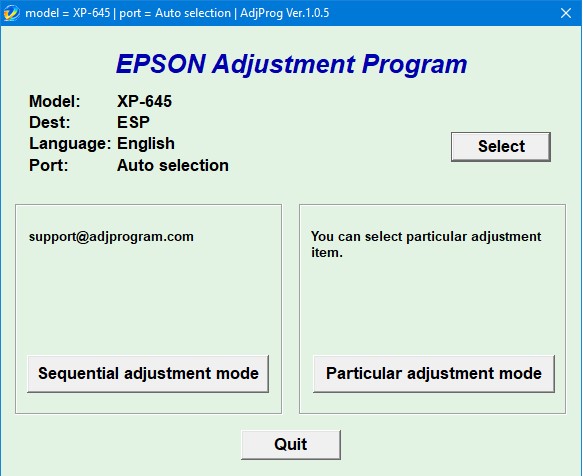
– Epson XP 645 AdjProg or Epson XP 645 Adjustment Program or Epson XP 645 Adj Program, is a middleware developed by third-party software to supply for Epson XP 645 printer, making printer continuous printing without error.
– Epson XP 645 Adjustment Program enables to perform maintenance and adjustment functions such as:
Reset Waste Ink Pad Counter
EEPROM initial setting
Initial Ink Charge
Head ID Setting
Top margin Adjustment
Bi-D Adjustment
USB ID Input
Cleaning the Print Head
Download Epson XP 645 AdjProg
– Download Epson XP 645 AdjProg: 
– Save money: Unlimited reset waste ink pad counter for 10 days
– Compatible Printer: Epson XP 645
– Compatible OS: Windows XP, Window 7, Windows 8, Windows 10.
– Recommand Users: Epson Service Center, Epson Repair Services, regular users…
When Epson XP 645 needs using Epson XP 645 Adjprog
Epson XP 645 Error reflects on computer
– Service Required, A printer’s ink pad is at the end of its service life. please contact epson support.
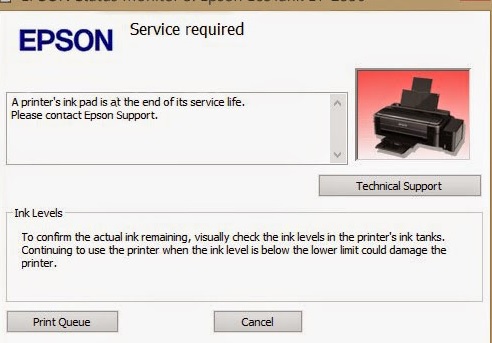
– Parts inside printer end service life, waste ink pad counter overflow error.
– “Printer near end service life” or “printer end of service life”
– “Parts inside printer near end service life” or “parts inside printer end of service life”
Epson XP 645 Error reflects on Printer
– 2 red lights flashing alternately on Paper lamp and Ink lamp.
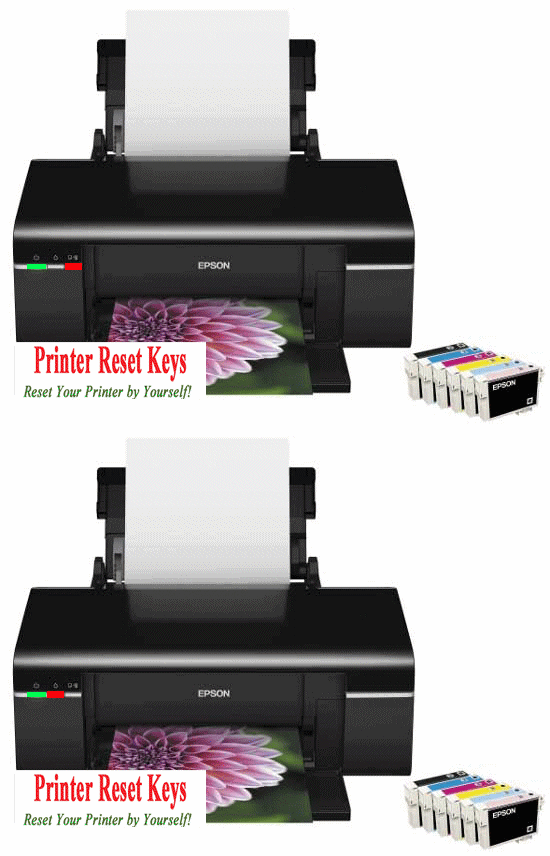
– Epson XP 645 Printer does not printing.
Cause Epson XP 645 error 2 red lights flashing alternately
– During printing, Ink is not only for printing but also for other printer operations like cleaning(head cleaning, pattern cleaning…), a certain amount of ink is wasted and it is collected by the waste ink pad. Therefore, the printer counts the amount of waste ink.
– Once the amount of waste ink reaches the predefined limit, the printer indicates “Service Required” and the waste ink pad should be replaced or reset waste ink counter value stored in EEPROM on the Mainboard (or Logic Board) of the printer by Epson XP 645 Adjustment Program.
How To Fix Epson XP 645 Waste Ink Pad
1. Replace New Epson XP 645 Waste Ink Pad
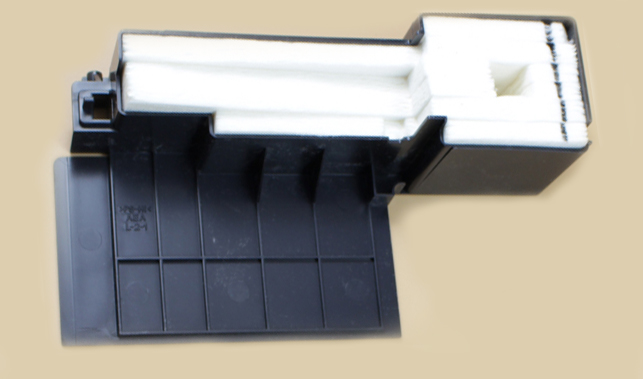
– Price: $35 USD – $50 USD.
– Usability: Quite difficult to remove and reinsert the Waste Ink Tank for people who are unfamiliar with printer repairing.
2. Reset Epson XP 645 Waste Ink Counter
– Price: $ 5.86 USD.
– Usability:easy to use, so everyone can use it.
– Save money: Unlimited reset waste ink pad counter for 10 days
How To Use Epson XP 645 AdjProg
Reset Epson XP 645 Waste Ink (Video)
Note To Reset Epson XP 645
– Because Adjprog.exe gets Hardware ID info –> Antivirus will misunderstand Adjprog.exe is the virus ==> you need to disable antivirus or firewall before download and install Adjustment Program.
– Connection of printer to computer must be using a USB cable.
The post Epson XP 645 Adjustment Program first appeared on Epson Adjustment Program.
]]>The post Epson XP 900 Adjustment Program first appeared on Epson Adjustment Program.
]]>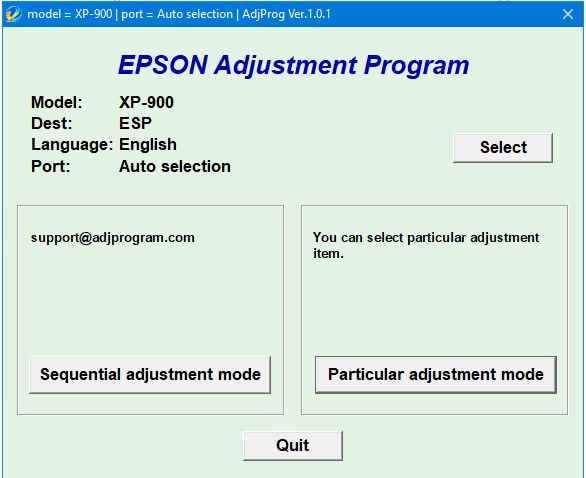
– Epson XP 900 AdjProg or Epson XP 900 Adjustment Program or Epson XP 900 Adj Program, is a middleware developed by third-party software to supply for Epson XP 900 printer, making printer continuous printing without error.
– Epson XP 900 Adjustment Program enables to perform maintenance and adjustment functions such as:
Reset Waste Ink Pad Counter
EEPROM initial setting
Initial Ink Charge
Head ID Setting
Top margin Adjustment
Bi-D Adjustment
USB ID Input
Cleaning the Print Head
Download Epson XP 900 AdjProg
– Download Epson XP 900 AdjProg:
– Password extract file is adjprogram.com
– Put Adjustment Program to Antivirus Ignore list or Disable Antivirus. Then Run the program.
– Save money: Unlimited reset waste ink pad counter for 10 days
– Compatible Printer: Epson XP 900
– Compatible OS: Windows XP, Window 7, Windows 8, Windows 10.
– Recommand Users: Epson Service Center, Epson Repair Services, regular users…
When Epson XP 900 needs using Epson XP 900 Adjprog
Epson XP 900 Error reflects on computer
– Service Required, A printer’s ink pad is at the end of its service life. please contact epson support.
– Parts inside printer end service life, waste ink pad counter overflow error.
– “Printer near end service life” or “printer end of service life”
– “Parts inside printer near end service life” or “parts inside printer end of service life”
Epson XP 900 Error reflects on Printer
– 2 red lights flashing alternately on Paper lamp and Ink lamp.
– Epson XP 900 Printer does not printing.
Cause Epson XP 900 error 2 red lights flashing alternately
– During printing, Ink is not only for printing but also for other printer operations like cleaning(head cleaning, pattern cleaning…), a certain amount of ink is wasted and it is collected by the waste ink pad. Therefore, the printer counts the amount of waste ink.
– Once the amount of waste ink reaches the predefined limit, the printer indicates “Service Required” and the waste ink pad should be replaced or reset waste ink counter value stored in EEPROM on the Mainboard (or Logic Board) of the printer by Epson XP 900 Adjustment Program.
How To Fix Epson XP 900 Waste Ink Pad
1. Replace New Epson XP 900 Waste Ink Pad
– Price: $35 USD – $50 USD.
– Usability: Quite difficult to remove and reinsert the Waste Ink Tank for people who are unfamiliar with printer repairing.
2. Reset Epson XP 900 Waste Ink Counter
– Price: $ 5.86 USD.
– Usability:easy to use, so everyone can use it.
– Save money: Unlimited reset waste ink pad counter for 10 days
How To Use Epson XP 900 AdjProg
Reset Epson XP 900 Waste Ink (Video)
Note To Reset Epson XP 900
– Because Adjprog.exe gets Hardware ID info –> Antivirus will misunderstand Adjprog.exe is the virus ==> you need to disable antivirus or firewall before download and install Adjustment Program.
– Connection of printer to computer must be using a USB cable.
The post Epson XP 900 Adjustment Program first appeared on Epson Adjustment Program.
]]>The post Epson XP 220 Adjustment Program first appeared on Epson Adjustment Program.
]]>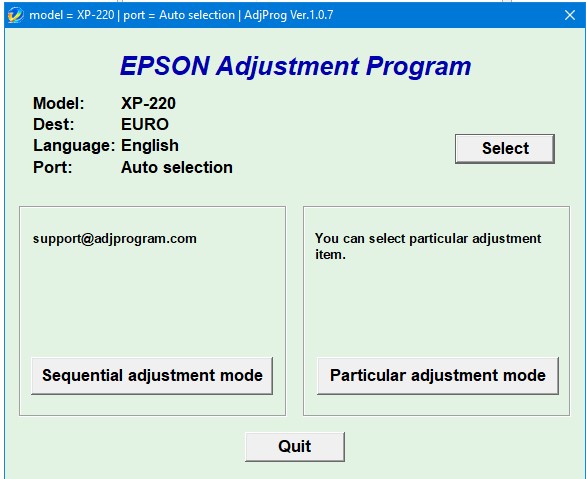
– Epson XP 220 AdjProg or Epson XP 220 Adjustment Program or Epson XP 220 Adj Program, is a middleware developed by third-party software to supply for Epson XP 220 printer, making printer continuous printing without error.
– Epson XP 220 Adjustment Program enables to perform maintenance and adjustment functions such as:
Reset Waste Ink Pad Counter
EEPROM initial setting
Initial Ink Charge
Head ID Setting
Top margin Adjustment
Bi-D Adjustment
USB ID Input
Cleaning the Print Head
Download Epson XP 220 AdjProg
– Download Epson XP 220 AdjProg:
– Password extract file is adjprogram.com
– Put Adjustment Program to Antivirus Ignore list or Disable Antivirus. Then Run the program.
– Save money: Unlimited reset waste ink pad counter for 10 days
– Compatible Printer: Epson XP 220
– Compatible OS: Windows XP, Window 7, Windows 8, Windows 10.
– Recommand Users: Epson Service Center, Epson Repair Services, regular users…
When Epson XP 220 needs using Epson XP 220 Adjprog
Epson XP 220 Error reflects on computer
– Service Required, A printer’s ink pad is at the end of its service life. please contact epson support.
– Parts inside printer end service life, waste ink pad counter overflow error.
– “Printer near end service life” or “printer end of service life”
– “Parts inside printer near end service life” or “parts inside printer end of service life”
Epson XP 220 Error reflects on Printer
– 2 red lights flashing alternately on Paper lamp and Ink lamp.
– Epson XP 220 Printer does not printing.
Cause Epson XP 220 error 2 red lights flashing alternately
– During printing, Ink is not only for printing but also for other printer operations like cleaning(head cleaning, pattern cleaning…), a certain amount of ink is wasted and it is collected by the waste ink pad. Therefore, the printer counts the amount of waste ink.
– Once the amount of waste ink reaches the predefined limit, the printer indicates “Service Required” and the waste ink pad should be replaced or reset waste ink counter value stored in EEPROM on the Mainboard (or Logic Board) of the printer by Epson XP 220 Adjustment Program.
How To Fix Epson XP 220 Waste Ink Pad
1. Replace New Epson XP 220 Waste Ink Pad
– Price: $35 USD – $50 USD.
– Usability: Quite difficult to remove and reinsert the Waste Ink Tank for people who are unfamiliar with printer repairing.
2. Reset Epson XP 220 Waste Ink Counter
– Price: $ 5.86 USD.
– Usability:easy to use, so everyone can use it.
– Save money: Unlimited reset waste ink pad counter for 10 days
How To Use Epson XP 220 AdjProg
Reset Epson XP 220 Waste Ink (Video)
Note To Reset Epson XP 220
– Because Adjprog.exe gets Hardware ID info –> Antivirus will misunderstand Adjprog.exe is the virus ==> you need to disable antivirus or firewall before download and install Adjustment Program.
– Connection of printer to computer must be using a USB cable.
The post Epson XP 220 Adjustment Program first appeared on Epson Adjustment Program.
]]>The post Epson L132/L222/L312/L362/L366 Adjustment Program first appeared on Epson Adjustment Program.
]]>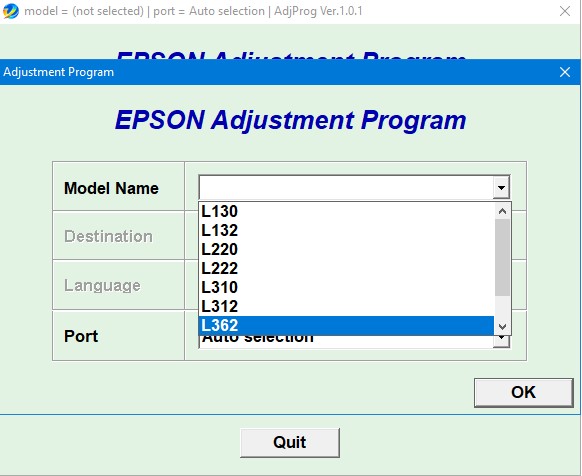
– Epson L132/L222/L312/L362/L366 AdjProg or Epson L132/L222/L312/L362/L366 Adjustment Program or Epson L132/L222/L312/L362/L366 Adj Program, is a middleware developed by third-party software to supply for Epson L132/L222/L312/L362/L366 printer, making printer continuous printing without error.
– Epson L132/L222/L312/L362/L366 Adjustment Program enables to perform maintenance and adjustment functions such as:
Reset Waste Ink Pad Counter
EEPROM initial setting
Initial Ink Charge
Head ID Setting
Top margin Adjustment
Bi-D Adjustment
USB ID Input
Cleaning the Print Head
Download Epson L132/L222/L312/L362/L366 AdjProg
– Download Epson L132/L222/L312/L362/L366 AdjProg:
– Password extract file is adjprogram.com
– Put Adjustment Program to Antivirus Ignore list or Disable Antivirus. Then Run the program.
– Save money: Unlimited reset waste ink pad counter for 10 days
– Compatible Printer: Epson L132,Epson L222,Epson L312,Epson L362,Epson L366
– Compatible OS: Windows XP, Window 7, Windows 8, Windows 10.
– Recommand Users: Epson Service Center, Epson Repair Services, regular users…
When Epson L132/L222/L312/L362/L366 needs using Epson L132/L222/L312/L362/L366 Adjprog
Epson L132/L222/L312/L362/L366 Error reflects on computer
– Service Required, A printer’s ink pad is at the end of its service life. please contact epson support.
– Parts inside printer end service life, waste ink pad counter overflow error.
– “Printer near end service life” or “printer end of service life”
– “Parts inside printer near end service life” or “parts inside printer end of service life”
Epson L132/L222/L312/L362/L366 Error reflects on Printer
– 2 red lights flashing alternately on Paper lamp and Ink lamp.
– Epson L132/L222/L312/L362/L366 Printer does not printing.
Cause Epson L132/L222/L312/L362/L366 error 2 red lights flashing alternately
– During printing, Ink is not only for printing but also for other printer operations like cleaning(head cleaning, pattern cleaning…), a certain amount of ink is wasted and it is collected by the waste ink pad. Therefore, the printer counts the amount of waste ink.
– Once the amount of waste ink reaches the predefined limit, the printer indicates “Service Required” and the waste ink pad should be replaced or reset waste ink counter value stored in EEPROM on the Mainboard (or Logic Board) of the printer by Epson L132/L222/L312/L362/L366 Adjustment Program.
How To Fix Epson L132/L222/L312/L362/L366 Waste Ink Pad
1. Replace New Epson L132/L222/L312/L362/L366 Waste Ink Pad
– Price: $35 USD – $50 USD.
– Usability: Quite difficult to remove and reinsert the Waste Ink Tank for people who are unfamiliar with printer repairing.
2. Reset Epson L132/L222/L312/L362/L366 Waste Ink Counter
– Price: $ 5.86 USD.
– Usability:easy to use, so everyone can use it.
– Save money: Unlimited reset waste ink pad counter for 10 days
How To Use Epson L132/L222/L312/L362/L366 AdjProg
Reset Epson L132/L222/L312/L362/L366 Waste Ink (Video)
Note To Reset Epson L132/L222/L312/L362/L366
– Because Adjprog.exe gets Hardware ID info –> Antivirus will misunderstand Adjprog.exe is the virus ==> you need to disable antivirus or firewall before download and install Adjustment Program.
– Connection of printer to computer must be using a USB cable.
The post Epson L132/L222/L312/L362/L366 Adjustment Program first appeared on Epson Adjustment Program.
]]>The post Epson L382/L386/L486 Adjustment Program first appeared on Epson Adjustment Program.
]]>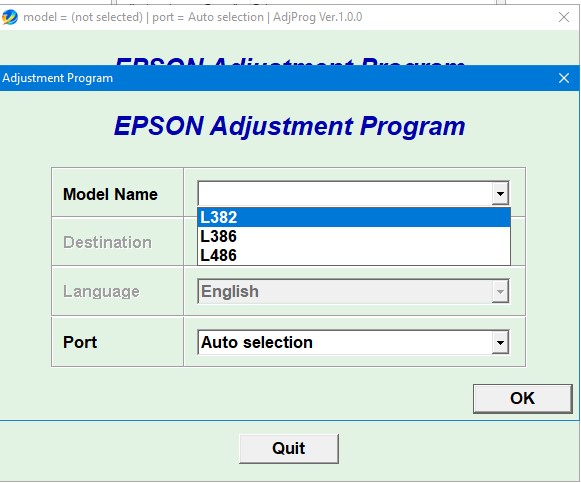
– Epson L382/L386/L486 AdjProg or Epson L382/L386/L486 Adjustment Program or Epson L382/L386/L486 Adj Program, is a middleware developed by third-party software to supply for Epson L382/L386/L486 printer, making printer continuous printing without error.
– Epson L382/L386/L486 Adjustment Program enables to perform maintenance and adjustment functions such as:
Reset Waste Ink Pad Counter
EEPROM initial setting
Initial Ink Charge
Head ID Setting
Top margin Adjustment
Bi-D Adjustment
USB ID Input
Cleaning the Print Head
Download Epson L382/L386/L486 AdjProg
– Download Epson L382/L386/L486 AdjProg:
– Password extract file is adjprogram.com
– Put Adjustment Program to Antivirus Ignore list or Disable Antivirus. Then Run the program.
– Save money: Unlimited reset waste ink pad counter for 10 days
– Compatible Printer: Epson L382,Epson L386,Epson L486
– Compatible OS: Windows XP, Window 7, Windows 8, Windows 10.
– Recommand Users: Epson Service Center, Epson Repair Services, regular users…
When Epson L382/L386/L486 needs using Epson L382/L386/L486 Adjprog
Epson L382/L386/L486 Error reflects on computer
– Service Required, A printer’s ink pad is at the end of its service life. please contact epson support.
– Parts inside printer end service life, waste ink pad counter overflow error.
– “Printer near end service life” or “printer end of service life”
– “Parts inside printer near end service life” or “parts inside printer end of service life”
Epson L382/L386/L486 Error reflects on Printer
– 2 red lights flashing alternately on Paper lamp and Ink lamp.
– Epson L382/L386/L486 Printer does not printing.
Cause Epson L382/L386/L486 error 2 red lights flashing alternately
– During printing, Ink is not only for printing but also for other printer operations like cleaning(head cleaning, pattern cleaning…), a certain amount of ink is wasted and it is collected by the waste ink pad. Therefore, the printer counts the amount of waste ink.
– Once the amount of waste ink reaches the predefined limit, the printer indicates “Service Required” and the waste ink pad should be replaced or reset waste ink counter value stored in EEPROM on the Mainboard (or Logic Board) of the printer by Epson L382/L386/L486 Adjustment Program.
How To Fix Epson L382/L386/L486 Waste Ink Pad
1. Replace New Epson L382/L386/L486 Waste Ink Pad
– Price: $35 USD – $50 USD.
– Usability: Quite difficult to remove and reinsert the Waste Ink Tank for people who are unfamiliar with printer repairing.
2. Reset Epson L382/L386/L486 Waste Ink Counter
– Price: $ 5.86 USD.
– Usability:easy to use, so everyone can use it.
– Save money: Unlimited reset waste ink pad counter for 10 days
How To Use Epson L382/L386/L486 AdjProg
Reset Epson L382/L386/L486 Waste Ink (Video)
Note To Reset Epson L382/L386/L486
– Because Adjprog.exe gets Hardware ID info –> Antivirus will misunderstand Adjprog.exe is the virus ==> you need to disable antivirus or firewall before download and install Adjustment Program.
– Connection of printer to computer must be using a USB cable.
The post Epson L382/L386/L486 Adjustment Program first appeared on Epson Adjustment Program.
]]>The post Thank you first appeared on Epson Adjustment Program.
]]>Steps to retrieve the hardware ID of the Epson Adjustment Program software:
1. Access the website https://adjprogram.com.
2. Search and download the Epson Adjustment software for your printer model on website: https://adjprogram.com.
3. Place the downloaded software into the safe zone of your antivirus.
4. Extract the downloaded file using WinRAR software (if not already installed, download and install WinRAR software from the link: https://www.rarlab.com/download.htm), the password to extract the file is adjprogram.com.
5. Open adjprog.exe, then you will see the Hardware ID.
6. Copy Hardware ID and Printer Model then use your payment email to send Hardware ID and Printer Model to the email resetmayin@gmail.com.
7. Wait for an email response to receive the serial key (you will receive the Serial Key within the fastest time of 15 minutes, and the slowest time of 24 hours).
If you wish to receive the Serial Key sooner, you can contact the shop owner through the following information:
Facebook: https://www.facebook.com/nguyendangmien
Telegram: https://t.me/nguyendangmien
Whatsapp: https://wa.me/+84915589236
Zalo: https://zalo.me/0915589236
Skype: nguyendangmien
The post Thank you first appeared on Epson Adjustment Program.
]]>The post Epson DX7400 Adjustment Program first appeared on Epson Adjustment Program.
]]>
– Epson DX7400 AdjProg or Epson DX7400 Adjustment Program or Epson DX7400 Adj Program, is a middleware developed by third-party software to supply for Epson DX7400 printer, making printer continuous printing without error.
– Epson DX7400 Adjustment Program enables to perform maintenance and adjustment functions such as:
Reset Waste Ink Pad Counter
EEPROM initial setting
Initial Ink Charge
Head ID Setting
Top margin Adjustment
Bi-D Adjustment
USB ID Input
Cleaning the Print Head
Download Epson DX7400 AdjProg
– Download Epson DX7400 AdjProg:
– Password extract file is adjprogram.com
– Put Adjustment Program to Antivirus Ignore list or Disable Antivirus. Then Run the program.
– Save money: Unlimited reset waste ink pad counter for 10 days
– Compatible Printer: Epson DX7400
– Compatible OS: Windows XP, Window 7, Windows 8, Windows 10.
– Recommand Users: Epson Service Center, Epson Repair Services, regular users…
When Epson DX7400 needs using Epson DX7400 Adjprog
Epson DX7400 Error reflects on computer
– Service Required, A printer’s ink pad is at the end of its service life. please contact epson support.
– Parts inside printer end service life, waste ink pad counter overflow error.
– “Printer near end service life” or “printer end of service life”
– “Parts inside printer near end service life” or “parts inside printer end of service life”
Epson DX7400 Error reflects on Printer
– 2 red lights flashing alternately on Paper lamp and Ink lamp.
– Epson DX7400 Printer does not printing.
Cause Epson DX7400 error 2 red lights flashing alternately
– During printing, Ink is not only for printing but also for other printer operations like cleaning(head cleaning, pattern cleaning…), a certain amount of ink is wasted and it is collected by the waste ink pad. Therefore, the printer counts the amount of waste ink.
– Once the amount of waste ink reaches the predefined limit, the printer indicates “Service Required” and the waste ink pad should be replaced or reset waste ink counter value stored in EEPROM on the Mainboard (or Logic Board) of the printer by Epson DX7400 Adjustment Program.
How To Fix Epson DX7400 Waste Ink Pad
1. Replace New Epson DX7400 Waste Ink Pad
– Price: $35 USD – $50 USD.
– Usability: Quite difficult to remove and reinsert the Waste Ink Tank for people who are unfamiliar with printer repairing.
2. Reset Epson DX7400 Waste Ink Counter
– Price: $ 5.86 USD.
– Usability:easy to use, so everyone can use it.
– Save money: Unlimited reset waste ink pad counter for 10 days
How To Use Epson DX7400 AdjProg
Reset Epson DX7400 Waste Ink (Video)
Note To Reset Epson DX7400
– Because Adjprog.exe gets Hardware ID info –> Antivirus will misunderstand Adjprog.exe is the virus ==> you need to disable antivirus or firewall before download and install Adjustment Program.
– Connection of printer to computer must be using a USB cable.
The post Epson DX7400 Adjustment Program first appeared on Epson Adjustment Program.
]]>The post Epson XP 810 Adjustment Program first appeared on Epson Adjustment Program.
]]>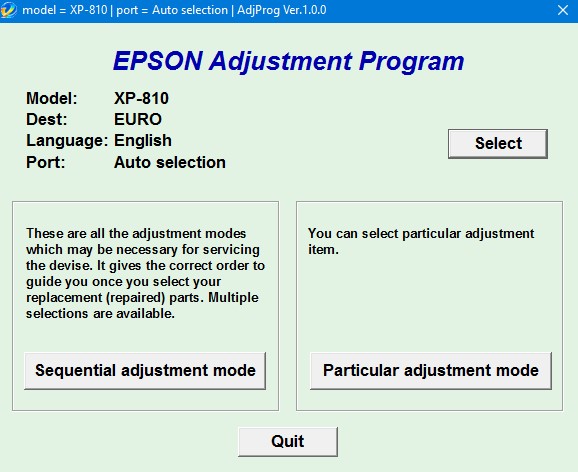
– Epson XP 810 AdjProg or Epson XP 810 Adjustment Program or Epson XP 810 Adj Program, is a middleware developed by third-party software to supply for Epson XP 810 printer, making printer continuous printing without error.
– Epson XP 810 Adjustment Program enables to perform maintenance and adjustment functions such as:
Reset Waste Ink Pad Counter
EEPROM initial setting
Initial Ink Charge
Head ID Setting
Top margin Adjustment
Bi-D Adjustment
USB ID Input
Cleaning the Print Head
Download Epson XP 810 AdjProg
– Download Epson XP 810 AdjProg:
– Password extract file is adjprogram.com
– Put Adjustment Program to Antivirus Ignore list or Disable Antivirus. Then Run the program.
– Save money: Unlimited reset waste ink pad counter for 10 days
– Compatible Printer: Epson XP 810
– Compatible OS: Windows XP, Window 7, Windows 8, Windows 10.
– Recommand Users: Epson Service Center, Epson Repair Services, regular users…
When Epson XP 810 needs using Epson XP 810 Adjprog
Epson XP 810 Error reflects on computer
– Service Required, A printer’s ink pad is at the end of its service life. please contact epson support.
– Parts inside printer end service life, waste ink pad counter overflow error.
– “Printer near end service life” or “printer end of service life”
– “Parts inside printer near end service life” or “parts inside printer end of service life”
Epson XP 810 Error reflects on Printer
– 2 red lights flashing alternately on Paper lamp and Ink lamp.
– Epson XP 810 Printer does not printing.
Cause Epson XP 810 error 2 red lights flashing alternately
– During printing, Ink is not only for printing but also for other printer operations like cleaning(head cleaning, pattern cleaning…), a certain amount of ink is wasted and it is collected by the waste ink pad. Therefore, the printer counts the amount of waste ink.
– Once the amount of waste ink reaches the predefined limit, the printer indicates “Service Required” and the waste ink pad should be replaced or reset waste ink counter value stored in EEPROM on the Mainboard (or Logic Board) of the printer by Epson XP 810 Adjustment Program.
How To Fix Epson XP 810 Waste Ink Pad
1. Replace New Epson XP 810 Waste Ink Pad
– Price: $35 USD – $50 USD.
– Usability: Quite difficult to remove and reinsert the Waste Ink Tank for people who are unfamiliar with printer repairing.
2. Reset Epson XP 810 Waste Ink Counter
– Price: $ 5.86 USD.
– Usability:easy to use, so everyone can use it.
– Save money: Unlimited reset waste ink pad counter for 10 days
How To Use Epson XP 810 AdjProg
Reset Epson XP 810 Waste Ink (Video)
Note To Reset Epson XP 810
– Because Adjprog.exe gets Hardware ID info –> Antivirus will misunderstand Adjprog.exe is the virus ==> you need to disable antivirus or firewall before download and install Adjustment Program.
– Connection of printer to computer must be using a USB cable.
The post Epson XP 810 Adjustment Program first appeared on Epson Adjustment Program.
]]>The post Epson XP 760 Adjustment Program first appeared on Epson Adjustment Program.
]]>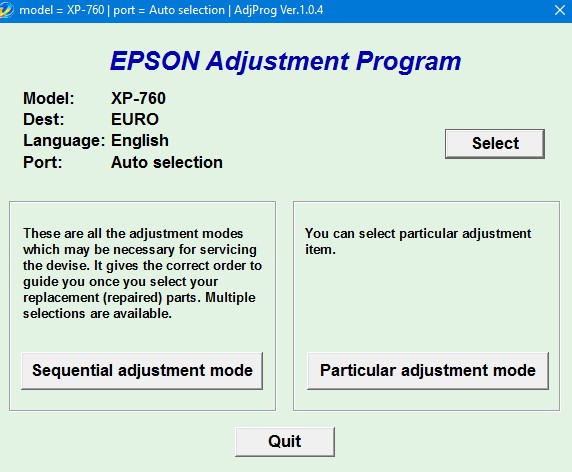
– Epson XP 760 AdjProg or Epson XP 760 Adjustment Program or Epson XP 760 Adj Program, is a middleware developed by third-party software to supply for Epson XP 760 printer, making printer continuous printing without error.
– Epson XP 760 Adjustment Program enables to perform maintenance and adjustment functions such as:
Reset Waste Ink Pad Counter
EEPROM initial setting
Initial Ink Charge
Head ID Setting
Top margin Adjustment
Bi-D Adjustment
USB ID Input
Cleaning the Print Head
Download Epson XP 760 AdjProg
– Download Epson XP 760 AdjProg:
– Password extract file is adjprogram.com
– Put Adjustment Program to Antivirus Ignore list or Disable Antivirus. Then Run the program.
– Save money: Unlimited reset waste ink pad counter for 10 days
– Compatible Printer: Epson XP 760
– Compatible OS: Windows XP, Window 7, Windows 8, Windows 10.
– Recommand Users: Epson Service Center, Epson Repair Services, regular users…
When Epson XP 760 needs using Epson XP 760 Adjprog
Epson XP 760 Error reflects on computer
– Service Required, A printer’s ink pad is at the end of its service life. please contact epson support.
– Parts inside printer end service life, waste ink pad counter overflow error.
– “Printer near end service life” or “printer end of service life”
– “Parts inside printer near end service life” or “parts inside printer end of service life”
Epson XP 760 Error reflects on Printer
– 2 red lights flashing alternately on Paper lamp and Ink lamp.
– Epson XP 760 Printer does not printing.
Cause Epson XP 760 error 2 red lights flashing alternately
– During printing, Ink is not only for printing but also for other printer operations like cleaning(head cleaning, pattern cleaning…), a certain amount of ink is wasted and it is collected by the waste ink pad. Therefore, the printer counts the amount of waste ink.
– Once the amount of waste ink reaches the predefined limit, the printer indicates “Service Required” and the waste ink pad should be replaced or reset waste ink counter value stored in EEPROM on the Mainboard (or Logic Board) of the printer by Epson XP 760 Adjustment Program.
How To Fix Epson XP 760 Waste Ink Pad
1. Replace New Epson XP 760 Waste Ink Pad
– Price: $35 USD – $50 USD.
– Usability: Quite difficult to remove and reinsert the Waste Ink Tank for people who are unfamiliar with printer repairing.
2. Reset Epson XP 760 Waste Ink Counter
– Price: $ 5.86 USD.
– Usability:easy to use, so everyone can use it.
– Save money: Unlimited reset waste ink pad counter for 10 days
How To Use Epson XP 760 AdjProg
Reset Epson XP 760 Waste Ink (Video)
Note To Reset Epson XP 760
– Because Adjprog.exe gets Hardware ID info –> Antivirus will misunderstand Adjprog.exe is the virus ==> you need to disable antivirus or firewall before download and install Adjustment Program.
– Connection of printer to computer must be using a USB cable.
The post Epson XP 760 Adjustment Program first appeared on Epson Adjustment Program.
]]>