A spreadsheet of maintenance records can open without errors and still leave out a plant, a work-order status or the files behind an inspection record. Before moving data from a computerized maintenance management system (CMMS), establish what the export includes and what remains unresolved. The aim is a traceable handoff, not a claim that every machine is in good condition.
Record the export boundary before comparing counts
Start a short export note alongside the untouched files. Record the system and version, report or query name, selected sites, date range and time zone, included statuses, selected columns and export timestamp. Note whether dates refer to creation, scheduled work, completion or last modification. Those are different boundaries.
Record separate counts for assets, work orders and task lines where the system exposes them. Compare counts using the same filters and a consistent cutoff; records may change between a live count and an export. If the report limits results or requires multiple pages, account for every intended batch. A convenient file size is not evidence of completeness.
For a vendor-specific example, the IBM Maximo file-export documentation describes parameters controlling selected columns, record limits, ordering and filters. Check the documentation for your installed configuration rather than assuming another CMMS uses the same options.
This dataset check complements a broader digital operations review, but its scope is narrower. An empty result means no records were returned under the observed settings. It does not establish that no maintenance occurred.
Check identifiers before joining the files
Preserve asset tags and work-order numbers as text. A CSV can contain 00412 correctly while a spreadsheet import converts it to 412. Configure the import deliberately and inspect a sample of leading-zero, long and alphanumeric identifiers. Keep any normalized working columns separate from the original values.
Confirm which fields actually identify a record. If an asset number is unique only within a site, use both site and asset number in the match. A compound key such as PLT-A::A-101 can make that relationship easier to inspect, but it is not automatically unique: check for duplicate source keys and document how blanks and separators are handled.
Do not assume every work order has one asset or that every system stores task lines the same way. Establish the relationships in your export first. In a dataset where one asset has several work orders and each work order can have several task lines, a joined report repeats asset details legitimately. Count distinct assets and work orders separately from output rows.
A worked example with one missing reference and one missing file
The following data is entirely hypothetical. The asset file contains three keys: PLT-A::A-101, PLT-A::A-102 and PLT-B::B-201. The work-order file contains four orders: WO-501 and WO-502 reference A-101, WO-503 references A-102, and WO-504 references PLT-A::C-900, which is absent from this asset extract. There are five task lines: one each for WO-501, WO-502 and WO-504, and two for WO-503.
| Site and asset | Work orders | Task lines | Check result |
|---|---|---|---|
| PLT-A / A-101 | WO-501, WO-502 | 2 | Both keys match; attachment A-17 for WO-502 is listed but missing from the delivered package. |
| PLT-A / A-102 | WO-503 | 2 | One work order becomes two task-level rows. That does not represent two assets. |
| PLT-B / B-201 | None returned | 0 | Keep the asset. Its wider maintenance history remains unknown from this extract. |
| PLT-A / C-900 | WO-504 | 1 | Work-order reference has no match in the asset extract; retain it as an exception. |
For this particular example, an asset-led left join to the work-order/task data produces five rows: two for A-101, two for A-102 and one null-work-order row for B-201. WO-504 is not in that output because its asset key is missing. Keep its task in a separate unmatched-record report. Combining those reports gives six reporting rows, not six assets.
The reconciliation note therefore starts with three source assets, four source work orders and five source task lines. Three work orders and four task lines match an asset; one order and one task line remain unmatched. Attachment A-17 adds a separate file-delivery exception. None of these findings is resolved by deleting a row.
Verify attachment references against the delivered files
An attachment name or URL is not the same thing as a usable file. The IBM Maximo attachment documentation distinguishes document references and metadata from attachment content; it also describes inline retrieval in supported requests. That is a specific implementation, not a rule that every export always excludes files.
Create a manifest linking each intended attachment to its source record, filename or location, and verification result. Where access is authorized, confirm files exist in the delivered package and sample that they open as expected. Identify what was sampled rather than calling an unchecked package complete. Broken links, permission-denied files and missing items should remain explicit exceptions.
If you can read the authorized source file, capture a checksum for that version and compare it with the delivered copy. Do not assume the CMMS already stores source checksums. A matching SHA-256 digest supports byte identity between the compared files; hashing only the downloaded file creates a baseline, not proof that it matches an unseen source. Neither check establishes that the document is accurate or the machine is safe.
Keep an exception register without changing the source
Preserve raw exports and record the steps used to create working copies. For each discrepancy, note the affected key, check performed, expected and observed result, reviewer, current status and resolution evidence. Retain the earlier observation when an issue is resolved instead of silently erasing it.
- Unmatched keys: Check whether the asset was excluded by site, status or date scope before treating it as absent from the original system.
- Duplicate keys: Determine whether these are duplicate source records, several revisions or an incorrect uniqueness assumption.
- Dates and statuses: Review reopened, canceled and void orders against local definitions. A completion date may legitimately be blank for unfinished work.
- Attachment exceptions: Record missing, unreadable and inaccessible files separately from successful samples.
Keep this exercise read-only. Do not overwrite production records, import corrected guesses or disable access controls to make an export easier. The existing guidance on client-access ownership and continuity addresses the separate question of who can legitimately access systems during a handoff. Permission to read a file and evidence that it was transferred are not interchangeable.
Keep data verification separate from equipment condition and value
These checks can establish whether a specified export reconciles to its recorded scope, with known exceptions. They cannot certify all historical maintenance, validate an inspection’s conclusions or establish equipment condition. Even a perfectly matched dataset can contain incorrect source entries.
For an Indiana manufacturing owner preparing for a sale, maintenance evidence is one part of a wider operational review. The manufacturing-owner sale-preparation guide discusses that broader preparation. All Digital Update and Midwest Business Brokers share a publishing network; this is an affiliated resource, not an independent endorsement. A completed data check is not an appraisal, a legal finding or a promised sale price.
Common export questions
What should happen to a work order with no matching asset?
Keep it in the unmatched-record report. Investigate the key, filters and original record through authorized access. Record the explanation when supported; until then, mark the cause unresolved. Do not assign an asset merely to make the totals agree.
Why can file counts differ from spreadsheet rows?
Check query filters, batching, import settings and join behavior first. Properly quoted CSV fields can contain line breaks, so counting physical text lines is not a reliable record count. Use a parser configured for the export format, and distinguish parsed records from joined report rows. If a tool reports a size or row-limit warning, investigate it rather than assuming all records loaded.
Final handoff checklist
- Save the export scope, timestamp, status definitions and source counts.
- Preserve identifiers and untouched source files.
- Reconcile asset, work-order and task counts separately.
- Explain join expansion and retain unmatched records.
- Deliver an attachment manifest with honest sampling and access results.
- List unresolved exceptions, responsible reviewers and next checks.
- Keep production changes and import acceptance outside this read-only verification.

Promo codes for business software show up everywhere — email newsletters, comparison sites, that one coworker who always finds a deal. Some of them are genuinely worth using. Some of them save you nothing once you account for what the plan actually costs after the discount ends. Here’s how to tell which is which before you commit.
When a Workspace promo code is worth using
A discount code is worth acting on when three things are all true at once: you were already planning to sign up for that tier regardless of the discount, the discount applies to a period long enough to matter (a full year beats a single invoice), and you’ve confirmed the code is still live rather than expired. When all three line up, a promo code is close to free money for a purchase you were making anyway.

When it isn’t
A promo code is not worth chasing when it’s the reason you’re considering the switch in the first place, rather than a bonus on a decision you’d already made. It’s also not worth much if the discounted tier includes features you won’t use, since “discounted” doesn’t mean “cheaper than the plan you actually need.” And it’s worth nothing at all if the code has quietly expired, which happens more often than most coupon pages let on.
The check that actually matters
Before you build any decision around a specific number, confirm the offer is current. Expired discount pages tend to keep ranking in search long after the code inside stopped working, which is exactly how people end up mid-signup before discovering the price doesn’t match what they read. Digital Marketing Web Design keeps a Google Workspace promo code page updated, which makes it a reasonable place to double-check current terms before you commit to anything.
Bottom line
Treat a promo code the way you’d treat a coupon at a store you were already going to shop at: great if it applies to something you needed anyway, not a reason to buy something you didn’t.
]]>Service businesses—whether they operate as managed IT service providers, digital marketing agencies, specialized accounting firms, or strategic consultancies—depend entirely on continuous access to client environments. A disruption in this access halts day-to-day operations and damages client trust. Therefore, modern business transitions benefit from a thoughtfully structured client-access file. This file acts as a record and governance framework designed to pass digital systems from the outgoing seller to the incoming buyer.

Importantly, the client-access file should act as an architectural map, not a vault. It should document systems, roles, owners, recovery paths, and transfer procedures. Actual passwords, API keys, and recovery codes must stay in a secure password manager or approved escrow process and must not be copied into the document itself.
This guide outlines the components of a client-access file, why service businesses should prioritize its creation before an ownership transition occurs, and how to structure it to protect the seller and buyer alike.
The Shift to Digital Continuity
In service-oriented industries, the value of the business is tied to its ongoing client relationships and the digital systems used to manage and deliver upon those relationships. While historical financial records, tax returns, and standard operating procedures outline the company’s past, active client access represents ongoing operations. Without this access, the service cannot be delivered, and revenue ceases.
Digital continuity refers to the uninterrupted operation of digital services, communication channels, and access rights during a period of organizational change. During an ownership transition, clients should ideally notice no difference in service delivery. Behind the scenes, the digital infrastructure must shift from one administrative entity to another. If the transition of digital access is poorly managed, clients may experience service lockouts or delayed project communications.
Organizations like the Cybersecurity and Infrastructure Security Agency (CISA) emphasize that robust identity and access management supports operational security. In an acquisition or sale, this translates to the secure transfer of digital identities from the seller to the buyer.
Without a strategy for digital continuity, an ownership transition can become an operational chokepoint. When analyzing successful ownership transitions, experienced Indiana business brokers note that seamless digital handoffs are as important as transferring physical assets. By planning for digital continuity, sellers protect the business’s operations and ensure the incoming team can function immediately.
Unpacking the Architecture of the Client-Access File
A client-access file maps the digital footprint of the service business. Its primary purpose is to delineate how the company interacts with its clients’ digital environments and what tools are required to sustain those interactions on a daily basis.

This file acts as a structural blueprint for the company’s digital operations. It categorizes access into logical tiers: internal operational access, direct client environment access, and third-party vendor access. Internal access covers the productivity and project management tools the team uses to collaborate on deliverables. Client environment access covers the direct connections needed to manage client resources, such as content management systems, advertising accounts, or secure file transfer protocols. Vendor access covers the tools the business licenses to perform its services, including specialized analytics platforms and industry-specific software suites.
Structuring the client-access file in this manner provides buyers with a clear understanding of the digital ecosystem they are acquiring. This approach reduces friction during due diligence by demonstrating that the digital infrastructure is logically organized and governed. Furthermore, having these tiers mapped out ensures that the incoming management team can audit user roles and permissions effectively from day one.
Identifying and Securing Software Administrator Ownership
A challenge during service business handoffs is the ambiguity surrounding software administrator ownership. Over years of operation, it is common for various employees, contractors, or former business partners to hold administrative rights to software platforms. These platforms include customer relationship management systems, enterprise resource planning tools, and cloud storage environments.
Before an ownership transition, the current owner should conduct an audit to identify who holds administrative privileges across all platforms. The client-access file documents these roles, distinguishing between billing administrators, technical administrators, and operational administrators.
The business then consolidates these administrative rights into an owner-controlled framework. Leaving administrative access in the hands of departing personnel creates security risks. The new owner must inherit a clear line of control over the digital infrastructure. This means transferring root access, updating primary billing contacts, and ensuring that no system depends on a single employee’s user account. Clarifying software administrator ownership streamlines the transition process and reduces the risk of unauthorized access post-sale.
The Credential Inventory Map
At the heart of the client-access file is the credential inventory map. As emphasized above, the file itself does not contain passwords. Instead, it serves to map the systems, identifying the purpose of each account, the level of access it grants, the associated clients, the designated system owners, and the authentication protocols in place. Actual credentials, complex API keys, recovery codes, and secure database passwords remain entirely within an encrypted password manager or established digital escrow. The client-access file should explicitly outline recovery paths and transfer procedures for these secure vaults.
Following frameworks from authorities like the National Institute of Standards and Technology (NIST), effective access control necessitates that organizations maintain visibility over who has access to what resources. This principle is especially applicable during corporate transitions, where the risk of lost access or unauthorized entry is elevated.
During an ownership transition, the credential inventory serves as a structural guide. The physical or digital transfer of the actual credentials should occur only through enterprise-grade, encrypted password management systems. The client-access file details the architecture of this credential management system, explaining how access is partitioned into shared and private vaults, and outlining the methodology by which the new owner can assume control, rotate credentials securely, and issue new access protocols to the incoming management team without causing service interruptions.
Preserving Control over Client Communication Channels
Communication binds a service business to its clients. Therefore, preserving control over client communication channels is an aspect of the client-access file. This encompasses managing the transition of the primary corporate messaging system, social media accounts, client portal systems, marketing platforms, and unified telephony systems.
In service businesses, individual account managers may establish direct communication channels with key clients. The client-access file maps out official and unofficial communication conduits. The goal is to ensure the new owner retains centralized control over how and where the company communicates with its client base.
Transitioning communication channels requires step-by-step planning. Infrastructure such as domain registrars, DNS records, and overall hosting environments must be transferred to the buyer’s control. The administrative rights to social media profiles and marketing automation platforms must be updated to reflect the new ownership and remove former stakeholders. If client communication is interrupted, the transition is compromised. A client-access file ensures that the new owner holds the keys to all client dialogue from day one.
Managing Vendor and Third-Party Access Integrations
Service businesses rely on an interconnected ecosystem of vendors, third-party software applications, and digital tool integrations. Often, these third-party tools are granted deep access to client data, internal communication systems, and core platforms via API connections or secure authentication tokens. Documentation of these vendor relationships, billing cycles, and their corresponding access rights is an essential component of the client-access file.
When ownership changes hands, vendor agreements frequently need to be formally reassigned, billing details updated, and access permissions reviewed. The client-access file includes a precise inventory of third-party integrations, detailing what specific data points they access, what permissions they hold, and why they are necessary for ongoing operations. For example, if a marketing agency uses an automated reporting tool that pulls data directly from a client’s analytics dashboard, the file must document the nature of that API connection and the procedures for updating its ownership.
The incoming owner needs clarity on exactly which external entities have a digital footprint within the company’s infrastructure. Documenting these integrations facilitates a smoother technical audit during due diligence and ensures third-party access is actively managed during the transitional period. This visibility also allows the new owner to identify redundant software subscriptions or integrations that could be consolidated post-sale.
Overcoming Pitfalls During the Digital Handoff
The handoff process can involve technical and logistical challenges. One common pitfall involves Multi-Factor Authentication setups. A business owner might tie system authentication tokens to their personal mobile device. When the business is sold, transitioning these tokens can be disruptive if not planned for in advance. The client-access file outlines a migration path to corporate-controlled authentication solutions, ensuring the new owner is self-sufficient after closing.
Another pitfall is the failure to transfer proprietary software licenses. Some software vendors require written permission to transfer a license between corporate entities. If the seller waits until closing to attempt this, the buyer may find themselves locked out of operational software. The client-access file identifies non-transferable or complex software licenses and outlines the steps to resolve them before the transition date.
Actionable Continuity Checklist for Sellers
To ensure the client-access file is actionable and effective, service business owners should follow a structured approach before officially listing the business for sale. The following checklist provides steps for establishing digital continuity:
- Audit Administrative Privileges: Identify every internal system, client platform, and vendor application. Document who holds top-level administrative access and consolidate this access under an owner-controlled framework.
- Secure the Master Credentials: Implement an enterprise password management solution. Ensure all credentials and API keys are securely stored. Review the file to verify that actual passwords are omitted, leaving only structural mapping, roles, and transfer procedures.
- Centralize Client Communications: Review every communication channel, including messaging systems, client portals, and social media accounts. Verify that the company entity holds administrative rights.
- Map Third-Party Integrations: Create a list of all software integrations and vendor access points. Document the operational purpose of each integration and the scope of data it interacts with.
- Implement Corporate-Level Access Controls: Audit all authentication setups. Ensure secondary login requirements for systems are tied to corporate resources, such as a dedicated physical security key or a corporate-controlled application, rather than private devices.
- Document Access Procedures: Write step-by-step procedures for granting, modifying, and revoking access to internal systems and client environments. Ensure these procedures address both employee offboarding and client onboarding.
- Plan the Secure Handoff Protocol: Establish an encrypted method for transferring the master credential inventory to the new owner upon the finalization of the business transition. Include steps for verifying recovery paths with the new administrative team.
Navigating the Client-Access Handoff Smoothly
The execution of handing over digital control should be executed methodically, typically in distinct phases, to minimize operational disruption.

Initially, during a transitional training period, the new owner is generally granted co-administrative access alongside the outgoing owner. This phase allows the incoming team to verify the contents of the client-access file, test logins, and understand the digital architecture of the acquired business. System access logs can be monitored to confirm that access is functioning exactly as expected.
Once the new owner is comfortable navigating the digital environment and the transition period concludes, the outgoing owner’s access is systematically revoked. This revocation includes rotating root passwords within the secure password manager, updating secondary login protocols to the new owner’s devices, removing the outgoing owner from vendor portals, and updating technical registrar contacts. A smooth handoff requires transparency and adherence to the procedures documented in the client-access file.
Conclusion
In the service economy, digital assets and access rights are as important as physical infrastructure or financial capital. For a service business undergoing an ownership transition, the transfer of digital access ensures a smooth handover.
The client-access file is a strategic framework. It maps digital continuity, secures software administrator ownership, outlines the credential inventory, and manages client communications.
By organizing and documenting this digital infrastructure, service business owners protect their client relationships and ensure continuous service delivery. Creating a client-access file takes effort and auditing, but it prepares a business for sale. It safeguards the operational integrity of the business during its transitional period and provides the incoming owner with the foundation needed to lead the company forward.
]]>
This article lays out a practical audit you can run before your next round of renewals: how to surface every charge, decide what stays, right-size the plans you keep, and record the notice and cancellation deadlines that apply to each renewal.
Step One: Surface Every Recurring Charge
You cannot audit what you cannot see. Start by exporting the last three to six months of statements from every card and account the business uses to pay for software. Highlight every recurring charge and drop it into a single sheet with four columns: the tool, the monthly cost, the renewal date, and the person who owns it. This list is the entire foundation of the audit, and building it usually surfaces at least one charge nobody at the table recognizes.
Pay special attention to annual charges, because they hide well. An annual charge appears on the statement for its billing period, but not on every monthly statement, so a short review period can miss it. Scanning a full twelve months of history catches these before they auto-charge for another year.
Step Two: Decide What Stays
With the list in front of you, judge each tool against a single test: does a live, recurring workflow depend on it? Sort every subscription into three buckets.
- Keep: tools tied to a workflow the business runs every week. These are safe, but they still get right-sized in the next step.
- Cut: tools nobody has opened in months, trials that converted silently, and second tools that duplicate something you already pay for.
- Investigate: tools you are unsure about. Ask the owner whether it is load-bearing before the renewal date, not after.
The cut bucket is where the immediate savings live. Before removing duplicate services or unused seats, check dependencies, records you need to retain, and the terms that apply.
Step Three: Right-Size What You Keep
Cutting dead subscriptions is the obvious win; trimming the survivors is the quieter one. Most SaaS tools are billed per seat and per tier, and both tend to drift upward over time. Match seat counts to people who actually log in, and question whether each tool is really on the tier its usage justifies.
If a customer-conversation tool is on the renewal list, separate the software subscription from any setup, monitoring, or maintenance service. Use the chatbot service scope checklist to record who maintains approved answers, handles staff handoff, and owns the work after setup. Compare those responsibilities with the contract before renewing or removing a service; a low monthly price does not show which tasks are included. The linked Messenger Bot and Digital Marketing Web Design resources are part of our publisher network.
The collaboration suite is often the biggest single line and the easiest to over-buy, because the higher tiers are marketed as the sensible default. Many teams sit comfortably on the entry business plan, which already covers custom-domain email, documents, storage, and video. If your suite subscription is up for renewal, it is worth checking whether a current google workspace discount code applies to the plan you are renewing or downgrading to, so the tool you keep is priced as sharply as the ones you cut. Right-sizing the plan you were going to pay for anyway is found money.

Step Four: Put Renewals on a Calendar
The reason subscriptions creep is that renewals happen silently. Fix that structurally. For every tool you keep, record the contract notice or cancellation deadline and assign reminders to the owner early enough to complete the required action. Set the reminder dates from those terms rather than assuming that one week before renewal is sufficient. A shared renewal calendar can help the responsible person review the options before the applicable deadline.
Make It a Habit, Not a Panic
The businesses that keep software spend under control do not run a dramatic cost-cutting exercise once a year in response to a scary invoice. They run a short, calm audit on a schedule, treat it as routine digital-operations hygiene, and keep the master subscription list current between reviews. The aim is not to spend as little as possible; it is to make sure every dollar of software spend maps to work the business genuinely does, priced at the tier that work requires.
Taking the time to cost out Workspace for the year helps clarify whether those recurring monthly charges truly align with your current operational footprint. Getting a clear picture of user seats and storage usage ensures that you only pay for the capacity you actually need. Rather than letting renewals happen automatically, scheduling regular audits allows your business to adjust its infrastructure thoughtfully and keep your budget in balance.
Frequently Asked Questions
How often should a business audit its SaaS subscriptions?
Choose an audit schedule that reflects your contracts, billing intervals and notice deadlines. Check cancellation or downgrade terms before the earliest action deadline, rather than waiting until the renewal charge.
What is the fastest way to find wasted software spend?
Export several months of statements, list every recurring charge with its owner and renewal date, and flag anything nobody has used recently or that duplicates another tool.
How do we stop the same waste returning next year?
Keep a shared subscription list, record the applicable notice or cancellation deadline, and assign reminders with enough time for the authorized person to complete the required steps.

Disclaimer: This article is provided for general informational purposes only and does not constitute professional financial, accounting, or technical advice. Confirm current pricing and terms with each vendor before making changes.
]]>
A defensible valuation is built on transparency and the proven transferability of operations. Buyers need to see that the company’s digital footprint is mature, well-organized, and accessible. Establishing a rigorous system for managing digital records not only streamlines daily operations but also demonstrates to potential acquirers that the business is built on a solid, scalable foundation. While a business valuation calculator can support an initial planning scenario, it does not replace diligence or a formal valuation opinion. Thorough preparation involves compiling the specific digital records that substantiate your revenue, protect your customer relationships, and prove your operational efficiency.
Founders who treat their digital documentation as a core asset create significant leverage during early sale conversations. When prospective buyers request information, providing immediate, structured access to operational data signals competence. Conversely, delays in producing fundamental records—such as software subscription lists or customer concentration reports—can erode trust. By focusing on the organization of key digital assets, service business owners can actively reduce transition risk and support a stronger, more defensible valuation.
Centralizing Access Control and Password Management
One of the most immediate concerns for a buyer during a transition is how system access will be transferred. In many privately held service businesses, the founder retains primary administrative rights to essential platforms, ranging from web hosting and domain registrars to accounting software and communication tools. If these logins are tied to a personal email address or lack a centralized management system, untangling them during an acquisition becomes a significant liability.
Implementing a robust, enterprise-grade password management system is a critical first step. This system should enforce role-based access control, ensuring that employees and contractors only have access to the systems necessary for their specific roles. Buyers look for environments where permissions can be easily audited, granted, and revoked. When an owner can demonstrate that all critical software access is governed by clear policies rather than informal sharing, it reassures the buyer that operations will not be disrupted when the founder exits.
Standardizing CRM and Customer Data Exports
For recurring-revenue and professional service businesses, the customer relationship management (CRM) system is often the most valuable digital asset. It houses the historical data of client interactions, service delivery, and revenue generation. Buyers will heavily scrutinize customer records to verify revenue streams, assess client retention rates, and understand the concentration of revenue among top clients.
A highly defensible valuation requires a CRM that is standardized and consistently maintained. Operations must dictate that all client communications, contract details, and project statuses are logged within the system rather than residing in individual employee inboxes. When preparing for a sale, owners should ensure that they can easily generate clean, comprehensive exports of their customer data. This includes detailed reports on customer acquisition costs, lifetime value, and churn rates. If a buyer cannot easily verify historical revenue through a clean database export, they will likely apply a risk discount to their offer.
Documenting Software Subscriptions and Infrastructure
Modern service businesses typically rely on a complex ecosystem of Software as a Service (SaaS) platforms to manage operations, marketing, billing, and project delivery. Over time, this digital infrastructure can become bloated, with overlapping tools, forgotten subscriptions, and undocumented dependencies. A buyer inheriting this environment faces the risk of unanticipated costs and operational bottlenecks if a critical, yet undocumented, tool suddenly fails or requires renewal.
To mitigate this risk, owners must maintain a comprehensive ledger of all active software subscriptions and digital infrastructure components. This ledger should detail the purpose of each tool, the associated monthly or annual costs, renewal dates, and the internal owner responsible for its management. This documentation proves that the business maintains tight control over its overhead and operates with intentionality. It also accelerates the diligence process by providing the buyer with a clear roadmap of the technology stack they will be acquiring.
Structuring Standard Operating Procedures and Workflows
The transferability of a service business hinges on the existence of clear, documented workflows. If the quality of service delivery relies entirely on the institutional knowledge of the founder or a few key employees, the business is highly vulnerable to turnover. Buyers will discount the valuation of a company that lacks formalized processes, as they will need to invest significant time and capital into standardizing operations after the purchase.
Developing a centralized repository for Standard Operating Procedures (SOPs) is essential. These documents should cover every critical aspect of the business, from client onboarding and project execution to billing and customer support. Effective SOPs are not static documents; they are dynamic, regularly updated guidelines that reflect the current best practices of the organization. Hosting these procedures in a searchable, digital wiki or intranet ensures that knowledge is accessible and scalable. This proves to a buyer that the business runs on established systems.
Organizing the Preliminary Digital Data Room
The due diligence phase of a business acquisition is notoriously intensive. Buyers and their advisors will request a vast array of documents, ranging from financial and legal records to operational manuals and employee agreements. The speed and organization with which an owner responds to these requests directly impacts the momentum of the transaction and the buyer’s confidence in the business.
Creating a preliminary digital data room well in advance of a sale is a strategic advantage. This secure, organized repository should house all the foundational documents required for diligence. By pre-populating this environment, owners can anticipate buyer requests and present their business in the best possible light. The folder structure should be intuitive, separating financial data, corporate governance, human resources, and operational workflows. These are exactly the digital operations records buyers should review during the discovery process.
Actionable Checklist for Organizing Digital Records
Preparing digital records requires a systematic approach. Business owners should focus on the specific actions that immediately reduce transition risk and increase operational transparency.
- Audit all administrative logins and transition them to a centralized, role-based password management system.
- Remove personal founder email addresses from all core software accounts and domain registrations.
- Export and review customer concentration reports from the CRM to ensure data accuracy.
- Verify that all active client contracts are digitized, signed, and stored in a central, secure repository.
- Compile a master SaaS subscription ledger detailing costs, renewal dates, and integration dependencies.
- Review and update key standard operating procedures for client onboarding and service delivery.
- Establish a secure preliminary data room with an intuitive folder structure for future diligence requests.
Organizing these digital records is not merely an administrative chore; it is a fundamental component of protecting the value of a service business. When operations are transparent, documented, and easily transferable, buyers can confidently assess the company’s potential. A proactive approach to digital documentation minimizes perceived risk, accelerates the diligence process, and ultimately supports a more defensible and resilient valuation during a transition.
]]>When assessing a service business for a potential acquisition, operators and advisors often begin by scrutinizing financial statements, tax returns, and client contracts. Financial records inform valuation and help establish economic performance, but they may not show how the business functions day to day. Digital records and systems can provide useful evidence about the processes that power service delivery. If you are preparing to buy an existing business, looking closely at these digital footprints is an important part of assessing operational continuity.
Digital records encompass systems of truth a company uses to operate efficiently. This includes CRM databases, dispatch logs, field service app data, and digital work order histories. Thorough buyer reviews should seek concrete evidence within these platforms. An owner might claim a ninety percent customer retention rate, but if the CRM shows fragmented contact histories and no standardized follow-up sequences, retention might depend heavily on the owner’s personal relationships rather than transferable processes.
The goal at this stage is to compare the available operational evidence with the seller’s pitch. This step supports filtering through initial listing representations without getting bogged down by bad fits. Service businesses often depend on routing efficiency and historical service data. If digital records are incomplete or inaccessible, the buyer may struggle to assess whether customer continuity can survive an ownership change. Properly maintained records can indicate that the business has institutional memory beyond one person’s recollection.
Moreover, digital records establish a baseline for post-acquisition integration. Buyers intending to implement new software or scale operations benefit from understanding existing data architecture. Reviewing the digital ecosystem early can surface integration costs, gaps, and priorities before the transition plan is set.
For a service-company transaction, owners and buyers benefit when the operating record is organized before diligence begins. This Indiana plumbing business valuation and exit-planning guide shows the owner-side preparation that makes those records easier to review.
Review Access, Data, and Operating Workflows
Understanding what digital records to look for is only the first part of the diligence process; the second phase involves assessing how those records are accessed, secured, and utilized in daily workflows. A service business is only as resilient as the digital infrastructure supporting its staff. When reviewing these systems, prioritize three main pillars: data integrity, access management, and workflow continuity.
Data integrity refers to the accuracy, completeness, and exportability of data. A buyer should request raw data exports of recent work orders and dispatch schedules. Are technicians updating software in real time, or is the office manager batch-entering data from handwritten notes? The latter creates more opportunities for error and may signal a workflow bottleneck. Buyers should also verify whether the data can be exported in a usable format, such as CSV or SQL, if the new team later needs to migrate systems.
Access management and security represent another important investigation area. Buyers should evaluate the permissions architecture within the company’s software. Do individual employees have their own logins? Are administrative privileges restricted to key personnel? Federal cybersecurity guidance recommends multi-factor authentication (MFA) for access to sensitive operational and customer data. If a business lacks MFA or role-based access controls, that is a vulnerability to address as part of the transition plan.
Finally, operating workflows should be mapped against the software being used. Diligence should uncover how a request travels from an inbound call to the final invoicing software. Breaks in this digital chain—where data is manually transcribed—can reveal inefficiencies. Additionally, a buyer should assess device management protocols. Reviewing how to protect data stored on devices can provide a framework for evaluating whether the seller has adequately secured customer information against physical loss. Relying on unsecured personal devices for dispatch is an operational risk to assess.

Evidence Table for a Practical Diligence Review
To systemize the review of digital operations, buyers should utilize a structured approach. The following table provides a framework for categorizing evidence, understanding where to look, and distinguishing between healthy operational signs and structural risks.
| Evidence Category | System/Source | What to Verify | Green Flags (Healthy Operation) | Red Flags (Structural Risks) |
|---|---|---|---|---|
| Customer History & CRM | Salesforce, HubSpot, ServiceTitan, Jobber | Completeness of customer profiles, service history logs, and communication records. | Detailed notes on past services, equipment models documented, consistent tagging. | Blank fields, no service history beyond invoice total, reliance on “Rolodex” knowledge. |
| Dispatch & Scheduling | Field Service Management (FSM) software, Digital Calendars | How technicians are routed, time-tracking accuracy, and emergency response workflows. | GPS tracking utilization, real-time status updates by field workers. | Heavy reliance on SMS threads for dispatching, frequent double-bookings. |
| Access & Security Controls | Active Directory, Password Managers (1Password, LastPass), Software Admin Panels | User permissions, offboarding protocols, and authentication requirements. | Role-based access (least privilege), MFA enabled, clear logs of ex-employee access being revoked promptly. | Shared “admin@company.com” credentials, sticky notes with passwords, ex-employees still active in the system. |
| Financial & Invoicing Workflows | QuickBooks Online, Xero, integrated payment gateways | Synchronization between the field service software and the core accounting platform. | Automated invoice generation upon job completion, digital payment capture in the field, clean AR aging reports. | Manual batch imports requiring days to process, mismatched revenue figures between CRM and accounting software. |
| Standard Operating Procedures (SOPs) | Notion, Google Workspace, Microsoft SharePoint, internal wikis | Documentation of routine tasks, software training guides, and troubleshooting steps. | Updated, version-controlled documents, video walkthroughs, easy searchability for new hires. | SOPs stored locally on a single desktop, outdated documentation, complete absence of written processes. |

How to Use Findings Without Overstating Them
Gathering this evidence is useful, but buyers should interpret findings appropriately. It is common for a small-to-medium service business to have some gaps in digital hygiene. The objective of this review is not to find a perfect company, but to estimate the likely scope of the operational debt being acquired. Overreacting to a messy CRM can cause a buyer to walk away from an otherwise fundamentally sound and profitable enterprise.
When discrepancies or inefficiencies are discovered, they should be viewed as transition action items rather than automatic dealbreakers. If a business uses outdated server-based software instead of a cloud solution, the transition plan may need to budget for software migration and staff retraining. These findings can also be useful when assessing tools designed to compare regional business opportunities side by side. A business with slightly lower margins but well-maintained digital records might be a stronger acquisition target than a higher-margin business that requires a complete technological overhaul.
Furthermore, findings from the digital diligence process can be leveraged during final negotiations tactfully. If the customer database cannot be cleanly exported and may require expensive manual data entry to modernize, a buyer might justifiably negotiate a slight reduction in the purchase price to offset this immediate capital expenditure. However, buyers should avoid using minor digital flaws as a bludgeon against the seller. The seller built the business to its current profitable state using existing methods, even if those methods seem archaic.
Ultimately, a pragmatic buyer uses the digital records review to build a post-closing playbook. By knowing how the data flows, who has access to what, and where workflow bottlenecks exist, the new owner can begin with a prioritized list of operational improvements and a more informed path to scalable growth.
Frequently Asked Questions
Digital operations records are the electronic logs, databases, and systems—such as CRMs, dispatch software, and digital work orders—that a service business uses to track daily activities, manage customer relationships, and execute its workflows.
Financial statements show the past profitability of a business, but digital operations records can help show how the business functions. They provide evidence about whether the company’s success is supported by repeatable workflows rather than only the owner’s personal efforts.
A common red flag is shared login credentials and a lack of multi-factor authentication (MFA). This can make it difficult to audit employee actions or revoke access during offboarding.
Buyers should not automatically walk away from poor digital hygiene. Instead, they should quantify the cost and effort required to modernize the systems, potentially using these findings to adjust the purchase price or build a prioritized 100-day transition plan.
Yes. If the review uncovers technological debt—such as data that is difficult to export, outdated software, or security vulnerabilities—the buyer may use the expected transition costs in price discussions.
How Acquisition Buyers Can Compare Listing Data Without Chasing Bad Fits
When starting to review active market opportunities, such as those highlighted by Midwest Business Brokers, the fastest way to lose focus is to treat every listing as equally promising. A marketplace page, broker email, or seller packet can make opportunities look tidy at first glance, but the useful work is separating signals from noise before scheduling calls. Good buyers do not chase every headline. They build a comparison process that helps them decide which opportunities deserve deeper attention.
A listing-data workflow is not about replacing judgment. It is about slowing the process down enough to notice what the listing is really saying. Price, cash flow, location, staffing, inventory, lease terms, and seller involvement all matter, but they rarely carry the same weight. A buyer who compares those fields consistently is less likely to overreact to a polished description or ignore a hidden operational issue.
Start with the Source and the Completeness of the Listing
The first screen should ask where the listing came from and how complete the information is. A brokered listing with structured financial summaries, clear industry notes, and a defined process is different from a thin owner-posted teaser. Neither is automatically good or bad, but the amount of verified information changes the next step.
Buyers should create a simple scoring field for completeness. Does the listing include trailing revenue, discretionary earnings, asking price, location range, staff count, real estate status, lease notes, reason for sale, and transition support? Missing details are not always red flags, but they should be treated as questions that need answers before emotional interest builds.
Digital operators often think about this the same way they think about site analysis. An article on digital tools buyers can use to compare Indiana business opportunities makes the same basic point: a tool is useful only when the buyer knows what signals to capture. The spreadsheet or dashboard is not the strategy. The strategy is deciding what belongs in the comparison.
Normalize the Numbers Before Ranking Opportunities
Asking price alone is a poor way to sort listings. A business priced at a lower number can be risky if the cash flow is weak, revenue is declining, or the owner is carrying most of the customer relationships. A more expensive business can be more attractive if the earnings are durable, documentation is strong, and the transition path is realistic.
A basic comparison table should include revenue, seller discretionary earnings or adjusted cash flow, asking price, financing expectations, inventory treatment, and real estate terms. Buyers should also add notes about seasonality, customer concentration, and whether the business depends on a single owner, supplier, or contract. These details give context to the headline multiple.
This is where a buyer can compare independent companies against franchise resales or new franchise opportunities. A comparison published by Midwest Business Brokers is useful because the data expectations are not identical across independent companies and franchise resales. Independent businesses may require more diligence around systems and owner knowledge. Franchise opportunities may require closer review of fees, territory, transfer rules, and franchisor requirements.
Separate Search Visibility from Business Quality
A listing that is easy to find is not necessarily a better acquisition. Some sellers invest in stronger descriptions, better photos, or better search visibility. That can help buyers understand the opportunity, but it can also make ordinary businesses look more exciting than the underlying numbers justify. Buyers should treat presentation quality as one field, not the whole decision.
The same discipline applies in digital marketing. A guide to designing websites for SEO success shows how structure and visibility shape attention. In acquisition research, visibility helps discovery, but diligence determines whether the opportunity deserves pursuit.
A practical checklist should include a column for presentation strength and another for evidence strength. If the listing has a great description but little financial support, it should not outrank a less polished opportunity with cleaner numbers. Buyers need to reward proof, not just packaging.
Track Buyer Fit Before Contacting the Seller
Buyer fit is often the missing column. A business can be strong and still be wrong for a particular buyer. Location, operating hours, capital requirement, staff complexity, industry knowledge, licensing, and transition timeline all affect whether the buyer can actually operate the company after closing.
Before calling a seller, buyers should score each opportunity against their own constraints. How far can they travel? How much working capital can they reserve after closing? Can they manage staff? Do they need seller financing? Are they looking for owner-operator income, management-led operations, or a platform for growth? A mismatch in these areas is not a minor detail. It can turn a promising listing into a poor fit quickly.
Content teams use a similar principle when building a web design content strategy. The content must match the audience and the decision stage. In acquisition work, the listing must match the buyer and the operating reality.
Use a Shortlist, Not a Pile of Maybes
The best output of a listing comparison system is not a giant spreadsheet. It is a short list of opportunities worth deeper diligence. Buyers should be able to explain why each shortlisted business deserves a call, what information is missing, and what would cause them to walk away.
A good shortlist usually includes a primary reason for interest, two or three unanswered questions, estimated capital needs, transition concerns, and a next action. This keeps the buyer from drifting into unfocused conversations. It also helps advisors or brokers respond with better guidance because the buyer can explain what they are trying to solve.
The point is not to eliminate risk. Every acquisition has risk. The point is to avoid chasing bad fits when the warning signs were visible from the start. A disciplined listing-data workflow helps buyers spend their time where it matters: on opportunities that match their goals, their capital, and the level of diligence they are prepared to perform.
]]>
Finding and evaluating the right local acquisition opportunity can be a challenging process without a structured workflow. When examining the active listings of businesses for sale Fort Wayne Indiana, modern buyers leverage digital research strategies to filter opportunities and isolate the most promising companies. The days of relying solely on print classifieds or physical flyers are long gone. Today, the most successful acquisitions are driven by data-rich investigations using web applications, search data, and public database records. By using digital tools, you can compare multiple listings and assess their true market value before ever contacting a broker.
Scraping and Aggregating Listing Marketplaces
The first step in any modern acquisition workflow is gathering a broad pool of potential targets. Buyers can use automation tools to scan national and regional listing platforms, saving time and preventing missed opportunities.
- Automated Alerts: Set up RSS feeds or custom email alerts on business broker directories to receive instant notifications when new listings match your criteria.
- Spreadsheet Modeling: Export listing data into spreadsheet software to compare key metrics across multiple prospects. You can track parameters like asking price, revenue multiples, geographic location, and industry sector.
- Data Aggregators: Use specialized software to compile broker listings, franchise portals, and private sale platforms into a single dashboard.
By centralizing this data, you can quickly spot patterns and anomalies. For example, if a listing’s price-to-revenue ratio is significantly lower than the industry average, it may indicate underlying operational issues, a motivated seller, or simply incomplete listing data. For a deeper understanding of how digital presentation affects buyer perception, review website design for SEO success to see how modern businesses use search visibility to attract qualified buyers.
Analyzing Digital Presence and Local SEO Performance
A business’s online footprint is a strong indicator of its brand health and market share. Even brick-and-mortar companies rely on search engine visibility to attract local customers in Indiana.
Use search engine optimization tools to audit the target company’s website. Look at their organic search traffic, keyword rankings, and backlink profile. A business that ranks on the first page of search engines for high-value commercial terms has a digital asset that would cost thousands of dollars to build from scratch.
Conversely, a business with a poorly optimized website may represent a growth opportunity if the underlying operations are sound. If a local service provider has weak search presence, a buyer can estimate the upside of improving mobile usability, page speed, and metadata after the acquisition. Alldigitalupdate’s mobile-first web design guide is a useful reference when checking whether a target company’s site can convert mobile visitors.
In addition to basic SEO checks, it is beneficial to look at historical domain authority trends. If the site has experienced a sudden drop in domain authority over the past twelve months, it may indicate a search penalty or toxic inbound links. A clean, penalty-free domain registration is a valuable intangible asset. Checking the history of organic traffic spikes or drops using third-party digital research tools allows you to identify whether the business relies on temporary viral trends or stable, long-term search interest.
Investigating Customer Sentiment and Reputation Management
Before buying a business, you must understand how it is perceived by the community. Digital reputation tools allow you to analyze customer sentiment at scale.
Audit the business’s Google Business Profile, Yelp reviews, and social media channels. Look beyond the average star rating and analyze the frequency and content of negative reviews. Are customers complaining about product quality, staff behavior, or billing issues?
- Response Patterns: Note how the current management responds to feedback. Professional, timely responses indicate a well-run customer service department, while ignored complaints suggest operational neglect.
- Trend Analysis: Look at review trends over the past two years. A sudden drop in review frequency or ratings can signal deteriorating service quality or rising competition.
- Social Listening: Use social media monitoring tools to search for mentions of the brand name across online forums and local community groups.
This feedback provides a raw, unfiltered look at the company’s customer service standards that you will not find in the seller’s pitch book.
Comparing Independent Businesses and Franchises

During your digital research, you will likely encounter both independent companies and franchise opportunities. Deciding which model fits your goals requires a careful analysis of risk and control.
Using online databases to compare businesses and franchises for sale is a practical way to evaluate these models. Independent businesses offer complete operational freedom and flexibility, but they lack the structured support system of a franchise. On the other hand, a franchise provides a proven brand and playbook, but it comes with royalty fees and strict operational constraints.
By using digital comparison frameworks, you can evaluate the historical performance of similar franchise units in Indiana against the financial disclosures of independent local listings. This comparison ensures you choose the path that matches your risk tolerance and operational experience.
When analyzing franchises, you should also look for online franchise disclosure databases to check the average litigation rate and failure rate of other units within the same system. This background research prevents you from buying into a failing franchise system that imposes high startup costs with little real marketing support. Reviewing digital forums where franchise owners share their experiences can also provide raw, unfiltered feedback on the franchisor’s actual level of operational support.
Digital Due Diligence Checklist for Modern Buyers
To systematically evaluate prospective acquisitions, integrate the following digital checks into your research workflow:
- Audit the target domain’s registration history using domain registration databases to ensure there are no ownership disputes.
- Run the business website through mobile-friendliness and security diagnostic tools to identify technical issues.
- Analyze search volume trends for the business’s primary keywords in the Indiana region.
- Compare local competitor reviews and search rankings to assess the target’s relative market share.
- Verify the business’s corporate status and registration active status on the Indiana Secretary of State website.
Incorporating these digital research methods into your diligence process allows you to make informed decisions based on cold, hard data, helping you identify the most promising opportunities in the Fort Wayne market.
]]>
Finding the right digital tools can transform how you manage daily projects, organize research, or interact with website visitors. Users looking to test the waters with basic automation can start by experimenting with Messenger Bot. However, comparing these options requires looking beyond marketing claims to understand their limits.
Many services advertise themselves as completely free, yet hidden restrictions often apply. Users frequently discover that these free accounts limit the number of messages they can send each day, slow down during high-traffic periods, or restrict access to advanced features. For small website owners, creators, and students, selecting the appropriate software is about balancing immediate convenience with long-term reliability. When a team is checking whether a tool will support a reliable handoff, the Messenger send-failure troubleshooting guide separates observable delivery errors from assumptions about account status or support availability.
1. Understanding the Core Differences in Free Chatbot Types
When choosing a tool, the first step is to categorize the available interfaces. Broadly, no-cost conversational agents fall into two camps: browser-based productivity assistants and embeddable website widgets. Each serves a distinct user base and relies on different underlying infrastructures.
Browser-based chat platforms are designed primarily for individual productivity. These services act as open interfaces where users can paste text, ask questions, draft articles, or brainstorm ideas. Popular examples include OpenAI’s ChatGPT, Google’s Gemini, and Microsoft’s Copilot. When using these browser-based options, it is important to remember that they operate under specific data policies. For example, you can review how ChatGPT uses data or check the Gemini privacy help page to understand how conversations are stored. Similarly, Microsoft provides details on Copilot through its Copilot chat homepage and the official Copilot privacy and protections documentation.
The second category consists of embeddable customer service widgets. Unlike browser platforms, these tools are built to live on a specific website and guide visitors through predefined support flows or answer basic questions about a business. Many general users turn to tools for automating customer conversations in order to test conversational interfaces and experiment with prompt engineering. Conversely, if your goal is to handle incoming inquiries on your own blog or store, you will want a specialized widget that integrates directly into your website’s codebase. These widgets are designed to improve user engagement by greeting visitors, capturing contact info, or providing simple FAQ answers.
2. Key Limitations of Free Tiers
While the appeal of a zero-cost tool is strong, it is crucial to recognize that “free” does not mean unlimited or permanent. Providers have real computing costs, so free tiers are usually managed to control demand. Understanding these boundaries prevents unexpected interruptions when you need the tool most.
The most common limitation is message or credit capping. Many platforms grant a set number of free queries per day or month. Once you exceed this limit, the system may block further queries, throttle your response speed, or downgrade your model to an older version. Another limitation is model availability during peak hours. Free tier users are often deprioritized when server traffic is high, resulting in slow generation times or temporary service outages.
Furthermore, free tiers rarely offer advanced customizability. For example, if you are embedding a support widget, the free version may include the vendor’s branding, limit your chat history to 24 hours, or restrict the number of unique user contacts you can save. Advanced features like API access, CRM integrations, and custom branding often sit behind premium plans. Knowing these constraints upfront helps you decide if the free option can actually handle your expected volume.
When evaluating these limitations, it is also important to consider the upgrade paths. Many providers price their tiers based on conversation volume or features. If you start with a free chatbot website widget and your website traffic suddenly grows, you might find yourself forced into an expensive monthly subscription to avoid service interruption. Checking the pricing page before installation helps you avoid being locked into an unaffordable ecosystem.
3. Evaluating User Experience and Integration Options
Integrating a chatbot onto your website should not degrade the user experience. A chatbot widget that loads slowly or displays poorly on mobile screens can push visitors away. If you want to know how to improve web design for better visitor engagement, make sure conversational tools do not clutter the page layout. Following a responsive approach is key; planning with mastering mobile-first web design tips helps chat boxes scale correctly across different viewports, keeping the mobile interface readable and accessible.
At All Digital Update, we advocate for clean, performance-optimized layouts. Slow script execution from unoptimized chatbot widgets can delay page loading times, negatively impacting your SEO and bounce rates. When evaluating a free embeddable widget, test how it loads on both mobile browsers and desktop displays. If the widget blocks important content or makes navigation difficult, it is better to look for alternative tools or disable the widget entirely.
| Chatbot Category | Primary Use Case | Key Free Limitations | Best For |
|---|---|---|---|
| Browser productivity engines | Research, drafting, brainstorming | Rate limits, queue wait times, public training data | Individual creators and students |
| Embeddable support widgets | Customer service, lead capture | Vendor branding, restricted chat logs, limit on active chats | Small website owners testing setups |
| Developer-focused API trials | Building custom software, prototyping | Expirable credits, low rate limits, minimal support | Developers and technical hobbyists |
To help you decide which tool fits your current setup, consider the workflow you plan to build. If you only need writing assistance or simple code debugging, browser-based tools are typically sufficient. If you want to guide visitors to specific product pages, a website widget is essential. Prototyping a custom application requires API access, which might require a developer sandbox account.
4. Privacy, Data Handling, and Safety Best Practices
Perhaps the most critical aspect of evaluating any digital tool is understanding where your data goes. When using free chatbot tools, data privacy should be a primary concern. Some providers may use conversations to improve their services unless account settings, plan terms, or business agreements say otherwise. This means anything you input into the chat could be retained, reviewed, or processed under rules that differ from one platform to another.
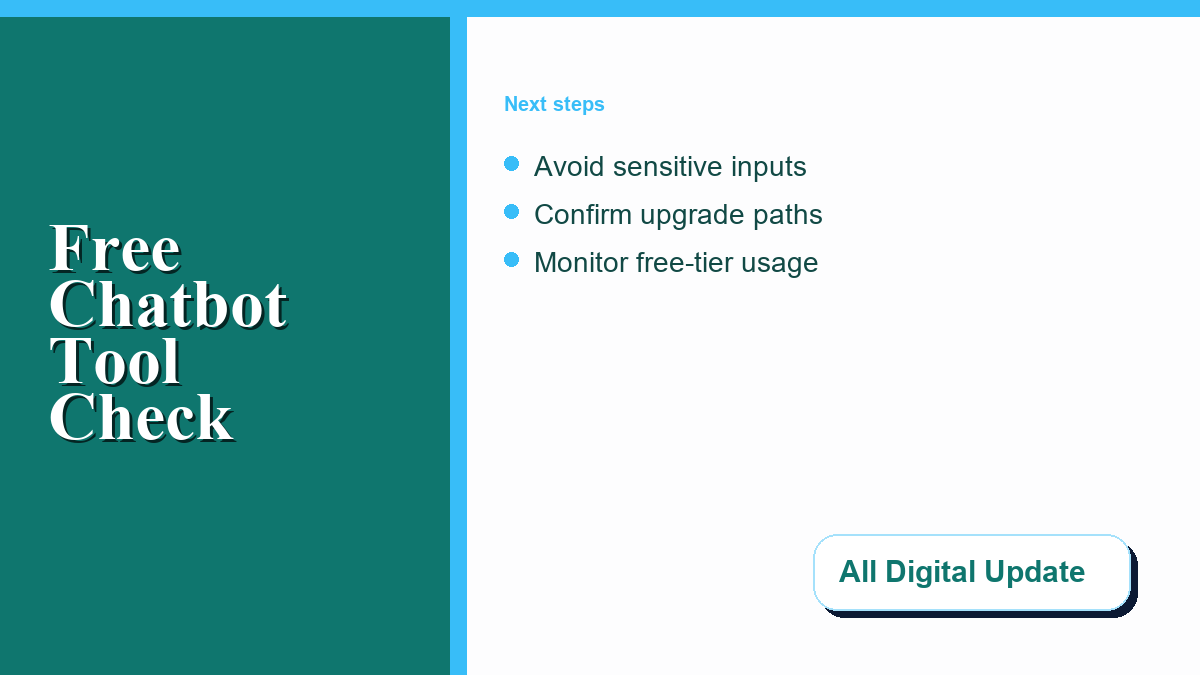
For safety-first operations, do not input sensitive information into a free chatbot. This includes account credentials, personal identifiers, confidential business documents, financial spreadsheets, or unreleased source code. Treat every chat session as potentially visible to the provider unless you have explicitly configured privacy controls and confirmed the plan terms. Some browser platforms allow you to turn off history or adjust activity controls, but policies differ between vendors.
If you are deploying a chatbot on mobile devices or using mobile applications, it is also useful to examine how application stores track data. Reading about how to understand data safety sections on Google Play, such as the resources on Google Play data safety details, highlights how developers disclose data collection practices. Applying the same scrutiny to web tools helps you avoid customer privacy problems or proprietary information exposure.
5. A Strategy for Testing Chatbots Safely
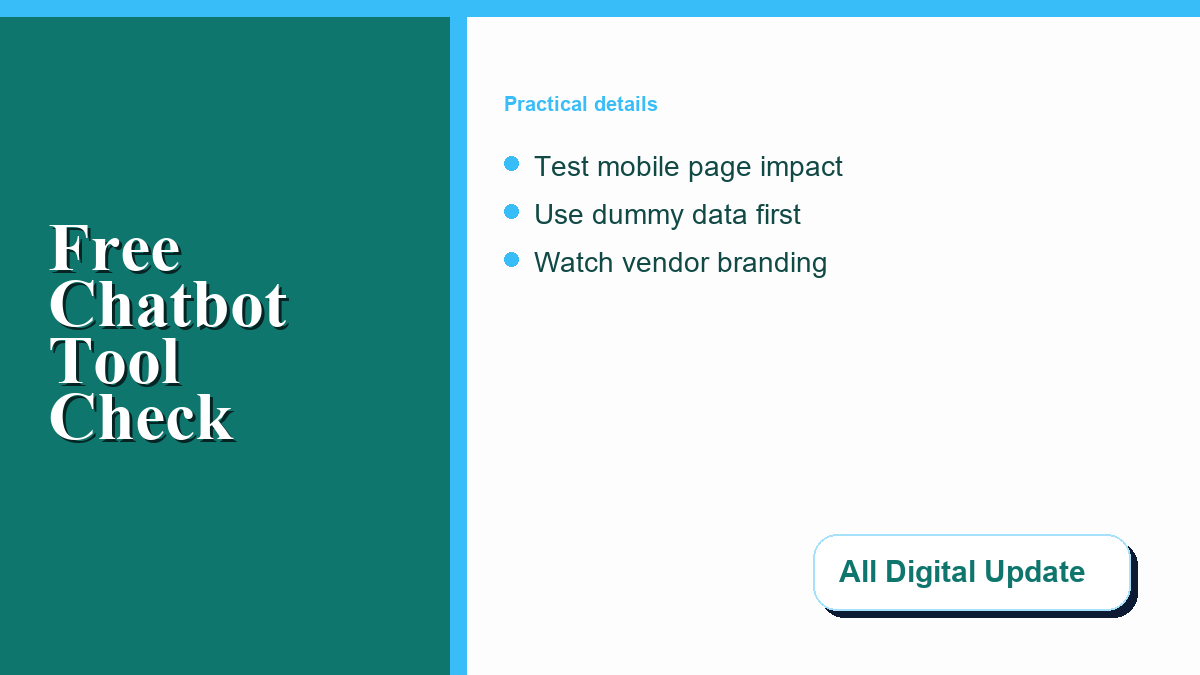
Before fully committing your workflows to a specific chatbot platform, it is wise to run a structured test. Do not assume that the first tool you try will fit all your future requirements. Instead, create a pilot phase where you test the limits of the free tier with dummy data or non-confidential queries. For a business-focused comparison, this AI chatbot for business ROI guide can help connect workflow fit, expected volume, and measurable operating goals before a team commits. For a small business evaluating customer support coverage, an AI chatbot services guide can help compare escalation paths, knowledge-base limits, and measurement before a team adopts a tool.
Start by testing the chatbot’s response consistency. Ask the tool to perform a series of standard tasks at different times of the day to see if performance degrades during peak traffic hours. For website widgets, test how easy it is to customize the conversation flow. If the builder interface is too complex, or if the free tier restricts you to only one or two simple pathways, it may not be worth the integration effort.
As part of your testing, invite a few colleagues or trusted users to interact with the chatbot in a staging environment. Pay close attention to how the chatbot handles unexpected inputs or spelling errors. In customer support scenarios, a tool that fails to redirect a confused visitor to a human contact page can harm user experience. Documenting these interactions during your trial helps clarify whether the free version is an asset or a liability.
Finally, monitor your usage metrics. Note how quickly you approach the free limit during ordinary work sessions. If you find yourself hitting the threshold within the first few days of testing, it indicates that a free tool may not be viable for your daily tasks. In this case, you will need to compare paid plans or look for open-source self-hosted options that do not impose arbitrary usage limits.
]]>In an era where mobile devices dominate, ensuring your website is optimized for mobile is crucial for user experience and performance. Mastering mobile-first web design tips is no longer optional but a necessity for designers and developers aiming to stay ahead in the competitive digital landscape. This comprehensive guide dives into the essential strategies and principles behind mobile-first design, exploring how to create websites that not only look great on mobile screens but also deliver seamless experiences across all devices. From understanding the core concepts to learning practical implementation techniques, this article will walk you through everything you need to know to embrace a mobile-first mindset and elevate your design efforts to new heights.
Key Takeaways
- Mobile-First Design Starts Small: Begin by creating a mobile-optimized site before scaling up.
- Simplify for Mobile Users: Reduce clutter and focus on essential elements for better usability.
- Responsive Design for All Screens: Ensure layouts adapt seamlessly across devices.
- Prioritize Essential Content: Make sure mobile users can access key info quickly.
- Optimized Media Enhances Performance: Use efficient image compression and fonts for faster loading.
- Large Text for Readability: Ensure text is legible on smaller screens without losing hierarchy.
- Efficient Coding Practices: Implement techniques to improve mobile performance.
- Battery-Saving Design: Minimize resource use to extend device life.
- Cross-Device Compatibility: Ensure your design works uniformly across all devices.
- Mobile Dominance Drives Need: Over 50% of traffic comes from mobile, making mobile-first crucial.
- Progressive Enhancement Builds a Strong Foundation: Start with mobile, then expand to larger screens.
- Future-Proof Your Designs: A mobile-first approach adapts easily to new technologies.
- Modern Tools Support Mobile-First: Utilize CSS Grid, Flexbox, and frameworks for effective implementation.
- Adopting Mobile-First Boosts Engagement: Higher user interaction leads to better business outcomes.
- Scalable and Cost-Effective Strategy: Develop once for mobile, adapt to other screens efficiently.
- Challenges Include Technical Complexities: Designing for varied devices can be complex.
- Real-World Success Stories: Companies like Airbnb and Uber have thrived with mobile-first approaches.
How to Design a Mobile-First Website
Designing a mobile-first website involves a strategic approach that prioritizes the needs of mobile users while ensuring optimal performance across all devices. Here’s a step-by-step guide to crafting an effective mobile-first design:
- Start with a Mobile-Optimized Layout: – Begin by designing your website for mobile screens, typically targeting a minimum width of 320px, which is the standard for smartphone screens. This ensures that your site is accessible and functional on the smallest devices first.
- Utilize Responsive Design Techniques: – Implement media queries in your CSS to adapt your layout to different screen sizes. Use flexible units like percentages and viewport widths to create fluid designs that scale appropriately across devices.
- Choose Appropriate Typography: – Select fonts that are legible at smaller sizes. Avoid large, decorative fonts that may not render well on mobile screens. Opt for clean, sans-serif fonts for better readability and consistency.
- Adjust Spacing and Touch Targets: – Increase spacing between elements on mobile to accommodate for finger-sized touches. Ensure buttons and links are spaced adequately to avoid accidental taps on nearby elements.
- Design Navigation for Mobile Users: – Use a vertical navigation menu or a hamburger menu for mobile devices. Include descriptive labels under icons to aid users who may not recognize icon-only navigation.
- Create Flexible Content Layouts: – Use CSS Grid or Flexbox to create responsive layouts that adapt to varying screen sizes. Stack content vertically on mobile screens to maximize usability and minimize scrolling.
- Implement Meta Tags and Viewport Settings: – Add a viewport meta tag to control how the page scales on mobile devices. Include a brief description and relevant keywords to improve search engine understanding and visibility.
- Test Across Devices: – Conduct thorough testing on various mobile devices and tablets. Use tools like Google’s Mobile-Friendly Test to identify and fix issues affecting mobile usability.
- Optimize Performance: – Compress images and use lazy loading to reduce page load times. Consider implementing AMP (Accelerated Mobile Pages) for specific pages to enhance speed and performance.
- Focus on Security: – Ensure the site uses HTTPS for secure connections. Protect user data with robust security measures, especially for forms and transactions.
- Collect Feedback and Analyze Usage: – Use analytics tools to monitor user behavior and gather feedback through surveys or forms. This data helps refine and improve the mobile-first design over time.
By following these steps, you can create a website that not only meets the needs of mobile users but also provides an exceptional user experience across all devices.
How to Make a Website Look Good on Mobile
To ensure your website looks great on mobile devices, follow these essential steps:
- Plan for Mobile-First Design : Start by designing your website with mobile users in mind. Consider mobile screen sizes (typically 320px width and taller) and ensure your layout adapts to these dimensions.
- Optimize Images : Use CSS tools like
max-widthandobject-fit: coverto control image sizes. Compress images to maintain loading speeds without sacrificing quality. - Choose Readable Fonts : Select fonts that are easy to read on mobile screens. Use sans-serif fonts like Arial, Helvetica, or Tahoma for optimal legibility.
- Simplify Content Structure : Arrange content in a linear hierarchy with clear sections. Avoid complex layouts that may confuse users on smaller screens.
- Implement Responsive Design : Utilize media queries to adjust layouts for different screen sizes. Ensure your site adapts gracefully to various devices.
- Use Touch-Friendly Elements : Design buttons and links to be large enough for easy tapping. Maintain adequate spacing between elements to enhance usability.
- Mobile Navigation : Opt for a hamburger menu or collapsible navigation to keep the interface clean and uncluttered on mobile devices.
- Ensure Cross-Browser Compatibility : Test your website across different browsers and devices to guarantee compatibility and functionality.
- Focus on Performance : Implement caching strategies and optimize images to improve load times, which is crucial for mobile users with limited data plans.
- Test on Actual Devices : While emulators are helpful, always test your site on real mobile devices to capture genuine user experiences.
By following these guidelines, you can create a mobile-optimized website that provides an excellent user experience across all devices.
What is a Mobile-First Strategy?
A mobile-first strategy is an approach to web development where the design and functionality of a website are initially created with mobile devices in mind, prioritizing the mobile experience over the desktop experience. This method ensures that the core features and content are developed for mobile users first, allowing for a more streamlined and efficient creation process.
How Does a Mobile-First Strategy Work?
- Responsive Design : Utilizes responsive design techniques, such as flexible layouts using CSS media queries, to adapt the website’s appearance across different screen sizes, particularly focusing on mobile devices.
- Starting Small : Developers begin by designing for smaller screens, leveraging the simplicity of mobile interfaces to minimize complexity and potential issues.
- Progressive Enhancement : Enhances features progressively, ensuring that the mobile version serves as a solid foundation upon which additional features and functionalities are built for larger screens.
Benefits of a Mobile-First Strategy
- Efficiency : Reduces the risk of errors and simplifies maintenance by starting with a simpler platform.
- SEO Benefits : Improves search engine rankings due to increased mobile-friendliness, as search engines prioritize mobile-responsive sites.
- User Experience : Tailors content and layout to mobile users, enhancing engagement and usability.
- Cross-Platform Consistency : Ensures a seamless experience across devices, reducing confusion and frustration for users switching between devices.
- Accessibility : Considers users with disabilities, ensuring navigability and usability for everyone.
Considerations and Best Practices
- Testing : Conduct thorough testing across various mobile devices and browsers to ensure compatibility and functionality.
- Touch Optimization : Design elements that are easy to interact with using touch inputs.
- Analytics : Use analytics tools to gather data on mobile usage patterns and optimize accordingly.
- Content Adaptation : Optimize images and content for smaller screens to enhance loading speeds and user experience.
By adopting a mobile-first strategy, businesses can create more accessible, user-friendly, and effective online experiences, catering to the growing number of mobile users worldwide.
What Are the Mobile-First Principles?
Mobile-first principles are a design approach aimed at optimizing the experience of users accessing your website or application through mobile devices. This methodology ensures that the core functionality and content are accessible and functional on mobile devices before expanding the design considerations to larger screens.
Key Principles of Mobile-First Design
- Start Small: Design and develop the mobile version first, focusing on the smallest screens (typically mobile phones) to ensure usability and functionality.
- Simplify the Interface: Remove unnecessary elements and streamline navigation to accommodate the limited screen space and input methods of mobile devices.
- Responsive Design: Create layouts that adapt fluidly to different screen sizes, ensuring seamless experiences across desktops, tablets, and mobile devices.
- Touch-Friendly Elements: Design buttons, icons, and interactive elements to be easily reachable and recognizable on touchscreens.
- Content Strategy: Prioritize essential content and functions, ensuring that mobile users can access the most critical information quickly and efficiently.
- Optimized Images and Media: Compress images and use web fonts to reduce file sizes, ensuring fast load times on mobile connections.
- Large Font Sizes: Use sufficiently large font sizes to ensure readability on smaller screens without compromising visual hierarchy.
- Prioritize Content: Focus on delivering the most important content and features, avoiding clutter that could hinder user interaction.
- Efficient Coding Practices: Utilize techniques like lazy loading for images and minify CSS/JS to optimize performance on mobile devices.
- Battery Optimization: Minimize resource usage to reduce battery consumption on mobile devices, especially for location services and background processes.
- Cross-Device Compatibility: Ensure that the design works consistently across different device types and screen resolutions.
By adhering to mobile-first principles, designers and developers can create experiences that are not only functional but also intuitive and visually appealing on mobile devices, ultimately enhancing user satisfaction and engagement.
Is Mobile First Still Relevant?
Yes, mobile-first remains highly relevant in web design and development. Here’s why:
- Mobile Dominance : Mobile devices account for over half of global internet traffic, making mobile-first a necessity for optimal user experiences.
- Responsive Design Evolution : While responsive design has broadened, mobile-first principles often underpin these approaches. They ensure seamless adaptation across devices.
- Screen Real Estate Constraints : Mobile’s limited space drives the need for concise layouts, prioritizing essential content and functionality.
- Progressive Enhancement : Mobile-first encourages building a solid foundation for mobile, allowing enhancements for larger screens, thus promoting accessibility and performance.
- Future-Proofing : As new devices emerge, a mobile-first mindset helps maintain a strong base, accommodating future innovations without major overhauls.
- Tools and Frameworks Support : Modern tools like CSS Grid, Flexbox, and JavaScript frameworks facilitate effective implementation of responsive designs rooted in mobile-first principles.
In conclusion, while the approach may have expanded, mobile-first’s core benefits remain vital in today’s multi-device landscape.
What is a Mobile-First Mindset?
A mobile-first mindset refers to a strategic approach where businesses prioritize the creation and optimization of experiences for mobile devices before transitioning to desktop or other platforms. This approach ensures that products, services, and digital experiences are inherently designed for mobile users, leveraging the ubiquity and constant connectivity of mobile devices.
Benefits of Adopting a Mobile-First Mindset
- User-Centric Design : By focusing on mobile-first, businesses ensure that their offerings are intuitive and accessible to a broader audience, including those who primarily use mobile devices.
- Scalability : A mobile-first strategy allows for easy adaptation to different screen sizes and devices, ensuring compatibility across various platforms.
- Cost-Effectiveness : Developing for mobile often requires fewer resources compared to traditional desktop-first approaches, reducing costs while maintaining quality.
- Enhanced User Engagement : Mobile users tend to interact more frequently with content, leading to higher engagement rates and potential increased revenue.
Challenges to Consider
- Technical Complexity : Designing for mobile can be more complex due to varying device specifications and screen sizes.
- Content Optimization : Ensuring that content is optimized for mobile devices may require significant effort, particularly for larger websites or applications.
- Security Concerns : Mobile-first strategies often involve cloud-based solutions, which must adhere to strict security protocols to protect sensitive data.
Real-World Applications
Many successful companies have embraced a mobile-first approach, including giants like Airbnb and Uber. These firms recognize the importance of mobile users and have built their businesses around seamless mobile experiences. Their success demonstrates the transformative power of prioritizing mobile in product development and service delivery.
By adopting a mobile-first, cloud-first mindset, businesses can position themselves to thrive in an increasingly mobile and connected world. This approach not only enhances user experiences but also drives innovation and efficiency, enabling companies to stay competitive in dynamic markets.
]]>