Now, with a modern relaunch, the Nokia 3310 is attempting to recapture the hearts of fans. But in today’s world of smartphones, is the Nokia 3310 worth buying? Let’s explore its history, features, and potential pitfalls.

A Deep Dive into Nokia 3310 History
Released in September 2000, the Nokia 3310 was designed as a follow-up to the successful Nokia 3210. While it may look rudimentary by today’s standards, the 3310 introduced features that were groundbreaking at the time.
Why It Was Revolutionary
- Text Messaging Advancements: The Nokia 3310 introduced long SMS messaging and predictive text input (T9), making it easier to communicate.
- Games: The pre-installed Snake II game was a significant improvement over the original, featuring faster gameplay and a wrap-around screen.
- Customization: With interchangeable faceplates and the ability to compose custom ringtones, the 3310 allowed users to personalise their devices—something rare in early mobile phones.
Key Features That Made It a Legend
- Durability
The Nokia 3310 earned its nickname as the “brick” for good reason. It could survive being dropped, stepped on, or even submerged in water. Memes and jokes about its indestructibility continue to circulate to this day. - Battery Life
With a battery life of up to 11 days on standby and 4-5 hours of talk time, the 3310 didn’t need to be charged daily like modern smartphones. It set a gold standard for reliability that remains unmatched. - Simple Yet Effective Interface
The monochrome screen and straightforward navigation made the phone accessible to users of all ages. It was a device focused on communication, not distractions.

The 2017 Relaunch: A Modern Nostalgia
In 2017, Nokia (under HMD Global) revived the Nokia 3310, hoping to capitalize on its nostalgic appeal. The new version retained the signature design while incorporating some modern features.
Current Features
- Colour Display: A 2.4-inch color screen replaced the original monochrome display.
- Improved Snake Game: The beloved Snake game returned with updated graphics and gameplay.
- Camera: A basic 2-megapixel rear camera with LED flash was added.
- Expandable Storage: A microSD slot allows for additional storage, a useful addition for saving photos and music.
- Modern Connectivity: Some models now support 4G/3G networks, though it lacks the advanced features of smartphones.
Despite these updates, the new Nokia 3310 still lacks features like app support and high-speed internet, emphasizing its role as a simple, functional device.
Why the Nokia 3310 is Iconic
The Nokia 3310 remains iconic because it represents a time when phones were designed to last. It wasn’t about megapixels or app ecosystems—it was about staying connected, durability, and convenience. Its enduring popularity reflects a yearning for simpler times, and its minimalist approach resonates with people looking to disconnect from the overwhelming nature of modern technology.

Will the Nokia 3310’s Design Stand the Test of Time?
The retro design of the Nokia 3310 is undeniably appealing, but will it last in today’s market? While the phone appeals to collectors and those who prefer basic functionality, it struggles to compete with even entry-level smartphones.
However, there’s a niche for the 3310:
- Backup Phone: It’s perfect for emergencies or as a secondary device.
- Digital Detox Tool: For those looking to unplug from endless notifications, it offers a refreshing alternative.
- Great for Older Users: Its simplicity makes it ideal for seniors who only need a phone for calls and texts.
That said, the lack of app support and advanced features means it won’t replace a smartphone for most users.
The Cons of the Nokia 3310
While the nostalgia is strong, the modern Nokia 3310 isn’t without its flaws:
- Limited Functionality
The lack of app support, GPS, and advanced connectivity options makes it impractical for users accustomed to smartphones. - Outdated Hardware
The camera and screen quality are far below modern standards, even for budget phones. - Price vs. Value
The Nokia 3310’s price often matches or exceeds budget smartphones, which offer significantly more features for the same cost. - Niche Audience
Its appeal is limited to nostalgic fans, minimalists, and specific use cases, making it unsuitable for mainstream adoption.
Final Verdict: Is the Nokia 3310 Worth Buying?
The Nokia 3310 is more than just a phone—it’s a symbol of an era. Its durability, battery life, and simplicity remain its strongest selling points, but its limited functionality and outdated hardware make it a hard sell for everyday use.
If you’re a collector, someone seeking a backup phone, or just feeling nostalgic, the Nokia 3310 might be worth the investment. However, if you need a device to handle modern demands, it’s best to look elsewhere. While the Nokia 3310 may not dominate the market like it once did, its legacy as one of the most iconic phones ever created is secure.
]]>
Top-Paying Roles at Google in 2025
Google is known for compensating its employees generously, especially those in specialized or leadership positions. Here’s a breakdown of the top-paying roles:
- Senior Software Engineer – $180,000/year
These engineers are the backbone of Google’s tech innovations. In addition to the base salary, bonuses and stock options often bring their total compensation well above $200,000. - Research Scientist – $155,000/year
From artificial intelligence to sustainability projects, research scientists play a pivotal role in Google’s future. - Product Manager – $150,000/year
Product managers earn significant salaries with responsibilities spanning product development and team coordination, reflecting their importance in the company. - Sales Engineer – $135,000/year
Sales engineers help clients understand and implement Google’s tech solutions, making them indispensable in connecting Google’s innovations to businesses worldwide. - Software Research Engineer – $130,000/year
These engineers work on cutting-edge projects and contribute to Google’s advancements in cloud computing, machine learning, and more.

What is the Average Google Employee Salary in 2025?
When we calculate salaries across all roles at Google—from entry-level positions to executive roles—the average Google employee salary is approximately $167,000 per year for mid-career professionals. For entry-level roles, employees start at around $95,000 annually, while senior executives and specialized roles can earn well into the millions with stock options and bonuses.
This figure makes Google one of the highest-paying companies in the tech industry, consistently outpacing competitors like Apple, Microsoft, and Meta.
How Salaries Have Grown Over the Years
Google has consistently increased its salaries over the years to attract and retain top talent. For example:
- In 2015: The average Google employee salary was approximately $105,000.
- In 2020: It climbed to $135,000 as the demand for tech talent surged.
- In 2025: Now, the average salary stands at $167,000, reflecting Google’s growth and its continued commitment to rewarding its workforce.

Why Are Google Salaries So High?
- Attracting Top Talent
Google competes with other tech giants for the best and brightest minds. A high Google employee salary ensures they attract and retain top-tier talent. - Demand for Innovation
From AI to cloud computing, Google’s success relies on groundbreaking innovation. Employees are compensated well for their contributions to maintaining Google’s industry leadership. - High Revenue and Profit Margins
Google’s parent company, Alphabet, generates billions of dollars annually, allowing the company to afford competitive salaries and extensive benefits.
Perks That Complement Google Salaries
A Google employee salary is just one part of the compensation package. The perks Google provides often outshine even its generous paychecks:
- Free Gourmet Food: Employees enjoy access to world-class meals from various cuisines.
- On-Site Services: Free haircuts, car washes, and bike repairs save time and money.
- Pet-Friendly Workplaces: Employees can bring their pets to the office, fostering a more relaxed work environment.
- Generous Family Support: In the event of an employee’s death, their family receives the full salary for five years and vested stock options.
- Comprehensive Wellness Programs: These include free gym memberships, mental health services, and even sleep pods.
Challenges of Working at Google
While the Google employee salary and benefits are enticing, landing a job at Google is no easy feat. The company receives over 2 million applications annually, and only about 0.2% of applicants secure a position. The rigorous interview process requires technical expertise, creativity, and a cultural fit.
Once employed, the pressure to perform and innovate is high. For many, though, the rewards far outweigh the challenges.
Is Working at Google Worth It in 2025?
For those who can navigate the demanding application process and thrive in a fast-paced, innovative environment, working at Google is incredibly rewarding. The combination of a high Google employee salary, unparalleled perks, and the chance to work on projects that shape the future of technology makes Google a standout employer.
Does It Pay to Work at Google?
In 2025, the Google employee salary continues to reflect the company’s commitment to excellence and innovation. While the road to becoming a Googler is challenging, the rewards—both financial and professional—are unmatched. For those aspiring to work at Google, the journey is worth the effort.
If you’re considering a career at Google, now might be the perfect time to start preparing. Explore open roles and learn more about the company’s culture by visiting Google’s official careers page.
]]>In this article, we’ll cover the best Android keyboards available in 2024, focusing on their unique features, ease of use, and the overall user experience they provide.
1. Gboard: The Google Keyboard
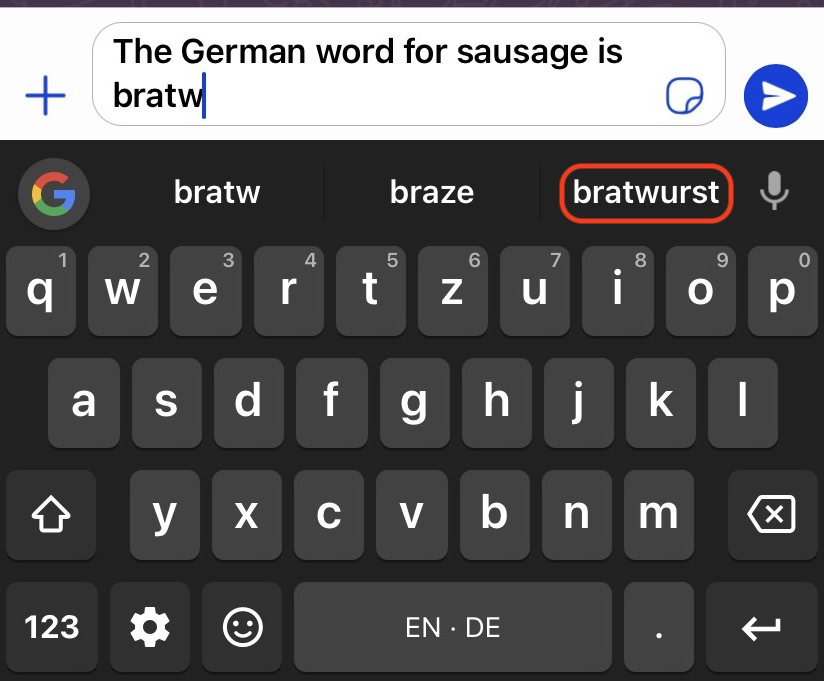
Gboard, developed by Google, consistently ranks as one of the best Android keyboards due to its combination of simplicity, speed, and smart features. It comes pre-installed on many Android devices and offers a perfect balance of usability and functionality.
Key Features:
- Google Search integration: You can search for anything directly from the keyboard, including nearby restaurants, flight statuses, or articles.
- Multilingual typing: Gboard supports multiple languages, and you can type in different languages without manually switching between keyboards.
- Emoji and GIF search: Easily find and insert emojis, GIFs, and stickers with just a tap.
- Glide typing: Swipe to type, allowing for faster typing by sliding your fingers across the keys.
- Voice typing: You can dictate text effortlessly using Google’s highly accurate voice recognition software.
The combination of these features makes Gboard one of the most versatile and efficient keyboards for Android users.

2. SwiftKey: AI-Powered Prediction
Owned by Microsoft, SwiftKey has been a top contender for the best Android keyboards for years, primarily due to its smart predictive text and customization options. It learns your writing style and adapts to provide personalized suggestions, which makes typing faster and more intuitive over time.
Key Features:
- AI-powered autocorrect: SwiftKey’s autocorrect becomes more accurate the more you use it, learning your slang, nicknames, and common phrases.
- Gesture typing: SwiftKey also supports swipe typing, enabling faster input.
- Custom themes: It offers a wide range of custom themes to personalize the look and feel of the keyboard.
- Emoji prediction: Predictive emoji suggestions based on your text.
- Multilingual support: Supports over 300 languages, and you can use up to five languages simultaneously.
SwiftKey’s ability to learn from your habits and its robust language support make it a favorite among multilingual users and those who value customization.
3. Fleksy: Fast Typing with Unique Gestures
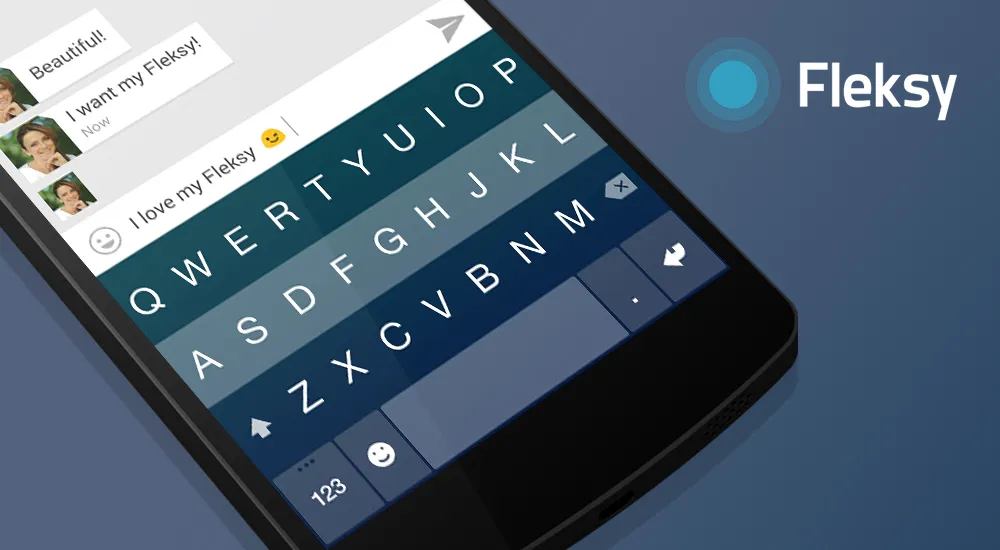
Fleksy is known for being one of the fastest keyboards available, focusing on speed, customization, and innovative gesture controls. It’s a minimalist keyboard that removes clutter and streamlines your typing experience, making it one of the best Android keyboards for those who want something different.
Key Features:
- Speed-focused: Fleksy’s auto-correction is renowned for being accurate and fast, helping users type quickly without needing to rely on slow, manual corrections.
- Gestures for everything: Swipe gestures let you delete words, add spaces, and select autocorrect options in a much more fluid way than tapping on individual keys.
- Custom extensions: Fleksy offers unique extensions that allow users to add GIFs, stickers, and even a built-in launcher for app shortcuts.
- Theming and customization: Fleksy allows you to fully customize the keyboard’s appearance and functions.
- Private typing: Unlike many other keyboards, Fleksy does not require cloud syncing, which can be a great advantage for privacy-conscious users.
Fleksy’s focus on speed and its unique gesture controls make it a great choice for power users who want more control over their typing.

4. Chrooma Keyboard: Colorful and Adaptive
Chrooma is another excellent choice when looking for the best Android keyboards, especially for users who value aesthetics and customization. What sets Chrooma apart is its color adaptation feature, where the keyboard changes color to match the app you’re using, giving it a seamless, integrated look.
Key Features:
- Color adaptation: The keyboard dynamically changes color depending on the app (e.g., blue for Twitter, green for WhatsApp).
- Night mode: It automatically dims and switches to a darker theme when night mode is active on your device.
- AI-powered predictions: Chrooma also boasts intelligent word predictions, auto-correct, and next-word suggestions.
- Emoji suggestions: Get quick suggestions for emojis while typing, much like SwiftKey and Gboard.
- Gesture typing and support: Chrooma supports swipe gestures for faster typing and gesture-based cursor control.
Chrooma offers a unique blend of performance and personalization, making it one of the more visually appealing and functional keyboards for Android.
5. Grammarly Keyboard: For the Grammar-Conscious
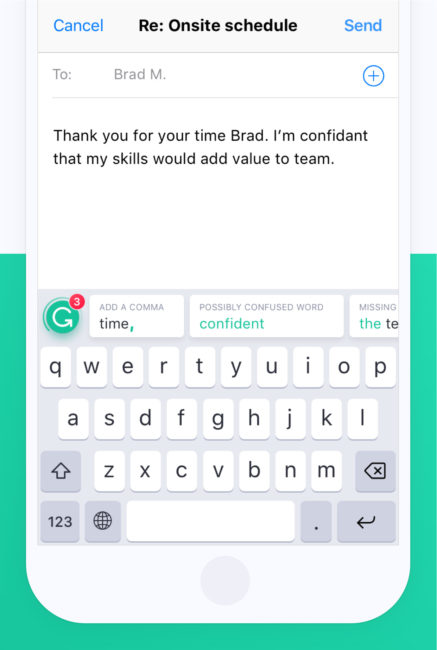
For those who care about perfect grammar and spelling, the Grammarly Keyboard is an excellent option. While many other keyboards offer autocorrect, Grammarly goes a step further by providing full grammar suggestions, making it one of the best Android keyboards for professionals, students, and writers.
Key Features:
- Advanced grammar suggestions: Grammarly offers more than just spell check. It provides real-time grammar corrections, ensuring your emails, texts, and documents are error-free.
- Tone detection: Grammarly helps you adjust the tone of your writing, ensuring it’s appropriate for formal or casual contexts.
- Punctuation corrections: It automatically adds commas, periods, and other punctuation marks in the correct places.
- Personal dictionary: Add words that Grammarly may not recognize, ensuring they’re not flagged in future writing.
While Grammarly lacks some of the customization features of other keyboards, its focus on grammar and writing precision makes it ideal for those who want to ensure their communications are polished and professional.
6. Minuum: The Small Keyboard with Big Features
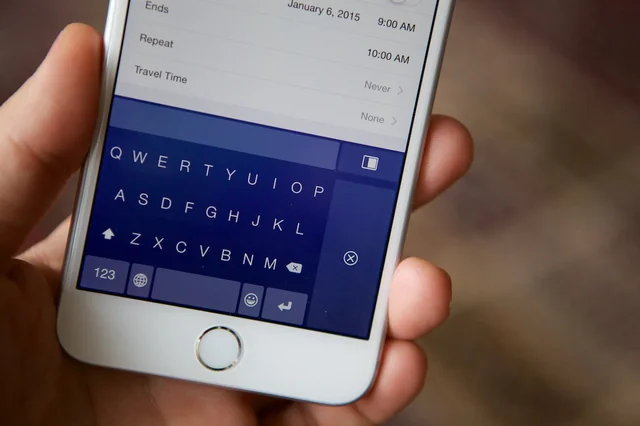
If you’re looking for a compact, minimalist keyboard that doesn’t sacrifice functionality, Minuum is a great choice. It’s designed to take up as little space as possible on your screen, making it one of the best Android keyboards for users who want maximum screen real estate.
Key Features:
- Minimalist design: Minuum condenses the traditional keyboard into a single row, saving screen space and making it perfect for smaller devices.
- Smart autocorrect: The keyboard uses an intelligent auto-correct system that makes sense of even the messiest typing.
- Custom layouts: Choose from different keyboard layouts, including QWERTY, AZERTY, or even a more unconventional split keyboard.
- Multi-lingual support: Type in multiple languages without switching keyboards.
- Emoji shortcuts: Quickly insert emojis and symbols with minimal disruption to your typing flow.
Minuum’s innovative design is perfect for users who want to keep their typing space minimal while still benefiting from smart suggestions and corrections.
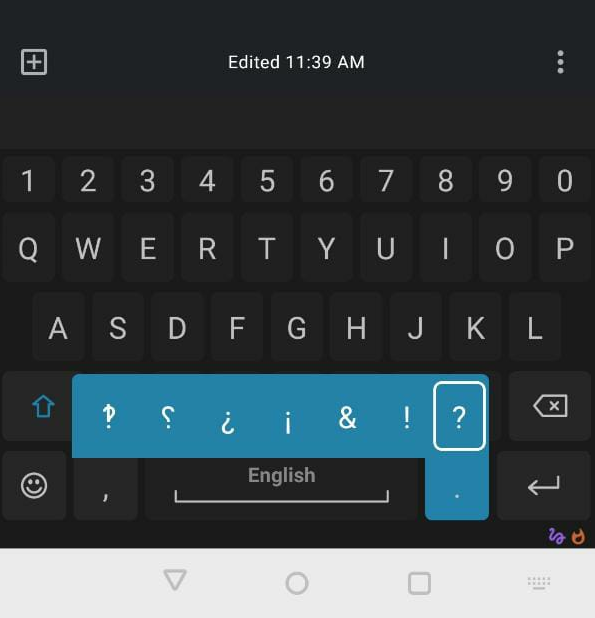
7. AnySoftKeyboard: Open-Source and Privacy-Focused
If privacy is your top priority, AnySoftKeyboard is one of the best open-source Android keyboards available. With a focus on user privacy, it doesn’t require internet access, making it a great option for those who want a secure and customizable keyboard without the risk of data collection.
Key Features:
- No internet permission: This ensures that no data is sent to the cloud, providing complete privacy for your typing.
- Customizable themes: Choose from a variety of themes and layouts to suit your style.
- Support for multiple languages: AnySoftKeyboard offers extensive language support with downloadable language packs.
- Gesture typing: Like many other keyboards, it also includes swipe typing for fast text input.
- Extensive add-ons: Users can customize their keyboard experience with plugins for emojis, dictionaries, and other functionality.
AnySoftKeyboard is perfect for users who value privacy and open-source software but still want a customizable and feature-rich keyboard.
Conclusion: Choosing the Best Android Keyboard for You
The best Android keyboards can enhance your typing experience, improve productivity, and give you the customization options you need to match your preferences. Whether you prioritize speed, customization, privacy, or advanced grammar checks, there’s a keyboard that fits your needs. From the all-around reliability of Gboard to the privacy-focused AnySoftKeyboard, these options allow you to take control of how you type.
Each of these keyboards brings its own set of unique features and advantages. As you explore these options, consider which features are most important to you, whether it’s smart predictive text, grammar corrections, or simply having more themes to choose from.
In the world of Android, having the freedom to choose the best Android keyboard for your needs means you can personalize your typing experience and boost your productivity. Don’t settle for a default keyboard—unlock your device’s full potential with the perfect keyboard for you.
]]>
In the video you can see the swipe function being used on Nokia Lumia 920, the features was previously only a rumor but it looks like the guys over at UnleashThePhones have solid proof on the feature coming in WP 8.1 once released

Swipe Keyboard: A New Input Method for Windows Phone 8.1
The Windows Phone 8.1 swipe keyboard is a game-changer for users who value speed and convenience in typing. Instead of lifting their fingers between letters, users can hold their finger on one key and glide it across the keyboard, connecting letters, and the system will predict the intended word. The swipe function takes the effort out of typing, particularly for long words or phrases.
This feature is enabled through a setting called “Type as I flick through letters”, which users can easily toggle on or off based on their preference. While the swipe function is something users of Android or iOS may already be familiar with, its introduction to the Windows Phone 8.1 platform represents a significant step forward in enhancing the user experience on Windows-based mobile devices.
Demonstration of the Swipe Feature on Nokia Lumia 920
Recently, the team at UnleashThePhones released an exclusive video demonstrating this new swipe function on the Nokia Lumia 920. In the video, users can clearly see how this feature works, offering a visual demonstration of the new technology in action. Prior to this video, the swipe function was largely rumored, but this demonstration provides solid proof that the feature is coming to Windows Phone 8.1.
The demonstration showcases how seamlessly users can input words by dragging their finger across the keyboard, and the accuracy with which the phone predicts the intended words. The video is a valuable resource for anyone looking to understand how the feature will work on their Windows Phone 8.1 device, particularly once the official update is released.
Benefits of the Swipe Keyboard for Windows Phone 8.1
The introduction of the swipe function in Windows Phone 8.1 offers several notable benefits for users:
- Increased Typing Speed: With the swipe keyboard, typing long messages becomes quicker and more efficient. Users no longer need to tap each key individually, making it ideal for users who frequently compose texts, emails, or social media updates.
- Improved Accuracy: While it may seem like swiping would reduce accuracy, the swipe keyboard is designed to predict words based on the swipe path. This reduces the number of errors and misspelled words compared to traditional typing methods.
- User Convenience: The ease of use is another significant benefit. With the swipe function, users can type with one hand, making it convenient in situations where both hands aren’t available.
- Reduced Fatigue: For users who type extensively on their phones, the swipe function can reduce fatigue and strain on the fingers since it requires less repetitive motion than traditional typing.
How Does It Compare to Other Swipe Keyboards?
Swipe-style keyboards have long been a favorite on other platforms like Android, where apps like Swipe and Gboard have been widely popular for years. The addition of this functionality to Windows Phone 8.1 puts it on par with its competitors, making it more appealing to users who may have previously opted for other platforms due to this lack of feature.
The swipe keyboard function on Windows Phone 8.1 does offer some unique qualities, particularly with its integration into the Windows Phone ecosystem. By offering the feature natively, users don’t need to download third-party apps to enable it. This ensures a more seamless and optimized experience.
What Does This Mean for Windows Phone Users?
For Windows Phone users, this feature is yet another reason to consider upgrading to Windows Phone 8.1 when it becomes available. The new swipe function is poised to make the platform more user-friendly and competitive with other mobile operating systems. Users who enjoy typing quickly and efficiently on their smartphones will find this feature to be a valuable addition to their daily mobile experience.
With Windows Phone 8.1 expected to roll out across various devices soon, users can look forward to exploring this and other exciting features in the near future. The swipe keyboard is just one part of a larger suite of updates that are sure to improve usability and functionality for Windows Phone owners.
Conclusion
As Windows Phone 8.1 prepares for its official release, the introduction of the swipe keyboard feature marks a significant enhancement to the platform’s usability. By allowing users to swipe through letters to type more quickly and accurately, Windows Phone is keeping pace with modern user expectations for smartphone typing experiences. As demonstrated on the Nokia Lumia 920, this feature is sure to be a favorite for users who appreciate convenience and speed.
With the option to enable the “Type as I flick through letters” setting, Windows Phone 8.1 users can look forward to faster and more efficient typing once the update is released. Keep an eye out for more developments as the official launch of Windows Phone 8.1 approaches!
]]>
- Test Mode Windows 8 Build 9200
- Test Mode Windows 8.1 Build 9490
- Test Mode Windows 8.1 Build 9600
- Test Mode Windows 8.1 Pro Build 9600
- Test Mode Windows 8.1 Enterprise Build 9600
This watermark can become irritating after a while, especially if you’re using your computer for long periods. Fortunately, there’s a straightforward process for removing this watermark, allowing for a cleaner, more professional-looking desktop experience. This guide will walk you through how to remove the Windows 8.1 Build 9600 watermark.
Steps to Remove the Windows 8.1 Build 9600 Watermark
Follow these steps to permanently remove the activated Windows watermark:
- First, open up a command prompt. You can do this by typing “cmd” into your Start Menu and running it as an administrator.
- Next, type the following command into the prompt:
bcdedit.exe -set TESTSIGNING OFF - Once you’ve entered the command, restart your computer.
- Upon reboot, the watermark should have disappeared. If it’s still present, proceed to the next step.
- Download the WCP Watermark Editor application. This is a trusted tool used to remove watermarks from Windows.
- Run the .exe file of the WCP Watermark Editor to launch the program.
- Check the “Remove all watermark” option within the application.
- Click on “Apply New Settings” to implement the changes.
- Restart your computer one more time.
- Finally, reset your wallpaper to refresh your desktop view.
By following these steps, you should have successfully removed the annoying “Test Mode” watermark from the bottom-right corner of your screen. However, if this method has not worked, it’s essential to check whether your Windows 8.1 is showing as activated. Keep in mind that as of January 2023, Microsoft has discontinued all support and updates for Windows 8 and 8.1.
Other Methods to Remove Windows Watermark
If the above method fails, there are other ways to remove the Windows 8.1 Build 9600 watermark. Here are a few:
- You can use the Registry Editor to tweak certain settings and disable the watermark. However, be careful while using the Registry Editor as it can harm your system if not used properly.
- Another method is using a third-party watermark removal tool. Several reliable software tools on the internet can help you with this. Always download these tools from trusted sources to avoid malware or viruses.
- Windows provides an official way to hide the activated Windows watermark through the Ease of Access settings. However, this method only hides the watermark rather than removing it entirely.
Remember, the best way to get rid of the watermark is by activating your Windows. Using a licensed copy of Windows not only removes the watermark but also gives you access to all features and updates.
Why Does Windows Use Watermarks?
Windows uses watermarks to identify the status and edition of the operating system. This is particularly useful for developers and testers who need to be aware of the operating system’s specifics. Watermarks indicate whether you’re running a test mode, developer mode, or an activated version of Windows. While this is incredibly useful for diagnostic purposes, the watermark can be annoying to regular users, particularly those using Windows for day-to-day tasks like browsing or document editing.
Windows 8.1 watermark removal serves an important purpose, primarily as a visual indicator of the operating system’s licensing or activation status. For developers and testers, these watermarks help identify whether they’re working in a test mode or using an unlicensed version, preventing accidental use in production environments. While useful for diagnostics, watermarks can be intrusive for general users. Therefore, they remain common in preview builds, beta versions, or non-activated copies of Windows to signal the need for licensing or activation.
Benefits of Windows Activation
Activating your copy of Windows unlocks a range of features, ensuring you get the most out of your operating system. An activated version not only removes the watermark but also provides access to personalization settings, enhanced security updates, and ongoing technical support. Furthermore, users with activated Windows receive important system updates and patches that protect against vulnerabilities, keeping their systems secure and running smoothly. Activation ultimately ensures the full use of all premium Windows features.
Impact of Not Removing the Windows Watermark
While the watermark doesn’t significantly affect your computer’s functionality, it can still be distracting and unsightly. It’s worth noting that if you’re running a non-activated version of Windows, you will be missing out on certain features and updates that are only available to activated versions of Windows. This could leave your system more vulnerable to security risks and potentially harm your user experience.
Watermarks aren’t exclusive to Windows 8.1; they appear in newer versions like Windows 10 and 11, often indicating non-activation or test modes. In these systems, the watermark serves a similar purpose, reminding users to activate their OS or signaling that a beta build is in use. Many users face the same issue in newer Windows versions, so understanding watermark removal across different builds ensures a broader audience can benefit from your guide, increasing your article’s relevance.
Alternative Solutions to the Watermark Problem
While removing the watermark with the steps outlined in this guide can provide temporary relief, the most reliable and permanent solution is to activate your Windows copy. Activation not only eliminates the watermark but unlocks important features like customization options and access to critical security updates, keeping your system safe and optimized. Additionally, a licensed copy of Windows allows you to receive ongoing support from Microsoft. If you’re unable to activate Windows, consider upgrading to a newer version or reaching out to Microsoft support for guidance.
Activating your operating system also ensures that your system stays compliant with licensing regulations, which is particularly important for both personal users and businesses. In the long run, activation offers the best user experience, maintaining system performance while ensuring compatibility with other software. If activation isn’t feasible, exploring an upgrade path to Windows 10 or 11 may be a cost-effective solution, given that older versions like Windows 8.1 are no longer supported.
Best Practices When Using Command Prompts and Third-Party Tools
When using the command prompt or third-party tools to remove the watermark, caution is crucial, as even a minor error can lead to significant system issues, such as corrupting system files or causing instability. Always double-check each command for accuracy before executing it, and never rush through the process. If you opt for third-party software, ensure that the tool is from a reputable source. Downloading software from unverified websites can expose your system to harmful malware, spyware, or viruses, which may compromise your data security or even necessitate a full system restore. Regularly back up your system and consider running antivirus software to maintain protection when trying such methods. Ultimately, your computer’s health and security should be your highest priority when making system changes.
Conclusion
While watermarks may be useful for reminding users of the operating system build they’re using, they can sometimes be a distraction. This guide provided steps on how to remove the Windows 8.1 build 9600 watermark, ensuring a more seamless desktop experience. But remember, always consider running a licensed and activated copy of Windows for the best performance and security.
Have you tried these methods? What was your experience? Let us know in the comments section below.
]]>
Leaked Pricing for the LG G3
In the past few weeks, we’ve seen various pricing details for the LG G3 surface across European retailers. These leaks offer a glimpse into the price points for both the 16GB and 32GB models, which are expected to be released in a range of colors. Here’s what has been reported:
- LG G3 16GB (Gold): Listed between €613 and €678
- LG G3 32GB (White): Listed between €659 and €730
These prices vary slightly depending on the retailer, but they fall within a similar range. It’s important to note that these prices might not be final, as many retailers list placeholder prices before official announcements. However, these numbers give us a general idea of what to expect. Compared to competitors like Samsung’s Galaxy S5 and HTC’s One M8, the LG G3 seems to be priced in the same premium range, making it a serious contender in the high-end smartphone market.
Advanced Features of the LG G3
The LG G3 is expected to come with several cutting-edge features, which will likely justify its premium price tag. With a focus on delivering a top-tier user experience, the LG G3 aims to compete directly with other flagship devices by offering powerful hardware, a sleek design, and a few innovative features that set it apart.
1. Display
One of the most talked-about aspects of the LG G3 is its 5.5-inch Quad HD display with a resolution of 1440 x 2560 pixels. This ultra-high-resolution display is expected to deliver incredibly sharp visuals, making it one of the most advanced smartphone screens available at the time of its release. This could be a game-changer for media consumption, gaming, and even general use, as users will enjoy a much clearer, more vibrant experience.
2. Storage and RAM
The LG G3 will come in two storage configurations: 16GB and 32GB, with the larger model featuring 3GB of RAM compared to the 16GB model’s 2GB of RAM. This ensures that users can choose a model that suits their storage needs and multitasking demands. With these options, the LG G3 caters to both everyday users and power users who need more memory for running multiple apps and handling more intensive tasks.
3. Processor and GPU
At the heart of the LG G3 lies the Snapdragon 801 processor. This quad-core chip, clocked at 2.26 GHz, ensures smooth performance for everything from gaming to media consumption to general app usage. Coupled with the Adreno 330 GPU, users can expect excellent graphics performance, particularly when playing games or watching high-definition videos.
4. Camera Capabilities
While we are still waiting for official confirmation, leaks suggest that the LG G3 will come with a 13-megapixel rear camera with optical image stabilization (OIS). This feature is designed to reduce blurriness in photos and videos, especially in low-light conditions or when the user is on the move. The LG G3 will likely continue LG’s trend of offering strong camera technology in its flagship models, appealing to users who want to capture high-quality photos and videos on the go.
5. Battery Life
Battery life is always a concern with high-performance devices, especially those with high-resolution screens like the LG G3. Rumors suggest that the LG G3 will be equipped with a 3000 mAh battery, which should provide enough power to last through a full day of use, even with its Quad HD display. Users can expect improvements in power efficiency thanks to both the software optimization and hardware components.
The Role of RFQs and Custom Manufacturing in LG G3 Distribution
For large organizations, especially mobile carriers and retailers, getting their hands on the LG G3 is a process that often begins with a Request for Quote (RFQ). This is where companies submit bids to purchase large quantities of devices, setting the stage for negotiations on pricing, shipping, and other logistical factors. The LG G3, like many other flagship devices, is often custom-built and must meet strict specifications before it’s shipped to retailers.
One of the challenges with this process is the time it takes for custom orders to be fulfilled. Building, shipping, and delivering custom-built smartphones like the LG G3 can take several months, particularly if any hardware issues arise during production. Compounding the challenge, international shipping logistics can become a bottleneck, especially if there are any global trade conflicts or disruptions at sea. In many cases, if there are hardware defects, it can be difficult to send the faulty devices back to the manufacturers in China due to strict import/export regulations.
Why the LG G3 Stands Out in the Market
With its combination of advanced hardware and a competitive price point, the LG G3 is well-positioned to stand out in the increasingly crowded flagship smartphone market. LG has consistently demonstrated its ability to innovate, and the LG G3 is no exception. From its ultra-high-resolution display to its powerful Snapdragon processor and advanced camera features, the LG G3 has a lot to offer tech enthusiasts and regular users alike.
Furthermore, the LG G3 aims to differentiate itself by focusing on user experience, offering seamless multitasking, enhanced battery life, and a user-friendly design. As competition heats up, the LG G3 will face stiff competition from other flagship devices, but LG’s commitment to quality and innovation could help it carve out a strong position in the market.
Conclusion: Is the LG G3 Worth the Hype?
The leaks surrounding the LG G3 suggest that it will be one of the top contenders in the 2024 flagship smartphone market. With its powerful specs, premium design, and competitive pricing, the LG G3 is shaping up to be a well-rounded device that caters to a wide range of users. Whether you’re a tech enthusiast looking for cutting-edge hardware or an everyday user who wants a reliable and stylish smartphone, the LG G3 appears to offer something for everyone.
As we await the official launch and final pricing, it’s clear that LG has put a lot of effort into making the LG G3 a device worth waiting for. From the stunning Quad HD display to the powerful Snapdragon processor and Adreno GPU, the LG G3 is poised to make a big splash in the smartphone market. If you’re in the market for a new flagship smartphone, the LG G3 should definitely be on your radar.
]]>The launch of the LG G3 has created quite a buzz, and for good reason. With its sleek design, cutting-edge features, and stunning 1440×2560 Quad HD display, this smartphone is built to impress. But let’s be honest, after spending time setting up your new device, you’re going to want to make it feel like your own—and what better way to start than with fresh, high-quality wallpaper?
The LG G3’s crystal-clear resolution makes it a perfect canvas for vibrant, detailed wallpapers, whether you’re a fan of nature, abstract art, or something more adventurous. In this article, we’ve curated five HD wallpapers for your LG G3 to give your phone a fresh, personalized look.
Why Change Your Wallpaper?
Think about it: every time you unlock your phone, your wallpaper is the first thing you see. It sets the tone for your entire mobile experience. After a while, even the most striking image can start to feel stale, especially when you have a new flagship phone like the LG G3. Changing your wallpaper can refresh your screen and even elevate your mood. Plus, with a display resolution of 1440×2560 pixels, the LG G3 can handle HD images that bring out the most intricate details.
1. Black and White Cheetah
Nothing captures elegance and power quite like the image of a cheetah in stunning black and white. This wallpaper is perfect for those who love minimalistic yet bold designs. The sharp contrast between light and dark brings out the cheetah’s majestic form, offering a striking look for your home screen. The monochromatic palette ensures that this wallpaper will not clash with app icons or widgets, making it a sophisticated choice for daily use.
- Why Choose It: It’s perfect for those who prefer a sleek, minimalistic design but still want something that grabs attention. The contrast between the powerful animal and the simplicity of black and white is visually compelling.

2. Red, Black, and White Abstract
If you’re a fan of bold color schemes and abstract designs, this wallpaper might just be the one for you. Featuring a mix of red, black, and white, this geometric pattern gives a modern, edgy feel to your phone. Abstract designs are a great way to show personality without being too specific—perfect if you want a stylish but versatile background that won’t get old quickly.
- Why Choose It: Ideal for those who enjoy bold, artistic wallpapers that make a statement. The dynamic red tones against the stark black and white create a sense of energy and movement.

3. Nature
For a more serene, calming background, a nature-themed wallpaper is always a great choice. Whether it’s a landscape with lush greenery or a peaceful forest, nature wallpapers bring a sense of calm to your device. The rich colors and fine details available at 1440×2560 resolution will make your screen feel like a window into the outdoors.
- Why Choose It: Nature images can help reduce stress and promote a sense of peace, perfect for anyone looking to bring a bit of tranquility to their everyday mobile experience.

4. Balloon
Looking for something playful? A vibrant balloon-filled sky might be just what you need. This wallpaper is bright, cheerful, and perfect for those who love a bit of whimsy in their daily life. Balloons floating against a bright sky will give your screen a happy, uplifting vibe every time you unlock your phone.
- Why Choose It: The bright colors of the balloons offer a fun, cheerful visual pop. This wallpaper is great for those who want something lighthearted and optimistic.

5. Mechanic
For fans of technology, machinery, or industrial design, this wallpaper features a detailed mechanical motif that emphasizes precision and craftsmanship. The intricate gears and metal components are rendered beautifully at high resolution, making this an excellent choice for tech enthusiasts or anyone who appreciates detailed industrial designs.
- Why Choose It: It’s perfect for users who love technology or industrial aesthetics. The fine details of gears and cogs against a dark background make this wallpaper as intriguing as it is cool.

How to Download and Install the Wallpapers
Downloading and installing these wallpapers on your LG G3 is easy:
- Download from Links: You can download the wallpapers by selecting the ones you like. Simply click the download button, and the file will be saved to your phone.
- Set as Wallpaper: Once downloaded, go to your phone’s Settings menu, select Wallpaper, and choose the image from your gallery.
- Enjoy the New Look: Once set, you’ll immediately notice how these high-resolution wallpapers enhance the overall appearance of your screen.
If you’re the type who enjoys changing up your phone’s look, you can download all five wallpapers and rotate them throughout the week. The LG G3’s Quad HD display ensures that every image will look crisp, clear, and full of vibrant color.
Conclusion: Elevate Your LG G3 Experience
With the release of the LG G3, you have access to one of the most advanced displays on the market. Why not take full advantage of it with a new wallpaper that complements your style and makes your phone feel truly yours? Whether you prefer the elegance of a black-and-white cheetah, the playful energy of colorful balloons, or the intricate details of a mechanical motif, there’s a wallpaper here for everyone.
These 1440×2560 HD wallpapers are designed specifically for the LG G3 and are guaranteed to look stunning on your screen. So go ahead—give your phone a fresh new look and make the most of that gorgeous display!
]]>The first wave of Android Wear apps has already hit the Play Store, and it offers an exciting glimpse into the potential of this new platform. Spotted by 9to5Google, these initial apps are relatively simple yet showcase the practicality of having apps directly on your wrist. Interestingly, the first batch of these apps is all developed by the same developer, Marian Zorrilla, who seems to be leading the charge in this new space.

Early Android Wear Apps: Simple but Promising
As one of the first developers to release Android Wear apps, Marian Zorrilla has created two initial offerings that are both functional and user-friendly: Wear Calc and Wear Compass. Though simple, these apps highlight the practical capabilities of Android Wear devices, showcasing how even basic utilities can become more accessible when available directly on a smartwatch.
- Wear Calc: As the name suggests, Wear Calc is a basic calculator app that allows you to make calculations on your smartwatch. Instead of pulling out your phone or trying to do mental math, you can simply glance at your wrist and quickly get the answer you need. This functionality is convenient, especially in situations where grabbing your phone may be impractical or time-consuming.
- Wear Compass: Wear Compass brings a digital compass to your wrist, making it easier to navigate or find your direction without needing to use a separate device. Whether you’re hiking, exploring a new city, or just curious about which way you’re facing, this app is a handy tool that makes navigation more seamless.
Both of these apps are a great example of the utility that Android Wear apps can offer, especially when integrated smoothly into everyday life.
How Android Wear Apps are Installed
One of the standout features of Android Wear is its seamless integration with Android smartphones. Once you download any Android Wear app onto your phone, it is automatically installed on your smartwatch as well. This effortless syncing of apps makes the process much more user-friendly and eliminates the need for users to install the same app on multiple devices.
For example, after installing Wear Calc on your smartphone, the app is transferred to the smartwatch side and can be launched from the “Start” menu. Although the voice recognition software may sometimes misinterpret commands—such as detecting “where calc” instead of “wear calc”—this early quirk is expected to improve as voice recognition becomes more sophisticated.

The Potential of Android Wear Apps
As more developers jump on board to create new and innovative Android Wear apps, it’s clear that the future of wearable technology is bright. From fitness tracking to productivity tools, the versatility of Android Wear devices will only expand as more apps are developed and released. Wearable tech provides an opportunity for a more personalized, hands-free experience that is seamlessly integrated into your daily routine.
One of the most exciting prospects of Android Wear apps is how they can bring convenience right to your wrist. Whether you’re answering messages, checking reminders, or using a compass, these apps can reduce the amount of time you spend looking at your phone. This convenience factor is one of the driving forces behind the adoption of smartwatches and other wearables.
Video Demos and Developer Insights
To give users a better idea of what they can expect from his apps, Marian Zorrilla has released a demo video showcasing the Wear Calc app in action. The video demonstrates just how straightforward and effective the app is, further emphasizing the utility of simple, focused apps for smartwatches.
Videos like these are essential for developers as they promote their creations and educate users on how to get the most out of their devices. By providing clear demonstrations, developers can bridge the gap between app capabilities and user expectations.

Challenges for Early Android Wear Developers
Although the first wave of Android Wear apps shows great promise, there are still challenges to be addressed, especially regarding user interaction and functionality. For instance, developers will need to optimize apps for smaller screen sizes and ensure that controls are intuitive enough to be used with minimal effort. Additionally, features like voice recognition will need to improve, as misinterpretations can be frustrating for users who rely on quick commands.
Another challenge developers face is the battery life of wearables. With more apps running on these devices, battery management becomes crucial. Developers will need to find ways to optimize their apps so they don’t drain battery life too quickly, allowing users to get the most out of their wearable devices without constantly needing to recharge.
Conclusion: Android Wear Apps Are Just Getting Started
With the launch of Android Wear apps, we are only at the beginning of a new era in wearable technology. The early apps, such as Wear Calc and Wear Compass, may seem basic now, but they highlight the potential of this platform. As more developers begin to create apps that take full advantage of the capabilities offered by smartwatches, we can expect to see more innovative and practical applications.
For DMOs and tourists alike, Android Wear offers an exciting opportunity to explore new ways of interacting with technology on the go. Whether it’s for navigation, quick calculations, or something more advanced, Android Wear apps are set to enhance how we engage with the digital world. Keep an eye on the Play Store, as this is just the beginning of a wave of innovation that will continue to reshape the way we use smartwatches and wearable tech in the future.
As the technology behind Android Wear apps continues to evolve, so too will the opportunities for developers to push the boundaries of what wearable devices can do. Whether you’re looking to stay productive, track your fitness goals, or just navigate your day more efficiently, the future of wearables is promising—and it’s all starting with apps like these.
]]>With a primary focus on enhancing usability and performance, the update introduces a much-anticipated multitasking capability. This upgrade not only boosts overall app speed but also adds support for new text formats, making it one of the most significant Skype updates for Android users to date.
In this article, we’ll delve into the key features of Skype 5.1.0.56619, including its multitasking capabilities, performance improvements, and installation details. Whether you’re a longtime Skype user or new to the app, here’s everything you need to know about the update and how it can enhance your communication experience on Android.

Download Skype 5.1.0.56619 APK
The new version can be downloaded over the air or installed manually, if you wish to install it manually you can download the Skype 5.1.0.56619 APK keep in mind that it requires your device to have Android 4.0 or above. MD5 hash: 511f3387f1ba488cf8e7a4e8b74989ed
The Major Feature: Multitasking with Video Calls
The headline feature of Skype 5.1.0.56619 APK is the addition of multitasking during video calls. Until now, Android users were limited to staying within the Skype app during video calls. If they wanted to check an email, browse the web, or use another app, they had to either end the call or switch to voice mode, losing the visual connection.
Now, with Skype 5.1.0.56619, users can continue their video calls even while using other apps on their devices. This new multitasking capability is made possible by a “floating window” feature that displays a small video box in the bottom-right corner of the screen. This allows users to continue their conversations while navigating other applications, creating a seamless, distraction-free experience.
This feature, which had been available on tablets for over a year, has now been extended to Android mobile devices. Whether you’re in the middle of a work meeting and need to take notes in another app, or you’re video chatting with friends while checking social media, the update enables a much more versatile use of Skype on the go.

Why Multitasking Matters
The introduction of multitasking for video calls is a huge win for productivity. Here’s why:
- Improved Workflow: Users can now participate in video calls while managing other tasks on their phones. Whether you’re checking emails, reviewing documents, or responding to messages, the floating window ensures you don’t lose focus on your conversation.
- Seamless Communication: Previously, switching between Skype and other apps would pause or disrupt video calls, causing frustration. The update smooths out this problem by keeping your video call active in a small corner of your screen.
- Cross-App Navigation: Users can switch freely between apps without having to close Skype or sacrifice video communication. This is especially beneficial for professionals who rely on multiple apps to manage tasks simultaneously.
The addition of multitasking alone makes Skype 5.1.0.56619 a must-have update for users who rely on the platform for work or personal communications.
Performance Boosts and Speed Enhancements
Alongside multitasking, Skype 5.1.0.56619 brings notable improvements to the app’s overall speed and performance. Microsoft has optimized the app to run more efficiently on Android devices, reducing load times and minimizing crashes. Whether you’re making voice calls, sending messages, or participating in group video chats, the app runs smoother than ever.
These improvements are especially noticeable on older devices running Android 4.0 or above. By enhancing the performance of Skype, Microsoft has ensured that users with older phones can continue to use the app without experiencing lag or connectivity issues. The update also fixes several bugs that had been causing interruptions during video calls and messages in previous versions.

New Text Formatting Options
In addition to performance boosts and multitasking, the update also introduces new text formatting options within the app. Users can now format their messages with bold, italics, and underlines, which adds a professional touch to text-based communications. This is particularly useful for business conversations or group chats where emphasis on specific words or phrases is important.
The formatting feature makes Skype chats more dynamic and readable. Whether you’re highlighting a key point in a meeting or making your messages stand out in a casual conversation, the ability to format text improves communication clarity.
How to Download and Install Skype 5.1.0.56619 APK
For users who are eager to try out the new multitasking feature, downloading the Skype 5.1.0.56619 APK is easy. You have two options for installation:
- Over-the-Air Update: The easiest way to update Skype is through the Google Play Store. Simply check for updates in the Play Store app, and the latest version will be downloaded and installed automatically.
- Manual Installation: If you prefer to install the update manually, you can download the Skype 5.1.0.56619 APK from trusted APK sites. Once downloaded, ensure that your device is set to allow installations from unknown sources, then follow the on-screen instructions to complete the installation.
Before installing, keep in mind that the APK requires Android 4.0 or higher. If your device is not running this version, you will need to upgrade your operating system before you can install Skype 5.1.0.56619.
Potential Drawbacks and Considerations
While Skype 5.1.0.56619 brings a wealth of new features, there are a few things users should keep in mind:
- Battery Consumption: The multitasking feature, while highly useful, may increase battery consumption, especially during extended video calls. Since the video feed is constantly running in a floating window, it’s advisable to monitor your device’s battery usage to avoid rapid drainage.
- Older Device Compatibility: Although the update is designed to be compatible with Android devices running version 4.0 or above, some older phones may struggle to handle the multitasking feature smoothly. If you notice any performance issues, it might be worth upgrading your device or disabling certain features within the app settings.
The Future of Skype on Android
With updates like Skype 5.1.0.56619, Microsoft continues to refine the user experience on Android. The company’s focus on multitasking capabilities, speed improvements, and formatting features shows a clear commitment to making Skype a leading communication tool on mobile devices. As more users demand multitasking and cross-app functionality, Skype’s new features position it as a strong competitor in the mobile communication space.
Looking forward, we can expect Microsoft to further enhance Skype’s integration with other Microsoft products, such as Teams and OneDrive, allowing users to access documents and collaborate across platforms while video chatting. The future of Skype on Android looks bright, especially as Microsoft continues to roll out updates that meet the evolving needs of both casual users and professionals.
Conclusion: Why You Should Update to Skype 5.1.0.56619 APK
The Skype 5.1.0.56619 APK update is a significant step forward for the app, particularly with the introduction of multitasking during video calls. Whether you use Skype for business meetings, group chats, or staying in touch with friends and family, this new feature allows you to multitask without sacrificing your connection. Add in the performance boosts, text formatting options, and ease of installation, and it’s clear that this update is one that every Skype user should take advantage of.
In a world where mobile technology is constantly evolving, the ability to communicate without being confined to one app is invaluable. With Skype 5.1.0.56619, Microsoft is empowering Android users to do just that, making it easier to stay connected while staying productive.
So, if you haven’t already, make sure to download Skype 5.1.0.56619 APK today and enjoy a more seamless, efficient communication experience.
]]>Recently, the Cyanogen team revealed an updated logo for the custom ROM. The new logo has inspired developers and designers to create a series of fresh boot animations that showcase the updated branding. Whether you’re a die-hard CyanogenMod fan or just looking for a cool new animation for your Android device, these new animations are sure to impress.
Table of Contents:
1. Main (Download)
2. Main + Fade (download)
3. Main + fade + glow (download)
4. White Background main (download)
5. Mountain (download)
6. Forest (download)
7. City (download)
8. Train station at night (download)
9. Rain (Download)
The Significance of Boot Animations
Before diving into the available options, let’s talk about why boot animations are important for Android users. A boot animation is what you see when you power on your Android device. For many users, it’s one of the first customizations they think about after flashing a custom ROM. Custom boot animations not only add personality to your device but also reflect your connection to the Android community—particularly if you’re using a beloved ROM like CyanogenMod.
Whether you’re rebooting your phone for software updates, troubleshooting, or experimenting with new ROMs, boot animations provide a fun and engaging way to personalize your device. And with CyanogenMod’s reputation for being one of the most powerful custom ROMs, having an animation that reflects the brand’s legacy is a perfect touch.
New CyanogenMod Boot Animations: Designed by SlurmsMckenzie
One talented designer in the CyanogenMod community, known as SlurmsMckenzie, has created nine new CyanogenMod boot animations that incorporate the freshly revealed logo. These animations are designed to celebrate the continued love for this legendary ROM and offer a range of options to suit different styles and preferences. Whether you’re into minimalist designs or something with more flair, there’s an animation here for you.
Here’s a closer look at the 9 CyanogenMod boot animations available for download:
- Main Boot Animation
- This is the simplest option, featuring the new CyanogenMod logo in its pure form, animating on a neutral background. It’s perfect for those who like clean, straightforward designs.
- Main + Fade
- This version adds a fade effect to the logo, transitioning smoothly as the device boots up. It’s a subtle but stylish addition for those who want a bit of extra animation without being too flashy.
- Main + Fade + Glow
- For those who prefer a bit more pizzazz, this animation incorporates both fade and glow effects, making the CyanogenMod logo appear with a luminous aura as it animates.
- Download Link: Main + Fade + Glow Animation
- White Background Main
- This version of the boot animation features a white background, giving it a cleaner and more modern look. The contrast between the white background and the CyanogenMod logo makes it stand out even more.
- Download Link: White Background Main Animation
- Mountain Scene Animation
- Bringing a bit of nature into the mix, this animation features a mountain background, with the CyanogenMod logo appearing dynamically. It’s perfect for those who appreciate scenic visuals in their boot animations.
- Download Link: Mountain Animation
- Forest Scene Animation
- Similar to the mountain version, but set in a forest environment, this animation brings a calming, natural atmosphere to your device’s boot sequence.
- Download Link: Forest Animation
- City Scene Animation
- Prefer an urban vibe? This animation features a cityscape backdrop, giving the CyanogenMod logo a metropolitan feel. It’s ideal for users who prefer a modern, sleek look for their boot animation.
- Download Link: City Animation
- Train Station at Night
- For a more atmospheric option, this animation depicts a quiet train station at night, with subtle animations of the CyanogenMod logo. It’s an excellent choice for those who enjoy a more artistic, cinematic approach.
- Download Link: Train Station at Night Animation
- Rain Animation
- A beautiful rain-themed animation, this one showcases the CyanogenMod logo amidst raindrops falling in the background. Perfect for those who love moody, serene imagery.
- Download Link: Rain Animation
Customizing Your Boot Animation: A Quick Guide
Installing custom CyanogenMod boot animations is easier than you might think. Here’s a step-by-step guide to getting these animations on your device:
- Download the Animation
First, download your chosen boot animation from the links provided. Make sure to save it in a place you can easily access, such as your Downloads folder. - Transfer the Animation to Your Device
Connect your device to your computer via USB and transfer the downloaded animation files to your device’s internal storage. Make sure you know where you’re saving them for easy access later. - Replace the Current Boot Animation
Using a file explorer with root access, navigate to the /system/media/ directory on your Android device. You should see a file named bootanimation.zip. Rename this file to something like bootanimation.bak so you can restore it later if needed. - Install the New Animation
Copy the new boot animation (the .zip file) into the /system/media/ directory and ensure the permissions are set to rw-r–r–. You can adjust permissions using your file explorer. - Reboot Your Device
After copying the new animation, simply reboot your device. If everything has been done correctly, you’ll see the new CyanogenMod boot animation when your phone starts up!
Why CyanogenMod Boot Animations Are a Must-Have for Custom ROM Users
The beauty of using CyanogenMod boot animations is that they not only personalize your device but also celebrate the legacy of one of the most beloved custom ROMs in Android history. CyanogenMod offered users the ability to control and customize their devices far beyond what stock Android allows, and for many users, these boot animations are a nod to that freedom and creativity.
For users who are constantly flashing new ROMs or experimenting with Android customizations, having a recognizable boot animation adds a personal touch and makes the experience feel truly customized. These animations are a great way to show off your love for CyanogenMod while keeping your device looking fresh and modern.
Conclusion
The new CyanogenMod boot animations designed by SlurmsMckenzie offer a fresh, stylish way to customize your Android device and show off your love for CyanogenMod. Whether you prefer minimalist designs or more artistic visuals, there’s a boot animation here for every taste. With simple installation steps, you can easily swap out your old boot animation for one of these cool new designs and add a personal touch to your device’s startup sequence.
So, what are you waiting for? Download your favorite CyanogenMod boot animation today and give your device a new lease on life with these beautiful, creative animations!
]]>