
My mid-2010 iMac is supported by Apple up to MacOS 10.13 (High Sierra). As the iMac is in fine condition still, I moved to Ubuntu 22.04. Which I already have on a 2008 (!) Macbook Pro, and an Acer Timeline laptop.
Long story short
Copied the full contents of the (MacOS) home directory to the fresh installed Ubuntu home.
A custom script for opening the MacOS (.webloc) web-links in Ubuntu by just double-clicking.
The MacOS alias could not be that easily used. Replaced those by symlinks, thus losing the refined functionality (of the alias), with a Python-script and, for batch-processing, this shell-script.
MacOS alias to symlink (Python) script: alias2symlink.py
Find MacOS alias files shell script: find_bookmarks.sh
Open MacOS web-links (.webloc) in Ubuntu: open_webloc.sh

Memo voor de eigen voortgangsrapportage.
De Raspberry Pi 3 doet al weer vijf jaar dienst als meterkastserver, tijd voor wat versnelling en daarom vervangen door een Raspberry Pi 4.
Kastje geprint in PLA. Printje voor de driestanden reset/run schakelaar, ATtiny (pre)processor, aansturing miniventilator en extra (LED) uitgang voor toekomstige uitbreiding.
OLED Display

Hardware
Raspberry Pi 4 B 4GB RAM
SD Kaart 32GB
OLED SSD1306 display Monochroom 1.3″ 128×64
RPi Server HAT PCB 0.2b
Samsung SSD 500GB
SATA III naar USB 3 kabeltje
HAT (Hardware Attached on Top)

Download HAT PCB Eagle files (ZIP 130kB)
Case

Download the FreeCAD design files (ZIP 900kB)
Software
Raspbian 10 (Buster)
Bind9
Fail2ban
Gallery3
Log2ram
Mailgraph
netfilter (iptables)
OwnCloud
OpenBookmark
PHPMyAdmin
Pilight
RRDTool
Squirrelmail
SBFSpot
Webalizer
Hoe ging dat ook al weer, een label toevoegen en selectie van cursor tot en met track begin? Als je Audacity een poosje niet meer gebruikt hebt, helpt dit kaartje je weer op weg.
Dubbelzijdig printen, bijsnijden, en dan in driëen vouwen.
Download: Audacity keyboard shortcuts (PDF 230kB)

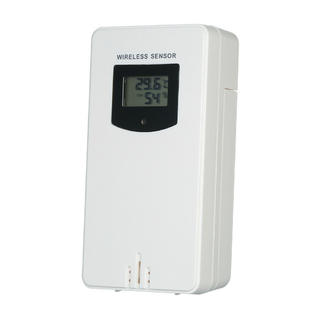
On AliExpress you find cheap wireless (RF433) weather stations compatible with the ‘Fanju’ weather station model FJ3378/74/79C/65/89 (according to AE). Following is the description of the data transmission protocol.
Details
First the RF signal was analysed to determine the physical layer, OOK using e.g. Manchester encoding or pulse-width modulation.
Helpful in reverse engineering a checksum is data differing one bit only. The sensor uses a rolling-code for its identification. That means, when powered off, c.q. batteries are changed, it generates a new id.
With help of the ATTiny and a FET, the sensor is switched off and on for a few hours. The data sent was logged using a Python script. With the thus collected dataset the ‘attack’ started.
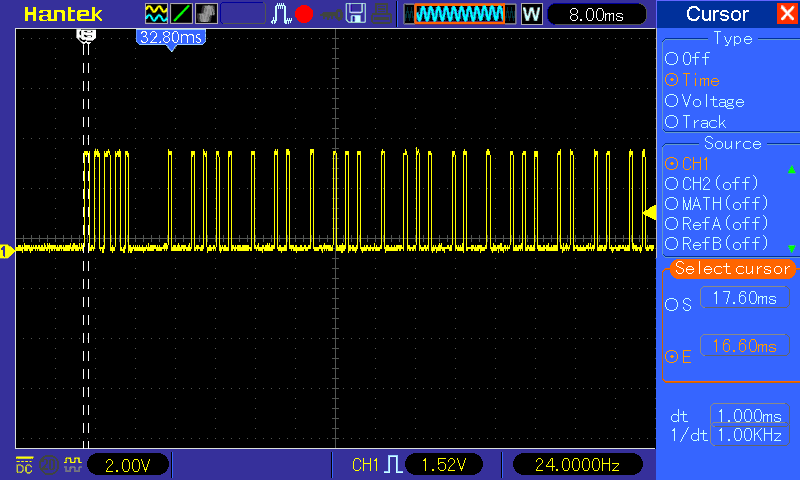
To make a long story short, the physical layer uses on-off keying and pulse-width modulation. Pulse durations (mark/space in µs) are as follows (pilight-debug timings between parenthesis):
Sync: 1000/1000 (936/936),
Head: 600/7900 (468/7956)
Data 0: 600/1900 (468/1872)
Data 1: 600/3800 (468/3744-4212)
Tail: 600/16000 (468/15912)
A message comprises 4xSYNC, 1xHEAD, 40xDATA 0/1, 1xTAIL.
Every ±80s the station transmits a burst of six messages.
The checksum turns out to be a Linear-feedback Shift Register (LFSR) hash with seed 0xC and feedback 0x9. The following script calculates the masks used for generating the checksum:
  mask = 0xC
  print("0")
  for i in range(40):
      lsb = (mask & 0x1 == 0x1)
      mask >>= 1
      if lsb:
          mask ^= 0x9
      print("Mask: {:2x} {:04b}".format(mask, mask))
      if ((i + 1) % 4) == 0:
          print(i + 1)
Hardware used
Raspberry Pi 4
RF 433MHz superheterodyne receiver *)
ATTiny85 development board *)
A FET and two resistors lying around here
*) AliExpress
Software
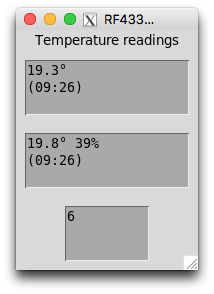
A Python script for data analysis and checksum verification
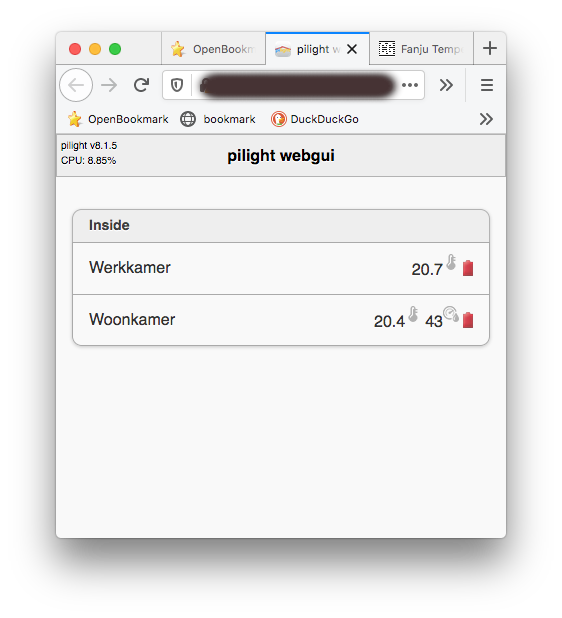
Protocol code has been submitted to the PiLight project and is under review. PiLight GitHub repo
Software
In System preferences set the Desktop changer to point to the folder with the links as image source.
Here is a shell script that will create symbolic links (in ~/Desktop/Wallpapers) to all pictures (in ~/Pictures) recursively: wallpaper_links.command
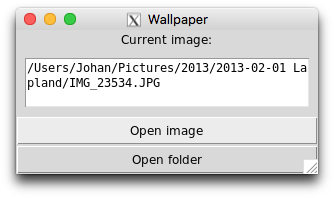
This Python script will show the path to the current image: tkWallpaperCurrent.py

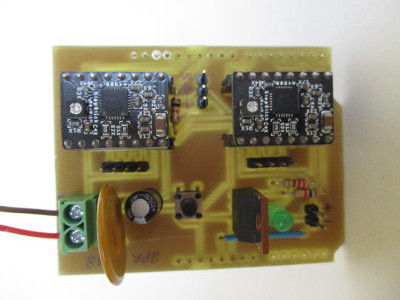
An Arduino (Uno) shield for two stepper-motors, one Servo motor, and an alternative output. For the SphereBot, another Egg-Bot derivative.
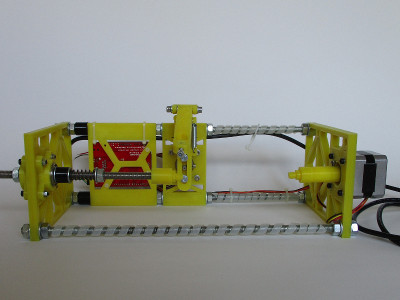
This SphereBot is built with a retired Sparkfun Arduino Ethernet Pro board and the steppermotors from a 2009 Makerbot. Firmware and host sw (fork) from thunderbug1.
Download the Eagle schematics and board (ZIP 100kB).
Shield pin usage:
| Signal | Pin |
|---|---|
| X-EN | 11 |
| X-STEP | 12 |
| X-DIR | 13 |
| Y-EN | 5 |
| Y-STEP | 6 |
| Y-DIR | 7 |
| SERVO | 10 |
| ALT | 2 (FET switches 5V on/off) |

I built the simple signal generator described in Electronic Design. The same circuit you find on ZL1NC and epanorama. Together with an Oscilloscope it can be used to find a cable fault as described in this All about Circuits article.
The 74AC14 SMD is mounted on the board its trace side. All other parts are through-hole. Most parts were salvaged from old electronics. You can adapt the PCB to your needs.
The board is powered with three alkaline AA cells. A Digital Oscilloscope, OpenHantek, and a battery powered laptop were used in the, ahem, ad-hoc test setup. From the five (10ns, 50ns, 200ns, 1µs, 5µs) options only the 10ns and 200ns were used. The 40MHz bandwith of the 2090 DSO was, as expected, insufficient for checking a two meter long cable. After all, this was an experiment out of curiosity.


On YouTube you can find this instruction video by W2AEW. He gives a clear explanation. And has a better scope too :-)
Set the oscilloscope probe to 10x as the 1x option limits the bandwith. See the Electrical Engineering post for example.
Download the Eagle board and schematic files (50kB zip).


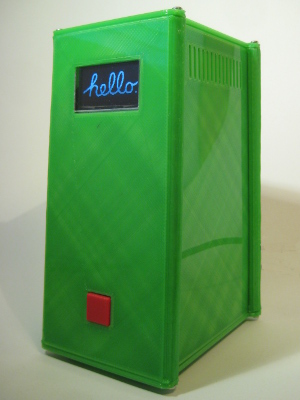
I was a happy user of the first model Apple TV. Then the iTunes ecosystem grew bigger and bigger. On top of that the new Apple TV is cloud- or network-based only. Not all my music can be found in the cloud, and I prefer it nearby, i.e. without the need of access to some NAS or other PC in the network. So I switched to a Raspberry Pi model 2B and 500GB harddisk in combination with Kodi.
Recently I upgraded this box with the model 3 Pi. Here follows the configuration.

Software
Hardware
- Raspberry Pi 3
- Adafruit 1.3″ OLED Display
- HiFiBerry CAD+ board
- USB Harddisk 500GB
- Harddrive cable: USB 3.0 left angle to USB
- Logitech K400 Wireless touch keyboard
Other parts
- PCB for Ethernet socket (to extend from RPi to backside)
- PCB for triple function pushbutton
- perspex/plexiglass screen for the OLED display
Box
- You can download the STL files and the FreeCAD design from Thingiverse

BQ’s Ciclop scanner comes with its own ZUM boards. My home made version is built with parts lying around, such as an Arduino Uno. Hence this simple shield for the Uno.
Download the Eagle schematics and board (ZIP 100kB).
]]>
Oorlog en Vrede (Vojna i Mir) L.N. Tolstoj (1828-1910)
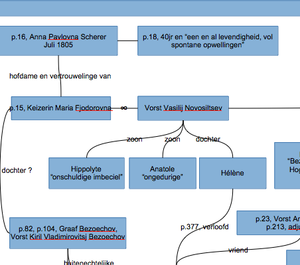
Met zoveel romanfiguren is een schema van de belangrijkste personen wel zo handig bij het lezen.
Oorlog en Vrede

Lev Tolstoj

Vertaling Peter Zeeman en Dieuwke Papma

Tweede druk 2005

Veen Bosch & Keuning uitgevers n.v., Wommelgem, België

ISBN 978 90 4141 4595
Download het schema met romanfiguren (PDF 50kB).
]]>