Here at One Sound Choice, that is the family cybersecurity work we do in Northern New Jersey homes in Franklin Lakes, Upper Saddle River, Mahwah, North Caldwell, Pequannock, and across Morris, Bergen, and Essex. We map shared passwords, put wireless cameras on their own network when the house can support it, and put guests and kids’ friends on a guest network so visitors never sit on the same lane as your cameras.
On this page
- Is one password on every device risky?
- Why do homes end up with one password for everything?
- Isn’t my router password enough?
- Why should wireless cameras have their own network?
- Where should guests and kids’ friends sit on Wi-Fi?
- What does “use the whole keyboard” actually mean?
- What fails when people “just change the Wi-Fi password”?
- What does One Sound Choice check on a free visit?
- When should you call One Sound Choice?
- Family cybersecurity questions
- Meet Ryan
Is one password on every device risky?
Yes. Reusing one password across doorbells, cameras, TVs, and phones — and parking them all on one network — is the weak spot in a lot of Northern New Jersey homes.
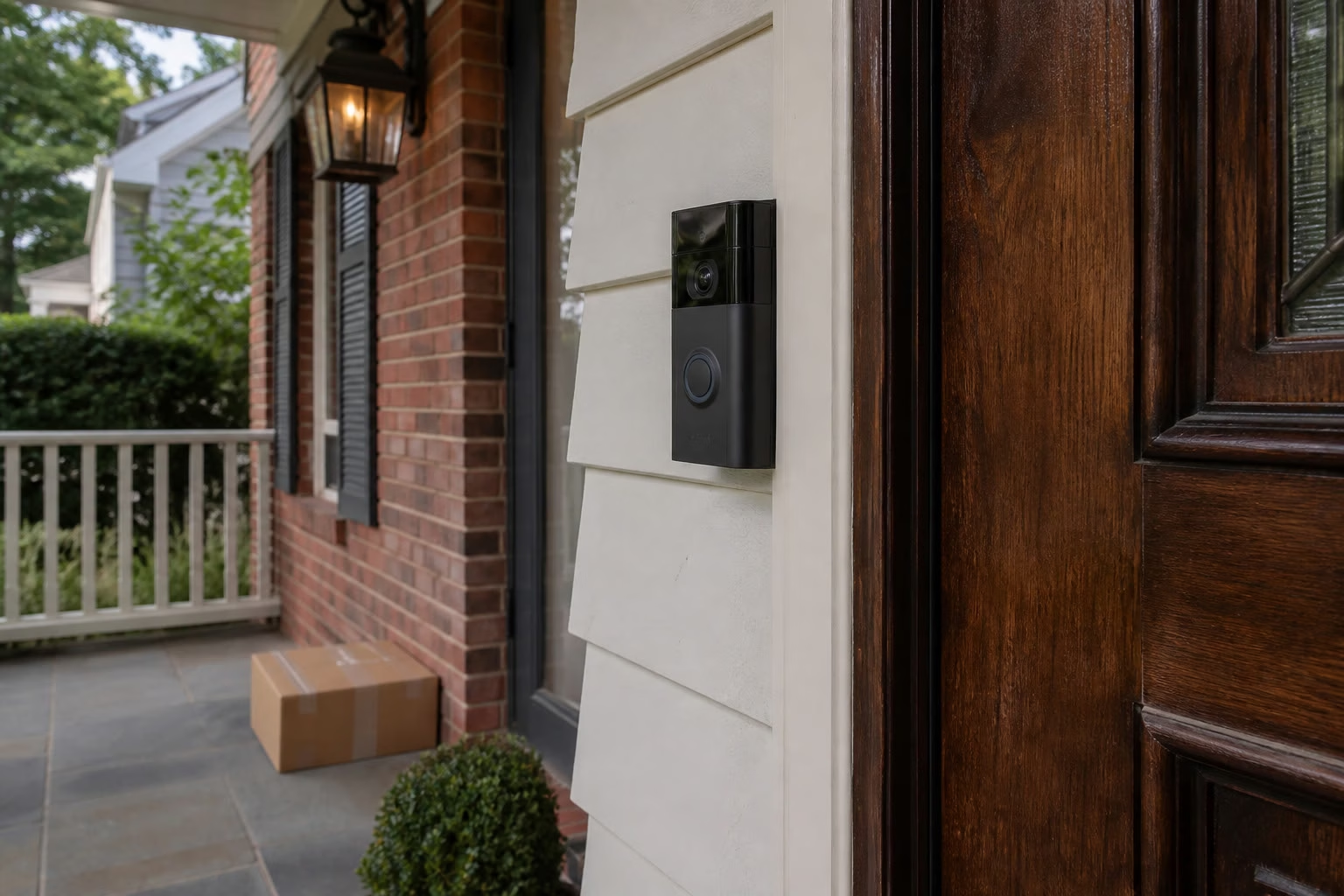
Almost everything needs a password now. A Ring or similar video doorbell. Google Nest or floodlight cameras. Smart TVs. Family phones and tablets. They all ask for Wi-Fi during setup. The easy path is the same short string you already use for the main network. Before long, cameras and kids’ friends sit on the same lane as your everyday devices.
The fix is not another scary headline. The fix is a clear plan: passwords that use the whole keyboard, stay long, and do not get reused — plus separate networks where it matters.
Why do homes end up with one password for everything?
Because each new device asks for a password, and the easy path is to reuse the one you already typed for Wi-Fi.
Walk through a real setup day. The doorbell app wants Wi-Fi. The floodlight cam wants Wi-Fi. The new TV wants Wi-Fi, and the remote makes long passwords painful to type. A kid’s friend asks for the house password on Friday night. Nobody wants to invent a new long string four more times. So the same password lands on the main network, the Ring login, the Nest login, and three TVs.
New gadget → same password → same network. That pattern is normal. It is also how cameras and visitors end up next to phones and laptops on one flat lane. In Mahwah and North Caldwell homes we see the same story: the house grew one device at a time, and the password never got a real plan.
Isn’t my router password enough?
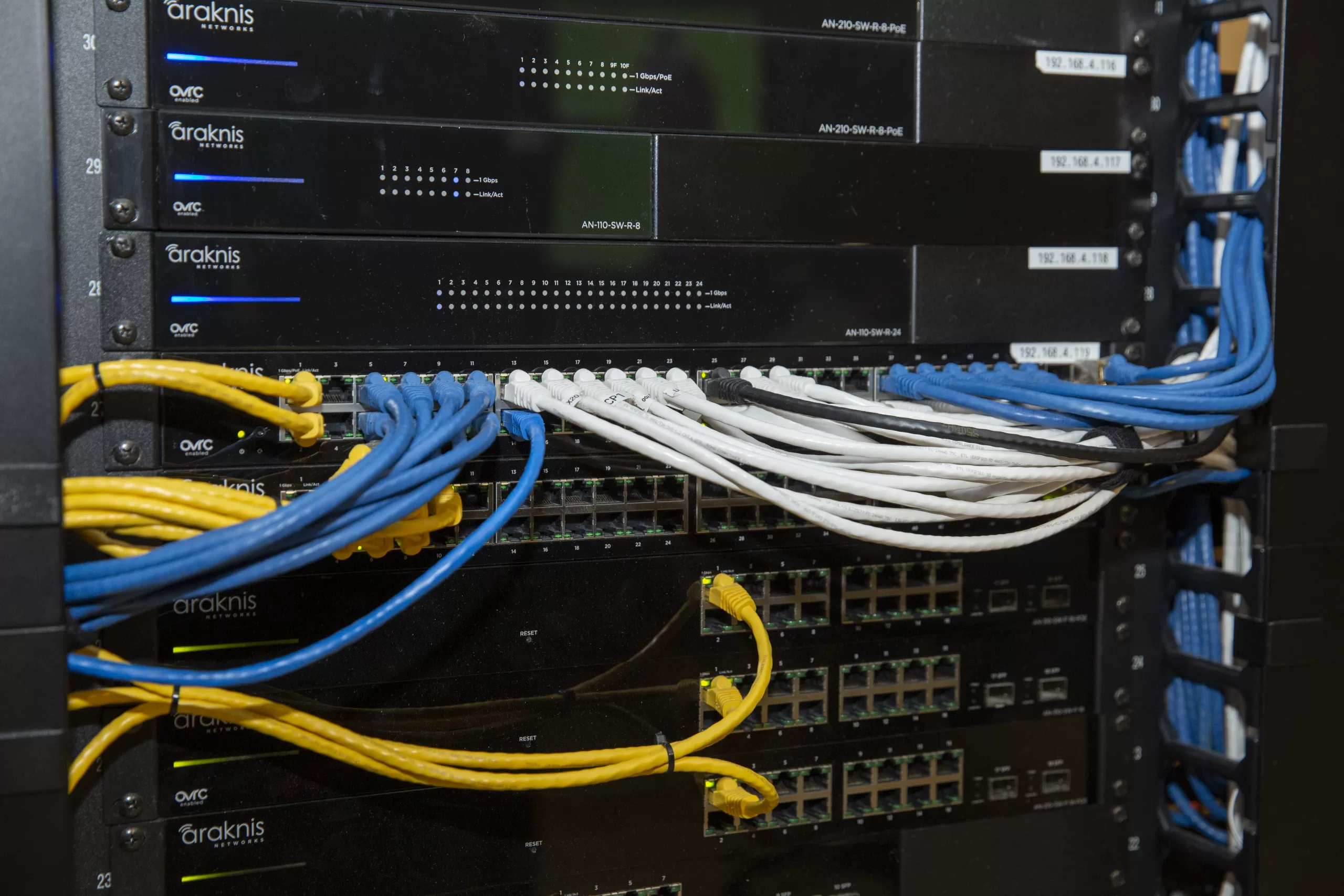
No. The router password is only the front door. Doorbells, cameras, and TVs still need their own strong logins — and cameras and guests should not share the main network by default.
The Wi-Fi key gets a device onto the network. It does not replace the account password on the doorbell app, the camera app, or the smart TV. If that same short string is also the Ring, Nest, and TV password, one weak string opens more than one door.
A strong router password still matters. It is just not the whole job — passwords and network splits, not “change the router password and hope.”
Why should wireless cameras have their own network?
Yes — wireless cameras should have their own network and their own password when the home can support it.
Cameras watch the door, the garage, and the yard. Guests and kids’ friends only need internet for a few hours. Those are different jobs. When cameras sit on the same SSID as weekend visitors, everyone shares one lane. A separate camera network keeps camera traffic off the guest lane and the everyday-device lane when the gear can host that split cleanly.
Cameras do not belong on the guest network either. Guest networks are for visitors. Camera networks are for your doorbells and floodlights. Putting cameras on guest “because isolation sounds good” can mix the wrong devices or break live view. Map first. Then place cameras on a camera SSID with its own password.
Where should guests and kids’ friends sit on Wi-Fi?
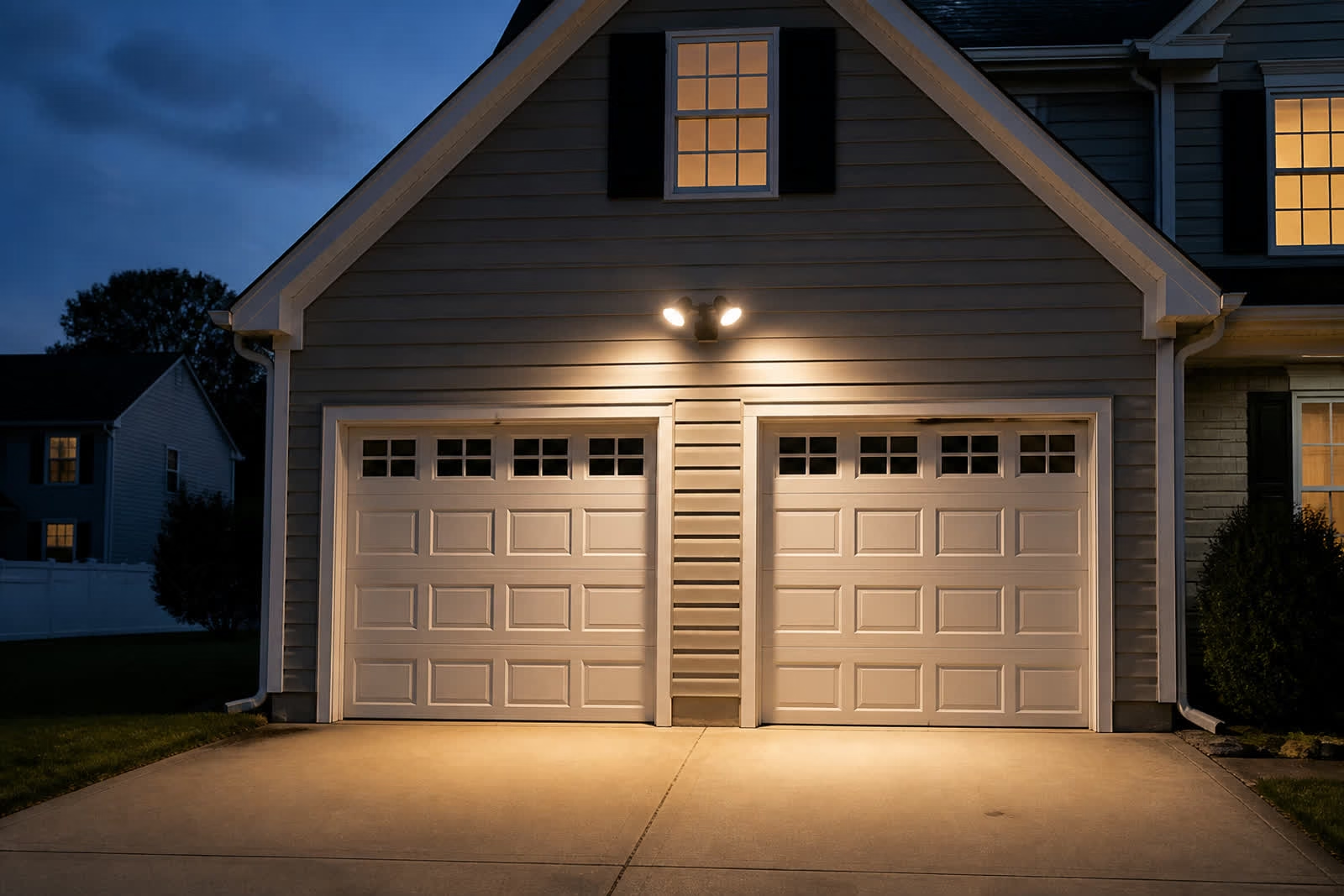
On a guest network with its own password — so visitors never sit on the same lane as your cameras.
Kids’ friends, weekend company, contractors, and visiting tablets all need the internet. They do not need to sit next to your wireless cameras on the main house network. A real guest SSID gives them a lane of their own. You still share Wi-Fi. You do not share the camera network.
Many Northern New Jersey routers already offer a guest option that nobody turned on — or the family still hands out the main password because it is easier. On the visit we check whether a guest network exists, whether it actually isolates, and whether the family will use it on a busy Friday night.
Want a clear map of passwords and networks at your house? Call or text One Sound Choice at (973) 945-5275. Or start on our one password every device page.
What does “use the whole keyboard” actually mean?
It means uppercase, lowercase, numbers, and symbols like !. Make the password long. Do not reuse it on every device.
Short clever passwords feel easy until you type them into five apps. Long passwords that mix letter cases, numbers, and a symbol are harder to guess and still usable when someone walks you through a plan the family can keep. “Whole keyboard” is Ryan’s plain-English rule after 30+ years in homes — not a scare phrase.
Do not reuse one password on Wi-Fi, the doorbell app, the camera app, and the TVs. Unique passwords for those doors, plus the network splits above, are the soft layered fix.
What fails when people “just change the Wi-Fi password”?
Changing only the main Wi-Fi password leaves the rest of the house alone — and often puts the same weak pattern right back in place.
The doorbell app login is still the old short string. Camera accounts stay reused. Smart TVs keep what they already saved. Kids’ friends may get the new key and land on the main network again because there is still no guest SSID. Cameras never moved to their own network. You changed one door and left the floor plan the same.
A password change without a map also creates chaos: half the house works, half asks for Wi-Fi again, and the family retypes whatever is easiest. That is why One Sound Choice maps first and fixes the highest-risk shares in order instead of flipping every setting on day one.
What does One Sound Choice check on a free visit?
We map what shares one password, what sits on which network, and what the house can support — then we walk a clear plan before anything changes.
On a free visit we check which devices still share one password; whether wireless cameras sit on the main network; whether a real guest network exists; weak or reused logins; what the gear can host for a camera SSID and a guest SSID; and which shares to fix first.
What you get: a map of what should be separated; stronger password rules that are still usable; cameras on their own network when the house needs it; a guest network for visitors; and a plain-English walkthrough with no scare tactics.
Honest limits: we do not demand you change every password tomorrow. We do not turn the visit into crime stories. If coverage, outdoor lighting, or a TV also need work, we say so plainly and keep this job clean.
When should you call One Sound Choice?
Call when one password runs across doorbells, cameras, TVs, and phones — when cameras and kids’ friends share the main network, when there is no real guest lane, or when you changed the Wi-Fi once and still do not know what to fix next.
- You call or text for a free visit at (973) 945-5275.
- Our team comes to the house and maps devices, passwords, and networks.
- We check camera vs main vs guest, weak or reused logins, and what your gear can support.
- You get a clear plan — what to separate first, what passwords to strengthen, and a next step you can actually use.
One Sound Choice works across Northern New Jersey — Morris, Bergen, Essex, Somerset, Passaic, and Hunterdon when it fits — including Franklin Lakes, Upper Saddle River, Mahwah, North Caldwell, and Pequannock. Existing homes welcome. Most visits are retrofits with the gear you already have when it still makes sense.
Ready for a clear password and network map? Call or text One Sound Choice at (973) 945-5275. Or start on our one password every device page.
Family cybersecurity questions
Is one password on every device risky?
Yes. Reusing one password across doorbells, cameras, TVs, and phones is the weak spot. One Sound Choice maps those shares and sets stronger passwords plus separate networks where it matters.
Isn’t my router password enough?
No. The router password is only the front door; devices still need strong logins and smart network splits.
Should cameras have their own network?
Yes. Wireless cameras should have their own network and password when the home can support it.
What about guests and kids’ friends?
Put them on a guest network with its own password so they never sit on the same lane as your cameras.
Do I have to change every password tomorrow?
No. We map the house first and fix the highest-risk shares in a clear order.
Will you scare me with crime stories?
No. This campaign is informational — what fails, what we check, what you get.
How do we get started?
Call or text (973) 945-5275. Tell us which devices share one password. We set a free visit and walk the plan with you.
Meet Ryan

Ryan Herd started One Sound Choice more than 30 years ago and has worked in thousands of New Jersey homes. He is the former Mayor of Pequannock. He wrote Join the Smart Home Revolution. He has given a TEDx talk on aging in place and holds patents. He looks at how your family actually uses the house — doorbells, cameras, TVs, and phones — then the team maps passwords and networks that fit. Clear advice, clean work, easy to use.
He will look at which devices share one password, whether cameras and guests sit on the right lanes, and what a usable plan looks like for your router and your family — without scare tactics.
Is one password running across every device in the house? Call or text One Sound Choice at (973) 945-5275 for a free visit, or start on our one password every device page.
]]>Here at One Sound Choice, that is the outdoor lighting we plan for Northern New Jersey homes in Franklin Lakes, Upper Saddle River, Mahwah, North Caldwell, Pequannock, and across Morris, Bergen, and Essex. We are an official FX Luminaire partner. Warm, aimed layers — house wash, path lights, and yard accents — not a stadium flood and not cheap stakes that make a great house look cheap.
On this page
- Why does a beautiful house look flat after dark?
- What is FX Luminaire outdoor lighting?
- Why does one floodlight make the dark feel worse?
- House wash, path lights, and yard accents — what is the difference?
- Where does the property fall flat first?
- What fails on real installs?
- Do you need light on every tree?
- Can outdoor lighting stay simple, or does it have to be “smart”?
- When should you call One Sound Choice?
- Outdoor lighting questions
- Meet Ryan
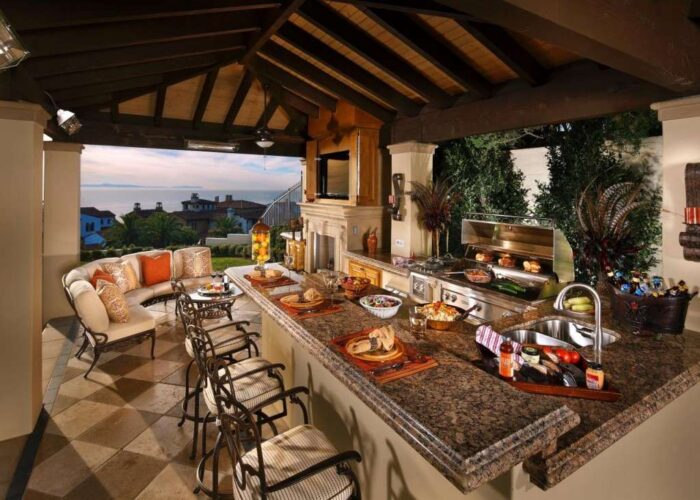
Why does a beautiful house look flat after dark?
Because daytime curb appeal does not carry into night without a lighting plan. The stone, brick, trim, and beds you love in daylight disappear when the only light is a harsh porch bulb or one garage flood aimed wrong.
Pull into a Franklin Lakes colonial or an Upper Saddle River split after work. By day the face of the house has depth. After sunset it can read as a dark box from the street. The walks go soft. Guests fish for the first stair with a phone light. Northern New Jersey evenings drop early once September hits — dinner and the arrive-home moment land in real dark. A beautiful house that goes quiet then wastes the curb and the outdoor space you already own.
What is FX Luminaire outdoor lighting?
FX Luminaire builds professional landscape and architectural outdoor lighting — fixtures, transformers, and LED systems for layered residential work. Path lights, wall lights, and landscape accents. Low-voltage gear sized for professional install, not a single big-box flood.
One Sound Choice is an official FX Luminaire partner. We use that gear on real Northern New Jersey homes. On our site you will already see FX product lines such as Radiance path fixtures and Luxor imagery from jobs and partner materials. Soft light on the house face, the walks, and the yard is the point — warm color, aimed beams, controls that come on near sunset.
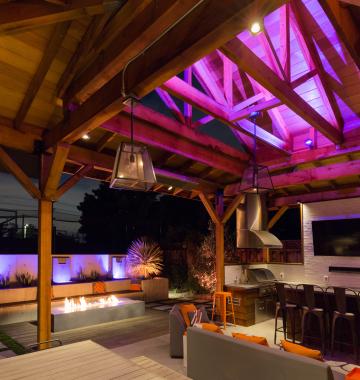
Why does one floodlight make the dark feel worse?
A floodlight is bright in one spot. Looking into a bright source makes your eyes close down. Everything next to that glare looks even darker. The edges of the walk, the side of the house, and the yard feel worse than before you flipped the switch.
Neighbors notice too. Towns across New Jersey hear the same bedtime story: outdoor light dumping into a bedroom window. Bright and wrong is harder to live with than soft and right. Path light, house wash, and yard accent each do different work. One flood tries to do all three and fails.
If you already have a garage flood, we do not shame it. We ask what evenings should feel like, then show what FX Luminaire layers would cover — and when a short motion boost in one dark corner still makes sense.
House wash, path lights, and yard accents — what is the difference?
House wash soft light across the facade so the architecture still looks like your house after dark. Columns, stone, entry, and the lines you are proud of stay readable from the street. Not a blast. A wash you can aim and lock.
Path lights put light where feet go — front walk, steps, side route between house and fence. Guests should see the tread without a phone flashlight. Good path light points down onto the surface, not into your eyes.
Yard accents bring the patio, grill zone, and a few trees or stone features back so the backyard is a place to stay after dinner. Accents are selective. They create depth — not light every bush until the lot looks like a parking lot.
Those three jobs together give Northern New Jersey homes the vacation feel without one harsh lamp.
Want a clear plan for what falls flat first? Call or text One Sound Choice at (973) 945-5275. Or start on our outdoor lighting FX Luminaire page.
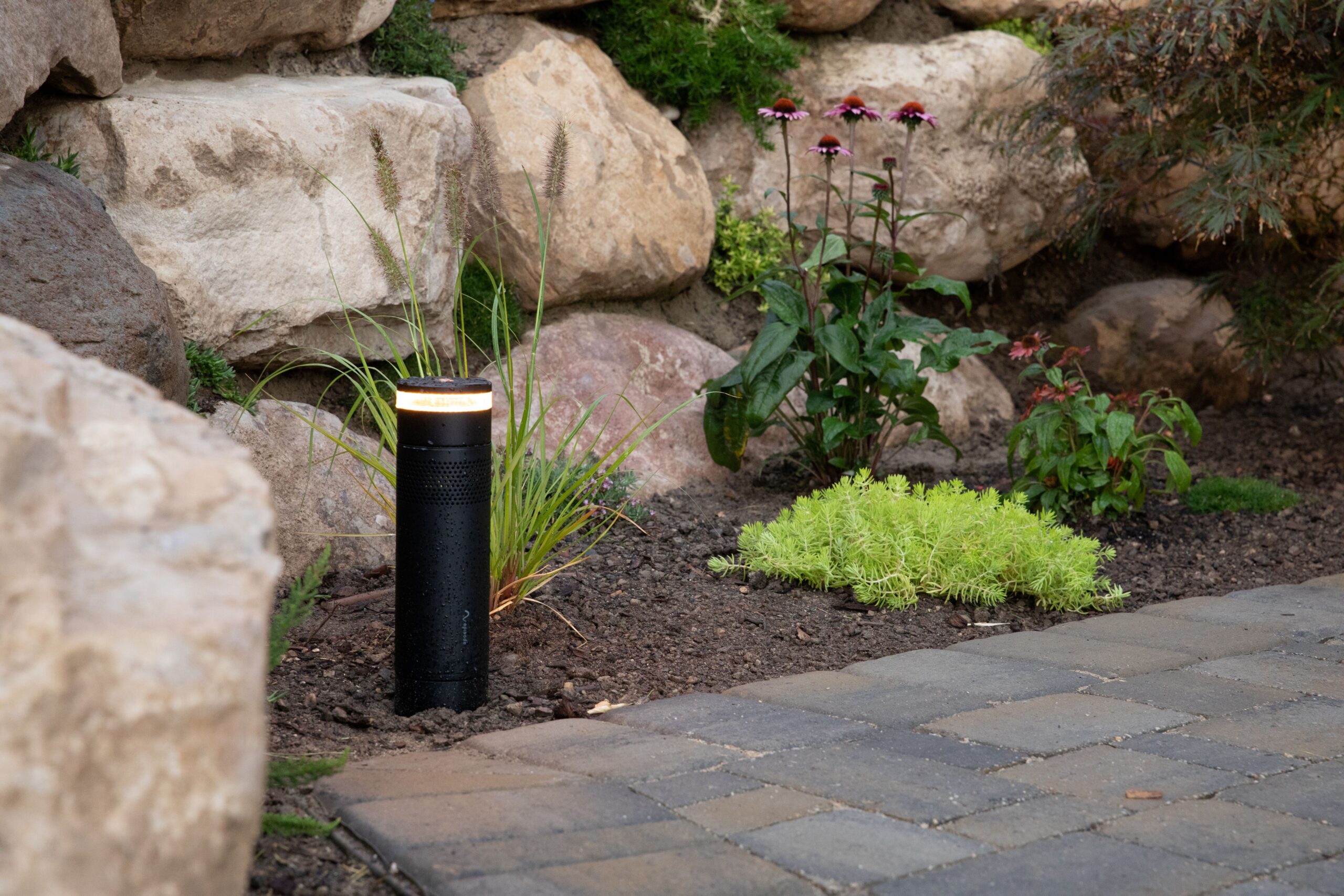
Where does the property fall flat first?
Most homeowners can name it in one sentence.
Front of the house. The facade you are proud of reads as a dark box from the street. Arrive-home feels empty, not welcoming.
Front walk and steps. Guests fish for the first stair. Delivery people and kids guess at edges.
Side path to the back. The route between house and fence becomes a tunnel after dark. Trash night and grill night both suffer.
Patio and yard. The backyard is open on paper and unused after dinner. You paid for outdoor living that stops at sunset.
On a Mahwah or North Caldwell visit we walk the real paths — not the brochure path — and say what FX Luminaire would light first and why.
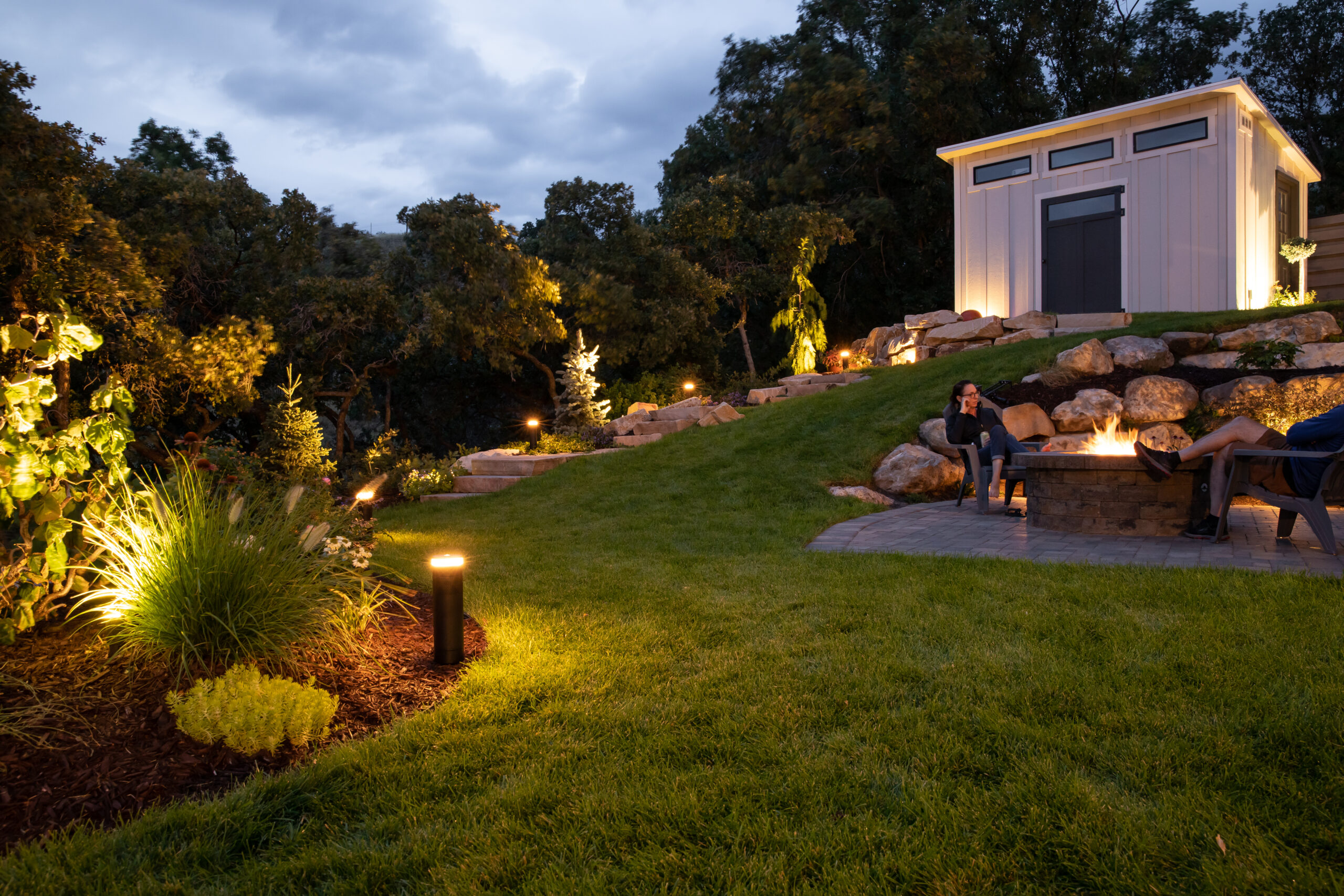
What fails on real installs?
Most bad outdoor lighting is not bad bulbs. It is aim, height, wire size, and trying to light everything with one bright source.
Aim. A fixture pointed at a window or at eye level creates glare. Soft FX Luminaire light should land on the house face, the tread, or the tree — not in your neighbor’s bedroom.
Height. Path fixtures that sit too tall or too bright read as stakes in your face. House wash aimed wrong washes the wrong plane and leaves the entry dark.
Voltage drop. Far path lights go dim on long low-voltage runs with undersized cable or overloaded transformers. House accents can still look fine while the walk branch fails. We check transformers, splices, and distance before we promise a reuse plan.
Cheap stakes and cold light. Plastic solar rows and icy blue bulbs make a beautiful house look temporary. Warm, aimed layers do the opposite. A smaller FX Luminaire design that works beats a catalog dump that never gets finished.
What we check: real after-dark paths; the face of the house; existing fixtures and dim far lights; property lines and windows; how you want evenings to feel; and whether controls stay simple or later join whole-home scenes.

Do you need light on every tree?
Usually no. Light the house face and the routes first. Accents on a few trees or stone come after the property works at night.
Homeowners often ask for more lights when the real fix is better layers. Too many uplights at full blast can make a colonial look busy and flat at the same time. Architecture and paths first, then a few yard accents that earn their keep. If the side path is the nightly trip hazard, that path wins before a third maple gets an uplight.
Can outdoor lighting stay simple, or does it have to be “smart”?
It can stay simple. Timers and a sunset clock are enough for many homes. Lights come on near dusk, calm down later, and nobody fights an app at bedtime.
If you already have whole-home control, outdoor lighting can join those scenes later. FX Luminaire systems include options from basic transformers to zoning and dimming when a home wants that. Day one does not have to be a science project.
Honest limits: lighting will not replace a camera, fix porch Wi-Fi, or flatten an icy walk. It will make the property usable and welcoming after dark — soft FX Luminaire light on house, paths, and yard. If cameras, Wi-Fi, or steps also need work, we say so plainly.
When should you call One Sound Choice?
Call when the beautiful house falls flat at night and you want evenings to feel like vacation again — when guests need a phone light for the first stair, the patio goes unused after dinner, or one flood is the only plan and the edges still feel worse.
- You call or text for a free consult at (973) 945-5275.
- Our team comes to the house — or reviews clear night photos of where it goes flat.
- We check house face, paths, yard, existing gear, and neighbor windows.
- You get a clear FX Luminaire plan — what to light first, what to leave quiet, and a next step.
One Sound Choice works across Northern New Jersey — Morris, Bergen, Essex, Somerset, Passaic, and Hunterdon when it fits — including Franklin Lakes, Upper Saddle River, Mahwah, North Caldwell, and Pequannock. Existing homes welcome.
Ready to bring the house, paths, and yard back after dark? Call or text One Sound Choice at (973) 945-5275. Or start on our outdoor lighting FX Luminaire page.
Outdoor lighting questions
Does outdoor lighting help if my beautiful house falls flat at night?
Yes. Soft FX Luminaire layers on the house, paths, and yard bring the property back after dark without one blinding floodlight.
Why FX Luminaire instead of random path lights from a big box?
FX Luminaire is built for architectural and landscape outdoor lighting. One Sound Choice is an official partner — we use their gear and partner photos on real Northern New Jersey homes.
Is one floodlight on the garage enough?
No. One bright flood creates glare and leaves edges dark. House wash, path, and yard lights do different jobs.
Will bright lights bother my neighbors?
They can if they are aimed wrong. We shield and aim fixtures so light stays on your walks and house, not in bedroom windows.
Can you work with what I already have?
Often yes. We check existing fixtures and transformers first. Sometimes we re-aim and reuse. Sometimes we replace the worst offenders with FX Luminaire and keep the rest.
Do the lights have to be “smart”?
Not on day one. Timers and a sunset clock are enough for many homes. If you already have whole-home control, outdoor lighting can join those scenes later.
How do we get started?
Call or text (973) 945-5275. Tell us where the house falls flat at night. We set a free consult and walk the FX Luminaire plan with you.
Meet Ryan
Ryan Herd started One Sound Choice more than 30 years ago and has worked in thousands of New Jersey homes. He is the former Mayor of Pequannock. He wrote Join the Smart Home Revolution. He has given a TEDx talk on aging in place and holds patents. He looks at how your family actually uses the property after dark. Then the team designs FX Luminaire lighting that fits — clear advice, clean work, easy to use.
He will look at where the beautiful house falls flat at night, what is already installed, and what FX Luminaire would bring back — soft light on house, paths, and yard — without blinding the street.
Does your beautiful house fall flat after dark? Call or text One Sound Choice at (973) 945-5275 for a free consult, or start on our outdoor lighting FX Luminaire page.
]]>Still on a 55-inch? Soft picture. Thin sound. Hard streaming. Imagine a big beautiful 4K — 75, 98, even 115 inches — with sound that hits. That is game day glory. Size, wall, glare, stream path, and sound tradeoffs follow.
On this page
- Why does that old TV feel too small now?
- What happens when an old TV quietly fails streaming?
- Why can't TV speakers fill a family room?
- What size fits — 75, 98, or 115?
- How do seats, screen, and sound work together?
- Soundbar or room-matched speakers — which tradeoff?
- Should you DIY the mount or call a pro?
- What does One Sound Choice check on a visit?
- Where does One Sound Choice do this work?
- Family room game-day questions
- Meet Ryan

Why does that old TV feel too small now?
Kickoff hits. Half the room leans forward. Faces on the sideline stay soft. You bought that 55-inch years ago for a smaller room — or a smaller habit. Today the family room wall is bigger. Seats are farther back. Streaming apps push 4K. The set cannot keep up. You are not picky. The screen is just outgrown.
On existing Northern Jersey homes we see the same story. A Franklin Lakes great room grew a deeper sofa. A Short Hills remodel opened the wall. A Pequannock basement became guest overflow. The old panel stayed. On Sunday it looks like a tablet on a barn wall.
Outgrown means soft picture, thin sound, and hard streaming. Fix only one and game day stays half-broken.
What happens when an old TV quietly fails streaming?
When some apps still play and others will not, the TV is often too old for the new app — not a mystery Wi-Fi fight. That is the quiet fail. YouTube works. Netflix works. Then Disney Plus (or a news app) will not stream after the service updates. Guests wait. Kickoff slips.
We just saw it on a real job. The client had a 55-inch they used for streaming. YouTube and Netflix were fine. Disney Plus would not stream. Another news network app would not either. Root cause: the TV was too old. After Disney Plus updated their app, it was not compatible with that set.
One Sound Choice installed a new 65-inch 4K. Beautiful. Now every app streams — Disney Plus, the news app, the ones that already worked. The upgrade fixed stream compatibility and sharpened the picture.
A 65-inch proves a newer set restores the apps you need. For many Northern New Jersey family rooms on game day, the aspiration is still bigger — 75, 98, or even 115 inches when the wall and seats allow. An outdated TV can fail streaming long before the panel “dies.” We also check the path from router to TV when signal is the issue — wired when it should be wired, strong Wi-Fi when wireless is enough. Kickoff should be kickoff — not a tech fight.
Want the room ready before the next Sunday? Call or text One Sound Choice at (973) 945-5275 for a free consult. Or start on our family room game day page.
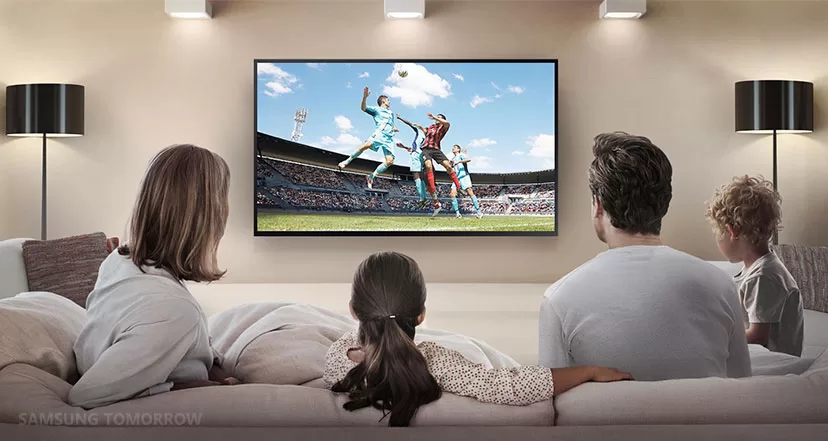
Why can't TV speakers fill a family room?
Crowd roar turns into hiss. The announcer is loud one second and gone the next. People on the couch talk over the play because they cannot hear it. Built-in TV speakers fire down or back into the wall. Turning the volume up makes everything louder, not clearer.
A tiny soundbar under a big screen beats bare TV speakers, but it may not cover the back row. Real game-day sound means speakers matched to the seats — front, sides when the room allows, and bass so kickoffs feel in the room. We listen in your room, then place and tune so everyone on the sofa hears the same game.
What size fits — 75, 98, or 115?
The right size is wall width, how far you sit, and how the room feels when the whole family piles in. Many Morris, Bergen, and Essex family rooms were built for a bigger picture than they have. Still on a 55? Often the wrong size — even when a newer mid-size set already fixed streaming.
75 inches is a clear step up from 55. Sharp 4K. Fits many family rooms — often right at about 8 to 10 feet of seating distance.
98 inches is big and beautiful. Faces, logos, and replays fill the room. Needs more wall width and usually 10-plus feet of viewing distance.
115 inches is true game-day glory when the wall and seating support it. We measure, mock the size on the wall, and tell you what mounts clean — not a showroom guess.
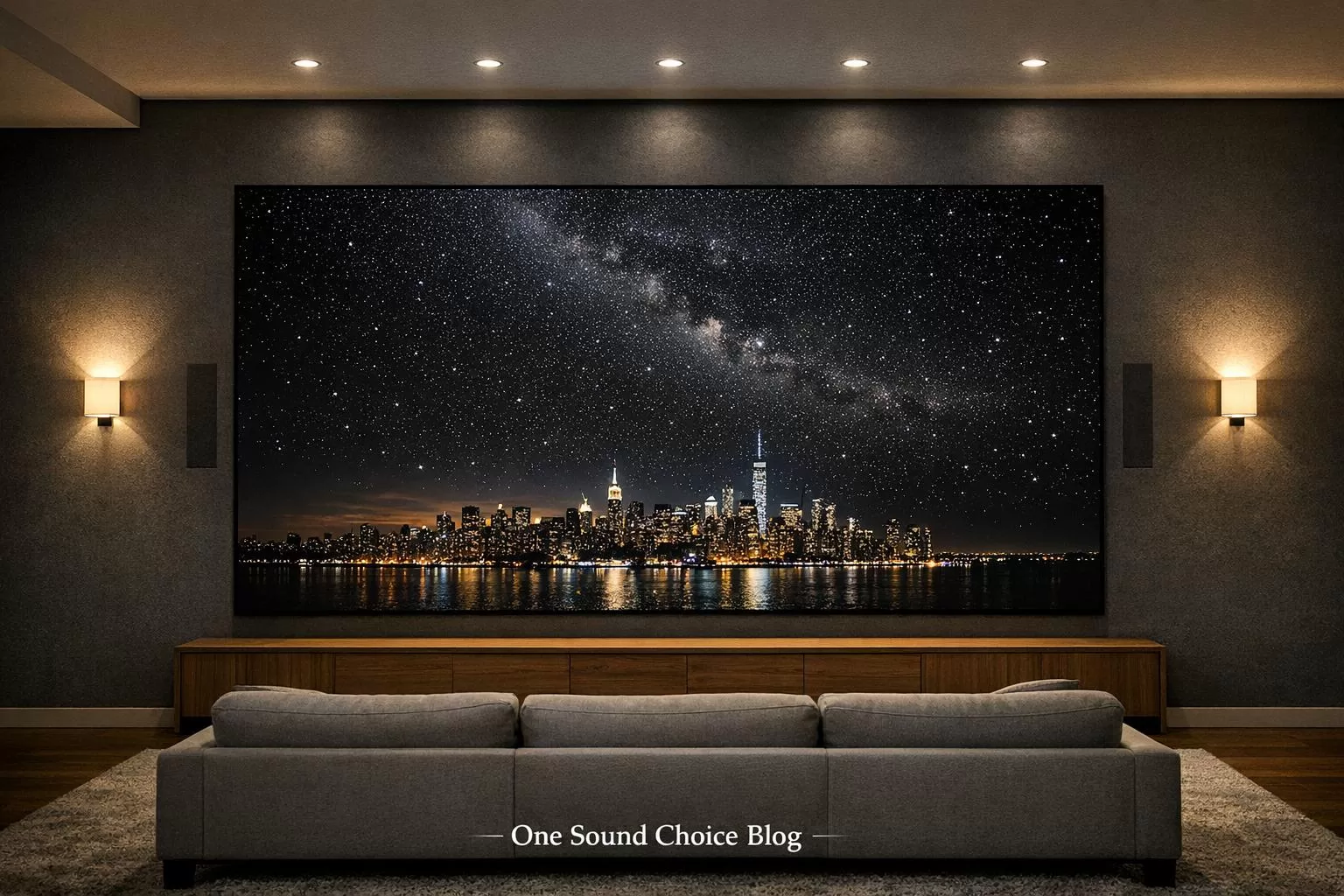
How do seats, screen, and sound work together?
Game day is the sofa, the chairs that get dragged in, the kids on the floor, and someone in the next room who still wants to hear the score.
We look at where people actually sit. Then we size the TV for that view and place sound so the back row is not left out. Glare matters too — a beautiful 4K is wasted if afternoon sun washes it out. South- and west-facing rooms often need shades in the same plan as the mount.
Wall, mount, viewing distance, speakers, power, cables, and the streaming path belong in one plan — not five shopping trips.
Fireplace mounts look clean in listings. They often lift necks and the sound with them. Heat is another risk. If the mantel is the only wall that works, we talk tilt or pull-down — and whether a nearby wall feels better. Bob, an One Sound Choice client, had a giant 85-inch that barely fit above the fireplace. Ryan made it work and look great.
Soundbar or room-matched speakers — which tradeoff?
A strong soundbar plus sub is simple, fast, and better dialogue than TV speakers. The tradeoff: less stadium wrap, and a tiny bar under a 98- or 115-inch can still feel small for the back row.
Room-matched speakers fill the seats — front stage, surrounds when the layout allows, bass that fits the room. The tradeoff: more placement work so the family room still looks like a family room.
Honest middle path: bar and sub this season if walls are closed; wire for surrounds if a remodel is open. Do not buy surrounds to fix a TV that is too high or apps that will not load on an old set.
Should you DIY the mount or call a pro?
DIY can work for a lighter set on clear studs with a fixed mount and power already behind the wall. You own the risk if studs, VESA screws, or in-wall cable are wrong.
Call a pro at 75 inches and up — and almost always at 98 or 115. Plaster, stone, full-motion arms, pull-down mantel mounts, hidden power, HDMI paths, shades, and sound in the same day are pro jobs. A store “mount included” often means a bracket in a box — not eARC done right or a safe load path over kids on the floor.
Phoebe DeSantis, an One Sound Choice client, pointed to dedication and flawless work. Mr. and Mrs. Matia chose One Sound Choice for simplicity of installation and operation.
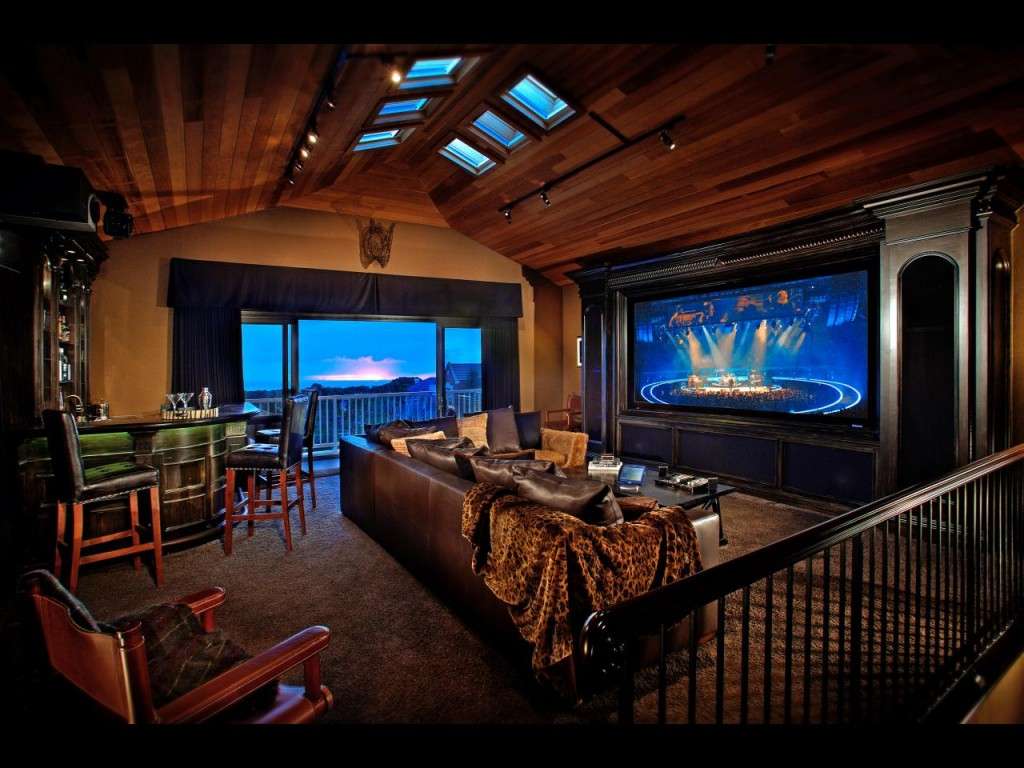
What does One Sound Choice check on a visit?
We look at your family room first. Then we tell you what fits. Most jobs are existing Northern Jersey homes — not blank new builds.
- You call or text for a free consult at (973) 945-5275.
- Our team comes to the house.
- We check wall, seats, sound, streaming, and glare.
- You get a plan — size, sound, and a clear next step.
On site we sit where you sit. We note fireplace height, glare at game time, which apps open on the current set, and whether Wi-Fi holds when the house is full. We check if a soundbar is enough or if room-matched speakers belong in scope.
One pattern: a family kept a 55-inch on a wall that wanted 98. Another: the set still powered on, but Disney Plus (and a news app) would not stream after the apps updated — until a new 4K went on the wall. Same missing step — seats, screen, sound, and stream planned together before kickoff.
Where does One Sound Choice do this work?
One Sound Choice works across Northern New Jersey. Morris, Bergen, Essex, Somerset, Passaic, and Hunterdon counties. Towns like Franklin Lakes, Wyckoff, Short Hills, and Pequannock. Colonials, split-levels, open great rooms, and finished basements all show up. Existing homes welcome.
Family room game-day questions
Is a 55-inch TV too small for a family room?
Often yes. On a big wall with seats eight to twelve feet back, a 55-inch looks small and soft. Many Northern New Jersey family rooms fit a 75, 98, or even 115-inch 4K much better.
What TV size fits my wall — 75, 98, or 115?
We measure the wall, viewing distance, and seating. Then we tell you what size looks right and mounts clean. No guesswork from a store aisle.
Why does game-day sound feel thin?
Built-in TV speakers cannot fill a family room. Crowd noise, play calls, and music need real speakers placed for the seats you use — not a tiny bar that cannot keep up.
Why do some streaming apps work and others fail on an old TV?
Often the TV is too old for the updated app. We saw YouTube and Netflix work while Disney Plus and a news app would not — until a new 65-inch 4K went in and every app streamed. We also check Wi-Fi and wiring when signal is the issue.
Do you only work in new construction?
No. Most of our work is existing homes in Morris, Bergen, Essex, and nearby counties. We design around your wall, your seats, and your weekend.
How do we start?
Call or text (973) 945-5275 for a free consult. You can also use the family room game day page.
Meet Ryan
Ryan Herd started One Sound Choice more than 30 years ago and has worked in thousands of New Jersey homes. He is the former Mayor of Pequannock. He wrote Join the Smart Home Revolution. He has given a TEDx talk on aging in place and holds patents. He looks at your family room first. Then he tells you what size and sound make sense.
Is your family room ready for the game? Call or text One Sound Choice at (973) 945-5275 for a free consult, or start on our family room game day page.
]]>The pain shows up on a normal weeknight. Homework is going. Someone wants the game on. The porch lights are wrong. The thermostat fight starts. You unlock your phone. Wrong app. Try again. Dig under the couch for a remote. That scramble is the problem. The gadgets are not.
On this page
- What does a four-app weeknight look like in Northern Jersey?
- Why does the house end up with so many apps and remotes?
- What friction shows up before anyone watches the game?
- Why don't you want an app to watch TV?
- Is Control4 the same as Apple Home, Google, or Alexa?
- What does One Sound Choice check on a free consult?
- What still needs a visit, not a store kit?
- Is this only for brand-new mansions?
- Where does One Sound Choice do this work?
- Apps and remotes questions
- Meet Ryan
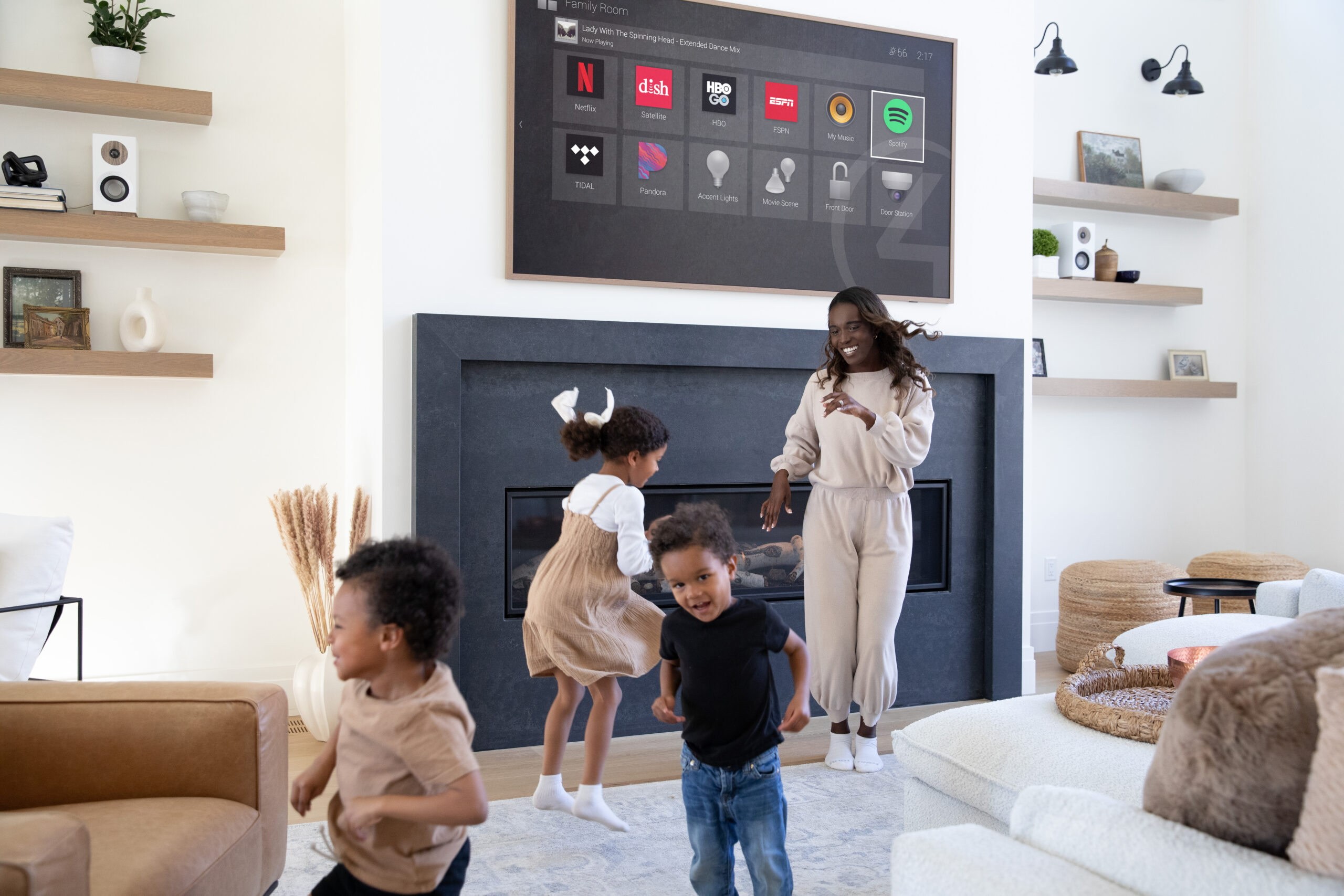
What does a four-app weeknight look like in Northern Jersey?
Picture a Tuesday in Wyckoff or Short Hills. Kids have homework at the table. Someone wants football or a stream on. You want porch lights on before the late commute pull-in. The house is cold in one room and warm in another. Cameras need a quick look because the dog set them off again.
In that house, lights live in one app. The thermostat lives in another. Locks and cameras live in a third. Music or the TV stick lives in a fourth. Plus remotes for the TV, the sound, Apple TV or the stick, and maybe cable. Four taps and a coffee-table hunt for one simple night.
We see this pattern a lot on existing Northern Jersey homes. A Franklin Lakes kitchen got a smart oven during a remodel. A Pequannock basement got a new TV and stick later. Cameras went on the year school pickup got harder. None of those boxes talked to each other. The family did not buy four jobs. They bought one house.
Why does the house end up with so many apps and remotes?
Because each new thing brought its own app. Or its own remote. This is not four gadgets. This is a pile.
Hot tub. Pool. Sprinkler system. Lighting. Heating and air. Cameras. Doorbell camera. Locks. Garage. TV. Apple TV. Streaming sticks. Cable or satellite box. Surround sound or receiver. Soundbar. Whole-home audio. Motorized shades. Fireplace. Oven or range. Thermostat.
And that list still grows. Holiday music zones. A summer hot tub app. A winter thermostat fight. Older colonials in Morris, Bergen, and Essex layer gear year by year. The phone fills up. The drawer fills up. Guests cannot run the room. Kids guess wrong.
What friction shows up before anyone watches the game?
Start with the phone pile. Wrong icon. Dead login. An update moved a button. Wi-Fi is fine in the living room and weak at the porch camera. You wanted one look at the driveway. You got three apps and a refresh loop.
Then the remotes. Volume on one. Input on another. Apple TV on a third. Soundbar on a fourth. Someone sits on the wrong clicker. The stick remote has no backlight. The phone battery is at 4% when the game starts.
Cross jobs fail next. Lights with a door open. Music off for a movie. Away for lights, locks, and thermostat together. Brand apps do their own job. They do not share one simple path for the family.
What if the game is on and company walks in? Guests ask which remote. Kids ask which app. You become the help desk in your own house. That is the friction inventory. Not one broken gadget. A house that never got one control layer.
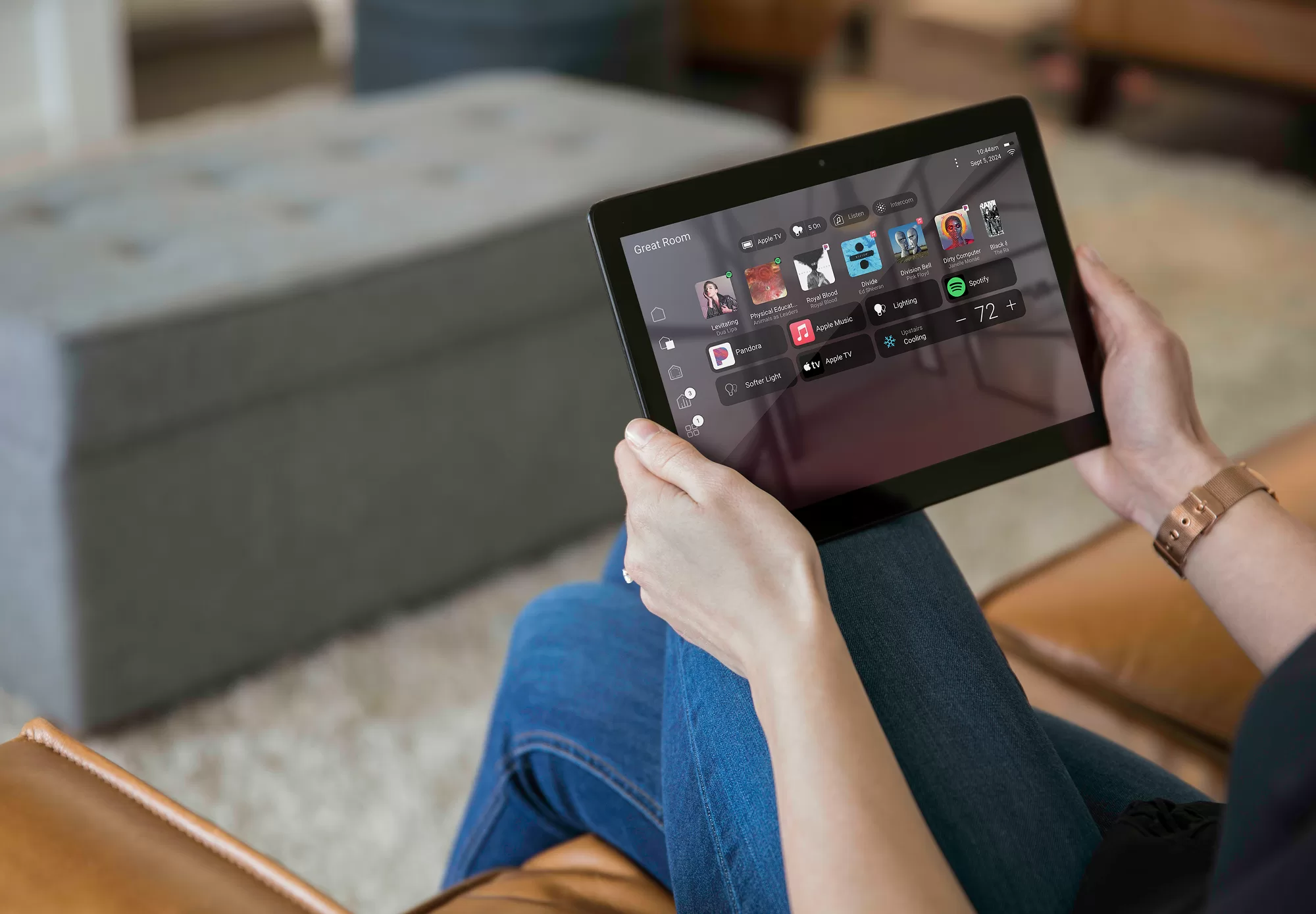
Why don't you want an app to watch TV?
You do not want an app to watch TV. You want a remote. Real buttons. You can feel them when the lights are off.
Opening a phone to move volume is slow. Same for surround sound. Same for Apple TV. You look at the phone. Then the screen. Then the phone again. Notifications pop mid-play. Unlock fails. Battery dies.
Buttons are faster. Muscle memory. No unlock. No dead battery mid-show. Keep the phone for driveway cameras, away lights, and the moments you are not on the couch. TV night is a hand-and-buttons job.
Tired of the scramble on a normal night? Call or text One Sound Choice at (973) 945-5275 for a free consult. You can also start on our too many remotes page.
Is Control4 the same as Apple Home, Google, or Alexa?
No. Those tools help. They are not the same job as a Control4 system built for the whole house.
Apple Home, Google Home, and Alexa help when your gear already lives in one brand world. Voice is handy. The tradeoff: cameras often stay awkward, TV rooms still collect remotes, and guests still need a lesson. Cross-brand jobs get sticky.
Control4 is the system One Sound Choice installs so one easy system runs the house. One real remote for the TV room. One app when you need the phone. Pool, lights, heat, cameras, oven, shades, and more can sit in that one layer. Scenes like Dinner, Away, Bedtime, Patio, and Movie are named for how you live, not for brand logos.
Honest limits matter. Not every cheap Wi-Fi gadget joins cleanly. Some Nest or Ring pieces can join. Some stay in their own app for firmware or deep settings. We say which is which after we see the house. We do not promise a miracle sticker over a messy network. The visit is how we avoid that.
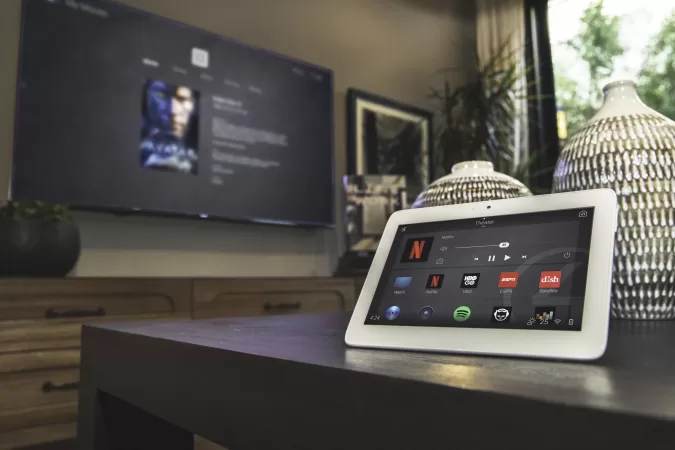
What does One Sound Choice check on a free consult?
We start with your house, not a product page.
- You call or text for a free consult.
- Our team comes to the house.
- We check apps, remotes, the TV room, and the whole house.
- You get a plan for one easy system that fits that home.
On the visit we inventory what you open most. Lights. Thermostat. Locks and cameras. Music and TV. Patio and hot tub if you have them. We watch how the family actually runs a night, not how a brochure says you should. We note dead remotes, weak porch Wi-Fi, and rooms where a wall keypad would beat a phone.
Then we map a clear next step. What joins Control4 now. What can wait. What stays native for updates. What needs a better network first. You leave with plain words, not a binder full of SKUs.
What still needs a visit, not a store kit?
A store kit cannot see your coffee-table remote pile. It cannot feel how dark the TV room is during a movie. It cannot test whether the porch camera drops when everyone streams homework video.
We still need a visit for rack space, clean power, Wi-Fi dead zones, and which inputs the real remote must own. Existing homes hide surprises in finished basements and old plaster. Holiday lighting loads and whole-home audio both change the plan. That is why we look first. Then we tell you what fits.
One pattern we see: a family already unified lights in one brand app, then still hunted three remotes for football night. Another pattern: cameras looked fine in their own app, but nobody could hit Away for lights, locks, and thermostat in one tap before a weekend trip. Different gear. Same missing layer.
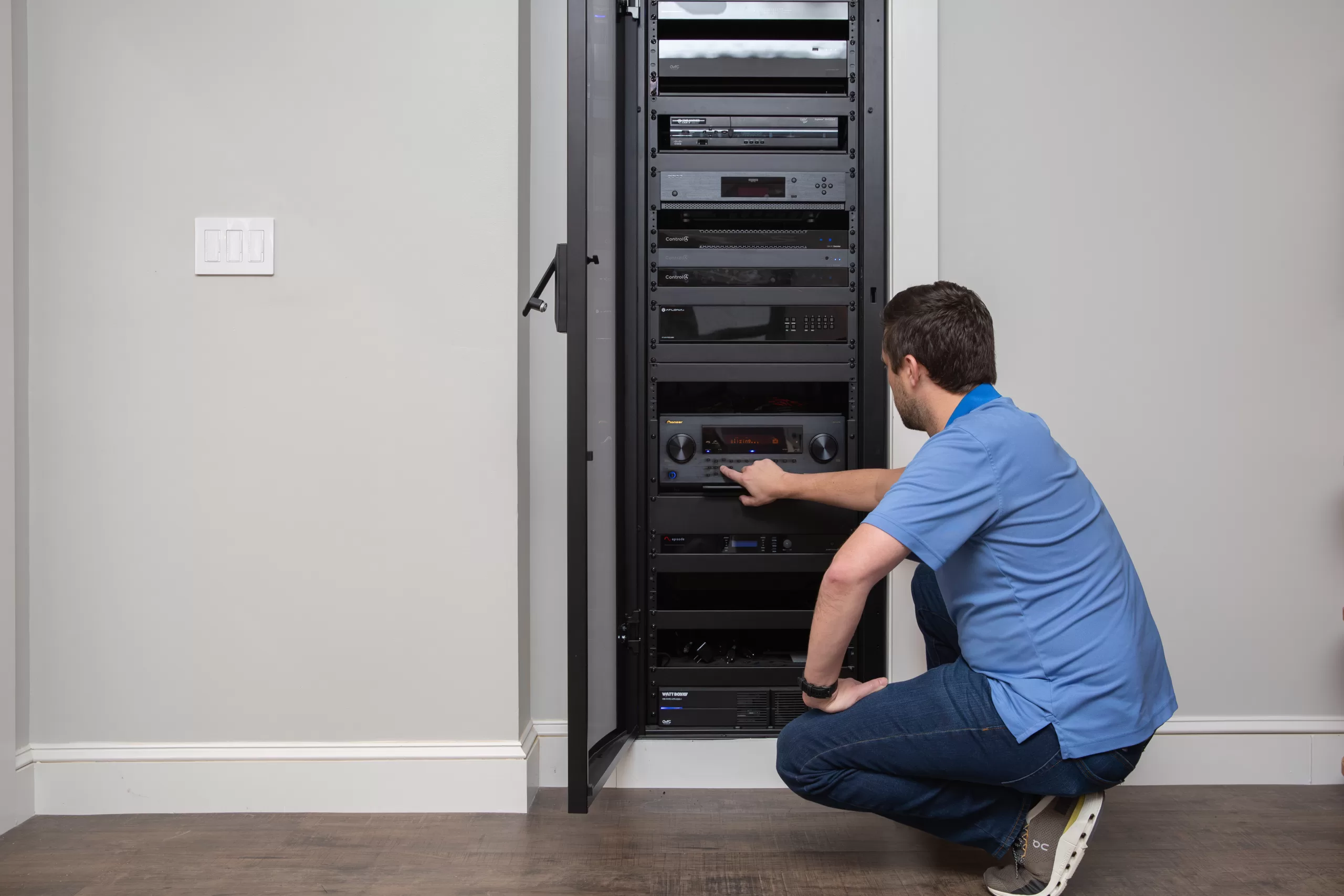
Is this only for brand-new mansions?
No. Most of our work is existing Northern New Jersey homes. Finished basements. Remodeled kitchens. Older colonials with a drawer of remotes and a phone full of icons.
We plan around the house you live in. Hidden racks. Clean wall plates. A real remote where your hand already goes. You do not need a tear-down. You need one control path the kids and guests can use without a tutorial.
Where does One Sound Choice put one system on the house?
One Sound Choice works across Northern New Jersey. Morris, Bergen, Essex, Somerset, Passaic, and Hunterdon counties. Towns include Franklin Lakes, Wyckoff, Short Hills, Pequannock, Ridgewood, Chatham, Mendham, Montclair, Livingston, and Wayne.
Commute nights, school nights, and holiday hosts are normal here. If your gear can live in one easy system, our team installs Control4 so the family stops hopping between apps and remotes.
Apps and remotes questions
Why do I need so many apps and remotes?
You usually do not. Each gadget came with its own app or remote. That is why the house feels hard.
Do I control the TV with a phone app?
No. You want a real remote with buttons. Buttons work when the lights are off. Muscle memory. No unlock. No dead battery mid-show.
What is Control4?
Control4 is the system One Sound Choice installs so one easy system runs the house. One remote for the TV room. One app when you need the phone.
Do I keep some of the brand apps?
Often yes. Keep native apps for firmware updates and deep settings. Daily life should not require hopping those apps for lights, heat, cameras, and TV night.
What if the internet goes down?
Local Control4 control is built for the house first. Streaming and some cloud cameras still need internet. We plan critical room control so a Wi-Fi blip does not strand the whole night.
Can my Nest or Ring stay?
Sometimes yes. We check what can join cleanly and what should stay in its own app for now. We say which is which after we see the house.
Is this only for big mansions?
No. Most jobs are existing family homes with mixed gear from different years.
How do we start?
Call or text (973) 945-5275 for a free consult. You can also use the too many remotes page.
Meet Ryan
Ryan Herd started One Sound Choice more than 30 years ago and has worked in thousands of New Jersey homes. He is the former Mayor of Pequannock. He wrote Join the Smart Home Revolution. He has given a TEDx talk on aging in place and holds patents. He looks at your house first. Then he tells you what makes sense.
Want one easy system for the house and a real remote for TV nights? Call or text One Sound Choice at (973) 945-5275, or start on our too many remotes page.
]]>School is back. Kids often get home before you do. A doorbell camera is how you see the door on your phone. The store kit does not know your door. That is the part people miss.
Want to know if it is possible on your door? Call or text One Sound Choice a photo of the front door at (973) 945-5275. You can also start on our doorbell camera page.
Why do people want a doorbell camera when school starts?
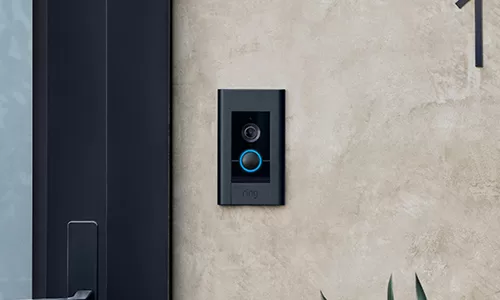
You want to know the kids made it inside. You want to see who is at the door without walking to it. A Ring doorbell camera shows the front door on your phone. That is the job.
The camera only helps if it stays on, rings inside the house, and sends video when you need it. Those three things depend on the house, not on the box. Many Northern Jersey homes in Franklin Lakes, Upper Saddle River, Ridgewood, Montclair, and Short Hills are retrofits. The button is on brick, stone, or thick siding. The transformer is often in a basement. The router is often in a family room. The porch is the far edge of the house.
What do homeowners actually run into when they hang a Ring themselves?
People who try this at home write about the same three failures. They write them on Ring’s own community board. They are not rare edge cases. They are the house.
One person hooked up a Ring Pro, turned the breaker back on, and the foyer chime started buzzing and would not stop. The camera did not even power on. They pulled it all apart the same day.
Another person followed the bypass steps. The transformer hummed. The app said the voltage was low. Then the doorbell would not finish Wi-Fi setup. It kept saying the internet connection failed.
A third person said the doorbell was not getting a full sixteen volts. They were told to bypass the chime to get more power to the camera. That is not a “swap the button” job. That is electrical work inside the house.
If one of those is wrong, the camera looks broken even when the camera itself is fine.
Why doesn’t the old doorbell just work with a Ring?
Some front doors already have a wired doorbell. Some have no wires at all. Some have wires that only power a simple chime, not a camera.
A wired Ring uses those wires for power. If the power is missing, weak, or the wrong kind, the camera will drop, reboot, or never finish setup. A battery Ring does not use those wires. It still needs a full charge and a strong Wi-Fi signal at the door. You still have to take it down to charge it.
Ring’s own install pages say a wired camera needs a doorbell transformer in a published voltage range. A mechanical chime from years ago was often sized only to ding once. A camera that records video all day draws more. If the transformer is too small, the camera starves. If there is no transformer, a wired Ring has nothing to run on. If the voltage is wrong, the camera can fail in ways that look like a Wi-Fi problem.
The transformer is rarely on the porch. Ring tells installers to look near the panel, in a basement, or in a closet. Our team finds it in the house and checks it with the right tools. You should not guess from the store shelf.
Why is power at the button its own job?
The doorbell button sits outside. The power for a wired Ring usually comes from that small transformer inside. The two wires behind the old button are only the last inch of a longer run.
In a Pequannock, Wyckoff, or Chatham colonial, that run can go from a basement transformer, up through finished walls, and out to a brick or wood front. Long wire and old wire both drop power. Worn insulation behind the button can short. People on Ring’s community board have described a chime that began to buzz every thirty seconds after a year, because the wires at the door had rubbed bare.
That is why a photo of the front door helps, and why a visit still matters. The photo shows the button, the siding, and whether wires are even there. The visit is how we measure what the camera will actually get.
If the power is wrong, no app setting will save it. The camera will look dead, or it will work for a day and then drop. People also write that they hardwired the Ring and still had to pull it off the wall to charge it with a USB cord. Some see the app flip from hardwired to battery. That is not a software problem. That is the house.
Why does the chime inside the house matter?
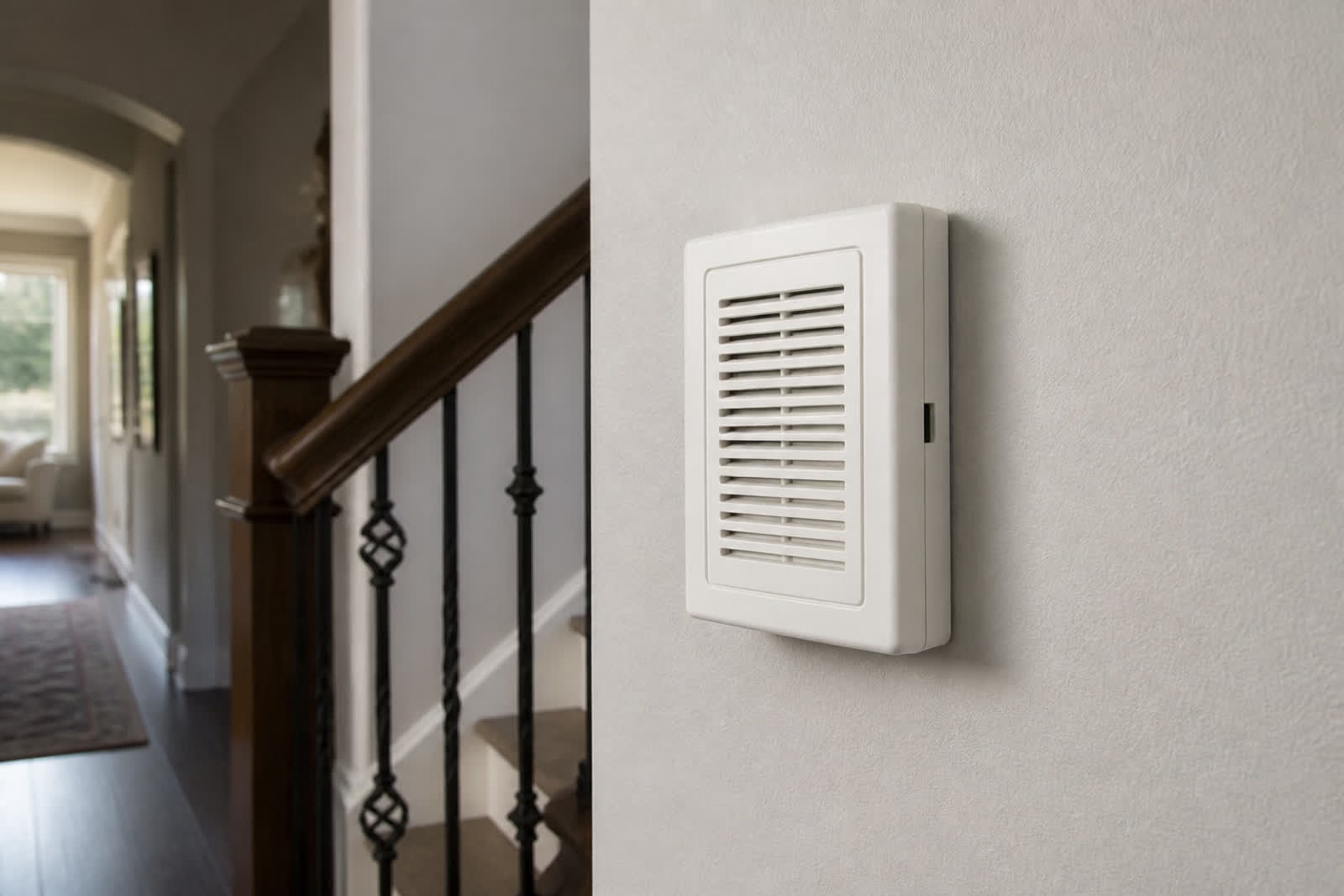
The Ring has to ring inside, not only on your phone. You may be in the kitchen. You may have the phone in another room. The kids may be upstairs. The house still needs to make a sound at the door.
The old chime may be mechanical. It may be digital. It may not work with a video doorbell at all. Ring’s own wired-install notes say that on some models, the existing chime will no longer function after the camera goes on. You then need a Ring chime or another speaker in the house if you still want a ring indoors.
People who skip this step get a buzzing foyer, a chime that half-rings, or a house that is silent while the phone lights up in a bag. One homeowner had two indoor chimes. After the Ring went in, only one rang. Then the striker buzzed and vibrated. Others say the chime is on Ring’s compatible list and still stays silent after a new transformer. Some chimes sit flush in a wall with no room for the kit, and the wire run is long. Ring support told one person to call a technician. The house was new. The wiring looked fine. The chime still failed.
Some homes need a chime kit. Some homes need the old chime bypassed and a new chime added. Some homes can keep the old chime if the type matches. That is a separate check from the camera on the porch.
You do not want a camera that only buzzes a phone if you also want the house to ring.
Why does Wi-Fi at the front door fail?
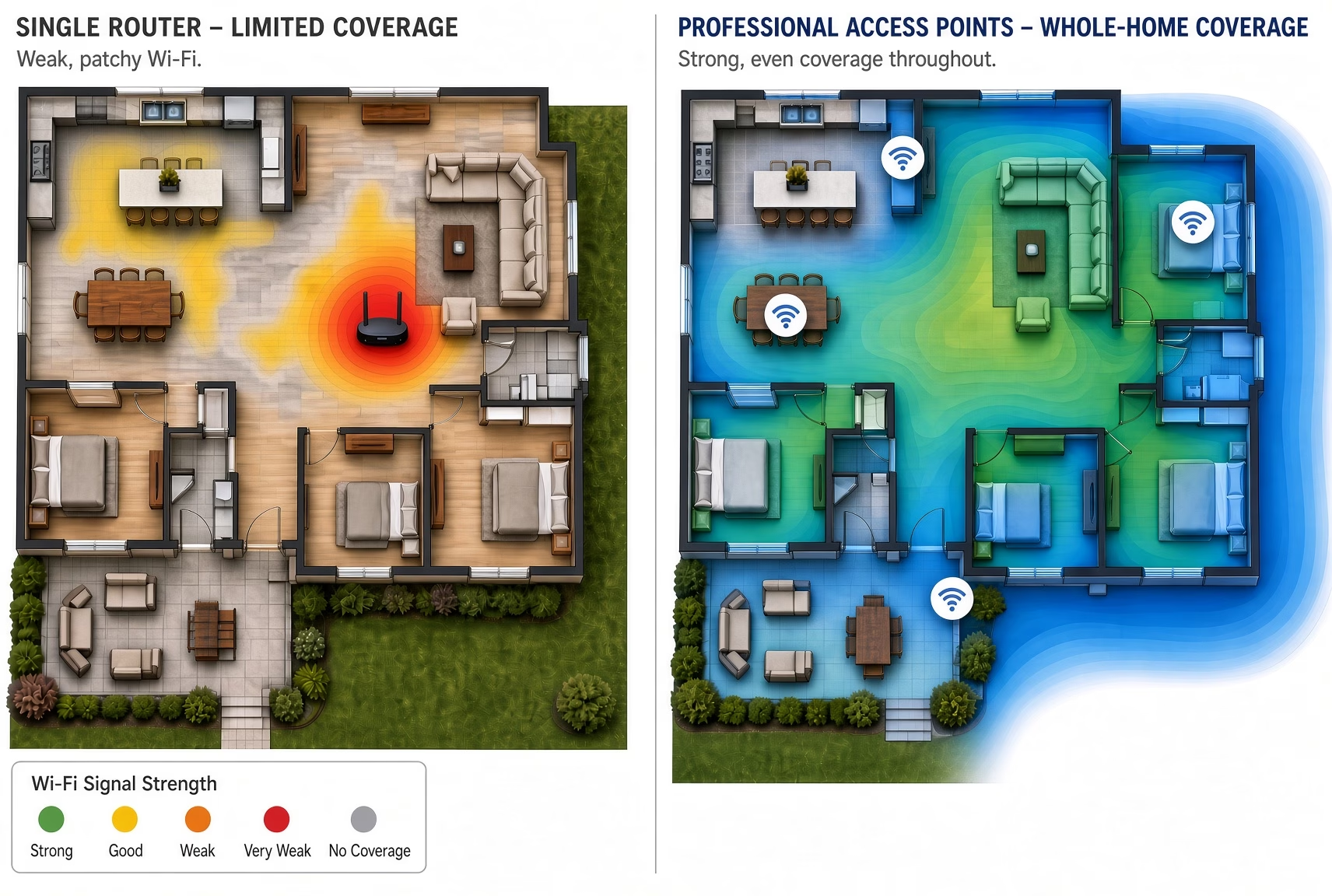
The camera lives on the porch. The router usually lives inside, often in a family room or an office. Wi-Fi that works in the living room may not reach the front door.
Brick, stone, old plaster, a metal door, and the outdoor air all weaken the signal. That is common on Northern Jersey fronts in Mahwah, North Caldwell, Mendham, Livingston, and Wayne. The porch is outside the last wall. The camera has to talk through that wall, not around it.
If the camera cannot talk to the network, you will not see the kids when they get home. You will see a delayed picture, a dropped call, or a camera that is offline. On Ring’s community board, people who already had a power problem then could not even finish Wi-Fi setup. The app blamed the internet. The real issue started at the transformer.
Our team checks the signal where the camera will live, not from the couch. If the porch is weak, the doorbell is the wrong first fix. The house needs signal at the door. Then the camera can stay online.
A Ring floodlight camera is a different product. It is a camera with lights, not the doorbell at the front door.
Should I buy a battery Ring or a wired Ring?
It depends on the door.
A wired Ring needs usable power at the button and a transformer that can feed a camera. When that is right, the camera can stay on without you taking it down to charge.
A battery Ring does not need those wires. That sounds easier. You still need strong Wi-Fi at the door. You still have to pull the camera off the bracket to charge it. If you bought it so you would know when the kids get home, a dead battery on a Wednesday afternoon is the same problem you started with.
We recommend after we see the house. We do not pick a model from a photo of a box.
What does One Sound Choice check before we recommend a Ring?
You text or call us a photo of the front door.
Our team comes to the house.
We check power, the chime, and the Wi-Fi in person.
We tell you which Ring fits that door.
You do not have to figure it out from the box. Most visits are retrofits. We work with the door you already have.
Where does One Sound Choice install doorbell cameras?
One Sound Choice works in existing homes across Northern New Jersey. We serve homeowners in Morris, Bergen, Essex, Somerset, Passaic, and Hudson counties. That includes towns such as Franklin Lakes, Upper Saddle River, Mahwah, North Caldwell, Pequannock, Wyckoff, Ridgewood, Saddle River, Chatham, Mendham, Montclair, Livingston, Short Hills, Wayne, and Pompton Plains.
Census figures put a lot of Bergen and Essex houses in the late 1950s, and Morris around 1971. That is original doorbell wiring, original transformers, and brick or stone fronts in places like Ridgewood, Montclair, and Wyckoff. Local electricians already sell this as a transformer job plus Wi-Fi at the door. It is not a new problem.
The door this week is the front door. The question is whether a doorbell camera can work on it. If it can, our team installs a Ring that fits that house.
Meet Ryan
Ryan Herd started One Sound Choice more than 30 years ago and has worked in thousands of New Jersey homes. He is the former Mayor of Pequannock. He wrote Join the Smart Home Revolution. He has given a TEDx talk and holds patents. He looks at your house first. Then he tells you what makes sense.
Doorbell camera questions
Can I put a Ring on my old doorbell?
Maybe. Our team has to see the door first. The old button is not the same as power, a chime, and Wi-Fi that can run a camera.
Does a Ring still ring inside the house?
It should. That is why we check your chime. A phone alert is not the same as the house ringing. On some wired Ring models, Ring says the old chime will no longer function, so the house needs a new way to ring.
My Wi-Fi is fine. Why does the porch matter?
The camera is on the porch, not in the living room. The signal has to work where the camera sits.
Should I buy a battery Ring or a wired Ring?
It depends on the door. A wired Ring needs usable power at the button. A battery Ring does not, but you will take it down to charge it, and it still needs strong Wi-Fi at the door. We recommend after we see the house.
Why do DIY installs fail even when the camera is new?
The camera is often fine. The house is not ready. Weak transformers, the wrong chime, worn doorbell wire, and a porch with no Wi-Fi all show up as a “broken” Ring.
How do we start?
Want to know if it is possible? Call or text One Sound Choice a picture of your front door at (973) 945-5275. You can also use the doorbell camera page.
Start with a photo of your front door
Want to know if it is possible? Call or text us a picture of your front door.
Key Takeaways:
- Average savings: 9.6% on heating, 17.5% on cooling, translating to $131–$145 annually.
- Best results occur in homes with irregular schedules or frequent absences.
- Features like remote control and maintenance alerts add convenience but may not drastically cut costs in always-occupied homes.
- Professional installation ensures optimal performance and avoids common setup errors.
Smart thermostats offer convenience and potential savings, but the financial return depends on how they’re used and configured.
Energy Efficiency Challenges in Family Homes
High Energy Costs from Irregular Usage
When it comes to energy savings, human habits often outweigh the efficiency of HVAC systems. Small oversights, like forgetting to adjust the thermostat before heading to work or bed, can lead to significant energy waste. In these cases, your system may continue heating or cooling an unoccupied home for hours [1][2].
One particularly common behavior – setting the thermostat to "Hold" and ignoring its programming features – limits effective use to only about 25% of users [2]. This habit keeps the system running at a constant temperature around the clock, completely negating any potential energy savings.
Physical factors can make the problem worse. Thermostats placed on exterior walls or near windows often give inaccurate readings due to direct sunlight or drafts. For example, sunlight can cause the thermostat to register temperatures 8°F to 12°F higher than the actual room temperature, leading to unnecessary and frequent system cycling. This not only wastes energy but also reduces overall comfort [1]. Additionally, failing to replace air filters every three months forces the HVAC system to work harder, increasing energy consumption and risking costly repairs to components like the blower assembly [2].
Together, these behavioral and environmental factors create significant challenges for family homes, where varied schedules and needs make precision even more critical.
Family-Specific Challenges
For families, achieving energy efficiency comes with its own set of hurdles. Children, for instance, often adjust the thermostat to suit their preferences, disrupting carefully planned settings. With multiple family members needing different comfort levels in various rooms, a single thermostat struggles to balance efficiency and comfort [3].
Another major issue is constant occupancy. Homes with stay-at-home parents, remote workers, or young children rarely benefit from "away" modes, which are designed to reduce energy use when no one is home. This means the baseline energy consumption remains high, regardless of how advanced the thermostat might be [1][3]. Unpredictable schedules add to the difficulty – activities like after-school programs, weekend trips, or irregular work hours often conflict with traditional thermostat programming.
These challenges underscore the complexity of managing energy in family homes, where diverse needs and routines demand more flexible and responsive solutions. The next section will explore how these solutions can address these unique obstacles.
sbb-itb-c5b321b
How Smart Thermostats Work for Families
Smart thermostats simplify managing home temperatures by using learning algorithms, location-based controls, and energy tracking. These features help families reduce energy waste without the need for constant manual adjustments.
Learning Algorithms and Automatic Scheduling
Smart thermostats are designed to adapt to your family’s daily routines. During the first week, they monitor when your household wakes up, leaves for work or school, and goes to bed. They also use motion sensors to detect which rooms are occupied and identify patterns, such as lowering the heat on consecutive Monday mornings, to create automatic schedules [7][9][3].
"The primary goal of smart thermostat algorithms is to optimize energy use while still maintaining comfort levels in your home."
- Ethan Turner, Home Technology Expert [7]
Some advanced models take this further by employing reinforcement learning, which helps them understand your home’s unique heating and cooling characteristics. By analyzing data from temperature sensors, humidity levels, and manual adjustments, these systems determine the most efficient temperature settings. Updates occur only when conditions, like temperature shifts outside your preferred range, trigger a need for change [8].
This automatic scheduling becomes even more effective when combined with location-based features.
Remote Control and Geofencing
Geofencing creates a virtual perimeter around your home, allowing the thermostat to switch to an energy-saving "Away" mode when the last family member leaves. As someone returns, the system begins adjusting the temperature to ensure the home is comfortable upon arrival [7].
Smartphone apps add another layer of convenience, enabling parents to adjust settings remotely. Sharon King, a Duke Energy customer, shared how this feature helped her:
"There are so many times I have left the house without turning the temp down from overnight. And I can fix that remotely instead of having to leave it all day." [6]
In one example from December 2025, a family in Phoenix, Arizona, used geofencing and pre-cooling to manage air conditioning during the scorching summer heat. They allowed their home to reach 82°F while at work and activated pre-cooling 45 minutes before arriving home. This approach reduced their cooling energy use by 28% and saved them $217 on their summer utility bills compared to the previous year [1].
Some systems also come with wireless sensors that can be placed in specific rooms, such as a nursery or home office, to ensure comfort even if the main thermostat is located elsewhere. Additionally, many models offer locking features, allowing parents to set a PIN or limit adjustments to prevent accidental changes that could waste energy.
Energy Reports and Usage Insights
Smart thermostats go beyond automation by providing detailed energy usage reports. These reports show how many hours your HVAC system runs daily, weekly, or monthly [3]. They help identify peak usage times and reveal how seasonal changes affect energy consumption [10].
Many apps also provide tips for more efficient temperature settings and send maintenance alerts, such as reminders to replace air filters every three months, to keep your system running smoothly [3].
"Some of my favorite features that I notice improve savings are the automatic adjustments with Smart Schedule, Auto-Eco energy-saving shifts and Seasonal Savings."
- A leading smart thermostat product expert [4]
Energy data can also uncover potential problems. For instance, in 2017, an HVAC technician discovered that a thermostat placed on an exterior wall near a window was giving inaccurate readings due to morning sunlight. After moving the thermostat to an interior wall, the homeowner saw a 16% reduction in heating costs over three months [1].
Actual Savings: What the Data Shows
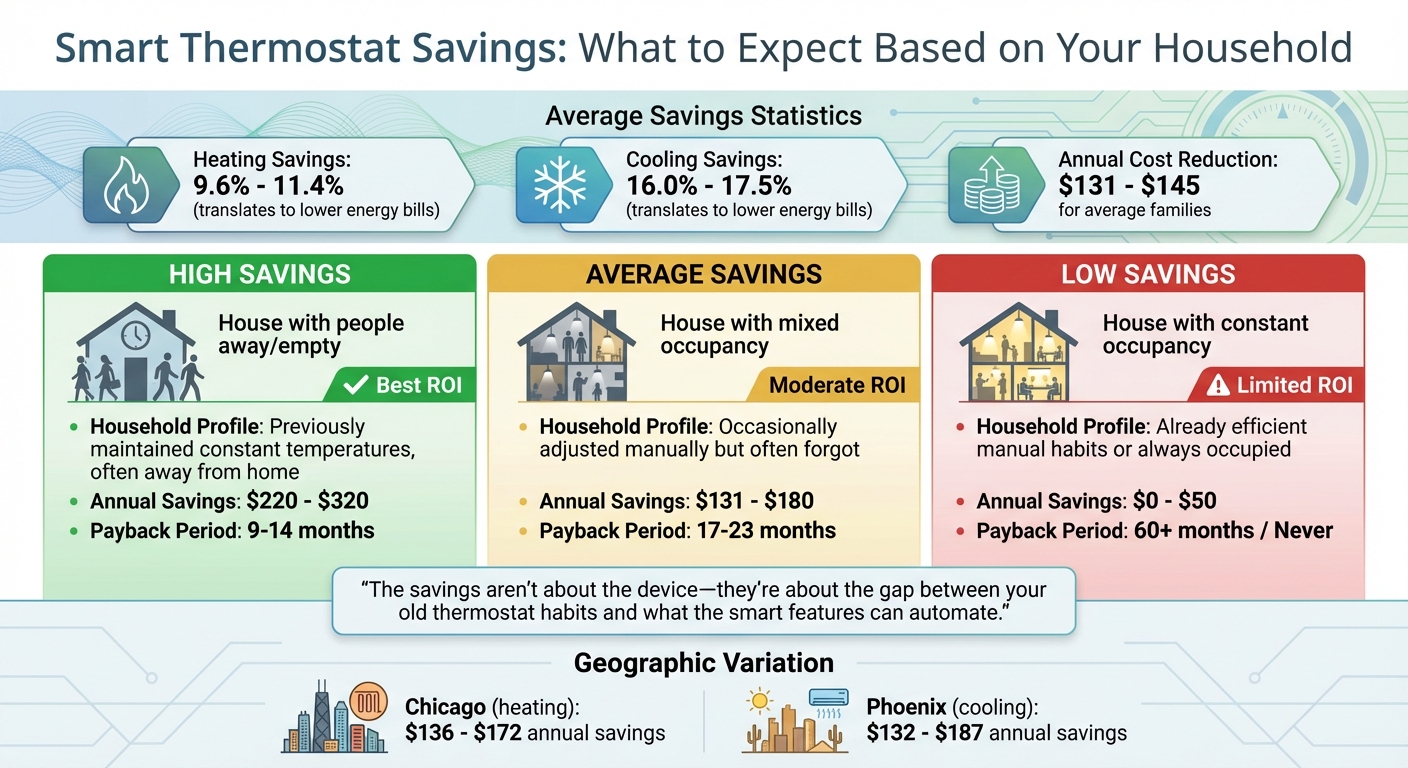
Smart Thermostat Savings by Household Type: Annual Costs and Payback Periods
Expected Savings for Family Homes
A study of 1,359 homes reveals that smart thermostats lead to average savings of 9.6% on gas heating and 17.5% on electric cooling [1]. Similarly, the EPA ENERGY STAR 2023 data reports national averages of 11.4% savings for heating and 16.0% for cooling [1].
For most families, this translates to annual cost reductions ranging from $131 to $145 [1]. However, the extent of savings depends largely on prior thermostat usage habits. Families that kept a constant temperature all day stand to save significantly more – up to three to five times more – compared to those who already adhered to disciplined manual schedules [1].
"The savings aren’t about the device – they’re about the gap between your old thermostat habits and what the smart features can automate."
- HVAC Calculator Hub Team [1]
| Savings Scenario | Household Profile | Annual Savings | Payback Period |
|---|---|---|---|
| High Savings | Previously maintained constant temperatures, often away | $220–$320 | 9–14 months |
| Average Savings | Occasionally adjusted manually but often forgot | $131–$180 | 17–23 months |
| Low Savings | Already efficient manual habits or always occupied | $0–$50 | 60+ months / Never |
Geography also plays a role. For example, heating savings in Chicago range from $136 to $172, while cooling savings in Phoenix fall between $132 and $187 [1].
Now, let’s look at the factors that influence how these savings come to life.
What Affects Your Savings
Several elements directly impact the savings a smart thermostat can deliver, particularly in busy family homes. One of the most critical factors is your previous thermostat habits. If you were accustomed to keeping a constant temperature, smart thermostats can significantly reduce energy use by automating adjustments.
Occupancy patterns also matter. Families who are away for eight or more hours a day can benefit greatly from features like geofencing and automatic scheduling [1][2]. On the other hand, households that are continuously occupied – such as those with remote workers or stay-at-home parents – usually see smaller savings, often between 0% and 5% [1][3].
The quality of your home’s insulation is another key factor. Poorly insulated homes often experience higher percentage savings because smart thermostats reduce the energy waste of heating or cooling an empty, drafty house [1].
The type of heating or cooling system you use also plays a role. For instance:
- Homes with hydronic radiant floor heating tend to see smaller savings (3–8%) due to the system’s slower response to temperature changes [1].
- Heat pump systems, if not configured correctly, may activate costly auxiliary heating, which can increase energy bills instead of lowering them [1]. Professional installation ensures these systems are set up properly to maximize efficiency.
Limitations and Common Misconceptions
Lower Savings in Always-Occupied Homes
For households where someone is home most of the day – whether due to remote work, caring for children, or other reasons – the energy-saving potential of a smart thermostat is much lower. These devices are designed to save energy by using features like "away" modes and occupancy detection, which are rarely activated in homes that are continuously occupied. In such cases, the potential savings typically range between 0% and 5%, translating to annual reductions of just $0 to $50 [1][3]. For these households, the main benefit of a smart thermostat shifts from cutting energy costs to offering convenience, such as remote control and maintenance notifications [1][3].
Problems from Incorrect Setup
Even the most advanced smart thermostats can fail to save energy if they are not installed correctly. For example, placing the thermostat on an exterior wall or near a window can lead to inaccurate temperature readings, which causes inefficient heating or cooling cycles [1].
Another common issue arises with "Heat Pump Balance" settings, which, if configured incorrectly, can activate auxiliary electric resistance heat, significantly increasing energy bills [1]. Additionally, homes without a C-wire (common wire) may experience power cycling problems, which can even damage HVAC systems over time [1][3]. To avoid these issues, professional installation is highly recommended, as it ensures proper placement and configuration from the start. These challenges underline the importance of understanding the technical differences between thermostat models.
Smart vs. Programmable Thermostats
For families with busy schedules, the comparison between smart and programmable thermostats highlights the practical advantages of automation.
| Feature | Smart Thermostat | Programmable Thermostat |
|---|---|---|
| Scheduling | Uses learning algorithms or app-based adjustments; adapts automatically | Requires manual setup and ongoing user input |
| Remote Access | Full control via smartphone from anywhere | None; changes must be made directly on the device |
| Occupancy Detection | Adjusts in real time using geofencing and motion sensors | Operates on fixed, pre-set time blocks |
| User Error Rate | Low; automates energy savings regardless of user habits | High; 40% to 70% of users never utilize programming features [2][3] |
| Maintenance Alerts | Provides filter reminders and monitors system health | Limited; some models include basic filter timers |
| Energy Reports | Offers detailed usage insights and monthly summaries | Typically lacks reporting features |
Smart thermostats stand out by automating temperature adjustments and reducing the likelihood of user errors, making them particularly helpful for families who don’t have the time or inclination to manage manual schedules.
Why Professional Installation Matters
Benefits of Professional Integration
The performance of a smart thermostat often hinges on how well it’s installed. Advanced HVAC systems, like the Carrier Infinity or Lennox iComfort, demand precise configuration to maintain their efficiency. For instance, an 18-SEER heat pump can lose significant efficiency – dropping to around 14–15 SEER – if advanced staging and modulation features are disabled due to improper thermostat setup [1].
Professional installers ensure proper placement by mounting the thermostat on an interior wall with adequate air circulation. This avoids issues like solar heating, which can cause temperature readings to rise by 8–12°F, leading to premature system shutdowns or short cycling [1]. These issues often force manual overrides, negating potential energy savings.
Additionally, professional integration allows your thermostat to work seamlessly with other smart devices in your home. For example, automated blinds that close during peak sunlight can reduce the cooling load on your HVAC system [10]. This level of coordination, which maximizes energy efficiency, is difficult to achieve without expert setup.
Avoiding DIY Problems
While DIY installations might seem appealing, they often come with significant challenges. Many older homes lack a C-wire (common wire), which is essential for powering modern smart thermostats. Using power connector adapters as a workaround can lead to intermittent power cycling issues in about 15% of cases [1]. This is particularly problematic for high-efficiency furnaces, where power cycling can cause long-term damage.
"Heat pump smart thermostat installations require additional configuration beyond basic wiring – this is not plug-and-play territory." – HVAC Calculator Hub Team [1]
Another frequent DIY mistake involves misconfiguring heat pump settings. Without correctly adjusting the "Heat Pump Balance" settings, a thermostat might activate costly electric resistance heating (strip heat) too early. This can lead to an 8% increase in energy bills instead of the anticipated savings [1].
For homeowners in Northern New Jersey, companies like One Sound Choice specialize in professional smart thermostat integration. They go beyond basic installation, designing systems that ensure compatibility with your existing HVAC equipment and incorporating other smart home features for optimal efficiency.
Long-Term Value and Support
Choosing professional installation doesn’t just enhance immediate performance – it also ensures long-term energy savings and system reliability. For example, scheduling a smart thermostat installation during an annual HVAC maintenance visit can reduce the installation cost to $30–$60, compared to $120–$180 for a standalone service call [1]. This makes professional setup a cost-effective option when planned wisely.
Professionally installed systems often connect with local service providers for automatic monitoring. These systems can alert technicians to issues like burner misfires or compressor short cycling [2]. Additionally, professional installation can help you qualify for utility rebates ranging from $50 to $150 [11][10], significantly offsetting the cost. Expert setup also ensures that software updates and "Over-the-Air" features remain compatible with your specific hardware and wiring [5], protecting your investment as technology evolves.
Conclusion
Smart thermostats, when installed and configured correctly, can help families save money on energy bills. Energy Star-certified models, for instance, reduce heating and cooling costs by an average of 8%, which amounts to about $50 annually. Most households recover their investment within one to three years [2][3]. These devices address a common issue: many people with programmable thermostats never use the scheduling features. By automating energy management, smart thermostats eliminate human error.
Advanced features like geofencing and occupancy sensors take energy savings further by automatically adjusting settings when no one is home. Maintenance alerts also play a critical role by identifying small issues before they turn into costly repairs. As Jason Fitzpatrick, Editor-in-Chief at How-To Geek, explains:
"A service call for a minor part or a tuneup is much cheaper than replacing a completely blown AC unit, after all" [2].
However, achieving these benefits depends heavily on proper installation. Poor sensor placement can lead to inaccurate temperature readings [1], and DIY fixes, like makeshift power adapters, fail about 15% of the time [1], potentially damaging high-efficiency HVAC systems. Professional installation ensures seamless integration with your heating and cooling equipment, maintaining efficiency ratings, avoiding unnecessary auxiliary heat use, and catching potential issues early.
In Northern New Jersey, companies like One Sound Choice offer professional smart thermostat integration as part of broader home technology services. Their expertise extends beyond basic setup, ensuring your thermostat works flawlessly with existing HVAC systems and other smart home features to maximize both efficiency and comfort.
The key to unlocking the full potential of smart thermostats lies in expert installation and accurate configuration. When done right, these devices provide not only financial savings but also the convenience of automated energy management, making it easier for families to maintain efficiency in their busy households.
FAQs
Is my family home a good fit for a smart thermostat?
Smart thermostats are an excellent choice for busy households, particularly those with unpredictable schedules or frequent absences. These devices adapt to your daily habits, automatically adjusting temperatures to maintain comfort while conserving energy. Studies indicate they can lower heating and cooling expenses by 8-17%, offering a practical solution for families aiming to save money without compromising on ease or comfort.
How can I tell if my smart thermostat is actually saving energy?
To determine if your smart thermostat is helping you cut energy costs, take a closer look at your utility bills before and after installing the device, focusing specifically on heating and cooling expenses. On average, households see savings of about 9.6% on gas heating and 17.5% on electric cooling, which adds up to roughly $131–$145 per year. Make sure the thermostat is installed correctly and take full advantage of its automated features to maximize efficiency. Keep tracking your bills over time to verify the savings.
Do I need professional installation for my HVAC system?
Professional installation is often the best choice for smart thermostats, especially if your home has a complex HVAC system or older wiring. While installing it yourself might be tempting, professionals can ensure everything is set up correctly, from compatibility with your system to fine-tuning for optimal performance. A poorly installed thermostat could lead to reduced energy savings or even malfunctions, which defeats the purpose of upgrading.
For homes with active families or intricate setups, professional expertise can help you get the most out of features like adaptive learning and energy efficiency. It’s an investment that ensures your smart thermostat works as intended and delivers the comfort and savings you’re looking for.
Related Blog Posts
]]>- Winter Savings: Cellular shades can cut heat loss by over 40%, providing insulation and retaining warmth during colder months.
- Summer Efficiency: By blocking up to 77% of solar heat during peak hours, automated shades reduce cooling demands and ease the strain on air conditioning.
- Energy Reduction: Studies show up to a 25% reduction in heating and cooling energy use when using sensor-based automated systems.
- Smart Integration: When paired with smart home systems, shades optimize performance by adjusting in real-time to weather and indoor conditions.
With features like pre-set schedules, solar sensors, and high-performance materials, automated shades not only lower energy bills but also improve year-round indoor comfort. For homeowners seeking cost-effective solutions to manage heating and cooling, these systems are an efficient and convenient option.
Heating and Cooling Costs in Northern New Jersey
How Seasonal Weather Affects HVAC Systems
Northern New Jersey’s climate presents unique challenges for home heating and cooling systems. With summers bringing intense heat and winters delivering freezing temperatures, HVAC systems are tasked with working overtime throughout the year [3]. During the summer months, air conditioning systems combat the heat caused by strong sunlight, while in winter, poorly insulated windows allow precious warmth to escape, forcing heating systems to work harder.
This relentless demand means HVAC systems account for nearly half of a household’s total energy use in counties like Morris, Bergen, and Essex. Homes without automated shades for Northern NJ homes face greater thermal inefficiency, causing systems to run longer and use more energy. As a result, homeowners often see higher energy bills due to these prolonged operating cycles.
Annual Heating and Cooling Expenses
The cost of maintaining comfortable indoor temperatures in Northern New Jersey can be significant. On average, homeowners in the region spend over $2,000 annually on heating, with cooling costs adding up to an additional $1,500 each year. The financial burden is even greater in affluent areas such as Alpine, Short Hills, and Mendham, where larger homes require more energy to maintain consistent temperatures.
One of the primary reasons for these high costs is the heat transfer that occurs through windows. Without proper insulation, HVAC systems must work harder and run longer, leading to increased energy consumption. This inefficiency directly impacts monthly energy bills, making proper insulation and energy-saving strategies essential for reducing costs.
sbb-itb-c5b321b
Automated Shades Save Energy Costs
How Automated Shades Control Indoor Temperatures
Addressing the issue of inefficient window insulation in Northern New Jersey, automated shades offer a practical solution. Acting as a responsive barrier between your windows and living space, these shades adjust automatically using real-time data from light and temperature sensors. Unlike traditional window treatments, which remain static about 75% of the time [5], automated systems adapt to changing conditions, making them effective across different seasons.
Automated shades help reduce heat transfer – responsible for nearly 30% of heating energy loss [5] – by blocking up to 77% of solar heat gain during peak hours (typically 1:00–4:00 PM) [5][8]. By deploying during these high-sun periods, they ease the strain on air conditioning systems, lowering cooling demands.
During winter, the system takes the opposite approach. Shades open in the morning to take advantage of passive solar heating and close at sunset to retain warmth. Cellular or honeycomb shades are particularly effective, as their insulating air pockets can cut heat loss by 40% or more, potentially reducing overall heating energy consumption by about 10% [5].
Integrated systems take this a step further by using algorithms that combine thermostat data with local weather information [7]. These systems automatically adjust the shades when temperatures surpass preset thresholds. Additionally, they can implement building-specific schedules, such as closing west-facing windows earlier in the afternoon, to optimize energy efficiency without unnecessarily darkening the entire home.
A study conducted in May 2023 by researchers at the Illinois Institute of Technology tested the performance of sensor-based automated insulating shades on single-paned windows at Chicago’s Willis Tower. Led by Assistant Professor Mohammad Heidarinejad in partnership with Parata Solutions LLC, the 10-month research revealed a 25% reduction in energy use during both heating and cooling seasons. The study also found that installation costs could be recovered within three to five years [6]. These findings highlight the energy-saving potential of automated shade systems.
Summer: Blocking Heat and Reducing Solar Gain
During the summer in Northern New Jersey, windows can let in solar radiation that significantly raises indoor temperatures. Automated shades act as a shield, reflecting infrared rays before they can heat up your living spaces [4]. By lowering during peak sunlight hours – typically between 1:00 PM and 4:00 PM – these shades can block up to 33% of unwanted heat gain [4].
West-facing windows, which often receive the most intense sunlight, benefit from early or extended shade closure. Advanced systems equipped with sun-tracking technology adjust the shades in real time based on the sun’s movement [4][9]. This means the shades stay open on cloudy days for natural light but close automatically when sunlight becomes intense, striking a balance between comfort and illumination.
The financial benefits are clear. In one Texas installation, automated shades helped cut summer cooling costs by 15% [9]. According to the Department of Energy, smart shades can reduce annual cooling expenses by as much as 10% in sunny regions [4]. These savings stem from reducing the strain on HVAC systems. When paired with smart thermostats, the shades can automatically close if a room’s temperature exceeds a preset level, like 78°F, further easing the load on air conditioning systems [4].
Material selection also plays a big role in maximizing energy efficiency. Reflective fabrics, cellular designs, and blackout materials are particularly effective at repelling solar energy and insulating windows, especially those facing south or west [4][9]. Professional installers often tailor material choices to a home’s specific window orientation and room usage to achieve the best thermal performance.
Programming is another key factor. Creating a "Summer Schedule" where shades start closing at 12:45 PM can help prevent heat buildup throughout the day [4]. This proactive approach ensures that the system works effectively even if you’re not home, removing the need to remember manual adjustments.
Winter: Retaining Warmth and Insulating Windows
In the chilly winters of Northern New Jersey, automated shades take advantage of passive solar heating by opening during sunny periods to let in warmth and closing at dusk to retain heat. This creates a thermal barrier that helps keep the cold out. Cellular shades are particularly effective for this purpose. Their unique design traps air pockets between the window and the room, reducing heat loss through windows, which are often the least energy-efficient part of a home [10][11][12].
Research led by Assistant Professor Mohammad Heidarinejad at the Willis Tower in Chicago – an area with a climate similar to Northern New Jersey – showed that motorized shades, when tested under different controls, were able to lower heating energy usage by 25% [6].
"Their rigorous field measurements helped confirm the efficacy of our shade system to drastically reduce energy use while offering a solution that occupants and building owners prefer over the incumbent" – Christopher Nurre, CEO of Parata Solutions LLC [6]
Unlike manual shades, which can easily be left open, automated systems use solar sensors to close as daylight diminishes. This reduces heat loss and can offset installation costs within three to five years [6][10]. These systems also integrate smoothly with smart home technology, working in tandem with summer cooling strategies discussed earlier.
Setting up a "Winter Night" scene ensures all shades close at dusk, maintaining insulation. On overcast days, keeping the shades closed helps conserve warmth, while on sunny days, opening south-facing shades allows for maximum passive solar heating [10].
Integration with Smart Systems for Automated Performance
The true power of automated shades lies in their ability to connect with other smart home systems. When these shades are integrated with devices like smart thermostats, occupancy sensors, and centralized control platforms, they form an interconnected energy-management system that operates on its own. This coordination streamlines climate control across your home, making it more efficient and responsive.
One Sound Choice specializes in creating systems where shades adjust in real time. For example, if a smart thermostat detects that the temperature exceeds a certain limit, the shades can automatically close to reduce the strain on your air conditioning system [4].
Occupancy sensors add another layer of efficiency. When a room is empty, the shades can stay in energy-saving positions – closed during hot summer days to block out heat or during chilly winter nights to conserve warmth. This method can lower daily energy use by as much as 20.5% [3].
"We focus on simple scenes, clean interfaces, and training so everyone in the home feels comfortable using the system – not just the most tech-savvy person." – Ryan Herd, President, One Sound Choice [2]
Additionally, these systems can adapt to local weather conditions. For instance, on a cloudy winter morning in Northern New Jersey, the shades might stay closed longer to retain heat. Conversely, during a summer heatwave, shades on west-facing windows could close earlier to minimize the impact of peak solar heat [4]. This kind of real-time, weather-based automation seamlessly integrates into a home’s overall energy strategy, ensuring smart operation tailored to local conditions.
Technologies Used in Professional Automated Shades
Professional automated shades utilize advanced technologies to improve energy efficiency and indoor comfort. These systems integrate precision motors, smart sensors, and high-quality fabrics that respond dynamically to real-time conditions. By working seamlessly with smart home systems, they enhance energy savings and convenience.
Motorized Roller Shades for Precise Control
Motorized roller shades are designed to reduce the strain on HVAC systems by adjusting to seasonal solar patterns. These shades feature sleek, retractable designs, quiet motors, and specialized fabrics – such as reflective or blackout materials – to manage solar heat gain and maximize natural light [4].
For instance, these shades can automatically lower when the air conditioning is working hard, helping to reduce the load on the system [4]. When paired with smart lighting systems, they support "daylight harvesting", which dims electric lights when natural light is sufficient. Dimming a light to 50% can cut energy use for that fixture by approximately 50% [10]. While roller shades focus on managing light and heat, cellular shades excel in insulation.
Cellular Shades for Superior Insulation
Cellular shades, also known as honeycomb shades, are designed with hexagonal air pockets that act as natural insulators. These pockets slow heat transfer by creating barriers against convection (blocking airflow), conduction (via insulating fabrics), and radiation (trapping heat between the window and shade) [13][14]. This design helps reduce heating and cooling costs.
"Insulated cellular shades are typically considered to have the highest R-values of all window coverings." – U.S. Department of Energy [5]
For context, a standard double-pane window has an R-value of 1.8, but adding a double-cell blackout shade can increase that value to 4.7 or more [13][14]. A thermal imaging study in Vermont demonstrated this effect: on a cold night with an outdoor temperature of 28°F, uncovered glass remained at 28°F. When cellular shades were lowered, the temperature at the shade’s surface rose to 61.5°F, and with side tracks sealing the edges, it increased to 64°F [14]. Cellular shades can reduce winter heat loss through windows by 40% or more and cut summer solar heat gain by up to 60% [13][5]. To enhance efficiency, many systems now include solar sensors for real-time adjustments.
Solar Sensor-Equipped Systems
Solar sensor-equipped systems allow shades to adapt based on current environmental conditions, such as sunlight intensity and indoor temperature, instead of relying on fixed schedules [4][10]. By using real-time data, these systems help lower energy consumption, aligning with efforts to reduce heating and cooling expenses. During summer, sensors detect peak sunlight – often between 1:00 p.m. and 4:00 p.m. – and close the shades to prevent overheating in west- and south-facing rooms [4]. In winter, the sensors can open the shades to capture free solar heat during the day and close them at sunset to provide insulation [10].
"Your shades will always be closed when they need to be, which means saving more energy and more money." – Connect Home Technology [10]
This automation eliminates the need for manual adjustments, ensuring optimal energy efficiency even when you’re not home. Professional systems often use if-then logic to automatically adjust shade positions as conditions change, maintaining consistent performance throughout the year.
Energy Savings Data and Local Examples
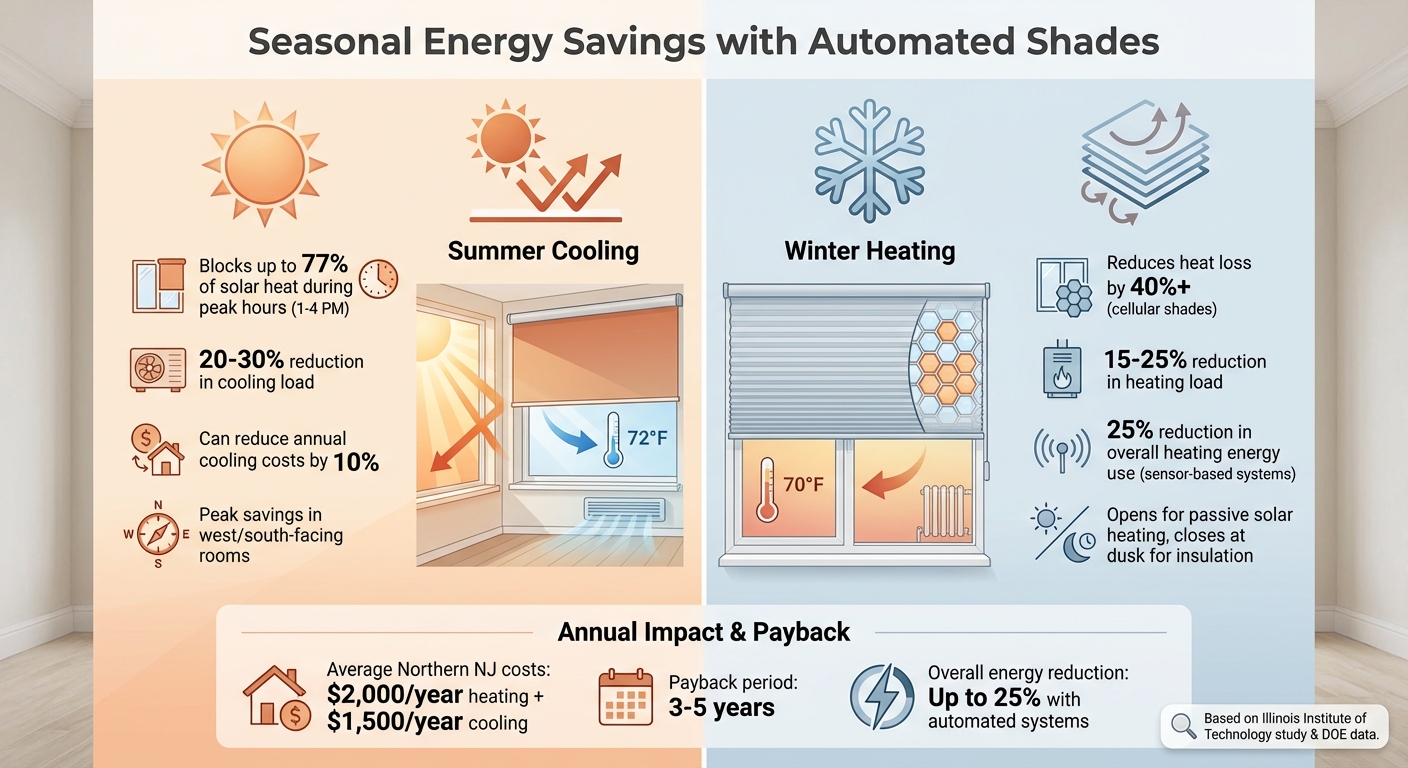
Energy Savings with Automated Shades: Summer vs Winter Performance Data
Seasonal Energy Savings with Automated Shades
Automated shades are a smart way to manage seasonal energy demands for heating and cooling. During the summer, these shades block solar heat from entering through windows, which helps lower the cooling load on HVAC systems. In winter, they provide added insulation by closing at night to retain warmth, while opening during the day to take advantage of the sun’s natural heat.
Here’s a quick look at how these shades perform throughout Northern New Jersey’s seasons:
| Season | Functionality | Energy Savings |
|---|---|---|
| Summer | Reduces solar heat gain to ease cooling | 20–30% reduction in cooling load [3] |
| Winter | Adds insulation and retains heat | 15–25% reduction in heating load [3] |
These figures highlight the potential for energy savings, making it easier to understand the impact of automated shades in real-world scenarios.
Local Installations and Results
The energy-saving benefits of automated shades are backed by real-world installations. One Sound Choice, a company specializing in smart home solutions, has completed over 2,500 projects across Northern New Jersey, including areas like Franklin Lakes, Mendham, Short Hills, Chatham, and Morristown [2]. These projects showcase how automated shades adapt to the region’s significant temperature variations, optimizing energy use with real-time adjustments [3].
For example, in the summer, shades are set to close during peak heat hours (1:00–4:00 p.m.) in rooms facing west and south [3]. During the winter, they open at sunrise to let in sunlight and close at dusk to help keep the warmth indoors [15]. These strategies ensure that homes stay comfortable while reducing energy consumption year-round.
Professional Integration with One Sound Choice Systems
Custom Solutions for Northern New Jersey Homes
One Sound Choice specializes in crafting solutions tailored to the specific needs of homes in Northern New Jersey. With the region’s fluctuating temperatures and diverse architectural styles, the company designs systems that address both environmental challenges and aesthetic requirements. For instance, cellular shades help retain heat during the colder months, providing insulation benefits [1][10]. Additionally, solar sensors are programmed to adjust shades automatically based on the sun’s position, ensuring optimal indoor comfort and energy efficiency [3][10].
Integration with Smart Home Ecosystems
Automated shades reach their full potential when paired with a comprehensive smart home system. One Sound Choice integrates shades with lighting, security, and climate control systems using platforms like Control4, Savant, and Lutron [1][10]. This integration allows for advanced features such as daylight harvesting, where sensors monitor natural light levels and adjust electric lighting accordingly when shades are open [10]. By relying on professional-grade networks, the company ensures smooth connectivity, enabling homeowners to manage shades, lighting, and thermostats effortlessly through pre-set scenes and schedules [2]. These systems are designed to provide consistent and reliable performance over time.
Long-Term Energy Efficiency and Reliability
One Sound Choice prioritizes longevity and adaptability by incorporating structured wiring and components that support future upgrades [2]. With three decades of experience and over 2,500 completed projects in the region, the company has earned a reputation for seamless installations.
"Their commitment to post-installation support and service has been unbelievable. They are professionals in every aspect and have gained our trust throughout the completion of our project."
- Verified Homeowner Testimonial, One Sound Choice [2]
To ensure homeowners can fully utilize their systems, the company provides post-installation training for all family members. They also offer ongoing support to help the technology evolve alongside changing needs [2]. This approach guarantees that automated shades continue to perform efficiently, adjusting dynamically to weather conditions without requiring manual input from homeowners [10].
Conclusion
Automated shades provide homeowners in Northern New Jersey with an efficient way to reduce HVAC demand and cut energy costs. By blocking up to 76% of solar heat in the summer and minimizing heat loss by over 40% in the winter, these systems ease the burden on HVAC systems and significantly lower monthly energy expenses [5][3]. Their ability to adapt to seasonal changes and real-time sunlight ensures that homes stay comfortable without constant manual adjustments.
Beyond energy savings, these shades offer additional benefits. They shield furniture and artwork from harmful UV rays, enhance home security through scheduled operation, and eliminate the dangers posed by cords, making them a safer option for families with children and pets [3]. When paired with lighting and climate control systems, automated shades become part of a larger energy management strategy, potentially reducing overall energy use by up to 20.5% [3].
Proper installation is key to achieving these benefits. Professional integrators ensure accurate measurements, seamless system performance, and long-term reliability. As one satisfied homeowner shared:
"Their commitment to post-installation support and service has been unbelievable. They are professionals in every aspect and have gained our trust" [2].
For homeowners looking to lower energy costs while enhancing comfort and convenience, automated shades stand out as a forward-thinking investment. They combine energy efficiency, asset protection, and improved home value into a single, practical solution tailored to Northern New Jersey’s seasonal demands. This professionally installed technology is shaping the future of energy-smart living in the region.
FAQs
How much can automated shades lower my energy bills?
Automated shades are a great way to cut down on energy bills by helping regulate indoor temperatures. With smart scheduling and proper shading, they can lead to savings of up to 10–20% on heating and cooling costs. These systems are designed to block out heat during the summer months and retain warmth during winter, making them an efficient and hassle-free solution to reduce utility expenses.
Which windows should I automate first for the best savings?
Automating windows that receive the most direct sunlight – such as south-facing ones during the hottest parts of the day – can make a noticeable difference in managing indoor temperatures. By reducing heat buildup, this simple step helps lower cooling costs and boosts overall energy efficiency. Prioritizing these windows ensures you get the most savings and comfort from your automation efforts.
Do automated shades still save energy on cloudy days or when I’m away?
Automated shades contribute to energy savings even when the sun isn’t shining or when no one is home. Through smart scheduling and adjustments based on the sun’s movement, they help regulate indoor temperatures by limiting heat gain in summer and reducing heat loss in winter. This consistent temperature control keeps energy use in check and lowers heating and cooling expenses throughout the year.
Related Blog Posts
]]>Key insights:
- Smart thermostats: Save $131–$145 annually by automating temperature adjustments and optimizing HVAC efficiency. Professional installation ensures proper setup and maximizes savings.
- Energy monitoring systems: Identify waste, track appliance usage, and provide maintenance alerts, reducing bills by $130–$200 yearly.
- Automated lighting and shades: Cut daily energy use by 5–8% and cooling costs by 17.5% during summer by managing lighting and solar heat gain.
Professional integration is often more reliable than DIY setups, ensuring systems function efficiently and avoid common pitfalls like poor thermostat placement or misconfigured settings. While upfront costs for professional installation can range from $200 to $1,200+, these systems typically pay for themselves within 12–24 months through energy savings and utility rebates. Additionally, professionally installed systems can increase home value by 3–5%, making them a smart long-term investment.
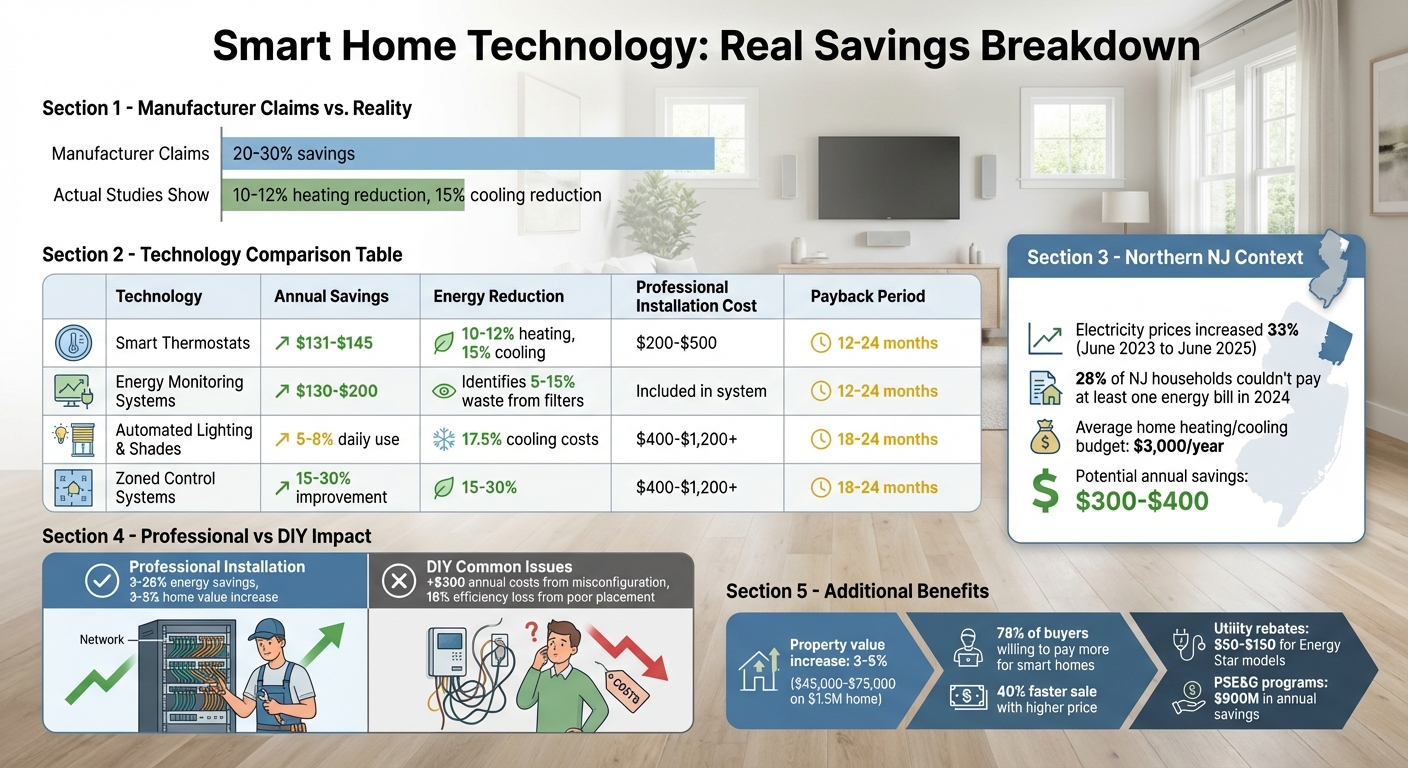
Smart Home Technology Energy Savings and ROI Comparison
Energy Bill Challenges in Northern New Jersey
Seasonal Energy Demands and High Costs
To grasp the importance of smart technologies, it’s essential to first understand the energy challenges faced by homeowners in Northern New Jersey. Seasonal shifts play a major role in driving up utility bills. Winter heating and summer cooling requirements often lead to sharp spikes in energy use, putting significant strain on household budgets. This issue has grown more severe in recent years. Between June 2023 and June 2025, residential electricity prices in New Jersey surged by 33% [5].
"The average residential electricity price in the state climbed by a third from June 2023 to June 2025, driven largely by increased demand and regional delays in building new capacity." – ACEEE [5]
The financial burden is evident. In 2024, 28% of New Jersey households reported being unable to pay at least one energy bill in full over the previous year. This figure surpasses the national average of 23% [5]. Contributing factors include rising demand from data centers and delays in expanding power infrastructure, both of which continue to drive costs higher [5]. These realities emphasize the urgent need for solutions that can minimize energy waste and ease financial strain.
Common Sources of Energy Waste in Homes
High energy costs are compounded by inefficiencies that are often preventable. In many Northern New Jersey homes, HVAC systems run unnecessarily during times when no one is home, wasting energy. Misconfigured heat pumps can activate auxiliary electric strip heat during cold weather, significantly increasing electricity use [2]. Additionally, poor insulation and the lightweight construction of wood-frame homes lead to rapid temperature changes, forcing HVAC systems to cycle more frequently than needed [2]. Thermostats placed in problematic locations, such as on exterior walls or near windows, can cause short-cycling, which wastes energy and disrupts comfort [2].
Another common issue is "vampire power", where unused electronics continue to draw electricity even when turned off, adding to overall consumption [3]. Addressing these inefficiencies is a critical first step in making the most of smart home technologies. By tackling these areas of waste, homeowners can better position themselves to benefit from energy-saving solutions and reduce their utility bills effectively.
sbb-itb-c5b321b
Smart Home Technologies That Actually Lower Electric Bills
Smart Thermostats: Optimizing HVAC Efficiency
Smart thermostats help reduce energy costs by learning your household’s daily habits and adjusting temperature settings accordingly [6][7]. These devices go beyond simple programming. For instance, geofencing technology uses your smartphone’s GPS to detect when everyone has left a specified area (typically 1–2 miles from your home). When this happens, the thermostat automatically switches to an energy-saving mode. As someone approaches home, it begins adjusting the temperature to ensure comfort upon arrival [6][7].
In larger homes, like those in Northern New Jersey, distributed sensors take efficiency a step further by managing temperatures based on actual room occupancy [1][7]. These thermostats also incorporate local weather data to make smarter adjustments – such as pre-cooling before a heatwave or delaying heating when natural sunlight can warm the home [6][7].
The financial impact is notable. Homeowners can save between $131 and $145 annually [1][2], and high-end models can cut cooling costs by as much as 26% in specific scenarios [1][7]. Additionally, these systems reduce wear and tear on HVAC units by minimizing system cycling, potentially extending the unit’s lifespan by 2–3 years [6].
"If you leave for work at 8 a.m., our smart thermostats can proactively lower the temperature while you are away to conserve energy and preheat or precool your home to ensure that your house is at your desired temperature when you return."
– Greg Fyke, President and CEO, Ecobee [1]
Professional installation is often recommended to ensure proper functionality, especially in older homes that may require a stable C-wire connection. Installing such a connection can cost between $120 and $180, particularly if it involves running wires through finished walls [2]. For homes with heat pumps, professional configuration of the "Heat Pump Balance" to "Max Savings" mode can help delay the activation of costly auxiliary heating [2]. Many utilities in New Jersey also offer rebates between $50 and $150 for Energy Star-certified models, making these systems an even smarter investment. Most homeowners see a full return on investment within 12 to 24 months [6][7].
To complement these thermostats, energy monitoring systems provide deeper insights into where energy is being used – and wasted.
Energy Monitoring Systems: Identifying and Reducing Waste
Energy monitoring systems are designed to pinpoint inefficiencies in your home’s energy use. These devices track real-time consumption across major appliances and systems, presenting data in daily, weekly, or monthly reports [7]. The information they provide is actionable, helping homeowners make simple adjustments. For example, raising the cooling temperature by just 1°F could save around $8 per month [7].
Another benefit is the maintenance alerts these systems provide. By tracking runtime hours, they notify you when maintenance is due or when abnormal usage patterns occur. For instance, a dirty HVAC filter can reduce efficiency by 5–15%, but a timely alert ensures it gets replaced before it impacts your energy bill [7]. Additionally, smart recovery technology calculates the best start times for heating or cooling, trimming system runtime by 15–20 minutes per cycle [6].
When paired with other smart systems, energy monitors amplify their impact. For example, coordinating with automated shades to close them during peak sunlight hours can cut cooling loads by 15–20% [7]. In larger homes with multiple zones, professional installation ensures sensors are placed correctly, avoiding inaccurate readings that can occur with DIY setups [2][4]. Studies show households using energy monitoring systems can save between $130 and $200 annually [6].
Automated Lighting and Shades: Reducing Daily Consumption
Smart lighting and shading systems contribute to energy savings by ensuring power is only used when necessary. Occupancy and motion sensors automatically turn off lights in empty rooms, while preset "scenes" like "Goodnight" or "Away" power down unnecessary devices when the house is unoccupied. These features can reduce daily energy use by 5–8% [6].
Automated shades further boost efficiency by managing solar heat gain. In Northern New Jersey’s summer months, closing shades on south- and west-facing windows during peak sunlight hours prevents excess heat from entering the home, reducing the workload on your air conditioner. Research shows this strategy can lower cooling energy use by an average of 17.5% [2]. In particularly hot and dry climates, more aggressive cooling adjustments can yield energy savings of up to 28% [2].
Geofencing technology adds another layer of convenience. When the last person leaves home, the system switches to eco-mode, adjusting temperatures and turning off unnecessary lighting. Combined with weather integration, which adjusts shades and temperatures based on local forecasts, these features can achieve an additional 5–10% savings beyond standard automation [6]. When integrated with HVAC and energy monitoring systems, automated lighting and shades create a comprehensive energy-saving solution.
For larger homes in areas like Franklin Lakes, Short Hills, and Mendham, professional installation ensures these systems work seamlessly across multiple floors and zones. Homes equipped with occupancy detection and geofencing can save an average of 10–12% on heating and 15% on cooling bills [6].
Why Professional Integration Matters for Long-Term Savings
Why Professional-Grade Systems Outperform DIY Solutions
Investing in professional integration for smart home technology can lead to substantial savings and avoid the pitfalls often associated with DIY installations. Proper configuration is essential to ensure systems function efficiently, and this is where many DIY efforts fall short.
Take, for example, a case from 2017. A homeowner installed a thermostat on an exterior wall near a window. Morning sunlight caused the thermostat to record temperatures 8–12°F higher than the actual room temperature, leading to inefficient heating. Once a professional relocated the thermostat to an interior wall with better airflow, the homeowner saw a 16% reduction in heating costs [2].
DIY setups often face issues like misconfigured "Heat Pump Balance" settings or reliance on power-sharing adapters. These mistakes can activate backup heating prematurely or cause intermittent power disruptions, adding over $300 annually in energy costs [2]. High-end HVAC systems, such as Carrier Infinity or Trane ComfortLink, use proprietary protocols for advanced features. Installing a DIY thermostat can force these systems into basic compatibility mode, reducing efficiency from an 18-SEER heat pump to just 14–15 SEER, which directly impacts energy bills [2].
Professional installers address these challenges by running a dedicated common (C) wire to provide stable power. This solution, costing $120–$180 for complex installations, eliminates reliability issues. A 2019 study of 43 identical homes showed that professionally configured systems with features like Auto-Away and optimized scheduling achieved energy savings between 3% and 26%. The highest savings occurred when settings were tailored to the occupants’ specific routines [2].
Sensor placement is another critical factor. Professionals consider the home’s construction materials and thermal mass – whether it’s brick, wood frame, or another type – to determine the best thermostat locations and setback strategies. These details, often overlooked in DIY guides, can significantly impact system efficiency.
In areas like Mendham or Short Hills in Northern New Jersey, larger homes benefit greatly from professionally integrated zoned control systems. These systems can improve energy savings by 15–30% but require careful planning to avoid issues like furnace stress and short-cycling – problems common in non-professional installations [8].
The technical precision of professional integration ensures long-term savings, making it a worthwhile investment compared to the potential inefficiencies of DIY solutions.
Cost vs. ROI: Investing in Long-Term Energy Efficiency
While professional integration comes with higher upfront costs, the long-term financial benefits make it a smart choice. Professionally installed smart thermostats, for instance, deliver average savings of 9.6% on gas heating and 17.5% on electric cooling [2]. For a Northern New Jersey home with an annual heating and cooling budget of $3,000, this translates to savings of $300–$400 each year. Factoring in the cost of professional C-wire installation ($120–$180) and a premium thermostat ($200–$350), the payback period is about 18 months. Utility rebates of $50–$125 for Energy Star–certified models can further shorten this timeframe.
Beyond energy savings, professional integration boosts property value. Smart home systems can increase home values by 3–5% [9]. For a $1.5 million home, that’s an additional $45,000–$75,000. Buyers prefer professionally installed systems, as noted by Full Spectrum Technology Group:
"A professionally installed system commands a higher premium because buyers trust it will actually work. They don’t want to inherit your weekend project." [9]
In fact, 78% of homebuyers are willing to pay more for homes with pre-installed smart devices, and such homes are 40% more likely to sell quickly and at a higher price [9]. Professional integration signals reliability and long-term value, unlike DIY setups that may appear disjointed.
Here’s a comparison of key smart home features for professional and DIY approaches:
| Smart Feature | Property Value Increase | Average Professional Cost | Energy Savings |
|---|---|---|---|
| Smart Thermostats | 3–5% | $200–$500 | 10–15% |
| Smart Security Systems | Up to 5% | $500–$1,000 | High buyer appeal |
| Home Automation Hub | 3–5% | $1,000–$3,000 | Unified control |
| Zoned Control Systems | 3–5% | $400–$1,200+ | 15–30% |
Bundling services can make professional integration more affordable. For instance, combining smart home upgrades with annual HVAC maintenance can reduce truck roll fees from $120–$180 to just $30–$60 for the additional labor [2]. This approach spreads costs across multiple tasks, making professional installation more accessible without cutting corners.
Unlike DIY systems, which may become outdated or require frequent troubleshooting, professionally installed systems are built to accommodate future upgrades. This ensures your investment remains valuable as technology advances, providing peace of mind and long-term functionality.
Conclusion
Key Takeaways for Northern New Jersey Homeowners
Investing in professional-grade smart home technology can significantly lower electric bills, especially when tailored to meet the specific needs of your home. As mentioned earlier, properly installed systems can deliver consistent savings. In Northern New Jersey, PSE&G’s energy efficiency programs have already helped save over $900 million annually, offering homeowners substantial rebates and incentives to make professional integration more attainable [11].
Professional installation addresses common pitfalls of DIY setups, such as thermostat placement issues, missing C-wires, and improperly configured heat pump settings, all of which can lead to higher energy costs [2]. By ensuring proper power connections, optimized sensor placement, and settings customized to your home’s layout and your family’s habits, professional integration provides a more reliable and efficient solution.
The financial benefits are clear: with typical payback periods of about 18 months, utility rebates ranging from $50 to $125 for ENERGY STAR–certified equipment, and bundled service options that lower installation fees, professional integration proves to be a smart investment. Prioritizing HVAC systems – often the largest contributor to utility bills – is an excellent starting point for improving energy efficiency [10]. Additionally, the PSE&G Marketplace offers subsidized equipment, and enrolling in "Connected Savings" programs can provide extra annual credits while helping to stabilize the grid [11][1].
The surprising ways smart home technology helps save energy and money | Terms of Service
FAQs
Which smart upgrades typically reduce energy bills the most in Northern NJ homes?
Smart thermostats, energy monitoring systems, and automated lighting are excellent tools for reducing energy costs in Northern NJ. These technologies not only help cut down on energy consumption but also offer added convenience and improved efficiency for homeowners.
How do I know if my home will actually see savings from smart tech?
Smart technology can lead to energy savings, but success depends on proper installation, mindful usage, and selecting reliable products. For example, research indicates that smart thermostats can reduce gas heating costs by 10% and electric cooling expenses by 17.5%, translating to annual savings of around $131–$145. However, these savings often depend on how the system is configured and the user’s habits. Working with professionals to install and integrate these systems can ensure they are set up correctly, helping you achieve real energy savings while steering clear of exaggerated marketing promises.
What should I ask an installer to avoid setup mistakes that waste energy?
To make sure your energy system is set up efficiently and avoids unnecessary waste, discuss these key points with your installer:
- Smart thermostat programming: Have them create energy-saving schedules tailored to how your household operates.
- Proper placement of sensors and thermostats: Ensure they are installed in locations that prevent inaccurate readings, like avoiding areas with direct sunlight or drafts.
- Accurate calibration: Verify that energy monitoring systems are calibrated correctly for precise tracking of your energy use.
- Automation rules: Set up rules to minimize wasted energy, such as turning off devices that draw power when not in use, like smart plugs or lights.
Taking these steps can help your system run more efficiently while keeping your energy costs in check.
Related Blog Posts
]]>Key strategies include:
- Concealing security cameras within architectural features (eaves, vents) or natural elements (trees, rocks).
- Integrating outdoor speakers into walls, planters, or disguised as natural objects like rocks.
- Smart lighting installation that hides fixtures and wiring while complementing the landscape.
- Professional installation ensures hidden wiring, durable materials, and technology that matches the home’s design.
The goal is clear: outdoor technology should serve its purpose without standing out, prioritizing both functionality and aesthetics.
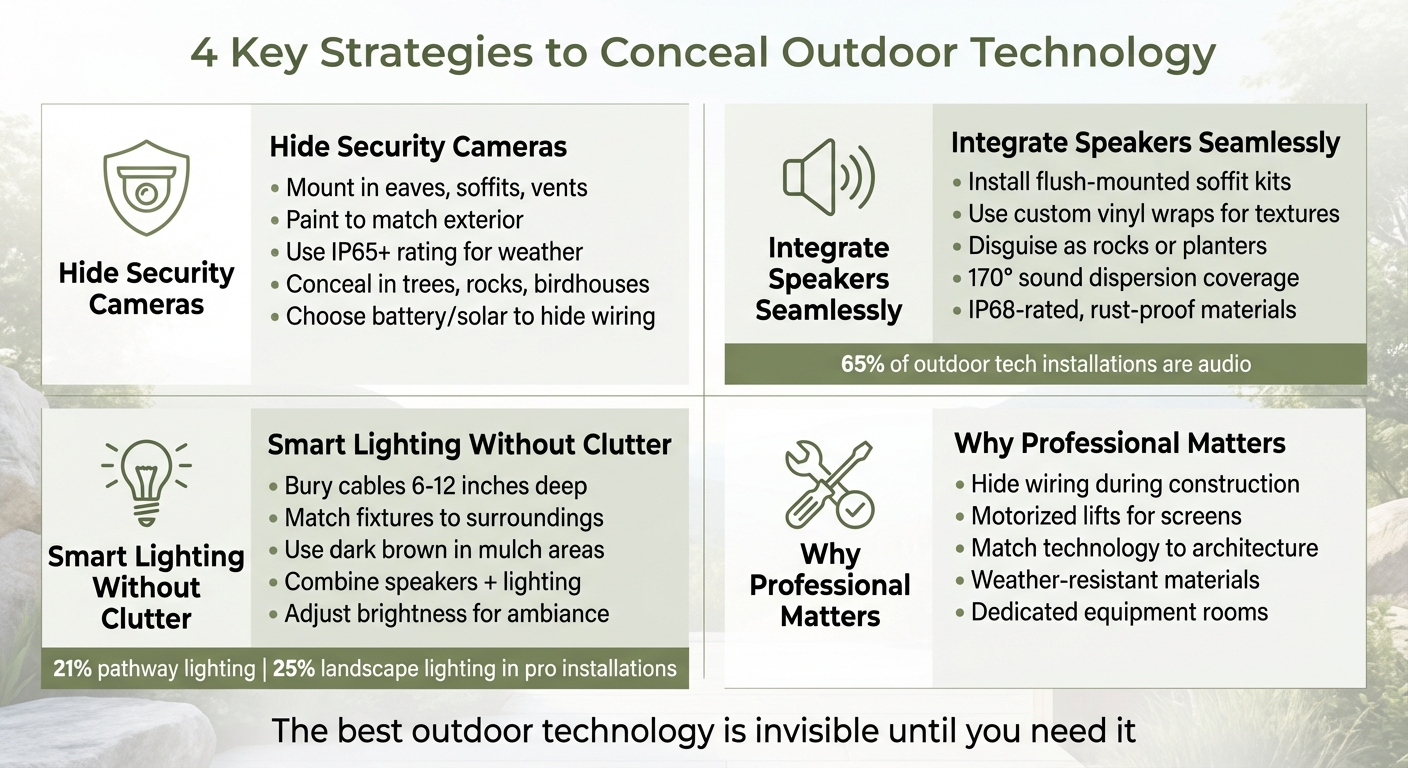
4 Key Strategies to Conceal Outdoor Technology in Your Home
How to Hide Security Cameras Outdoors
Building Cameras into Architectural Features
Blending cameras into your home’s architectural features is a smart way to keep them out of sight. Consider mounting them in spots like eaves, soffits, rain gutters, structural vents, outdoor light fixtures, or even hollow fence posts. These locations not only provide excellent vantage points but also help the cameras remain discreet [3][4]. To make them even less noticeable, paint the camera housings to match your home’s siding or trim, so they blend seamlessly with the exterior [3].
If you’re installing cameras in metal structures, ensure they maintain a strong connection through either Wi-Fi or cellular networks. For outdoor use, cameras should have at least an IP65 rating to withstand the elements, though IP66 or IP67 ratings offer even better protection against dust and water [3].
While integrating cameras into your home’s design minimizes their visibility, using natural elements can further help them blend in.
Hiding Cameras in Landscaping and Fixtures
Landscaping and built-in fixtures can serve as effective hiding spots for outdoor cameras. Trees, bushes, and decorative elements can naturally conceal cameras, especially when the devices are finished in camouflaged, earthy tones. You can also use cleverly designed objects like birdhouses, mailboxes, or sculpted rocks to house cameras. However, keep in mind that these solutions might limit access to certain advanced features [1][3][4].
To avoid giving away the camera’s location with visible wiring, opt for battery-powered or solar-powered models [3]. Regular maintenance is crucial – trim any overgrown foliage to ensure the camera’s view remains unobstructed. For year-round concealment, evergreen plants are a practical choice [4].
sbb-itb-c5b321b
Installing Outdoor Speakers That Don’t Stand Out
Hiding Speakers in Walls or Natural Elements
Outdoor speakers can practically disappear when integrated into the design of your home or landscape. For example, soffit kits enable flush-mounted installations under eaves, and when painted to match your home’s exterior, the grilles become almost invisible [5]. Achieving this clean look involves precise installation, often using router templates and internal brackets to ensure the speakers sit flush with the surface.
For an even more seamless appearance, custom vinyl wraps can be applied to match textures like wood siding, brick, or shrubbery. This technique is especially useful in areas where speakers can’t be hidden behind architectural features or natural elements.
"A photograph of the surrounding wood siding, brickwork, shrubbery, etc., is applied to the speaker helping it blend further into the background." – Brian Azzano, Vice President, Stealth Acoustics [5]
Another option is integrating speakers into the landscape itself. Ground-staked satellite speakers, buried subwoofers, or units disguised as rocks and planters can be strategically placed in garden beds. Modern designs with 170° sound dispersion ensure even audio coverage, avoiding the concentrated sound that traditional speakers often produce. This wide coverage is particularly appealing for homeowners in Northern New Jersey who want uninterrupted sound across patios and pool areas without the visual distraction of exposed equipment [5].
By combining technical solutions with finishes that match the surroundings, outdoor speakers can be practically invisible.
Choosing Speaker Finishes That Match Your Home
The right finish can make outdoor speakers blend seamlessly with their environment. High-end models are often designed to mimic landscape lighting fixtures, allowing them to integrate effortlessly into garden layouts [1]. This approach creates a cohesive look, making your audio system appear as part of your outdoor lighting design rather than standalone equipment.
Speakers built with sealed, IP68-rated enclosures and non-metallic exteriors are not only durable but also low-maintenance. These materials prevent rust and can be cleaned easily with a garden hose, eliminating the need for repainting grilles over time. For added discretion, speakers disguised as planters or natural rocks can deliver excellent sound without drawing attention to themselves [1].
"The no-metal exterior means no rusty speaker grilles! StingRay speakers are designed to last a lifetime in outdoor conditions." – Brian Azzano, Vice President, Stealth Acoustics [5]
Involving architects and designers early in the planning process ensures that speakers are integrated into the structure from the beginning, rather than being added later as an afterthought. Since audio accounts for 65% of outdoor technology installations [5], thoughtful placement and finishing are key to achieving both functionality and aesthetic harmony.
Using Smart Landscape Lighting Without Visual Clutter
Integrating Lighting into Pathways and Garden Beds
Smart landscape lighting enhances outdoor spaces by blending practicality with visual appeal. Pathway lighting, a favorite in outdoor design, features in 21% of professional installations [7]. The goal is to discreetly incorporate fixtures into the environment while ensuring effective illumination.
To keep wiring out of sight, bury cables 6–12 inches deep and protect them with hollow PVC pipes for durability and easier maintenance. In garden beds, a 2–5-inch mulch layer can effectively hide wires. Always test your setup over several nights to fine-tune placement and avoid unnecessary adjustments.
Select fixtures that complement their surroundings. For example, use dark brown fixtures in areas with dark mulch, stone-like designs in rock gardens, or fixtures integrated into planters on patios. Some advanced systems even combine outdoor speakers with lighting, minimizing the need for additional hardware and maintaining a clean look [1]. This design approach mirrors the integration of cameras and speakers, creating a seamless outdoor technology setup.
If replacing traditional lights isn’t practical, you can add smart functionality using weatherproof outdoor smart plugs rated IP64 [6]. These allow you to automate schedules and adjust brightness without overhauling your existing system. By carefully planning and selecting your lighting, you ensure both functionality and aesthetic cohesion in your outdoor space.
Setting the Right Brightness and Color Temperature
After installation, managing light output is just as important as concealing the fixtures. Landscape lighting now features in 25% of professional outdoor technology projects [7], with the most effective designs integrating outdoor lighting into the home’s broader control system, rather than treating it as a separate feature.
Opt for earthy tones and neutral colors to connect your outdoor lighting with the natural environment and your home’s design. For added versatility, dimmable smart string lights with multicolor LED bulbs offer preset scenes that can harmonize with your surroundings [6].
Adjusting brightness is key to balancing safety and ambiance. Use brighter settings for pathways to enhance visibility, while softer lighting in garden beds creates a more inviting atmosphere. Dimmable features make it easy to achieve this balance. As noted by CE Pro:
"The biggest challenge is working with the hardscape contractors and architects to make changes… the client does not want to see any of the technology, but still wants the performance on a budget" [7].
Collaborating with architects and designers early in the process ensures that lighting integrates seamlessly with both the interior and exterior design. Matching hardware finishes to your home’s facade further prevents fixtures from standing out, maintaining a cohesive and polished look [7].
Why Professional Installation Makes the Difference
Hiding Wires and Equipment
One of the most striking differences between a DIY outdoor setup and a professionally installed system lies in what you don’t see. Professionals carefully plan low-voltage wiring during the "open-stud" phase of construction or remodeling. By embedding infrastructure within walls, ceilings, and landscaping before finishes are added, they ensure a clean, polished look.
Equipment like racks, routers, and control hubs are tucked away in dedicated, cooled mechanical rooms, far from living spaces or outdoor entertainment areas. This eliminates the need for visible components near patios, pools, or other outdoor spots. Weatherproof access points are also strategically placed in discreet locations – like nooks or cabinetry – ensuring full network coverage without cluttering the view with visible devices or antennas [1].
For outdoor screens, professionals often use motorized lifts to conceal televisions when not in use. These lifts can hide screens underground, within outdoor bars, or in pavilion rooftops, preserving the beauty of your landscaping while still offering entertainment on demand [1]. Beyond hiding wiring and equipment, professionals also focus on blending technology seamlessly into your home’s design.
Matching Technology to Your Home’s Architecture
Professional installation goes beyond functionality – it ensures that technology complements your home’s aesthetic. Collaborating with architects and designers, integrators make sure the technology enhances, rather than disrupts, the architectural vision. Jackson Kelly, a technology and installation expert, explains:
"Architechne’s technology and installation experts bridge the gap between your architect’s aesthetic vision and your functional needs as the homeowner" [2].
This attention to detail extends to every element. For instance, small-aperture speakers can be designed to match the 2-inch footprint of luxury recessed lighting, making them nearly invisible [2]. Custom-engraved keypads simplify controls for lighting, audio, and climate into a single, elegant interface, reducing the clutter of multiple switches and thermostats on your walls [2].
In outdoor spaces, professionals choose fixtures that blend with the surrounding materials and finishes. Cameras can be incorporated into lamps or architectural features, while speakers might take the form of rocks, planters, or landscape lighting [1]. The goal is to create a seamless integration where technology feels like a natural part of your home.
Once the design and installation are complete, the focus shifts to ensuring the system stands the test of time.
Building Systems That Last
Durability is another area where professional-grade systems outshine consumer products. It begins with a solid foundation: a robust network backbone built with weatherproof components and carefully planned placement to handle the challenges of Northern New Jersey’s diverse weather conditions [1].
Conclusion: Balancing Technology and Design
Hiding outdoor technology enhances both functionality and appearance when approached thoughtfully and executed by professionals. The methods discussed here – from incorporating technology into architectural elements to using clever concealment techniques – underscore a simple idea: the most effective technology is invisible until it’s needed.
In Northern New Jersey, concealed technology has become the norm. Exposed devices and visible wiring no longer convey sophistication; instead, they can diminish the overall design. Achieving this harmony requires careful planning and skilled installation.
True integration starts with foresight and expertise. When technology is incorporated during the construction or renovation phase, it becomes part of the home’s framework. Features like custom niches for motorized shades, low-voltage wiring embedded within walls, and dedicated spaces for equipment ensure a polished, seamless result.
Additionally, using weather-resistant materials and discreet wiring safeguards your investment from the challenges of Northern New Jersey’s climate while maintaining long-term reliability.
The ultimate aim is to combine cutting-edge functionality with natural aesthetics, creating a home that operates effortlessly while keeping the technology out of sight.
FAQs
What’s the best place to hide outdoor cameras without losing coverage?
The ideal locations for placing outdoor cameras strike a balance between staying hidden and covering important areas effectively. Consider positioning cameras behind features like eaves, gutters, or decorative elements, which naturally conceal them while preserving a clear view. Another option is to use camouflaged housings that blend seamlessly into the surroundings, such as garden ornaments or foliage. These approaches help maintain security without disrupting the look of your outdoor space.
How do hidden outdoor speakers still sound good across a patio or pool?
Hidden outdoor speakers provide high-quality sound throughout patios or pool areas thanks to their weather-resistant construction and thoughtful positioning. They are cleverly incorporated into cabinets, tucked into nooks, or disguised within landscaping features, allowing them to seamlessly blend into the surroundings while delivering impressive audio clarity.
When should outdoor wiring be planned during a remodel or new build?
Planning outdoor wiring early in a remodel or new construction project is crucial for achieving a seamless and tidy setup. By working closely with architects and designers during the initial stages, you can integrate wiring directly into the structure. This allows for discreet placement of weatherproof outlets, network devices, and other outdoor electronics. Taking this proactive approach helps maintain a clean, visually pleasing outdoor space without sacrificing functionality.
Related Blog Posts
]]>- Patio Speakers: Affordable, easy to set up, but limited in sound quality and coverage. Often require indoor storage during extreme weather.
- Professional Systems: Custom-installed with multiple speakers and subwoofers for consistent sound across large areas. Built to withstand year-round weather and integrate with smart home platforms.
Quick Comparison:
| Feature | Patio Speakers | Professionally Designed Systems |
|---|---|---|
| Sound Quality | Limited, fades in open spaces | Clear, balanced, and powerful |
| Coverage Area | Small, localized spaces | Large, even coverage |
| Weather Resistance | Partial, may need indoor storage | Fully weatherproof, year-round use |
| Installation | DIY, portable, or wall-mounted | Professional, with underground wiring |
| Smart Home Integration | Basic Bluetooth or app control | Full integration with smart platforms |
For those seeking consistent, high-quality sound and durability, a professional system offers long-term value, especially for larger spaces or frequent entertaining.
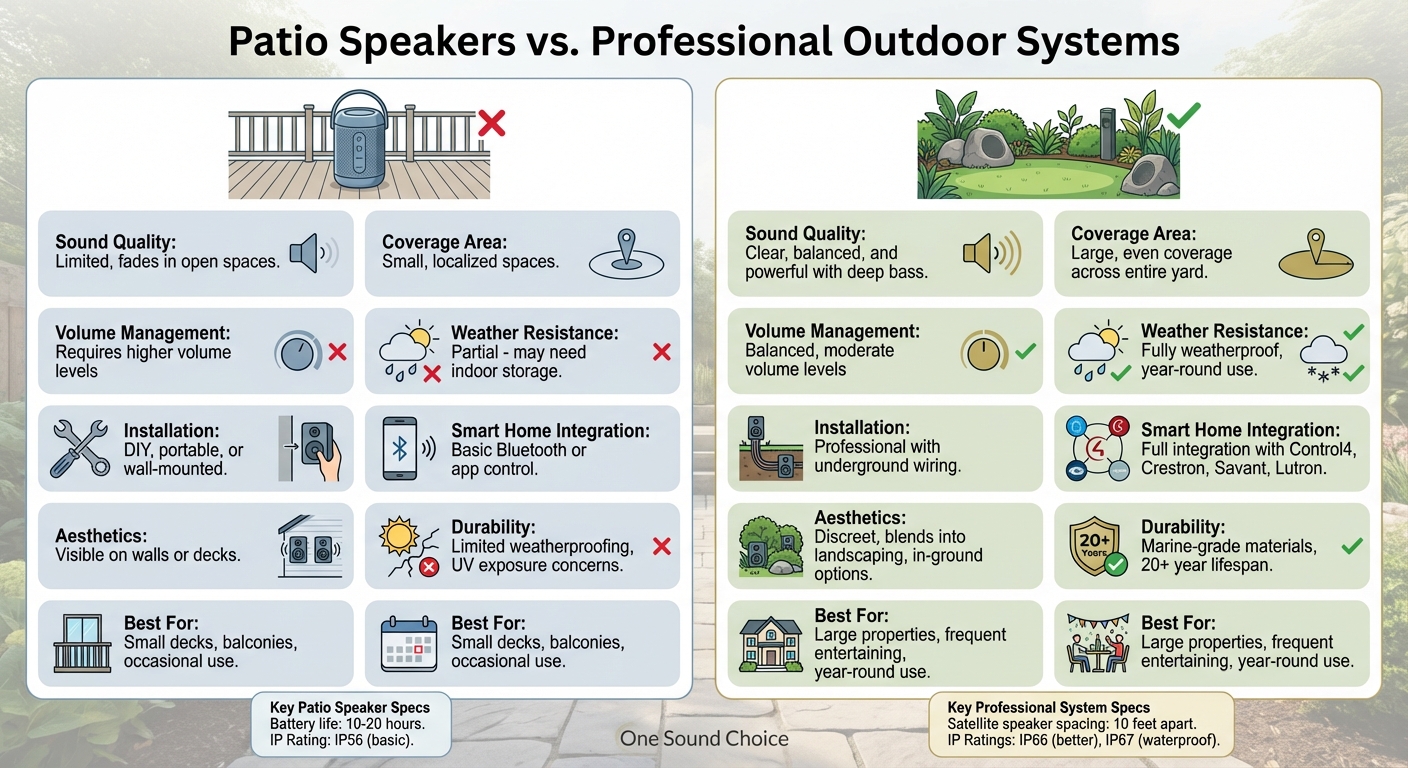
Patio Speakers vs Professional Outdoor Audio Systems Comparison
The Best Outdoor Speaker Options with Sonance & James Loudspeaker
sbb-itb-c5b321b
What Are Patio Speakers?
Patio speakers are designed specifically for smaller outdoor spaces, such as decks, balconies, or poolside areas. Most models are portable, battery-powered devices that connect wirelessly through Bluetooth or Wi-Fi, making them simple to set up without professional assistance [2]. They generally fall into two categories: portable wireless units with built-in amplifiers and batteries that last between 10–20 hours, or surface-mount models that require external amplification [2][4]. These distinctions are important when considering their performance, weather resistance, and integration capabilities.
Sound Quality and Coverage Limits
Patio speakers work well in smaller, more intimate spaces like patios or decks. However, they often struggle to deliver strong audio performance in larger outdoor areas. Indoors, walls help amplify and reinforce bass, but outdoors, the lack of boundaries can leave the sound feeling flat and underwhelming [3]. This is especially noticeable when trying to fill a spacious backyard with music.
"A portable wireless speaker isn’t going to generate the type of power or volume you’ll get from a wired system."
– Electronics Professionals [2]
Surface-mount speakers, while offering a more permanent setup, are typically directional. They perform best when aimed directly at a seating area, which can create uneven sound coverage in open spaces [3][4]. This means that in larger gatherings, guests spread out across a yard may experience noticeable "dead zones" where the sound is weak or absent.
Partial Weather Protection
While patio speakers are built for outdoor use, most lack full weatherproofing. Their durability is often rated using the IP (Ingress Protection) system, which measures resistance to dust and water. For instance, an IP56 rating provides sufficient protection for typical backyard use, IP66 offers better resistance to harsh conditions, and IP67 ensures the device is waterproof and safe for submersion [4]. However, many patio speakers fall short of these higher ratings.
"Most [wireless outdoor speakers] aren’t designed to be left outdoors year-round. You’ll have to bring your speakers indoors after every use."
– Electronics Professionals [2]
In addition to water resistance, outdoor speakers face challenges like UV exposure, wind, and dust [3]. Prolonged exposure to sunlight can degrade plastic housings and internal components, even in models marketed as "outdoor-ready." To extend their lifespan, these speakers often need to be placed under an awning or overhang, which can limit their placement options. In regions with harsh winters, such as Northern New Jersey, it’s common to bring these speakers indoors during colder months.
DIY Setup with No Smart Home Connection
Patio speakers are designed for easy installation, whether you’re placing a portable unit on a table or mounting a surface-mount speaker to a wall with basic tools [2][4]. However, they operate independently and lack the ability to integrate seamlessly into smart home systems [2].
For those looking to sync outdoor audio with indoor entertainment, lighting, or climate controls, patio speakers are not ideal. While passive surface-mount speakers can be connected to smart amplifiers, this requires additional equipment and wiring, which goes beyond the straightforward DIY setup [4]. This standalone nature sets them apart from professionally installed systems that offer full smart home connectivity.
What Is a Professionally Designed Outdoor System?
A professionally designed outdoor audio system ensures consistent, high-quality sound throughout large outdoor areas. Unlike standalone patio speakers, these systems use a network of strategically placed speakers, centralized amplifiers, and underground wiring to deliver seamless audio coverage across your entire yard [5]. The process begins with an acoustic assessment of your property, considering its size, layout, and how you intend to use the space. This thoughtful design approach results in a system that surpasses basic patio speaker setups in performance and versatility.
Custom Design for Complete Outdoor Coverage
Patio speakers often struggle to provide even sound coverage, but professionally designed systems solve this issue with a zone-based approach. Satellite speakers are spaced roughly 10 feet apart, ensuring balanced audio reaches every corner of your outdoor space, from the pool deck to the fire pit [5]. This setup eliminates "dead zones" and avoids the need to increase the volume excessively just to cover distant areas.
The system includes a centralized amplifier, typically installed indoors, connected to outdoor speakers via weather-resistant wiring buried beneath the landscaping [1]. To deliver deeper bass, outdoor subwoofers – such as the Paradigm Garden Oasis or Triad Garden Array – are often incorporated. These subwoofers can be buried underground, allowing them to produce rich, low-frequency sound that blends naturally with the environment [1]. Unlike indoor speakers, which rely on walls to reflect sound, outdoor systems are designed to project clear audio across open spaces and overcome ambient noise [5].
Year-Round Durability
Built to endure the elements, professional outdoor systems use marine-grade materials that can withstand a range of weather conditions, from summer heat to winter precipitation [6]. These systems stay installed year-round, eliminating the need for seasonal removal or storage [6].
"The premium brands we use are manufactured to defy the elements while delivering the highest quality audio to your favorite songs."
– Connect E3 [6]
Most systems feature passive wired speakers connected to external amplifiers, avoiding the vulnerabilities of active wireless models. Without built-in electronics, these speakers are more resistant to moisture and temperature changes, resulting in greater durability and easier maintenance. High-quality passive speakers can last up to 20 years or even longer with proper care [6].
Smart Home Integration
Professional outdoor audio systems integrate seamlessly with top automation platforms such as Control4, Crestron, Savant, and Lutron. This integration allows you to manage audio, lighting, climate, and security from a single interface [7][8]. Custom "scenes" can be created to control multiple systems simultaneously. For instance, a "Party" scene might activate outdoor music, adjust lighting, and turn on water features with just one tap [7][9].
These systems also support multi-zone control, enabling different music and volume levels in separate areas of your property. You could enjoy soothing jazz by the pool while upbeat tunes play near the outdoor kitchen, all controlled from the same app [8]. Voice commands make it easy to adjust volume, switch playlists, or power on outdoor displays without needing a remote [9][10]. Additionally, systems can be programmed to adjust volume automatically based on the time of day, helping you comply with noise regulations or sync audio with lighting transitions [7].
"Outdoor audio can be programmed to sync with party-ready lighting scenes, adjust the volume automatically with time-of-day settings, or tie into whole-home audio systems for seamless playback inside and out."
– Wipliance [7]
To ensure reliable control across large properties, professional installations include weather-rated Wi-Fi access points and hard-wired network connections [11]. This setup allows seamless streaming from indoor spaces to outdoor areas, creating a unified entertainment experience [7][10].
Patio Speakers vs. Professionally Designed Outdoor Systems
This section highlights the differences between patio speakers and professionally designed outdoor systems, focusing on their features and performance.
Feature and Performance Differences
The way sound behaves outdoors is a key distinction between patio speakers and professional systems. Without walls to reflect sound, a single patio speaker struggles to deliver consistent audio, often sounding weak or distant as you move further away [12]. To make up for this, you’d need to crank up the volume, which can quickly become unpleasant [12].
Professional outdoor systems solve this issue with multiple satellite speakers and dedicated subwoofers [1][12]. This setup ensures even sound coverage across your yard, providing clear and balanced audio whether you’re near the pool or relaxing by the fire pit. Importantly, these systems maintain a comfortable volume level throughout [12].
Installation and durability also set these options apart. Patio speakers are usually portable or mounted as part of a DIY setup, and they often need to be stored indoors during extreme weather [12]. On the other hand, professional systems use underground wiring connected to a centralized amplifier, with weatherproof speakers designed to withstand year-round outdoor conditions [1]. Additionally, in-ground speaker designs offer a layer of security, as their concealed wiring makes them less vulnerable to theft [1].
The table below breaks down the differences between these two options.
Side-by-Side Comparison
| Feature | Patio Speakers | Professionally Designed Systems |
|---|---|---|
| Sound Quality | Audio fades and loses clarity outdoors [12] | High-quality sound with clear projection and deep bass [1][12] |
| Coverage Area | Limited; sound diminishes in open spaces [12] | Even sound distribution across large areas [1][12] |
| Volume Management | Requires higher volume levels [12] | Balanced, moderate volume levels [12] |
| Installation | DIY, portable, or wall-mounted [12] | Professionally installed with underground wiring [1] |
| Weather Resistance | Limited weatherproofing [12] | Fully weatherproof for all seasons [1][12] |
| Smart Home Integration | Basic Bluetooth or app control [12] | Integrated with smart home platforms like Control4 [1] |
| Aesthetics | Visible on walls or decks [1] | Discreet, blends into landscaping; in-ground options [1] |
Why Northern New Jersey Homeowners Choose Professional Outdoor Systems
Professional outdoor systems bring a combination of performance and thoughtful design to Northern New Jersey homes, offering a range of benefits that elevate outdoor living.
Better Sound for Family Events and Entertaining
Many Northern New Jersey homeowners turn to professional outdoor systems to transform their backyards into vibrant entertainment spaces. With buried speakers and dedicated subwoofers, these systems provide clear, balanced sound that covers large outdoor areas, creating an atmosphere reminiscent of a luxury resort [1]. Whether it’s a summer barbecue, a pool party, or a family gathering, this setup ensures that guests can enjoy high-quality sound no matter where they are on the property.
Dedicated outdoor subwoofers add an extra dimension with deep bass that standard speakers simply cannot match, delivering full-range sound that enhances the overall experience [1]. Homeowners can also set up separate audio zones, allowing, for example, soothing music to play near the pool while an upbeat playlist energizes the patio [8][14]. This level of customization and performance not only enhances daily living but also integrates seamlessly with smart home systems, adding lasting value.
Integration and Long-Term Value
One of the standout features of professional outdoor systems is their ability to integrate with smart home platforms. This allows homeowners to activate coordinated scenes – controlling audio, lighting, and even motorized shades – with a single tap [13][15]. Such functionality is far beyond what standalone patio speakers can offer, significantly increasing the convenience and value of the setup.
Durability is another key advantage, particularly in Northern New Jersey’s challenging climate. High-end components from brands like Paradigm, KEF, and Triad are built to endure harsh conditions, from intense summer heat and high humidity to heavy rain and snow [13]. As The Premier Group puts it:
"Investing in these premium speakers means your outdoor audio setup will rock on for years." – The Premier Group [13]
While the initial cost may be higher, the longevity of these systems means fewer repairs or replacements, making them a smart long-term investment [13].
The One Sound Choice Approach
For over 30 years, One Sound Choice has been helping Northern New Jersey homeowners enjoy reliable outdoor entertainment. By focusing on proper network infrastructure, weather-resistant components, and user-friendly controls, they ensure a hassle-free experience that lasts for years. This commitment to quality and integration is why families in the region consistently choose professionally designed outdoor systems to enhance their homes and create memorable outdoor experiences.
Conclusion
The way you enjoy your outdoor spaces plays a significant role in choosing the right audio solution. While patio speakers may be a simple and easy option, they often fall short when it comes to delivering consistent sound quality, durability, and seamless integration. Professional outdoor audio systems address these shortcomings, offering a level of performance that basic setups simply cannot match.
Professional systems are designed to provide even, high-quality sound across larger areas through thoughtful speaker placement and the inclusion of integrated subwoofers. Built with weather-resistant materials from trusted brands like Paradigm, KEF, and Triad, these systems are engineered to endure harsh conditions, including rain, snow, and extreme temperatures. Additionally, they integrate effortlessly with smart home platforms, enabling centralized control of audio, lighting, and other features.
For those who prioritize reliability, superior sound quality, and long-term value, a professionally installed audio system transforms outdoor areas into functional and inviting extensions of the home. These systems are perfect for hosting gatherings, enjoying family time, or simply enhancing everyday outdoor experiences. While the initial investment may be higher, the payoff comes in years of dependable use and added property appeal.
This commitment to quality and expertise is why homeowners in Northern New Jersey trust One Sound Choice. With over 30 years of experience, One Sound Choice can help you take your outdoor living to the next level with a professional audio solution tailored to your needs.
FAQs
How big does my yard need to be for a professional outdoor system?
The size of your yard plays a key role in determining the right outdoor audio system. For larger spaces – those exceeding 1,000 square feet – a professional-grade setup is often the best choice to achieve even sound coverage throughout. Smaller areas, on the other hand, may only need a few strategically placed speakers to deliver great audio. Consulting a professional integrator can help you evaluate your yard’s layout and find a solution that provides consistent, high-quality sound without any gaps.
Can a professional outdoor system use multiple audio zones outdoors?
Yes, a professional outdoor audio system can manage multiple zones, letting you enjoy different music or sound settings in various parts of your yard. This approach creates a personalized, immersive audio experience that aligns with the layout and specific needs of your outdoor areas.
What’s the typical cost range for a professionally installed outdoor audio system?
A professionally installed outdoor audio system generally ranges in cost from $1,249 for mid-range systems to over $3,675 for high-end setups. The total price varies based on factors such as the size of the system and the quality of the components, offering choices to suit different preferences and budgets.