Advertise with Googlier.com AllBiz Web Marketing | Smart Systems & Design for Growth | FAQ Examples: 7 Easy, Proven Questions to Answer Online https://allbizwebmarketing.com Helping You Thrive Intentionally for a Balanced Life & Biz Tue, 27 Oct 2026 17:05:01 +0000 en-US hourly 1 https://wordpress.org/?v=7.1.4 https://allbizwebmarketing.com/wp-content/uploads/2016/10/cropped-allbiz-logo-2017-globe-32x32.png AllBiz Web Marketing | Smart Systems & Design for Growth | FAQ Examples: 7 Easy, Proven Questions to Answer Online https://allbizwebmarketing.com 32 32 FAQ Examples: 7 Easy, Proven Questions to Answer Online https://allbizwebmarketing.com/faq-examples-7-easy-proven-questions/ https://allbizwebmarketing.com/faq-examples-7-easy-proven-questions/#respond Wed, 28 Oct 2026 11:00:00 +0000 https://allbizwebmarketing.com/?p=29065 Check out:

Read FAQ Examples: 7 Easy, Proven Questions to Answer Online on original blog AllBiz Web Marketing | Smart Systems & Design for Growth.

]]>
Check out:

What Is Someone Wondering Right Before They Follow, Click, or Buy?

FAQ examples work best when they answer what people quietly wonder before they act.

Seven questions worth answering where people can find them

FAQ examples are short, plain answers to the questions people quietly ask before they follow, click, or buy. Seven questions cover most of what an audience wants to know: what you do, who it is for, how it works, what it costs in money or time, what happens next, why to trust you, and the easiest first step. Those answers can live on a website page, in your bio, in a pinned post, or in an Instagram highlight.

Have you ever landed on a profile or a page, liked what you saw, and still left with one question hanging in the air? Maybe you wondered whether it was meant for someone like you, or what would happen after you clicked. Most of us never ask. We simply move on to the next thing.

Sound familiar? Here is the part that is easy to miss when you share what you know online. People are quietly asking questions long before anyone sends a message, and when the answers are hard to find, many simply move on. That is where good FAQ examples earn their keep. They answer the question before someone has to stop and ask it.

Never fear, this does not have to turn into a big project. You do not need a fancy page or a new tool, and you can begin wherever people already find you. The answers can live in a bio, a post, a highlight, or a page on your website. Here are seven questions to answer first.

How FAQ Examples Help People and Search Tools

A question and answer format is easy to skim, especially on a phone. A visitor can find what they need in a few seconds, and search tools get clear, plain text to read. Nobody can promise that clear answers will bring a click or a mention, but they do give people, and the tools that serve them, something useful to work with.

1. What Do You Actually Do?

Writing down the questions people ask before they follow, click, or buyStart with the simplest answer of all: one plain sentence that says what you do. Not your title, and not your mission statement. Say it the way you would to a friend who asked what you work on. When someone lands on your profile or your page for the first time, this is the first thing they are wondering.

2. Who Is This For?

People want to know whether they belong. Say who you help, and say it kindly. A line such as “This is for people who are just getting started” helps the right person feel welcome and lets someone else move on without wasting their time. Use the words your audience would use, since that is how they will search and how they will recognize themselves.

3. How Does It Work?

Picture a friend asking, “Okay, but what actually happens?” Then tell them, one step at a time. For a service, that might be a first conversation, a simple plan, and then the work. For content, it might be what you share and how often. A visitor who can picture the steps feels far more comfortable taking the first one.

4. What Will It Cost Me, in Money or Time?

This is the question people hesitate to ask out loud, so answering it earns trust quickly. If you share a price, give a range or a starting point. If you do not, explain what affects it. Time counts too, so say how long something takes or how much effort to expect. Even a simple “it depends, and here is what it depends on” is better than silence.

5. What Happens After I Reach Out?Someone checking a social media profile and wondering what happens next

People imagine a long wait or an awkward conversation. Tell them what happens next: when you reply, what you will ask, and what they do not need to prepare. Setting that expectation turns a nervous click into an easy one.

6. Why Should I Trust You?

Trust does not need to be loud. Share a short line about your experience, how long you have been doing this, a result you can verify, or kind words someone has given you permission to share. Keep it real and specific, and skip the big promises. Nobody can guarantee an outcome, and your audience can usually tell.

7. What Is the Easiest First Step?

Then tell people what to do next: follow, subscribe, download something free, send a message, or book a call. One step is easier to say yes to than five. Name it plainly and say what it costs them, even when the answer is nothing.

Instagram Highlight Ideas for Your Answers

If most of your people find you on Instagram, a highlight can work like a small FAQ page that stays put. These Instagram highlight ideas double as FAQ examples: a Start Here highlight for what you do and who it is for, a How It Works highlight with your steps, a Questions highlight with the answers you give most often, and a What to Expect highlight for what happens after someone reaches out. Your bio and a pinned post can do the same job in fewer words.

A website gives you the most control, since you decide what is on the page and search tools can read it. If you build one, the same seven answers can become a single page with each question as a heading and the answer right below it. That is the shape most FAQ page examples follow, and it is easy for visitors to skim. If you do not have a website yet, your profile still helps real people understand what you do, even though each platform controls what outside tools can see.

“The prompt text of a great FAQ is not a question you wish they’d ask, but the question they actually ask.”
— Simeon Vincent

Your Audience Is Already Asking

So what did you just map out? Seven questions your audience quietly asks, and a place for each answer to live as one of your own FAQ examples. It may feel smaller than you expected, and that is the good news. Plain words in a spot where people can find them go a long way.

This post continues a theme from our last lesson, Answer Engine Optimization: 3 Easy, Proven Steps to Start Today, where we looked at making your best answers easy to find. It also builds on Social Media & Website Messaging: 5 Easy Signs It’s Working, which helps you check that your message is clear once people arrive.

If you are starting to see how your website, profiles, and answers can support one another, the Web Marketing Ecosystem page shows how those pieces can work together. You can also begin at the AllBiz Web Marketing home page and follow what is most useful for you.

If you use Google Preferred Sources, you can add AllBiz Web Marketing as a preferred source.

Here is your one next step. Give yourself a 30 minute work session. Write the seven questions down as headings, then answer the first three in a sentence or two each. Whatever is left can wait for another day, and it will still be there when you are ready.

What Are FAQ Examples?

FAQ examples are short, plain answers to the questions people ask most often. They can live on a website page, in a bio, in a pinned post, or in a highlight, and the best ones sound like you talking, not like a brochure.

How Many Questions Should I Answer?

Start with five to seven. Pick the questions you hear most, answer each in a sentence or two, and add detail only where people need it. You can always add more later.

Do I Need a Website to Use FAQ Examples?

No. A website gives you the most control over where your answers live and what search tools can read, but a bio, a pinned post, or a set of Instagram highlight ideas can still help people understand what you do. Each platform controls what outside tools can see, so a website is worth building over time.

How Often Should I Update My Answers?

Review them whenever something changes, such as your prices, your process, or how people reach you, and give them a quick look every few months. An old answer can create doubt where none needed to exist, which is reason enough to keep things current.

 

YouTube Title: FAQ Examples: 7 Easy, Proven Questions to Answer Online

YouTube Description: Seven plain questions to answer before people follow, click, or buy, with simple ways to use them on a website, in your bio, or in Instagram highlights.

YouTube Tags: faq examples, instagram highlight ideas, faq page examples, frequently asked questions examples, website content ideas, what to put in instagram highlights, small business tips

Read FAQ Examples: 7 Easy, Proven Questions to Answer Online on original blog AllBiz Web Marketing | Smart Systems & Design for Growth.

]]>
https://allbizwebmarketing.com/faq-examples-7-easy-proven-questions/feed/ 0
Answer Engine Optimization: 3 Easy, Proven Steps to Start Today https://allbizwebmarketing.com/answer-engine-optimization-3-easy-proven-steps/ https://allbizwebmarketing.com/answer-engine-optimization-3-easy-proven-steps/#respond Wed, 21 Oct 2026 11:00:00 +0000 https://allbizwebmarketing.com/?p=29011 Check out:

Read Answer Engine Optimization: 3 Easy, Proven Steps to Start Today on original blog AllBiz Web Marketing | Smart Systems & Design for Growth.

]]>
Check out:

What Happens When Someone Asks Instead of Searches?

Answer engine optimization starts with making your best answers easy to find.

Help the people find the answers only you can give

Answer engine optimization is the practice of organizing your website and profiles so people, search features, and AI tools can find clear answers to the questions they ask. Nobody can promise a mention, but three practical steps can make your answers easier to find and understand: write down the questions people ask, answer them plainly where they can be read, and keep your important details clear and consistent.

Have you caught yourself typing a full question into a search box lately, the way you would ask a friend across the table? Plenty of us do, and more often now the answer shows up before we ever click through a list of links.

Here is where that gets interesting for anyone who shares what they know online. If the answer shows up first, the real question becomes whether your clearest information is easy for those tools to find and understand. That is the basic idea behind answer engine optimization. You may also hear the closely related term generative engine optimization. The names vary, but the practical work is familiar: make useful information clear, current, and easy to access.

Never fear, this does not have to become another project. Answer engine optimization is not a new tool to buy or a second website to run, and nobody outside these companies can tell you exactly why one source gets mentioned and another does not. Anyone promising a guaranteed result is promising something they cannot know. What we can do is make our answers easier for real people to understand and easier for search tools to access. Give yourself one focused work session and start with these three steps.

How AI Search Engines Find Answers

Search is no longer only a list of blue links. Some AI search engines and other features now write a short response and cite or link to sources they used. For your information to have a chance of being used, the page first has to be accessible and understandable. Clear text, useful headings, and crawlable pages give those systems something they can actually work with.

Google says there are no special files or markup required to appear in its AI features. Its guidance is to follow the same search basics that already matter, including pages that can be crawled and indexed and important content that is available as text. OpenAI explains that OAI-SearchBot is used to surface websites in ChatGPT search results, and it recommends allowing that crawler in your robots.txt file if you want your site to be eligible to appear. For AI search engines, the foundation is not a secret trick. It is information the tools can reach, read, and understand.

That is reassuring, isn’t it? The work is not about chasing every new term. It is about being clear. Here are the three steps.

1. Write Down the Questions People Ask Before They Reach Out

Answer engine optimization starts with writing down the questions people askStart with a pen or a blank note and think back over the last few weeks. What did people ask before they booked, bought, joined, or followed? How much does it cost? How long does it take? Do I need to be ready first? Those questions are the raw material for everything else, and you probably know most of them without looking anything up.

Pick the three to five you hear most and write them the way a real person would say them, not the way a brochure would. If you scroll through your messages and emails for a few minutes, you may find them almost word for word. What is the question you answer more than any other?

2. Answer Each One in Plain Words Where People Can Find It

Now give each question a home. On a page of your website, put the question in as a heading and answer it in the first sentence or two, then add detail underneath for anyone who wants more. This is the same shape as the FAQ at the bottom of this post. A person skimming on a phone can get the answer quickly, and the page gives search tools clear text to read.

Keep your important answers as text on the page rather than only inside an image or a PDF, since Google includes text availability among its search basics. If you do not have a website, put the same plain answers wherever people already find you, such as an eligible Google Business Profile or a pinned social post. That still helps people, even though each platform controls what outside search tools can access. Let the answers sound like you. Your experience and the way you explain things are the parts nobody else can copy.

3. Keep Your Details the Same Everywhere and Make Sure the Door Is Open

Checking website and profile details for answer engine optimizationConflicting details make things harder for people and search tools alike. Check that your name, what you do, the area you serve, and the best way to reach you are accurate wherever you appear. If you have not set up your profile yet and you are eligible, How to Set Up Google Business Profile: 5 Simple Steps That Work walks you through it.

Then make sure nothing is closing the door. If your site runs on WordPress, open Settings, then Reading, and confirm the box that says Discourage search engines from indexing this site is not checked. It is also worth asking whoever manages your site to confirm that your robots.txt file is not blocking search tools you want to allow, including OpenAI’s OAI-SearchBot. A quick check now can save a lot of head scratching later.

“Give them quality. That’s the best kind of advertising.”

— Milton Hershey

Your Answers Are Worth Finding

Take a quick look at what you just did. You wrote down the questions people really ask, answered them plainly where they can be read, and checked that your information is clear and accessible. That is answer engine optimization in its simplest form, and none of it required another tool or a promise from anyone.

Answer engine optimization also builds on our Instagram profile lesson. In Instagram Profile Optimization: 5 Essential Fixes Before You Share Your Link, we made sure the place you send people is ready for them. This lesson is about making sure that when someone asks a question, what they find actually answers it. If you would like more on staying easy to find without burning out, Boost Online Visibility Without Burnout Using AI Tools is a good next read.

Here is your one next step. Give yourself about 50 minutes this week and start with the three questions people ask you most. Work through as much as you can, then stop. Whatever is left can wait for another day.

If you would like a second set of eyes on the questions people ask about what you do, a Free Strategy Session is there when you want the help. Sometimes someone on the outside can spot the answer you give so often that you have stopped noticing it. If you use Google Preferred Sources, you can also add AllBiz Web Marketing as a preferred source.

What Is Answer Engine Optimization?

Answer engine optimization is the practice of organizing your website and profiles so people, search features, and AI tools can find and understand clear answers to the questions they ask. It is less about tricks and more about being clear, current, and easy to read.

How Is Answer Engine Optimization Different From SEO?

The two overlap quite a bit. Traditional SEO helps pages become eligible to appear and perform in search results. Answer engine optimization puts extra attention on making the useful answers inside those pages clear and easy to understand. Google says the same search basics still apply to its AI features, so good SEO remains an important foundation.

Do I Need a Website for Answer Engine Optimization?

A website gives you the most control over where your answers live and whether search tools can access them, but the habit of answering real questions clearly can help anywhere you publish. An eligible Google Business Profile or a useful pinned social post can still help people understand what you do, even though those platforms control how outside tools access their content.

How Long Does It Take to See Results?

There is no set timeline, and nobody can guarantee a mention. Search tools have to discover and process updated information first, and that can take time. OpenAI says a robots.txt change can take about 24 hours to be reflected in its systems. The useful part is that clearer answers can help the people reading your site as soon as you publish them.

Can I Use AI to Help Write My Answers?

Yes, as a starting point. A writing tool can help you organize a first draft, but your own words, details, and experience are what make an answer worth finding. Read everything out loud and fix anything that does not sound like you or does not match how you actually work.

Two women sharing a friendly answer engine optimization conversation by a window

YouTube Title: Answer Engine Optimization: 3 Easy, Proven Steps to Start Today

YouTube Description: Three practical steps to make your answers easier for people and AI tools to find, plus what Google and OpenAI actually say about crawlability and search visibility.

YouTube Tags: answer engine optimization, ai search engines, generative engine optimization, ai search visibility, get found by ai, chatgpt search, google ai overviews, small business tips

Read Answer Engine Optimization: 3 Easy, Proven Steps to Start Today on original blog AllBiz Web Marketing | Smart Systems & Design for Growth.

]]>
https://allbizwebmarketing.com/answer-engine-optimization-3-easy-proven-steps/feed/ 0
Instagram Profile Optimization: 5 Essential Fixes Before You Share Your Link https://allbizwebmarketing.com/instagram-profile-optimization-5-essential-fixes/ Wed, 14 Oct 2026 11:00:00 +0000 https://allbizwebmarketing.com/?p=28985 Check out:

Read Instagram Profile Optimization: 5 Essential Fixes Before You Share Your Link on original blog AllBiz Web Marketing | Smart Systems & Design for Growth.

]]>
Check out:

Is the Place You Send People Ready for Them?

Instagram profile optimization starts with what is waiting behind your link.

A quick tidy up for your website or your profile before more people start looking

Instagram profile optimization is simply making sure the place you send people says what you do, links somewhere that works, stays current, and gives them one clear next step. A few small fixes can make your website or profile much easier for a stranger to understand.

Perhaps you’ve noticed how much energy goes into getting people to the link, and how little goes into what is waiting on the other side. We post consistently, we share the link in a story or a caption, we mention it in a message, and then we hope that whatever sits behind it is doing its job.

The easy part to miss is that nothing has to be obviously broken for the page behind that link to stop doing its job. The bio was written months ago. An offer changed. A phone number moved. The next step that once made perfect sense is now buried under three other choices. Sound familiar?

Here’s the thing. Instagram profile optimization does not have to become another project. Give yourself a little time to look at your website or your profile the way someone else would, then fix what matters most first. You can use the same five checks below for whichever place you actually send people.

1. Say What You Do in the First Line Someone Reads

Instagram Profile OptimizationWhen someone lands on your profile or your website, they decide very quickly whether they are in the right place. The top line of your bio, or the first headline on your page, has the most work to do. If a stranger read only that one line, would they know what you do and who you help?

An Instagram bio has 150 characters, which is not much room. Say the plain version first and save the clever part for your posts. This is one of those places where clear usually wins.

If you worked through the lesson in Social Media & Website Messaging: 5 Easy Signs It’s Working, you already have the words. This step is simply making sure they show up where people look first.

2. Make Sure Your Link Goes Somewhere That Makes Sense

Tap your own link as though you had never seen it before. Does it open quickly? Does it land somewhere that matches what you have been talking about lately? Links drift over time. An offer ends, a page gets renamed, a form stops working, and nobody notices because we rarely think to click our own link.

Instagram now allows up to five links in your bio, which can be useful and just as easy to let pile up. Choose the one or two that matter most right now, put the most important first, and retire the rest. If you do not have a website, a single clear link to wherever people book, message, or order works just as well. A few links that work are worth more than five that nobody has checked.

3. Update Anything That Is Out of Date

Look for the small things first: an old date, a seasonal offer that has ended, a holiday message from last year, a phone number or email you no longer use, a highlight about something you stopped offering. None of these is dramatic on its own. Together they tell a visitor that nobody has looked at this in a while.

This is why Instagram profile optimization is often more about upkeep than reinvention. You are not trying to make everything perfect. You are making sure what is visible still tells the truth about what you do now.

4. Give People One Obvious Next Step

Once someone understands what you do and the link works, what do you want them to do next? Follow you? Send a message? Book a call? Read something? Buy? More choices can feel helpful when you are setting them up, but from the visitor’s side they can quickly become one more decision to make.

Pick one next step and make it easy to find. On a profile, that may be one button or one line in your bio. On a website, it may be one clear action near the top of the page. You can always change it later. For today, the goal is simply to make the next move obvious.

5. Look at It the Way a Stranger Would

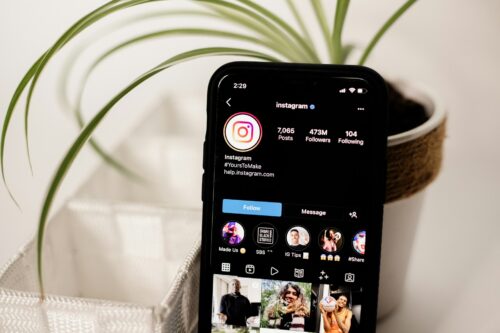
Instagram Profile OptimizationPull up your website or your profile on your phone, since that is where most people will see it first. Pretend you have never heard of you. What stands out? What is confusing? What takes too long to find? If you can, ask someone who does not know your work to look for thirty seconds and tell you what they think you do. Their answer is worth more than any list.
Give yourself 45 minutes and see how far you get. Work through the five checks in order, then stop when the timer ends. Whatever is left can go on next week’s list. A small cleanup you actually finish is more useful than turning this into another project that follows you around for three days.

Your Website and Profile Checklist for the End of the Year

If you like having everything in one place, here is the whole thing as a simple website and profile checklist. Does the first line say what you do? Does the link work? Is anything out of date? Is there one clear next step? Have you looked at it the way a stranger would?

Keep the website and profile checklist somewhere easy to find and pull it out before a holiday, a launch, a busy season, or any time you start sending more people to your link. You do not need to wait for December either. A quick check in a quiet month can keep little problems from piling up.

Clear, current details can also help the AI tools and search engines that pull from what is already out there. The Boost Online Visibility Without Burnout Using AI Tools article shows how to stay easy to find while protecting your energy and your balance.

Bringing It Together

Before you put more energy into getting people to the link, make sure the place you are sending them is ready. Say what you do clearly, check the link, update what is old, choose one next step, and look at the whole thing with fresh eyes.

That is really the point of Instagram profile optimization. Not more work. Not another tool. Just a little intentional upkeep so the people who find you are not left trying to figure out what to do next.

“A stitch in time saves nine.”
English Proverb

If you would like another set of eyes on what someone sees when they land on your website or profile, a Free Strategy Session is there when you want the help. Sometimes a fresh look is all it takes to spot the one thing you have been looking past.

What Is Instagram Profile Optimization?

Instagram profile optimization is the process of making sure your profile clearly says what you do, links to something that works, stays current, and gives visitors one obvious next step. It is less about tricks and more about making the first impression accurate and easy to understand.

How Long Does Instagram Profile Optimization Take?

You can make a useful pass in about 45 minutes. Start with the five checks in this article, finish what you can, and put anything larger on a separate list so a quick cleanup does not turn into an all day project.

How Often Should I Review My Profile or Website?

A quick review once a quarter is a good rhythm for most people, with an extra look before a holiday, a launch, or a busy season. Small, regular checks keep outdated details from piling up.

Do I Need a Website to Benefit From Instagram Profile Optimization?

No. If your profile is where people find you, Instagram profile optimization still applies. Choose one clear link to wherever people book, message, or order, and make sure your bio explains what you do.

What Should I Fix First on My Website or Profile?

Start with the first line a stranger reads. If it clearly says what you do and who you help, the rest of the fixes build on a solid foundation.

Instagram Profile Optimization

YouTube Title: Instagram Profile Optimization: 5 Essential Fixes Before You Share Your Link

YouTube Description: Five practical fixes to tidy up your website or profile before a busy season, plus a simple website and profile checklist you can work through in about 45 minutes.

YouTube Tags: Instagram profile optimization, website and profile checklist, Instagram bio tips, link in bio, profile checklist, website checklist

Read Instagram Profile Optimization: 5 Essential Fixes Before You Share Your Link on original blog AllBiz Web Marketing | Smart Systems & Design for Growth.

]]>
How to Set Up Google Business Profile: 5 Simple Steps That Work https://allbizwebmarketing.com/how-to-set-up-google-business-profile/ Fri, 02 Oct 2026 11:02:45 +0000 https://allbizwebmarketing.com/?p=28963 Check out:

Read How to Set Up Google Business Profile: 5 Simple Steps That Work on original blog AllBiz Web Marketing | Smart Systems & Design for Growth.

]]>
Check out:

Before You Spend the Time, Make Sure Google Business Profile Fits Your Business

Setting Up Google Business Profile: Use these 5 Simple Steps

First, make sure your business is actually eligible

A Google Business Profile is a free listing that helps eligible local businesses appear on Google Search and Maps. The important word is eligible. Your business generally needs to meet customers in person, either at your location or where you travel to serve them.

If you work from home, travel to clients, or serve a local area without a storefront, you may have assumed Google Business Profile is not for you. That assumption can cost you a useful local visibility opportunity. No storefront does not mean no Google Business Profile.

When you are deciding how to set up Google Business Profile, the important distinction is not whether you have a storefront. Google says a business must make in person contact with customers to qualify. If customers visit your location, you may qualify. If you travel to customers and serve a specific area, you may qualify too. That means home based and service area businesses can still use Google Business Profile to appear in Google Search and Maps. A business that operates entirely online with no in person customer contact generally does not qualify. You can review Google’s current Business Profile eligibility guidelines before you begin.

Before You Set It Up, See Which Type of Business You Are

This is the part I would check before filling out anything, because the storefront question is where a lot of people get tripped up.

If customers come to your business location, you may qualify as a storefront business. If you work from home but travel to customers or deliver services directly to them, you may qualify as a service area business without displaying your home address. If you do both, Google considers that a hybrid business.

If your business is completely virtual and you never meet customers in person, that is where Google’s eligibility rules change. Work delivered entirely through Zoom, email, online courses, digital products, or other remote methods generally does not qualify for a Google Business Profile.

For eligible home based and service area businesses, learning how to set up Google Business Profile can give Google another clear place to understand your business and give potential customers another way to find you. If your business is online only, your website, social profiles, useful content, and AI search visibility can still do plenty of heavy lifting.

1. Claim or Create Your Google Business Profile

How to set up Google Business Profile by claiming or creating a business listingStart by searching for your business on Google Search or Maps. A profile may already exist, especially if Google has picked up information about the business from other public sources.

If you find an existing profile, claim it rather than creating a duplicate. If nothing appears, you can create a new one. Google provides the current steps on its Add or claim your Business Profile page.

This first step is simply telling Google which business you are responsible for. Everything after that is about making sure the information is accurate and useful.

2. Fill In the Details That Actually Matter

Your business name, category, location or service area, phone number, website, hours, and services all help Google understand what your business is and how customers can reach you.

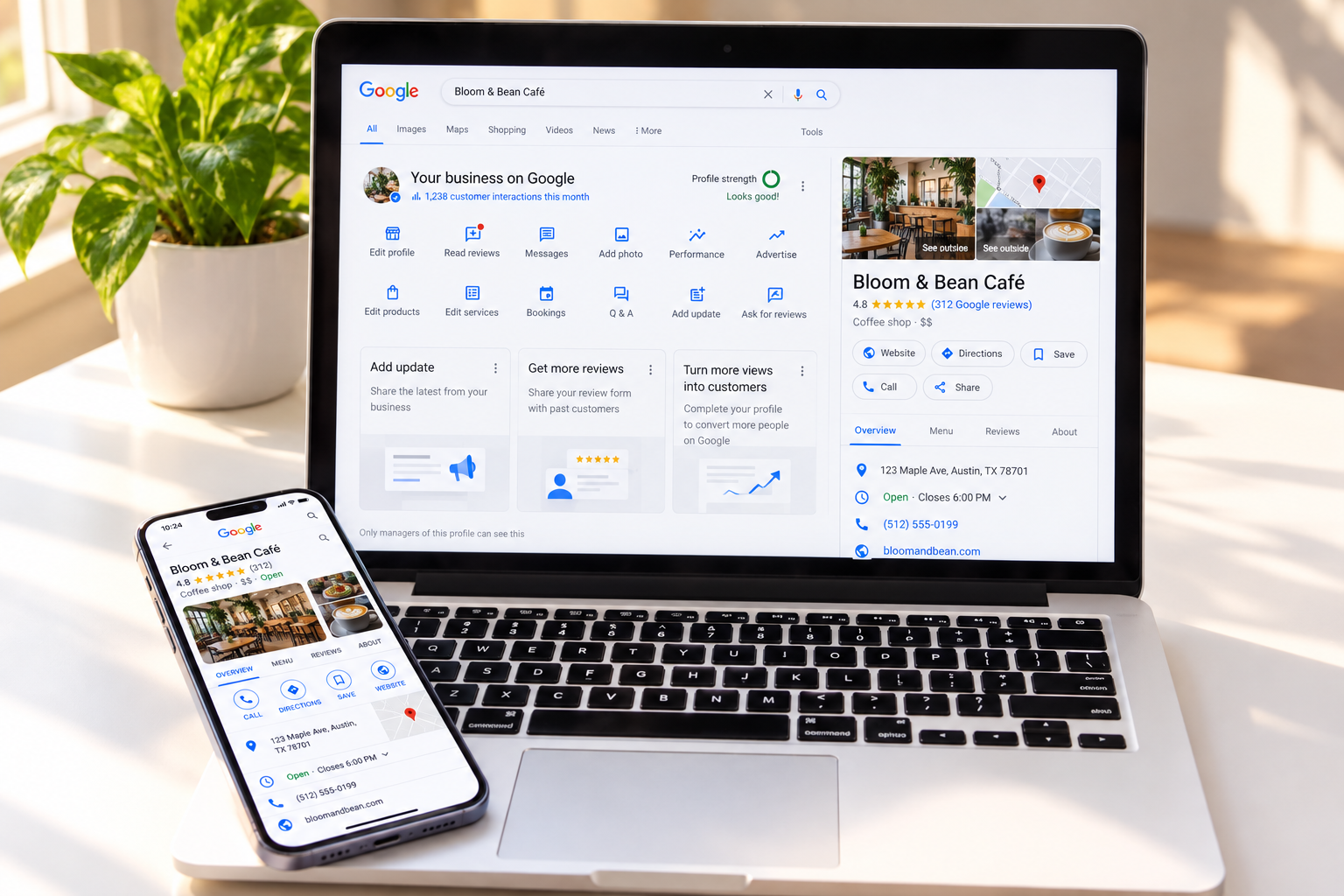
If you run a true service area business from home and do not serve customers at that address, Google says you should hide the address and show the areas where you travel to customers instead. Service areas can be listed by city, postal code, or another defined area. Google currently allows up to 20 service areas and recommends keeping the overall area reasonably close to where the business is based. Google explains those service area rules here.

When learning how to set up Google Business Profile, start by choosing the business category that most accurately reflects what you do. This is not the place to squeeze in every service you offer. Choose the clearest primary category, then add other relevant information where Google allows it.

3. Add Photos and a Description a Stranger Would Understand

A few real photos can make a profile feel more useful and more complete. Depending on your business, that might mean you, your workspace, your storefront, your team, your equipment, or examples of the work itself.

Write the business description the same way you would explain your work to someone sitting across the table from you. What do you do? Who do you help? Where do you serve them?

This is the same test we have been using throughout this visibility series. If a complete stranger read only this description, would they understand what you offer?

“If someone has to guess what you do, your profile is making them work too hard.”

4. Use the Features That Make Sense for Your Business

Once your Google Business Profile is active, you can add useful details such as services, photos, updates, website links, phone information, and other profile features available to your business.

The old Google Business Profile chat feature was discontinued in 2024. Google now allows some verified businesses in select regions to add text or WhatsApp contact options, but those options are not available to every profile. Google explains the messaging changes here.

You do not need to turn on or use every feature simply because it exists. Choose the ones that make it easier for a real customer to understand, contact, or choose your business.

5. Verify Your Profile and Keep It Current

How to set up Google Business Profile with accurate verified business informationA key part of learning how to set up Google Business Profile is verification. Google decides which methods are available for each business. Depending on the profile, you may be offered phone or text, email, video recording, a live video call, postcard, or, in some cases, instant verification.



The important part is not to assume you will receive a postcard or that verification will happen immediately. Google says verification methods are automatically determined, and review after verification can take up to five business days. If postcard verification is offered, the code can take up to 14 days to arrive. You can see the current options in Google’s verification instructions.

Once the profile is verified, the ongoing job is much simpler: keep the information truthful and current.

How to Optimize Google Business Profile Once It Is Live

Knowing how to set up Google Business Profile is only the beginning. Learning how to optimize Google Business Profile over time helps keep the listing accurate, useful, and worth trusting.

Update your hours when they change. Add a current photo now and then. Make sure your services still match what you offer. Respond to reviews when they come in, a topic the Online Reputation piece covers in more depth.

None of this needs to become another job. A simple recurring check is usually more useful than ignoring the profile for months and then trying to fix everything at once.

What If Your Business Is Completely Online?

This is where the distinction really matters. Having no storefront does not disqualify you. Having no in person customer contact generally does.

A coach, consultant, photographer, repair professional, mobile service provider, or other business may work from home and still qualify if customers meet them in person or they travel to serve customers. A coach or consultant who works entirely through Zoom and never meets clients in person generally does not.

If you are eligible, Google Business Profile can be another useful piece of your local visibility and search presence. If you are online only, your visibility work simply belongs elsewhere. Strengthen your website, make your services easy to understand, keep your social profiles current, and make sure search engines and AI tools have clear information to work with. The AI Search Optimization article goes deeper into that side of being found.

Bringing It Together

The process itself is straightforward once you know the profile fits your business. Confirm eligibility, claim or create the profile, fill in accurate information, add useful content, verify it, and keep it current.

The goal is not to add another marketing task to your week. It is to make sure that when someone searches locally for the kind of help you provide, the information they find is accurate, useful, and easy to trust.

“The best time to plant a tree was 20 years ago. The second best time is now.”
— Chinese Proverb

If you are not sure whether Google Business Profile belongs in your visibility plan, a Free Strategy Session is a simple place to sort that out before you spend time setting up the wrong thing.

What Is a Google Business Profile, and Why Does It Matter?

A Google Business Profile is a free listing for eligible local businesses that can appear on Google Search and Maps. It can show details such as your services, location or service area, hours, website, phone number, photos, and reviews.

Do I Need a Google Business Profile if I Do Not Have a Storefront?

No. A storefront is not required. You may still qualify if you meet customers in person or travel to them as a service area business. If you do not serve customers at your home or office address, Google says that address should be hidden from the public profile.

How Long Does It Take to Set Up Google Business Profile?

The form itself may be quick, but the full process depends on the verification method Google offers your business. Review can take up to five business days, and postcard verification, when available, may take up to 14 days to arrive.

What Is the Difference Between Setting Up and Optimizing a Google Business Profile?

Setup is the initial work of creating or claiming the profile, adding accurate information, and completing verification. To optimize Google Business Profile over time, keep services, hours, photos, reviews, and other important details current and useful.

Do I Need a Google Business Profile if I Only Work Online?

Before you learn how to set up google business profile, check whether your business qualifies. If you have no in-person customer contact at all, Google says you’re generally not eligible. Being online-only is different from having no storefront: home-based and service-area businesses may still qualify. If your work is completely virtual, focus instead on your website, content, social presence, and broader search visibility.

YouTube Title: How to Set Up Google Business Profile: 5 Simple Steps That Work

YouTube Description: Learn who qualifies for a Google Business Profile, how to set it up correctly in five simple steps, and how to optimize Google Business Profile without creating another weekly marketing chore.

YouTube Tags: Google Business Profile, how to set up Google Business Profile, optimize Google Business Profile, Google Business Profile setup, local visibility, local SEO

Read How to Set Up Google Business Profile: 5 Simple Steps That Work on original blog AllBiz Web Marketing | Smart Systems & Design for Growth.

]]>
Online Reputation: 5 Simple Ways Social Proof Builds Trust https://allbizwebmarketing.com/online-reputation-5-ways-to-build-trust/ Wed, 30 Sep 2026 09:02:45 +0000 https://allbizwebmarketing.com/?p=28827 Check out:

Read Online Reputation: 5 Simple Ways Social Proof Builds Trust on original blog AllBiz Web Marketing | Smart Systems & Design for Growth.

]]>
Check out:

You’ve Been Found and They Understood You. Now What?

Your online reputation is already taking shape before anyone says hello.

Closing chapter: Let’s discuss being trusted

Your online reputation is the sum of what someone finds once they decide to look more closely, your reviews, your listings, who else is talking about you, and whether all of it tells the same consistent story.

Someone found you. They landed on your site or profile and understood what you actually do. Now they are doing one more thing before they ever reach out. They are checking whether what they found feels credible enough to contact, recommend, cite, or hire.

That decision rarely happens in one place. It happens across reviews, listings, mentions, social profiles, and whatever else surfaces when someone searches your name the way a stranger would. Your online reputation is not something you create in that moment. It has already been taking shape quietly over time.

What Builds Trust Before Anyone Ever Speaks to You?

Reviews often become part of the decision before a conversation ever starts. Capital One Shopping reports that online reviews influence 93% of consumers’ purchasing decisions, and that people often read several reviews before deciding whether they trust a business.

Interestingly, a spotless five star record is not always the most reassuring thing. The same research found that 76% of consumers are more likely to trust reviews when they are mixed rather than only five star reviews, while 75% of review readers are concerned about fake reviews.

That does not mean negative reviews are something to hope for. It means real feedback looks real. A thoughtful mix of reviews, along with professional responses when something goes wrong, can tell someone much more than a wall of praise with no detail behind it.

When Building Your Online Reputation

Here’s Why Social Proof Helps People Feel More Confident Choosing You

Social proof is the quiet evidence that other real people chose you and had an experience worth talking about. A testimonial, a case study, a client mentioning you publicly, or a review can all help someone move from “this sounds good” to “this feels believable.”

That matters because a stranger cannot answer one important question for themselves yet: has this actually worked for someone like me?

Your own website can explain what you do. Social proof adds another voice to the conversation. It does not make the decision for someone, but it can reduce some of the uncertainty that naturally comes with choosing a person or business they have never worked with before.

“A good reputation is more valuable than money.”
— Publilius Syrus

Does Your Story Match Everywhere Someone Looks?

This is the part many people never think to check. Your business name, address, phone number, services, hours, and other important details should agree wherever they appear.

BrightLocal found that 62% of consumers would avoid using a business if they found incorrect information online. An old phone number, outdated address, or information that does not match from one place to another may seem small when you already know the correct answer. A stranger does not have that advantage.

For businesses that do not rely on a physical location, the same principle still applies. Your name, services, expertise, contact information, and overall message should make sense from one profile or platform to the next.

Who Else Is Talking About You?

Credentials and third party mentions can add something your own website cannot provide on its own. They let someone else confirm part of your story.

That might be a certification, a feature in someone else’s article, a podcast appearance, a professional directory, an association profile, or another business mentioning your work. None of this requires chasing publicity for the sake of being seen everywhere.

Sometimes the opportunity is much simpler. Make sure the credible mentions that already exist are easy to find and still reflect the work you do today.

Can AI Systems Describe You Accurately?

AI tools can use information from multiple public sources when answering questions about a person or business. When those sources describe you consistently, the system has more corroborating context to work with.

That does not mean consistency guarantees an AI recommendation. AI systems do not all work the same way, and their answers can vary. What consistency can do is reduce conflicting signals and make it easier for those systems to understand who you are, what you do, and whether several credible sources appear to agree.

This is the same territory the AI Search Optimization piece goes deeper into. If this section raised more questions than it answered, that is exactly where to go next.

What Would a Stranger Actually Find?

Search your own name and business the way someone who has never heard of you would. Read the reviews. Check that your business details are current. Notice whether anyone else is mentioning you, and ask an AI tool how it describes your work.

You are not looking for a perfect record. You are looking for whether the whole picture makes sense together.

One outdated listing or one unanswered review rarely tells the whole story on its own. A pattern of inconsistencies, however, can make someone stop and wonder which version they are supposed to trust.

Bringing the Whole Story Together

Found. Understood. Trusted.

Online ReputationThat is the path someone may travel before they ever reach out, and each step supports the one that follows. Being found does not help much if what someone finds does not make sense. Being understood only gets you so far if the wider picture raises questions the moment they look a little closer.

None of this asks for a flawless record. It asks for an honest, current, and consistent one, the kind that helps someone feel more confident each time they check another source.

If you would like a second set of eyes on what a stranger would actually find when they search for you, a Free Strategy Session is a simple next step. Ongoing consistency work is also part of what the Biz Support Plans are designed to support.

This closes the story that started with Online Visibility: 5 Simple Ways to Finally Get Found and continued with Website Messaging & Social Media: 5 Simple Questions That Show If People Understand You.

What Actually Counts as Your Online Reputation?

Your online reputation includes reviews, your Google Business Profile when applicable, business listings, credentials, third party mentions, social profiles, and how accurately search and AI tools describe you.

Does One Negative Review Really Hurt a Small Business?

Usually, one review does not tell the whole story. In fact, mixed reviews can sometimes appear more believable than a profile made up entirely of perfect ratings. What matters more is the overall pattern and how thoughtfully the business responds when something goes wrong.

Why Does It Matter if My Business Information Is Slightly Different Across Sites?

Incorrect or conflicting details create uncertainty. BrightLocal found that 62% of consumers would avoid using a business after finding incorrect information online, which is a good reason to keep your public information current and consistent.

Can AI Tools Get My Business Wrong if My Online Presence Is Inconsistent?

They can. AI systems may use information from several sources, and conflicting details can make it harder for them to describe a business accurately. Consistency gives them clearer context, but it does not guarantee a particular answer or recommendation.

What Is the Fastest Way to See What Someone Else Sees When They Search for Me?

Search your own name and business as a stranger would, read the reviews, check that your important details match, notice third party mentions, and ask an AI tool what it knows about you.

YouTube Title: Online Reputation: 5 Simple Ways Social Proof Builds Trust

YouTube Description: What actually builds trust once someone has found you and understood what you do, including reviews, consistency, social proof, third party mentions, and how accurately AI systems describe you.

YouTube Tags: online reputation, social proof, digital reputation, trust signals, online credibility

Read Online Reputation: 5 Simple Ways Social Proof Builds Trust on original blog AllBiz Web Marketing | Smart Systems & Design for Growth.

]]>
Social Media & Website Messaging: 5 Easy Signs It’s Working https://allbizwebmarketing.com/website-messaging-5-easy-signs-its-working/ Wed, 23 Sep 2026 10:02:45 +0000 https://allbizwebmarketing.com/?p=28811 Check out:

Read Social Media & Website Messaging: 5 Easy Signs It’s Working on original blog AllBiz Web Marketing | Smart Systems & Design for Growth.

]]>
Check out:

Someone Found You. What Happens Next?

Website messaging works when a stranger understands you in seconds.

They Found You. Is What They See Doing Its Job?

Your website has one important job: help someone understand who you are, what you do, why it matters to them, and what they should do next. Clear website messaging helps people understand you, and it gives search engines and AI systems better context too.

Someone just found you. Maybe it was through Google, an AI tool, social media, or a referral, the ground we covered last week. Now they are actually here, looking at your website or profile for the first time.

What do they understand?

Website messaging example showing a visitor reviewing a business websiteThat question matters because most visitors do not arrive ready to study your entire site. They scan. They look for a few quick clues that tell them whether they are in the right place, whether what you do makes sense, and whether it is worth staying long enough to learn more.

Five questions can tell you a lot. Does your site establish who you are? Can people understand what you do? Is there enough credibility to reassure them? Can search engines and AI systems make sense of the page? And is there an obvious next step?

These same questions apply if your main digital home is a LinkedIn page, a Google Business Profile, or a social profile instead of a traditional website. Wherever someone lands, they still need enough clarity to know who you are and what to do next.

Does Your Website Establish Who You Are?

First impressions happen quickly online, which is why clarity matters more than trying to sound impressive. A visitor should not have to hunt for your name, guess what kind of business they have landed on, or wonder whether your site is meant for them.

Establishing who you are does not require a dramatic brand story above the fold. It means a visitor can look at the page for a few seconds and recognize a real person or business, a clear focus, and a sense of who you actually help.

Sound familiar? Sometimes we know our own business so well that we forget the visitor does not arrive with any of that context.

Can Visitors Understand What You Do?

This is where website messaging can get fuzzy. The business may be perfectly clear in your own head, but the website describes it using language an insider understands better than a potential client does.

A simple test works well here. Imagine someone with zero context lands on your homepage. Would they understand what you do after one read, or would they need to click around, translate your language, and piece the answer together?

Clear website messaging usually sounds simpler than we expect. It names the problem you help solve, the service you provide, and the kind of person you help in language a stranger can understand without needing a glossary.

“If you confuse, you’ll lose.”
— Donald Miller

That is really the heart of clear website messaging. Your visitor should not have to work hard to understand what you already know so well.

Is There Enough Credibility to Reassure Them?

Week 21 will go much deeper into trust, reviews, reputation, third party mentions, and social proof. For this part of the journey, the question is simpler: does the page give a visitor enough reassurance to keep going?

That might be a short testimonial, a recognizable credential, a few clear examples of your work, or simply an About section that shows there is a real person and real experience behind the business. You do not need to prove everything on the first screen. You do need to give someone a reason to believe they are not taking a blind leap.

Can Search Engines and AI Systems Understand You?

This is the newer part of the conversation, but the practical advice is surprisingly familiar. Clear headings, plain language, useful page structure, accurate business information, and content that directly explains what you do all make your site easier to interpret.

Google says there is no special schema or AI specific markup required to appear in AI Overviews or AI Mode. The same basic SEO principles still matter, including making important information available in text, keeping business information current, and making sure any structured data matches what a visitor can actually see on the page.

Bing gives similar practical guidance for AI search visibility: make the content clear, structured, current, and specific enough that its systems can understand what the page is about and reference it accurately.

Here’s the thing. Structured data can provide helpful context, but it is not a shortcut around unclear writing. If the visible page does not explain your business well, adding more technical markup will not fix the message.

Is There an Obvious Next Step?

Website messaging example showing a clear next step for visitorsSomeone can understand what you do and still leave without taking action if the next step is not obvious.

Maybe you want them to schedule a conversation, read about a service, download a resource, or contact you. Whatever the goal is, make that next step easy to see and easy to understand.

One clear action usually serves a visitor better than five choices all asking for attention at the same time.

Bring These Five Questions Back to One Honest Check

None of these questions automatically means your website needs a full rebuild. Often, the problem is smaller and much more fixable than it feels. One unclear headline. One missing explanation. One page that asks the visitor to make too many decisions at once.

The honest check is simple. Pull up your own homepage as if you have never seen it before and walk through the five questions in order.

Who is this? What do they do? Is there enough here to reassure me? Would a search engine or AI tool understand this page? What am I supposed to do next?

Wherever the answer gets fuzzy, that is where your website messaging deserves attention first.

If you would like a second set of eyes on that walkthrough, a Free Strategy Session is a simple next step. We can look at your own five answers together and see where the message may be getting lost.

This piece continues the story from Online Visibility: 5 Simple Ways to Finally Get Found, and connects directly into Elevating Your Brand, Voice, and Visibility Online for the deeper dive into how you can benefit from how AI systems read and use information from the web.

What Is Website Messaging, and Why Does It Matter More Than Design?

Website messaging is the words and structure that tell a visitor who you are, what you do, who you help, and why it matters. Design helps create the first impression, but messaging is what helps someone understand whether they are in the right place.

What Makes a Website Feel Trustworthy to a First Time Visitor?

A clear identity, specific information, a professional and current presence, and a little credible proof can reassure a visitor that there is a real business behind the page. The deeper trust signals come next, once someone begins checking your reputation more closely.

Can AI Tools Like ChatGPT Actually Understand What My Website Says?

They can use information from websites and other public sources, but clear, well structured, current content gives them better context. Plain language matters first. Structured data can support that context, but it does not replace clear visible content.

What Is the Difference Between a Website That Looks Good and One That Works?

A good looking website may catch attention. A useful website also helps someone quickly understand who you are, what you do, why they should keep reading, and what to do next.

What Is the One Thing Every Website Needs Above the Fold?

A clear answer to who you help and what you actually do, stated in language a total stranger can understand without having to guess.

YouTube Title: Website Messaging: 5 Simple Questions That Show If People Understand You

YouTube Description: Five practical questions to help you see whether your website clearly explains who you are, what you do, and what a visitor should do next.

YouTube Tags: website messaging, website clarity, website credibility, ai friendly website, small business website

Read Social Media & Website Messaging: 5 Easy Signs It’s Working on original blog AllBiz Web Marketing | Smart Systems & Design for Growth.

]]>