The post DUMMY Rig #cinema4D – Free Character rig for C4D appeared first on Ace5 studios.
]]>Tag me on socials if you post things made with this guy! I would love to seem them. and use #dummy4d :))
Do you want to practice your animation skills with an aesthetic character? Well we got you covered here. He also has all the useful features of your premium characters like mocap, attachment of accessories, various leg controllers and more!
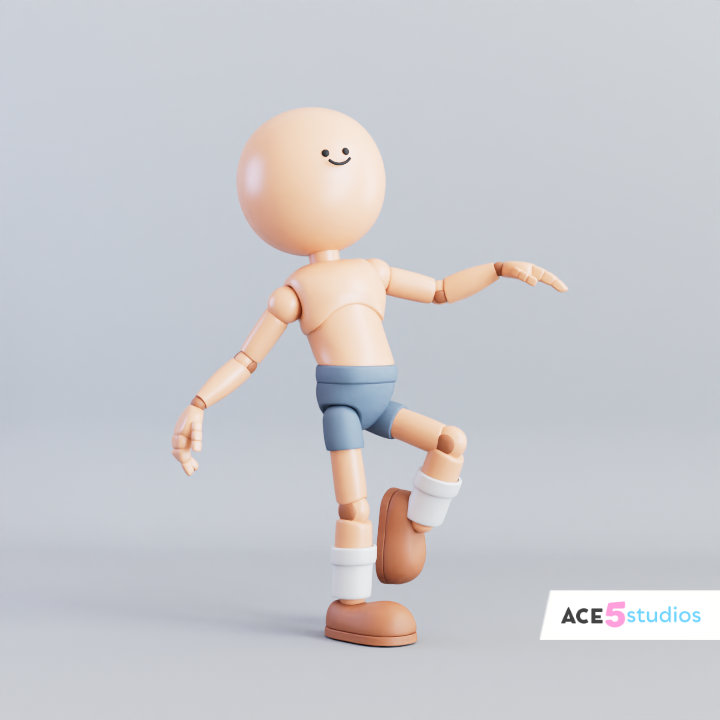
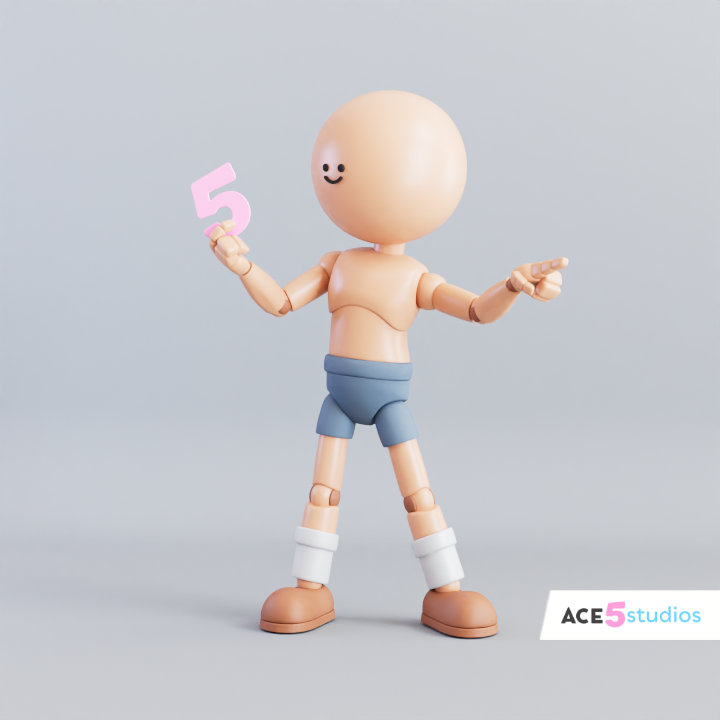


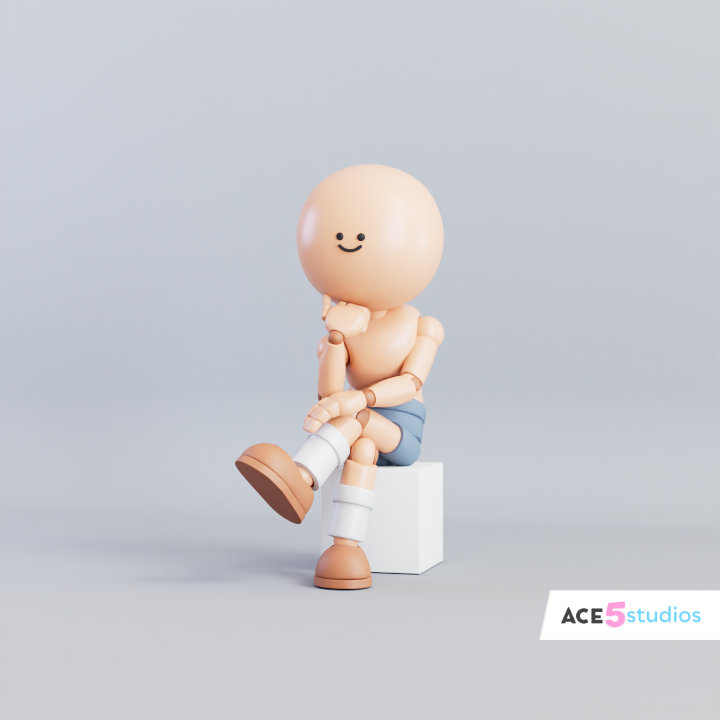
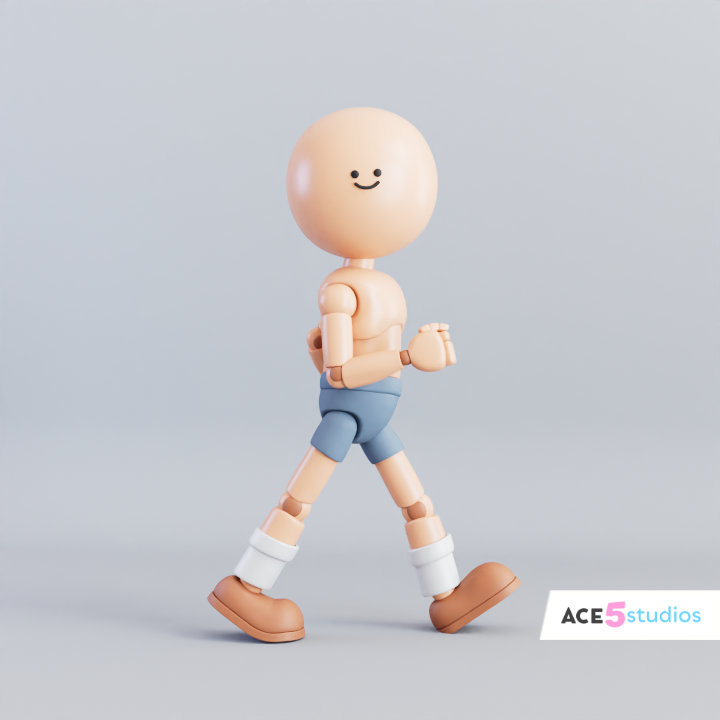
I will be making a mini series of animation tutorials for this guy, but for now you can check out some of my older tutorials here: https://www.youtube.com/playlist?list=PLfcT-lYpEwJYeaF8BsKfZ50FBIuDgIYN1
The post DUMMY Rig #cinema4D – Free Character rig for C4D appeared first on Ace5 studios.
]]>The post Ultimate #Bony4D Free Cinema4D Character rig! appeared first on Ace5 studios.
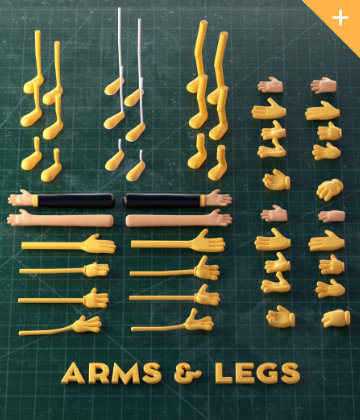
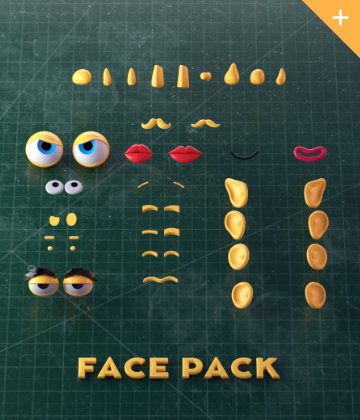
]]>Fully rigged #Bony4D character for cinema 4D

On this day of the Lucky Irish we bring you a new update to the Bony4D rig, now with all the modern features of the premium Ace5 character rigs!
If you enjoyed the Beefy4D rig, now you get the Bony4D, thanks to the talented Ugur Ulvi Yetiskin! Make sure to check out his other maya rigs in the link below.
The original Character and rig for maya was made by Ugur Ulvi Yetiskin
Hint: Bind “reset psr” to an easy shortcut if you haven’t yet 
If you use him and post somewhere make sure to tag him as #BONY4D
Get the Cinema4D rig of Bony here:

Handy place to start learning about animating in Cinema4D right here:
Don’t forget to follow me and Maria on twitter for more free rigs!

The post Ultimate #Bony4D Free Cinema4D Character rig! appeared first on Ace5 studios.
]]>The post Logo on curved surface | Cinema 4D appeared first on Ace5 studios.
]]>Ever tried to stick a 3D logo or a sticker onto a curved surface—like a hat or a character’s chest—and realized it’s a bit of a nightmare? You want to be able to move it around, scale it, and rotate it without the mesh breaking or losing all that nice 3D detail.
In this tutorial, I’m going to show you a nifty way to attach 3D objects to the surface of another object so they deform perfectly as you move them.
If you’ve been using Cinema 4D for a while, your first instinct might be to reach for the Projection Deformer or the Shrink Wrap Deformer. But those don’t quite work as you’ve probably noticed.
The secret is to use a multi layered approach with a sufrace deformer and a proxy plane. So lets get into it see how it’s done!
Need some high-quality rigs?
If you’re looking for professional, fully rigged characters for your projects, head over to shop.ace5studios.com. All our characters are customizable, animation-ready, and come with materials included. We’ve even got some free rigs for you to try out!
The post Logo on curved surface | Cinema 4D appeared first on Ace5 studios.
]]>The post [C4D] Office Melissa Rig: Your New Animation MVP | Cinema 4D appeared first on Ace5 studios.
]]>
https://shop.ace5studios.com/office-melissa/
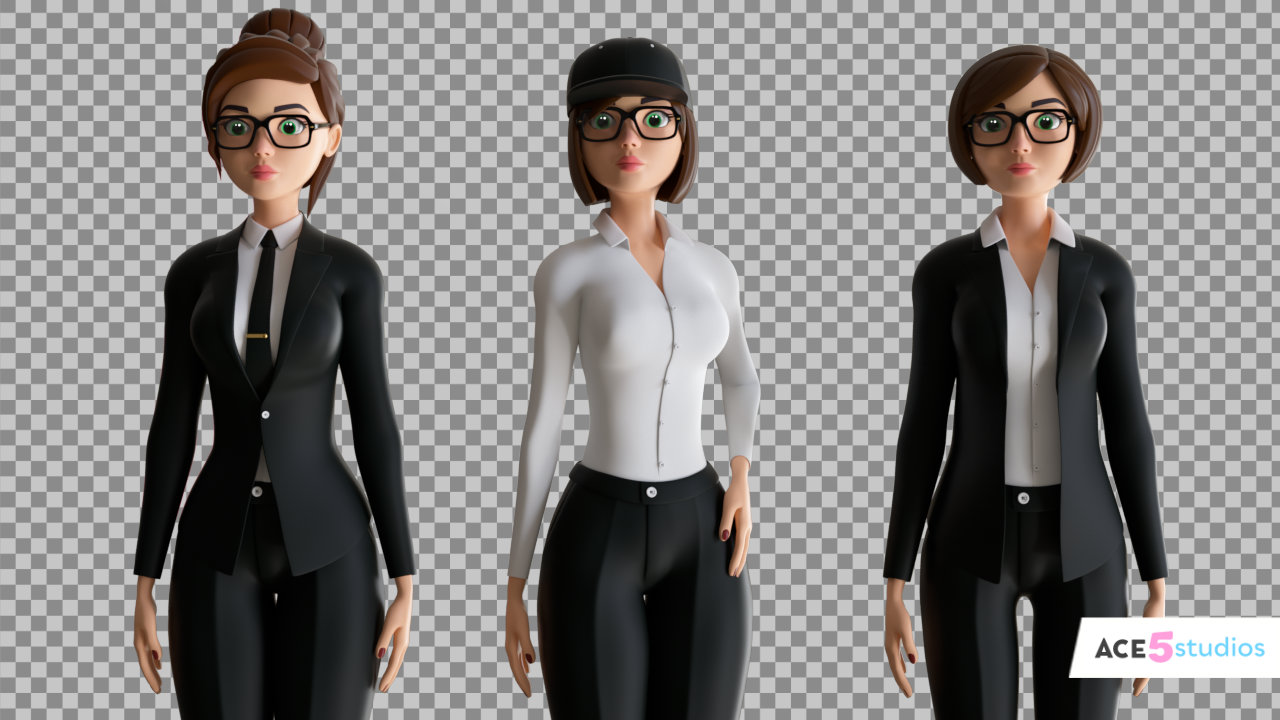
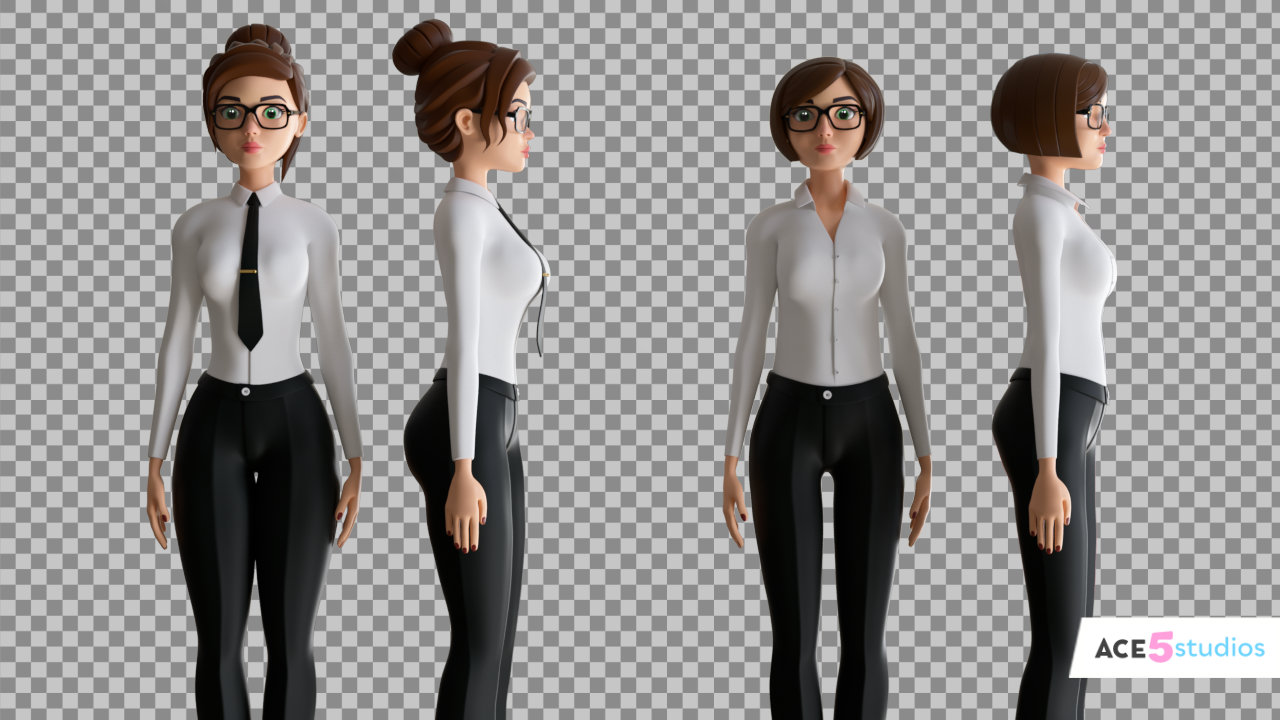
Melissa’s live. She’s a stylized rig built for animators who hate wrestling controls. Pose her for corporate ads, melt her into Monday-morning despair, or make her dance on conference tables. Your call.
Why grab her?
- Controls so simple you’ll actually enjoy animating
- Stylized look that fits ads, explainers, or satire
- Full tutorial included (because rigging shouldn’t be torture)

What can she do? Glad I pretended you asked:
- Pitch your client’s product without the awkward “ums” and existential dread
- Star in your HR training videos about why stealing lunches is a fireable offense
- Explain your SaaS platform’s “synergistic paradigm-shifting blockchain-enabled solutions” (whatever that means)
- Replace that stock footage lady pointing at charts who appears in literally every corporate video ever made
Grab her here: https://shop.ace5studios.com/office-melissa/
Or don’t. I’m not your dad. (Unless I am, in which case… sorry, I forgot your birthday again.)
P.S. She works in Cinema 4D. She doesn’t do windows. Or taxes. Or explain why you still have a “Final_Final_v3_ACTUALLY_FINAL.c4d” file on your desktop.
The post [C4D] Office Melissa Rig: Your New Animation MVP | Cinema 4D appeared first on Ace5 studios.
]]>The post How to Make a Character Hold an Item with Two Hands | Cinema 4D appeared first on Ace5 studios.
]]>How to Make a Character Hold an Item with Two Hands in Cinema 4D
One of the questions I get asked all the time is: “How do I get my character to hold onto one object with both hands?” Whether it’s an axe, a heavy crate, or even a pool cue, getting two hands to move in sync with a single object can be a real headache if you don’t have the right setup.
In this tutorial, I’m breaking down three different techniques to handle two-handed items so you can stop fighting your rigs and start animating.
1. The “Axe” Method (Following the Leader)
When you have an object like an axe, gold club, sword or a baseball bat, one hand usually does most of the heavy lifting. The trick here is to make one hand the “master” and have the second hand follow along using a hand anchor. This keeps the grip solid while you’re swinging away.
2. The “Box” Method (Picking Up Objects)
If your character is picking up a heavy crate or a chest, you want both hands to stay glued to the sides of the object. I show you how to set up constraint nulls inside the object. This is super useful because it allows you to easily turn the strength on and off—perfect for when your character needs to pick the box up and then let it go.
3. The “Pool Cue” Slide
This one is a bit more advanced. What if the object needs to slide through one hand while being held by the other? We use an Aim Constraint to make sure the stick always points exactly where it needs to go, no matter how much you move the sliding hand.
Need some high-quality rigs?
If you’re looking for professional, fully rigged characters for your projects, head over to shop.ace5studios.com. All our characters are customizable, animation-ready, and come with materials included. We’ve even got some free rigs for you to try out!
The post How to Make a Character Hold an Item with Two Hands | Cinema 4D appeared first on Ace5 studios.
]]>The post The Last Clone | Cinema 4D appeared first on Ace5 studios.
]]>So Let’s dive into a couple of approaches.
First Method: Xpresso
Use Xpresso to get the last clones position from the cloner. You can get the “Data” node from the “Motion graphics” group.
Connect the cloner who’s data you want to read with the “object” port.
Then use the “Count” ( number of clones) to subtract 1 from it with the math node and plug it into the “index” port, this is the port that decides which clones info to output. This gives you the last clone. Now you can read it’s position, and feed that into a null of geometry of whatever you need.
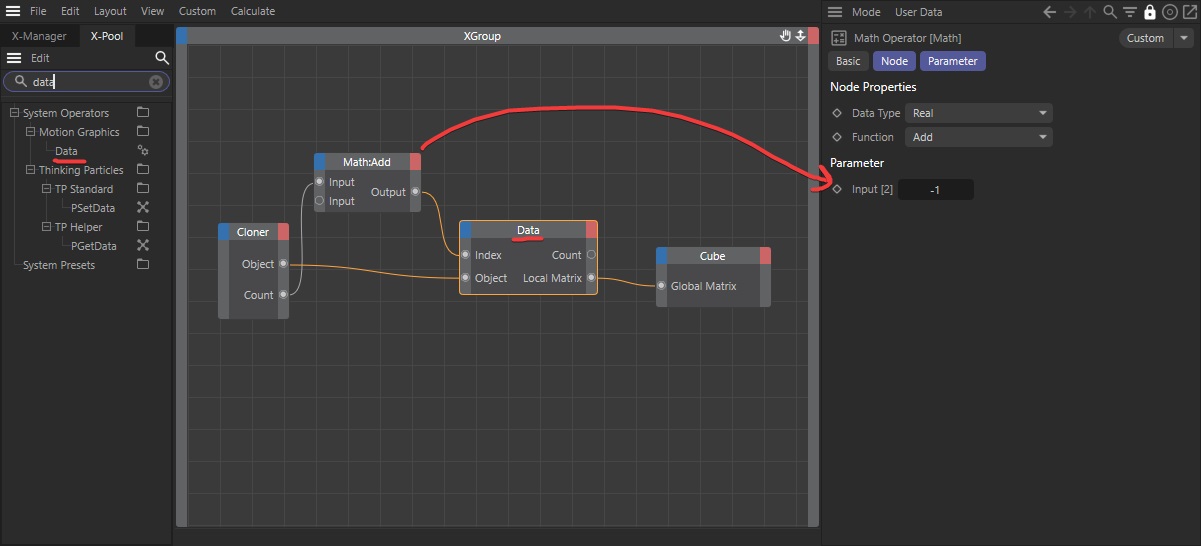
However! I had a problem with this. I was using the blend mode to blend between 2 different cloners parameters. And while clone count is an integer, the blend function in the cloner was interpreting it as a real number and giving me decimal values.. which resulted in problems when blending.
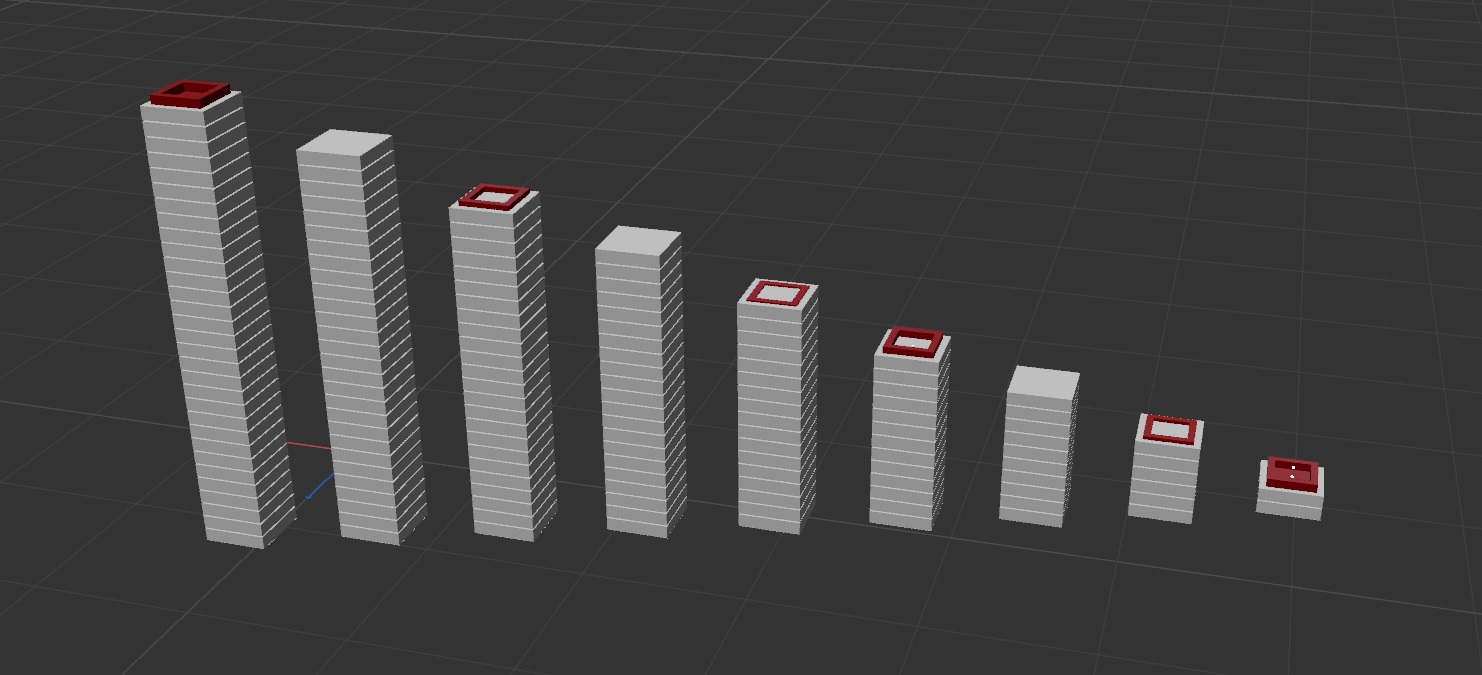
See how the red roof sinking in sometimes? that’s because the red roof is being positioned using numbers with decimal places, not integers. And it seems like the blend mode in cloner can only work like this and has no work around.
Here is a video of it blending, so you can see what the problem is:
So I had to find a work around. And I did!
Second Method: Clone onto the Cloner
I used a cloner to clone the red rectangles onto the other cloner object ( using the original cloner as a source in axis mode).
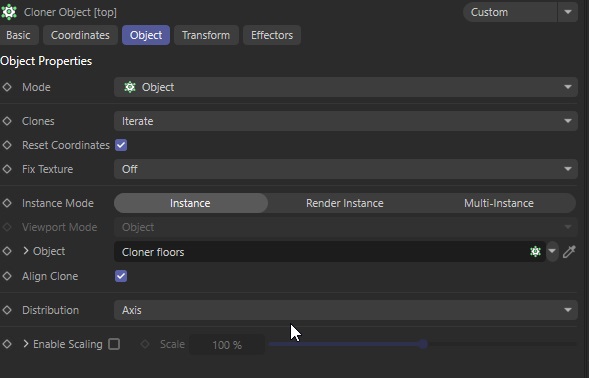
Then I used a formula effector to hide all the clones that are not the last one.
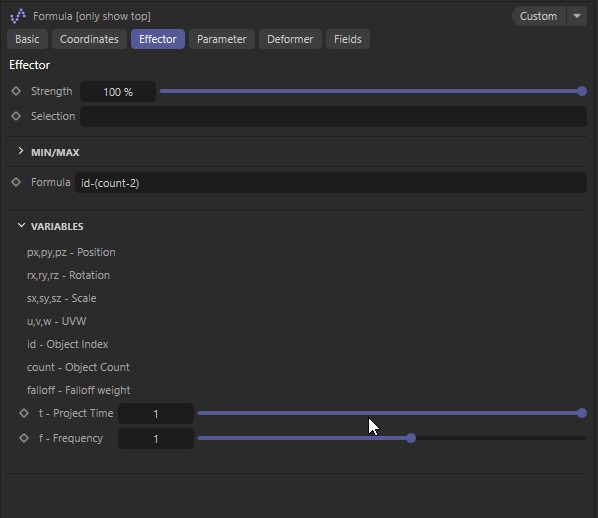
id-(count-2)And I set the Formula effector to only affect visibility.
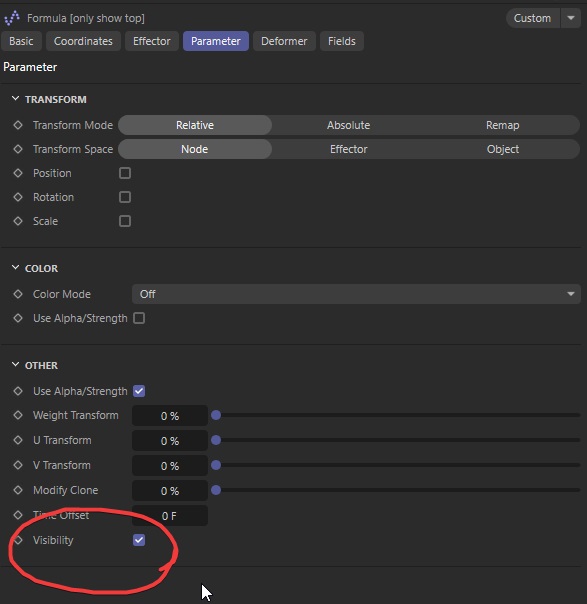
And Voilia! it all works! Perfect sticking with Blend mode on cloner.
I used the cloner to clone onto the last clone!
Cheers,
Aleksey
The post The Last Clone | Cinema 4D appeared first on Ace5 studios.
]]>The post Handyman Rig For cinema 4D – Plumber, Worker, Electrician! appeared first on Ace5 studios.
]]>
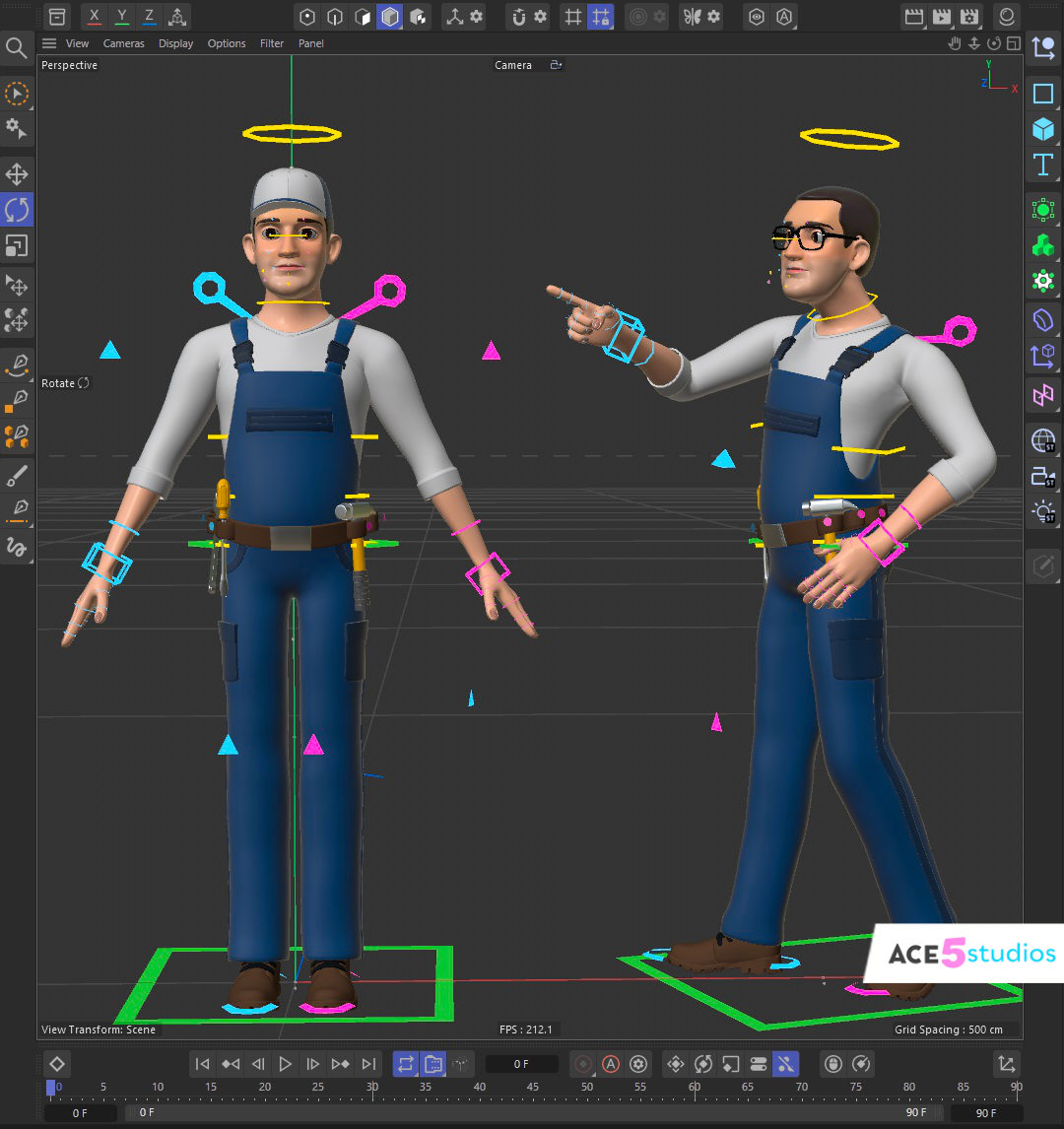
Handyman Marty is here to fix your leak, your lightbulb, your deck, and everything else that needs fixing!
He can be your plumber, your electrician or anything you want! He is fully rigged in Cinema 4D and animation ready!
Get Handyman here!
The post Handyman Rig For cinema 4D – Plumber, Worker, Electrician! appeared first on Ace5 studios.
]]>The post Mograph 101 – 104 | Cinema 4D appeared first on Ace5 studios.
]]>In this series of tutorials I go over the basics of mograph. It’ll help you understand what you need for future tutorials I plan to release
Thanks for watching and happy animating—cheers!
#cinema4d #spline #cinema4dtutorial #splinetutorial #c4dtutorial
Cheers,
Aleksey
The post Mograph 101 – 104 | Cinema 4D appeared first on Ace5 studios.
]]>The post Common Scams to watch out for – for Artists appeared first on Ace5 studios.
]]>- Get you to install something that will steal your financial details
- Get you to send money to someone else.
First Method
As artists be very weary of the first method, because sending and receiving files is a natural part of the job. Clients will often send you zip file with images, pdf, videos etc.. so it makes it easier to pretend to be a client.
First way to save yourself from this is to turn off this stupid settings “hide extensions for known file types”

It makes it sooo much easier for scammers to trick you.
Every file on a computer has an extension. It tells the Operating System how to open it. Which program to use etc. Jpeg images are opened with your gallery app, mp4’s are opened with a movie player, .c4d files are opened with cinema4d.
So image.jpg is obviously not a virus, it’s just an image. BUT exe files are often viruses. .exe files are executables. Apps. And they can be very useful. You’ll notice all your media players, games, software etc are all .exe files.
The scammers goal is to convince you to open a bad exe file. So what they will do is make the following name:
Image.jpg.exe
And windows will HIDE the exe part!!!! So you will see it, ( image.jpg ) click on it and you will now have a virus which can steal all the information on your pc. Spy on what you do, make copies of your emails, intercept your emails etc..
SO MAKE SURE WINDOWS ISN’T HIDING EXTENSIONS!
Generally be very wary of files with any extensions that are not jpeg, jpg, png, mp4, pdf or other stuff you frequently use.
A good example is .SCR . It’s officially a screensaver file for windows. But in reality it’s just an exe file with a different extension. Windows runs it exactly the same way.
PDF FILEs
Pdf files in general are common and not problematic. BUT the program you use for reading pdfs may have lots of flaws. Because it has lots of “Features” like web access and updates and all kinds of weird stuff. I’m sure they were added with the best of intentions. BUT hackers and scammers take advantage of them. ESPECIALLY in the most common one Adobe acrobat. So to be safe, use something else. I recommend foxit. Or just use your browser to open them. Microsoft edge actually does a great job of viewing pdfs.
Second method
These are basically all based on Either the Nigerian Prince scam, or the Couch for sale scam.
Nigerian prince

The original was
“Hi I need your help I have 10 million dollars! I will send it you, then you send me half back to an account in another country, and you can keep half for yourself”
You enthusiastically agree.
You are then told that you need to send a small fee of $100 to verify the transaction before recieivng the money. This will often come from a fake account pretending to be your bank/paypal etc..
And then you obviously don’t hear from them after sending that money.
I personally experienced a very convincing form of this. Someone reached out and discussed a real sounding job of rather large volume. But then they said they wanted to send a workstation and monitors. Which was strange.. Because.. Well they could just send me an upfront deposit so i could order locally.. I gave them a fake address, just to see what happens.
And then I got an email for a fake DHL account that said i needed to pay import tax to receive my package.
This is their scam. They get the “Small” fee from you.
Couch for sale

This scam is most commonly used on market places in the US, because people still use checks there to pay for stuff. But variations of it exist in other sections of the internet.
You are trying to sell a couch. Someone reaches out to you, asking if its available.
They ask if you accept checks, and send you a check, but it turns out to be for more than the cost of the couch. They ask you to send the extra money to the moving company which will pick up the couch.
If you do that, you will lose that money. And the original amount will be taken away by the bank, because the check was fake, or from a stolen account. And the owner will report it as fraud. But since you sent the money to the moving company yourself ( it’s not actually a moving company, just pretending). You can’t get that money back.
The variations of this include fake emails from paypal/payoneer etc.. and clients who insist you refund them the extra they sent you. Or some variation of that.
Sometimes you will receive the money in your paypal account or stripe. But then the card they used to pay turns out to be fraudulent/stolen and the money is refunded.
In short be VERY weary of anyone who has sent you more money than they promised and demand a refund.

Pig Butcher Scam ( bonus )
This one isn’t really targeted at artists per say.. But it is very common, so I decided to cover it just in case. Someone will message you on watsapp or telegram and ask if you are “Alex/Jane/Carl.. Etc”. And then you will say “no” they will apologize and try to start a conversation with you.
They will ask you where you are from, what you do etc..
Then they will tell you about an amazing investment opportunity, and how they can help you learn to make money from investing like they do. In recent times this is mostly crypto, but can be just classical stocks too..
They will direct you to a platform for trading. It will let you deposit money, but probably not withdraw it.
They will tell you that large popular platforms are impossible to make money on, but these little known niche ones are where all the big bucks are made.
I do not know why its called the “pig butcher scam”…

Quick Red Flags:
- They ask you to send them a DM / what’sapp message / telegram message, switch platforms.
- They ask you if you can receive a payment by SKRILL / Payoneer
- They are in a super hurry with an easy project. Talking with you non-stop until you make a payment back
- They make a domain with Cyrillic alphabet, which looks like the exact service name
Soo… Stay safe.
Cheers,
Aleksey
The post Common Scams to watch out for – for Artists appeared first on Ace5 studios.
]]>The post USB cable animation | Cinema 4D appeared first on Ace5 studios.
]]>Struggling while animating cables in Cinema 4D? You’re not alone! In this tutorial, I’ll show you the perfect way to achieve smooth, consistent cable animations without the headaches. Say goodbye to stretching textures and tricky spline setups! We’ll dive into using tools like “spline wrap” and the amazing “MoSpline” to get fast and easy results.
This step-by-step guide ensures your textures stay intact and your workflow stays frustration-free. Plus, I’ll share some handy tips to make your animations adaptable to any spline—because who has time to redo everything for every project?
Need more tools to level up your Cinema 4D game? Check out our customizable character rigs, free rigs, and other go-to resources over at Ace5 Studios. From humans to animals, we’ve got you covered. https://shop.ace5studios.com
Thanks for watching and happy animating—cheers!
cinema4d #spline #cinema4dtutorial #splinetutorial #c4dtutorial
Cheers,
Aleksey
The post USB cable animation | Cinema 4D appeared first on Ace5 studios.
]]>