Advertise with Googlier.com Charlotte Street Computers | Apple Manuals https://charlottestreetcomputers.com Out of Warranty Repairs for PC and Mac Fri, 22 Mar 2024 13:58:34 +0000 en-US hourly 1 https://wordpress.org/?v=6.8.12 https://charlottestreetcomputers.com/wp-content/uploads/2016/01/cropped-powerbutton-logo-32x32.png Charlotte Street Computers | Apple Manuals https://charlottestreetcomputers.com 32 32 Apple Manuals https://charlottestreetcomputers.com/apple-manuals/ Thu, 14 Mar 2024 22:03:36 +0000 http://charlottestreetcomputers.com/?p=9194

We often get the question, “Does this (Mac, iPad, etc.) come with a manual?” The answer to that is that there is little to no printed documentation with new electronic products. Even IF there was a manual in the box, it would be out of date as soon as the first update rolled in.

That doesn’t mean there isn’t any documentation. It’s just going to be digital. We have known about a few of these manuals (like iPad and iCloud) for some time, but we didn’t know that Apple had online manuals for almost ALL of their software. This means you could do something like pull up Mac Pages help on your iPad and be reading while you work.

Here is a little index of the ones we have found so far:

2024 Update: General info about all Apple Devices: https://support.apple.com/en-us/docs

Mac:

Welcome to macOS – https://support.apple.com/guide/mac-help/welcome/mac
New to Mac – support.apple.com/explore/new-to-mac
General Manual – Finder… Help… Mac Help
Mac Photos Manual – https://support.apple.com/guide/photos/welcome/mac
Mac Pages Manual – help.apple.com/pages/mac
Mac Numbers Manual – help.apple.com/numbers/mac
Mac Keynote Manual – help.apple.com/keynote/mac
Mac iMovie Manual – help.apple.com/imovie/mac
Mac Garageband Manual – help.apple.com/garageband/mac
Mac iTunes (Mojave & earlier) Manual – http://help.apple.com/itunes/mac
Mac Music (Sonoma) Manual – https://support.apple.com/guide/music/welcome/mac
Mac Safari (Sonoma) Manual – https://support.apple.com/guide/safari/welcome/mac
Mac Podcasts (Sonoma) Manual – https://support.apple.com/guide/podcasts/welcome/mac
Mac Apple TV App (Sonoma) Manual – https://support.apple.com/guide/tvapp-mac/welcome/mac
Mac News (Sonoma) Manual – https://support.apple.com/guide/news/welcome/mac
Mac Stocks (Sonoma) Manual – https://support.apple.com/guide/stocks/welcome/mac
Mac Voice Memos (Sonoma) Manual – https://support.apple.com/guide/voice-memos/welcome/mac
Mac Final Cut Pro X Manual – http://help.apple.com/finalcutpro/
Mac Logic Pro X Manual – http://help.apple.com/logicpro/
Mac iBooks Author Manual – http://help.apple.com/ibooksauthor

iPad:
iPad General Manual – help.apple.com/ipad
iPad Photos Manual – part of the general manual above
iPad Pages Manual – help.apple.com/pages/ipad/
iPad Numbers Manual – help.apple.com/numbers/ipad/
iPad Keynote Manual – help.apple.com/keynote/ipad/
iPad Garageband Manual – help.apple.com/garageband/ipad/
iPad iMovie Manual – help.apple.com/imovie/ipad/

iPhone:
iPhone General Manual – help.apple.com/iphone
iPhone Photos Manual – part of the general manual above
iPhone Pages Manual – help.apple.com/pages/iphone/
iPhone Numbers Manual – help.apple.com/numbers/iphone/
iPhone Keynote Manual – help.apple.com/keynote/iphone/
iPhone Garageband Manual – help.apple.com/garageband/iphone/
iPhone iMovie Manual – help.apple.com/imovie/iphone/

iCloud for macOS and iOS
help.apple.com/icloud

Apple Watch
help.apple.com/watch

Apple TV
help.apple.com/appletv
]]>
macOS Catalina, Big Sur, Monterey, Ventura and Sonoma Incompatible with Microsoft Office 2008 & Office 2011 https://charlottestreetcomputers.com/macos-catalina-incompatible-with-microsoft-office-2008-office-2011/ Tue, 05 Dec 2023 14:40:07 +0000 http://charlottestreetcomputers.com/?p=11468
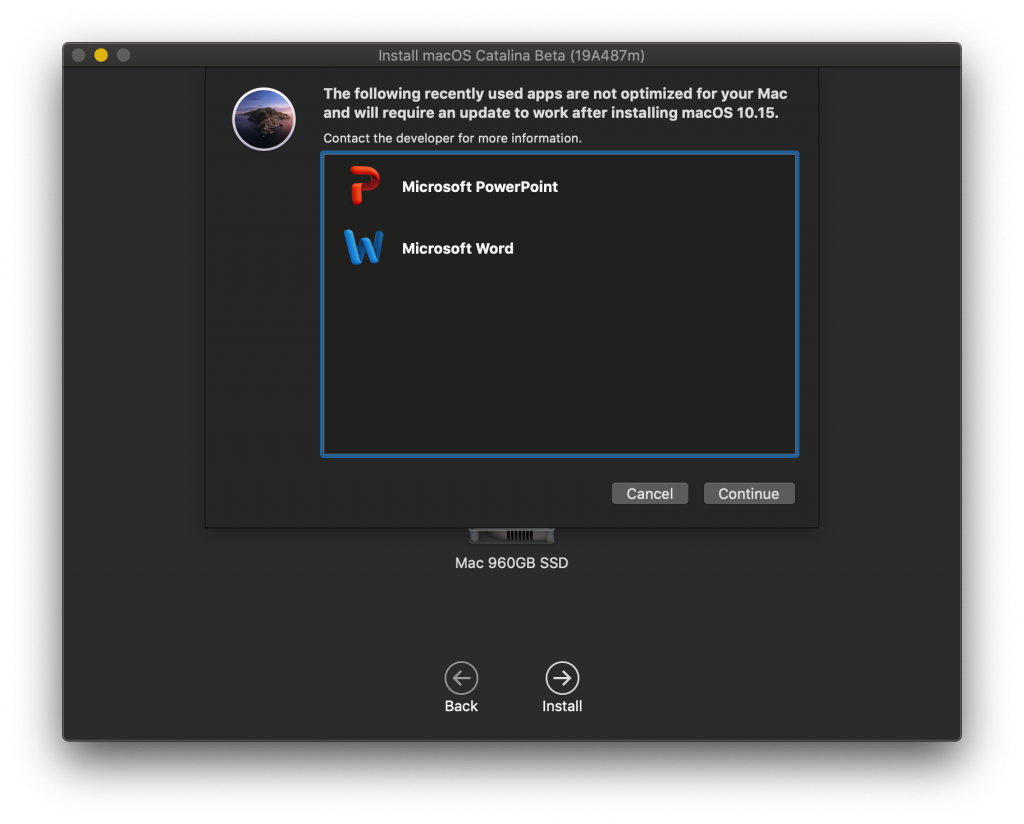
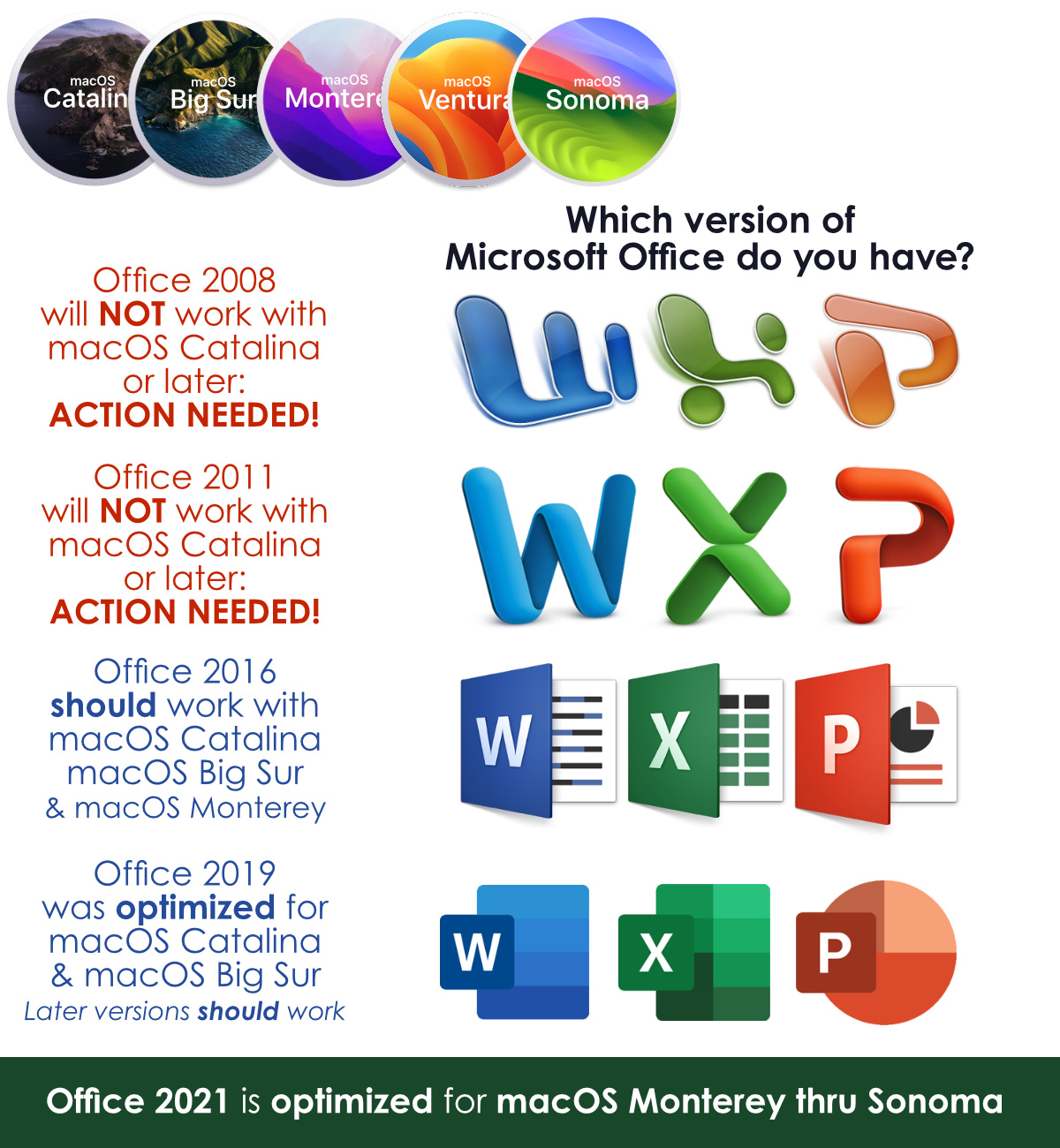
macOS Catalina (available late 2019) dropped support for 32bit apps. macOS Mojave had been warning us about this every time we launched one of these apps, and action on your part is now needed if you upgrade beyond macOS Mojave. One of the most popular 32bit apps we see is Microsoft Office 2011, which includes Word, Excel and PowerPoint. If you have been limping along with Office 2008, the same warning applies. See the icons below to determine which version you have.

If you are planning on upgrading to Catalina, Big Sur or Monterey, you may want to purchase a new version of Office. The Office 2021 version began shipping on Oct 5th of 2021. The “perpetual” version is $149 (for Word, Excel and PowerPoint) and Office 365 starts at $69 a year.

If you have Office 2016 or 2019, you can open the Microsoft AutoUpdate app to find out if there are updated versions of Office. Alternatively, click “Help” in Word, Excel or PowerPoint and “Check for Updates”.
IMPORTANT NOTE: Office 2016 and 2019 need to be upgraded to the latest “builds”. Build 16.16.11 or later is required for Office 2016, and build 16.26 or later is required for Office 2019. It would be advisable to do this BEFORE upgrading to Catalina, Big Sur or later, as it may require reinstalling from Microsoft if you upgrade macOS first.
Originally published in July of 2019. Updated in December of 2023.
]]>
Apple ID Account Recovery Contact – macOS Monterey… iOS 15 and Above https://charlottestreetcomputers.com/ios-15-feature-apple-id-account-recovery-contact/ Fri, 01 Dec 2023 21:27:11 +0000 https://charlottestreetcomputers.com/?p=13805

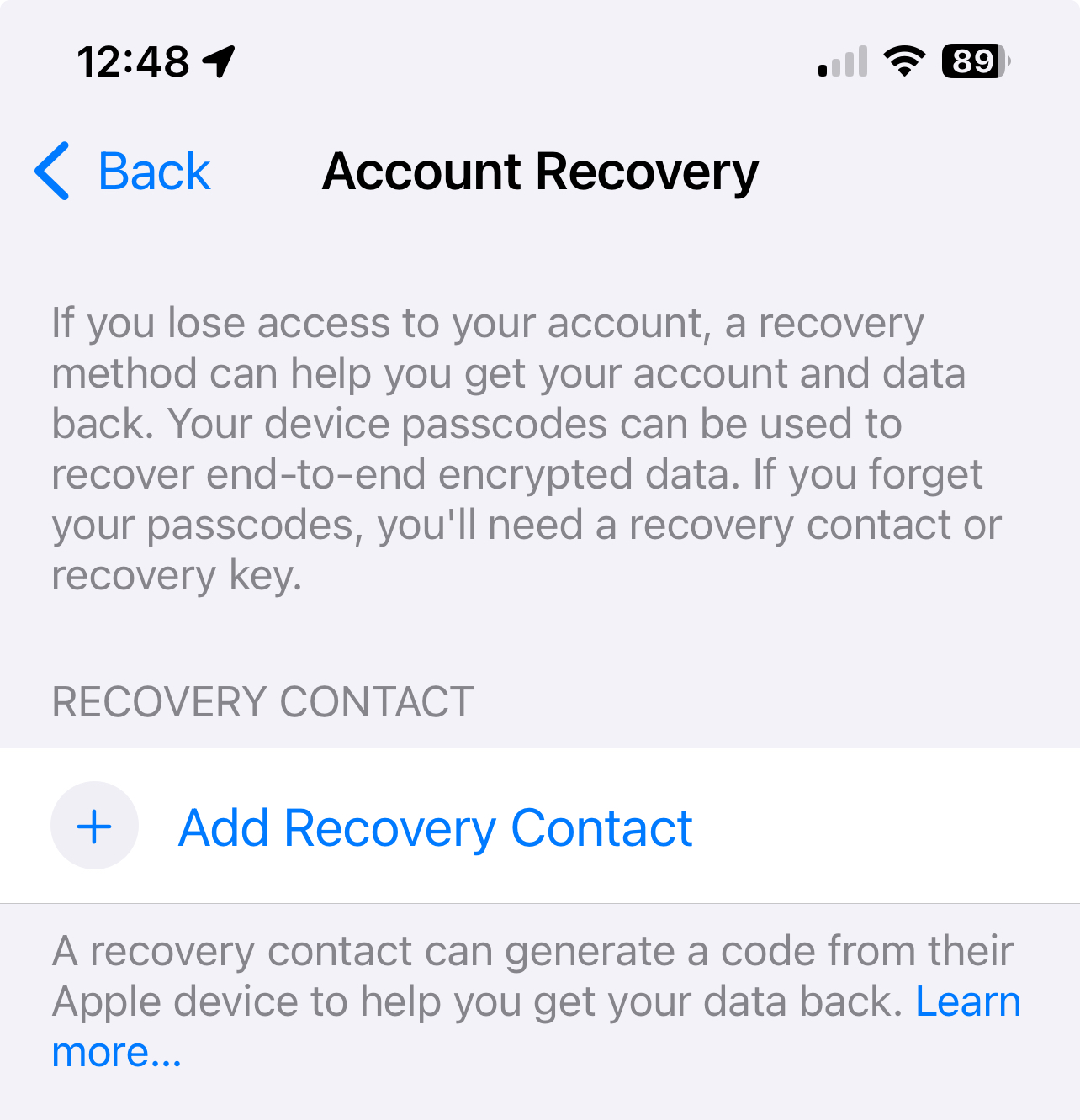
There were hundreds of new features in the macOS Monterey, iOS 15 and iPadOS 15 updates that became available on Sept 20, 2021. One feature that jumped out at us, as something we help people with on a daily basis, is the “Account Recovery Contacts” feature. This allows the person(s) of your choice to help you recover your Apple ID should you ever get locked out.

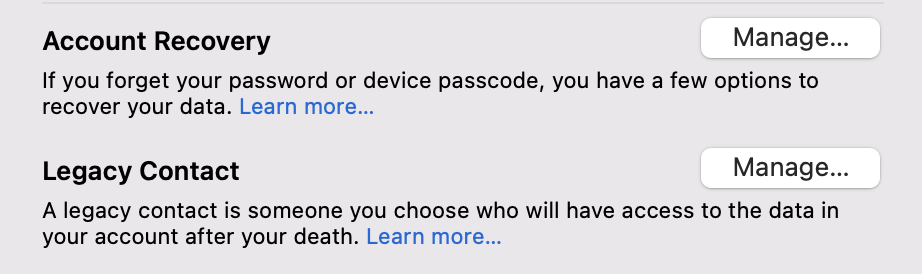
If you are prone to forgetting the all-important Apple ID password, we suggest you designate a trusted person as your Account Recovery Contact. This is done in Settings, then tap your name at the top of the menu, and then tap Password & Security. If you have upgraded to version 15 you should see the Account Recovery option. We’re eager to put this feature to the test.

Later updates to iOS 15 included the very interesting Digital Legacy program – The Digital Legacy program allows you to designate people as Legacy Contacts so they can access your account and personal information in the event of your death.

This feature fills a need that we encounter from time to time, and can make it much easier for your heirs to access the information they need, or the family photos they would love to have.

These features continue to be available in macOS Ventura, macOS Sonoma, iOS and iPad OS 16 and 17.

Account Recovery on macOS

Account Recovery on iOS

Originally published in September of 2021. Updated in December of 2023.
]]>
iPhone 14 Texting to non-Apple phones (Verizon) https://charlottestreetcomputers.com/iphone-14-texting-to-non-apple-phones-verizon/ Wed, 28 Dec 2022 20:30:30 +0000 https://charlottestreetcomputers.com/?p=15620
We have had a number of customers being sent from Verizon to have us fix an issue where their iPhone (usually a new iPhone 14) will not send texts to non-Apple phones. This includes Android and flip phones. They (Verizon) apparently think we fix this issue because the people they send to us do not come back to them complaining about it.
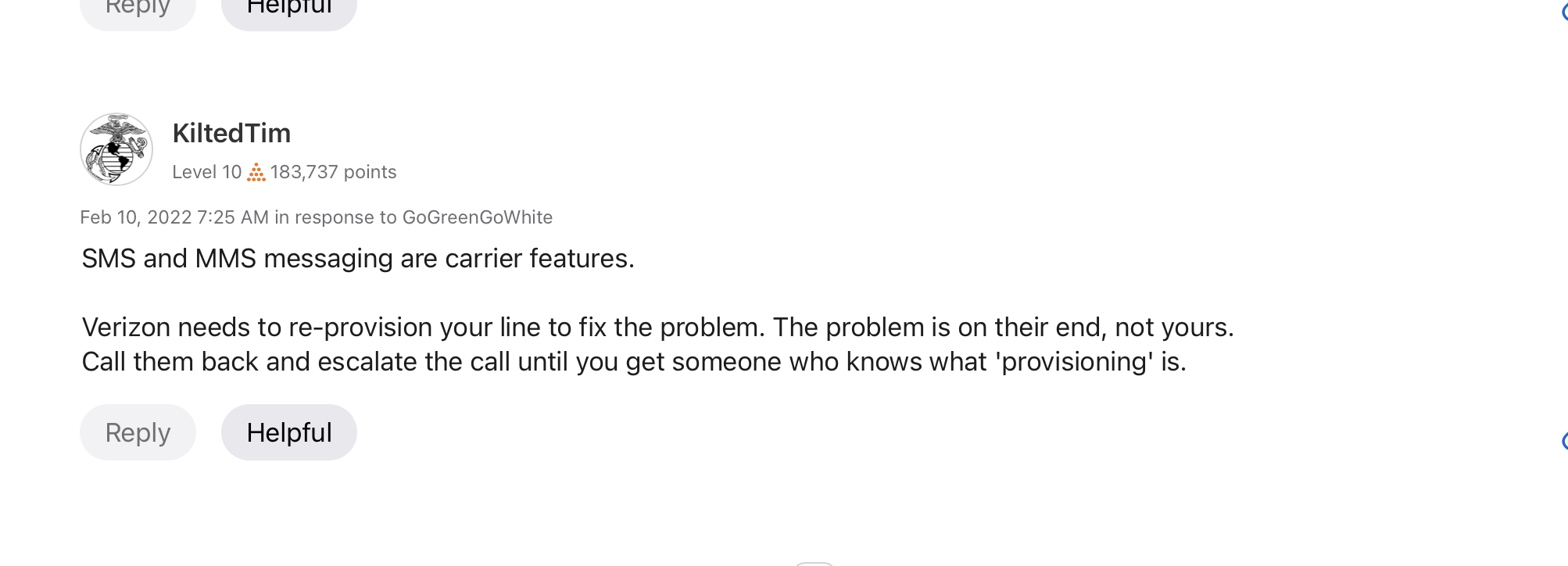
As far as we can tell this is not an Apple iPhone problem. In every instance so far, this seems to be a Verizon issue (which makes sense due to the fact that the carrier handles messaging). We encourage the iPhone customer to call Verizon and ask them to re-provision the phone. We have based this on a number of community forums, including Verizon’s. Before you call Verizon, we’d recommend that you try the steps in the 2nd section below since it only takes a few minutes and might solve the problem.
One customer has returned to us saying this fixed the problem. No others have returned to us for service. Your mileage may vary. (See below for another potential solution)
ANOTHER potential Verizon issue that could affect sending texts is found in your Verizon Account Settings. Details here:

https://www.verizon.com/support/knowledge-base-28892/

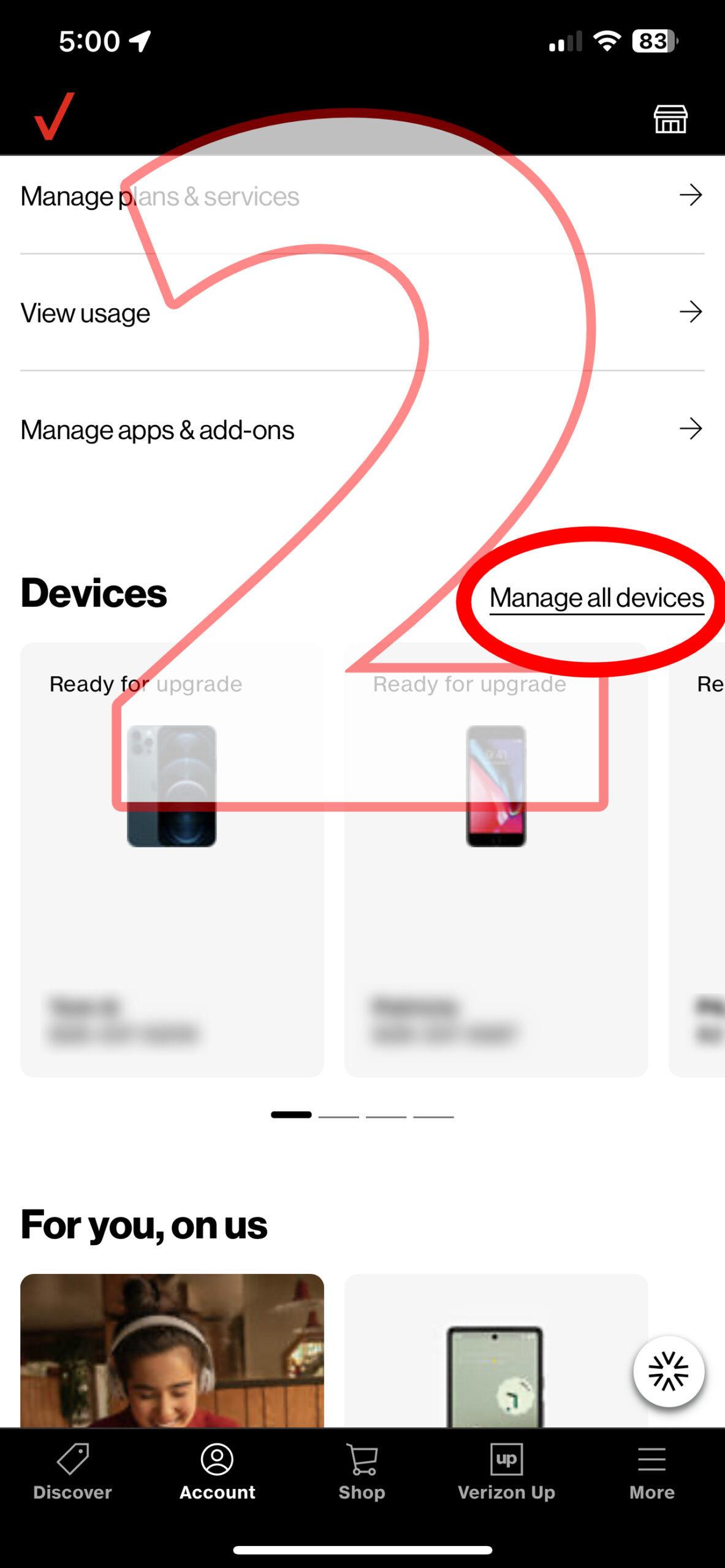
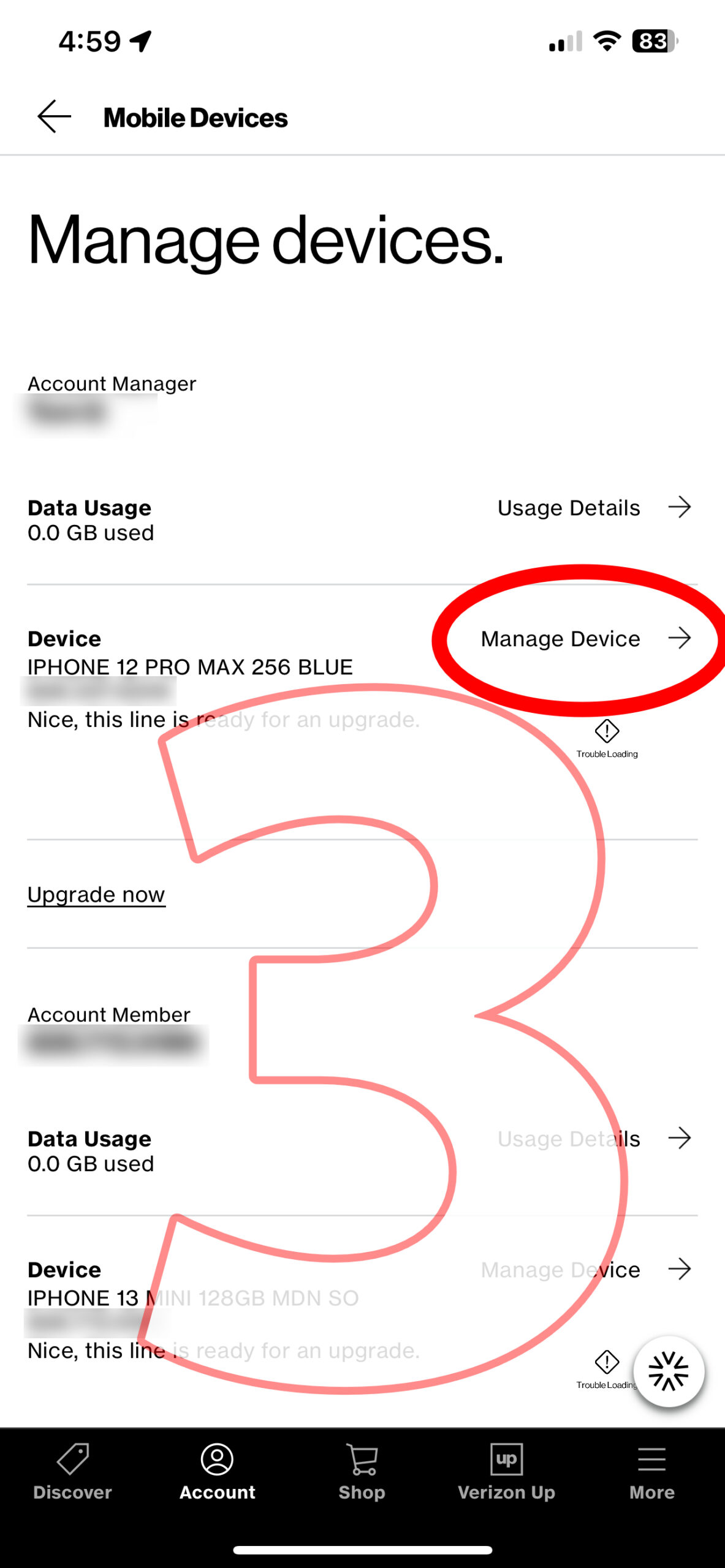
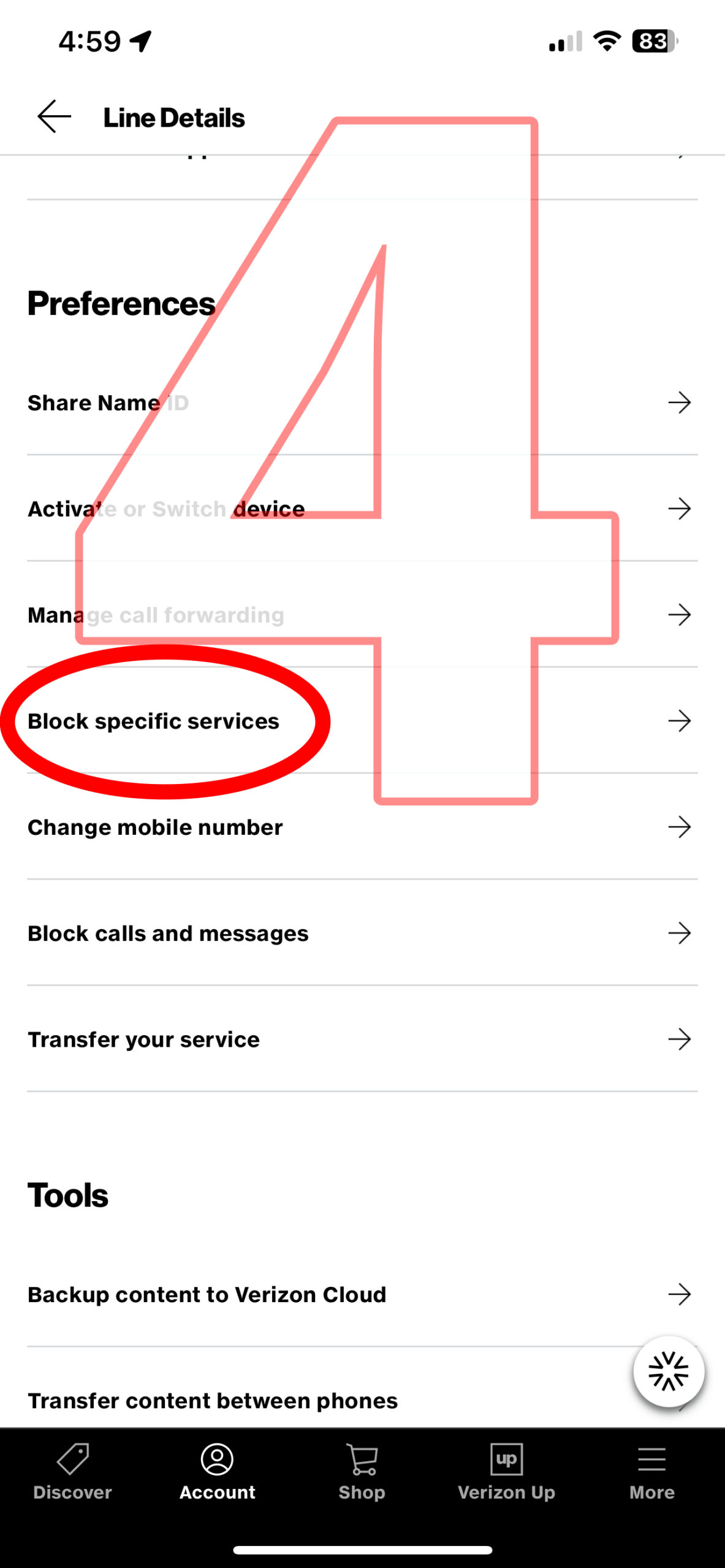
If your are using the My Verizon App the trail looks like this (in late 2022):

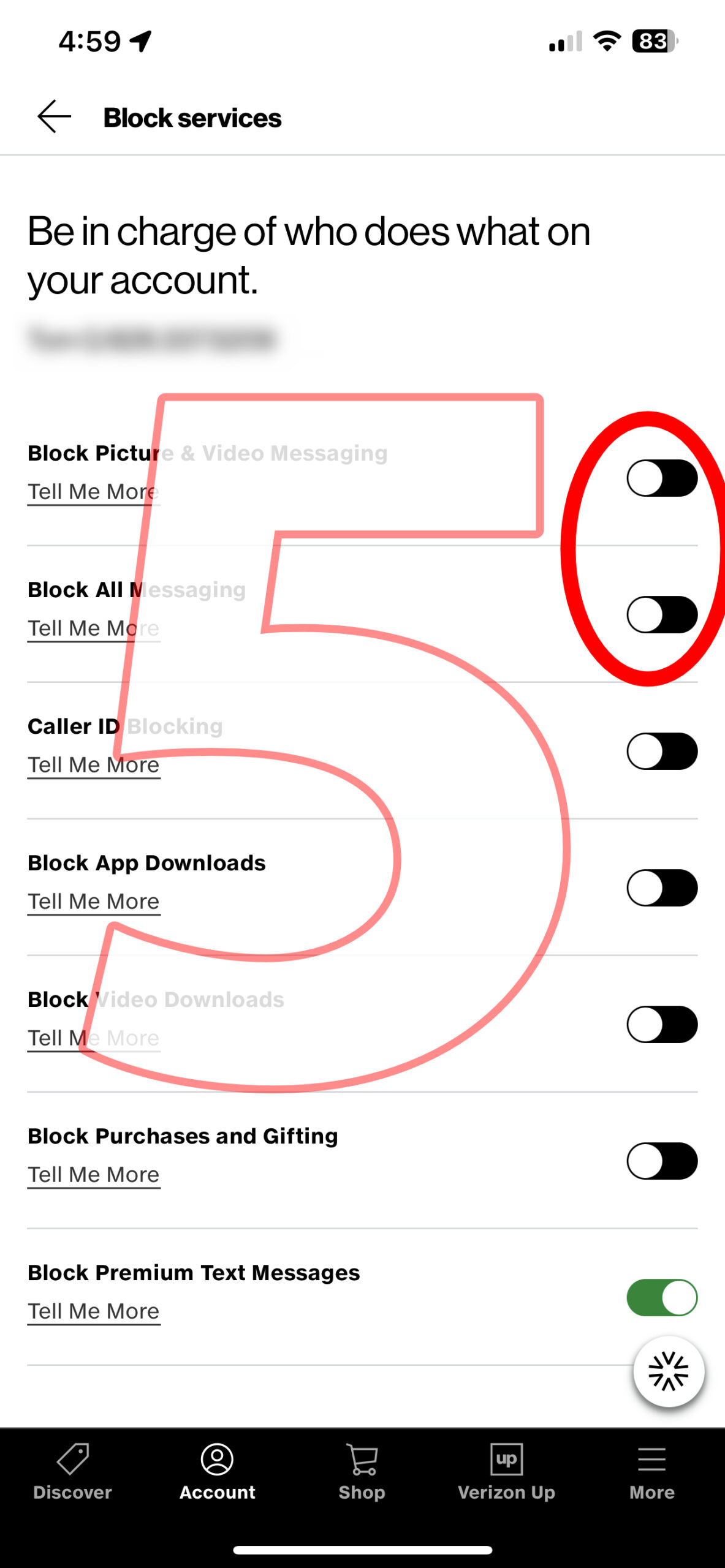
1) Tap “Account” at the bottom of the screen.

2) Scroll down to Devices, and Manage All Devices.

3) Manage the specific iPhone having the issue.

4) Tap the “Block Specific Services” setting.

5) If these settings are ON turn them OFF. If they are OFF turn them ON and back OFF again.

]]>
CAUTION: New “Browser in Browser” Phishing Scheme LOOKS Legit But It’s NOT! https://charlottestreetcomputers.com/caution-new-browser-in-browser-phishing-scheme-looks-legit/ Tue, 29 Mar 2022 18:23:56 +0000 https://charlottestreetcomputers.com/?p=14100
Public Service Announcement
The scammers begin by presenting you with a familiar “Continue with…” screen. Usually this is a convenient way to set up a new account without creating a new password. If it’s a Phishing site you would be giving the scammers the login to one of your most important accounts.
Beware this new scheme that has a sign in page that LOOKS like a legitimate URL for Google, Apple, Facebook, etc. Be sure to examine the URL BEHIND the pop-up before “signing in”. If you are not 100% sure you’re safe, use the Continue with Email option and use a UNIQUE password, as this would be giving scammers the least amount of info.
This is the YouTube video that first brought the issue to our attention. —->

New Phishing Scheme in Action

]]>
Keyboard Repair Extension Program is expiring for 2017 MacBooks, MacBook Airs and MacBook Pros https://charlottestreetcomputers.com/keyboard-repair-extension-program-is-expiring-for-2017-macbooks-macbook-airs-and-macbook-pros/ Thu, 20 Jan 2022 22:21:07 +0000 https://charlottestreetcomputers.com/?p=13739
UPDATE: This program is now over for all Macs purchased in the standard time period in which the qualifying Macs were made and sold.
The Apple Keyboard Repair Extension Program is expiring for 2017 MacBooks, MacBook Airs and MacBook Pros. Apple is offering to cover repairs of defective keyboards for 4 years from the date of purchase. This means that eligible Macs purchased in 2018 are lapsing from the program as the days tick by. Check this Apple webpage to see if you are eligible:

https://support.apple.com/keyboard-service-program-for-mac-notebooks

or give us a call with your serial number. You can also walk in between the hours of 9AM to 6PM Monday through Friday to drop your machine off or schedule an appointment here.

Charlotte Street Computers performs these authorized repairs, so if you qualify and are near the Asheville, NC area you may bring your Mac for the repair.

2017, 2018 and 2019 Mac Keyboard
]]>
How to Check for App Compatibility Before Installing macOS Catalina, Big Sur or Monterey https://charlottestreetcomputers.com/how-to-check-for-app-compatibility-before-installing-macos-catalina/ Thu, 11 Nov 2021 23:02:50 +0000 http://charlottestreetcomputers.com/?p=11495

UPDATE FALL 2021: The following applies not only to Catalina, but also to the newer Big Sur, Monterey and all macOS versions going forward. If you already have Catalina, Big Sur or Monterey you’ve  already broken all of the apps that are going to be broken because of the change to 64 bit apps.

Apple’s new operating system for Macintosh computers is going to be called macOS Catalina. It will be available in “the fall,” according to Apple. In recent years “fall” has meant late September, which is less than 2 months away from this writing. In most releases of macOS, we usually gain features while losing little if anything from past systems. One notable exception, was Mac OS X Lion in 2011, which discontinued support for ALL applications written before 2006. Uninformed users performed the “free” upgrade and found themselves facing hundreds of dollars of upgrades to other software.  This year’s release deserves this kind of careful attention because 32-bit applications will stop working on Macs with macOS Catalina installed. While we don’t need to understand the difference between 32-bit and 64-bit apps, we do need to know if any of the programs we use on a daily basis are still 32-bit. In most cases this will be apps we’ve had for 5 years or more, but this is not a hard and fast rule. In this article you can find out which (if any) of your apps are going to be issues with a few clicks.

macOS Catalina, Big Sur and Monterey Icons
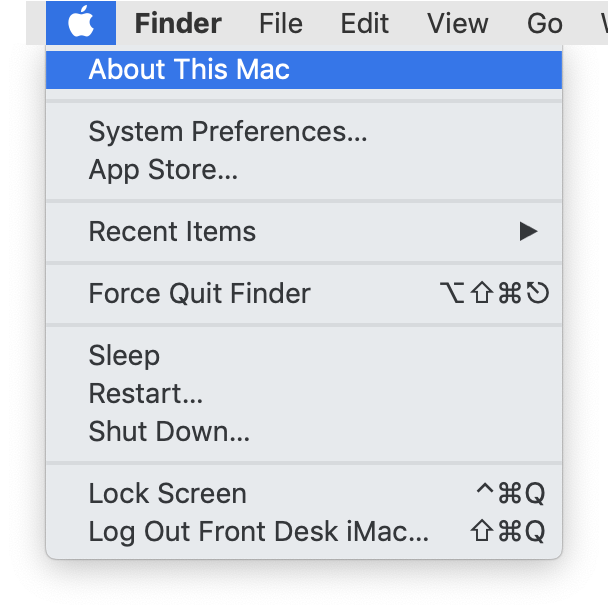
First, go to the Apple menu in the upper left hand corner of your screen and click the first item… “About This Mac”.
Click the Apple menu and "About this Mac"
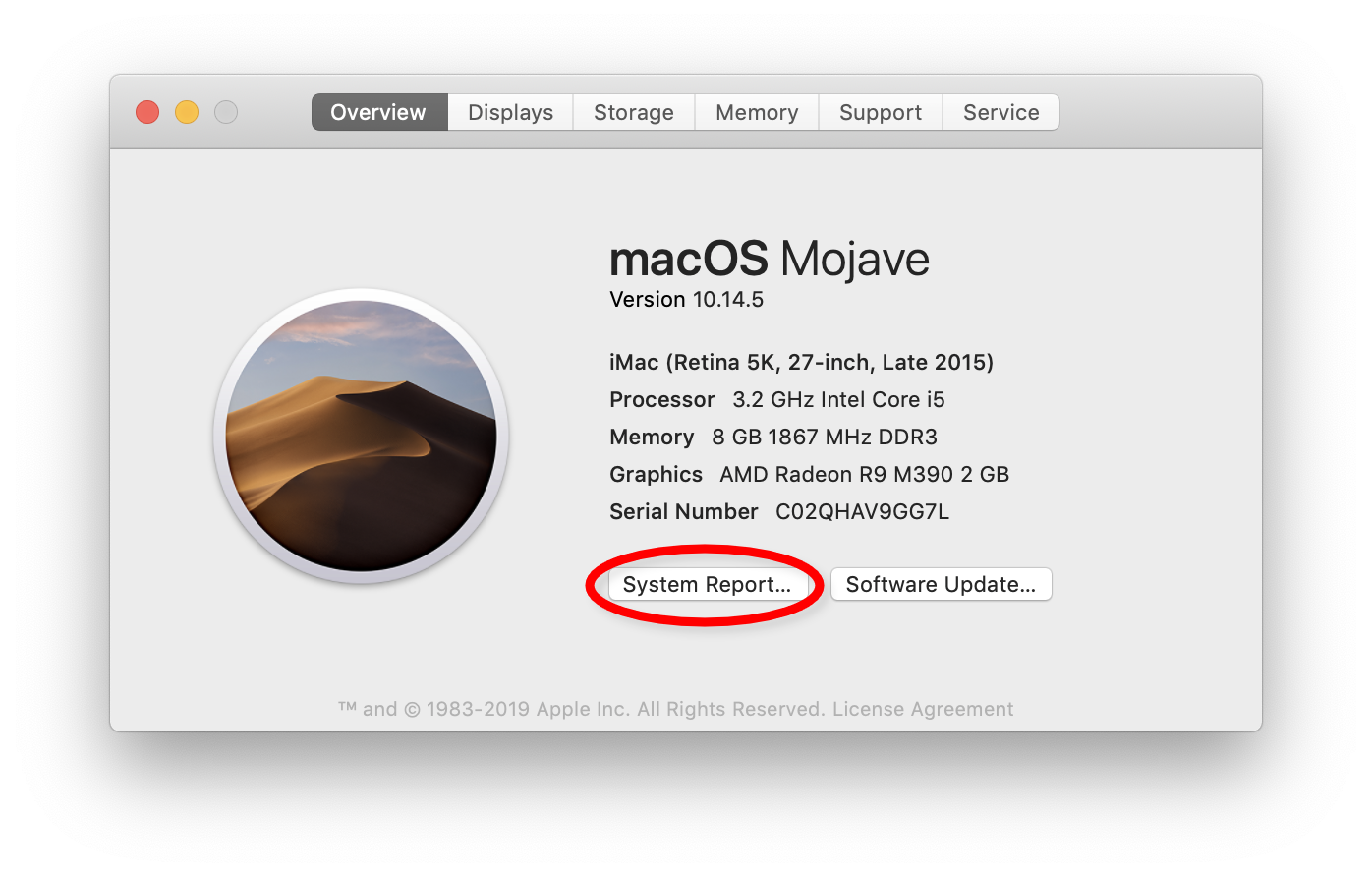
Then we’re going to click the button near the bottom of the screen that says… “System Report…”

This will open an intimidating App called “System Information.” Don’t panic. In the next steps, we’ll tell you exactly where click to get the information we need.

Click "System Report" at the bottom of the screen
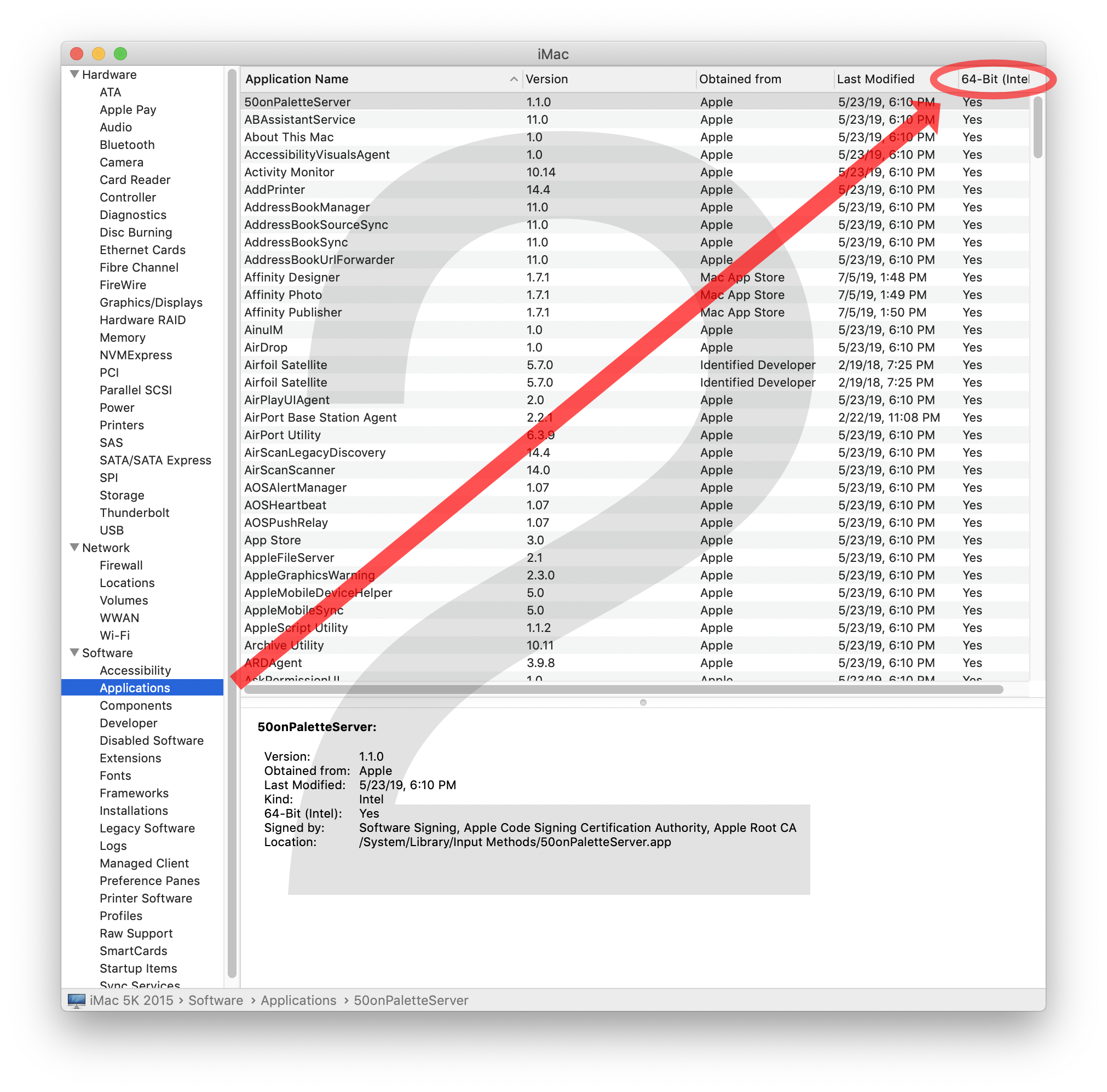
Step 1 is to look in the left hand column in the lower half of the screen in the Software section, and click on Applications. It may take the computer a little time to bring up the list of everything you have. This could take as little as a few seconds, or as much as a few minutes, depending on how fast your computer is.
Scroll down to "Software" and look for Applications
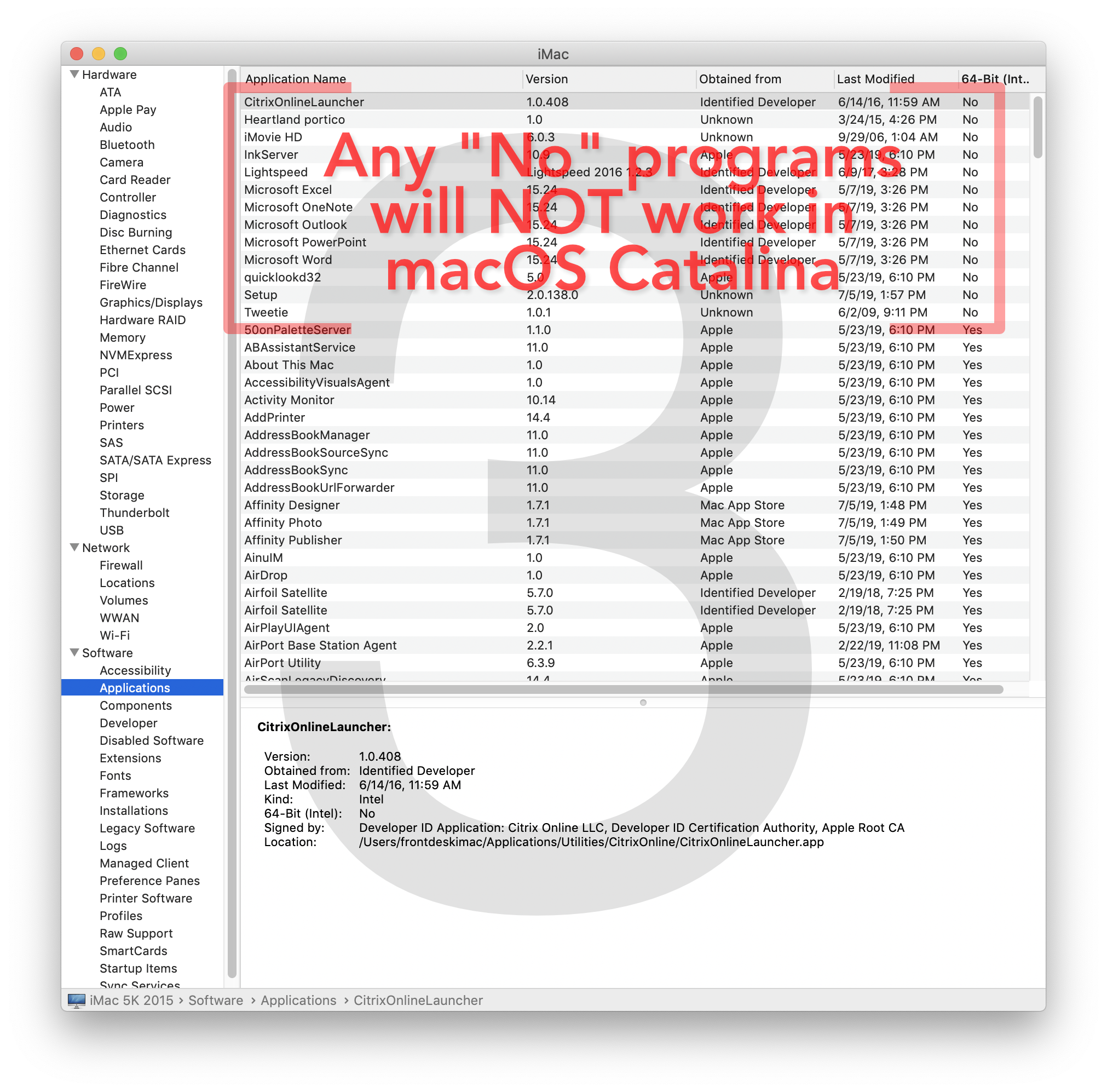
Step 2 is to click the 64-bit heading in the top row of the list. This will force the list of apps to sort by whether or not the app is 64-bit. The “No” section should be on top.
On our computer a fairly short list of fewer than 10 apps popped up, but the list scrolls to expose many, many more. You can grab the little dot in the middle of the horizontal divider below the last visible app, and drag the divider down (as we have done in this screen shot) to reveal more of the apps without scrolling as much.
Look for the 64-bit column and click
Step 3 is to evaluate the list, as this is the vital information we are looking for. ANY app with a “No” will NOT work with Catalina. If you no longer use the app, no problem. If you still use the app, then action on your part is needed. In our example, we will need to upgrade our version of Microsoft Office, if we still want to use Word, Excel and PowerPoint. Office 2008 and 2011 will require paid upgrades. Early versions of Office 2016 can be upgraded for free using the Microsoft Update system. (See our separate article on Microsoft Office).
The No items will float to the top. Examine these for often used apps.
In our search, some old versions of Apple apps showed up here (iMovie HD, for example, is from over 10 years ago). For the most part this is not a problem, since we have newer versions of these apps already installed. Where this might be a problem, is if you have old documents or projects you still need that can only be opened in the old versions. You may need to do some additional internet searching to determine whether this is the case or not.

Also in the list is our Point of Sale system!! Wow! THAT software is absolutely essential to our daily business. So our company will have to DELAY the upgrade to Catalina until this is resolved. We suspect it will be taken care of by the official launch date, but it’s a good thing we checked first. You would do well to check your apps too.

If you are in the Asheville area, we can help you with this process if needed via an in-shop one-on-one tutoring session. Call us at 828-225-6600 to schedule.

]]>
Apple WWDC 2019 Keynote Summary https://charlottestreetcomputers.com/apple-wwdc-2019-keynote/ Tue, 11 Jun 2019 15:21:29 +0000 http://charlottestreetcomputers.com/?p=11360
Every year Apple hosts an event called the World Wide Developers Conference (WWDC for short). Probably not a single person reading this is an App Developer, so why should the rest of us care?

Well… the first event in the Conference, the Keynote address, always gives us tons of information and demonstrations about what new features we will all be getting in the next version of the macOS (that runs all Macs), iOS (which runs iPhones, iPads, and iPod Touches), watchOS and the tvOS. And so, even if you are not the least bit curious and can wait until the fall to find out what these features are, this event will remain the best place to learn about these new features.

Apple TV – tvOS
More personal and more entertaining than ever. New home screen. New control center. Customize it for multiple users. Apple music now has lyrics in sync with the music. Games now work with Xbox One S and Playstation Dual Shock 4 game contollers. New underwater screensavers.  The video presentation starts at 8:25.

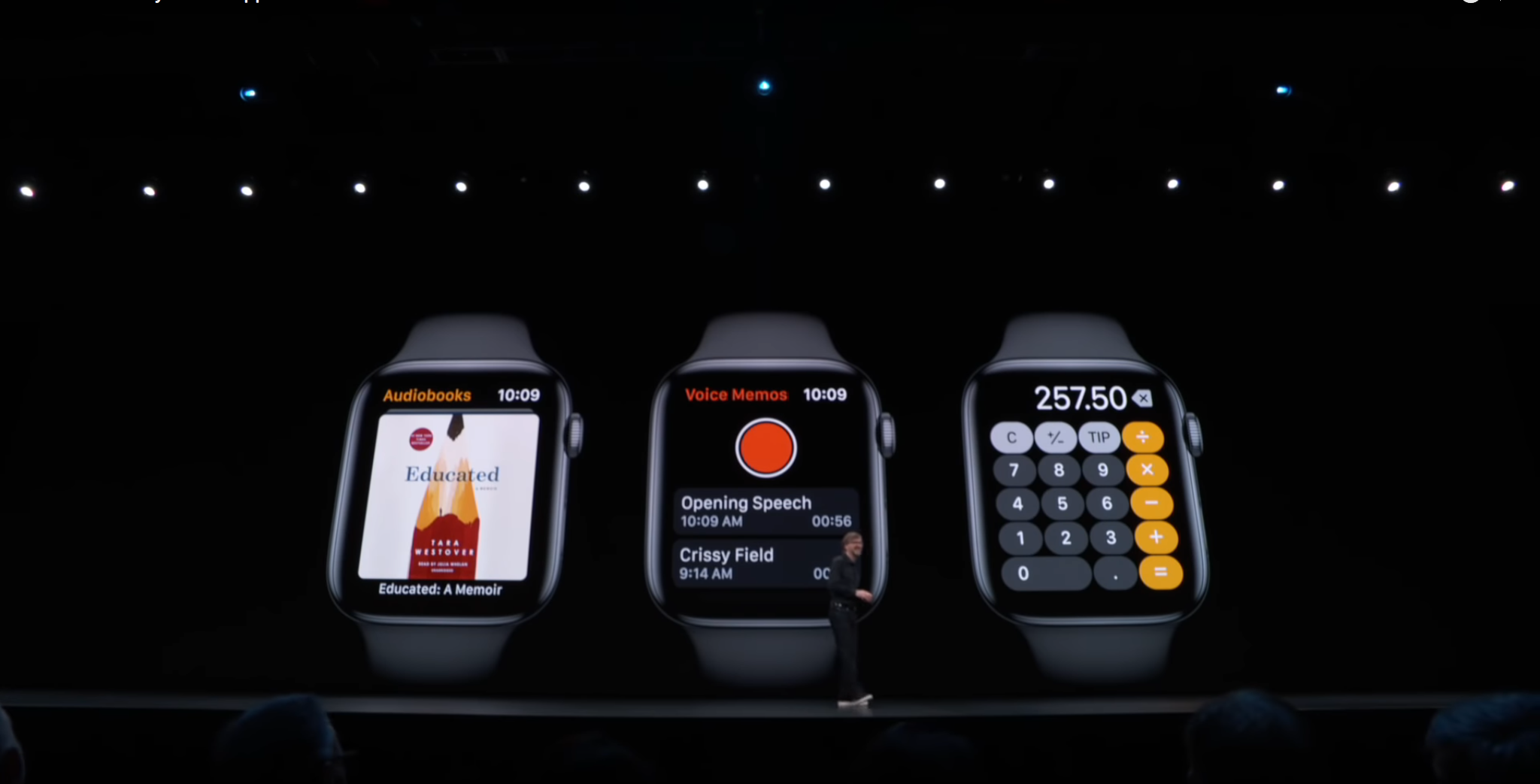
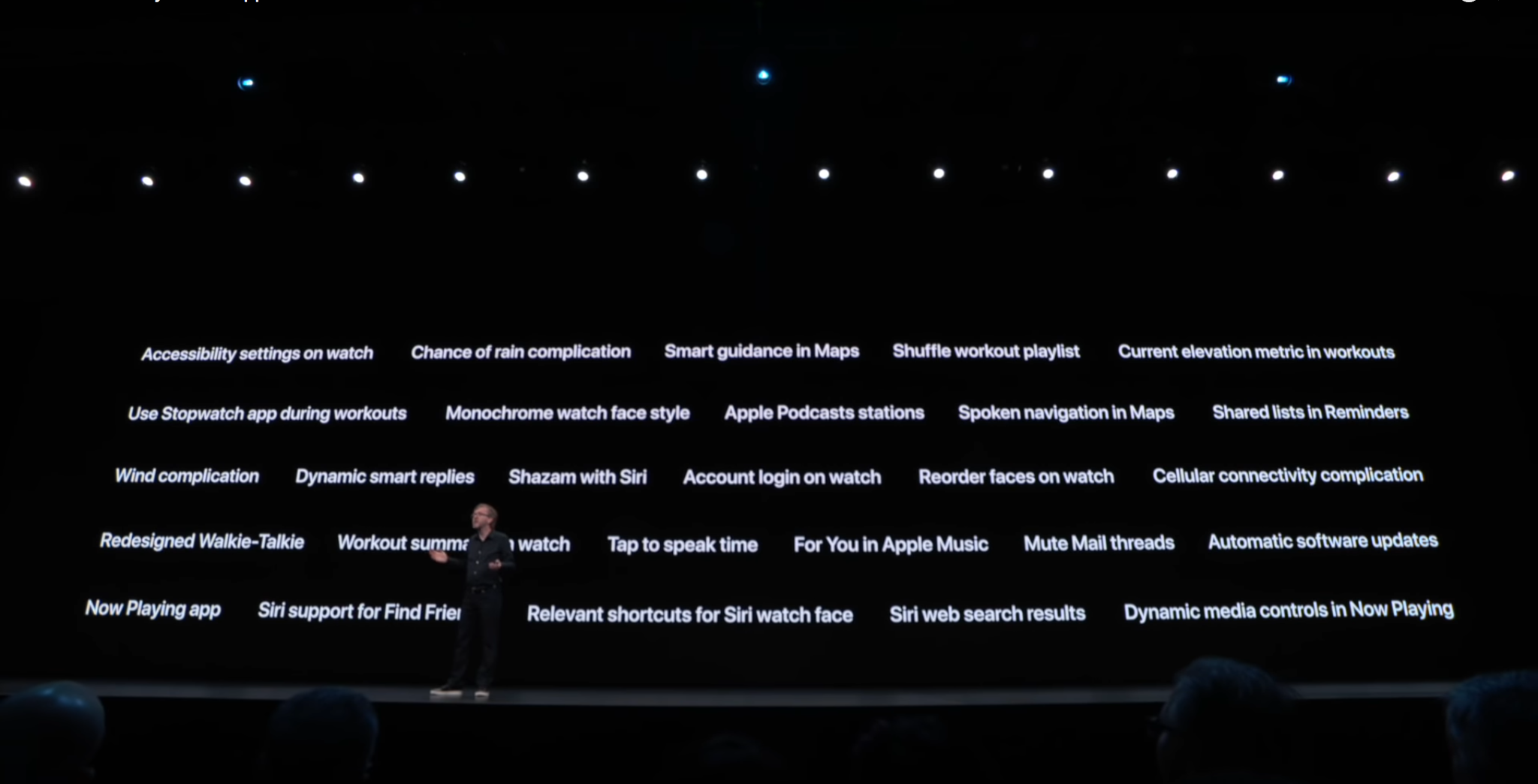
Apple Watch – watchOS 6
Activity trends. Cycle tracking. Hearing health innovations. The App Store on your wrist. With watchOS 6, you get the insights you need to stay healthy and fit. Software updates will be able to happen directly to the watch, no longer depending on the iPhone to deliver it. The video presentation starts at 11:42.

An outline of the new WatchOS 6 features can be found HERE.

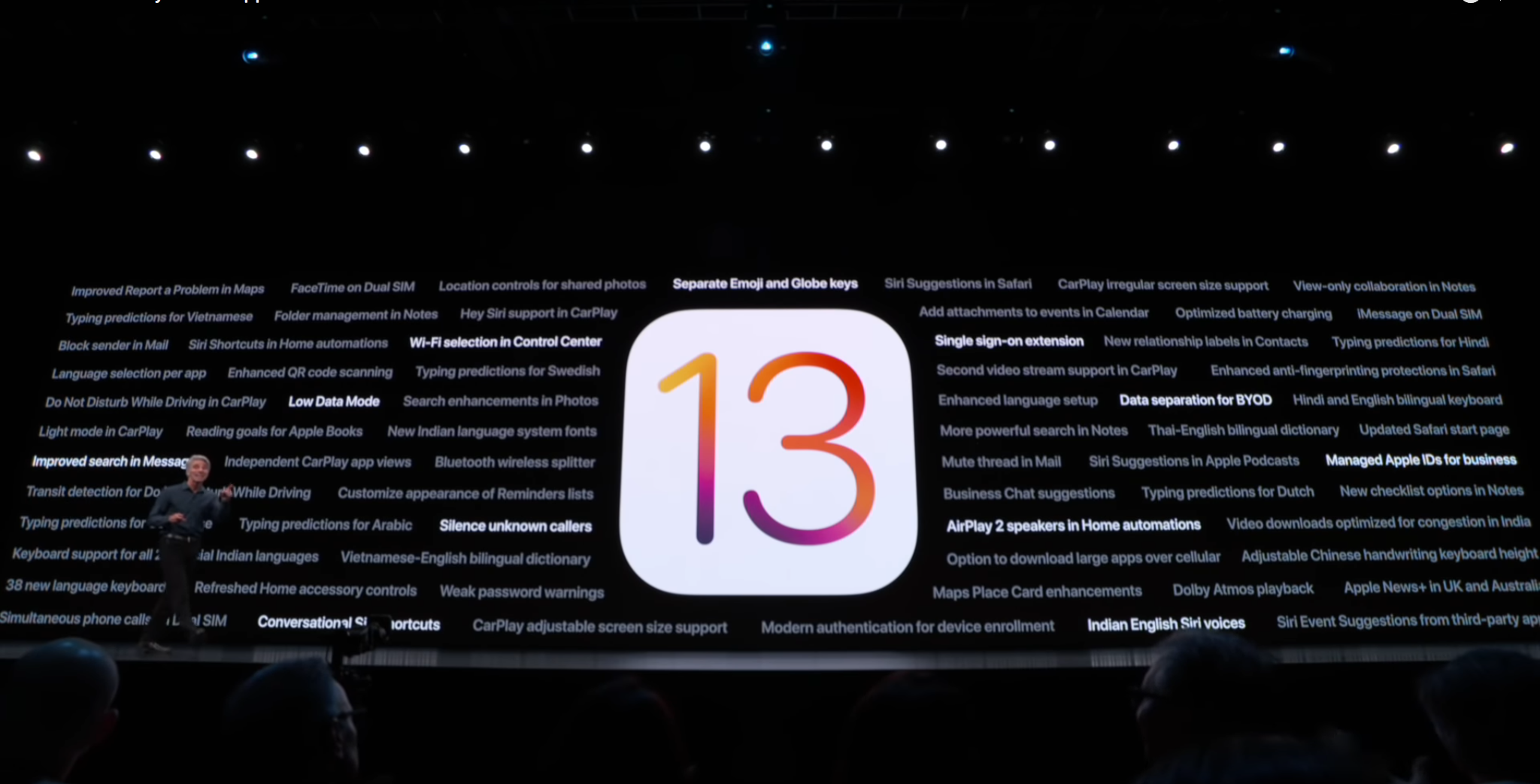
iPhone & iPad – iOS 13
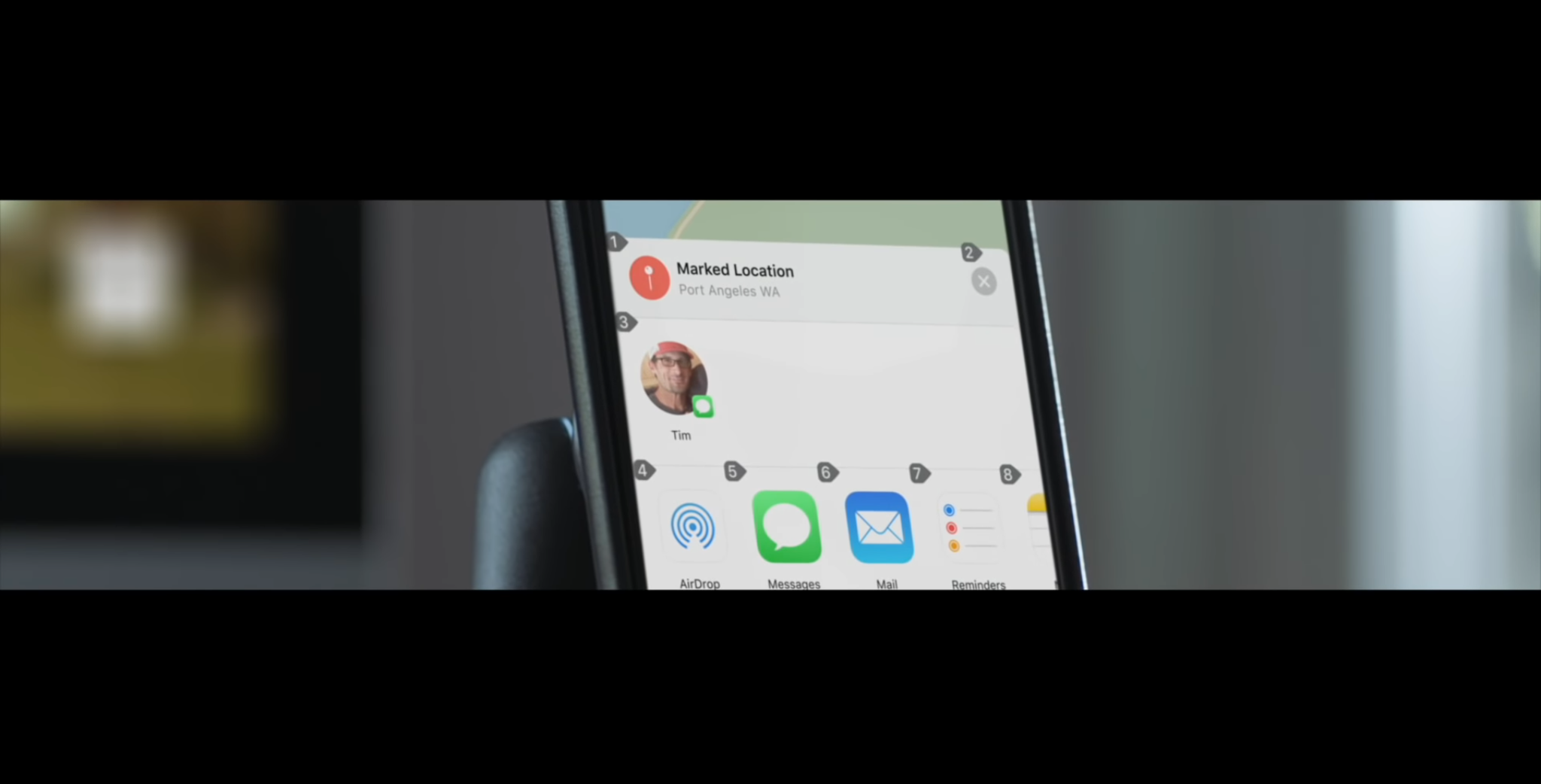
iOS 13 introduces a bold new look, major updates to the apps you use every day, new ways to help you protect your privacy, and improvements across the entire system that make your iPhone & iPad even faster and more delightful to use. The video presentaion starts at 26:43.

An outline of major features of iOS 13 can be found HERE. A FULL list of features can be found HERE.

iPad – iPadOS
While built on the same foundation as iOS, iPad has become a truly distinct experience. With powerful apps designed for a large Multi‑Touch display. Multitasking made simple with intuitive gestures. And the ability to drag and drop a file with a fingertip. It’s always been magical. And now it’s called iPadOS. The video presentaion starts at 1:02:04.

An outline of the major new features in iPadOS can be found HERE. A FULL list can be found HERE.

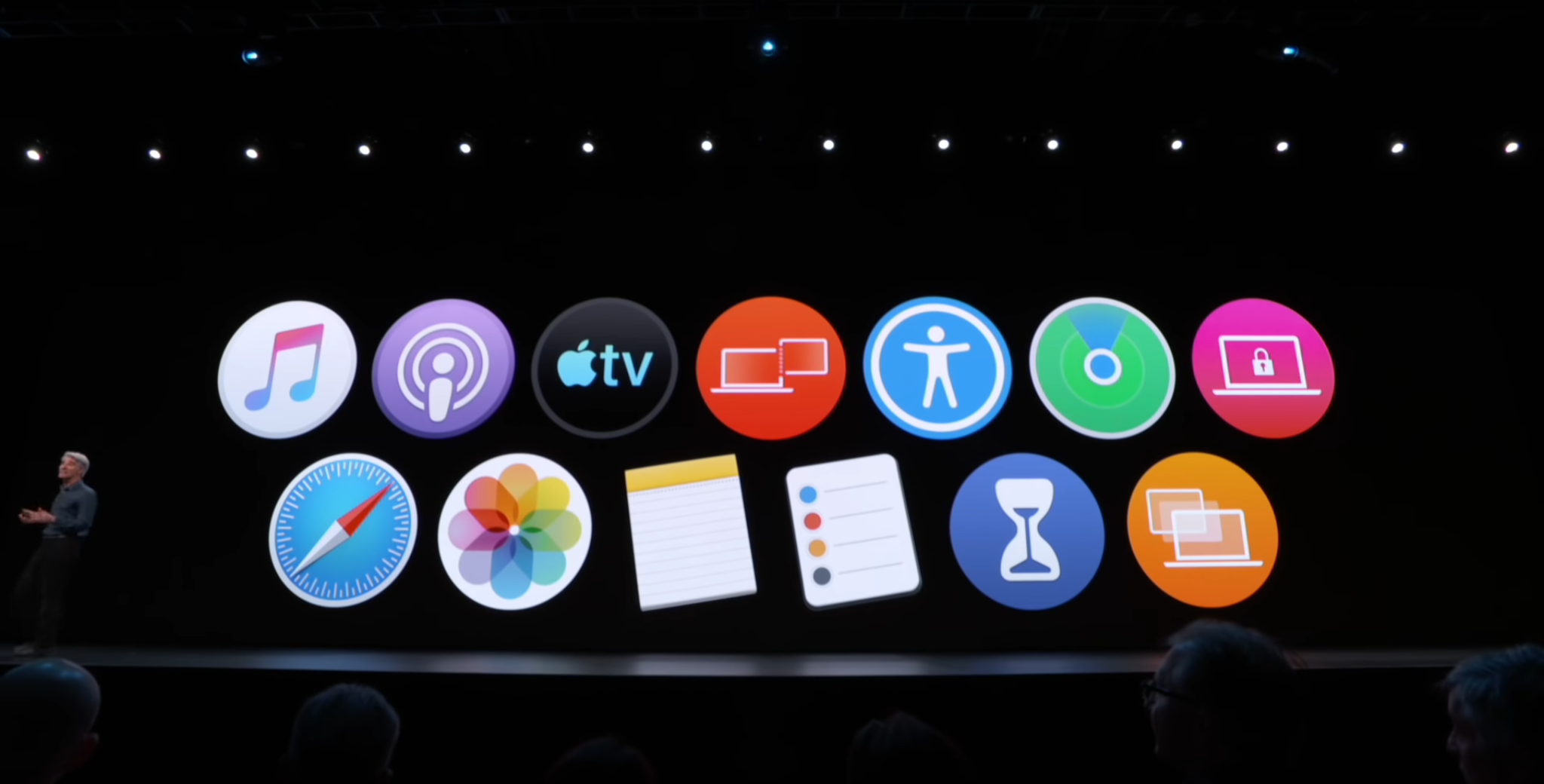
macOS Catalina gives you more of everything you love about Mac. Experience music, TV, and podcasts in three all-new Mac apps. Enjoy your favorite iPad apps now on your Mac. Extend your workspace and expand your creativity with iPad and Apple Pencil. And discover smart new features in the apps you use every day. Now you can take everything you do above and beyond. The video presentation starts at 1:42:40.

An outline of the major new features of macOS Catalina can be found HERE. A FULL list of new features can be found HERE.

Home Automation – HomeKit
Technically, this was a part of the iOS 13 presentation, but we think this is important enough to mention separately. Here, Apple announces a new HomeKit feature called HomeKit Secure Video, which is designed to offer up a better, more secure way to manage the footage captured by in-home security cameras. Apple also announced HomeKit enabled routers, which will provide further protection for your smart devices. A nice summary of the announcement can be found at this MacRumors article.   Starts at 42:42.
iPhone, iPad, Mac – Accessibility: Voice Control
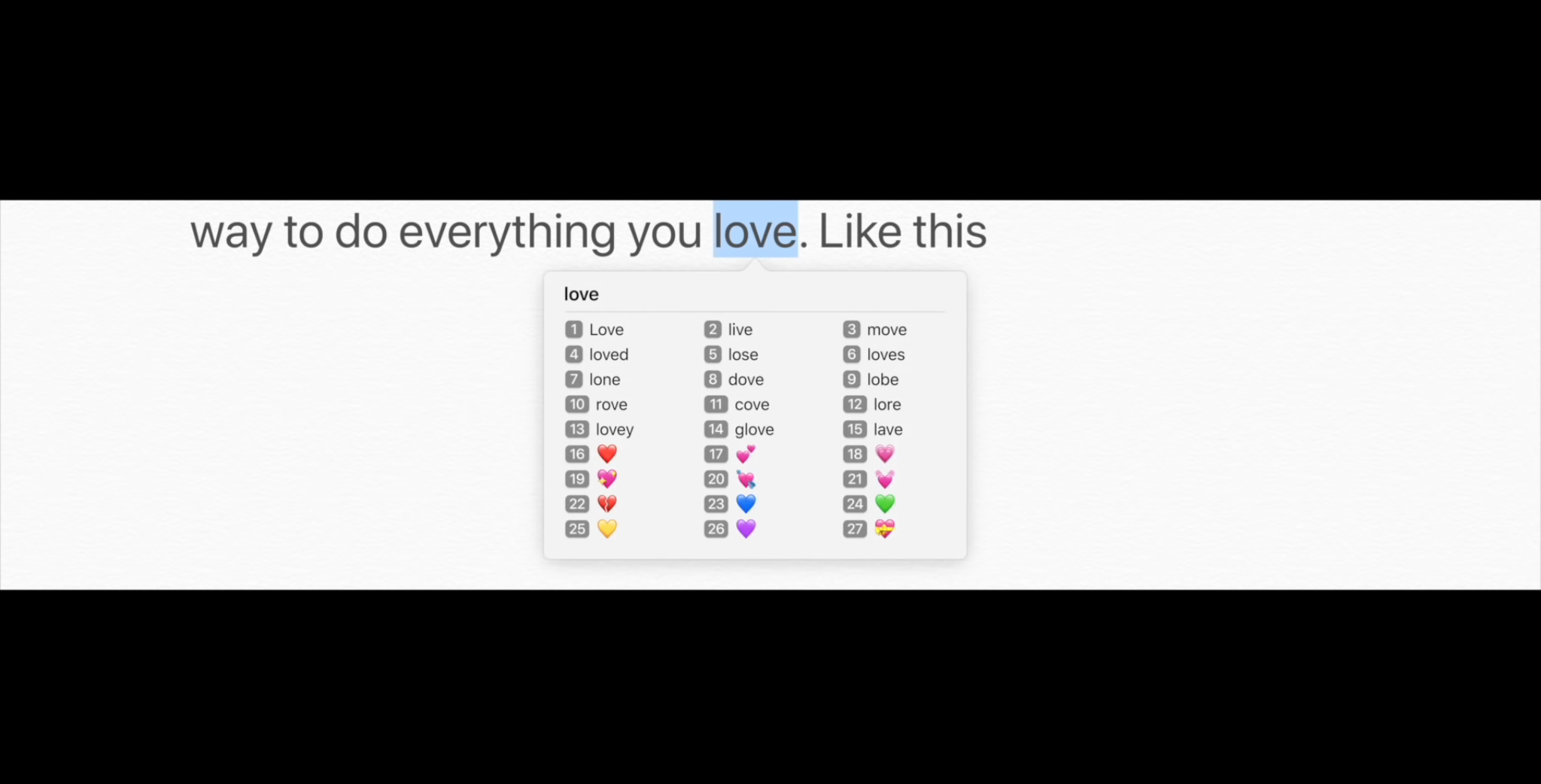
This presentation was included in the Mac part of the keynote, but apparently “accessibility” is going to take huge leaps forward on both Mac, iPad and iPhone. Take a few minutes and watch this. Truly impressive.

The video presentation starts at 1:48:54.

This might not seem like it applies to you, but the things that are presented here represent changes that we’ll be seeing in the kinds of apps that will be available to all of us in the near future as the developers beging to implement these things into their apps.

The video presentation starts at 1:58:44.

Mac – New Mac Pro
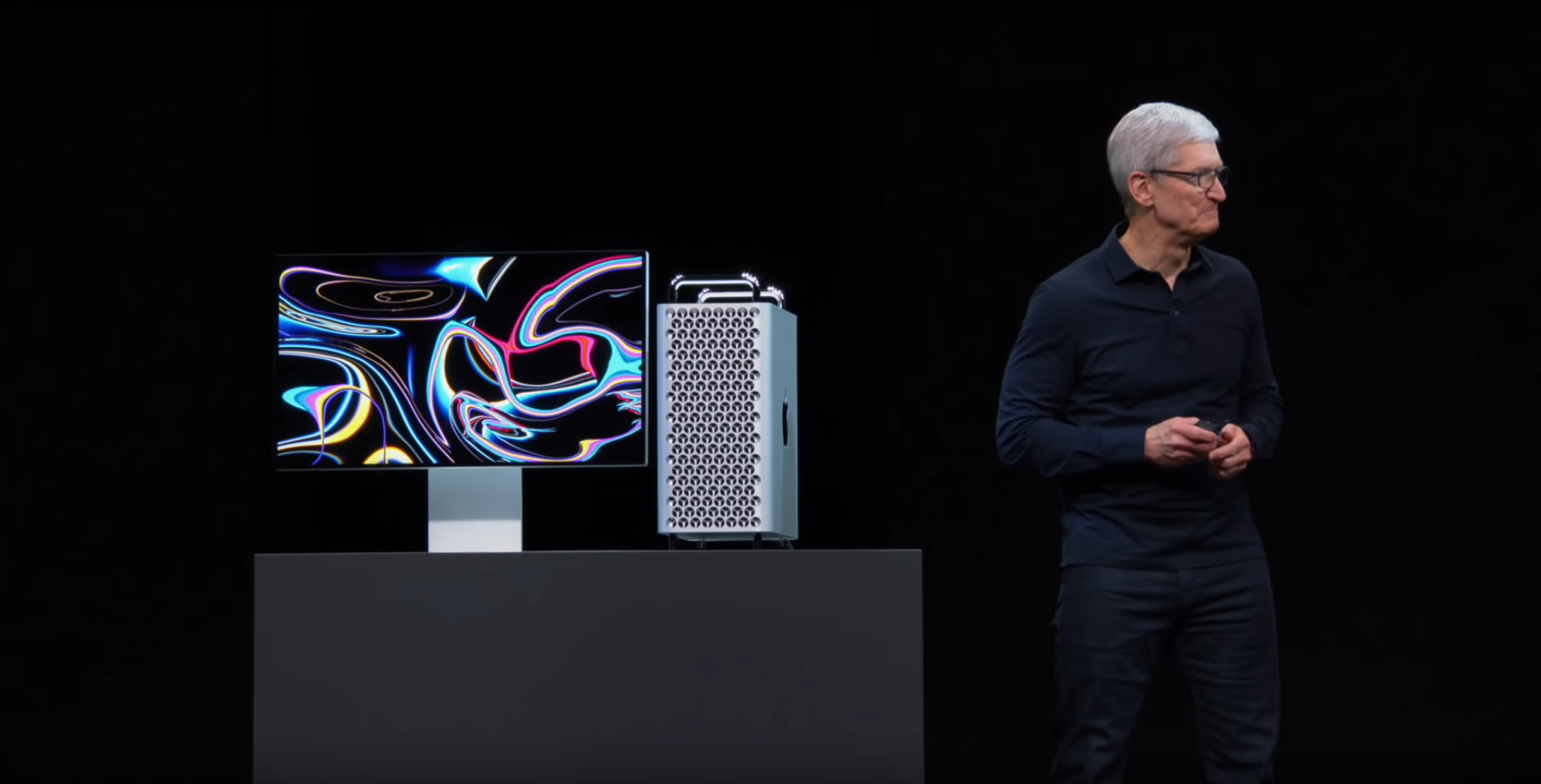
Finally, we need to at least mention the long awaited new Mac Pro. From Apple’s Mac Pro page: “Power to change everything. Say hello to a Mac that is extreme in every way (our note: including price). With the greatest performance, expansion, and configurability yet, it is a system created to let a wide range of professionals push the limits of what is possible.”

The video presentation starts at 1:17:24.

]]>