Not just cost arbitrage - think firepower, founder empathy, and 2 a.m. Slack replies.
Everyone says they want a “strategic offshore partner.” What they usually mean is: “Can I ship this backlog faster without burning my local team out or blowing my Series A budget?” Fair. But buried under that spreadsheet is a more interesting truth: India-based product squads aren’t just cheaper - they’re a weirdly powerful force-multiplier when you get the mix right.
We’ve seen this play out at 1985, sprinting alongside founders from Seattle to Stockholm. Some came to us after bouncing off five Upwork freelancers. Others had in-house teams that were just too swamped to touch a greenfield build. And once they saw what a good Indian squad can do? They never looked back.
Here’s why the smart money keeps dialing Bangalore.
1. The Cost Advantage Is Real - but Not the Point
Let’s get this one out of the way. Yes, an Indian squad typically runs you 30–60% less than an equivalent team in San Francisco or London. But if that’s your only filter, you’ll end up with the software equivalent of a cardboard pizza.

The real win? You get a senior engineer plus a product thinker plus a QA who actually finds bugs - at the cost of a single overpaid tech lead in New York. It’s not just about cost. It’s about how much ground you can cover per dollar, per sprint.
Netflix doesn’t pick AWS for being cheap. They pick it because it delivers. Same logic here.
2. Founder Fluency: We Speak Your Panic
Most Indian product squads today aren’t sweating out cookie-cutter enterprise gigs. They’ve been the founders. Or at least they’ve stood five feet from one.

We’ve had teammates who’ve built SaaS tools in stealth, shut down e-comm experiments, pitched at Y Combinator, and lived to tell the tale. So when you come in flustered saying, “I need a prototype in 6 weeks to close this angel round,” we don’t blink. We open Linear.
It’s founder empathy baked into the process. You won’t hear “let’s align on a roadmap” when what you need is “get this working by Thursday.”
3. Time Zones Aren’t a Bug - They’re a Feature
You ship specs by 6 p.m. in Boston. We wake up in Bangalore, knock out a stub, post questions, and by the time you’re having your morning coffee, you’ve got answers and commits to review. That 10.5-hour offset becomes a virtuous cycle - like continuous integration for ideas.

Think of it as relay racing. Except the baton is Figma mockups, and your devs actually run.
Also: late-night Slack replies aren’t a myth. If something’s on fire, your India squad will patch it faster than your LA crew stuck in traffic.
4. The Talent Bench Is Wildly Underrated
For every shouty Twitter thread about IIT grads leaving for Google, there are 10 hungry engineers quietly building internal tools at Zoho, Razorpay, or Postman - just waiting to work on something bold.

The mistake most founders make? Fishing in the wrong part of the pond. They assume India means junior devs or back-office contractors. Wrong. India’s full of mid-to-senior product minds who’ve built features with 10M users, optimized queries at scale, and cleaned up after broken CTOs.
You just need to know where to knock. (Spoiler: not on Fiverr.)
5. Design Has Finally Arrived
The old joke? “Good developers in India, bad UI.” That’s over. Say hello to the new wave of Figma-native, contrast-ratio-obsessed, mobile-first designers who will judge your login screen like a Michelin critic.

We’ve collaborated with indie designers from Goa to Gurgaon who understand the difference between “usable” and “delightful.” Some even do dark mode right.
More importantly, they get how design fits into a product build - not as a one-off “make it pretty” layer, but as part of the system thinking from sprint zero.
6. Process That Doesn’t Feel Like Corporate Hell
The best India-based squads today have a weird blend of startup scrappiness and process maturity. You’ll get agile boards that actually move. Standups that don’t last forever. Devs who write commit messages that don’t make you cry.
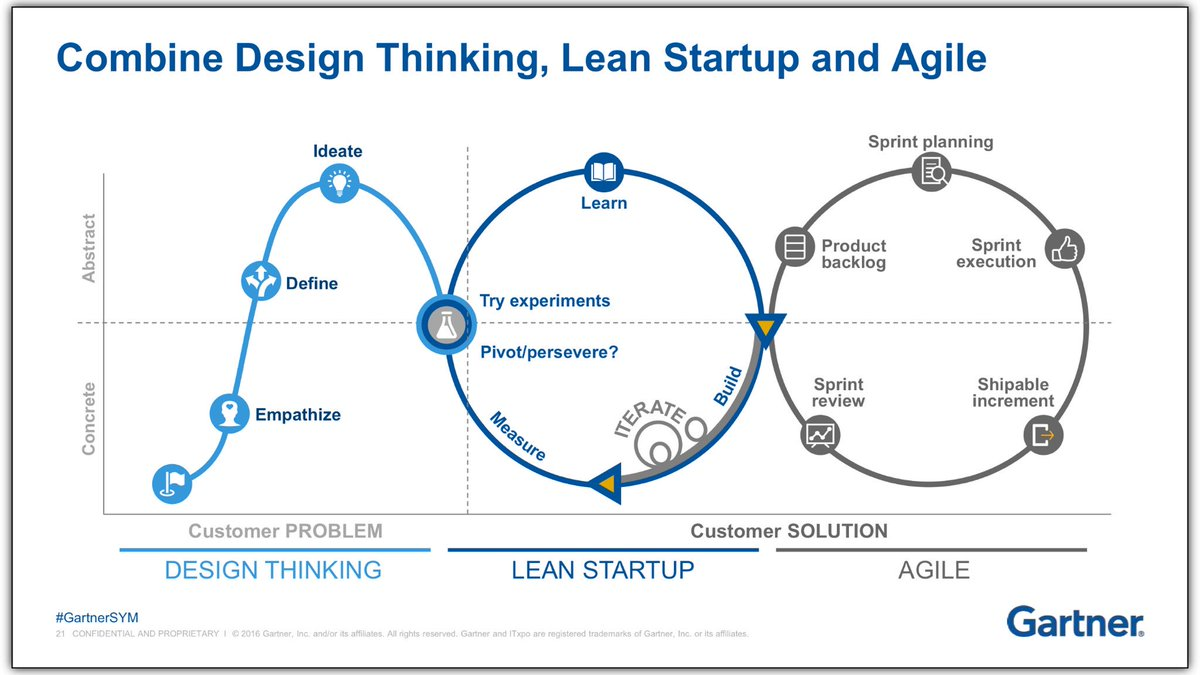
At 1985, we use the rituals that help (pre-sprint demos, PRD-lite briefs, tight QA loops) and ignore the ones that don’t (10-slide decks to explain a dropdown). You want to ship, not schedule meetings.
Basically: we’re allergic to bureaucratic BS, but we also won’t YOLO your prod database.
7. The Stack Game Is Strong
You know those engineers who learn React just enough to pass HackerRank, but don’t know when to memoize a component? We fire those.
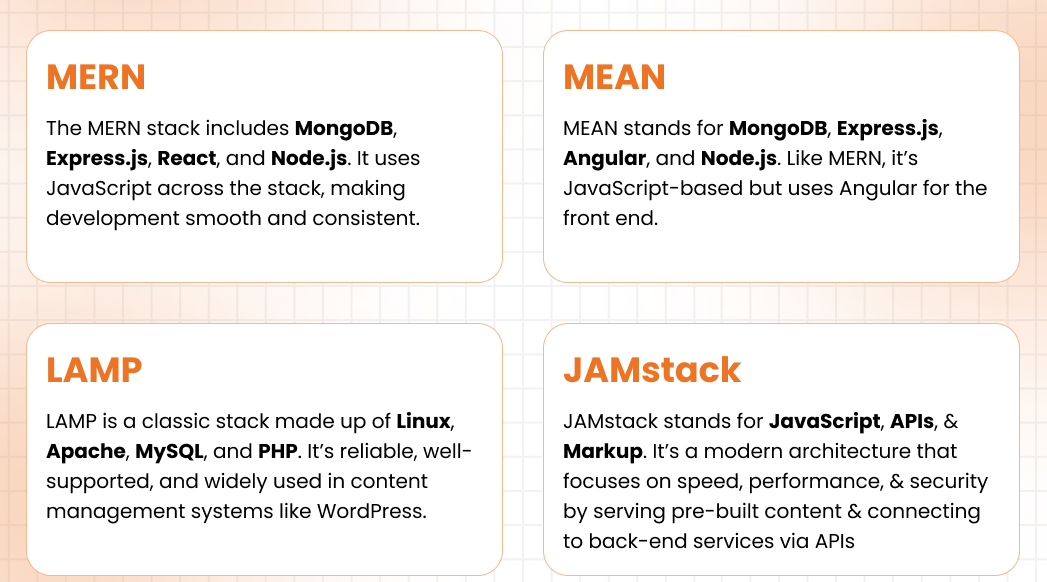
A good Indian squad will be fluent in the stacks you care about - whether it’s Next.js + tRPC + Tailwind, or a more boring but battle-tested Spring Boot setup. And when something’s unclear? They’ll ask. Not silently ship broken junk just to hit a Jira status.
Bonus: if you’re using AI agents, feature flags, or event-driven architectures, you’ll find squads here who’ve tried it on live products - not just ChatGPT side-projects.

8. Cultural Fit ≠ Friday Pizza Parties
Cultural alignment doesn’t mean sharing the same memes. It means your team gets the urgency, the pace, and the chaos of your roadmap. It means they won’t sulk when priorities shift or features get axed.
Indian squads that work with startups regularly are built for this whiplash. We’ve had clients pivot from crypto wallets to healthtech in three weeks. No one cried.
We’ve also learned how to match our communication styles to yours - over-document if you're German, async clarity if you're Californian, call-heavy if you're Israeli.
Adaptability isn’t fluff. It’s survival.

9. You Get a Product Brain, Not Just a Coding Hand
The good ones don’t wait for you to spell out the obvious. If your onboarding flow has a drop-off, they’ll flag it. If the API contract feels bloated, they’ll suggest a refactor. If your dashboard UX smells like 2012, they’ll show you options.
That’s the difference between a vendor and a squad.
At 1985, we’ve helped tweak feature sets before launch, kill zombie features mid-dev, and build internal tools that nobody asked for - but everyone ended up using.
You want a team that ships with you, not just for you.
10. Speed + Safety = Startup Nirvana
We’ve all heard horror stories: rogue freelancers with no backups, agencies that vanish mid-sprint, “tech partners” who hold your code hostage.
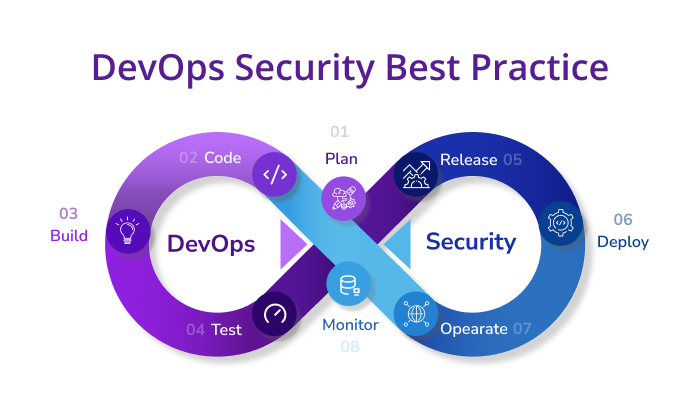
That’s why funded founders now vet for velocity and stability. They want a squad that can ship a pilot in 3 weeks - but also has CI/CD hygiene, test coverage, rollback plans, and the occasional grumpy QA who’ll block a release because the button color broke contrast rules.
When you get that combo? You unlock a level of shipping power that feels unfair.
(And yes, we’ve shipped MVPs over a long weekend. With working tests.)
Why India-Based Squads Win
| Attribute | Bad Offshore Team | India-Based Product Squad (Good Ones) |
|---|---|---|
| Cost per sprint | ✅ Cheap | ✅ Still cheap but worth more |
| Design quality | ❌ UI from 2006 | ✅ Modern, UX-aware, mobile-friendly |
| Product thinking | ❌ Just code to spec | ✅ Anticipate, suggest, improve |
| Communication | ❌ Ghosts or micro-manage | ✅ Fluent, async, proactive |
| Tech stack fluency | ❌ Copy-paste coders | ✅ Fluent in startup-native stacks |
| Time zone leverage | ❌ Delayed cycles | ✅ Round-the-clock progress |
| Process maturity | ❌ Chaos or overkill | ✅ Just enough structure to scale |
| QA & reliability | ❌ Hope for the best | ✅ Caught it before staging |
| Long-term value | ❌ Burn and churn | ✅ Grows with you, challenges you |
Wrap-up
The India of 2025 isn’t the outsourcing back office of the 2000s. It’s a sharp, opinionated, product-first ecosystem that knows how to play startup ball - and loves it.
If you’re a funded founder wondering whether to go local or global, think of it this way: your customers don’t care where your devs sit. They care that your product doesn’t suck.
India-based product squads - when chosen right - make sure it doesn’t. And they’ll do it while you're asleep, so you can wake up to progress.
Want a squad that ships with speed, sweat, and slightly sarcastic commit messages? Ping us at 1985. We speak founder.
FAQ
1. Why are India-based product squads especially appealing to funded startups?
Because they offer an uncommon blend of speed, affordability, and startup-savvy mindset. For founders racing to prove traction or hit roadmap milestones, an India-based squad can provide senior engineering firepower, product input, and design sensibility - all without the burn rate of hiring in SF or London. It’s not just labor arbitrage - it’s leverage.
2. What’s the difference between a freelance developer in India and a structured product squad?
Freelancers tend to work solo, often juggling multiple clients with little process. A product squad, on the other hand, functions as a mini-startup unit: designers, engineers, QAs, and product leads who’ve shipped together before. They share context, communicate asynchronously, and own outcomes - not just tickets.
3. How do time zone differences actually help rather than hurt?
Think of time zones as a natural work relay. You hand off specs at end-of-day in LA or NY, and by the time you're back online, your India-based squad has made tangible progress or left questions for quick unblocking. This staggered rhythm keeps product velocity high, especially when both sides document well and work async.
4. Can Indian teams handle modern stacks and bleeding-edge tech?
Yes. Most strong Indian squads are fluent in startup-standard stacks like React/Next.js, Node.js, Python, and AWS - but many also bring experience with emerging tools: serverless functions, GraphQL, feature flag systems, AI agents, and event-driven architectures. The trick is choosing squads who’ve actually used these in production, not just read the docs.
5. Isn’t the quality of design and UX still a concern with offshore teams?
That stereotype is increasingly outdated. India’s design talent pool has matured significantly, thanks to mobile-first product companies, global design bootcamps, and a generation of self-taught designers fluent in Figma and Webflow. Founders now routinely find squads who can match Western UX expectations - from onboarding flows to accessibility standards.
6. How do these squads approach product thinking - not just engineering?
Good squads don’t wait to be told exactly what to build. They’ll flag confusing UX, propose simpler workflows, or even challenge whether a feature needs to exist. Many have internalized lean startup principles, so they optimize for MVPs, not gold-plated solutions. You’re hiring a thought partner, not a code robot.
7. What kind of process maturity can you expect from top India squads?
Expect crisp rituals without ceremony-for-ceremony’s sake. Daily async updates, weekly demos, PRD-lite docs, tight QA loops. You won’t get buried in Jira bloat or 2-hour retros. Many squads emulate the cadence of early-stage US startups - lean, fast, and focused on value per sprint, not vanity metrics.
8. How do you ensure IP protection and long-term reliability with an offshore squad?
Strong squads operate with NDAs, private repos, and secure infra setups. Many use SOC2-compliant systems and version-controlled environments. But beyond paperwork, the best protection is context continuity: squads that invest in your domain and stick around for the journey. Vet for cultural alignment and reputational signals, not just resumes.
9. Are there specific types of startups that benefit most from India-based squads?
Startups in SaaS, fintech, healthtech, edtech, and AI tooling often see outsized ROI. Especially those needing to ship MVPs, iterate fast, or maintain core systems while local teams focus on GTM. If your core IP isn’t hyper-regulated or location-dependent, a remote squad can be your product muscle.
10. What’s the biggest mistake founders make when hiring offshore?
Optimizing for hourly rates instead of outcomes. Hiring a “cheap dev” without process or product sense leads to rework and stress. Instead, look for squads that ship software and think with you - who understand urgency, ambiguity, and tradeoffs. The cheapest path is rarely the fastest. The right India-based squad often is.
The myth: onboarding takes weeks. The reality? You can ship meaningful code in three days—if you treat onboarding as a design problem, not a checklist.
Most onboarding processes are like IKEA manuals without the little cartoon guy. You get the parts, a vague sense of direction, and nobody tells you the table’s going to wobble unless you jam that weird hex key just right.
Now imagine trying to assemble that table mid-flight.
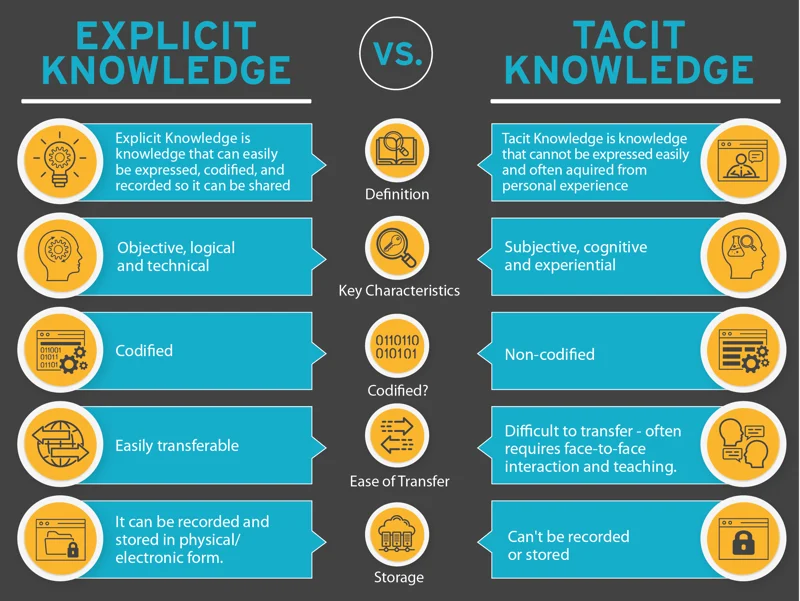
That’s what we asked our engineers to do: jump into an active product sprint at a B2B SaaS company, build a net-new feature, and get it running in staging—in 72 hours. No slow ramp-up. No documentation safari. Just context clues, tacit knowledge, and a dev environment with booby traps.
This is a field report from that sprint. Equal parts playbook and postmortem.
Day Zero Isn’t When You Start Coding
It’s when you learn what not to ask.
The feature brief seemed innocuous:
“Add dynamic content blocks to email templates based on user behavior in the past 24 hours.”
Sounds simple, right? Now fold that into a campaign delivery system running on a batch-cron job, with Redis-warmed conditions and a legacy personalization engine the original authors haven’t touched since pre-COVID.
The existing team was already behind schedule, and our insertion was more rescue mission than greenfield build.
The 1985 crew dropped in cold:
- 1 backend dev (Node.js + queue orchestration ninja)
- 1 frontend dev (React, Figma-wrangler)
- 1 QA (early-stage sadist, loves breaking things)
- 1 delivery lead (calendar herder)
- 1 product buddy (half translator, half therapist)
They got Slack access at 10:15 AM on a Tuesday. The first commit hit GitHub less than five hours later.
Phase One: Speedrunning the System Without a Map
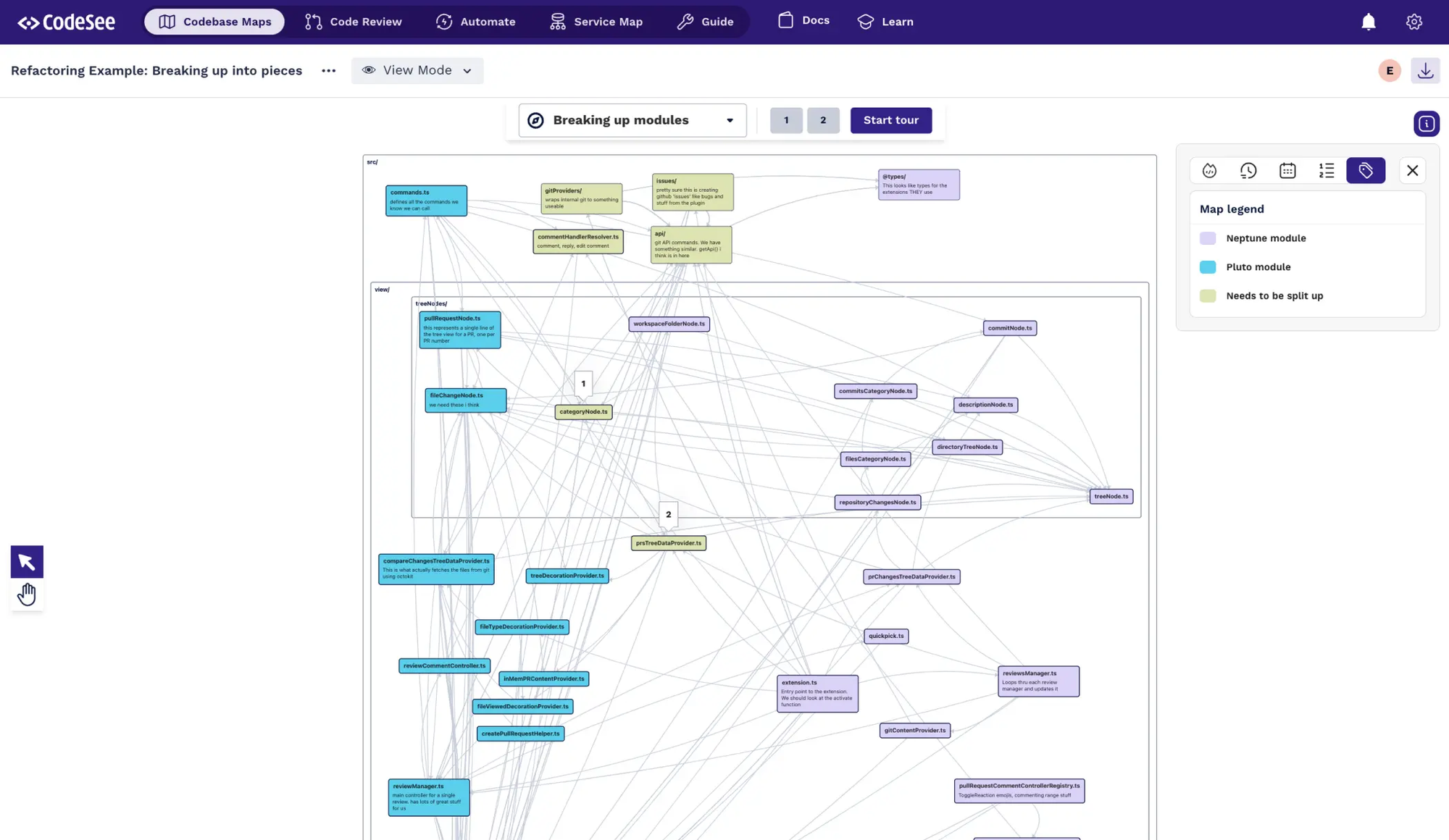
If you want to build fast, don’t start with the codebase. Start with the “shape” of the system.
By lunchtime, we weren’t reading files—we were triangulating behaviors:
- Where is user behavior captured, stored, queried?
- When does the system render content blocks?
- Who owns the rendering logic and who merely triggers it?
Most teams get stuck here, drowning in abstractions. We treated it like a scavenger hunt. Every engineer picked a thread and pulled:
- One traced how content blocks were fetched in live campaigns.
- Another traced the fallback content logic.
- The QA peeked at old test cases to reverse-engineer edge scenarios.
Slack, Day 1, 1:41 PM
Our Dev: “Hey—who owns the campaign-conditions file? Seeing a rule that checks for event.last24h but not sure where that’s hydrated.”
Client Dev: “That’s a ghost. It was deprecated but never removed. We switched to a Redis-warmed model 6 months ago.”
That moment? Worth 40 pages of docs. Tacit knowledge, surfaced quickly.
By EOD, we had:
- Local environments running for everyone.
- A test payload with simulated behavioral events.
- A basic feature flag stub to route between old/new renderers.
No tickets. No ceremonies. Just focused exploration and fast feedback.
Phase Two: Break It Early, Then Break It Differently
By Day 2, we weren’t talking about onboarding. We were just building.
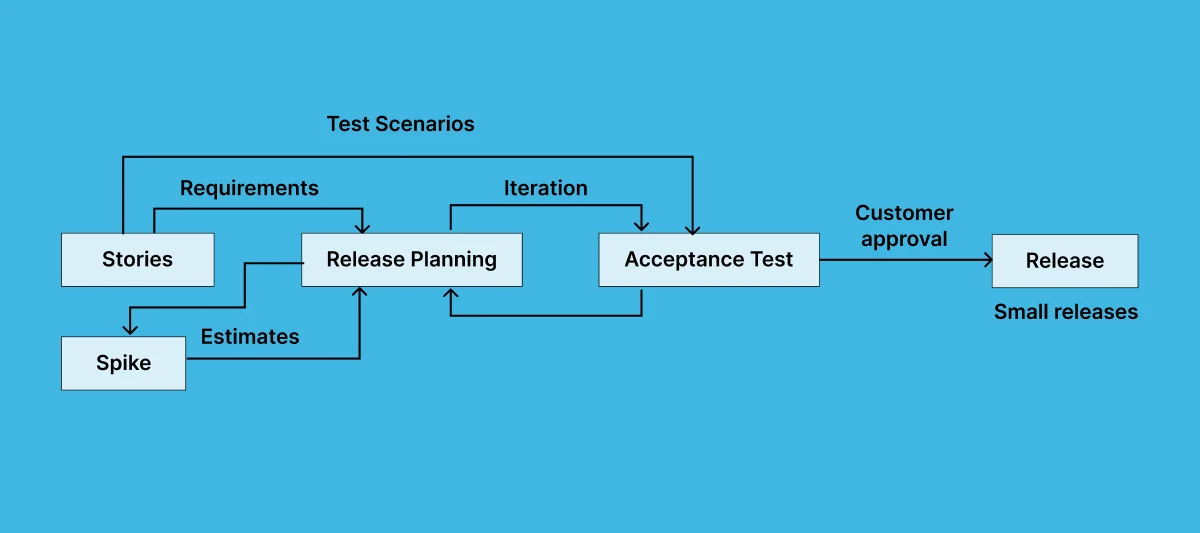
We took a “spike-and-replace” approach:
- Build the new renderer outside the main flow.
- Feed it mocked data.
- See what breaks.
This gave us two critical things:
- A confidence layer—if the spike behaves, it’s worth integrating.
- A firehose of failure points—because nothing reveals edge cases like a naive implementation.
Slack, Day 2, 2:12 PM
Client QA: “Preview fails when eventType is null.”
Our QA: “Caught that too—pushing a fallback to empty string with warning log. Will tag for cleanup.”
By hour 36, the new renderer could:
- Fetch recent user events.
- Apply content matching rules.
- Slot the right block into the existing email template.
And crucially, it could fail gracefully—falling back to default content or skipping dynamic blocks entirely.
We didn’t aim for elegant. We aimed for shippable.

Phase Three: The Invisible Work That Makes It Stick
By Day 3, the code was done. But the real test? Whether we could walk away and leave the feature maintainable.
So we recorded a 15-minute Loom explaining:
- The new block renderer’s data contract.
- Where the feature flag lives.
- What happens when user behavior data is missing.
No polished slides. Just a dev talking through their PR like they were explaining it to their future self.
We also dropped:
- A basic smoke test script for QA.
- A README.md inside the feature folder.
- A Slack thread linking to both, tagged for the next sprint owner.
Client PM, Day 3, 6:09 PM
“This is nuts. We’ve had contractors take two weeks just to set up their laptop. You guys shipped and documented in 3 days.”
Not to brag, but… okay, we’re bragging a little.
How We Actually Pull This Off: Not Magic, Just Muscle Memory
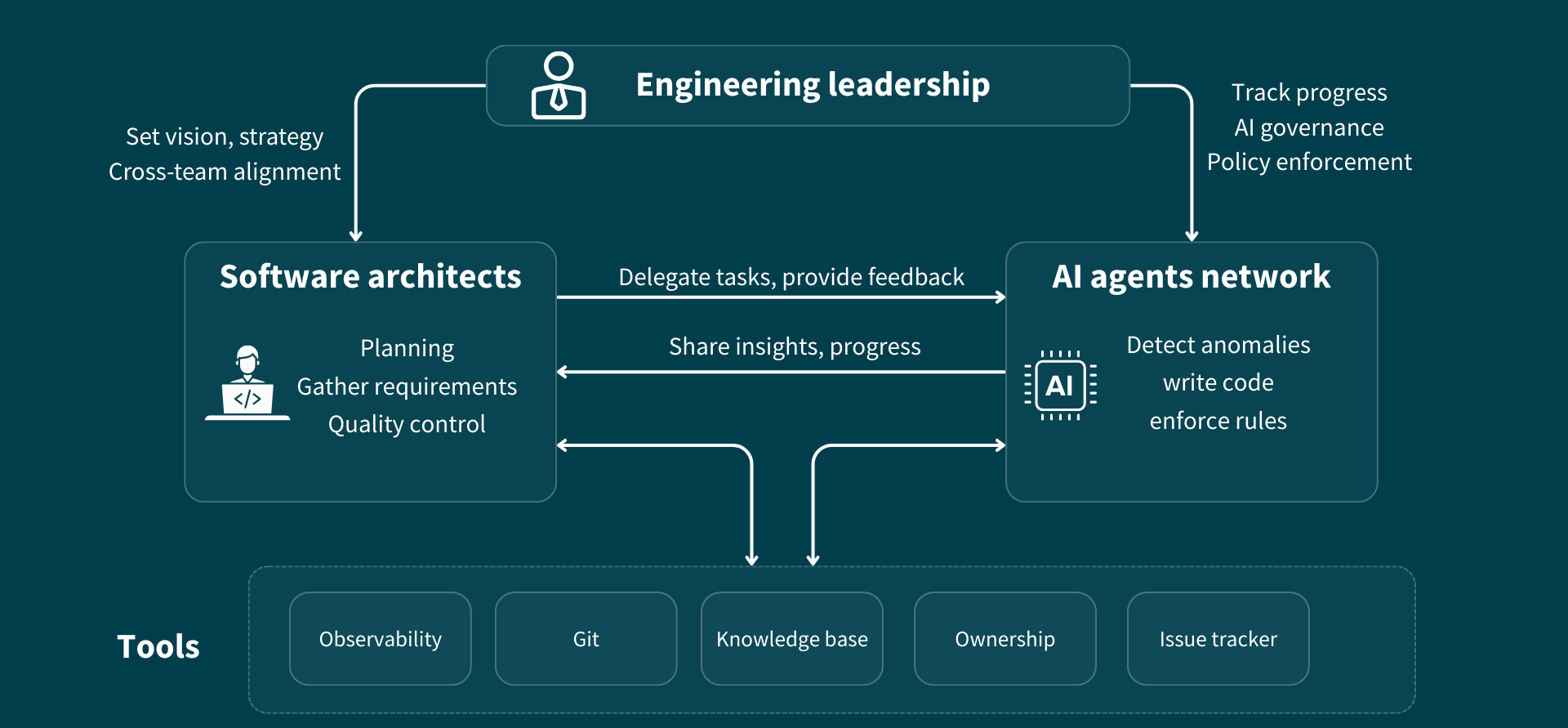
Over the past year, we’ve run over a dozen “zero-day” insertions like this. They don’t all ship in 3 days—but they all get real traction fast.
Here’s why:
1. We design for ambiguity, not clarity.
We don’t treat onboarding like a knowledge dump. We treat it like an inference engine. What can a new dev figure out with partial information and the right breadcrumbs?
2. We trust questions more than docs.
Our devs are trained to ask dumb questions fast—and to sense when silence hides a risky assumption. Documentation is helpful. Live context is gold.
3. We ship junk early.
We encourage “bad spikes” as a tactic. A half-working prototype reveals more system truths than three Figma reviews and a backlog grooming combined.
4. We bake in a product buddy.
Every new squad gets a “translator” from our side. Not a project manager. Someone who knows where the dragons lie and how to ask “what’s the real blocker here?”
5. We end with a “reverse handoff.”
Final deliverable = a Loom walkthrough + cleanup TODOs. Because code stays longer than people.
So When Doesn’t This Work?
We’ve seen zero-day onboarding fail, and here’s where it usually breaks:
1. The system lies.
If your staging env doesn’t mirror prod, or your feature flags behave differently across tenants, your new devs will waste hours fighting ghosts.
2. The team hoards knowledge.
If senior engineers treat questions as interruptions, new squads will learn slowly—and stop asking. That’s game over.
3. The setup is too safe.
Paradoxically, the more you “protect” new teams by insulating them from real code or shipping pressure, the slower they learn. You can’t debug from the bleachers.
The Takeaway: Onboarding Is an Execution Path, Not a Timeline
Most orgs think of onboarding as “read these docs, attend these meetings, survive this week.” We treat onboarding as a sprint constraint. You ship in 3 days, and everything else bends to support that goal.
Is it always this fast? No.
Can it always be this focused? Absolutely.
The secret isn’t better orientation decks or longer ramp-up windows. It’s designing systems where smart engineers can feel their way into context—and where failure is fast, visible, and recoverable.
You don’t need more slides. You need more frictionless commits.
Want to See This in Action?
We’ve run zero-day squads inside fintech scale-ups, legacy edtech systems, and even a logistics app built on Perl (don’t ask).
If you’re curious whether this could work in your world—let’s talk. No slide decks. Just a 20-minute call, some Slack transcripts, and a bet: we’ll ship faster than your last onboarding did.
FAQ
1. What exactly is “zero-day onboarding”?
Zero-day onboarding is our term for dropping a brand-new squad into an active product sprint with the expectation that they ship meaningful code within 72 hours. It’s not about rushing; it’s about structuring onboarding as a rapid-context acquisition loop, using real tasks to surface tacit knowledge, undocumented edge cases, and integration quirks faster than any read-only handover.
2. Isn’t this risky for critical production systems?
Yes—if you throw untested people into prod flows without guardrails. That’s why we only do this with battle-tested squads and behind clear feature flags or sandboxed environments. The risk isn’t in shipping fast—it’s in shipping without visibility or fallback logic. Our teams spike safely, push early, and isolate changes until confidence is high.
3. How do new developers get up to speed without documentation?
They don’t rely on documentation alone—they triangulate context. We train our engineers to ask targeted questions, trace real behaviors in the codebase, and test assumptions with micro-experiments. Documentation helps, but most systems have critical knowledge living in people’s heads or buried in legacy scripts. Our approach surfaces that fast.
4. Do you assign mentors or “buddies” during onboarding?
Yes, but not in a traditional sense. We assign a product buddy from our side who’s familiar with similar builds and serves as an interpreter—not a blocker. This person nudges the team toward clarity, catches context gaps, and helps de-risk technical decisions in real time. They're optional after Day 3 but essential at the start.
5. What tools do you use to facilitate this process?
Slack and GitHub are central—everything else is optional. Loom is our preferred async documentation tool, especially for walkthroughs and reverse handoffs. We sometimes use Tuple for live debugging or FigJam for quick architecture whiteboarding, but the real enabler is structured messaging, not tooling overload.
6. How do you ensure quality with such fast turnaround?
By shipping ugly code early and refining it collaboratively. We lean on strong QA automation, a fail-fast spike mentality, and clearly scoped integration points. The goal isn’t perfection in 72 hours—it’s momentum with guardrails. Once the system is understood and behaviors are predictable, cleanup becomes much easier and safer.
7. What kinds of features are best suited for zero-day onboarding?
Self-contained features that don’t require rewriting core platform logic are ideal. Anything that can be gated behind a feature flag, runs on isolated data inputs, or interacts with well-defined APIs is fair game. We avoid deep refactors or performance-critical flows unless we’ve previously worked in that codebase.
8. What happens after the 72-hour push?
We conduct a reverse handoff via a recorded Loom, brief documentation of key decisions, and flagged TODOs for further refinement. If the client team wants to take over, they get context quickly. If we’re continuing, our devs already have enough fluency to work at full speed from Day 4 onward.
9. Doesn’t this create pressure or burnout for the new team?
Surprisingly, no—because it removes the ambiguity that usually causes stress. Most engineers hate being idle or unsure; giving them real problems, fast feedback loops, and permission to break things (with safety nets) is energizing. Our squads sign up for the tempo, and we rotate them smartly to avoid overload.
10. Can this model scale across multiple squads or larger orgs?
It can, with discipline. The key is modularizing systems so each squad can enter at a logical boundary—like a service, feature, or user journey. It also requires an organizational culture that supports fast feedback, clear escalation paths, and psychological safety for asking “obvious” questions. We’ve seen it work in orgs of 50 and 500+. The pattern holds—it just needs tighter choreography.
]]>Time zones, talent wars, and taco Tuesdays—let’s unpack which dev team model actually works when you’re moving from zero to one to scale.
There’s a moment in every startup’s life when the founding team realizes they can’t do it all. Usually somewhere between the third product pivot and the second mental breakdown. You’re juggling deadlines, investor asks, and a backend that still throws 500s every full moon.
That’s when the question pops up: Should we hire in-house or outsource this mess? And if outsourcing, where—next-door in Mexico, or 8,000 miles away in Bangalore?
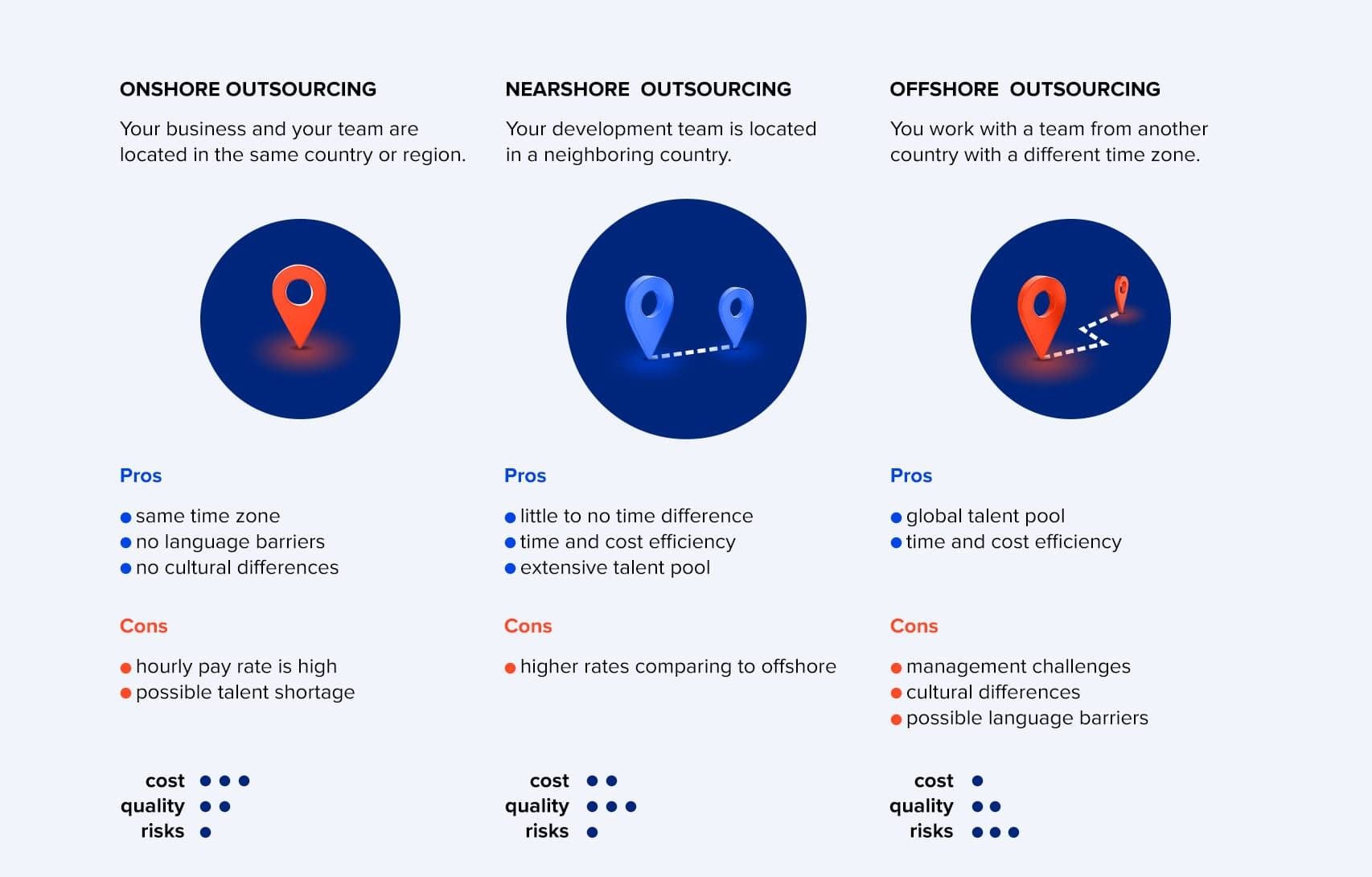
This article isn’t going to sell you one model over another. Instead, I’ll break down how offshore, nearshore, and in-house teams stack up across time zones, costs, culture, and coordination—for each growth stage of your startup. Think of it as your cheat sheet to not screwing up team structure while chasing product-market fit.
The Seed Stage Shuffle: Cheap, Fast, or Close—Pick Two
Ah, seed stage. When your runway’s a glorified countdown timer and your codebase is 40% TODOs. You need builders. Yesterday.
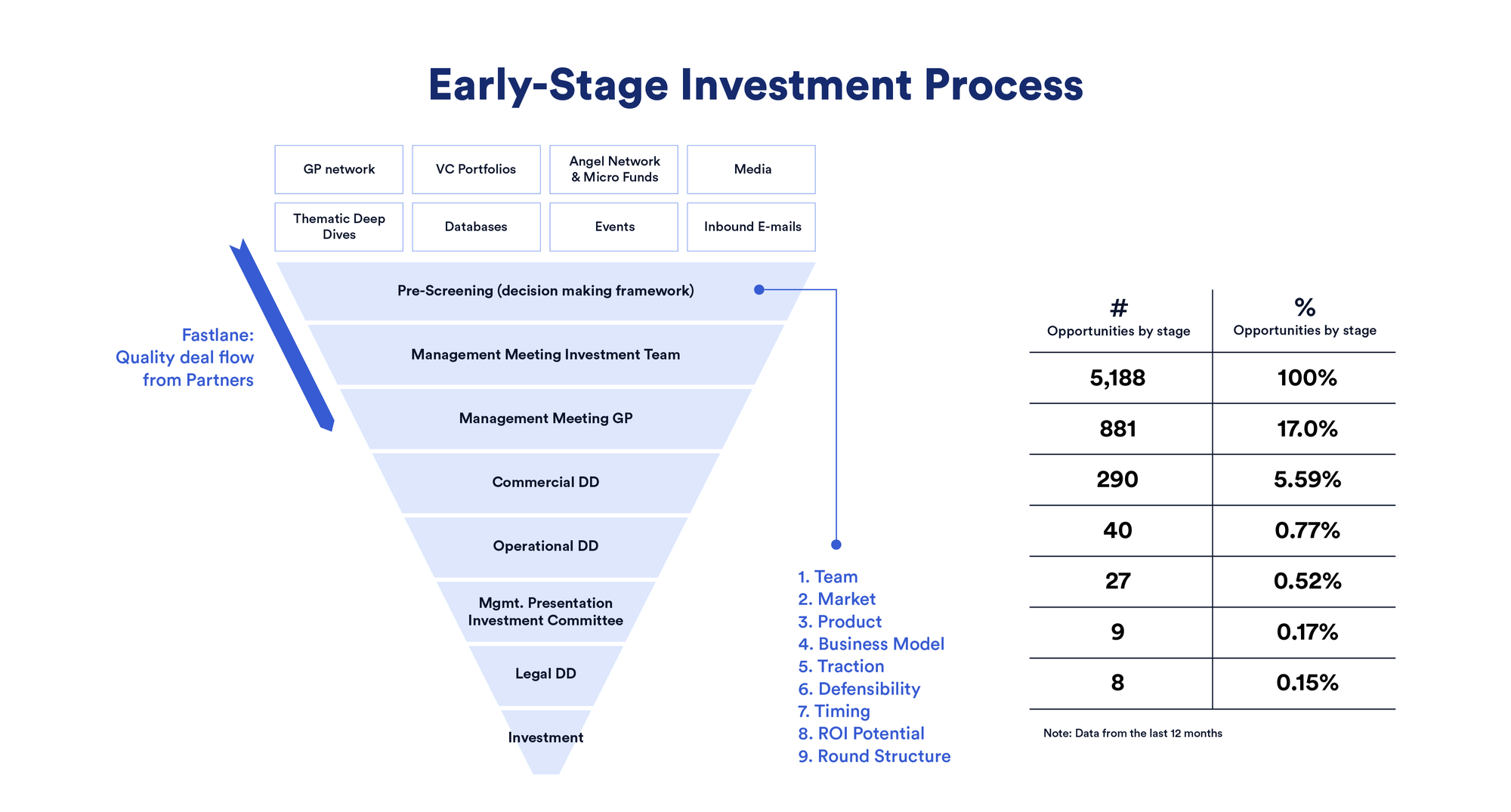
Here’s what each model brings to the table at this point:
🧠 In-House (Bad Idea Unless You’re Already Rich)
You want in-house, right? Everyone does. The collaboration. The war room vibe. The founder energy. But if you’re pre-revenue, hiring full-time devs in San Francisco or London is like buying a Tesla when your bank account has $3.45 and a Blockbuster gift card.
- Cost: Brutal. Think $150k–$220k per dev/year in the US.
- Speed: Slow. Finding your first engineer takes time, and if you get it wrong, that’s 6 months and a chunk of your seed round gone.
- Cultural fit: High, but only if you can afford people who care about your problem.
🌎 Offshore (A.K.A. The Bangalore Move)
This is where offshore shops like ours (hi, 1985!) come in. You can spin up a product squad with 1–2 engineers and a PM for the cost of a single senior dev in NYC. Most early-stage startups do this not because they want to, but because they have to.
- Cost: 60–75% cheaper than in-house. Often the only viable option pre-Series A.
- Speed: Fast if you pick the right partner (or painful if you don’t).
- Timezone pain: Moderate. You’ll need overlapping hours or async rituals.
- Culture risk: Yes, but less than people fear—especially if your offshore team speaks product.
🇲🇽 Nearshore (The Goldilocks Option?)
If you’re US-based, nearshore talent in Latin America gives you timezone overlap and some cost relief. It's increasingly popular with YC startups for quick iteration sprints.
- Cost: 30–50% cheaper than US.
- Timezone: Close to perfect.
- Culture fit: Often better than expected, but still depends on individual teams.
Reality Check: At seed, you’re hiring for speed and flexibility, not “culture” or “long-term team building.” You need engineers who can figure stuff out with half a spec and no QA. Offshore and nearshore teams win here—if they’ve shipped real products before.
Seed-stage tip: Don’t obsess over control. Obsess over momentum.
Series A: You’ve Got Product-Market Fit (Kinda). Now What?
You’ve raised a round. Your team has grown. People are using your product. You’re now at the awkward pre-teen stage—old enough to need structure, young enough to break stuff.
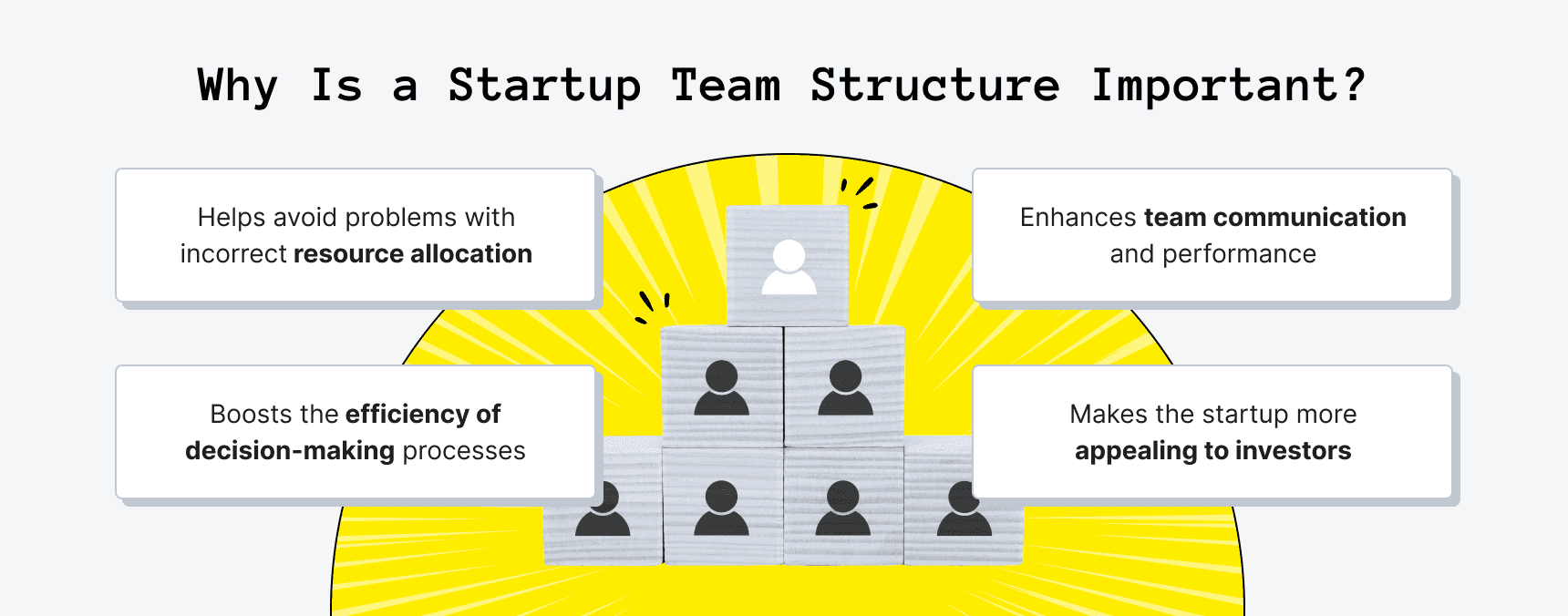
This is when most startups start thinking about mixing models—in-house for core IP, offshore or nearshore for delivery firepower.
⚙️ What changes at Series A?
- Coordination costs matter more. You now have 10+ people in product and engineering. You need tools, rituals, maybe even... documentation. 😱
- Specialization creeps in. Infra engineers, QA folks, growth PMs start to show up.
- Your burn rate has expectations. Investors want velocity and efficiency.
Here’s how the models stack up:
| Model | Pros | Cons |
|---|---|---|
| In-House | Great for building culture, ownership, and long-term product thinking. | Expensive, hard to scale quickly, and local hiring bottlenecks hit harder. |
| Offshore | Ideal for augmenting delivery teams or spinning up new pods fast. | Needs clear interfaces—bad specs = bad output. |
| Nearshore | Useful for cross-functional squads with daily syncs. | Still not cheap, and timezone edge depends on your HQ. |
F1 metaphor? At Series A, you’re no longer trying to build a car. You’re trying to pit stop without losing the race.
Hype vs. Ship: Founders often get sold the "build our culture in-house" dream at this stage. That’s great, but don’t let hiring ambition stall product shipping. If your roadmap is sliding because you can’t find React + Go devs in SF, guess what? They exist—just 10 hours ahead.
Series B and Beyond: Scale Brings Structure (and Bureaucracy)
You’ve got a real business. Customers. Revenue. Maybe even departments that don’t all sit in one Notion doc. The game now is scaling without breaking what made you special.
This is when the right blend of models pays off.
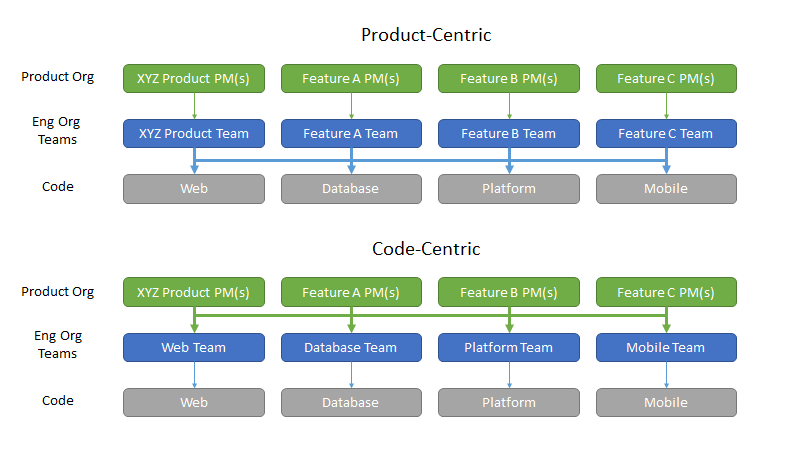
🧩 Hybrid Is the Default
Every Series B+ company we’ve worked with runs some version of:
- In-House Core Team (Foundational tech, decision-makers, high-trust roles)
- Nearshore Partners (Customer success tooling, frontend apps, QA)
- Offshore Squads (DevOps, backend systems, content engines, etc.)
⏱ Timezone Trade-Offs Hit Harder
You now have standups, retros, demos, and cross-team dependencies. That dreamy async-first utopia? Mostly dead. But you can minimize timezone pain with:
- A hub-and-spoke model (e.g., EST core team, India delivery teams, LATAM for overlap)
- Overlap hours rituals (e.g., 2–3 hour golden zones per day)
- Slack <> Loom <> Linear stack to keep async crisp and searchable
🧬 Culture Fragmentation Becomes Real
Now the real cost of a distributed team shows up: misaligned goals, weird vibes, forgotten contributors. You need org glue—rituals, onboarding, shared wins.
We’ve seen startups scale to 200+ people with distributed teams across 6 countries and keep culture intact. But not by accident. They invest in:
- Strong product leadership
- Clear engineering career ladders (even for offshore)
- Rotational ownership of features across squads
Code Smell: If your offshore team is treated like a ticket machine, you’ve already lost. Talent is global—but ownership still needs to be shared.
What Model Wins When?
| Stage | Model | Fit | Why |
|---|---|---|---|
| Seed | Offshore | ✅✅✅ | Cheap, fast, gets you to v1. |
| Seed | Nearshore | ✅✅ | Works if you want timezone overlap. |
| Seed | In-House | ❌ | Too slow and expensive. |
| Series A | Hybrid (In-house + Offshore) | ✅✅✅ | Best mix of ownership and scale. |
| Series A | Pure In-House | ✅ | Only if you’ve raised big and hired well. |
| Series B+ | Global Hybrid | ✅✅✅ | Structure matters—go hybrid with intent. |
Quick Gut Checks for Founders
If you’re stuck choosing, ask yourself:
- Is shipping speed or cultural cohesion more urgent right now?
- Can you afford 2 mis-hires on payroll, or just one wrong dev shop?
- Do you have the bandwidth to manage remote teams properly?
Here’s a cheat-sheet:
| Situation | Go With |
|---|---|
| Burn rate is tight, you need MVP in 60 days | Offshore |
| You need quick iteration and 6-hr overlap with US team | Nearshore |
| You’re building a deeptech product with heavy IP concerns | In-House core team |
| You have product-market fit but backlog hell | Offshore or hybrid delivery pods |
| You want a full-stack squad that can own outcomes | Hybrid with shared rituals |
Wrap-Up: Pick the Model That Lets You Move, Not Just Plan
Startups don’t die from the wrong team structure. They die from indecision, overbuilding, or months lost in hiring gridlock. The smartest founders we work with do this:
- Start offshore, with people who’ve built startups before.
- Add nearshore if timezone pain becomes a real blocker.
- Bring it in-house only when you can afford to slow down to speed up.
Whatever model you pick, treat your remote teams like equals. Share the roadmap. Show them your Slack memes. Invite them to demo day.
Want to build fast, smart, and a little bit scrappy? Let’s talk. Our Bangalore crew ships like they’ve got stock options.
FAQ
1. What’s the biggest risk of going offshore too early?
The main risk is poor alignment. If your specs are vague or you're iterating fast with lots of pivots, an offshore team without strong product context can build the wrong thing efficiently. That’s why founder involvement and clear rituals are critical in early stages.
2. Is nearshore really that much better than offshore in terms of collaboration?
It can be—especially for US-based teams that want daily standups or real-time whiteboarding. The 2–4 hour timezone difference with LATAM countries makes syncs easier. That said, a well-run offshore team with 2–3 hours of overlap can still move fast if communication is tight.
3. At what stage does in-house hiring actually make sense?
Usually post-Product-Market Fit—around Series A or B—when you want to invest in long-term culture, cross-functional decision-making, and IP-sensitive work. Before that, in-house hiring can slow you down and burn too much of your runway.
4. How do we maintain culture with a fully remote or hybrid model?
Invest in rituals, not just Slack channels. Things like rotating demo hosts, regular retros, async shoutouts, and flying people in once or twice a year go a long way. Also: onboarding is everything—teach new hires how your team works, not just what your app does.
5. Can we build core IP with an offshore team?
Yes—if the trust and incentives are right. We've seen offshore squads own core systems, write patentable code, and co-author architecture decisions. But that only happens when they’re seen as part of the team, not external vendors.
6. What’s the real cost difference between these models?
In-house (US/UK) hiring can cost 2–3x more than offshore teams and 1.5–2x more than nearshore. But the true cost includes hiring time, churn, and misalignment. A productive offshore pod that ships consistently can deliver more value per dollar, especially in early-stage chaos.
7. How do we avoid “outsourcing hell” with offshore partners?
Look for teams that ask hard questions upfront, push back on fuzzy requirements, and show past product-building experience—not just delivery credentials. Avoid hourly billing models where devs become passive ticket-takers. Go for outcome ownership.
8. What kind of work is best suited for nearshore teams?
Nearshore teams are great for cross-functional work that requires tight coordination—like growth loops, frontend-heavy features, or fast-moving experiments. The timezone overlap allows more real-time feedback and collaboration without late-night calls.
9. Should we mix all three models or stick to one?
Most startups evolve into a hybrid by necessity. Start offshore to move fast, add nearshore when coordination gets tricky, and bring critical roles in-house when scale demands it. The key is designing clear ownership boundaries between teams.
10. How do we manage timezone gaps without ruining sleep or velocity?
Use golden overlap hours (2–3 hrs/day), invest in async tools (Loom, Notion, Linear), and shift some responsibilities (like QA or infra) to timezones where real-time coordination isn’t critical. Also—don’t default to daily standups if weekly demos work better.
Ever watched a building collapse in slow motion? That's what happens when software goes live without proper system testing. It's not dramatic. It's not sexy. But system testing might just be the difference between your product soaring or crashing on launch day.
At 1985, we've seen it all. The rushed deployments. The skipped test phases. The 3 AM panic calls when production catches fire.
Let's cut through the noise and talk about system testing like professionals who've been in the trenches.
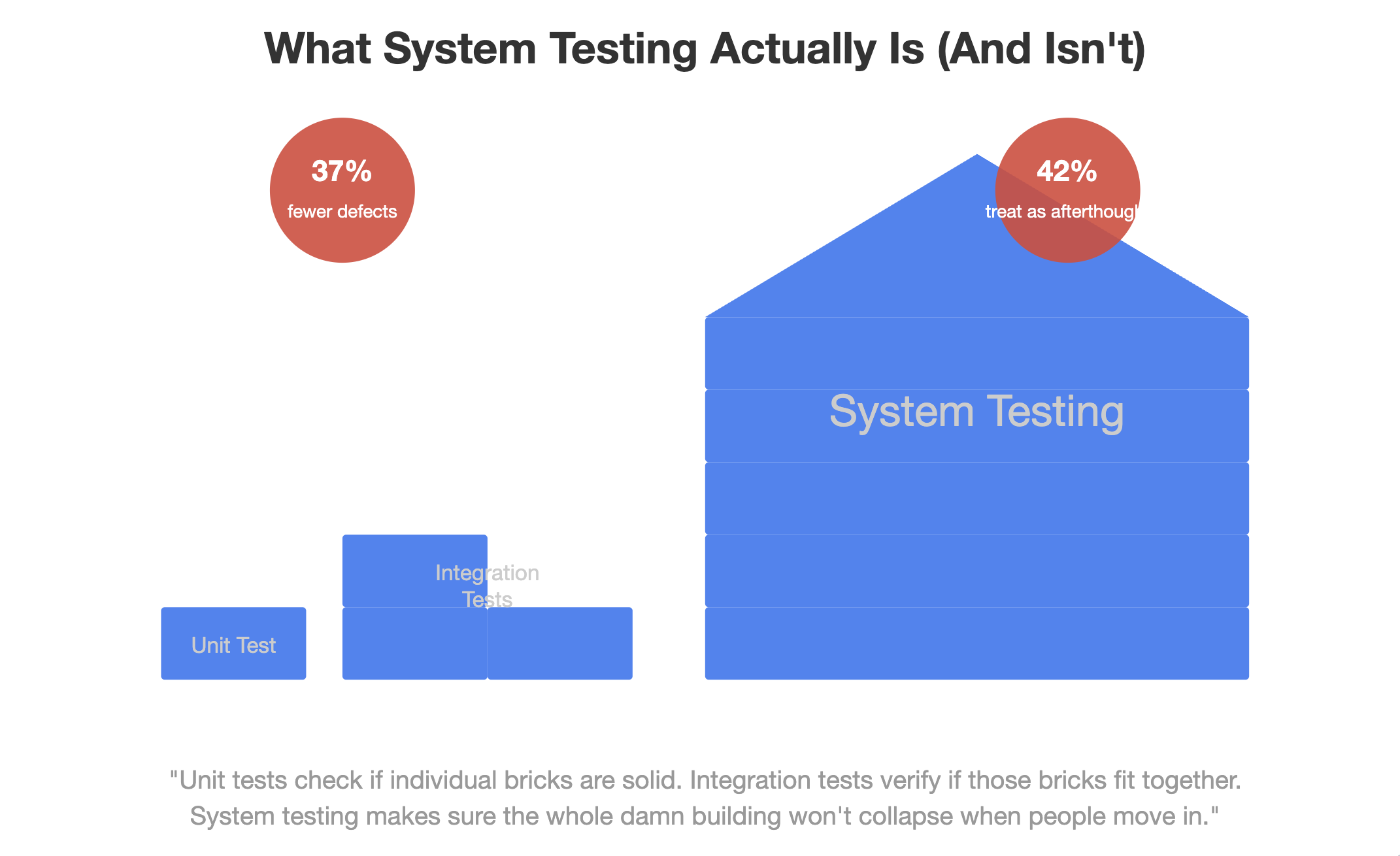
What System Testing Actually Is (And Isn't)
System testing evaluates a complete, integrated system to verify it meets specified requirements. Full stop.
It's not unit testing with a fancy name. It's not something you can skip because your developers "wrote clean code." System testing examines the entire application as users will experience it.
Think of it this way: unit tests check if individual bricks are solid. Integration tests verify if those bricks fit together. System testing makes sure the whole damn building won't collapse when people move in.
According to the 2023 State of Software Quality Report, projects that implement robust system testing experience 37% fewer critical post-release defects. Yet surprisingly, 42% of organizations still treat it as an afterthought.
System testing sits at that critical juncture between development completion and user acceptance. It's the last major verification before your software faces its harshest critics: actual users with actual expectations.
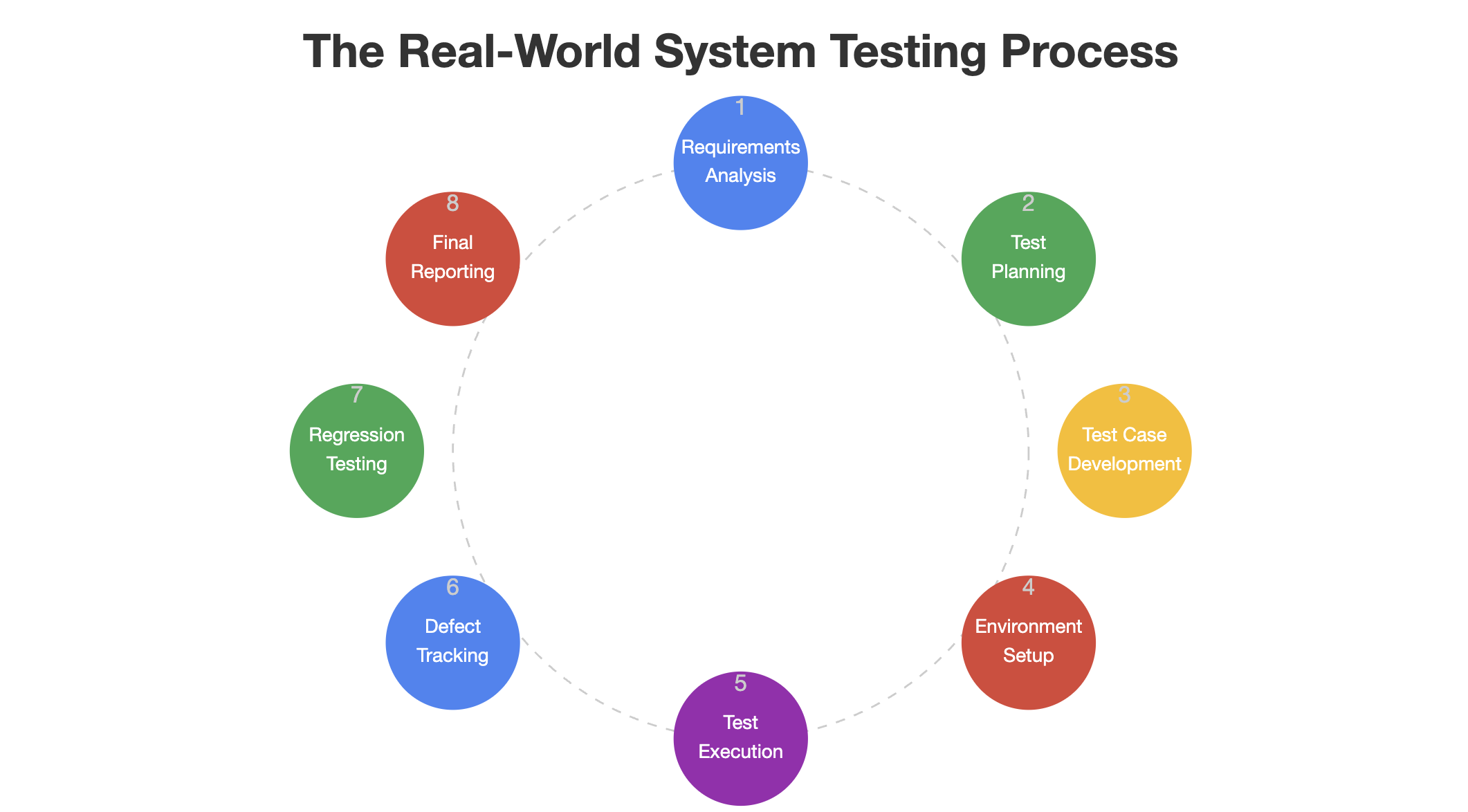
The Real-World System Testing Process
Forget the textbook definitions. Here's how system testing actually unfolds in the wild:
- Requirements Analysis: Dust off those requirements documents. You'll need them.
- Test Planning: Determine what to test, how to test it, and what success looks like.
- Test Case Development: Create detailed test scenarios that cover every functional and non-functional aspect.
- Test Environment Setup: Build an environment that mirrors production as closely as possible.
- Test Execution: Run the tests. Document everything.
- Defect Reporting and Tracking: Log issues with ruthless precision.
- Regression Testing: When fixes are implemented, verify they didn't break something else.
- Final Reporting: Compile results and make the go/no-go recommendation.
At 1985, we've found that the most overlooked step is environment setup. Companies cut corners here, then wonder why software that worked perfectly in testing falls apart in production. Your test environment should be a twin of production – same configurations, same data volumes, same everything.
A client once told us, "We don't have budget for a separate test environment." Six months later, they spent ten times that amount fixing a catastrophic production failure that proper system testing would have caught.
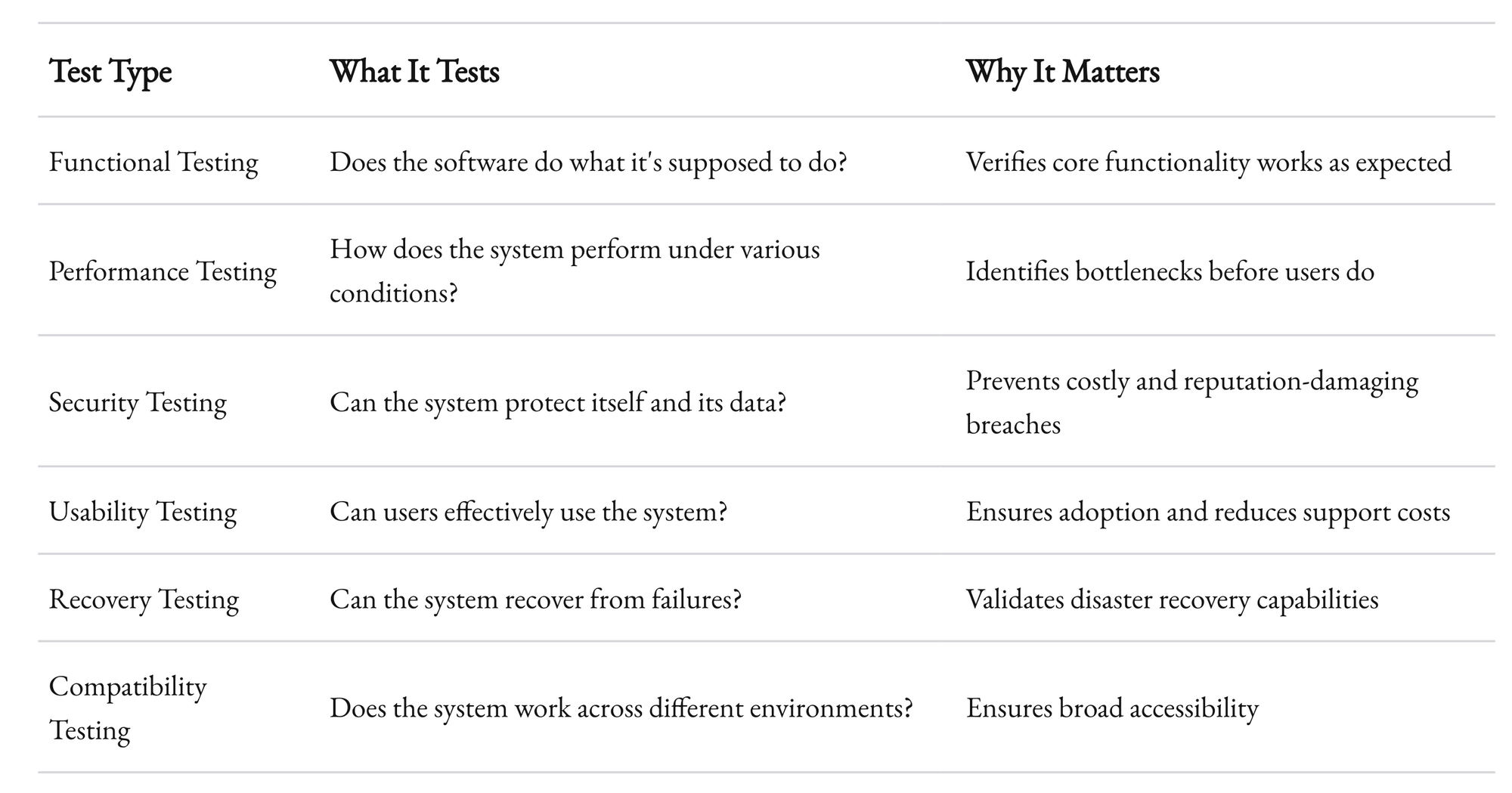
Types of System Testing You Can't Afford to Skip
System testing isn't monolithic. It's a collection of specialized techniques, each designed to probe different aspects of your software.
"But we don't have time for all these tests!" I hear you protest. Consider this: Microsoft's research shows that fixing a bug after release costs 100 times more than fixing it during development. System testing isn't an expense – it's an investment with measurable ROI.
At 1985, we've implemented a risk-based approach that prioritizes test types based on business impact. Not all systems need the same testing intensity. A life-critical medical application requires different testing rigor than an internal document management system.
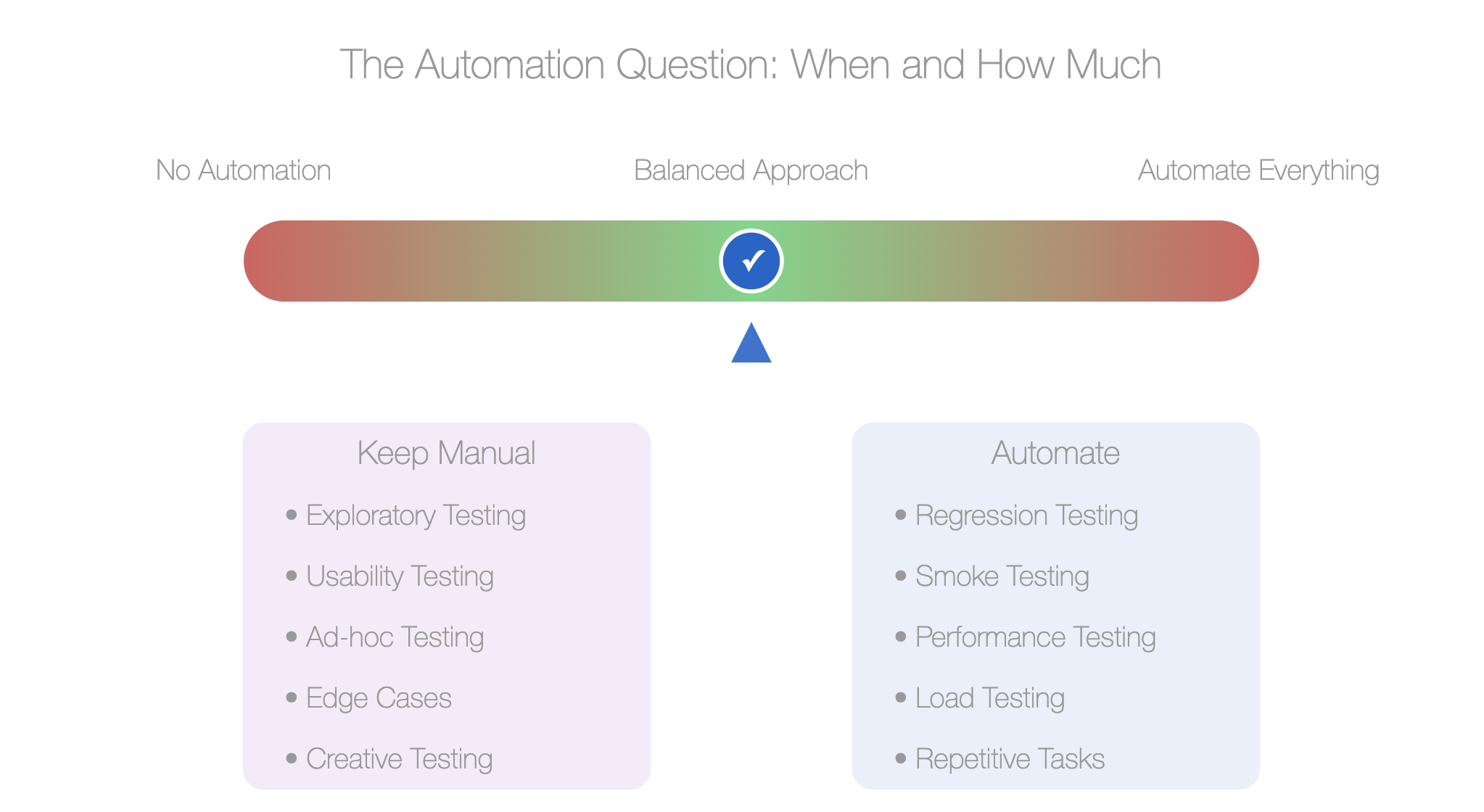
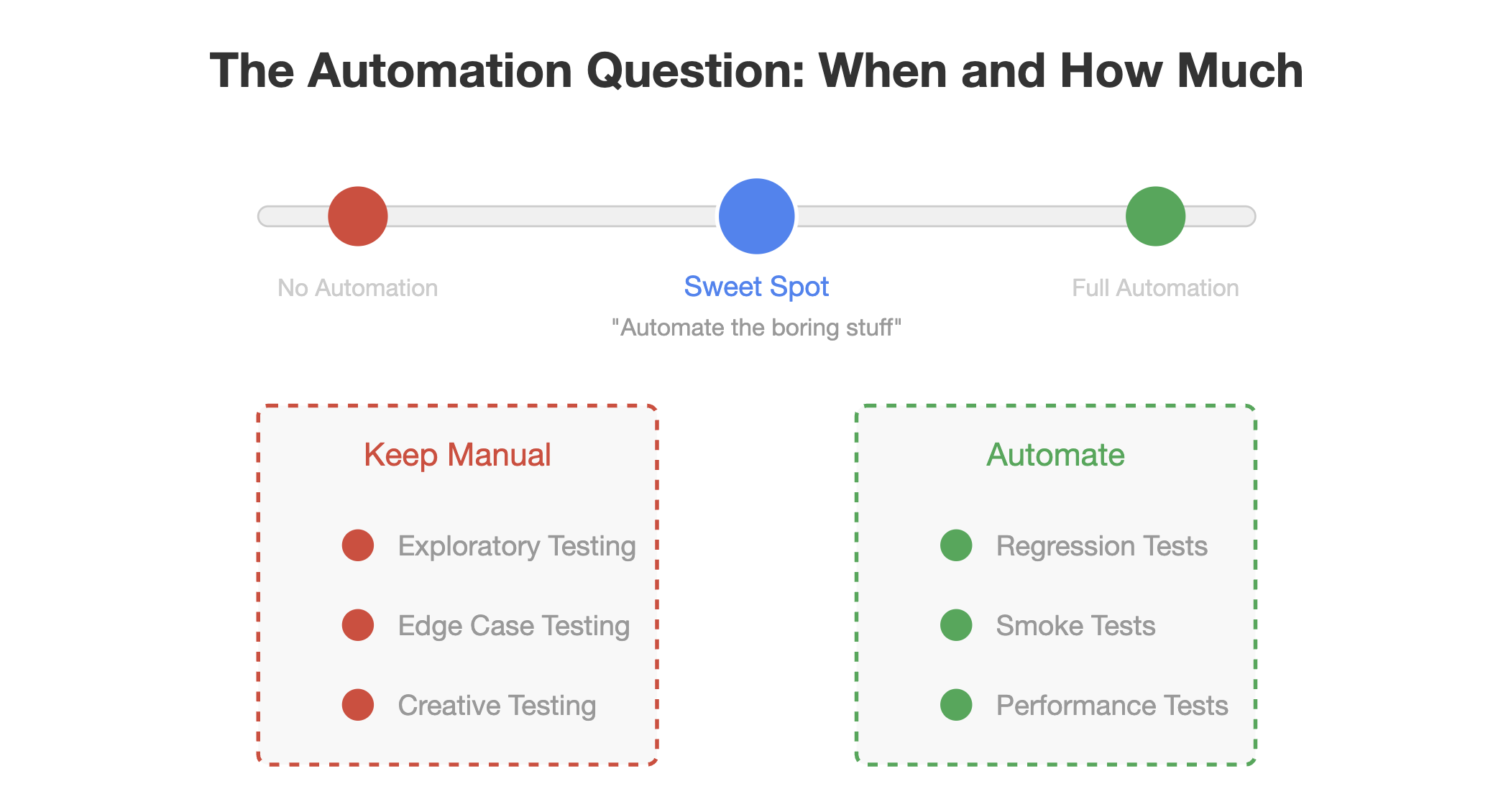
The Automation Question. When and How Much
Automation in system testing isn't binary. It's a spectrum.
Some teams make the mistake of trying to automate everything, creating a maintenance nightmare. Others avoid automation entirely, missing significant efficiency gains.
The sweet spot? Automate repetitive, stable test cases while keeping exploratory and edge-case testing manual.
According to Capgemini's World Quality Report, organizations with mature test automation achieve 28% faster time-to-market. But the same report warns that poorly implemented automation can actually increase testing time and costs.
At 1985, we follow a simple rule: automate the boring stuff. Regression tests, smoke tests, and performance tests benefit tremendously from automation. Creative testing that requires human intuition stays manual.
Remember: automation doesn't replace testers – it empowers them to focus on higher-value activities.
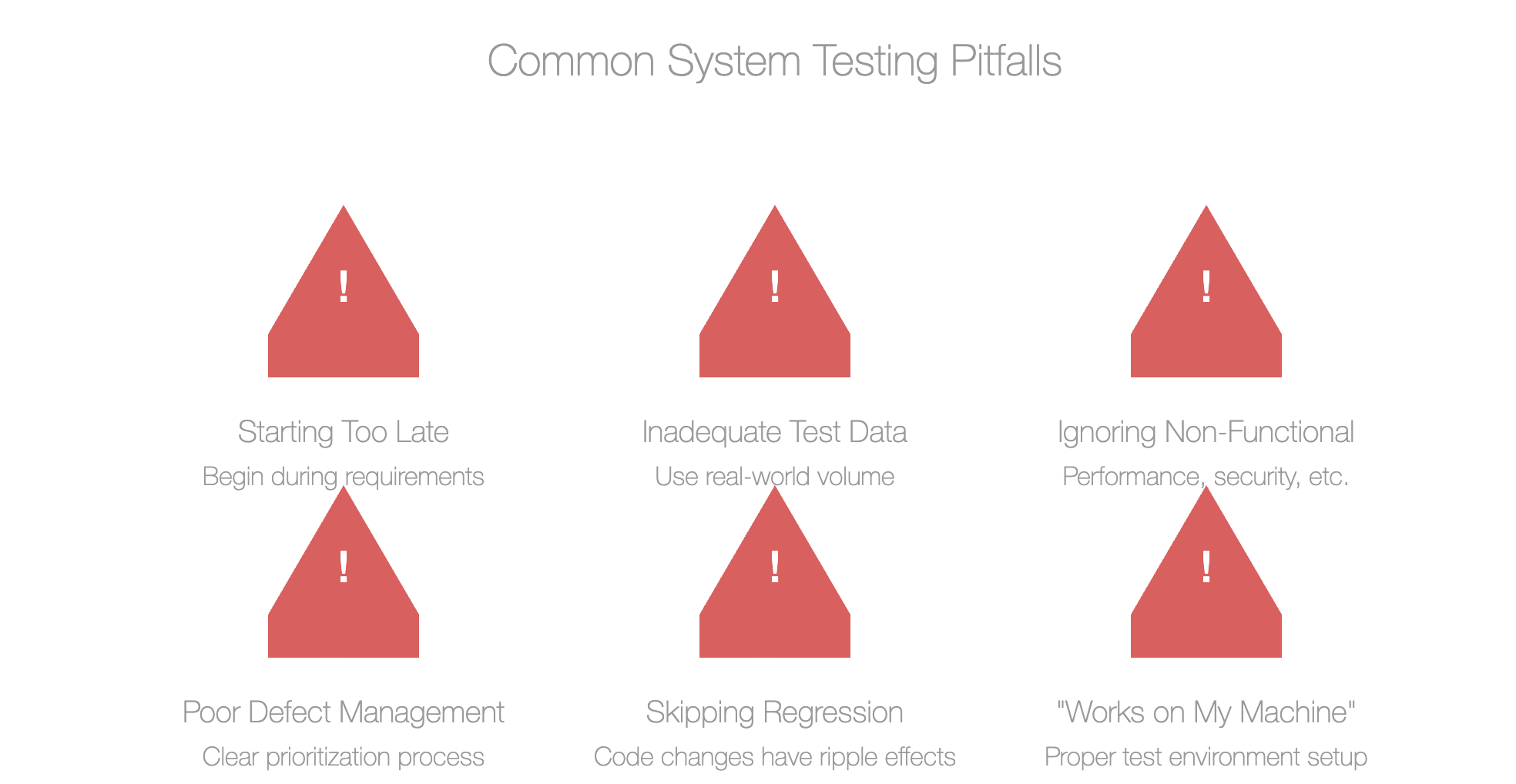
Common System Testing Pitfalls
After overseeing hundreds of system testing cycles, we've identified patterns in what goes wrong:
Starting too late. System testing isn't something you squeeze in before release. It requires planning and preparation that should begin during requirements gathering.
Inadequate test data. Using small, sanitized datasets for testing is like testing a bridge with a bicycle instead of a truck. Your test data should reflect real-world volume and complexity.
Ignoring non-functional requirements. Yes, the application works – but can it handle 10,000 concurrent users? Will it break if network connectivity drops for 30 seconds?
Poor defect management. Finding bugs is only half the battle. You need a clear process for prioritizing, fixing, and verifying fixes.
Skipping regression testing. Just because it worked yesterday doesn't mean it works today. Code changes have ripple effects.
The most insidious pitfall? The "it works on my machine" syndrome. I've seen development teams dismiss critical system test findings because they couldn't reproduce the issue in their environment. This is precisely why proper test environment setup is non-negotiable.
System Testing in Agile. Yes, It's Still Necessary
"We're Agile, we test continuously, so we don't need formal system testing."
I've heard this argument more times than I care to count. It's a dangerous misconception.
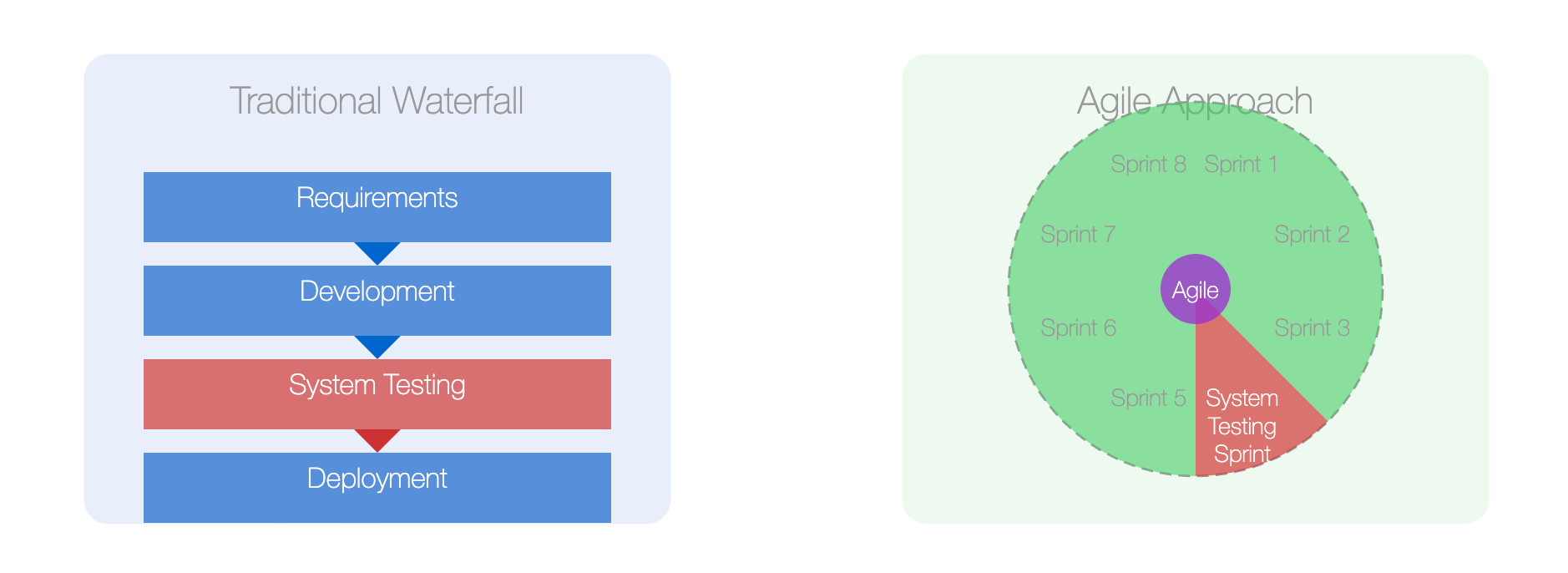
Agile doesn't eliminate the need for system testing – it changes how and when you do it. Instead of one massive testing phase at the end, you conduct mini system tests for each increment while still maintaining end-to-end testing for the entire system.
Spotify, often cited as an Agile success story, maintains dedicated system testing phases despite their highly iterative approach. Their engineering blog notes: "Continuous testing doesn't replace system testing; it complements it by catching issues earlier."
At 1985, we've integrated system testing into Agile workflows by:
- Maintaining a continuously updated regression test suite
- Conducting "system testing sprints" after every 2-3 development sprints
- Using feature toggles to test new functionality in production-like environments
- Implementing continuous integration pipelines that include automated system tests
The result? Faster releases with fewer critical defects.
Tools of the Trade
The tooling landscape for system testing is vast and confusing. Here's what we've found effective at 1985:
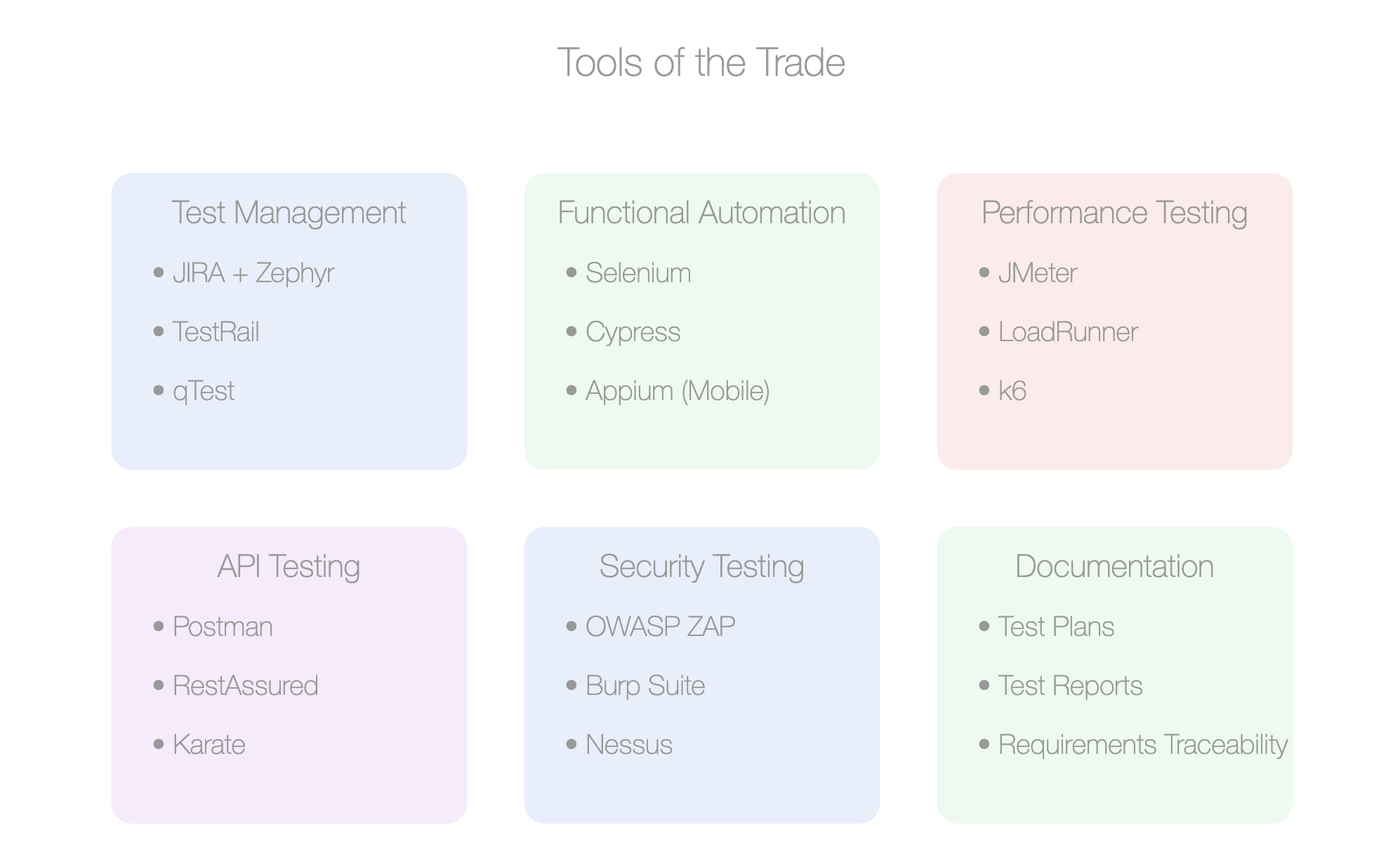
For Test Management: JIRA + Zephyr, TestRail, or qTest. The key is integration with your existing workflow.
For Functional Automation: Selenium remains the workhorse, but Cypress is gaining ground for web applications. Appium handles mobile testing admirably.
For Performance Testing: JMeter offers the best balance of power and accessibility. LoadRunner is comprehensive but expensive. k6 is excellent for developer-friendly performance testing.
For API Testing: Postman for manual exploration, RestAssured or Karate for automation.
For Security Testing: OWASP ZAP provides an excellent starting point. For more comprehensive testing, Burp Suite is worth the investment.
The most important tool? Documentation. Clear, concise test plans and reports are worth their weight in gold when stakeholders question the need for fixing "minor" issues before release.
Measuring System Testing Effectiveness
How do you know if your system testing is actually working? Look beyond simple metrics like test case pass/fail rates.
Effective measurements include:
Defect Leakage Rate: What percentage of bugs are found after system testing? Lower is better.
Defect Detection Percentage: What percentage of total defects are found during system testing? Higher is better.
Test Coverage: Not just code coverage, but requirements coverage. Are you testing everything that matters?
Mean Time to Detect: How quickly are defects identified after they're introduced?
Cost of Quality: What are you spending on prevention versus fixing issues in production?
At 1985, we've found that organizations fixate on the wrong metrics. They celebrate high pass rates without questioning if they're testing the right things. A 100% pass rate with shallow testing is worse than an 80% pass rate with comprehensive testing.
Building a System Testing Culture
Tools and processes matter, but people make or break system testing.
The most successful testing cultures share these traits:
Blameless reporting. Finding bugs is celebrated, not punished. Testers aren't viewed as the "quality police" but as valuable contributors to product excellence.
Cross-functional involvement. Developers participate in test planning. Testers understand the code. Product managers validate test scenarios against business requirements.
Executive support. Leadership understands that quality isn't negotiable and provides the necessary resources and time.
Continuous learning. Test teams stay current with new techniques and tools through regular training and knowledge sharing.
At 1985, we've transformed testing cultures by implementing "bug bounties" where developers receive recognition for finding issues in their own code before testing begins. This simple practice shifts the mindset from "passing QA" to "building quality."
Making the Business Case
Let's talk money. System testing requires investment – time, tools, and talent don't come free. How do you justify this to stakeholders focused on deadlines and budgets?
The data is compelling:
- IBM reports that defects fixed after release cost 4-5 times more than those fixed during testing.
- According to CISQ, poor software quality cost US companies $2.08 trillion in 2020 alone.
- Gartner research shows that high-performing IT organizations spend 28% less on rework than their peers.
At 1985, we track and report on "cost avoidance" – what would have happened if critical defects had reached production. When a system test catches an issue that would have affected 10,000 users, calculate the support costs, lost productivity, and potential revenue impact. These numbers make compelling arguments for thorough testing.
Remember: The ROI of system testing isn't just about avoiding costs – it's about preserving reputation and customer trust, which are much harder to quantify but far more valuable.
The Future of System Testing
System testing is evolving rapidly. Here's what we're preparing for at 1985:
AI-Augmented Testing: Machine learning algorithms that identify high-risk areas and generate test cases based on user behavior patterns.
Chaos Engineering: Deliberately introducing failures to test system resilience, pioneered by Netflix but increasingly adopted across industries.
Shift-Right Testing: Extending testing into production through feature flags, canary releases, and sophisticated monitoring.
Testing in Production: Controlled experiments with real users on real systems, providing insights that no pre-production testing can match.
Continuous Verification: Moving beyond pass/fail to continuous quality assessment throughout the software lifecycle.
The fundamentals remain unchanged: verify the system works as intended before users depend on it. The methods, however, continue to evolve.
System Testing as Competitive Advantage
In an industry obsessed with speed, system testing can feel like an unnecessary brake on progress. This is shortsighted thinking.
The companies that dominate their markets – Amazon, Google, Microsoft – invest heavily in system testing. They understand that quality at scale is impossible without it.
At 1985, we've seen firsthand how robust system testing transforms from a cost center to a competitive advantage. Our clients who embrace thorough testing release more frequently, with fewer critical issues, and maintain higher customer satisfaction.
System testing isn't just about finding bugs. It's about building confidence – confidence to release, confidence to innovate, confidence to scale.
In software development, as in life, you can pay now or pay later. System testing is paying now, on your terms, rather than paying later, on your users' terms.
The choice seems clear.
]]>What if 40% of your engineering budget vanished into thin air? According to a Stripe Developer Coefficient report, that's roughly the amount of developer time globally consumed by technical debt and bad code. It’s not just an engineering problem; it’s a silent P&L killer. Many tech leaders, especially when outsourcing, accept this as a cost of doing business. They shouldn't. Speed is essential. Sustainable speed requires confronting debt head-on. This isn't about endless refactoring; it's about building resilience from day one. Especially when your codebase lives outside your four walls.

Let's cut through the noise. We’ll explore strategies beyond the usual “add it to the backlog” platitudes, drawing from the trenches – specifically, 1985’s experience rescuing and building scalable systems for clients who initially prioritized velocity over viability.

The Illusion of Velocity: When 'Fast' Means Fragile
The pressure is immense. Ship features. Hit milestones. Secure the next funding round. But chasing velocity without guardrails paves the road to ruin. It feels fast. Until it isn’t.
Feature Factories vs. Sustainable Systems
The siren song of the feature factory is loud. More features equal more value, right? Wrong. Unchecked feature velocity often masks accumulating complexity. Code becomes brittle. Testing slows down. Deployment becomes a high-stakes gamble.
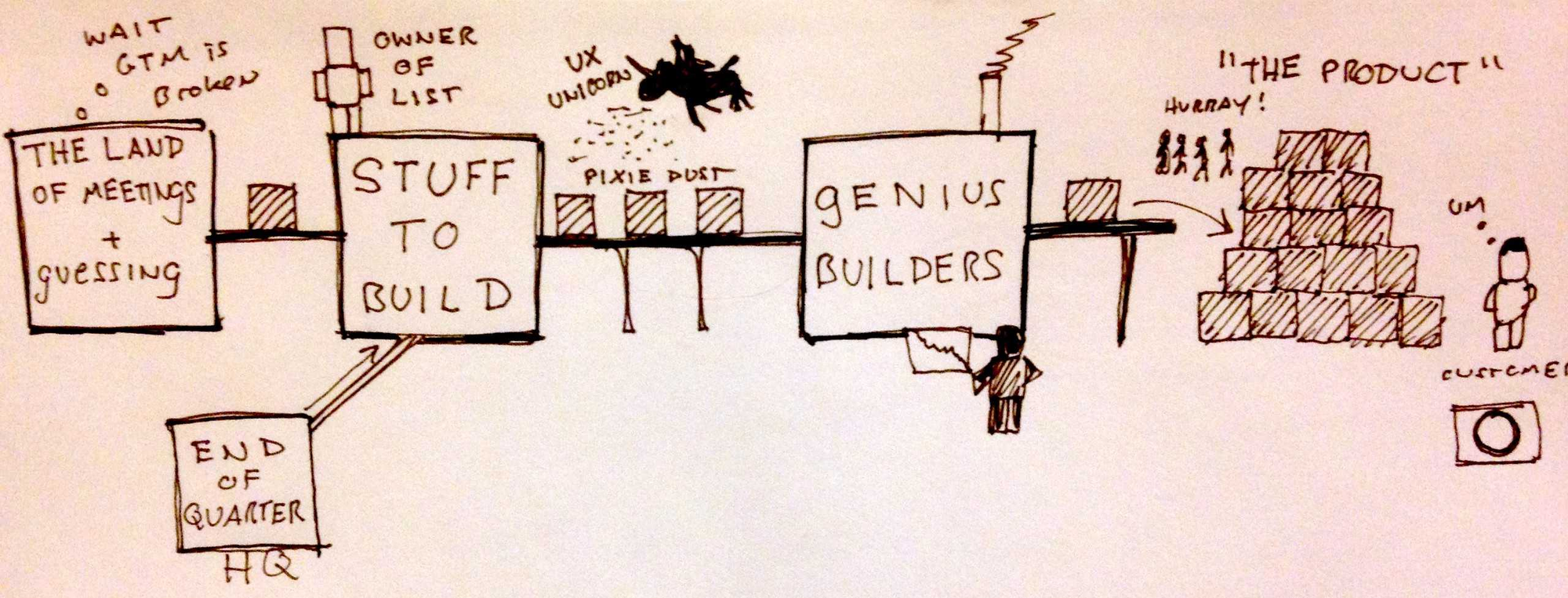
It's a classic trap. A FinTech startup we worked with prioritized launching a dozen payment integrations in six months. They hit the target. Applause all around. Six months later, adding a single new integration took three weeks due to tangled dependencies and zero documentation. The initial “speed” created crippling drag. The lesson was harsh: Velocity without quality isn't speed; it's borrowing from future productivity at exorbitant interest rates. According to research cited by Martin Fowler on the economics of refactoring, neglecting internal quality leads to a drastic slowdown in feature delivery over time. It’s not if it slows down, but when.
Actionable Takeaway: Implement a “Debt Ceiling” metric. Quantify acceptable levels of complexity (e.g., cyclomatic complexity via SonarQube) or code churn. If a sprint exceeds the ceiling, mandate a percentage of the next sprint dedicated to reduction.
Tool: Tech Debt Register Template - A shared document (even a simple spreadsheet) tracking identified debt, estimated impact, remediation cost, and priority. Make it visible to product owners.
Misaligned Incentives: The Outsourcing Trap
Let’s be blunt: many traditional outsourcing models actively incentivize technical debt. Fixed-scope, fixed-price contracts often reward corner-cutting to meet deadlines. The vendor gets paid for delivery, not maintainability. The long-term pain belongs to the client.
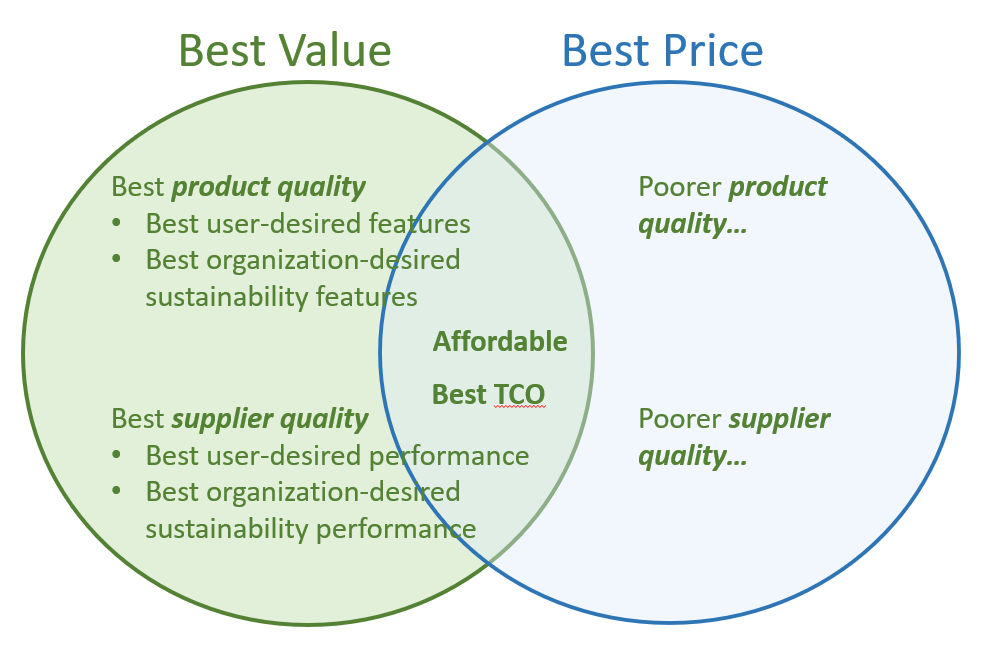
We inherited a project from a large, seemingly reputable offshore provider. The client was initially thrilled – features delivered “on time.” But under the hood? A nightmare. Zero test coverage, hardcoded secrets, monolithic architecture where microservices were promised. It met the letter of the SOW, but the spirit was fundamentally broken. The “savings” were erased tenfold by the remediation effort 1985 undertook. This isn't unique. A KPMG Global IT Outsourcing Study frequently highlights value realization challenges, often stemming from misaligned goals and poor governance – fertile ground for tech debt.
Actionable Takeaway: Vet partners based on how they manage and prevent debt. Ask pointed questions. Demand transparency.
Tool: Outsourcing Partner Debt Management Checklist
- How do you measure code quality continuously? (Tools, metrics)
- What's your process for identifying and prioritizing tech debt?
- Show us examples of Architectural Decision Records (ADRs) from past projects.
- How is debt remediation factored into sprint planning?
- What are your standards for test coverage and automation?
- How do you ensure knowledge transfer and documentation quality?
If they fumble these questions, walk away. It's a red flag.
"Technical debt is the silent killer of agility. Organizations that manage it proactively maintain a significant competitive advantage."
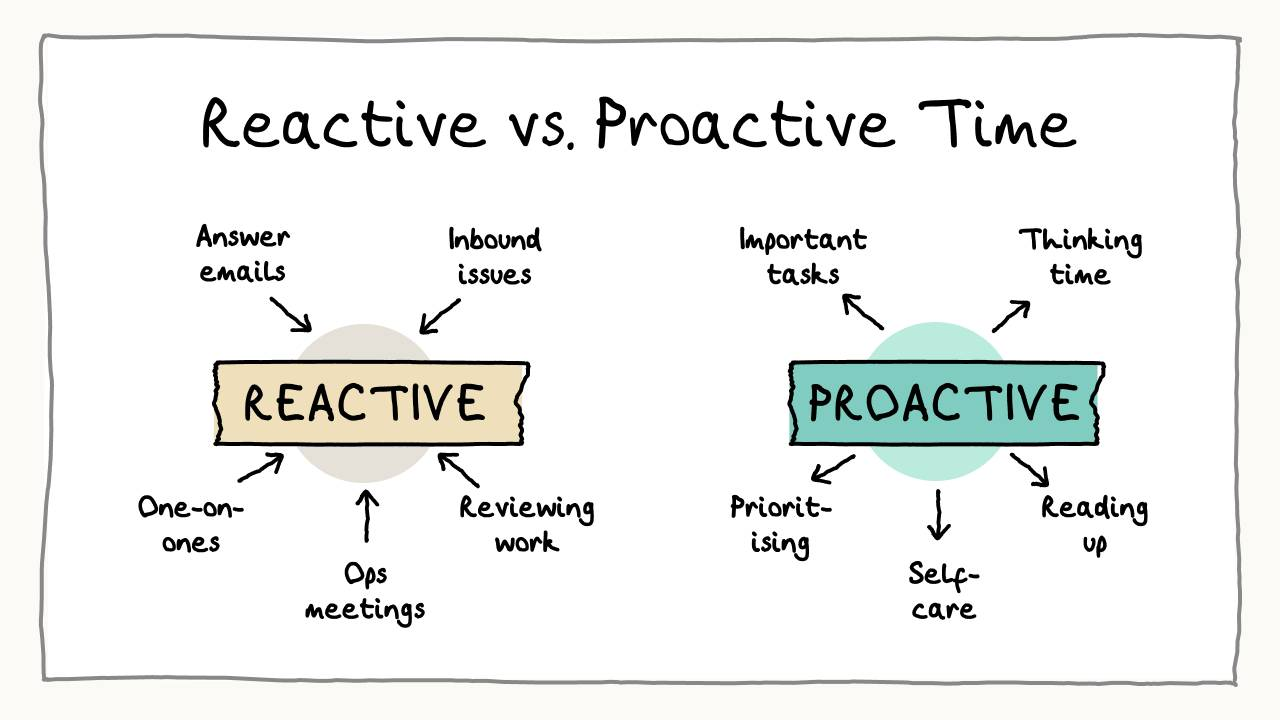
Beyond Refactoring Sprints: Proactive Debt Annihilation
Waiting for debt to become crippling before addressing it is like waiting for a heart attack before changing your diet. Reactive refactoring sprints are necessary bandages, but proactive prevention is the cure. Sustainable systems require building quality in, not bolting it on later.
Code Quality Gates Aren't Enough: Enter Architectural Vigilance
Linters, static analysis, unit tests – these are table stakes. Necessary, but insufficient. Major technical debt often festers at the architectural level: poor component boundaries, inappropriate technology choices, scalability bottlenecks baked into the core design. These aren't caught by basic quality gates.
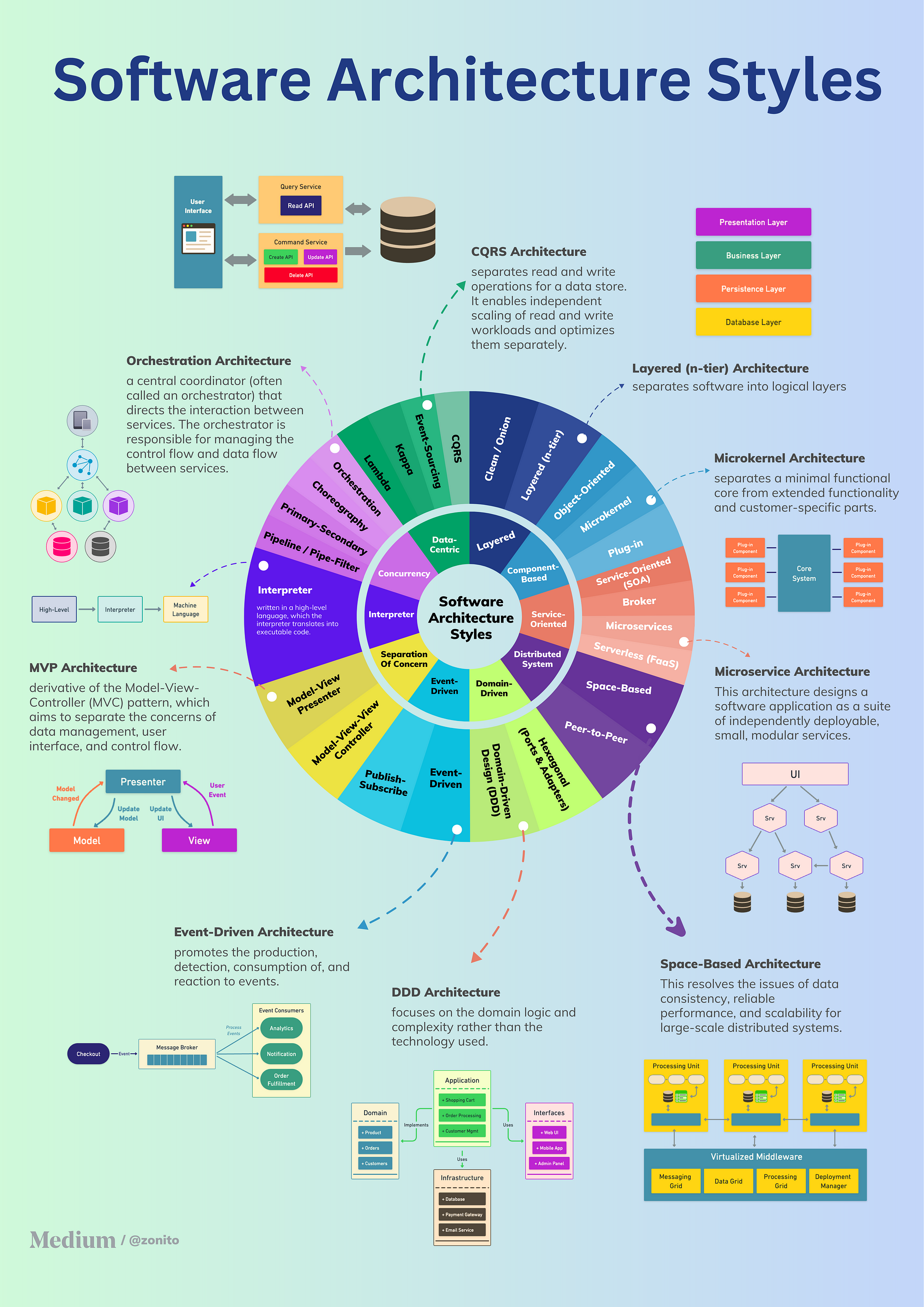
Consider a healthcare platform 1985 audited. They had 90%+ unit test coverage. Impressive. Yet, their system ground to a halt under moderate load. Why? A database schema designed for reporting speed inadvertently created massive transactional locking issues. The tests passed. The architecture failed. According to an IEEE Software article analysis (conceptually, specific articles vary), the cost to fix defects found late in the development cycle (or post-release) is exponentially higher than fixing them during design or early implementation. Architectural flaws are typically late-stage, expensive discoveries.
Actionable Takeaway: Mandate Architectural Decision Records (ADRs) for significant design choices. These simple markdown files document the context, decision, and consequences of architectural choices. They enforce rigor and provide invaluable context later.
Tool: Lightweight ADR Template
- Title: Short noun phrase describing the decision.
- Status: Proposed, Accepted, Deprecated, Superseded.
- Context: What is the issue we're seeing that is motivating this decision or change?
- Decision: What is the change that we're proposing and/or doing?1
- Consequences: What becomes easier or more difficult to do because of this change? (Positive, negative, neutral).
Store them in the codebase repository. Make them part of the review process.
The Power of the 'Slow Down to Speed Up' Paradox
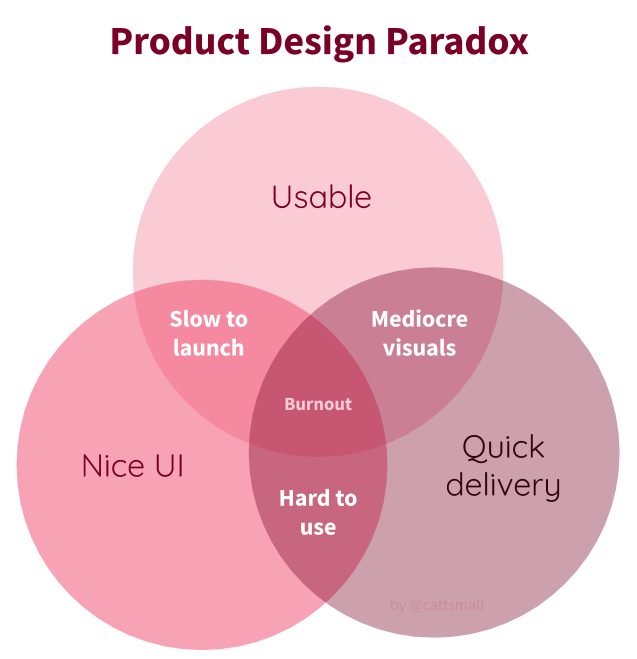
This feels wrong to founders wired for speed. But deliberate pauses for planning, onboarding, and stabilization pay massive dividends. Rushing discovery or onboarding new team members (internal or external) inevitably leads to misunderstandings, rework, and debt.
One of our e-commerce clients initially balked at 1985’s detailed, multi-week discovery phase for a complex replatforming project. They wanted code yesterday. We held firm. That deep dive uncovered critical dependencies and domain nuances the client's internal team hadn't fully grasped. Addressing these upfront saved an estimated 3-4 months of rework down the line. The client later admitted that initial “delay” was the project's saving grace. While the specific McKinsey stat on onboarding needs careful sourcing (often nuanced reports), the principle holds: data from sources like the DORA State of DevOps Reports consistently correlates thorough processes and stability investments with higher overall throughput and performance. Elite performers balance speed with stability.
Actionable Takeaway: Institute mandatory “Cool-Down” or “Stabilization” sprints after major feature releases or milestones. Dedicate this time purely to bug fixing, monitoring, documentation updates, and minor refactoring identified during the push. No new features allowed.
Tool: Post-Release Stabilization Checklist
- Monitor performance metrics (latency, error rates).
- Review logs for anomalies.
- Address critical/high-priority bugs discovered post-launch.
- Update relevant documentation (READMEs, ADRs, user guides).
- Conduct a focused retrospective on the release process.
- Identify and prioritize minor refactoring opportunities based on recent work.
Tooling for Transparency: Making Debt Visible
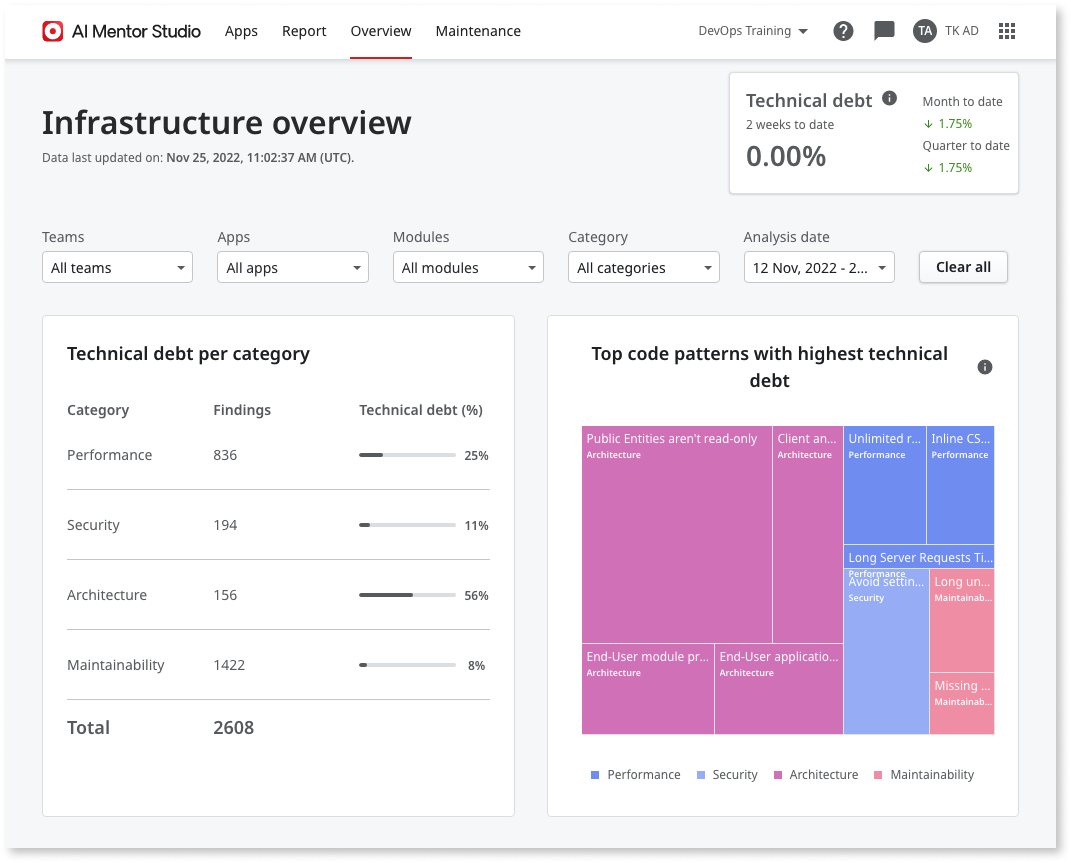
You can't manage what you can't measure. Technical debt often hides in plain sight because it's not tracked or visualized effectively. Relying solely on backlog tickets marked “tech debt” is insufficient. It needs systemic visibility.
A SaaS client approached 1985 feeling overwhelmed. Their platform felt sluggish, bugs were frequent, but they couldn't pinpoint why. Their backlog was a graveyard of vague “refactor X” tickets. We implemented SonarQube for static analysis and code quality metrics, integrating it into their CI/CD pipeline. We also configured custom dashboards in their existing monitoring tools (Datadog) to correlate code churn and complexity with bug density and performance dips in specific modules. Suddenly, the debt hotspots were glaringly obvious. This allowed for targeted, data-driven refactoring efforts instead of guesswork. Industry reports, like those from Forrester on Value Stream Management, emphasize the importance of visibility across the entire software delivery lifecycle to identify bottlenecks, including those caused by accumulating debt.
Actionable Takeaway: Use a combination of tools to make debt visible and track trends. Don't just measure; correlate quality metrics with business impact (e.g., bug rates in critical user journeys).
Tool Comparison: Debt Tracking Methods
| Method | Pros | Cons | Best For |
| Backlog Tickets | Simple, integrates with existing workflow (Jira, Azure DevOps) | Easily ignored, lacks quantification, hard to prioritize globally | Small, isolated debt items |
| Static Analysis Tools | Automated, objective metrics (complexity, duplication), CI/CD integ. | Can be noisy (false positives), focuses on code-level, misses architecture | Continuous code quality monitoring |
| Dedicated Debt Register | Centralized view, allows impact/effort estimation, prioritization | Requires manual upkeep, discipline to maintain | Strategic debt management, communication |
| Code Churn/Complexity Analysis | Identifies high-risk areas prone to bugs | Requires specific tooling/scripts, correlation isn't always causation | Pinpointing unstable modules ("hotspots") |
| Architectural Audits | Catches high-level design flaws, scalability issues | Time-consuming, requires expertise, often periodic | Major refactoring planning, system health |
At 1985, our internal audits combine automated analysis with expert architectural review and debt register tracking. Visibility is non-negotiable.
The Cultural Shift: Embedding Quality Ownership
Tools and processes are only part of the equation. Lasting change requires a cultural shift where quality and debt management become shared responsibilities, not just relegated to the “architecture team” or specific sprints.
Breaking the 'Hero Coder' Myth
Celebrating the lone coder who pulls all-nighters to ship complex features can be dangerous. It often masks underlying issues: knowledge silos, poor collaboration, and hidden technical debt created under pressure. When the hero departs (and they always do), the team is left deciphering uncommented, untested, overly complex code.

We encountered this at a MediaTech company. One senior engineer was the gatekeeper for a critical subsystem. They were brilliant but fiercely independent. Code reviews were superficial nods. When they left for a competitor, progress on that subsystem ground to a halt for months. Untangling the “hero 's” creation revealed layers of quick fixes and undocumented assumptions – massive debt. This aligns with findings from initiatives like Google's Project Aristotle, which found psychological safety and dependability (team members can count on each other) were far more critical to high-performing teams than individual brilliance. Collective ownership prevents bottlenecks and improves quality.
Actionable Takeaway: Promote practices that foster collective ownership and knowledge sharing. Mandate rigorous, asynchronous code reviews focusing on readability and maintainability, not just correctness. Encourage pair programming, especially on complex tasks or critical components.
Tool: Code Review Checklist (Maintainability Focus)
- Is the code easy to understand? (Clear variable names, logical flow)
- Are there sufficient comments explaining the why, not just the what?
- Are potential edge cases handled gracefully?
- Is the code adequately tested? (Unit, integration where applicable)
- Does it adhere to established architectural patterns and coding standards?
- Could a new team member understand and modify this code easily?
- Does this change introduce unnecessary complexity or potential debt?
Incentivizing Debt Reduction: Beyond Bug Counts
If your team's performance metrics and rewards solely focus on feature velocity or closing bug tickets, you are implicitly disincentivizing work on technical debt reduction. Engineers will naturally prioritize what gets measured and rewarded.
A logistics client tied developer bonuses purely to the number of story points delivered per sprint. The result? A codebase riddled with copy-paste logic, minimal testing, and shortcuts galore. Features were shipped “fast,” but the system became increasingly unstable and expensive to maintain. 1985 helped them redefine engineering KPIs to include metrics like code coverage trends, reduction in critical SonarQube issues, and successful completion of planned refactoring tasks. It wasn't immediate, but the culture began to shift. As highlighted by the DORA research, elite performers optimize for both throughput and stability. They understand that investing in quality enables sustainable speed.
Actionable Takeaway: Balance incentives. Recognize and reward proactive refactoring, improving test coverage, documentation efforts, and mentoring others on quality practices. Make debt reduction a visible part of team goals and individual performance reviews.
Actionable Strategy: Dedicate a fixed percentage (e.g., 10-15%) of every sprint's capacity explicitly to technical debt reduction and preventative maintenance. Protect this capacity fiercely.
Stop Accumulating Interest: It's Time for Strategic Repayment
Technical debt isn't a moral failing; it's an economic reality. Sometimes, taking on debt strategically is the right call to seize a market opportunity. But ignoring it, especially in an outsourced context where visibility and alignment are paramount, is financial negligence masked as speed.
The strategies outlined here – architectural vigilance, proactive stabilization, transparent tooling, and fostering a culture of quality ownership – move beyond reactive fire-fighting. They build resilience. They enable sustainable velocity.
At 1985, we don't just build software; we build systems designed to last. We treat technical debt not as an afterthought, but as a critical risk factor managed proactively throughout the development lifecycle. Our processes, from discovery through deployment, embed these principles.
Is your current development partner actively mapping, measuring, and mitigating technical debt? Can they articulate a clear strategy for preventing architectural decay and ensuring long-term maintainability?
If the answer is uncertain, it’s time for a different conversation. Let 1985 show you how strategic outsourcing can accelerate your roadmap without mortgaging your future.
]]>You crunched the numbers. The blended rate looked unbeatable. You signed the contract, kicked off the project, and pointed your offshore team at the backlog. Standard playbook, right? Except, six months later, the velocity charts look anaemic, the bug count is climbing, and that crucial market launch feels further away than ever. The savings evaporated. Worse, you burned runway and momentum.
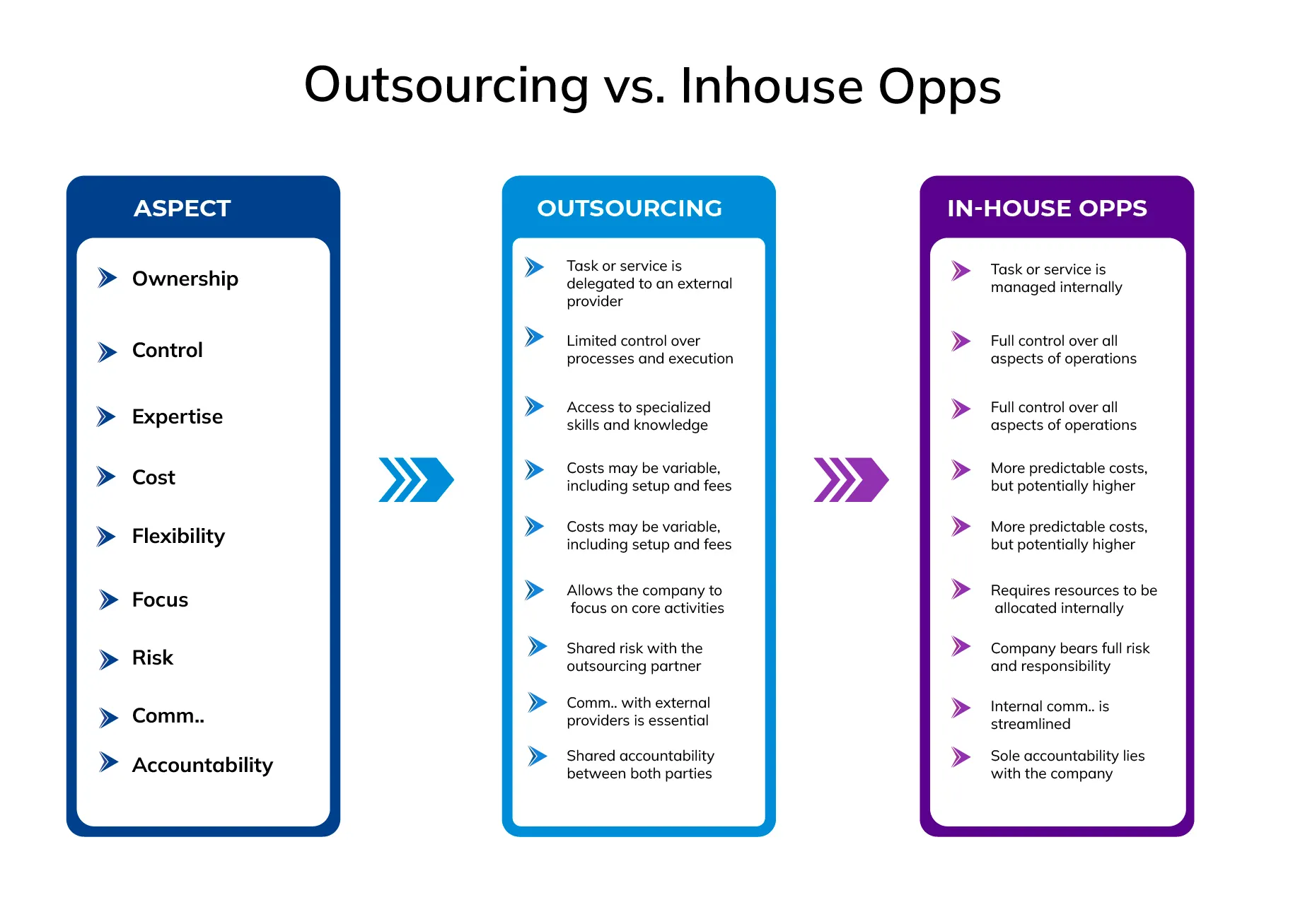
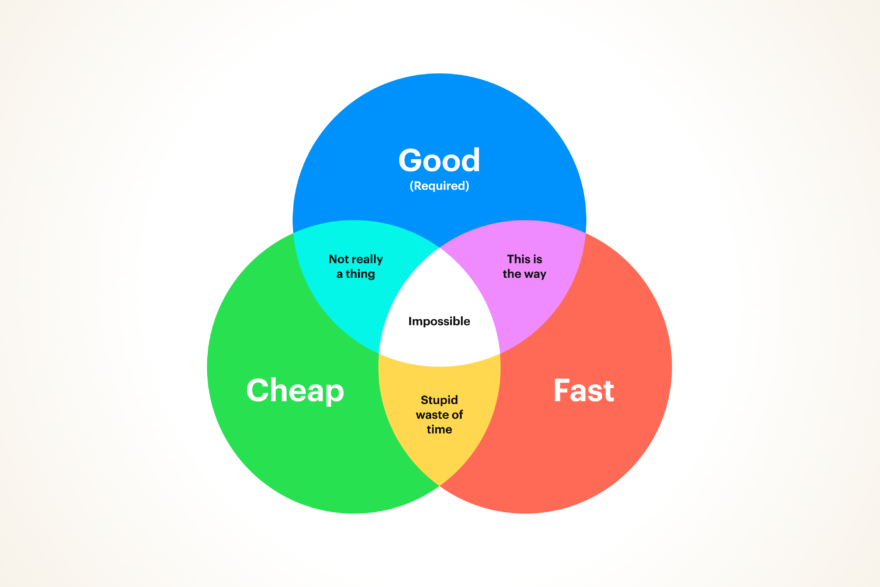
The brutal truth? Focusing solely on hourly rates is like choosing a surgeon based on who charges the least per incision. It ignores the real costs lurking beneath the surface – the insidious drag of misalignment that quietly bleeds your budget, timeline, and competitive edge. Forget the sticker price; let's dissect the true cost of ownership when your offshore partnership lacks deep, strategic alignment. This isn't about bashing outsourcing; it's about demanding more from it.
The Illusion of Cheap Code: When Technical Vision Diverges
Shipping code isn't the goal. Shipping the right code, built the right way, at the right time – that’s the goal. Misalignment here is catastrophic. It manifests subtly at first, then explodes later.
When “Agile” Becomes Fragile Theater
You run daily standups. You have sprints. You use Jira. You must be agile, right? Wrong. Too often, these become performative rituals, not genuine feedback loops. The offshore team reports tasks completed, but is anyone asking if those tasks ladder up to the current strategic objective? Is the definition of “Done” merely “code compiles,” or does it include “validates core business assumption”? This disconnect is where value leaks. Agile isn't broken – your implementation might be.
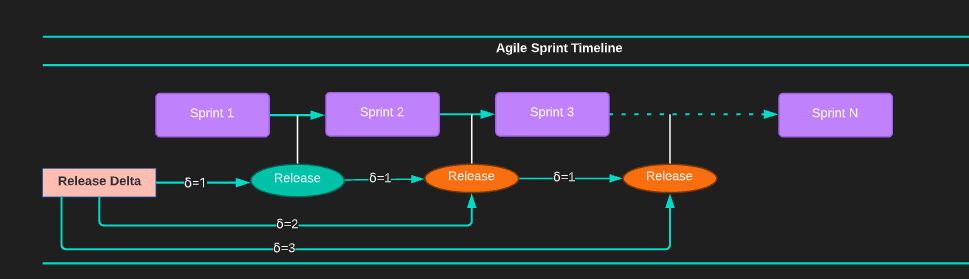
A classic scenario we encountered at 1985 involved a FinTech startup. Their offshore team diligently completed sprint after sprint, delivering features outlined months prior. Technically functional? Yes. Strategically relevant? No. The market shifted, a competitor launched a disruptive feature, but the offshore team, lacking deep business context integration, kept building according to the old plan. The “velocity” was there, but it was velocity in the wrong direction. According to a Project Management Institute (PMI) report, ineffective communication is a primary contributor to project failure over half the time. Think about that. It’s not just missed deadlines; it’s building the wrong thing entirely.
Actionable Takeaway: Mandate that sprint reviews aren't just demos, but strategic validation sessions. Ensure your offshore partner understands the why behind the what, not just the acceptance criteria. Embed product thinking, not just task execution.
The Architecture Mismatch Time Bomb
Your internal team envisions a scalable, microservices-based architecture for future growth. Your offshore team, perhaps incentivized by speed or lacking specific expertise, defaults to a monolithic approach for initial features. It works. For now. Fast forward nine months: user growth surges, feature complexity increases, and suddenly, deployments become terrifying, scaling is a nightmare, and untangling the monolith requires a costly, time-consuming rewrite. The initial speed was an illusion, paid for with future paralysis.
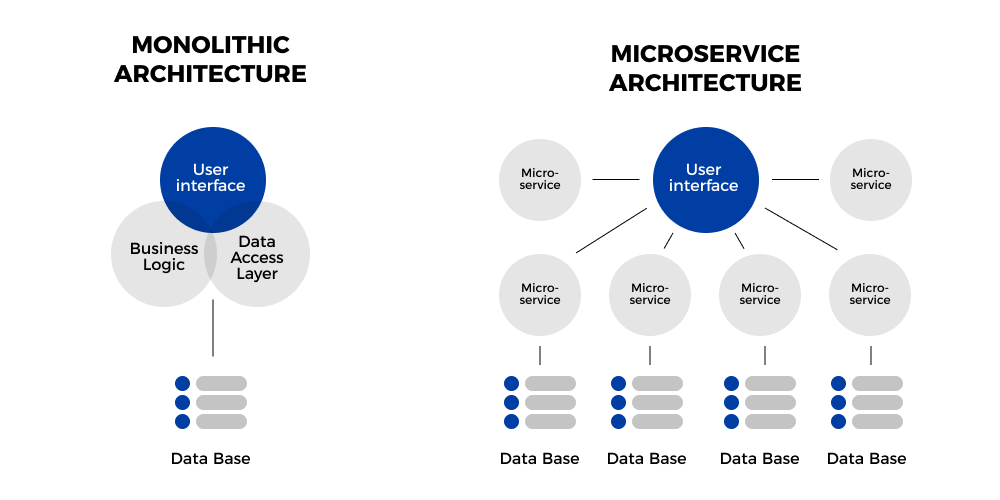
We inherited a project for a HealthTech platform facing this exact issue. Their previous offshore partner delivered the MVP quickly, hitting the deadline. But the underlying architecture couldn't handle the data velocity or the regulatory compliance nuances required for phase two. It wasn't just technical debt; it was foundational misalignment. The Stripe & Harris Poll survey found developers spend over 17 hours a week on maintenance tasks, including dealing with technical debt – that’s nearly 43% of their time not building new value. When architectural choices are misaligned, this percentage skyrockets.
Actionable Takeaway: Architectural alignment isn't a one-off discussion. It requires rigorous, ongoing reviews, especially before significant build phases. Your partner must demonstrate not just coding skill, but strategic architectural foresight aligned with your long-term vision. Insist on seeing their plan for scalability and maintainability from day one.
Communication Breakdown: More Than Just Time Zones
“We have Slack and daily calls.” That solves communication, doesn't it? Only if communication is merely about information transfer. True alignment requires shared understanding, nuance, and the ability to challenge assumptions constructively. This is where distance, culture, and process gaps create costly friction.
The “Lost in Translation” Tax
This isn't just about language barriers; it's about the unspoken assumptions, the cultural nuances in interpreting requirements, and the politeness that prevents critical questions from being asked. A vaguely worded user story can be interpreted in multiple ways. An onshore team might quickly clarify in passing, but an offshore team, wary of “bothering” the client or lacking psychological safety, might make a best guess. That guess can cost weeks of rework.

We saw this with an e-commerce client. A requirement for "improved product recommendations" was interpreted by the offshore team as implementing a standard collaborative filtering algorithm. What the client actually needed, based on recent user research they hadn't effectively communicated, was a context-aware system factoring in seasonality and user journey stage. The delivered feature technically worked but missed the strategic mark completely. Research published in the Harvard Business Review highlights that ambiguity is a major source of stress and inefficiency in global teams. Reducing this ambiguity isn't just about clearer tickets; it's about fostering a culture where questions are encouraged, not penalized.
Actionable Takeaway: Over-invest in clarity. Use visual models (wireframes, flowcharts), detailed acceptance criteria with examples, and establish dedicated "clarification windows" with synchronous communication. Record key decisions and discussions. Assume nothing is obvious.
Asynchronous Hell vs. Productive Flow
The 12-hour time difference. The bane of many offshore engagements. A simple question requires an overnight wait. Feedback loops stretch from hours to days. Momentum stalls. Developers get blocked, pick up other tasks, and then face significant context-switching costs when the answer finally arrives. This isn't just inefficient; it kills developer morale and project velocity.
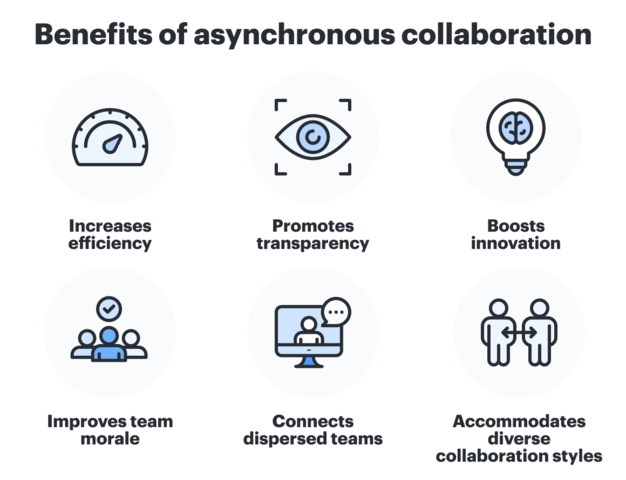
A gaming startup client described their previous offshore setup as "death by a thousand delays." A critical bug fix could take 48 hours to resolve simply due to the asynchronous ping-pong of questions and clarifications. At 1985, we mitigate this by structuring teams and processes to ensure meaningful overlap hours – not just for standups, but for real-time collaboration and problem-solving. Studies like Gerald Weinberg's estimate that context switching can eat up 20-40% of a developer's productive time. In an asynchronous-heavy model, that cost multiplies daily.
Actionable Takeaway: Don't accept asynchronous communication as the default for anything beyond simple status updates. Demand a communication strategy that includes defined, mandatory overlap hours for key team members (e.g., tech leads, product owners) to enable real-time collaboration and unblocking. Structure the process for the time difference.
The Culture Chasm: Values, Motivation, and Ownership
Skills are table stakes. True partnership thrives on shared values, intrinsic motivation, and a sense of ownership. When your offshore team operates purely as task-executing mercenaries, you lose the invaluable contributions of proactive problem-solving and genuine product passion.

Mercenaries vs. Missionaries
Does your offshore team care if your product succeeds, or just about closing tickets? A “mercenary” team delivers exactly what's asked for, no more, no less. They rarely challenge assumptions, suggest improvements, or flag potential risks proactively. A “missionary” team, deeply integrated and aligned with your goals, acts like an extension of your own company. They take ownership, debate approaches, and push for better outcomes because they feel invested. This difference is palpable in code quality, innovation, and resilience.
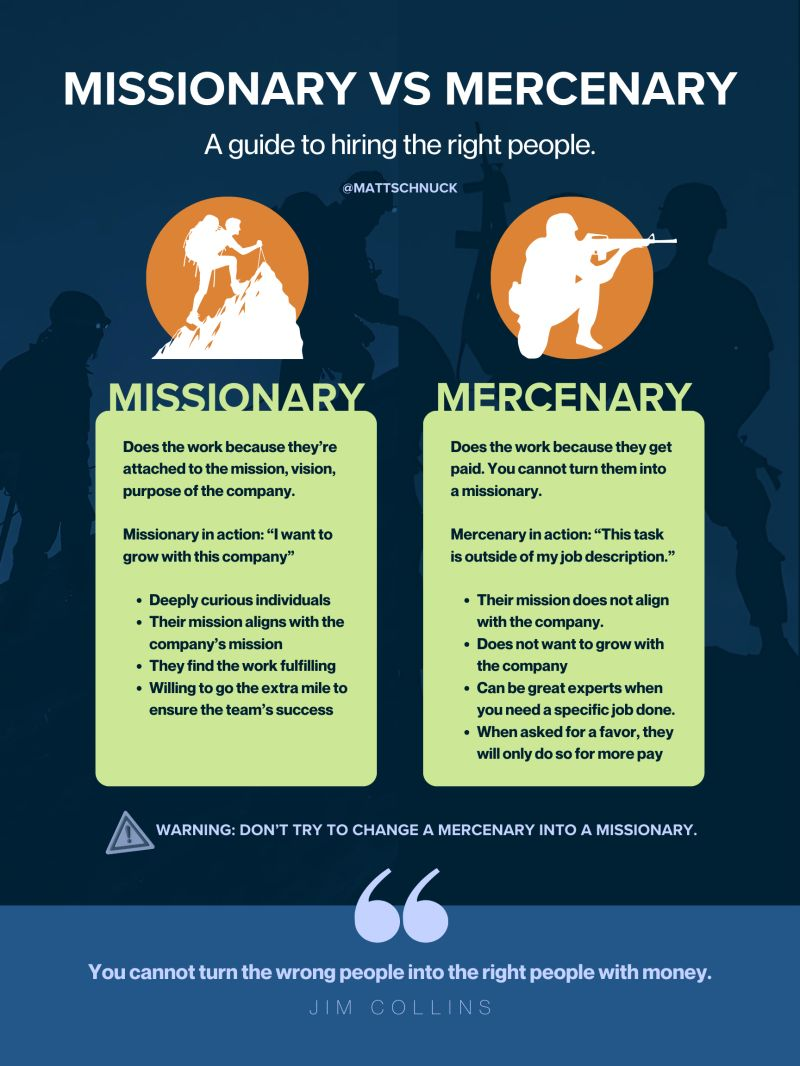
We often hear from new clients, like“Our last team built features, but they never owned the product. We were constantly pushing, they were just reacting.” This reactive stance stems from a lack of cultural integration and shared purpose. Gallup's research consistently shows the impact of engagement: highly engaged teams show 21% greater profitability and significantly higher productivity. While directly measuring the offshore team's engagement is hard, vetting the partner company's culture and how they foster ownership is crucial.
Actionable Takeaway: During vendor selection, probe deeply into their culture. How do they foster product ownership? How do they integrate teams with client missions? Look for partners who talk about shared success and proactive contribution, not just resource allocation. Ask for examples.
The Hidden Cost of High Churn
High turnover on your offshore team is a silent killer. Every departure means lost domain knowledge, ramp-up time for replacements, and disruption to team cohesion and velocity. If your partner treats developers as fungible resources, you'll pay the price repeatedly. The cost isn't just the recruiter fee; it's the months of reduced productivity and the potential for critical knowledge gaps.

One 1985 client came to us after their previous provider experienced nearly 50% churn on their dedicated team within a year. The project, a complex data analytics platform, was perpetually behind schedule because key knowledge walked out the door every few months. Calculating the exact cost is tricky, but estimates suggest replacing a developer can cost anywhere from 30% to 200% of their annual salary when factoring in recruitment, onboarding, and lost productivity. If your partner isn't actively investing in retaining their talent, those costs are indirectly passed on to you.
Actionable Takeaway: Ask potential partners direct questions about their internal developer retention rates and strategies. What is their average tenure? How do they invest in their people? Low churn is often a strong indicator of a stable, experienced team and a healthier partnership for you.
Quantifying the Damage & The 1985 Approach: Alignment as a Service
The allure of a low hourly rate fades quickly when juxtaposed against the mounting costs of rework, delays, communication overhead, and missed market opportunities. Calculating the True Cost of Ownership (TCO) requires looking beyond the invoice.
Beyond Hourly Rates: Calculating True Cost
| Factor | Low-Cost (Misaligned) Offshore | Aligned Partner (e.g., 1985) | In-House Team |
|---|---|---|---|
| Base Rate | Lowest | Moderate | Highest |
| Rework % (Estimate) | 20-40% | <10%< td> | 5-15% |
| Mgmt Overhead | High (Constant oversight) | Medium (Strategic alignment) | High (Direct Mgmt) |
| Time-to-Market | Slowest (Due to friction) | Fast (Aligned execution) | Variable |
| Opportunity Cost | Highest (Missed windows) | Low | Medium |
| Innovation Input | Low (Task execution) | High (Proactive ideas) | High (Direct ownership) |
| True Cost Index | Potentially Highest | Optimized Value | High but Controlled |
“We thought we were saving 50%,” a former client (now with 1985), a VP Eng at a logistics scale-up, told us. “But when we factored in the management time, the endless rework cycles, and the six-month launch delay, we realized we were paying a premium for frustration.”
The 1985 Playbook: Alignment First, Code Second
At 1985, we operate on a fundamental principle: deep alignment precedes effective execution. We invest heavily upfront – before a line of code is written – in understanding your business, your strategy, your users, and your technical roadmap. Our process includes:
- Immersive Alignment Workshops: Joint sessions involving key stakeholders from both sides to establish shared goals, technical strategy, communication protocols, and cultural understanding.
- Integrated Pod Structures: Teams designed not just for skill coverage, but for seamless communication and shared ownership, often embedding our leads within your existing structures.
- Proactive Risk Mapping: Identifying potential misalignment points (technical, communication, cultural) early and establishing mitigation strategies together.
- Continuous Strategic Check-ins: Regular, high-level reviews beyond sprint demos to ensure ongoing alignment with evolving business priorities. We actively avoid “zombie sprints” – work that continues simply because it was planned, even if its strategic value has diminished.
Our internal data from client project audits consistently shows that implementing these deep alignment practices reduces rework cycles by over 60% and accelerates feature delivery timelines by an average of 25% compared to less integrated models. We turned around a struggling MedTech project not by coding faster, but by pausing, forcing a deep strategic and architectural realignment workshop, and then rebuilding the team structure and backlog based on that shared understanding. The initial “pause” saved them months in the long run.
Actionable Takeaway: Treat alignment as a core competency of your development partner, not an afterthought. It requires deliberate structure, process, and cultural commitment from both sides.
Stop Bleeding Value: Demand True Partnership
The hidden costs of misaligned offshore teams aren't line items on an invoice, but they are devastatingly real. They manifest as slipped deadlines, bloated budgets, frustrated internal teams, and, most critically, lost competitive advantage.
Stop chasing the lowest hourly rate. Start demanding strategic alignment, transparent communication, cultural integration, and genuine ownership. Ask the hard questions about process, retention, and proactive contribution.
If your current development partner isn't actively mapping and mitigating the risks of technical divergence, communication friction, and cultural gaps with you, then your perceived savings are likely an illusion. Perhaps it's time for a different conversation.
If your dev partner can’t map these risks transparently, ping 1985. Let's talk about building software, not just managing contracts.
]]>Because a “cheap dev shop” and a “scalable product engine” are not the same thing
If you’ve ever uttered “We’re thinking of outsourcing to India” in a product meeting, chances are someone followed it up with a horror story - missed deadlines, spaghetti code, radio silence at 4 p.m. PST. Offshore development has a reputation problem. But here’s the kicker: most of the “bad offshore” isn’t about talent. It’s about bad fit, bad process, and worse expectations.
And nowhere is this truer than in India, where a sea of 5-person dev shops, 500-person IT firms, and actual black-hole agencies all swim under the same “offshore” banner. So how do you separate the grown-up product teams from the gung-ho freelancers in hoodies?
Let’s break it down.
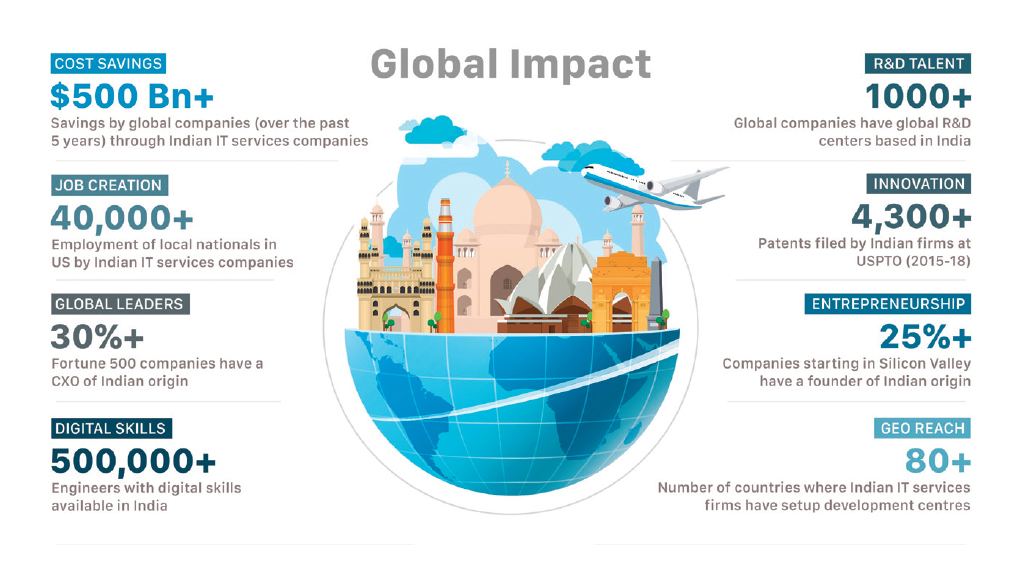
The Indian Dev Universe Is Big - and Bizarrely Fragmented
One minute you’re on a call with a Stanford-educated founder in Bangalore who quotes in dollars and talks about value-per-sprint. The next, you’re staring at a cartoonish agency website offering “complete digital solution” with stock photos of handshakes and mission statements about “synergy.”
India has:
- IIT grads building crypto infra at midnight,
- PMO-certified mid-tiers running waterfall projects for Fortune 100s,
- and three cousins in Indore who just figured out how Upwork works.
And they’re all bidding on the same RFP.
Which means your selection process better be sharper than your hiring bar at home. Offshore success isn’t about cost. It’s about control, compatibility, and compounding output. So let’s talk filters.
Most Agencies Aren’t Built for Product Work
You’re not looking for a vendor. You’re looking for a team that thinks in product loops, not project plans.
Here’s how to spot the difference:
Bad offshore pitch:
“We can do everything - mobile apps, SAP, IoT, DevOps, AI/ML, design, and digital marketing.”
Good offshore pitch:
“We specialize in React/Node SaaS products, 3–12 month engagements, weekly demos, and clean handovers.”
Product-focused teams show up with:
- versioned code on GitHub, not ZIPs on WhatsApp
- sprints and retros, not just standups
- opinions on edge cases and infra, not just implementation
- skeleton crews that can scale into pods, not bloated bench fillers
If they can’t tell you their stack sweet spot and engagement model in 30 seconds, move on.

Red Flags, Straight from the Trenches
We’ve stepped on more than a few outsourcing landmines in our early days. Here’s what we now dodge like a pro:
1. “We have 500 developers” flex
Translation: We run a glorified staffing firm. You’ll get who’s free, not who’s great.
2. No public GitHub, case studies, or product screenshots
If a dev team can’t show what they’ve shipped, they probably haven’t shipped anything meaningful.
3. Hourly billing with zero visibility
Say hello to invoice whiplash and 4-hour tickets for 30-line bug fixes.
4. Can’t explain tradeoffs
A great dev doesn’t just say “yes.” They say: “Sure, but that’ll increase your cold-start latency by 80ms. You okay with that?”
5. Founders who disappear post-sale
If your first call was with the founder and now you’re ghost-managed by someone called Rahul PMO (no last name), that’s a bad sign.
So What Should You Actually Look For?
The best offshore teams feel like an extension of your in-house crew. Here’s our unofficial scorecard - use it like Tinder for dev shops:
| Signal | What to Ask | Green Flag |
|---|---|---|
| Tech Stack Fit | “What are your strongest 2-3 tech stacks, and why?” | Clear answers, maybe even frameworks |
| Product Thinking | “How do you typically handle unclear specs?” | Stories about co-creating, not waiting |
| Output Quality | “Show me some shipped products you’re proud of.” | URLs, code, maybe even Figma files |
| Time Zone Sync | “How do you overlap with US/Europe teams?” | 2-4 hour overlap with async support |
| Scalability | “What happens if we need to go from 2 to 6 devs?” | They’ve done it before, without meltdown |
| Dev Process | “Do you use CI/CD, code reviews, and sprint planning?” | Bonus points for tooling screenshots |
| QA / Testing | “How do you handle bugs and releases?” | GitHub issues, test coverage talk, release notes |
| Comms & Culture | “What’s your stand on async vs. real-time?” | Thoughtful answer + good written English |
| Founder Involvement | “Will I still see you post-sale?” | “Yes, I join key demos and sprint reviews” |
Bookmark that. Or tattoo it on your PM’s wrist.
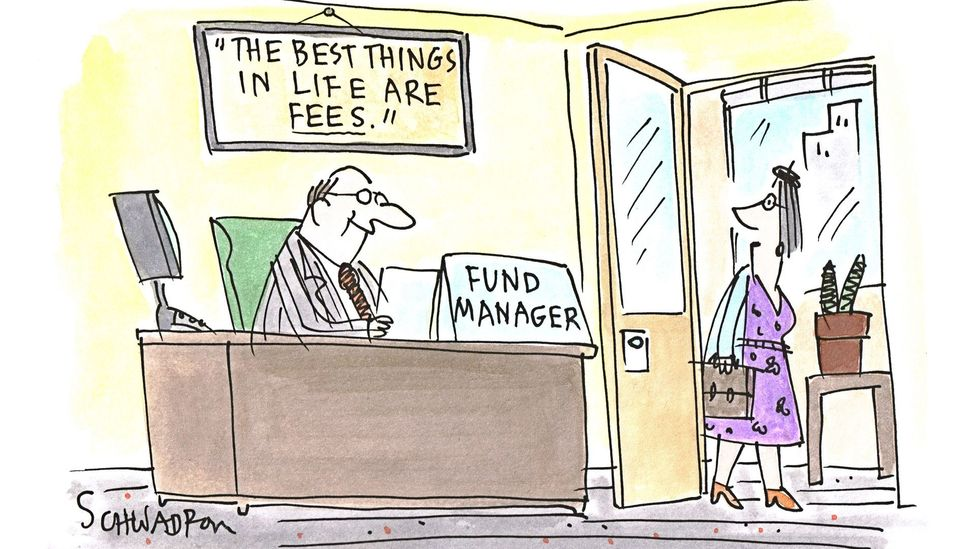
Wait, But Isn’t India Super Cheap?
Short answer: Not anymore. And that’s a good thing.
Sure, you can still find $10/hour “developers” on freelance sites. But if you want product-grade engineers - people who’ve scaled React apps, tuned PostgreSQL, or built on AWS without spinning up a bitcoin miner by mistake - you’re looking at $25–50/hour, sometimes more for leads.
What you get for that money in India, though, is exceptional:
- Senior engineers who’ve worked at Flipkart, Razorpay, Swiggy, or Zoho
- Deep infra knowledge and actual design sense (finally!)
- Fast iteration loops because everyone’s used to global clients
- English fluency and documentation habits that surprise even US clients
Think of it like F1 engineering talent at NCAA football prices. You don’t go offshore to pay peanuts. You go offshore to get leverage.
How We Vet Offshore Teams (When We’re Not the Team)
Sometimes we play matchmaker for clients looking to expand beyond us. Here’s our backchannel checklist:
1. The Github Lurker Test:
We don’t just ask for code - we lurk. How do their commits look? Are PRs reviewed? Is their branching sane?
2. The Infra Nudge:
We ask random infra questions like “How do you handle staging env resets?” Just to see if they panic.
3. The Zombie Ticket Check:
We sneak into their Jira (if they let us). Any stale tickets over 3 sprints old? Not great.
4. The Founder Vibe Check:
Is the founder still writing code or just selling deals? The best shops still have builders at the top.
5. The Weekend Ping Rule:
We message on a Saturday morning. No one has to reply. But if someone does - politely - that’s gold.
Okay, But What If I Still Get Burned?
It can happen. The first few sprints with any offshore crew are like dating someone you met on Reddit. You don’t go all-in on Day 1.
Here’s our safe-start protocol:
- Start small: 2-week discovery sprint, one feature, tight scope
- Assign a PM: Someone who can translate vision into backlog
- Mandate async rituals: Weekly Loom updates, GitHub check-ins, and Notion docs
- Track throughput, not hours: Are stories moving? Is code merging? That’s your signal.
- Fire fast: If three weeks in you’re still getting vague replies and commit dumps at midnight, run.
Remember: offshore doesn’t mean offloaded. You still need to drive. Just with a team that doesn’t make you want to drive off a cliff.
Offshore Isn’t a Hack. It’s a Multiplier.
Done right, your offshore team won’t just build what you tell them. They’ll spot the gotchas, nudge the roadmap, and become your unfair advantage. Done wrong, they’ll tank your velocity and leave you explaining delays to your board.
So don’t just look for developers in India. Look for product partners. Builders. People who give a damn.
Need a team that’s been through the trenches (and knows when to say no to your feature idea)? DM me. Or check out 1985 - our Bangalore gang ships clean code and spicy memes.
FAQ
1. What’s the difference between an offshore dev shop and a true product engineering team?
A dev shop often focuses on task execution - “just tell us what to build” - whereas a product engineering team brings structured thinking, problem-solving ability, and ownership of outcomes. The latter contributes to architecture decisions, flags trade-offs, participates in shaping the roadmap, and integrates seamlessly with product and design. Think coders vs collaborators.
2. How much should I expect to pay for a solid offshore team in India in 2025?
For mid-to-senior engineers who’ve built and scaled products, rates typically range from $25–$50/hour. Lead engineers or architects with prior startup or FAANG experience may cost more. If a team quotes below $15/hour and promises “everything,” that’s usually a red flag. You’re not paying for bodies - you’re paying for judgment, systems thinking, and reliability.
3. How do I verify if an Indian offshore team is truly experienced with startups or product companies?
Ask for live product URLs, GitHub repos, or architecture diagrams - not just decks. Review commit history, PR practices, and API documentation style. Request client references specifically from product-first companies, not just IT service firms. A team that’s built SaaS apps, internal tools, or marketplaces will be comfortable iterating fast and thinking lean.
4. What project management methods do good Indian offshore teams typically follow?
High-quality teams are fluent in agile, often using a flavor of Scrum or Kanban adapted for timezone gaps. Look for rituals like sprint planning, daily async check-ins (via Loom, Slack, or Notion), weekly demos, and retrospectives. If the team can’t explain their agile process clearly - or worse, doesn’t use any process - that’s a warning sign.
5. What are the common communication pitfalls when working with Indian offshore teams?
Silence during ambiguity, over-promising due to cultural politeness, and avoidance of hard feedback loops are common. The solution is to normalize async written updates, use shared tools like Notion or Linear, and explicitly ask for trade-off analysis. Great offshore teams welcome clear scopes, documented decisions, and shared rituals - not just real-time Slack pings.
6. How important is timezone overlap when working with a team in India?
At least 2–4 hours of overlap with US or EU timezones helps with sync meetings and unblockers. But more critical is the team’s async muscle - how well they document progress, make decisions without waiting, and deliver updates predictably. A timezone-compatible team without async discipline will still bottleneck your roadmap.
7. What’s the best way to start working with an offshore team to minimize risk?
Begin with a 2–3 week pilot focused on a self-contained feature or module. Define success metrics (code quality, delivery speed, communication style), and assign a product owner or PM to act as the bridge. Use this as a dry run for evaluating working styles before scaling up. Think dating, not marriage.
8. Can offshore teams in India handle complex backend infrastructure or DevOps?
Yes - many Indian engineers have scaled infra for high-traffic apps and are proficient in AWS, GCP, Docker, Kubernetes, and CI/CD tooling. That said, depth varies widely. Ask how they manage staging environments, secrets, zero-downtime deployments, or rollbacks. Look for evidence of real-world complexity - not just certifications.
9. How can I assess the English and communication skills of an offshore team?
Don’t rely solely on sales calls. Ask for written documentation samples, Slack-style project updates, or product specs they've authored. Pay attention to clarity, structure, and proactivity. Communication isn’t about accent - it’s about conveying assumptions, risks, and progress without you having to chase it down.
10. Should I work with an individual freelancer or a small offshore agency?
Solo devs may work for narrow scopes or prototypes, but scaling a product typically requires a team with complementary skills - frontend, backend, QA, design, DevOps. Small agencies with 5–30 people often strike the right balance: nimble, accountable, and capable of team-level continuity. Just make sure their founder is still involved and technical.
Why the first-order take - "AI kills offshoring" - misses the deeper systems shift already underway
There’s a hot take doing laps on LinkedIn lately:
“AI will make offshore dev teams irrelevant.”
It sounds punchy. Feels futuristic. And it’s dead wrong - if you think beyond the first bounce. Most forecasts stop at first-order thinking (i.e. “AI writes code → fewer engineers needed → bye offshore teams”). But reality doesn’t work in straight lines.
It moves in loops. Feedback loops. System dynamics.
And when you map the loops - how AI agents change team structures, throughput expectations, security risks, hiring logic - you land somewhere very different:
AI doesn’t erase offshore demand. It reshapes it. And if you’re still hiring like it’s 2018, that’s the real risk.
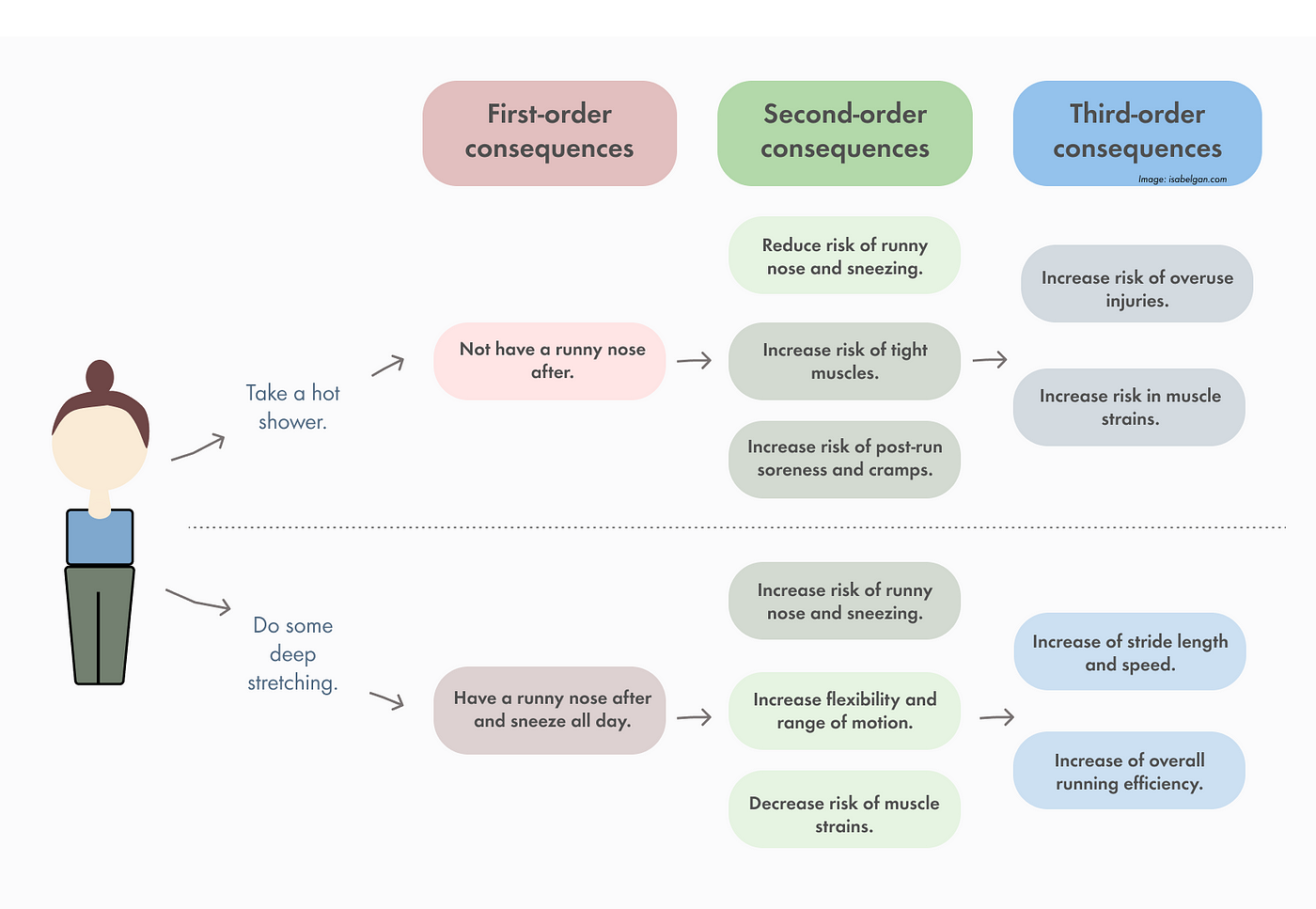
The Straight-Line Myth: First-Order Thinking at Work
Let’s start with the obvious story everyone’s telling.
Companies want to cut costs.
AI tools can now do junior dev tasks.
So why pay for offshore devs anymore?
It’s the same logic that said smartphones would kill laptops (they didn’t), or that no-code tools would replace engineers (they didn’t either). First-order thinking takes the surface-level trend and assumes the rest of the system stays static.
But systems don’t sit still. They push back.
In the case of AI and offshoring, here's what that pushback looks like:
- Increased throughput demands mean product cycles tighten, not slow down
- AI-assisted devs still need QA, security, and review layers
- AI agents generate more ideas than product teams can feasibly ship
- The need for orchestration (not just execution) explodes
In short: you're not replacing humans. You’re reallocating them.

Loop #1: Agents Make Teams Smaller - But Faster. That Needs More Dev Muscle, Not Less
I’ll say the quiet part out loud:
AI does reduce some of the need for large teams. But it also supercharges idea throughput. The bottleneck moves from “Can we build this?” to “Can we integrate, test, ship, and maintain this flood of features safely?”
Imagine your PM team now gets ten viable product ideas per week thanks to GPT-5 and an internal agent running jobs-to-be-done clustering.
Your AI codex writes the scaffolding.
Your solo dev? Drowning.
This is where modular offshore capacity becomes critical. You’re not farming out boilerplate anymore. You’re spinning up lean, AI-augmented units that specialize in:
- QA for AI-generated code
- Test case generation + validation
- Compliance and threat modeling
- Post-agent human QA sanity checks
- Agent lifecycle maintenance (yes, agents need devops too)
Welcome to the age of second-order offshoring.
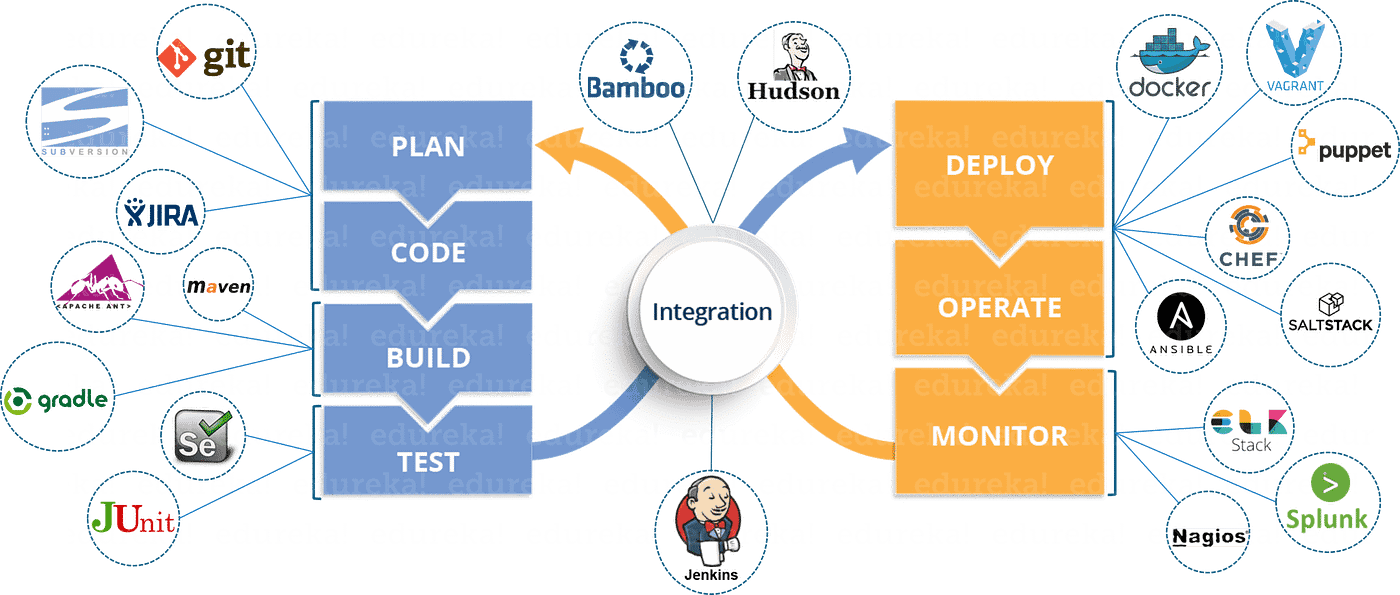
Loop #2: Orchestration Becomes the Hard Problem
Here’s a fun side effect of AI-agent proliferation:
The more tools you have "helping" your humans, the more coordination nightmares you unleash.
Think Jenkins + Copilot + Retool + LangChain + Slackbot + 4 Zapier scripts + 2 agents managing the PR queue.
It’s DevSecOps meets herding cats.
The core problem shifts from building features to keeping the system legible.
And you can’t automate orchestration away. Not fully. You need teams who:
- Understand both human workflow logic and agent capabilities
- Know how to debug multi-agent behavior
- Can build fallback or override mechanisms (for when your test-runner bot goes rogue at 3 a.m.)
Distributed teams - especially the ones already fluent in async coordination - are well-placed to own this orchestration layer.
In other words: the future belongs to offshoring partners who don’t just ship features. They govern systems.
Loop #3: Second-Order Risk, Regulation, and Redundancy
Let’s talk risk.
Companies that once said “move fast and break things” are now going “move smart and document everything.”
Why?
Because:
- AI-generated code can’t explain itself
- AI agents raise novel compliance issues (especially around data privacy)
- CIOs are worried about agent-induced downtime
- Every CFO is building in a redundancy plan for AI hallucinations
So who’s going to write the fallback systems?
Who builds the compliance guardrails?
Who reverse-engineers what GPT stitched together in your infra?
Not the LLM.
Not your PM.
It’s your senior offshore engineer with systems-thinking chops.
At 1985, we’ve already been pulled into “post-agent cleanup” gigs where we’re:
- Refactoring weird Copilot-generated blobs
- Building audit trails for agent decisions
- Adding compliance scaffolding to LLM-heavy workflows
It’s the kind of work that doesn’t show up on Upwork.
But it’s going to explode.
AI’s Impact on Offshore Team Structures
| Function | Pre-AI Era | Post-Agent Era | Net Impact |
|---|---|---|---|
| Frontend dev | Pixel pushing & styling | Integrating LLM UI logic, agents-as-UI | More complex |
| Backend dev | CRUD-heavy | Agent state mgmt, chaining, orchestration | Higher demand |
| QA & Testing | Manual regression | AI-generated tests + human QC | Net new roles |
| DevOps | CI/CD setup | Agent deploys, sandboxing, rollback logic | Much harder |
| PM | Ticket grooming | Agent-aided backlog inflation | Needs more filtering support |
| Security | OWASP Top 10 | LLM input/output monitoring, agent sandboxing | New playbook |
This isn’t a reduction. It’s a recomposition.
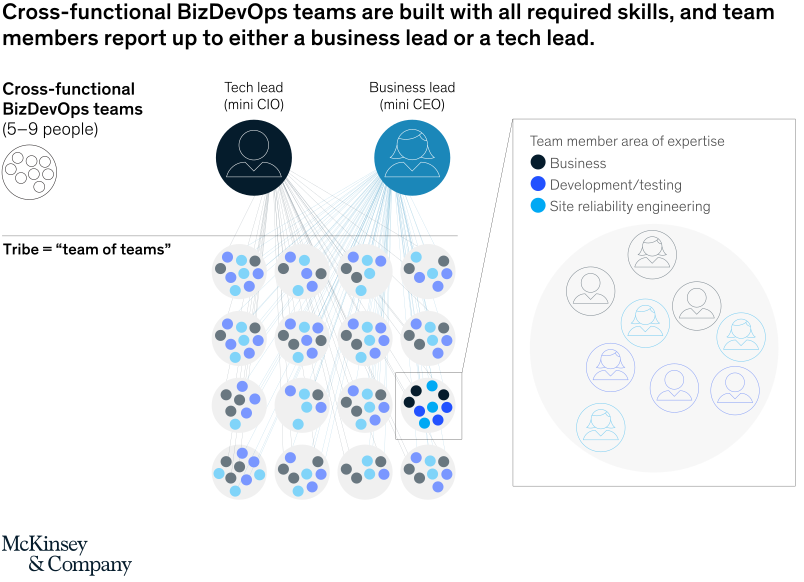
If You’re Still Thinking in FTEs, You’re Gonna Miss the Shift
One of the biggest mismatches we’re seeing?
CTOs trying to fit AI-augmented teams into old capacity planning models.
They’re still asking:
“How many engineers do we need for this project?”
Instead of:
“What does the loop look like after we plug in AI? Where does the bottleneck move?”
Hiring for headcount makes sense in a low-tech environment. But in agent-augmented workflows, you need dynamic units that can:
- Spike capacity on orchestration or compliance work
- Embed with PMs to sanity-check AI ideas
- Drop in to maintain agent ecosystems without needing month-long onboarding
That’s where a crew like 1985 thrives.
We don’t sell FTEs.
We build elastic systems muscle.
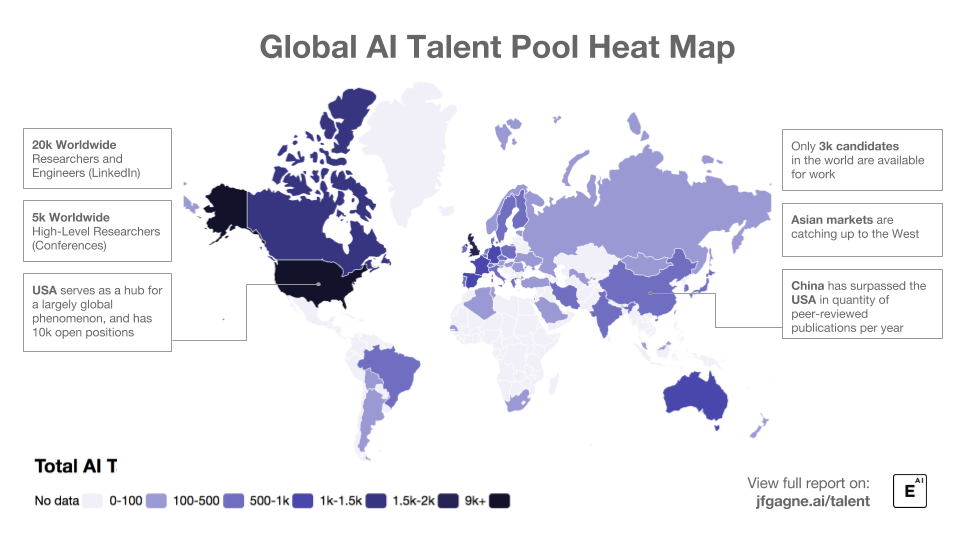
AI Isn’t Flat. Neither Is the Talent Map
One of the most overlooked second-order effects?
AI is creating more unevenness in talent value.
Good offshore engineers who get AI tools and can think across the stack?
Their value is going up, not down.
Because here’s the paradox:
AI makes mid engineers look senior...
...but it also exposes mid seniors who never really leveled up.
You can’t hide behind a Jira ticket anymore.
Your work is agent-visible. System-visible.
You’re part of a living feedback loop.
At 1985, we’re already retooling how we hire and train for this new looped environment.
Everyone gets onboarding on LangChain, TypeScript agent scaffolding, and prompt tracing tools.
Not as a shiny side project.
As core infra.
What Most Forecasts Miss
They stop at the first bounce.
But systems thinking says:
- AI doesn’t replace work. It moves it.
- Agent logic shifts bottlenecks, doesn’t erase them.
- Integration, compliance, and orchestration now matter more than greenfield code.
The orgs that win will be the ones who see these second-order effects early and plan their resourcing loops accordingly.
Not with headcount.
With capacity agility.
With cross-skill fluency.
With partners who don’t just write code, but model systems.
Like us.
Curious how second-order thinking might reshape your AI hiring strategy? Or want to sketch out your own agent-org loops? Ping me. Our Bangalore crew would love to nerd out over it.
FAQ
1. Will AI eliminate the need for offshore software development teams?
No. AI is changing the nature of software development, but it isn’t removing the need for human teams - offshore or otherwise. While AI can automate certain tasks, it creates new layers of complexity in orchestration, testing, compliance, and system maintenance. Offshore teams that adapt to these emerging demands - especially those with systems thinking and cross-functional expertise - remain essential.
2. What is second-order thinking, and why does it matter for AI and offshoring?
Second-order thinking is the practice of looking beyond immediate effects to consider the longer-term and indirect consequences of a decision or trend. In the context of AI and offshoring, it reveals that the first-order assumption (“AI reduces dev needs”) misses the systemic ripple effects - like increased need for agent orchestration, QA oversight, and compliance layering - which actually drive new demand for skilled offshore support.
3. How does AI agent adoption impact team structures in software development?
AI agents often automate individual tasks, but they introduce complexity at the system level. This shifts the bottlenecks from writing code to areas like managing agent behavior, ensuring output accuracy, and maintaining system coherence. As a result, team structures are becoming leaner but more multidisciplinary, often relying on offshore partners to handle integration, governance, and human-in-the-loop quality control.
4. What types of offshore roles are growing because of AI, not despite it?
Roles in QA automation, agent orchestration, AI-augmented DevOps, compliance engineering, and prompt lifecycle management are seeing increased demand. Teams that can validate AI-generated code, audit decision paths, and build override/fallback systems are becoming indispensable. These are not commodity roles - they require contextual judgment and a deep understanding of both systems and the tools in play.
5. Why is orchestration considered the new bottleneck in AI-augmented teams?
With multiple AI agents running tasks in parallel - code generation, test writing, workflow routing - the biggest challenge becomes coordination. Orchestration ensures these tools interact correctly, don’t conflict, and produce reliable results. It requires engineering oversight, decision trees, state management, and rollback planning - all of which demand developer time and architectural foresight.
6. What are the second-order risks introduced by AI agents in development?
Key risks include opaque decision-making (AI models often lack auditability), hallucinated logic in code, compliance violations, and unexpected interactions between multiple agents or tools. These issues can cascade quickly if unchecked. To mitigate them, teams must invest in traceability tools, manual validation layers, and redundancy plans - often led by experienced offshore engineers with system debugging expertise.
7. How should companies rethink capacity planning in light of AI tools?
Instead of planning purely by headcount or full-time equivalents (FTEs), companies need to model workflows as dynamic systems. AI shifts the location of effort but doesn’t eliminate it. Capacity should be framed around modular units that can flex with changing workloads - like temporary offshore squads for integration work, audit tasks, or test generation - rather than static long-term roles.
8. Does AI reduce the importance of software quality assurance (QA)?
Not at all - if anything, it heightens it. AI-generated outputs still require validation, and bugs introduced by AI can be harder to detect. QA is evolving from manual test execution to agent-assisted test creation, synthetic test data modeling, and human-in-the-loop verification. Offshore QA engineers skilled in this hybrid approach are becoming vital to ensuring AI doesn’t degrade quality.
9. What distinguishes a future-ready offshore partner from a traditional one?
A future-ready offshore partner understands that AI is not just a tool - it’s a systems shift. They bring fluency in agent lifecycle management, AI-integrated DevOps pipelines, prompt testing, compliance-aware engineering, and modular capacity delivery. They also emphasize onboarding in new agent tooling (like LangChain, semantic routing, and LLM monitoring) and can embed themselves into fast-evolving workflows without slowing down the product cadence.
10. How should CTOs prepare their organizations for second-order effects of AI adoption?
CTOs should shift their planning lens from cost-saving to system-shaping. This includes mapping the feedback loops AI creates, identifying new failure modes (e.g., agent misalignment, test brittleness), and building sourcing strategies that emphasize agility and depth. That means investing in partners who don’t just code to spec, but who co-own the systems logic - and can step in across testing, compliance, orchestration, and post-agent maintenance.
Because “it works on my machine” isn’t a QA strategy
You’ve got devs in Bangalore, QA in Cebu, a PM somewhere between Munich and mild burnout, and a founder in Palo Alto who thinks “CI/CD” is just a fancy Git command. Welcome to the wonderful world of offshore product engineering - where deadlines cross time zones faster than context, and your test coverage better travel better than your code.
We’ve run dozens of distributed sprints. We’ve shipped fintech dashboards, Web3 wallets (RIP), B2B platforms with more feature flags than users. And we’ve faceplanted in production enough times to know: a half-baked CI/CD pipeline isn’t a process gap. It’s a trust tax.
So here’s the no-nonsense playbook: what works, what breaks, and how we keep QA humming even when half the team’s asleep.

The Time-Zone Tax Is Real (But Automations Don’t Sleep)
“It’ll be fixed tomorrow” is great… unless it breaks everything tonight.
We once had a dev push a "small fix" to a payment module at 6:45 p.m. IST. QA caught the regression - at 7 a.m. their time. Fix didn’t ship till two days later. Cue angry emails from an investor demo that crashed mid-payment.
Multiply that delay across modules and you’ve got yourself a slow bleed.
Here’s what we’ve learned: you can’t outrun time zones, but you can out-automate them.
So we added guardrails:
- Every pull request runs linting, tests, and static analysis. No review? No merge.
- Every merge to main triggers a staging build - complete with E2E and visual regression tests.
- Every production deploy includes smoke tests, API heartbeat checks, and alerting hooks.
It’s less “move fast and break things” and more “move smart so you don’t break at 3 a.m.”
If you’re serious about distributed QA, your pipeline should replace Slack pings with scripts. Humans can’t scale sleep. Bots don’t need it.
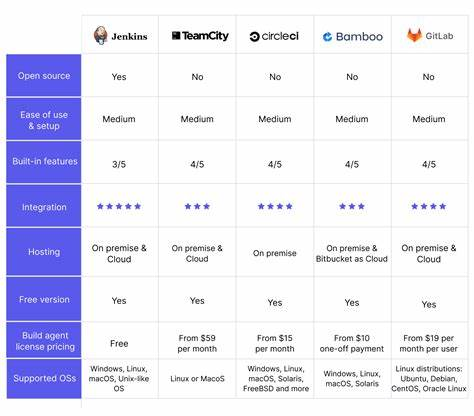
Toolchain Smackdown: What Actually Works
Because every DevOps forum sounds like a JetBrains vs. Vim street fight.
We’ve trialed more CI/CD combos than a college kid trying majors. Some stuck. Some cost us weekends.
Here’s what we’ve actually battle-tested and still like in 2025:
1. GitHub Actions
Great for fast-moving startups. Config-as-code, nice ecosystem, and matrix builds for multi-version testing. Secret handling is clean. And hey - it’s free for public repos.
2. GitLab CI/CD
Not as trendy, but solid. If you’re on GitLab anyway, the native CI is tight. It’s verbose (YAML-palooza) but reliable. Self-hosted runners are great for air-gapped infra.
3. CircleCI
Speed king. Their Docker layer caching is a lifesaver on complex builds. Expensive at scale, but worth it if your suite takes longer than your lunch break.
4. Playwright + Percy
Cypress is popular, but Playwright’s growing on us. Especially with Percy’s visual diffing. Layout bugs don’t always break tests - but they do break trust.
5. Sentry
Production’s tattletale. Tells you what blew up, when, and who wrote the code that did it. Pair it with release tracking and you get instant incident context.
Honorable mentions:
- Datadog RUM for frontend perf
- k6 for load testing
- TruffleHog for secret scanning (saved us once from shipping a real API key. Oof.)
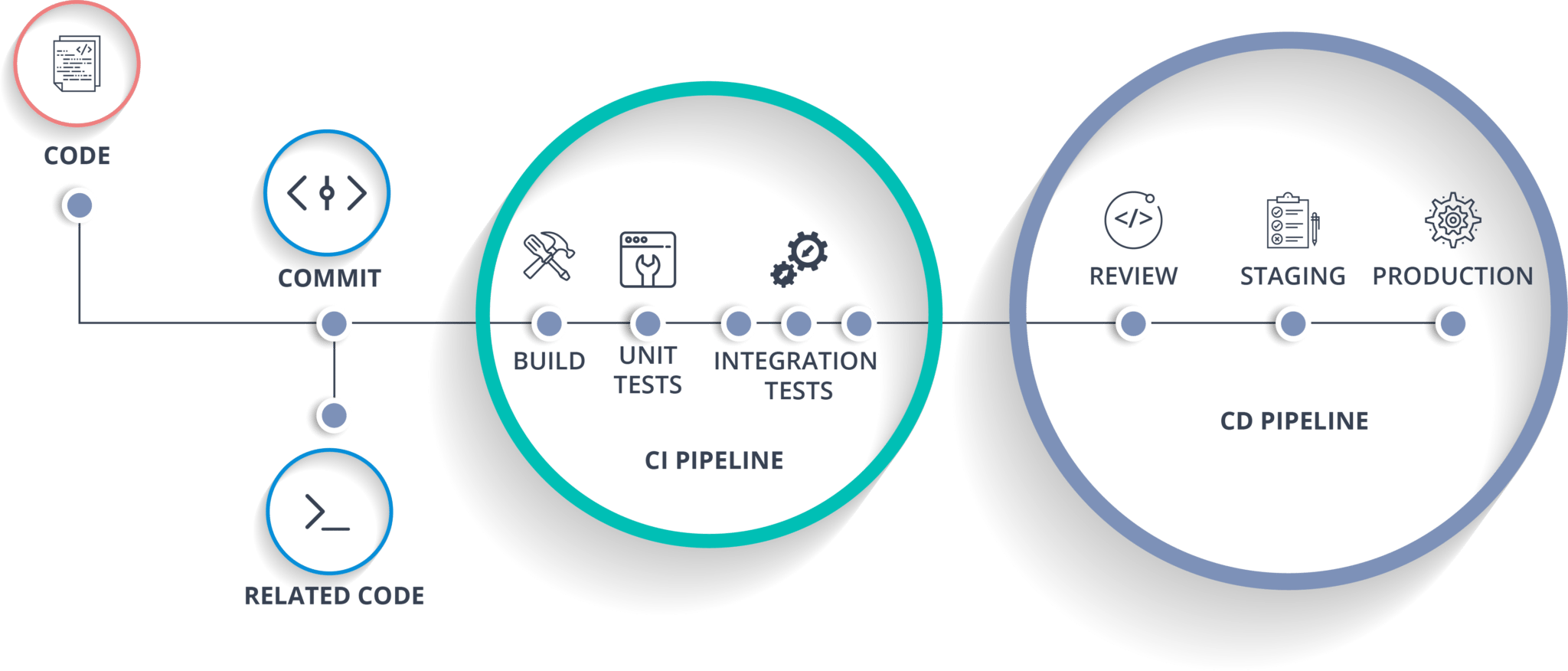
Our Default Offshore CI/CD Template (Steal This)
We’ve deployed this to 17 teams. Break it at your own peril.
Step 1: On every PR
- ESLint + Prettier
- Jest or Mocha unit tests
- Codecov thresholds (>80%)
- GitGuardian secret scan
- PR title linter (seriously - clean titles save time)
Step 2: On merge to main
- Auto build + deploy to staging
- Cypress E2E runs
- Percy visual diff
- Slack bot pings #qa-review with pass/fail matrix
Step 3: Nightly jobs
- Full test sweep (unit, integration, API)
- Dependency scans (Snyk, npm audit)
- Backup integrity checks (we’ve seen backups fail silently - nightmare fuel)
- Faker.js seed verification (yes, fake data needs QA too)
Step 4: Prod deploy
- Canary first, then blue-green switch
- Post-deploy smoke tests (Postman/k6)
- Sentry release tracking + alert hook
- Rollback script pre-validated and green
This isn’t just process theater. This stack has saved us from deploying broken login flows, expired keys, and even one accidental dark mode apocalypse (don’t ask).
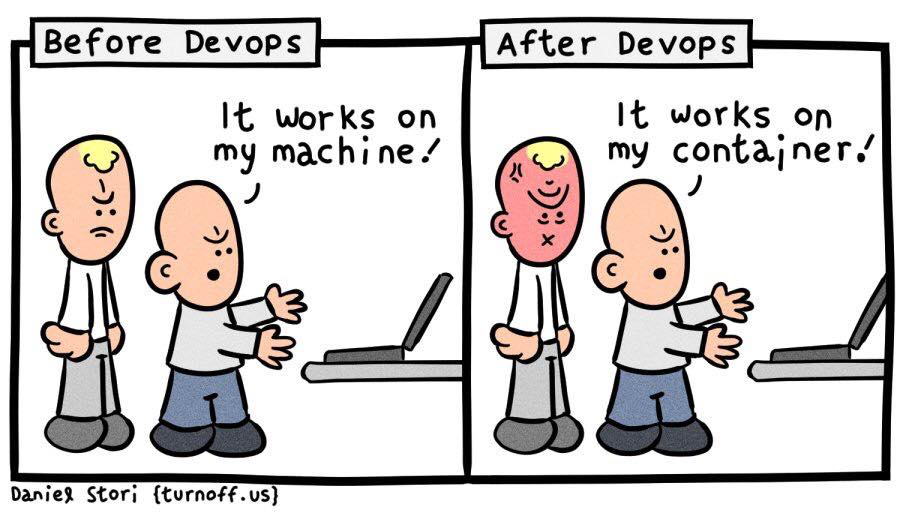
What We Got Wrong (And Fixed the Hard Way)
Our CI/CD hall of shame: presented without redaction.
We’ve made all the mistakes so you don’t have to. Actually, we still make some - just fewer and dumber.
❌ QA sign-off lag
We used to block deploys on manual QA sign-offs. Guess what? Half the bugs went live while waiting for approvals.
✅ Fix: Automate deploy gates. Make green tests the new thumbs-up.
❌ Environment drift
Dev envs passed. CI envs failed. Why? Different data fixtures, broken seed scripts. Classic offshore whoops.
✅ Fix: Commit fixture generators. Version your test data.
❌ Flaky E2E tests
Our test suite was the boy who cried bug. Half the failures were false alarms. Everyone started ignoring them.
✅ Fix: Isolate flaky tests, flag them, fix them. Or delete them - mercilessly.
❌ Over-reliance on E2E
We leaned too hard on E2E as the canary. It slowed us down, missed obvious logic bugs, and failed silently.
✅ Fix: Redistribute trust. Unit tests for logic. Integration for contracts. E2E for workflows. Pyramid, not plate.
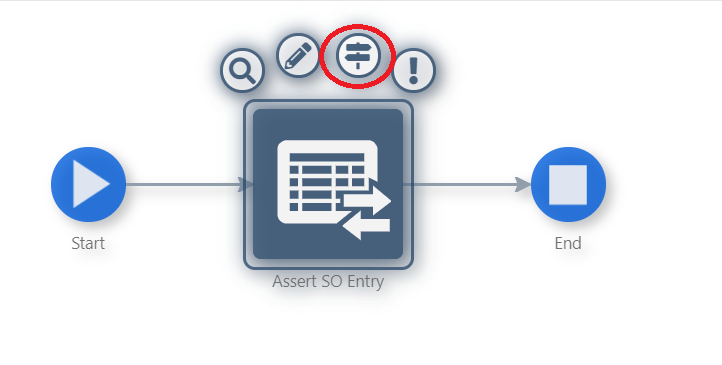
Offshore Testing: Don’t Just Automate, Orchestrate
Your QA isn’t a test suite. It’s an ecosystem.
We stopped treating QA like a final gatekeeper. It’s now an orchestrated service with its own rhythms.
What worked:
- Smoke tests as code
No more spreadsheets. Our QA team codes their own smoke tests that run on every deploy. Debug logs included. - Geo-distributed test runners
CircleCI + Playwright running from Singapore, Frankfurt, and US-East. Real latency. Real edge cases. - Approval routing
Need a hotfix pushed at midnight? Local leads can greenlight if the build passes. No PM bottleneck required. - Ticket auto-gen
Failed test? Jenkins auto-files a Jira with logs, stack trace, screenshots, and replay link. No excuses. No ghost bugs. - Time-aware dashboards
We pipe Grafana alerts to QA’s timezone-adjusted dashboards. If a test failed at 4 a.m. their time, they see it at 9, not buried in yesterday’s chaos.
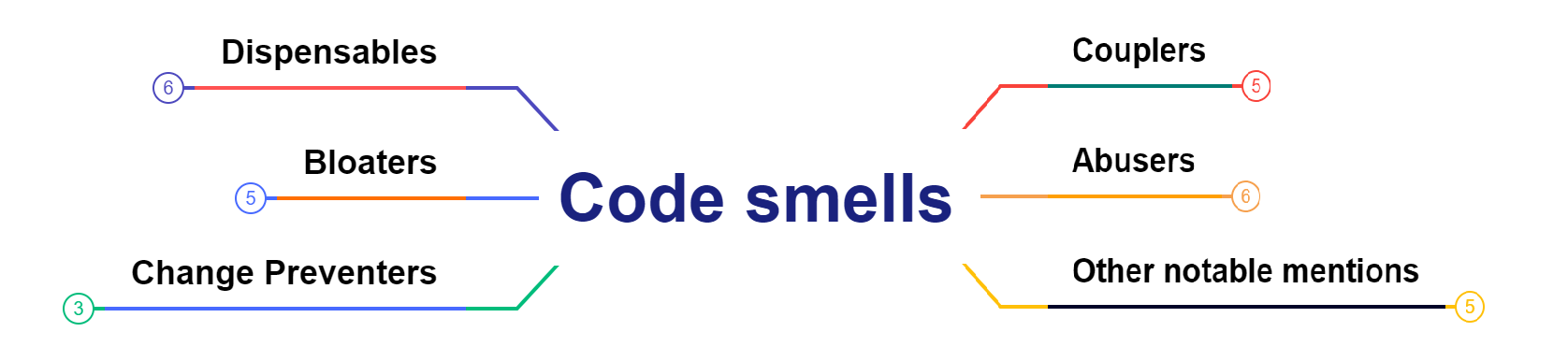
CI/CD Smells to Watch For
If you hear these phrases, hit pause. Something stinks.
“Let me check with QA.”
Translation: there’s no automation, just manual buffer time.
“It passed locally.”
Classic: local env doesn’t match CI. Probably missing a .env var or running MySQL 5.7.
“Tests only run before prod.”
You’re not doing CI/CD. You’re doing ‘hope and deploy.’
“Our test env isn’t HTTPS.”
Facepalm. Yes, this happened. The test passed because cert warnings were ignored.
Your Offshore CI/CD Scorecard
Grade yourself like you’re your own worst QA tester.
| Metric | Score (0–5) |
|---|---|
| PRs run tests pre-merge | |
| Auto deploy to staging | |
| Visual regression testing | |
| Test suite completes <10 mins< td> | |
| Smoke tests on prod | |
| Failure reports include logs + screenshots | |
| Timezone-aware dashboards | |
| Infra-as-code tested too |
> Score: 30+? You’re flying.
< 20? Time for a pipeline intervention.
Tool Pairings That Actually Gel
Because tools don’t work alone. Like jazz bands, they need chemistry.
- GitHub + Cypress + Percy + Vercel
Great for fast frontends. Instant preview URLs. Designers love it. - GitLab + Playwright + AWS CDK
Infra-heavy teams, regulated sectors. Full-stack confidence. - Bitbucket + Bamboo + Selenium Grid
If you’re stuck with this, you’re probably stuck with Jira, too. Godspeed. - Jenkins + Bash + Groovy
Retro, powerful, and fragile. Like a 90s Nokia phone with a cracked screen that still works… until it doesn’t.
Wrap-up: QA on Autopilot Is About Trust, Not Tools
You don’t need a shinier CI tool. You need a system your team believes in.
One that:
- Prevents bugs from going live.
- Enables async handoffs across time zones.
- Documents failures without human babysitting.
When your pipeline has your back, your QA team gets to sleep. Your devs get instant feedback. And your product? It actually ships.
Want an offshore team that ships clean, fast, and fearlessly?
Talk to us at 1985. We’ve got the scars, scripts, and timezone hacks to prove it.
FAQ
1. What’s the biggest challenge with CI/CD in offshore setups?
The biggest challenge isn’t just tooling - it’s latency in feedback loops caused by time-zone differences. A failed test that goes unnoticed for 12 hours can delay releases and compound debugging. The solution isn’t to wake people up, it’s to build automated gates that catch and communicate issues asynchronously.
2. Should I prioritize unit tests, integration tests, or E2E in my CI/CD pipeline?
You need all three, but not equally. Unit tests should be your fastest and most plentiful - they catch issues at the source. Integration tests validate contracts between modules. E2E tests are important but fragile and slow, so they should focus on critical user flows. Follow the “test pyramid,” not the “test pancake.”
3. How do I ensure test data consistency across environments?
The key is to treat test data like code. Generate it programmatically using version-controlled seed scripts, and run those scripts during CI setup. Avoid manually curated staging DBs - they rot. Use snapshots or mocks when you can’t replicate real data easily, and always test the test data itself.
4. What’s the best way to get fast feedback without overloading my CI budget?
Use parallelism intelligently. Run lightweight tests (like linting and unit tests) on every PR, and batch heavier jobs (like full E2E) for merges or scheduled runs. Use Docker layer caching and smart job splitting in tools like CircleCI or GitHub Actions to cut runtime without burning dollars.
5. How do I prevent flaky tests from derailing offshore QA?
First, isolate them. Tag flaky tests so they don’t block pipelines but still log results. Use retry logic with limits to separate environmental failures from real ones. Once identified, fix them or quarantine them. Never normalize flakiness - it's CI’s version of technical debt.
6. What does “QA as code” actually mean in practice?
It means codifying smoke tests, sanity checks, and even environment validations into scripts that run automatically. Instead of relying on manual QA steps or spreadsheets, treat your QA logic as part of the codebase. This allows consistent, repeatable checks that can run at 3 a.m. without a human in sight.
7. How can I handle approvals across multiple time zones without blocking deploys?
Set up role-based approval proxies. For instance, allow regional leads or trusted senior engineers to approve changes within their domain. Pair this with alerts and dashboards that show deploy status in local time so that approval doesn’t depend on someone being awake halfway across the world.
8. What kind of visual regression testing is worth adding to offshore pipelines?
Tools like Percy or Chromatic plug into your test suite and capture UI snapshots on every build. If a visual change slips in - intentional or not - QA gets a diff view. It’s especially useful in offshore teams where verbal clarification of “this button shifted slightly” might take a day to resolve.
9. How do I monitor and debug test failures without someone watching the logs live?
Automate repro tickets. Your pipeline should capture test logs, stack traces, screenshots, and ideally a replay link. When something fails, it should auto-create a Jira (or similar) ticket with this payload. It saves hours and helps QA pick up where the CI left off, without asking “can you repro?”
10. Is CI/CD automation enough to replace manual QA for offshore projects?
No - but it dramatically reduces the manual surface area. Automation handles the routine and the regressions. Manual QA should focus on exploratory, UX, and non-deterministic edge cases. The goal is not to eliminate QA testers, but to free them from grunt work so they can test what machines can’t.
]]>From IP handoffs to country-specific gotchas - your legal radar needs more than NDAs and wishful thinking
Let’s start with a confession: early on at 1985, we thought “compliance” just meant slapping an NDA on every doc, asking devs to use strong passwords, and hoping no one stored production keys in Google Sheets. (Spoiler: they did.)
Turns out, the real game is way messier. And when you’re outsourcing engineering work across borders - especially with IP-heavy projects - the unspoken rules matter more than the ones your lawyer cuts and pastes from that 2016 SaaS contract.
This isn’t a legal lecture. It’s a practical survival guide from someone who’s waded through GDPR audits, dealt with Indian labor inspectors, negotiated IP clauses with five different jurisdictions, and once explained to a founder why their “friend in Eastern Europe” didn’t actually transfer IP rights.
If you’re shipping serious product with offshore help, here’s what you really need to know.
Rule #1: IP Doesn’t Transfer Itself (Even If You Paid for It)
Let’s kill the most common myth first: “If I paid them to build it, I own it.”
Nope.
Payment ≠ ownership, at least not automatically. In many jurisdictions - including India, the Philippines, and a good chunk of Europe - you need explicit, written assignment of intellectual property. Not just in the master agreement, but ideally in every statement of work (SOW) and subcontractor agreement too.
I’ve seen startups raise their Series A only to discover that their entire codebase was legally co-owned by a freelance team they’d ghosted. Investors don’t love that.
Checklist:
- Include an “Assignment of Work Product” clause in every agreement.
- Ask your offshore partner to ensure their employees and contractors sign “back-to-back” IP assignments.
- In the US? Consider a “work made for hire” clause. Outside the US? Don’t assume it applies.
Pop-culture reference break: This is the legal version of The Office’s “I declare bankruptcy!” scene. Just saying the thing doesn’t make it true.
Rule #2: Don’t Copy-Paste That NDA
A good NDA is like a prenup - it won’t stop the bad stuff from happening, but it helps clean up the mess.
A bad NDA? Might as well be a blank Google Doc.
Most companies grab a boilerplate NDA and call it a day. But offshore work involves:
- Multiple jurisdictions
- Varied definitions of “confidential”
- Subcontractors you’ll never meet
Your NDA needs to account for all of this.
What we learned the hard way:
One of our early clients had a Chinese firmware vendor sign a US-style NDA. It didn’t include provisions enforceable under Chinese law. Two years later, a copycat product showed up at a Shenzhen trade show. Oops.
Better move:
Customize your NDA for jurisdictional enforceability, and make sure it survives termination (you’d be surprised how many don’t).
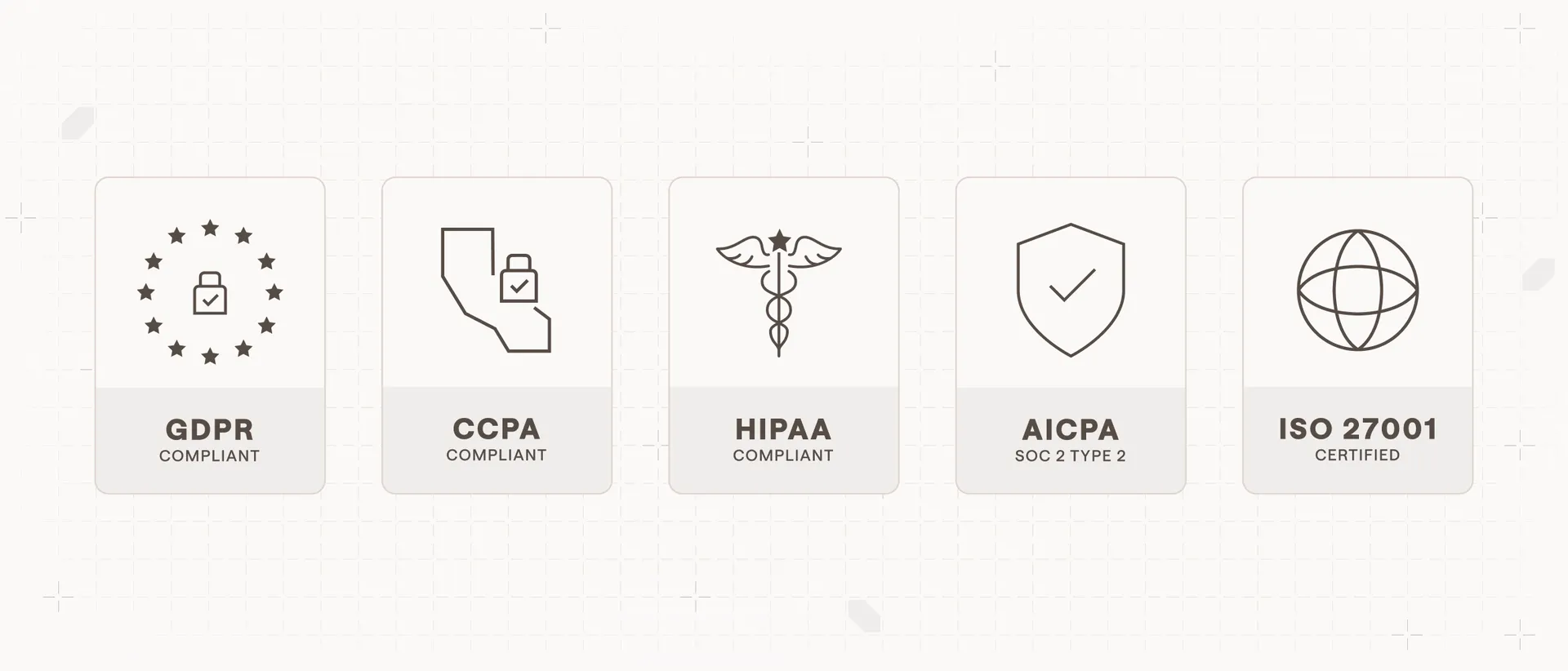
Rule #3: GDPR, HIPAA, ISO, SOC2 - Don’t Play Compliance Bingo
Slapping every acronym into your RFP doesn’t make you safer. It just confuses everyone.
Instead, map your compliance needs to:
- Where your users are (Data protection: GDPR, CCPA, etc.)
- What industry you’re in (Healthcare = HIPAA; Fintech = PCI-DSS)
- Who your customers are (Enterprise clients often require SOC2/ISO27001)
True story: A fintech prospect once asked if we were “GDPR certified.” That’s not a thing. You can comply with GDPR, but there’s no certification.
If you’re using offshore devs for regulated data:
- Ensure contracts clearly define who is the Data Controller and who is the Data Processor.
- Ask where code is stored, where data flows, and who has access.
- Use role-based access controls. Shared AWS credentials? Welcome to audit hell.

Rule #4: Country Laws > Contract Clauses (Sorry, Delaware)
Say your MSA says Indian developers will follow US IP law. That’s adorable.
But if your developers are employed by an Indian company - or even freelancers with residency - Indian labor and IP law still applies. Your contract can’t override that.
What you can do:
- Choose arbitration venues that make enforcement easier (Singapore and London are popular for cross-border deals).
- Use “choice of law” provisions that give you predictability.
- Work with partners who actually understand their own country’s compliance obligations.
Bonus gotcha: Some countries have mandatory severance rules or limits on fixed-term contracts. If you’re treating contractors like full-timers, be careful.
This is the “Jurassic Park logic” of compliance: just because you can draft the clause doesn’t mean nature - aka foreign law - will let it live.

Rule #5: Shadow Teams = Shadow Risk
That 5-person team you hired? Might actually be 12.
Offshore vendors sometimes subcontract, silently. This isn’t always bad - but if those subcontractors haven’t signed the same IP and confidentiality agreements, your legal protection is full of holes.
Worse, you won’t know until something goes sideways. Like when an engineer you’ve never met starts posting bits of your dashboard on GitHub.
What we do at 1985:
- Every dev signs a customized invention assignment agreement before their first commit.
- We share contributor logs during client handoffs.
- We audit third-party tool access quarterly.
You don’t need to micromanage. But you do need transparency.
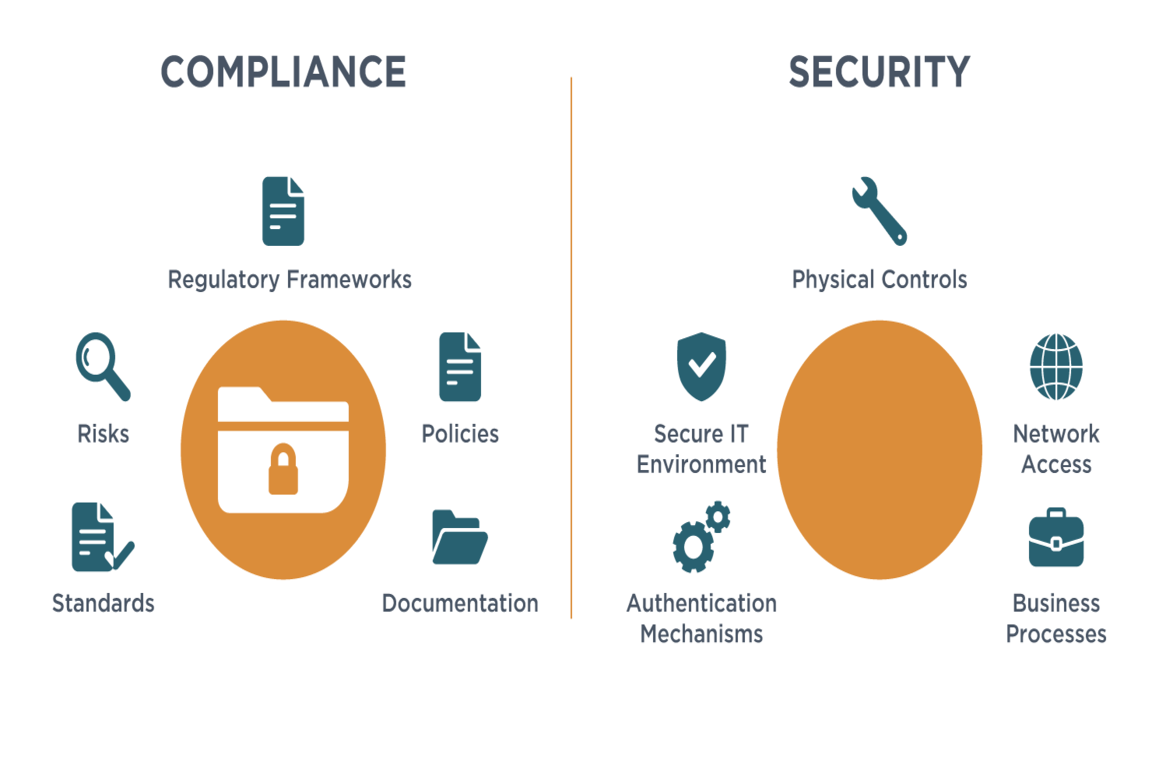
Rule #6: Compliance ≠ Security ≠ Privacy
People conflate these constantly. They’re cousins - not twins.
- Security is about protecting systems from bad actors.
- Privacy is about user rights and data usage transparency.
- Compliance is about meeting external requirements.
You can be secure but non-compliant. You can be compliant but leak data (hello, Facebook fines).
If your dev team handles PII or customer data:
- Check their data retention and deletion practices.
- Confirm where backups live.
- Ask if their employees access client data from personal laptops or shared machines.
We once had to walk a client through hardening a Ukrainian dev laptop fleet after we discovered they were downloading prod dumps for debugging. Not malicious - just unaware.
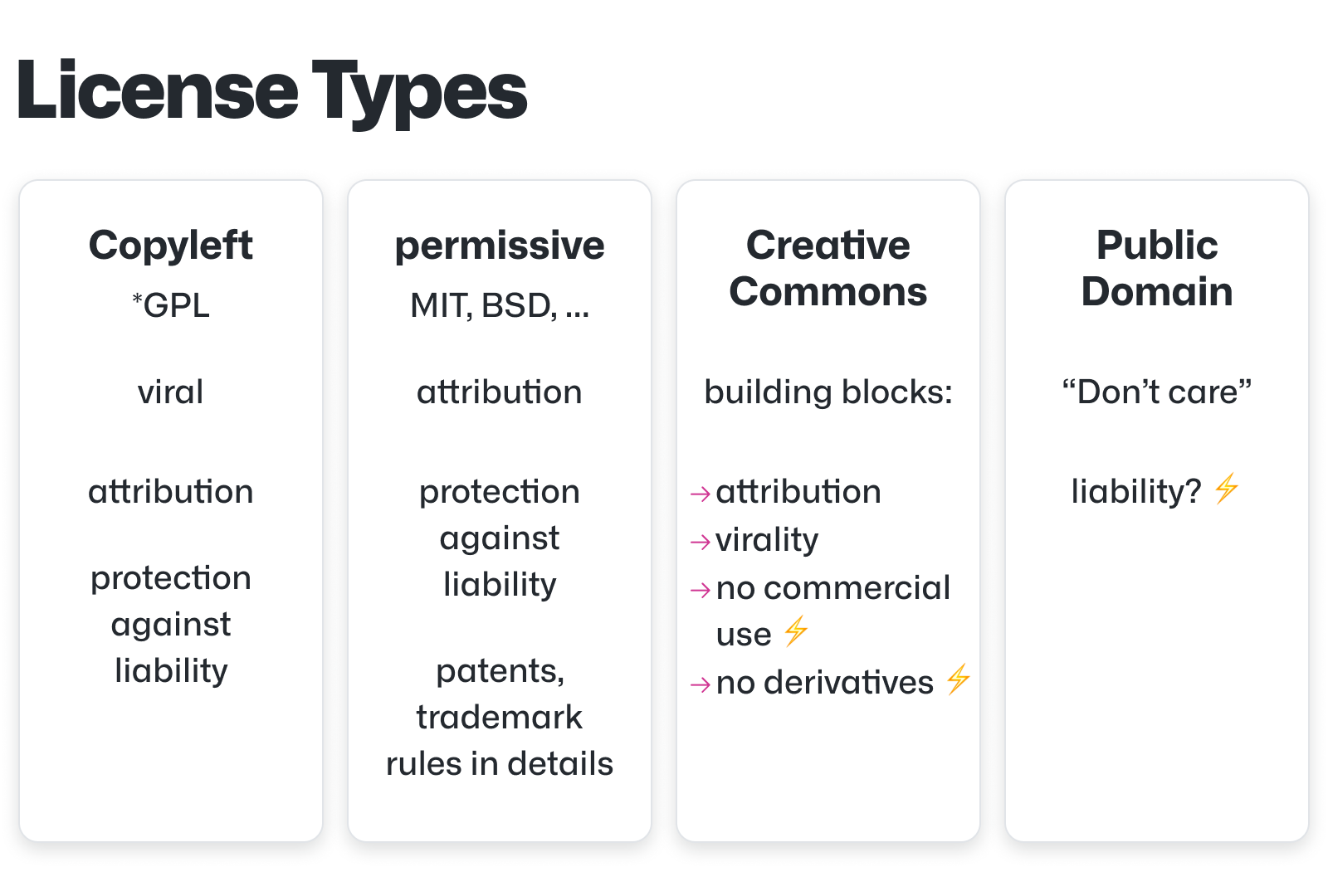
Rule #7: Don’t Let Devs Use “Free” Stuff Blindly
You might trust your offshore team with your codebase. But can you trust them with open-source licensing?
If your devs add GPL-licensed code to your proprietary repo, congratulations - you just created a licensing bomb.
At 1985, we do:
- Automated license scanning during CI.
- Clear guidelines on what OSS licenses are allowed.
- Training for new engineers on open-source dos and don’ts.
No one wants to explain to a potential acquirer why a key feature technically belongs to the public domain.
Common Pitfalls and How to Dodge Them
Q: Can’t I just use a dev shop that “promises” they handle compliance?
Only if you’re ready to trust verbal assurances over documented processes. Ask for their policies. Ask how they vet subcontractors. Ask for a sample contract.
Q: What if my vendor uses GitHub Copilot?
Good question. You need to understand what code suggestions are allowed, whether they store your prompts, and what rights you retain over generated code.
Q: Is storing data in the cloud enough to be compliant?
Nope. Where the cloud lives (region), who can access it, and how you control it matters more. AWS in Singapore ≠ AWS in Frankfurt.
Q: Do I need to do compliance audits?
If you’re in a regulated space or working with enterprise customers - yes. Even lightweight internal audits can prevent future legal drama.
Wrap-up
Outsourcing can absolutely accelerate product delivery - but not if you treat compliance as an afterthought. It’s the scaffolding that protects your product, your users, and your valuation when the stakes rise.
You don’t need a battalion of lawyers. You need:
- Clear contracts
- Good hygiene
- A partner who gives a damn
Because in this game, the rules aren’t always written. But the consequences sure are.
Want to build smarter, safer, and sleep-better-at-night-er? Hit me up. The 1985 crew has seen the compliance monsters under the bed - and we know which ones actually bite.
FAQ
1. Do I automatically own the IP if I pay an offshore developer or agency to build my product?
No, not by default. In many jurisdictions, intellectual property rights do not automatically transfer with payment. You must include explicit IP assignment clauses in your contracts - and ideally in individual statements of work. Ensure your vendor also has "back-to-back" IP agreements with their employees or contractors to fully protect your ownership.
2. What should I look for in an NDA when outsourcing across borders?
Beyond standard confidentiality clauses, make sure the NDA includes enforceability provisions specific to the developer’s jurisdiction. Confirm that confidentiality obligations survive termination, and account for subcontractor access. The NDA should clearly define what constitutes confidential information and how it must be handled and destroyed post-project.
3. What’s the difference between security, privacy, and compliance in offshore development?
Security protects systems from threats. Privacy governs how user data is collected, used, and disclosed. Compliance refers to meeting legal or industry requirements like GDPR, HIPAA, or SOC 2. Being compliant doesn't guarantee strong security, and having great security doesn’t mean you’re legally in the clear on privacy.
4. If my code is stored in the cloud, is that enough to be compliant with data regulations?
No. The geographic location of the cloud server matters, especially for regulations like GDPR or CCPA. You must also control access, encrypt sensitive data, log who accesses what, and establish clear data retention and deletion policies. Simply using AWS or Azure doesn’t equal compliance.
5. How do I make sure open-source code used by offshore teams won’t create licensing issues?
Use automated license scanners in your CI pipeline, and create a whitelist of acceptable OSS licenses. Educate your teams - internal and external - on which licenses (e.g. MIT, Apache 2.0) are safe for commercial use, and which (e.g. GPL, AGPL) may require you to open-source your own code in return.
6. Can I just rely on my offshore vendor’s word that “compliance is handled”?
No. Ask for their actual compliance documentation, including data access policies, employee onboarding checklists, and subcontractor agreements. Ensure they provide a list of who will have access to your IP and data. Treat verbal assurances as red flags unless they’re backed by written processes.
7. What clauses should I include in my contract to protect my IP internationally?
You should include: an Assignment of Work Product clause, a clause covering subcontractors and affiliates, a confidentiality clause that survives termination, and a governing law and dispute resolution section. Also, consider including warranties on IP originality and indemnity against infringement claims.
8. How can I check if my offshore vendor is GDPR or HIPAA compliant?
Request documentation of their data protection practices: privacy policies, breach notification workflows, encryption standards, and employee training records. For HIPAA, ask about Business Associate Agreements (BAAs). For GDPR, confirm they understand their role as a Data Processor and have appointed a Data Protection Officer (if required).
9. What’s the risk of subcontractors I don’t know about working on my product?
High. If subcontractors haven’t signed the same IP and confidentiality agreements, your legal protection is diluted. You may lose clear IP ownership or risk data leaks. Demand transparency about the full team, their roles, and their contractual obligations to mirror your master agreement.
10. What are common compliance mistakes companies make with offshore teams?
Common missteps include: assuming payment equals IP transfer, failing to assign rights down the contractor chain, ignoring jurisdictional legal conflicts, underestimating open-source license risks, storing regulated data in non-compliant regions, and conflating security with full compliance. All of these can create legal liabilities down the line.
Skip the gimmicks. Here's what actually helps you build faster, debug smarter, and ship with fewer headaches.
If you're anything like me, your first encounter with ChatGPT plugins felt like walking into a Home Depot with a hangover. Too many shiny tools. Not enough context. Some sounded useful ("Browser" - okay, sounds like cheating), others like a dare ("Haiku Writer"? Seriously?). For devs trying to get actual work done - not just automate their grocery list - most plugins feel like a solution looking for a problem.
But a few? A few are straight-up power-ups.
I’ve battle-tested these in real sprint rooms - real code, real constraints, real PMs breathing down our necks. And the right combo of plugins can take you from “ugh, I’ll do it later” to “wait, that’s done already?”
So here’s the shortlist. No fluff. Just plugins that punch way above their weight class when you’re building or maintaining software.

1. AskYourPDF (or ChatGPT's built-in PDF reader)
Because no dev wants to CTRL+F a 300-page API spec.
You’ve been there. A new project kicks off, and the client drops a stack of documentation fatter than War and Peace. You try skimming. You try searching. Eventually, you just pretend you read it and hope for the best.
That’s where AskYourPDF (or the native file upload with ChatGPT Plus) shines. Upload the beast, and ask questions like:
- “What are the authentication requirements?”
- “Is rate limiting mentioned anywhere?”
- “Summarize the endpoints with response formats.”
We once saved 4 days on an integration sprint just by letting the plugin dig through an outdated partner API doc that none of us wanted to read. 10/10, would outsource PDF pain again.
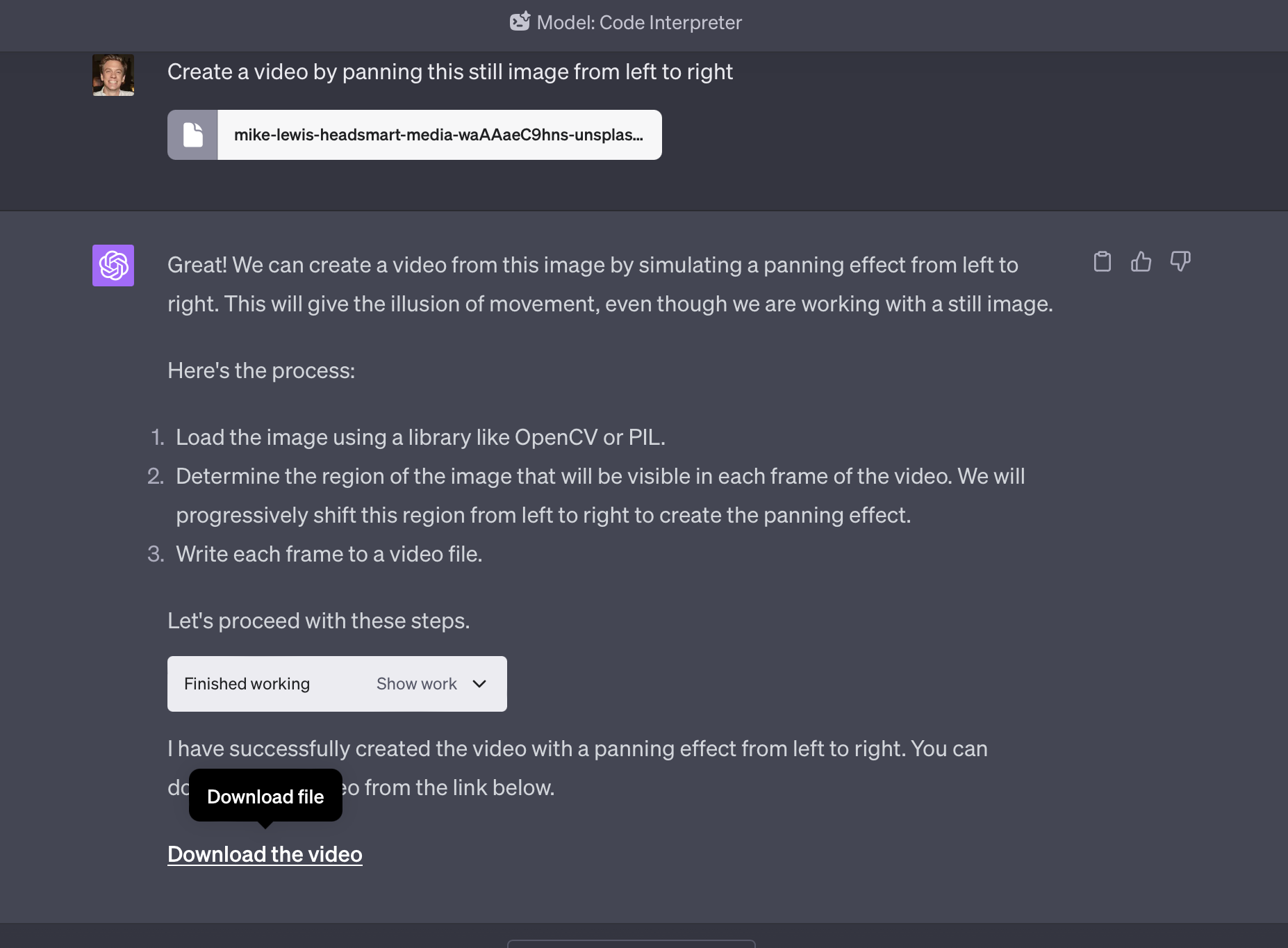
2. Code Interpreter (a.k.a. Advanced Data Analysis)
If Excel had a baby with Python and gave it superpowers.
This one’s not a plugin anymore - it’s just built-in for Plus users. But oh boy, it's criminally underused in engineering teams.
Need to:
- Parse and visualize log files?
- Analyze test coverage or flaky test patterns?
- Convert a messy CSV to usable JSON?
Code Interpreter eats all of it for breakfast.
I once fed it a week’s worth of CI logs and got back a plot of the most frequent error messages, bucketed by day, with a human-readable breakdown. I could’ve built that tooling myself… or I could let GPT do it in 45 seconds.
Guess what I picked.
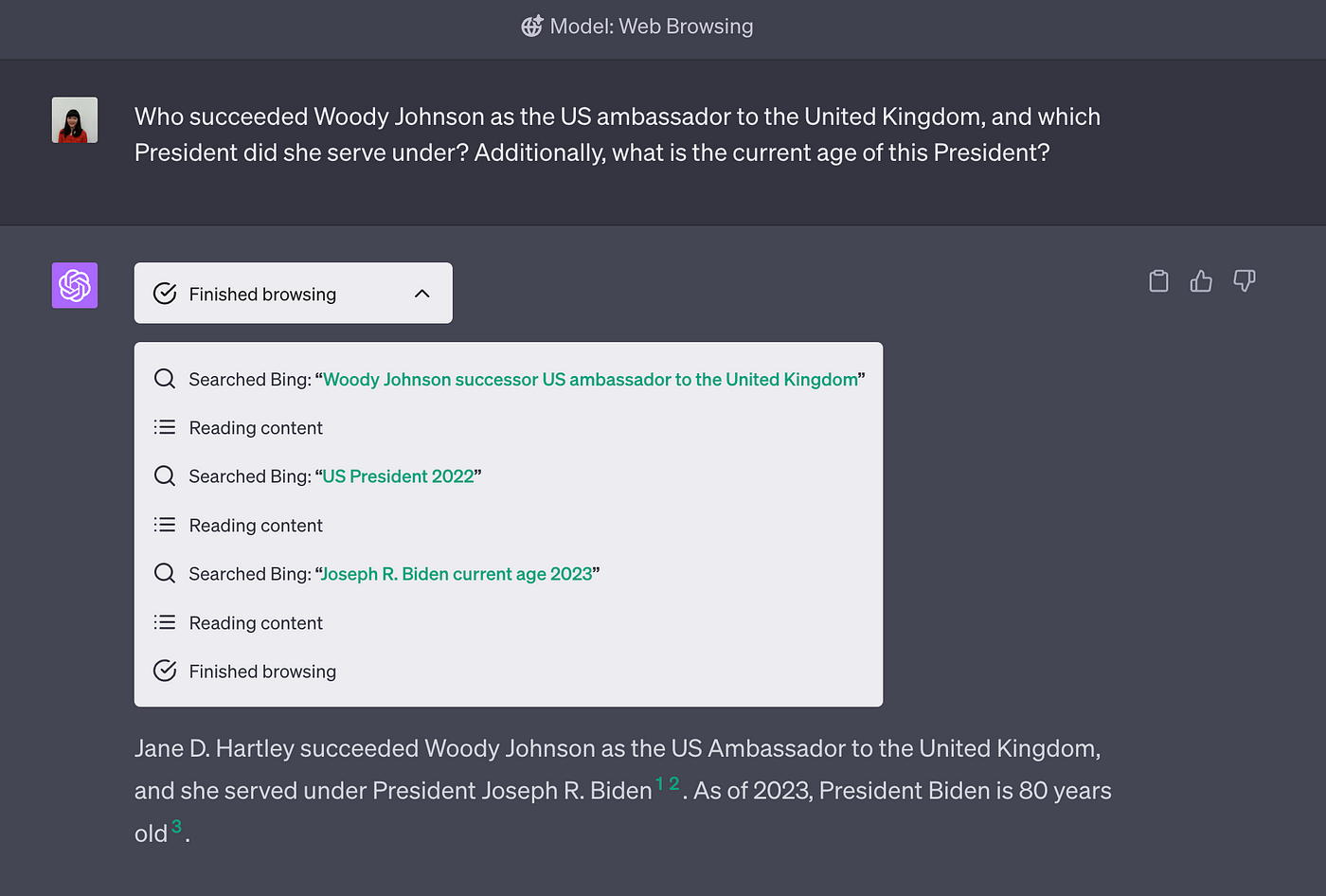
3. Web Browser Plugin
Because sometimes Stack Overflow and docs just aren’t enough.
Yeah, yeah, I know - browsing is built-in for GPT-4o now. But in earlier plugin days, the web-browsing plugin was my favorite cheat code.
Example: A client needed help integrating a slightly obscure WebRTC service. Their docs? Last updated during Obama’s second term. But the GitHub issues page and some random forum post from 2023? Gold mine.
Whether you’re tracking breaking changes in a JS library, debugging an obscure AWS IAM quirk, or comparing how different ORMs handle edge cases, web browsing fills in those “last 5%” gaps where official docs go quiet.
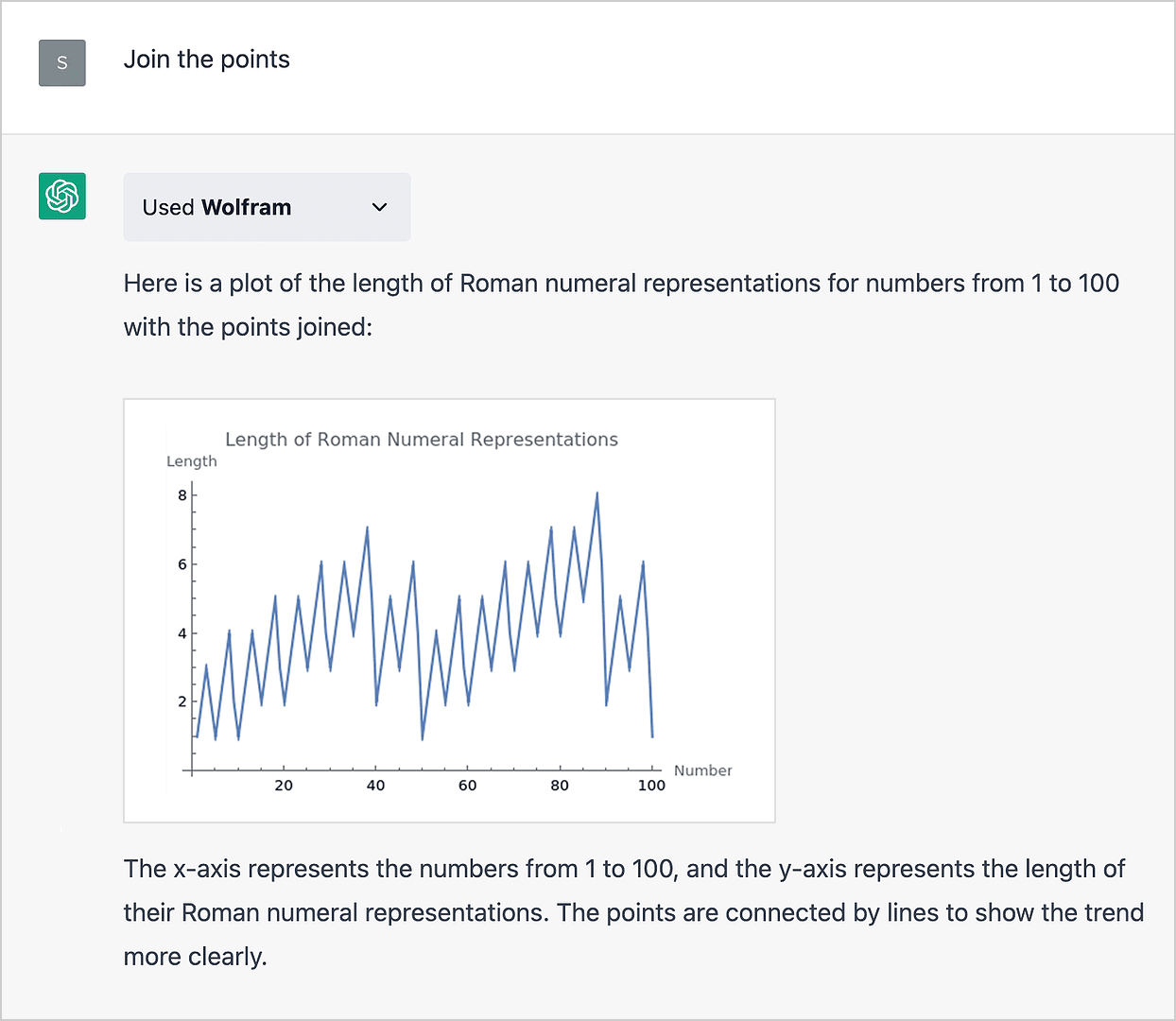
4. Wolfram Alpha
When your backend logic needs to respect actual math.
You’d think basic math would be table stakes. But vanilla GPT still struggles with floating-point precision or anything beyond middle-school algebra.
Wolfram Alpha is your upgrade when you're dealing with:
- Dynamic pricing formulas
- Loan or amortization calculations
- Geometry-heavy UI render math (looking at you, canvas work)
- Anything involving calculus, probability, or 3D vectors
For one mobile game client, we used it to double-check projectile physics formulas - saved the team from shipping an update that would've made arrows fly like boomerangs. Not in a fun way.
5. Zapier Plugin
Automation glue without having to write the glue.
Great for technical PMs or engineers juggling too much ops overhead.
With the Zapier plugin, you can ask GPT to:
- “Add this bug to Jira and assign it to me”
- “Create a new row in the sprint tracking sheet with today’s task summary”
- “Send this summary to the #dev-daily channel on Slack”
Basically, anything you can do in Zapier, you can now set up by chatting. For fast-moving teams or solo hackers managing a ton of tools, this plugin is like giving yourself a part-time VA who doesn’t complain about Notion.

6. Browserless
End-to-end testing meets API-hacking sidekick.
Browserless lets GPT control a headless Chrome instance via API. Translation: you can automate and test browser flows, scrape data, or debug weird rendering bugs programmatically.
In one case, we used it to test login + checkout flows across staging builds for an ecomm client. Before this, we were manually clicking through 3 pages of product config. After? 1 command, full trace, screenshots included.
It’s not for the faint of heart - you’ll need to pair it with scripting skills. But if you’ve ever wished Puppeteer came with a brain, this is close.
7. Data Interpreter + SQLite
Prototyping internal tools without a full stack? Done.
Here’s a combo play: combine Code Interpreter with SQLite (via browser or plugin) to build internal dashboards, CRUD test data, or run quick BI queries - without spinning up Postgres and Sequelize.
We did this when mocking out a hiring analytics dashboard. Instead of waiting on our data pipeline to settle, we just ran the analysis on local CSVs with GPT helping shape the schema and write the queries.
One PM asked, “Is this in staging already?” Nope. Just GPT pretending real hard.
8. Mermaid / PlantUML Plugins
When drawing a flowchart becomes a full-blown sprint... don’t.
You know those moments when you want to sketch out a system design and end up rage-quitting Lucidchart?
Mermaid.js and PlantUML plugins let you describe your idea - "We have a load balancer routing to three services, one of which calls Redis and another hits a third-party webhook" - and they’ll spit out a clean diagram.
Great for:
- Architecture overviews
- Sequence diagrams for debugging async flows
- Visualizing microservice dependencies
Pro tip: these diagrams are often more helpful in comments than Confluence. Keep your code reviewers happy.
9. Whimsical Plugin (unofficial but handy)
Wireframe like it’s 1999 - fast, ugly, and super useful.
Whimsical is underrated for developers who hate Figma’s precision-paralysis. With the plugin, you can whip up:
- Low-fidelity UI mockups
- Flowcharts for new onboarding
- User journey drafts for new features
Use it to align with PMs or get feedback before writing a single line of code. I’ve even used it mid-sprint to clarify edge cases and flows with backend devs - without anyone saying, “let me share my screen.”
10. Miro Plugin
For distributed teams who think in boxes and arrows.
Whiteboarding over Zoom? Pain. Getting buy-in for a workflow change? Worse.
Miro lets GPT help generate and populate collaboration boards - great for sprint retros, roadmap planning, or process overhauls. Ask it to create a template for “bug triage workflow,” and boom - sticky notes, columns, swimlanes, all ready.
Bonus: watching GPT generate these in real-time during a meeting makes you look dangerously productive. Just don’t tell the client you didn’t do it manually.
Reality Check
Not every plugin deserves a seat at the dev table.
Let’s be honest: 80% of plugins are either too generic, too buggy, or too gimmicky to be worth your time. Stick to the ones that:
- Replace a manual chore you already hate
- Integrate into your actual workflow
- Save you time and make you look smart
Don't chase novelty - chase leverage. If a plugin doesn’t help you ship, debug, or align faster, it’s probably not for you.
Scores on the Doors: Dev Plugin Superlatives
| Plugin | Best For | Danger Zone |
|---|---|---|
| AskYourPDF | API Docs, SOWs, Compliance PDFs | Docs with tables/diagrams might confuse it |
| Code Interpreter | Logs, CSVs, mock dashboards | Not great for real-time queries |
| Web Browser | Latest docs, forums, changelogs | Can hallucinate or miss content behind paywalls |
| Wolfram Alpha | Precision math, logic flows | Overkill for simple calculations |
| Zapier | Ops automation, Jira/Slack glue | Setup is still mildly annoying |
| Browserless | Flow tests, scraping | Needs real code skill to shine |
| Mermaid / PlantUML | Diagrams for reviews | Complex systems = messy charts |
| Whimsical | Draft wireframes | Not dev-accurate, just fast |
| Miro | Remote collab boards | UX can be clunky mid-call |
Wrap-up
So, do ChatGPT plugins really 10x dev productivity?
Not all. But the right stack - the ones that amplify how you already work - can feel like having a junior dev, data analyst, and project coordinator rolled into one. The trick isn’t trying every plugin. It’s knowing which ones earn their keep.
If you’re serious about speeding up your sprints or reducing the mental overhead of modern software dev, start with 2–3 of these. Use them in real flows. Watch what happens.
And if you’re looking for a dev team that works like this - GPT-literate, tool-savvy, allergic to time-waste - 1985’s Bangalore crew is one coffee away.
FAQ
1. What are the most useful ChatGPT plugins for software developers in 2025?
The most valuable ChatGPT plugins for developers are those that integrate into their daily build-debug-ship loop. These include AskYourPDF (for parsing long API docs), Code Interpreter (for data analysis and script automation), Web Browser (for up-to-date documentation), Wolfram Alpha (for precise calculations), Zapier (for automating dev-adjacent tasks), and diagramming tools like Mermaid or PlantUML. The best plugins solve real workflow pain points rather than offering gimmicky features.
2. How does the Code Interpreter plugin help with software development tasks?
Code Interpreter (also known as Advanced Data Analysis) is particularly helpful for analyzing CI logs, debugging data anomalies, parsing CSVs, and even generating mock dashboards or JSON data. It supports Python and can process data directly in your chat, making it ideal for quick prototyping, analytics, or transforming raw files into structured formats - without spinning up full dev environments.
3. Can ChatGPT plugins replace traditional dev tools like Postman or Figma?
Not entirely, but they can complement them. Plugins like AskYourPDF or Web Browser can help you understand and navigate API documentation faster than Postman alone. Similarly, Whimsical and Miro plugins provide quick, low-fidelity UI or flow mockups, which can replace early-stage Figma work but not detailed design specs. Think of these plugins as time-saving companions, not replacements.
4. Are ChatGPT plugins secure and safe to use with code or project files?
Most plugins are subject to OpenAI’s plugin sandboxing and usage policies, but developers should still exercise caution. Avoid uploading sensitive code or proprietary client data unless you’re using the built-in ChatGPT file tools under strict privacy terms. For plugins like Zapier or Browserless, double-check what access you’re granting and whether logs or flows are stored by the third-party provider.
5. What plugin should I use to visualize system architecture or microservices?
The Mermaid and PlantUML plugins are ideal for generating architecture diagrams from text descriptions. You can describe your system - e.g., "A load balancer distributes traffic between two services, one uses Redis, the other calls an external webhook" - and the plugin will output a valid diagram. This is particularly useful for whiteboarding ideas during code reviews or onboarding.
6. How does AskYourPDF improve developer productivity during onboarding?
AskYourPDF lets developers query dense documents like SOWs, SOC2 reports, or vendor API docs conversationally. Instead of hunting through PDFs manually, a dev can ask, “What auth methods are supported?” or “Where are the rate limits described?” This dramatically cuts onboarding time, especially when documentation is poorly structured or overly verbose.
7. What are some limitations of using ChatGPT plugins for real-world dev work?
While plugins offer great productivity boosts, they’re not foolproof. Many plugins struggle with complex file structures, embedded diagrams, or heavily nested data. They also can’t run live code with external dependencies unless paired with execution plugins like Browserless or SQLite integrations. And for team use, plugins lack collaboration features or audit trails that enterprise tools provide.
8. Can ChatGPT plugins help with end-to-end testing or UI automation?
Yes, especially with plugins like Browserless, which interfaces with headless Chrome. You can simulate user flows, test checkout journeys, or validate element rendering - all through API control. This enables fast validation of frontend behavior without writing full Puppeteer or Selenium scripts, though deeper automation still benefits from dedicated frameworks.
9. How do ChatGPT plugins integrate with team tools like Jira, Slack, or Notion?
Through the Zapier plugin, ChatGPT can trigger actions in dozens of SaaS platforms. Developers can ask ChatGPT to “create a new bug ticket in Jira with this summary,” “add today’s task to Notion,” or “send this update to #engineering in Slack.” This minimizes tool-switching and helps keep sprints organized without interrupting your code flow.
10. Are ChatGPT plugins suitable for solo developers and indie hackers?
Absolutely. Solo developers benefit the most from automation and support tools that offset time constraints. Plugins help with early-stage prototyping, competitor research, wireframing, and even launching MVPs faster. Tools like Code Interpreter, AskYourPDF, and Web Browser act like an on-demand junior dev, analyst, and research assistant - all in one.
CTOs love the idea. PMs nod at the checklist. But when it’s time to ship, those “extra eyes” often squint at the wrong things.
There’s this recurring fantasy in productland: you bolt on an external code reviewer - maybe a dev from another team, maybe a paid consultant - and like magic, bugs vanish, architecture shines, and your sprint velocity doesn’t even flinch.
Except, in practice? External code reviews are like airport security. Lots of ceremony, very little actual catch rate. By the time feedback lands, the original dev has mentally moved on. Review comments either state the obvious or nitpick style. And the biggest architectural landmines? Still buried under a cheery “LGTM.”
We’ve run into this mess while building for fintechs, edtechs, and one particularly ambitious goat-delivery startup. The pattern repeats: good intentions, bad scaffolding. Here’s how we broke the cycle - and what you can steal.

The Drive-By Reviewer Problem
Let’s start with the obvious: external reviewers don’t live in your repo.
They’re not steeped in the why of your product. They don’t know your team's quirks, naming conventions, or which helper function you hacked together at 3 a.m. during a live-fire bug blitz. So what happens?
- They play it safe. Stick to obvious things like unused imports, missing null checks, and typos in comments.
- Or worse, they overcompensate. Suggesting sweeping refactors or architecture changes based on a 400-line diff with zero context.
Neither is helpful.
We once had an external reviewer suggest converting a simple payment microservice to event-driven architecture. Sounds fancy - until you realize it handled exactly four operations and ran fine under load. Classic case of smart-but-detached.
So how do you fix this?
Context is king. And context doesn’t come from PR titles like feature/payment-refactor. It comes from structured onboarding, scoped reviews, and tools that surface decisions before the reviewer has to reverse-engineer them from code.
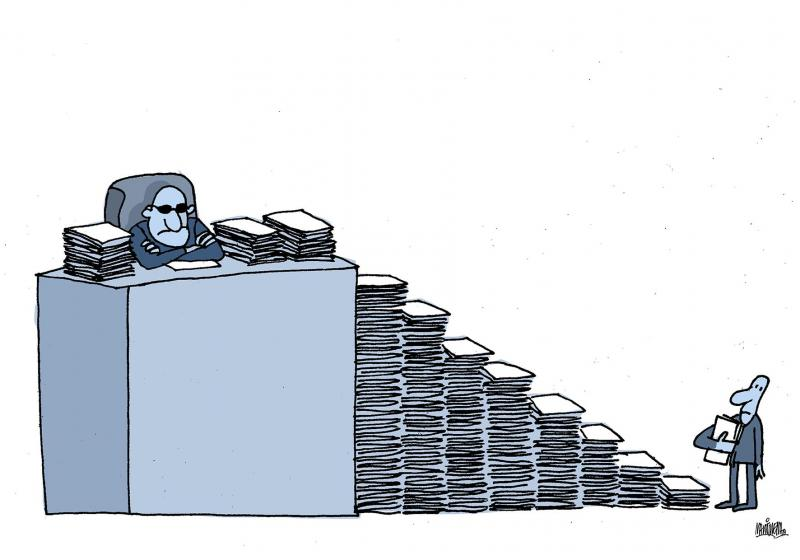
Hype vs. Ship: The Checklist Lie
There’s a seductive logic to checklists. They promise repeatability. Fairness. That warm QA feeling of “we covered everything.”
But external code review checklists often read like they were written by an intern gunning for ISO 9001 compliance:
- Are functions less than 30 lines?
- Are there unit tests?
- Are exceptions handled?
- Is the code readable?
Sure, you can tick all those and still merge a ticking time bomb.
We saw this in a healthtech project where the review checklist was pristine, but no one flagged that the API accepted unbounded patient uploads. Whoops. That bug cost us three days and a very annoyed hospital admin.
What works better? Review prompts that adapt to the type of change:
- If it touches auth, ask: “What roles can now access this route?”
- If it modifies a data model: “What existing records could break?”
- If it tweaks infra: “How does this affect rollback paths?”
These aren’t checkbox items. They’re prompts for thinking. Better yet, bake them into your PR template so the original dev answers them upfront - giving reviewers a smarter jumping-off point.
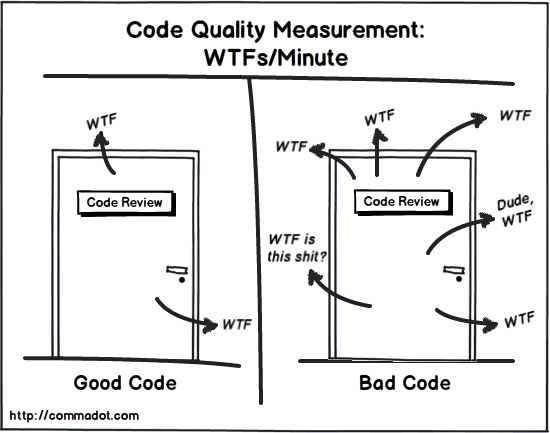
The Throughput Illusion
Let’s get honest: external code reviews are often more about optics than outcomes.
They look good in audits. They soothe execs worried about tech debt. But how often do they actually catch critical issues?
We once shadowed a team where external reviewers rubber-stamped 70% of PRs in under 30 minutes. Not because the code was flawless, but because they were juggling five repos across three clients and had a Slack backlog longer than War and Peace.
The fix isn’t more review time. It’s tighter scoping.
Instead of reviewing the whole PR, reviewers can focus on:
- High-risk diffs (auth, payment, core algorithms)
- Non-trivial new patterns (custom hooks, query builders)
- Security and perf-sensitive logic
The rest? Leave it to internal reviewers or even AI copilots. Yes, they’re imperfect - but they don’t burn out or mentally check out mid-review.

The “What We Got Wrong” Confessional
At 1985, we once tried rotating external reviewers across client projects to “cross-pollinate” quality. In theory, this would reduce tunnel vision and increase shared standards.
In reality? We created a rotating cast of confused engineers.
One reviewer spent 20 minutes parsing domain logic in a logistics app - only to realize the API already had a helper that did exactly what the new code was doing. It wasn’t documented. It wasn’t obvious. But it was there.
The lesson?
External code reviews don’t fail because people are lazy or dumb. They fail because we drop them into unfamiliar terrain without a map.
So now we do three things differently:
- Every repo has a living
REVIEW_GUIDE.mdthat highlights key decisions, common traps, and do-not-touch zones. - We pair external reviewers with internal “code buddies” who can explain decisions live, not posthumously.
- We log “review regrets” - bugs or misjudgments that slipped through - into a shared doc. Every sprint, we revisit them.
It’s not glamorous. But it keeps us honest.
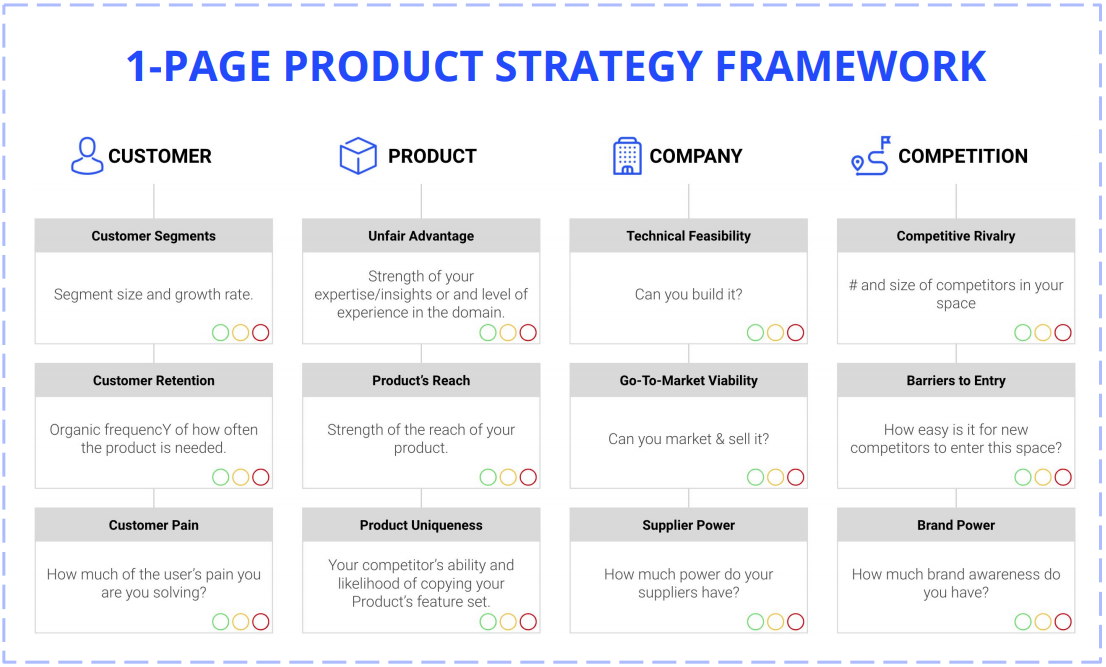
How to Actually Fix External Reviews
Let’s get tactical. You want your external code reviews to matter? Do this:
1. Pre-wire the reviewer
Before they open a single PR, give them:
- A Loom video of the system architecture
- A Notion page with current project goals
- Recent incidents or “gotchas” (e.g., flaky tests, silent failures)
It’s like giving a movie critic the plot before asking them to judge the twist.
2. Turn PRs into mini-narratives
Replace “Refactored UserService” with:
“We split UserService into two parts: one for auth concerns, one for profile logic. This unblocks a circular dependency with EmailService and simplifies testing. See commit abc123 for a failed experiment we rolled back.”Now the reviewer knows what to look for.
3. Apply risk-based review
Don’t treat all PRs equally. Tag them:
LOW: copy tweaks, UI changesMEDIUM: new features, perf optimizationsHIGH: auth, payments, data migrations
High-risk PRs get extra eyes. Low-risk ones might just need a Copilot-assisted lint pass.
4. Record decision debt
Whenever a reviewer asks “Why did we do it this way?”, capture the answer in your design notes or README.
You’re not documenting for now - you’re documenting for three reviews from now, when the same question rears its head.
5. Incentivize great reviews
Not with cash (though tempting), but with visibility:
- Highlight reviewers in retros
- Promote high-signal comments in Slack
- Track reviewer accuracy over time - who catches real issues vs. bikesheds
We once ran a “Bug Bounty for Reviewers” contest internally. One dev flagged a subtle data leak. Won a cake. The good kind, not just Jira points.
Code Review Red Flags
If your external code reviews show any of these patterns, fix fast.
🚩 Reviews under 3 minutes
Unless it’s a README typo, that’s not diligence - it’s a drive-by.
🚩 Repeated comments about style, none about logic
Lint tools exist. Reviewers should focus on thinking, not tab-widths.
🚩 PR authors preemptively say “happy to revert if needed”
That’s code for: “I’m not sure either, but YOLO.”
🚩 More comments than lines of code
Overcorrection alert. Probably someone trying too hard to prove their value.
The Wrap-Up
External code reviews can work. But only if you stop treating them like a rubber-stamp ritual and start treating them like a collaboration. They need context, constraints, and clear goals.
At 1985, we’ve face-planted enough to know what doesn’t work. And we’ve battle-tested enough process patches to know what can.
So next time you spin up an external reviewer, don’t just hand them a checklist. Hand them the story.
Want an offshore squad that ships fast and reviews smart? We’ve got devs who can write, read, and challenge your code like they own it. Ping me and let’s talk.
FAQ
1. Why do external code reviews often fail to catch critical issues?
External code reviews frequently fall short because reviewers lack deep context. They don’t fully understand domain logic, architectural decisions, or recent changes that influenced the code. Without embedded knowledge, they focus on surface-level improvements instead of systemic risks.
2. Can external reviewers be effective without full project immersion?
Yes, but only with structured onboarding. Providing architecture diagrams, review guides, recent incidents, and annotated PRs helps external reviewers build situational awareness quickly. Pairing them with internal engineers as context guides also improves outcomes significantly.
3. What kind of bugs or risks do external reviews tend to miss?
They often miss integration edge cases, misuse of shared services, improper auth handling, or performance bottlenecks - especially when those risks don’t manifest clearly in the code diff. These issues require understanding cross-cutting concerns, not just code correctness.
4. How do you structure a PR so that external reviewers can add real value?
Great PRs tell a story. They include a detailed description of the problem, why this approach was taken, risks considered, and anything that was tried and discarded. Reviewers should walk in with clear intent, not reverse-engineer it from scattered diffs.
5. What’s the best way to segment review priorities across PRs?
Use risk-based tagging. Classify PRs as low, medium, or high risk based on what they touch - auth, payments, infra, migrations. This helps reviewers focus their cognitive load where it matters most and skip nitpicks on trivial UI tweaks.
6. Are checklists helpful for external code reviews?
Yes, but only if they’re contextual. Static checklists encourage box-ticking. Adaptive prompts - like “what existing data could this break?” or “how would we roll this back?” - lead to critical thinking. The goal is review depth, not checkbox completion.
7. How should teams measure the quality of code reviews, not just their quantity?
Track review outcomes: how often reviewers catch issues that would have caused incidents, how often their suggestions lead to cleaner abstractions, and how much time PR authors spend clarifying context. High-quality reviews reduce downstream rework and incident load.
8. What tools or workflows improve external review effectiveness?
PR templates with guided questions, REVIEW_GUIDE.md files per repo, Loom explainer videos, and buddy-pairing systems all improve comprehension. Some teams use AI tools to pre-lint PRs so reviewers can focus on logic and architectural judgment.
9. What role should internal engineers play when reviews are outsourced?
Internal engineers should act as review shepherds. They provide context, answer questions quickly, and highlight which PRs truly need external scrutiny. External reviewers work best when treated as collaborators - not judges dropped in cold.
10. What’s a strong long-term strategy for improving external code review outcomes?
Build institutional memory. Log review misses and near-misses. Keep a living review guide per service. Reward reviewers who flag high-signal risks. Treat review as a product practice - not a gatekeeping task - and give it the care you’d give to testing or CI/CD.
A story-driven post on stress-testing a global Kubernetes cluster with an open-sourced chaos suite
Chaos is a great teacher - especially when it’s 2 a.m. in Bangalore and your Frankfurt node just died.
Everyone loves a sleek Kubernetes diagram in the slide deck. Fewer want to talk about what happens when a node in Singapore quietly misbehaves, West Coast traffic spikes, and your failover logic throws a tantrum because someone forgot to tag a pod. Welcome to distributed systems in the real world - where things break in stupid, preventable, timezone-dependent ways.
This post is our uncensored field report on building and breaking a global K8s cluster using our open-sourced chaos test suite. It’s what we wish we had before we tried this the first time. (Spoiler: a lot of YAMLs cried in the making.)
Let’s dig in.
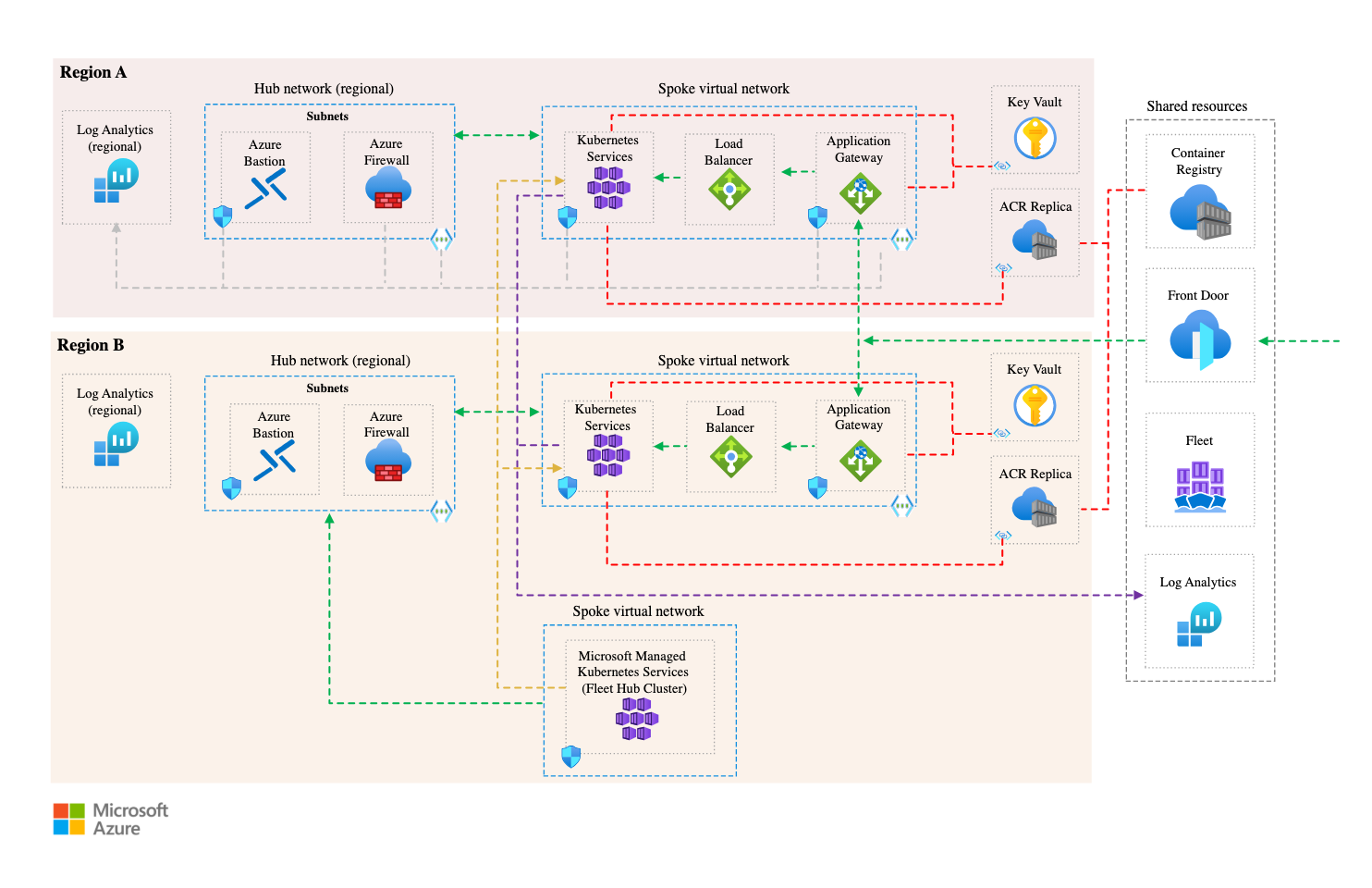
The Setup: A Masochist’s Playground
We built a three-region Kubernetes cluster - Virginia, Frankfurt, Singapore - connected via an Anycast CDN, with multi-zone failover policies. Because why test locally when you can melt things across the planet?
Here's what we were aiming for:
- Load balancing across the globe
- Resilient microservices with auto-restart, pod disruption budgets, and anti-affinity rules
- Zero-downtime deployments with progressive rollouts
- Observability baked in (Prometheus + Grafana + Loki + Jaeger cocktail)
We wanted to see: could this thing survive chaos, timezones, and a few poorly thought-out DevOps decisions?
Enter our chaos suite.
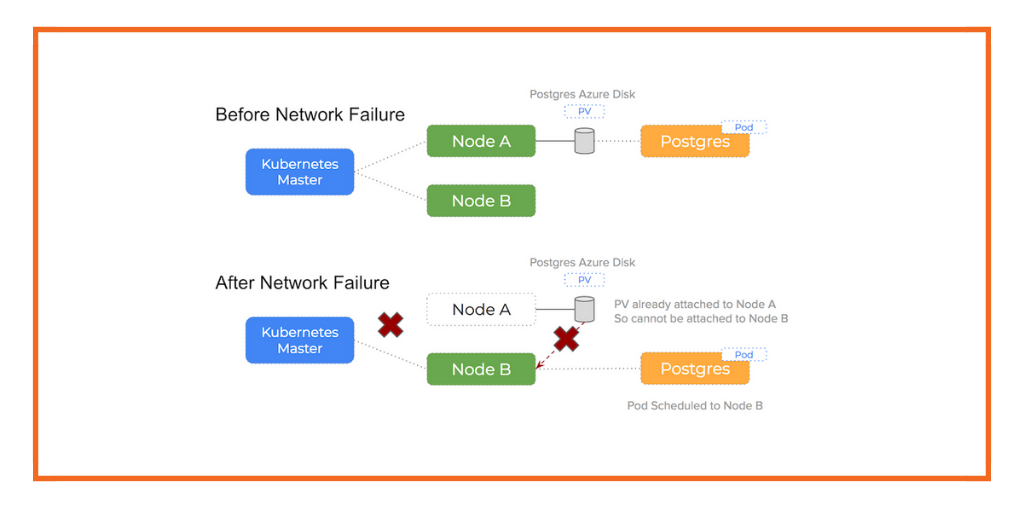
Nothing Breaks When You Want It To
We open-sourced a chaos toolkit that spins up fault injections like:
- Latency spikes in specific nodes (simulated with
tc qdisc) - Network partitions between regions
- Random pod evictions during active deployments
- Disk pressure and CPU starvation on key services
- Time skew - yes, clock drift - across nodes (this one broke more than we expected)
First test? Frankfurt goes dark during Singapore’s off-hours. The expected failover to Virginia worked. Kinda. But logs showed retries piling up because one container kept looking for a DNS entry that hadn’t propagated.
Lesson #1: Failover mechanics aren’t failover confidence. Just because Kubernetes says it restarted something doesn’t mean it works the way you want. Especially if your DNS TTLs are longer than your patience.
The Human Factor: Why “Follow-the-Sun” Is a Lie
Let’s talk ops. We had squads distributed across India, Central Europe, and US Pacific. Great for Git commits, awful for real-time incident triage. In one test, we saw elevated errors in Singapore at 3 a.m. local time. No alerts triggered - why? The alert rule was tuned for a US traffic pattern.
We also realized:
- Slack notifications went to sleeping engineers
- Alert fatigue is real when chaos tests overlap with actual issues
- Runbooks written by Day Shift You make no sense to Night Shift You
We’ve since built a dashboard that shows failure local time to give us cultural context. You’d be surprised how often incidents line up with off-hours deployments or sleepy human hands.

Code Smell: What We Got Wrong
Plenty.
We overestimated kube-probe’s ability to detect nuanced service degradation. Liveness probes passed even when our downstream dependencies were stuck in retry loops.
Our test suite missed scenarios like:
- Cloud provider API rate limits
- Unexpected node taints (someone ran a GPU experiment and forgot to clean up)
- OIDC token expiry in long-lived services
Also, we made the rookie mistake of assuming that chaos = outages. What we should’ve planned for was chaos = uncertainty. Which services get flakey? Which metrics lie? Who gets paged? That’s where the learning is.
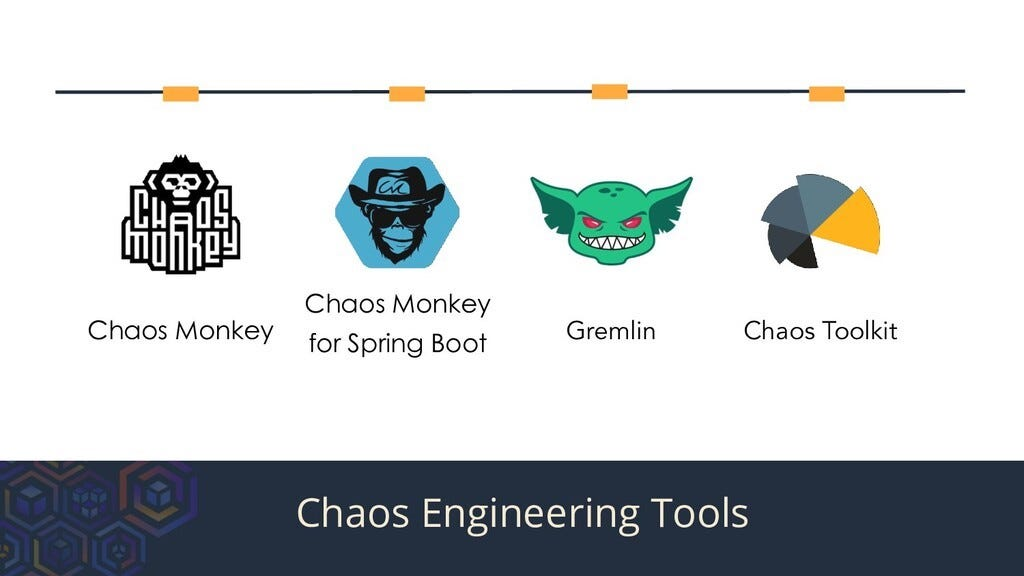
Tools We Actually Use (and You Can Too)
We stitched together a chaos stack that’s yours for the stealing. Key tools:
- LitmusChaos for Kubernetes-native fault injections
- K6 for synthetic load testing during chaos runs
- OpenTelemetry for tracing across services
- Custom chaos-runner scripts in Go (we’ve open-sourced these here)
- GitHub Actions for scheduled chaos plans (“break things every Thursday 3pm UTC”)
We also added:
- A Slackbot that translates alerts into “who’s awake and actually on call”
- A Chaos Scoreboard: percentage of injected failures gracefully handled vs. recovered vs. totally borked
Want a TL;DR of our scoreboard?
Week 1: 27% survived cleanly
Week 3: 61%
Now: 78% and counting
Still not perfect. But at least we’re no longer scared of DNS TTLs. Mostly.
How Resilient Is Your Setup, Really?
Here’s a five-point sniff test we now use before declaring a system “resilient enough”:
- Time-zone aware runbooks? If your Frankfurt node dies at 2 a.m. Berlin time, does someone notice and know what to do?
- Can you kill any pod, anywhere, anytime - and stay alive?
- Observability tripwire coverage? Can you trace an error across at least 3 services and 2 regions?
- Service-level chaos tolerance? Not all services need 99.99%. Know which ones can fail without panic.
- Recovery experience, not just logic? Have your devs actually watched a cascading failure unfold?
If you score 4+ here, congrats. If not? Come join our next resilience workshop.
The Dumbest Bugs We Found
Quick laugh-cry list:
- A heartbeat service that didn’t log anything when it failed - because the logger was part of the failing module.
- A cronjob that triggered chaos tests at UTC+5:30 - but the cluster ran in UTC. Good morning, accidental Sunday meltdown.
- A misconfigured retry policy that re-sent a webhook 600 times in 6 minutes. Our payment partner was not amused.
We document these lovingly in our “Wall of WTFs.” It's a sacred hallway in our internal wiki. Some stories are now memes.
Break It Before You Fake It
Look, anyone can slap together a multi-region Kubernetes cluster with enough Terraform and coffee. But you don’t know your system until you watch it fall apart. On purpose.
Resilience isn’t a badge. It’s a muscle. And we’ve pulled a few, but we’re getting stronger.
We’re sharing our chaos suite because we think more teams should be doing this - with less pain. And if you want to dive deeper, our paid resilience workshop walks you through real-world setups, guided chaos runs, and blameless postmortems that don’t feel like HR rituals.
Want to build fault-tolerant infra without staying up all night? Join our next workshop - or just fork the chaos suite and tell us what breaks. We’re always listening.
FAQ
1. What is chaos engineering and why is it important for Kubernetes clusters?
Chaos engineering is the practice of intentionally injecting failures into systems to uncover hidden weaknesses and improve resilience. For Kubernetes clusters, especially global ones, this helps teams validate assumptions around fault tolerance, autoscaling, service discovery, and failover mechanisms before real incidents occur.
2. How does chaos testing differ in a multi-region Kubernetes setup?
In multi-region clusters, failures cascade across geographic, latency, and configuration boundaries. Chaos testing here isn’t just about pod evictions - it’s about simulating region-specific outages, time zone–induced alert blind spots, and inter-zone networking anomalies that single-region tests often miss.
3. What are some common failure modes revealed by global chaos experiments?
Real-world chaos tests frequently reveal DNS misconfigurations, misaligned probe thresholds, slow failovers due to outdated routing policies, misfired autoscaling events, and alerting gaps where rules were tuned for the wrong traffic patterns or time zones.
4. What tools are recommended for running chaos experiments in Kubernetes?
LitmusChaos is a popular Kubernetes-native chaos framework. K6 can simulate load under stress. OpenTelemetry provides observability glue. Combined with GitHub Actions or Argo Workflows, teams can schedule and automate chaos plans across environments.
5. How do you measure resilience during and after a chaos test?
A meaningful resilience score considers: time-to-detect, time-to-recover, user-facing error rate, and service degradation window. Teams often use SLO burn rates, error budgets, and “blast radius” impact metrics to quantify the blast and recovery zone.
6. Why is time zone awareness critical for distributed chaos engineering?
Incidents don’t care about your sleep cycle. Time zone mismatches lead to alert fatigue, misrouted on-call pages, and confusing postmortems. Including local timestamps and region tags in your dashboards and alert payloads dramatically improves triage.
7. What’s a good starting point for teams new to chaos testing?
Start small: test pod-level failures, simulate CPU stress or disk pressure on non-critical services, and gradually increase complexity. Always run chaos tests in staging first with observability enabled, and treat early tests as training runs - not fire drills.
8. Can chaos engineering help identify gaps in observability and alerting?
Yes - often it’s the first place you’ll feel the pain. Chaos events expose blind spots in tracing setups, silent failures missed by probes, and alert rules that look right in dashboards but never fire when things break in new ways.
9. How often should chaos tests be run in a production-like setup?
Ideally, chaos tests should be part of your regular CI/CD cadence - scheduled weekly or post-deploy using GitHub Actions, Jenkins, or similar. Consistency builds confidence. Some teams even run “GameDays” monthly to stress-test new features under failure.
10. What’s the biggest misconception about chaos engineering?
That it’s about breaking things randomly. Effective chaos engineering is hypothesis-driven, observability-backed, and safety-first. It’s not about reckless outages - it’s about learning how your system behaves under controlled disorder, so you’re not caught off guard when real chaos hits.
No, Python didn’t retire - but the AI party got a lot more crowded
Remember when AI meant Python or bust? Cute. In 2025, we’re past the “just use TensorFlow” stage and deep into a multilingual, multi-paradigm arms race. Each programming language now brings a unique superpower to AI development - whether you're fine-tuning a 13B model or shipping an LLM agent that writes Jira tickets (and maybe closes them, if you’re lucky).
The hype still flows like Red Bull at a hackathon, but beneath it, real patterns are emerging. So let’s cut through the slide decks and get tactical: what languages are actually delivering in AI right now - and where?
Python Is Still the GOAT (But It’s Not a Monopoly Anymore)
If you’re building AI in 2025, chances are your stack still has a Python heartbeat. It's the lingua franca of AI for a reason:
- Ecosystem gravity: PyTorch, TensorFlow, Hugging Face Transformers, scikit-learn… they all speak Python fluently.
- Data ops: Pandas, NumPy, Matplotlib are still table stakes.
- AI agents: LangChain, Haystack, Autogen - the rapid prototyping layer is deeply Pythonic.
But here’s the twist: Python’s GIL (Global Interpreter Lock) is still a party pooper for concurrency. And Python isn’t exactly loved in latency-critical environments. So while it's unbeatable for R&D and glue logic, it’s losing ground on production inferencing and systems-level orchestration.
Reality check: Python’s ceiling isn’t its syntax - it’s where performance and packaging matter. That’s where other languages sneak in.
C++ and Rust: The Performance Backbone
Let’s talk speed demons.
C++ continues to be the bedrock for ML frameworks. PyTorch’s core is in C++. Most GPU kernels? CUDA/C++. If your AI workload needs to fly - e.g., real-time vision for autonomous drones - C++ still gets the nod.
Rust, on the other hand, is C++ without the footguns. In 2025, it’s the darling of systems engineers building AI infrastructure:
- Safety and concurrency: Rust’s ownership model makes memory bugs almost cute in hindsight.
- Model deployment: Libraries like
tract,tangram, and the increasingly capableburnframework are helping Rust punch above its weight in inference-heavy environments.
Rust isn’t replacing Python. But when you need to serve a quantized model in under 10ms with minimal RAM on edge hardware? Rust’s your friend.
Verdict: Python builds it. Rust ships it.
JavaScript (and TypeScript): The AI Frontend Awakens
Yes, you read that right.
While backend AI gets the glory, JavaScript and TypeScript are quietly powering AI’s frontend revolution:
- On-device inferencing: TensorFlow.js and ONNX.js allow small models to run in-browser with zero server round trips.
- UI for agents: AI copilots need slick, responsive interfaces - and React (with TypeScript) still rules that world.
- DevX for SDKs: Building an AI product? Your TypeScript SDK will probably ship before your Python wrapper is production-grade.
Also: every LLM chatbot eventually becomes a web app. And guess what? That glue code ain’t Python.
Use cases: Agent dashboards, LLM playgrounds, educational tools, lightweight summarizers inside Chrome extensions.
Sneaky trend: Prompt engineers writing inference flows directly in TS, wrapping APIs like OpenRouter or Together.ai with custom logic and UI.
Go and Java: AI’s Middle Managers
They’re not sexy, but they scale.
Go is showing up in inference serving (see: BentoML, Ray Serve with Go workers), MLOps infra, and backend orchestration. Devs love it for its simplicity, speed, and Docker-friendliness.
Java is still a force in enterprise NLP and fraud detection, especially in finance and telco. Thanks to JVM-based libraries like DL4J and support in Apache Spark MLlib, Java remains relevant - just not trendy.
Where they shine:
- High-volume API endpoints for model inferencing
- Internal risk-scoring models
- Microservices that call AI models (rather than train them)
They won’t win Hackathons, but your VP of Engineering trusts them with actual SLAs.
Julia: Math Crush That Never Turned Serious?
Every year someone says Julia is about to break out. And every year, it almost does.
Julia’s promise is still tantalizing: fast like C, easy like Python, math-native like MATLAB. In 2025, it’s matured nicely, with better package stability, multiple dispatch magic, and serious uptake in:
- Scientific computing
- Probabilistic programming (via Turing.jl)
- Differentiable physics and symbolic AI
But Julia remains niche. If you’re building a recommendation system or shipping to a cloud endpoint, Python still gets there faster.
Still - if you’re a quant, climate modeler, or doing symbolic regression at 3 a.m., Julia is your playground.

Mojo: The Dark Horse with Compiler Juice
If Python and C++ had a brilliant lovechild, it might look like Mojo.
Created by Modular, Mojo is:
- Python-compatible at surface level
- But compiled, statically typed, and insanely fast under the hood
In 2025, it’s still early days, but Mojo is already gaining traction for:
- Custom model kernels
- Edge ML workloads
- AI compiler pipelines
It’s not replacing Python yet - but if you’re hitting performance ceilings and don’t want to rewrite everything in Rust or C++, Mojo might be your golden path.
Think of it as: I love Python, but I wish it could deadlift more.
Swift: AI’s iOS Whisperer
Yes, Swift.
For mobile-native AI experiences - like on-device summarization, personalized keyboards, or fitness tracking via pose estimation - Swift + Core ML is still the go-to.
Apple’s AI push in 2025 (Vision Pro SDKs, on-device LLMs, etc.) means Swift is more relevant than ever for devs building Siri 3.0-style experiences.
Also, with mlx (Apple’s new ML framework), Swift is getting some real AI power, not just wrapper glory.
Who Wins Where?
Let’s recap this multilingual mosh pit with a quick scorecard:
| Language | Strengths | Best For |
|---|---|---|
| Python | Libraries, community, flexibility | R&D, agents, rapid prototyping |
| Rust | Safety, performance | Edge AI, inferencing, infra tooling |
| C++ | Speed, GPU-native | Model internals, real-time vision |
| TypeScript | UX, glue logic, SDKs | Frontend agents, in-browser AI |
| Go | Simplicity, concurrency | Inference serving, MLOps infra |
| Java | Enterprise-grade JVM ecosystem | Risk scoring, Spark pipelines |
| Julia | Math modeling, symbolic AI | Scientific AI, optimization problems |
| Mojo | Python-like, compiled performance | Kernel dev, edge deployment, compiler chains |
| Swift | Mobile, Apple’s AI stack | On-device apps, wearables, Vision Pro |
Ship / Skip in 2025
Ship It If:
- You’re in AI R&D → Python is still your daily driver.
- You need prod inference under 10ms → Rust or C++.
- You’re building LLM copilots with UI → TypeScript/React.
- You’re targeting iPhones or Vision Pro → Swift all day.
- You’re compiling custom model logic → Mojo deserves a look.
Skip It If:
- You’re tempted to use Julia for your startup’s backend.
- You think Go will magically replace PyTorch.
- You’re trying to do deep learning in PHP (just... why?)
Language Matters, But So Does the Stack
In 2025, AI development is less about picking one language and more about playing conductor to an orchestra:
- Python writes the logic
- Rust handles the edge
- JavaScript renders the UI
- Mojo or C++ turbocharges the performance-critical bits
We’ve moved past the “one ring to rule them all” era. Instead, AI products now speak in dialects: model code, infra code, glue code, SDKs. If your team speaks all of them? You’re dangerous.
Want a dev team that can wrangle Rust, finesse Figma, and ship fast in Python? Our Bangalore crew at 1985 might be your multilingual mercenaries. DM me or spin up a trial sprint.
FAQ
1. Why is Python still dominant in AI development despite performance limitations?
Python remains the go-to language for AI because of its unparalleled ecosystem of libraries (like PyTorch, TensorFlow, Hugging Face) and its ease of use for rapid experimentation. While not the fastest, Python excels in developer productivity and community support. Its limitations in performance are often mitigated by C++ or Rust extensions under the hood.
2. How does Rust compare to C++ for AI infrastructure?
Rust offers memory safety and concurrency benefits without sacrificing much performance, making it a safer alternative to C++ for AI infrastructure. While C++ is still essential for GPU-accelerated workloads (e.g., CUDA), Rust is increasingly favored for building model serving backends and edge inference systems where reliability and speed are both critical.
3. Can JavaScript or TypeScript really be used for AI applications?
Yes, JavaScript and especially TypeScript are becoming central to AI product development - particularly on the frontend. Libraries like TensorFlow.js and ONNX.js allow in-browser inferencing, while TypeScript enables robust SDKs and agent interfaces. It’s less about training models and more about deploying interactive, AI-powered user experiences.
4. What is Mojo and how is it different from Python or Rust?
Mojo is a newer language that combines Python-like syntax with systems-level performance. Developed by Modular, it compiles down to performant machine code and supports advanced features like static typing and SIMD. Mojo is gaining attention for tasks like custom kernel development and edge deployment, where Python falls short and Rust may be overkill.
5. When should developers consider using Julia for AI projects?
Julia is best suited for scientific AI applications, such as optimization problems, probabilistic modeling, or differential equations. Its syntax is math-friendly and its performance rivals C, but its ecosystem is narrower. For domain-specific AI work in academia or high-performance computing, Julia is a strong contender.
6. Is Java still relevant for machine learning in 2025?
Java continues to be used in enterprise environments where JVM infrastructure is entrenched. It’s commonly seen in fraud detection, risk scoring, and large-scale data pipelines via Apache Spark. While it’s not leading in deep learning innovation, it remains stable, scalable, and integration-friendly for production systems.
7. How do AI engineers use Go in modern ML pipelines?
Go is increasingly adopted for building fast, maintainable model-serving APIs and MLOps tooling. It’s ideal for inference endpoints, orchestration layers, and data transformation pipelines due to its simplicity, concurrency support, and fast compile times. It’s rarely used to train models but excels in getting them to production.
8. What role does Swift play in AI development, especially on mobile?
Swift, combined with Apple’s Core ML and the newer MLX framework, is crucial for building AI-native iOS applications. Developers use it to run models on-device, supporting privacy and performance use cases like health tracking, voice recognition, or computer vision for wearables and AR.
9. Which language is best for building LLM agents or copilots?
Python is still the primary choice for building LLM agents due to the maturity of tools like LangChain, Autogen, and OpenAI SDKs. However, TypeScript is rapidly becoming the second language of AI agents, especially when UX, plugin interoperability, or browser-based execution is needed.
10. Will one programming language eventually dominate AI development?
Unlikely. AI in 2025 is a polyglot domain. Python dominates experimentation and agent logic, Rust and C++ power the infra and inference layers, TypeScript handles interaction layers, and languages like Mojo, Swift, and Go fill specialized niches. The best teams embrace a multi-language strategy optimized for context, not just popularity.
If your offshore team builds it, do you really own it? Here’s how to keep your IP clean, clear, and courtroom-proof.
The pitch meeting went great. The offshore team seems sharp. You’ve greenlit the build, Zoomed through a few standups, and MVP is live in eight weeks flat. But now someone on legal’s Slack is asking: “Wait… who owns this code?”
Cue the record scratch.
Because here’s the thing: intellectual property in outsourced software projects isn’t just a formality. It’s the difference between owning the engine versus licensing the parts. And if you’ve ever been ghosted by a dev shop holding your source hostage - or worse, seen a core algorithm show up in your competitor’s beta - you know how messy it gets.
So let’s pull back the curtain and walk through the IP playbook. This isn’t legalese from a $700/hr lawyer. It’s the field-tested, battle-scarred cheat sheet we’ve built from a decade of shipping code offshore - and protecting the rights to it.

First, a Reality Check
Why your default assumptions about ownership are probably wrong
Let’s start with the myth that “we paid for it, so we own it.”
Not necessarily. In most countries (including India), copyright law assumes that the author is the owner - unless a specific contract says otherwise. That means the dev who wrote the code, not the company that commissioned it, owns the IP by default.
Unless you have a “work-for-hire” clause or an IP assignment agreement baked into your contract, your offshore partner could theoretically keep - or reuse - the codebase you thought you bought. Imagine building your house and then finding out the architect owns the walls.
A few other fun (read: horrifying) truths:
- Many agencies reuse “boilerplate” code across clients. Without clean boundaries, your IP might be co-mingled.
- Freelancers sometimes subcontract parts without telling you - who owns that chunk?
- Version control logs can become a legal minefield if contributors aren’t properly documented.
We’re not saying every offshore partner is shady. But if you’re scaling IP-led innovation - especially in SaaS, fintech, or deeptech - you need a belt, suspenders, and a backup pair of pants.

Red Flags, Grey Zones, and Fine Print
What to watch out for before you sign anything
Let me tell you about a startup we worked with in 2022. They had a slick mobile app built by a boutique dev shop in Eastern Europe. But when they tried to raise their Series A, due diligence blew up. Why? The source repo showed commits from random contributors. No contributor license agreements. No clear work-for-hire contract. VCs balked. The round got delayed by six months. Ugly stuff.
Here’s what that team missed - stuff you shouldn’t:
1. IP Assignment vs. Licensing
Check that your contract includes irrevocable, worldwide, exclusive rights to all deliverables - not just a license to use them.
2. Background IP vs. Foreground IP
Some dev shops carve out “background IP” - their own libraries or prebuilt modules - which they don’t assign to you. That’s okay if it’s transparent and documented. It’s not okay if it’s half your backend.
3. Open-Source Contamination
If your outsourced team pulls in GPL-licensed code (not MIT or Apache), you might be legally required to open-source your whole stack. Yes, even the parts you paid for. Not ideal for your stealth-mode startup.
4. Employment Status of Developers
Are you contracting a firm that employs its engineers - or a shell that’s farming out to freelancers? If it’s the latter, make sure their agreements include flow-down clauses to transfer IP from contributors to the agency, and then to you.
5. NDAs Don’t Equal IP Protection
An NDA keeps things confidential. It doesn’t guarantee ownership. You need both.
If your agency contact gets cagey when you ask about any of this? That’s your cue to walk.
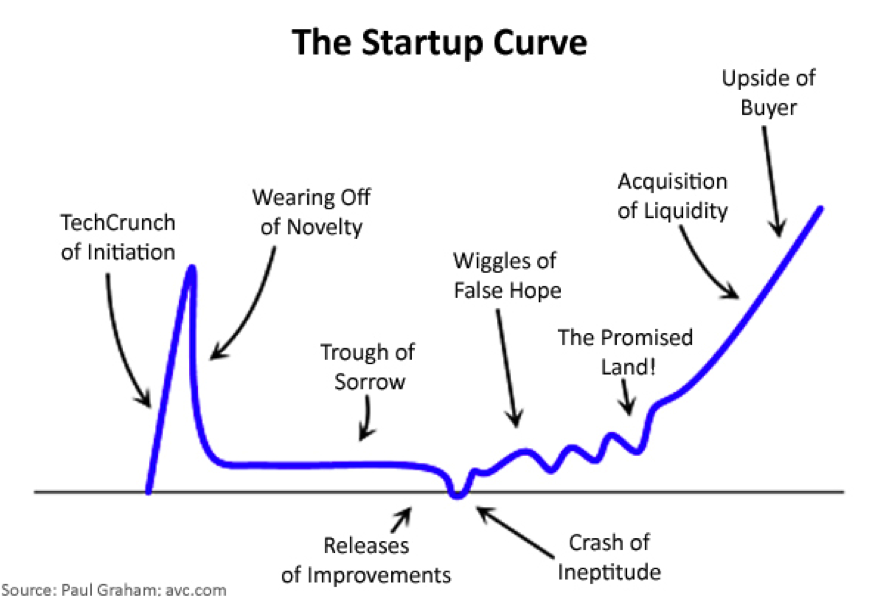
How We Got Burned (and Got Smarter)
Lessons from shipping 300+ offshore builds
We’ve face-planted on more sprints than I care to admit. In the early days at 1985, we once delivered a beautifully coded e-commerce plugin… and then found out we couldn’t reuse any part of it because we forgot to separate shared utility functions from client-specific logic. Rookie mistake. We had to rebuild our boilerplate library from scratch.
So we evolved a better system. One that bakes in IP hygiene from day one. Here’s how we do it now:
1. Every contract starts with an IP clause
Not in the footnotes. Front and center. It covers:
- Assignment of all rights
- Background IP disclosures
- Warranties that the code is original and non-infringing
2. Repo structure = IP hygiene
We use modular repos: one for shared utilities, another for client-specific code. That way, the handoff is clean and the IP boundaries are crisp.
3. Contributor agreements are non-negotiable
Even our interns sign ‘em. If you’re touching a client repo, your rights are getting transferred upstream. Period.
4. Open-source vetting process
Every package gets checked. If a dependency has a viral license, it gets flagged and replaced. We once rewrote an entire image-processing pipeline to ditch a GPL library - took a week, saved a lawsuit.
5. Sign-off at every major delivery
Clients get a formal IP assignment letter at major milestones - so the paper trail is real, not just a Git log.
The Offshore IP Survival Kit
Here’s your quick-and-dirty checklist before kicking off any outsourced build
If you don’t want to get lawyered later, run through this:
✔ Contractual Clauses
- IP assignment (not just usage rights)
- Warranties of originality and non-infringement
- Flow-down clauses for all subcontractors
✔ Repo Hygiene
- Separate shared/internal vs. client-specific code
- Document every external library with license type
✔ Team Transparency
- Know who’s writing your code - actual names, not just company logos
- Ensure every contributor signs a rights-transfer agreement
✔ Ongoing Practices
- Monthly IP audits (seriously, they take 20 minutes)
- Final assignment letters with each sprint milestone
✔ Exit Plan
- Make sure you can terminate and walk away with all source, infra, and documentation - no “ransomware” drama
If your offshore partner flinches at any of this? You're not paranoid. You're prepared.

Ship or Skip?
Here’s a rapid-fire take on common IP scenarios:
Using ChatGPT to help code your SaaS?
Ship - but document prompts and generated output. Some models (not this one) aren’t trained with usage rights guarantees.
Forked an open-source repo and customized it?
Maybe Skip - unless the original license allows it and your changes are well-contained.
Contracted a dev shop that insists on using their internal boilerplate?
Ship - but clarify - what's yours vs. what's licensed. Get it in writing.
Hiring a dev from Fiverr for one module?
Skip - unless they sign a proper IP assignment agreement.
What’s Next: The IP Frontier in 2025
AI, agents, and your legal footing
As we roll deeper into 2025, the IP landscape is getting weirder. AI-generated code raises questions about authorship. Autonomous agents might write features end-to-end. Some teams are even baking IP logic into smart contracts for on-chain proof.
But until the laws catch up, your best bet is boring paperwork and clean repo practices. Think of it like brushing your teeth - unsexy, but it’ll save you a world of pain later.
Because IP isn’t just a line item on your balance sheet. It’s the moat, the leverage, the legacy. Own it - or someone else will.
Want to build offshore without the IP heartburn? Book a zero-BS consult with 1985. We write clean code, clean contracts, and keep your legal team out of panic mode.
FAQ
1. If I hire an offshore team to build my product, do I automatically own the intellectual property (IP)?
No. By default, in many jurisdictions (including India), the creator of the work - i.e., the developer - owns the IP unless there's a written agreement assigning it to you. Payment alone doesn’t equal ownership. You must ensure the contract includes a clear and enforceable IP assignment clause.
2. What kind of contract clauses protect my IP in outsourced development?
Your contract should include an IP assignment clause that explicitly transfers all rights, titles, and interests in the deliverables to you. It should also include warranties that the code is original and doesn’t infringe on third-party rights, as well as flow-down clauses that ensure subcontractors also assign their rights.
3. What’s the difference between background IP and foreground IP?
Background IP refers to tools, code libraries, or frameworks the vendor already owns before the engagement. Foreground IP is everything developed specifically for your project. Contracts should clarify that you get full ownership of foreground IP, while background IP may be licensed to you under defined terms.
4. Can open-source code create IP problems in my outsourced project?
Yes, especially if your team uses code with restrictive licenses like GPL or AGPL. These licenses can force you to open-source your entire codebase. Always request a list of third-party libraries with their license types, and ensure your team avoids “copyleft” code unless it aligns with your IP strategy.
5. How can I ensure that subcontractors or freelancers don’t create IP ownership risks?
Make sure your outsourcing agreement includes flow-down IP clauses requiring that all contributors (including subcontractors) assign their IP to the primary vendor, who then assigns it to you. You can also request contributor agreements from every individual who touches the code.
6. Are NDAs enough to protect my IP when outsourcing?
No. NDAs only ensure confidentiality - they don’t assign ownership. While NDAs are important to prevent disclosure of sensitive information, you also need IP-specific clauses in your contract that clearly transfer ownership of all work products to you.
7. What happens if my outsourced partner reuses code from my project in another client’s work?
If the contract doesn’t prohibit it, they might legally be able to reuse generic portions of the code, especially if it's considered background IP or wasn’t properly assigned. To avoid this, insist on exclusive ownership of all deliverables and define what constitutes reusable boilerplate vs. proprietary logic.
8. Can AI-generated code create complications in IP ownership?
It can. While many platforms grant commercial rights to generated code, questions remain about originality and attribution. If your outsourced team is using AI tools, ask for documentation of how outputs are generated, and ensure their use complies with commercial licensing norms and your IP strategy.
9. How do I verify that the code I received is truly original and free from third-party claims?
Conduct code audits, request signed warranties of originality, and ask for a Software Bill of Materials (SBOM) listing all external dependencies and their licenses. You can also use code scanning tools to flag reused snippets and potential violations of license terms.
10. What are some best practices to protect IP in long-term outsourced engagements?
Use modular repo structures to separate your IP from shared utilities. Require IP assignment at each milestone, not just project end. Maintain a contributor log with signed agreements. Regularly audit dependencies and licenses. Most importantly, work with partners who treat IP hygiene as a first-class discipline - not an afterthought.