What this means is that the app is coded in Vue.JS, which is primarily a browser-based JavaScript framework, using Nuxt as a layer around that Vue.JS app. And then when the Nuxt app is deployed, Nuxt uses another project called Nitro to build a version of the app that can run on AWS Lambda as a Node app. So, a user's browser makes an http request that hits our Lambda, which returns the Nuxt-app-rendered HTML for the app. If this sounds way more complicated than any app needs to be, I agree. But this is what we decided to do for [reasons].
One of the things this app design completely omits is the ability to trace and debug the distributed system that backs this app using AWS X-Ray. While the AWS X-Ray SDK has easy configuration instructions for Node apps, the combination of Nuxt + Nitro building the AWS Lambda bundle affords no way to configure tracing (as far as I can tell) because the AWS Lambda handler entrypoint (where you would configure X-Ray) is a generated (by Nitro) output file named .output/server/index.mjs. Here's the sum total of the documentation (which btw I believe is incorrect in addition to being... ah... shall we say, "light").
What I came up with to configure X-Ray was, rather than use .output/server/index.mjs as the Lambda entrypoint, I created a separate, plain JavaScript file to use as the entrypoint, and in that entrypoint I configured X-Ray according to the Node instructions and then loaded the Nitro-generated entrypoint and passed along the Lambda event and context to that entrypoint. Like so:
const awsXRay = require('aws-xray-sdk');
awsXRay.captureHTTPsGlobal(require('https'), false);
awsXRay.captureAWS(require('aws-sdk'));
module.exports = {
  handler: (event, context) =>
    import('./.output/server/index.mjs').then(({ handler }) => handler(event, context)),
};
I wasn't sure if the instrumentation of the https library would work. I wasn't sure if I could use dynamic import the way I did. This was a total shot in the dark, but it works!
A Synology DiskStation is a kind of server you can run at your home. A common use case is as a home media server, but it is general purpose enough that you can run just about any server software on it.
I want to be able to pretend that my DiskStation is another instance of AWS S3, and these guides helped me set that up quickly.
The only additional step I had to take was to set up my router to pass through traffic to port 9000.
]]>Or: Use TypeScript without Transpiling
As a colleague and I were planning a new project, we realized there were pain points in our existing projects that we wished very much to resolve (particularly an Express API written in TypeScript that pre-dated both of our start dates at the company).
The Problem
The biggest pain points we wanted to resolve were:
- TypeScript's transpilation time slowing development
- TypeScript's transpilation obscuring stack traces
- TypeScript occasionally not supporting recent changes to JavaScript (for example,
Array.prototype.flatMap)
The Resolution: Stop transpiling TypeScript to JavaScript
Resolving these TypeScript pain points was NOT trivial because we didn't want to simply throw it out. TypeScript provides enhancements to developer experience that we didn’t want to lose, including:
- documentation of properties and methods of complex objects
- test coverage that all declared types successfully pass type-checking (meaning, among other things, that your documentation correctly describes your code)
- autocompletion hints inline in the editor
- type mismatches surface inline in most editors, which helps catch bugs before you've even hit "Save"
Our resolution was to stop writing TypeScript while continuing to use TypeScript. In other words, instead of writing TypeScript that gets transpiled, we write plain old JavaScript and use JSDoc comments to define type information. TypeScript officially-supports this alternative way to declare type information, and it completely eliminates to the need to transpile TypeScript to JavaScript while preserving the developer enhancements I identified above.
So, how does this change resolve the pain points?
Pain Point: Transpilation Slows Development
The magnitude of this impact varies based your development environment and workflow, as well as properties of the project you’re working on (like, how much code we're talking about). As one data point, after we experimented with the no-transpilation approach, I rewrote a small project to change from TypeScript to JavaScript with JSDoc annotations. In that repo, the slowness that was most impacting my development was running the tests. (I like to run tests a lot.) Before the switch, tests took 8.5-9 s. After: 1.5-2 s.
Pain Point: Transpilation Obscuring Stack Traces
While it's possible to resolve this while still transpiling your code by enabling source map support, removing transpilation resolves the issue completely and doesn't involve relying on either userland source map support or experimental Node core support.
Pain Point: Supporting recent changes to JavaScript
Removing transpilation and just writing JavaScript resolves this issue completely: if the version of Node that the app runs supports a JavaScript feature, you can use it. TypeScript support is irrelevant.
The flip side of this is that TypeScript does have support for some things that are not available in the version of Node we currently use (Node 12) – notably, the optional chaining operator ?., which I’m sad to lose until we upgrade to a new version of Node.
Conclusions and Recommendations
We concluded that this resolution resolved all of the pain points we identified. At this time, the only new possible pain points that we've noticed are:
- Writing complex type declarations with JSDoc annotations (and translating existing TypeScript type declarations to JSDoc annotations) is not as well-documented as doing it in TypeScript; so far, the few times this has come-up, it's been a good signal that simplifying our code was a better solution.
- Our existing (incorrect) usage of TypeScript modules (instead of declaration files) to share types is not compatible with plain JavaScript (without jumping through hoops that make TypeScript's type checking slower).
Note that for frontend projects, the tradeoffs are not the same:
- Frontend projects will always transpile, even without TypeScript (for the foreseeable future, at least), so the headaches caused by transpilation cannot be avoided.
- Source map support in browsers is more mature than it is in Node, so stack traces in frontend projects can be more easily configured to use source maps.
As a result, we have adopted this resolution, and recommend that new backend projects at our company do the same. This is the pattern I will use for all of my personal projects, as well.
Here's a bare-bones tsconfig.json you can use to try this in your JavaScript project:
{
  "compilerOptions": {
    /* Visit https://aka.ms/tsconfig.json to read more about this file */
    "module": "none" /* Specify module code generation: 'none', 'commonjs', 'amd', 'system', 'umd', 'es2015', 'es2020', or 'ESNext'. */,
    "allowJs": true /* Allow javascript files to be compiled. */,
    "checkJs": true /* Report errors in .js files. */,
    "noEmit": true /* Do not emit outputs. */,
    "noImplicitAny": false /* Raise error on expressions and declarations with an implied 'any' type. */,
    "moduleResolution": "node" /* Specify module resolution strategy: 'node' (Node.js) or 'classic' (TypeScript pre-1.6). */,
    "skipLibCheck": true /* Skip type checking of declaration files. */,
    "forceConsistentCasingInFileNames": true /* Disallow inconsistently-cased references to the same file. */
  },
  /* You'll need to set these to glob patterns that match your project */
  "include": ["**/*"],
  "exclude": ["coverage", "**/*.test.*"]
}
After adding that to your project, add TypeScript as a dev-dependency using npm install -D typescript and run tsc to check your project for TypeScript errors.
To clarify what I mean when I say "move my iTunes directory": I don't allow iTunes to "Organize" my iTunes library. I choose where the files are located and how they are named and organized. There are lots of articles (including official Apple documentation) that explain how to move the iTunes-managed library directory. But none of those tutorials explain how to move your files from one directory to another when you're managing that location yourself.
This is a three-step process.
Step 1: Copy the files
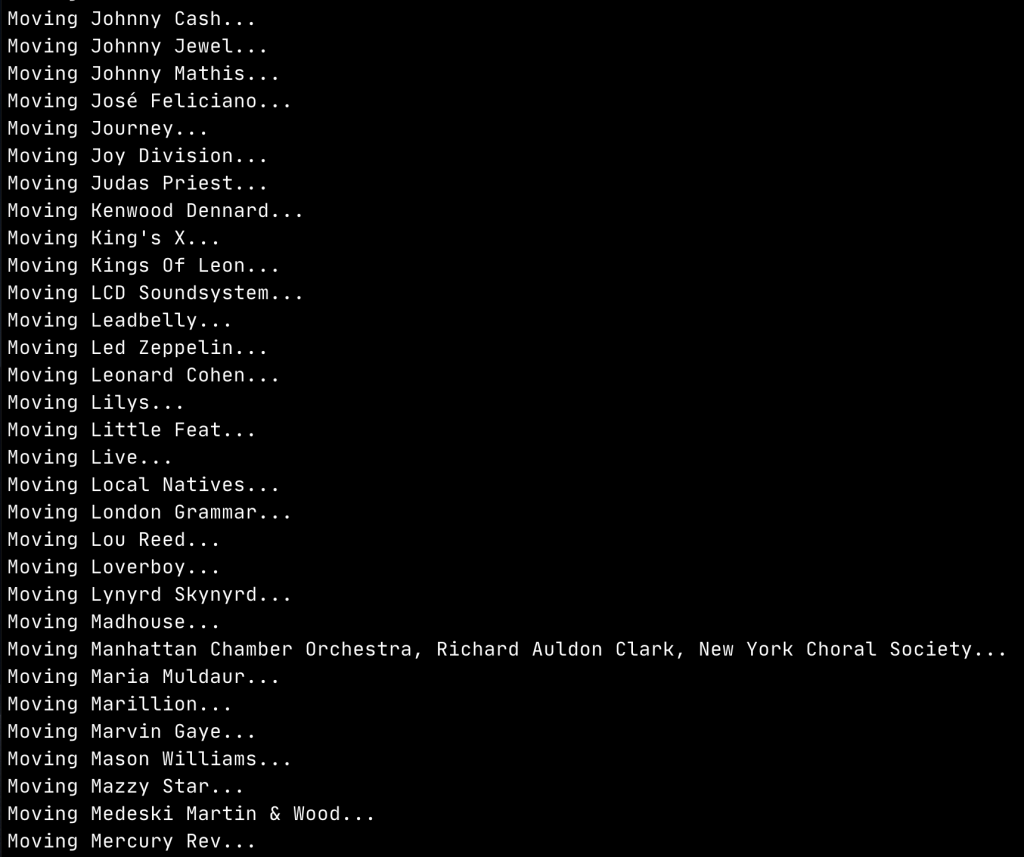
The easy way to copy the files is using the macOS Finder, but if you have thousands of files this could be slow, as Finder seems to do a bunch of calculation up front so it can do fancy stuff like show progress bars. I'd prefer to do this quickly, so I wrote this bash script to safely copy my Music directory, subdirectory by subdirectory.
Step 2: Update iTunes track locations
This is the more challenging part, because your iTunes library is stored in a database file that isn't editable with external tools. A common work-around that is recommended is to export your iTunes library as XML and edit the XML, then re-import that edited XML as your new library. I've done that before, and found that it's very error-prone and leaves a lot of manual cleanup remaining.
So, I wrote an AppleScript to go through every track in your iTunes library and change its location from the old directory to the new directory.
On my iTunes library of about 10,000 tracks, it took quite a while to churn through everything: I didn't time it, but it felt like about 30 minutes. Maybe it was less.
Step 3: Remove the old files
After you're sure everything has been copied correctly and your iTunes library is correctly updated, you can remove the old copy of your files.
]]>Nave
First thing I do, before I have any versions of Node installed, is install nave. Nave is a tool that allows you to install and manage different versions of Node. Nave intends to solve your entire multiple-versions-of-Node problem, but I don't use it for that. I use it solely to manage my system-wide version of Node -- the version that will run when I haven't opted to use a project-specified version (more on that later).
Nave is simply a bash script, and you can install it in one of the recommended ways, but what I do is download the script and save it on my system like this:
curl -s https://raw.githubusercontent.com/isaacs/nave/master/nave.sh > /usr/local/bin/nave
chmod 755 /usr/local/bin/nave
Now I can use nave to install my system-wide version of Node.
System-Wide Node
This is a pair of commands that I can re-run any time I want to update my system-wide version of Node.
# where <version> can be a version like 12.4.1,
# or just 12.4, or just 12
# or it can be a string,
# like lts (meaning long-term support),
# or lts/erbium (code name for v12 lts)

nave install <version>
nave usemain <version>
Node Version Manager
Now that a system-wide Node is installed, I will install my version manager, nvm and an automatic version switcher that uses nvm, avn.
Nvm is similar to (and an alternative to) nave. Once installed, nvm is exposed as a shell function (functionally the same as the way nave is a bash script) that allows you to install multiple versions of Node and switch between them by manipulating your shell environment.
You can either explicitly specify a Node version when you run nvm use <version> or you can use an rc file named .nvmrc to specify the version of Node. The contents of .nvmrc can be a version number (full or partial) or a string (like "lts" or "lts/<codename") -- similar to nave. When you run nvm use nvm will use the version specified in the .nvmrc file in the current directory or the closest parent directory.
Avn, together with its companion plugin avn-nvm, will automatically look for an .nvmrc file every time you change directories and then change the Node version, if necessary. This is the key to maintaining your sanity when you have tons of Node projects running different versions of Node!
# Install nvm v0.35.2 (current latest)
curl -o- https://raw.githubusercontent.com/nvm-sh/nvm/v0.35.2/install.sh | bash
# You'll need to exit and re-open your terminal for the installation to take effect.

# Install avn and avn-nvm
# Make sure we're using the system-wide Node
nvm use system
npm install -g avn@latest avn-nvm@latest
avn setup
.nvmrc
After I have all that tooling set up, it's time to add rc files.
First, I add an .nvmrc in my $HOME directory that will be used to switch to the system-wide version Node whenever I'm in a directory that doesn't otherwise specify an alternative version.
# contents of $HOME/.nvmrc
system
Then in each project, I add an .nvmrc that specifies the lts or major version of Node that the project requires.
# example project .nvmrc
lts/erbium
This project-level `.nvmrc` should be committed to version control so that everyone on your team can use the same Node version seamlessly.
Before nvm use will work, you need to install the version of Node you want to use: for the above example, nvm install lts/erbium. After installation, you can test that everything is working by changing directories in your terminal and reviewing the terminal messages.
~ $ cd ~/code/test-project
avn activated lts/erbium via .nvmrc (avn-nvm v12.14.0)
~/code/test-project $ cd
avn activated system via .nvmrc (avn-nvm system: v12.14.1)
~ $ 
FAQ
Q: What should I do?
A: Every Restify 4.x app should use bluebird instead of native Promises.
Q: How do I do that?
A: At the beginning of your app (where you load dotenv) you should add the following:
global.Promise = require("bluebird");Q: Awesome! 🎉 Now I can just use all the neat-o bluebird promise methods!
A: That is not a question. Also, please don't. Please treat every Promise in your app like a native Promise and don't invoke bluebird methods without explicity using bluebird. If you fail to do that, it will be nearly impossible to undo this hack revert this temporary (albeit clever) solution. So, to be clear:
// bad
return new Promise((resove, reject) => {
// ...
if (err) {
reject(err);
}
else {
resolve(true);
}
})
.finally(() => {
// native promise has no method `finally`
console.log("finished");
});
// good
const bluebird = require("bluebird");
return new bluebird((resove, reject) => {
// ...
if (err) {
reject(err);
}
else {
resolve(true);
}
})
.finally(() => {
// 👌
console.log("finished");
});
When review requests were first rolled out, they were not very useful because there was no way to see a list of pull requests you had been requested to review. Thankfully, that deficiency has been fixed!
Now, review requests unleash a great way to manage workflow on pull requests.
When you create a pull request, you add a review request for one or more reviewers. In addition, assign the pull request to the reviewer to signal that you are awaiting their action.
When the reviewer finishes their review, they should either merge the pull request (LGTM!) or assign it back to you (or someone else) for action -- respond to a comment, answer a question, revise code, etc.
Then when you respond to feedback, you assign the pull request back to the reviewer, and the cycle repeats.
There is additional explicit signaling in the review request workflow that you can use, too.
So, improve your pull request workflow by:
- using review requests to designate responsibility
- using assignment to signal who's on the clock
We use koa-generic-session for session management. That library uses the cookies library under-the-hood, and luckily, there's a simple configuration option to avoid sending cookies over an unencrypted connection!
But it's not that simple.
Turns out that the cookies library inspects the request and will throw an error if the app tries to send a secure cookie over an insecure connection.
This is all fine until you start getting fancy. Fancy, as in, the app is behind an SSL-terminating load-balancer. Which means that the app thinks the connection is an insecure HTTP request.
Now, there is a configuration option for Koa:
app.proxy = true;
This tells Koa that when determining whether a request is secure it may trust the headers that the load-balancer adds to each request.
And, again this is just fine until to start getting even fancier. Fancier, as in, the load-balancer actually points to an nginx proxy that serves static assets and points other traffic to the Koa app.
Now, you can find pointers for how to configure nginx behind an SSL-terminating load balancer.
And that's fine until you start getting ultra-fancy. Ultra-fancy, as in, the load-balancer is configured to support PROXY protocol. I'm not going to get into the reasons why we ended up being so ultra-fancy that we wanted to enable PROXY protocol on our load-balancer. Truth is, we don't need it. But the upshot of why this causes problems is that the headers added to each request are different. And not just different. There is literally nothing in the proxy headers that indicates that the client request was made via https vs. http.
So... luckily our app is hosted on Amazon AWS in a VPC that is not reachable from the internet. In other words, there's no way a request could reach our nginx process other than via an https request that hits our load-balancer. Which means, we can just -- gulp -- hard-code it.
The relevant configuration in the nginx config:
server {
  # ...
  # This is empty because of PROXY protocol
  if ($http_x_forwarded_proto = '') {
    # So we hard-code the protocol as https, i.e., "secure"
    set $http_x_forwarded_proto https;
  }

  location @node {
    # ...
    # This is the header Koa will rely upon
    proxy_set_header X-Forwarded-Proto $http_x_forwarded_proto;
  }
}
By the way -- and I hope this isn't burying the lede too much here -- but if your app only relies on reading those secure cookies, you don't need to worry about this michegas. A user's browser doesn't know or care about what's behind your SSL-terminating load-balancer using PROXY protocol to talk to nginx proxying to your node app. All a user's browser knows about is the https request that hits the load-balancer. Only if you need to set a secure cookie do you possibly need to know about this.
Hope it helps someone.
]]>If you’re trying to configure nginx on Elastic Beanstalk to redirect http requests to https, here’s what I learned.
- During deployment, the nginx configuration for your app is located at this file path:
/tmp/deployment/config/#etc#nginx#conf.d#00_elastic_beanstalk_proxy.confvia - Using a container command, you can edit that nginx configuration file right before it gets deployed.
- I used a little perl one-liner to insert the redirect.
Background
So... we're using Amazon Web Services Elastic Beanstalk for one of the apps I'm working on. It's pretty easy to get started, but it's also really easy to find that you’re fighting Elastic Beanstalk to get it to stop doing something stupid.
I was fighting one of those "stupid" things the other day: http-to-https redirect.
Let's say you have a web application that requires users to login with a name and a password. You don't want users' passwords getting sent over the internet without being encrypted, of course. So you enable SSL and serve content over https.
But sometimes, users type your domain name (like, “google.com”) into the address bar, which defaults to http. Or they follow a link to your app that mistakenly uses http instead of https. In any event, you don’t want users who are trying to get to your app to get an error message telling them there’s nothing listening on the other end of the line, so you need to be listening for http requests but redirecting them to https for security.
Now, our app is written in Node.js, and we’ve configured Elastic Beanstalk to point internet traffic to an Elastic Load Balancer, which terminates SSL and proxies traffic to the backing servers, which are running our app behind nginx. This might sound like too many levels of indirection, but nginx is optimized for serving static content, while Node.js is optimized for dynamic content, so this is a pretty common setup.
And this is where Elastic Beanstalk gets stupid.
When we configured our app to listen for both http and https traffic, Elastic Beanstalk directed all of that traffic to nginx — and configured nginx to direct all of that traffic to our app — without giving us any way to redirect http traffic to https.
I imagine lots of apps want to respond to both http and https traffic while redirecting insecure http requests to secure https requests. Maybe I’m wrong.
Anyway, I want to do that. And I found it insanely difficult to accomplish.
]]>