The post Triage appeared first on Higher Webucation.
]]>FACULTY AND STAFF BIOS
Last year, UML adopted a hybrid system of bio presentation on the web. We use the information full-time faculty upload into their Digital Measures account and build a bio in Tridion – our content management system – to house this information.
Full-time faculty should:
- Set up and continually update your Digital Measures account – get help from Anthony Sampas, Senior Digital Documents & Records Management Specialist, if you need DM support.
- Submit a ticket to Web Services – to update your image, change your title, phone number, office number.
Part-time, adjunct faculty and staff members should:
- Submit a ticket to Web Services – we need ALL your bio information. This information does not come from Digital Measures.
PROGRAM PAGES
Through student usability studies, Web Services learned that prospective and current students want to get to pertinent program information quickly. This is also true of ALL web users. When you are looking for some bit of information on the web, don’t you get frustrated when there are too many words and not enough solutions?!!??!
Undergraduate program pages highlight UML’s majors. Students, parents, and peer institutions are going here to compare programs to other schools and get things done, like:
- make sure they are on track in high school (requirements)
- see what courses UML requires a student to take to get a degree (Degree Pathway) and what they will learn (Learning Outcomes)
- apply (Admissions)
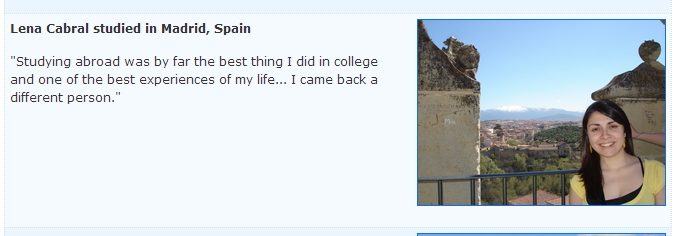
Web Services has developed a Program Page template for Departments to insert their pertinent information as well as highlight unique associated opportunities: study abroad, graduate programs, co-ops, etc.
Here are some undergraduate examples and we hope to get to your department soon to help with this transformation:
Graduate examples:
Thanks for reading and please comment if you have other web questions!
The post Triage appeared first on Higher Webucation.
]]>The post KISS (The Nice Version) appeared first on Higher Webucation.
]]>The majority of our web visitors access the site using a mobile device, most frequently an iPhone. For this reason, we need to refine our site navigation and content. Content needs to be broken into bite-sized chunks to make it easier to read and navigate on a small screen.
KISS
Many of you have heard of the acronym KISS (Keep It Simple, Stupid). We are suggesting a similar, nicer alternative – Keep It Short and Simple. People scan websites (like you probably are right now) until they find the keyword they are looking for. Most paragraphs should be no longer than 250 words. Pages, especially long pages, should be broken up with subheading and bullets.
Web usability guru Jared Spool talks about the “scent of information,” meaning that a user on a website is going to look for words or other cues that indicate they are on the right track to finding the information they are looking for. One example is that the word “major” has high scent for a prospective 17-year-old and the word “baccalaureate” does not.
So use a few words and the ones visitors care about.
Give Them a Solution
They’ve arrived at your pages! Now what? People come to a website to complete a task. Think about what types of tasks folks coming to your site are trying to complete: register, choose between programs, pay a bill, etc. Give them a solution.
Data Driven
Web metrics or analytics is a complex field, but sometimes just looking at some basic information can help determine what information is getting the most eyeballs. If the most important information isn’t getting “hits,” then we can help figure out why and fix it. If you would like a web traffic report for your website, email webcontent@uml.edu.
Change is Good
Now that you’ve taken a critical look at your website, it’s time to do the hard work – actually making changes. The Web Services team is here to help.
Deleting Files
If there are components that you want to delete – please put an “X” in front of the component name and send it through workflow. We will make sure that no other pages are using that component and then will safely delete it.
Creating New Pages
If you find that you do need to create new components and pages to split up long blocks of text, then simply follow the same process you normally would to create either.
Navigation Changes
Once pages are created, then we can help reorganize your navigation. Just email webcontent@uml.edu with the navigation in a Word document or pasted into the email. Keep in mind that we recommend no more than 12 items on the left navigation and ideally 6-8.
All the changes you make now will be retained when we transition your site to the new design. None of your hard work will be lost. And getting some of this review out of the way will make your transition to the new design go more quickly.
The Web Services site has detailed information about editing your site. We can help you navigate your changes as we transition to the new design. Please don’t hesitate to contact us.
The post KISS (The Nice Version) appeared first on Higher Webucation.
]]>The post New and Improved appeared first on Higher Webucation.
]]>Tridion Upgrade
By now, many of you have had the chance to work with the new Site Edit. Hichame Asrary, our web trainer, has created a new Tridion manual to help you navigate the new procedures. Please be sure to refer to the updated Tridion manual when creating and editing content and uploading pictures or documents. Please send any questions or comments to webcontent@uml.edu.
Announcement Email/Website
Everyone at the university receives the Today@UMass Lowell email. Announcements include: Featured Events, From the Top and Announcements.
- Featured Events are designated by our senior web editor Suzanne Dulude Potter.
- From the Top items are designated by cabinet members.
- Announcement can be submitted by anyone at the university through this Announcement form.
This daily email is a teaser for two websites: one for students and one for faculty/staff. These sites expand upon daily university news.
For more information about Today@UMass Lowell visit our website. The FAQ section is very helpful.
Media Email Notification
Everyone with an uml.edu or student.uml.edu email will also receive a UMass Lowell “In the News” email which highlights external media hits. Hits are mentions of UMass Lowell in media outlets. Hits come from, for example, The Lowell Sun, CNN or The Boston Globe. At the bottom of the “In the News” email, there is a link to unsubscribe if recipients so wish.
Hawki
You’ve seen them, you’ve watched them and now University Relations will be sending you useful information through them. They are the video screens all over campus called Hawki. In coordination with offices throughout campus with oversight of specific screens, the University Relations web team will provide support through updated templates, news and event information.
Have an update or idea for Hawki? Email hawki@uml.edu to contact us.
We wish you the best for the new year as we try to improve internal communications!
Contact us: by email webcontent@uml.edu or by phone ext. 4-3875.
The post New and Improved appeared first on Higher Webucation.
]]>The post Words To Live (and Die) By appeared first on Higher Webucation.
]]>Content
- academic degrees – bachelor’s and master’s degrees (possessive), and doctorate (all not capitalized), Bachelor of Arts, Master of Science, Doctor of Psychology (capitalized, not possessive), B.A., Ph.D., M.S., Ed. D. We do not use the prefix of Dr. for faculty with Ph.D.s (Denise Smith, Ph.D., not Dr. Denise Smith).
- adviser (not advisor)
- campus-wide (adj. hyphenated before a noun), campus wide (other uses)
- classes – The names of classes such as Economics I, Organic Chemistry II and Criminological Theory are capitalized because they are proper nouns. Academic subjects are not capitalized: physics, music, etc.
- department – The word department is not capitalized unless it is part of a proper noun: Department of Physical Therapy.
- email (one word, no hyphen)
- everyday (adj.), every day (other uses)
- Internet (capitalized noun)
- full/part-time (adj. hyphenated before a noun), full/part time (two words other uses)
- North, South and East Campuses are capitalized.
- regard – In the phrase in regard to, the word regard is not plural. In the phrase, send my regards, the word regard is plural.
- subjects – Subjects, except languages, are not capitalized. So math, history, and chemistry are not capitalized, but English, Spanish and French are.
- university (not capitalized, except when part of a name: University of Massachusetts Lowell)
- website (one word)
State abbreviations with their postal code (only) abbreviations in parentheses:
Ala. (AL) Md. (MD) N.D. (ND)
Ariz. (AZ) Mass. (MA) Okla. (OK)
Ark. (AR) Mich. (MI) Ore. (OR)
Calif. (CA) Minn. (MN) Pa. (PA)
Colo. (CO) Miss. (MS) R.I. (RI)
Conn. (CT) Mo. (MO) S.C. (SC)
Del. (DE) Mont. (MT) S.D. (SD)
Fla. (FL) Neb. (NE) Tenn. (TN)
Ga. (GA) Nev. (NV) Vt. (VT)
Ill. (IL) N.H. (NH) Va. (VA)
Ind. (IN) N.J. (NJ) Wash. (WA)
Kan. (KS) N.M. (NM) W.Va. (WV)
Ky. (KY) N.Y. (NY) Wis. (WI)
La. (LA) N.C. (NC) Wyo. (WY)
Style
- In a paragraph, please use one space after a period, not two.
- Book titles are in quotes, not underlined.
- Please do not cut and paste from Word or another website. Laptops are customarily equipped with Notepad. Please put the content in Notepad first and then cut and paste into Site Edit.
Tech Advice
Please use Firefox while working in Site Edit.
For questions about how to use Site Edit please refer to the Web Services’ site, where you will find the Tridion training manual, FAQs and contact information (and by that we mean Hichame’s ext.)!
For questions about content or layout call Web Content at ext. 4-3875 or email us at webcontent@uml.edu.
The post Words To Live (and Die) By appeared first on Higher Webucation.
]]>The post What You Can and Can’t Do in Site Edit appeared first on Higher Webucation.
]]>What You Can Do
- Change content on your page.
- Make a new component or page. See page 25 in the Tridion Training Manual.
- Add photos that appear within a component (embedded). Size the photo in PhotoShop (maximum width of 200 px) and upload it into Tridion, and add it to your page. Here are the Site Edit instructions for photos. The university has a license for PhotoShop, see IT for more information.
- Provide information to create a form. If you need a form for your website, we will create it, stage it and review it with you.
What We Can Do for You
- Change photos that appear in the circular corner of a page. Send us the original, high quality photo either in an email to webcontent@uml.edu or via Shareit.
- Footer information at the bottom of your pages. There is an address at the bottom of every page called the footer. We can edit this for you. Send changes to webcontent@uml.edu.
- Edit the introduction on your landing page. Not everyone has this template for a landing page, but if you do send your edit to the introduction to webcontent@uml.edu and we’ll make the change. The introduction of the below landing page begins after the light-green header and to the left of the picture.

- Change the order of or add to your navigation. The dark blue area on the left that lists the pages within your site is the navigation (pictured above). Send an email to webcontent@uml.edu if you’d like your navigation changed.
- Add your blog, Facebook or Twitter feed in one of the columns on your landing page.
Stay Tuned
Please stay tuned for monthly, detailed content and layout tips!
For questions about how to use Site Edit please refer to the Web Services’ site, where you will find the Tridion training manual, FAQs and contact information (and by that we mean Hichame’s ext.)!
For questions about content or layout call Web Content at ext. 4-3875 or email us at webcontent@uml.edu.
The post What You Can and Can’t Do in Site Edit appeared first on Higher Webucation.
]]>The post What Happens to My Changes? appeared first on Higher Webucation.
]]>Do you feel insecure when you click the “finish activity” button in Site Edit? Do you wonder what happens next? You are not alone. Let’s take the worry out of this process by describing what actually happens.
Every change that is made in Site Edit is reviewed by Web Content. Your edited component shows up in our Tridion “Assignment List.” This process is called workflow. Someone on the Web Content team reviews your changes within 48 hours (very likely a lot sooner) and does one of three things:
- Approves it and publishes it live (hooray)!
- Stages it because it is a work in progress or we’ve asked that you make revisions (making progress, also hooray)!
- Rejects it because there is a major content or layout issue that needs to be fixed (darn, but don’t worry because we can help).
Approval – Your link is working, your grammar is correct, your picture is the right size or some other magical addition has occurred. Your change will be published to the live website and you will not hear from us. If it is urgent that you know when this is published, let us know in the comment box that you’d like to be notified.
Staging – This is a shadow site where we can work free of the public’s eye. You can ask for something to be staged so you can evaluate it (just let us know in the comment box) or we may stage it for you to get your opinion on an adjustment we’ve made. We will send you your department’s specific staged link when we’re working together on a site.
Rejection – A harsh word, we know, but it’s not as bad as it seems. Rejection is just a Mulligan, a second chance, a do-over and it’s completely within the rules of content enhancement! First, you will receive an email from Tridion stating that your edit has been rejected. Next, you will receive an email from one of us telling you why. Finally, you can log back in to fix the component/page.
- Step 1 – Refresh the browser (Firefox)
- Step 2 – Click on the editable component
- Step 3 – In the component toolbar click on the middle button (Edit parent Component in Publication 03…)

- Step 4 – Click Start Activity button (black button in the far right)
- Step 5 – Double click on the content
- Step 6 – Start editing
Web Content is looking forward to your changes!
Note to Site Edit users: until further notice please use Firefox as your browser while working in Site Edit. Chrome and Internet Explorer do not support our current version of Tridion.
Stay Tuned
Please stay tuned for monthly, detailed content and layout tips!
For questions about how to use Site Edit please refer to the Web Services website, where you will find the Tridion training manual, FAQs and contact information (and by that we mean Hichame’s ext.)!
For questions about content or layout call Web Content at ext. 4-3875 or email us at webcontent@uml.edu.
The post What Happens to My Changes? appeared first on Higher Webucation.
]]>The post Always Be in Style appeared first on Higher Webucation.
]]>Content
In general, all content should follow the Associated Press (AP) style. Newspapers and organizations follow this to professionalize their content and so do we. Having the annual “Associated Press Stylebook” available (an actual book) is a good idea, but our office also provides this style guide.
Common changes we make:
- Dr. Brown becomes James Brown, Ph.D. (unless he is an M.D.).
- Use Master of Science or master’s.
- 3:00 A.M. becomes 3 a.m., 12 noon or 12:00 becomes noon.
- January 10th becomes Jan. 10.
UMass Lowell specific style:
- We are UMass Lowell or University of Massachusetts Lowell, not UML.
- We no longer capitalize university when used alone in a sentence.
- River Hawks is two words.
- Our taglines are available on the branding guide page.
- Our logos and PowerPoint templates are available on the logos page.
Layout
The web is a great place to display high-quality photography. Low-quality photos make the university look low quality. We have hired many photographers over the years to photograph UMass Lowell events, hopefully your department or we can find something beautiful for your web page in our own photo gallery or archives. You also can purchase high-quality photos from iStock or other photo outlets (by purchasing the photo you have gained permission to use it, but read the restrictions). Do not download images from the internet and assume they are for use by the general public. Someone took the photo and someone owns the photo – get permission.
Embedded Photos – If you want to embed a photo on the page see the Tridion Site Edit guide.
Feature Photo Location – Web Content will size and edit photos for feature photo locations. Just email your high-resolution photo and the web address (url) where you would like it located to webcontent@uml.edu.

Stay Tuned
Please stay tuned for monthly, detailed content and layout tips!
For questions about how to use Site Edit please refer to the Web Services’ site, where you will find the Tridion training manual, FAQs and contact information (and by that we mean Hichame’s ext.)!
For questions about content or design call Web Content at ext. 4-3875 or email us at webcontent@uml.edu.
The post Always Be in Style appeared first on Higher Webucation.
]]>The post Introduction appeared first on Higher Webucation.
]]>Life after Tridion Training
You have all been trained in Tridion Site Edit, but how do you decide what to say (the content) on your site? And how should the content look (the layout)? Web Services is here to help. It is our job to make your department shine on the web.
Content
Before you even begin to write, ask yourself:
- Who is your audience? Know if you are speaking, for example, to parents, students, or professional partners.
- Are you speaking your audience’s language? Researchers, donors, and concerned Lowell residents are different audiences; they need to be addressed differently.
- Is your content informative without being longwinded? Whether the visitor is on a desktop or a mobile device, they don’t have time to hunt for what they need. Think of your own behavior. Do you curl up on your couch with a laptop or phone for a good read? No – when you’re on the web you’re looking for information. Visitors to uml.edu are looking for information too – give it to them.
- Will your audience be enticed to take action? You want the visitor to take the next step: apply to the program, register for a seminar, or donate to the university. Are you providing the vehicle for that action: link to iSiS, web registration form, link to payment site?
Layout
Tridion provides a template for our website. Within that template we all have the ability to upload inspirational videos (nursing students in Ghana), use bullet points for precise instructions (withdrawing from a class), or display crucial data in tables (tuition), but when all those elements are on one page, the overall look may be unappealing as well as overwhelming.
Generally, a new design element equals a new page. Be concise and link to another page for more information (rowing).
Stay Tuned
Please stay tuned for monthly, detailed content and layout tips!
For questions about how to use Site Edit please refer to Web Services’ website, where you will find the Tridion training manual, FAQs and contact information (and by that we mean Hichame’s ext.)!
For questions about content or layout call Web Content at ext. 4-3875 or email us at webcontent@uml.edu.
The post Introduction appeared first on Higher Webucation.
]]>