After a bunch of research and testing, we have since been recommending the opensource BitWarden.
LastPass’ December ’22 data breach is another reason to make the jump to Bitwarden.com
https://www.google.com/amp/s/www.wired.com/story/lastpass-breach-vaults-password-managers/amp
On topic podcast from Steve Gibson:
https://www.youtube.com/watch?v=9XWHCF4pLmI
]]>
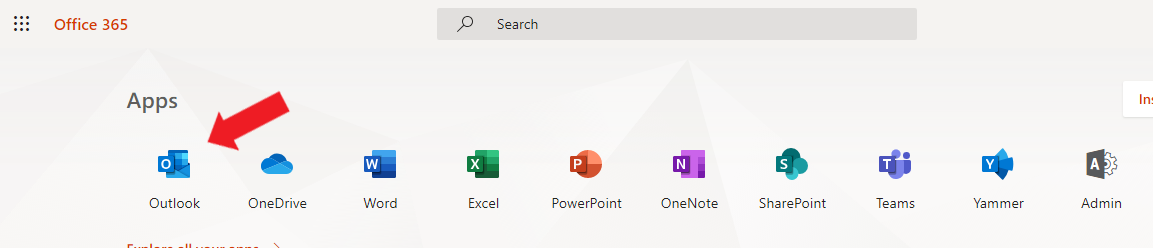
2. Click settings gear

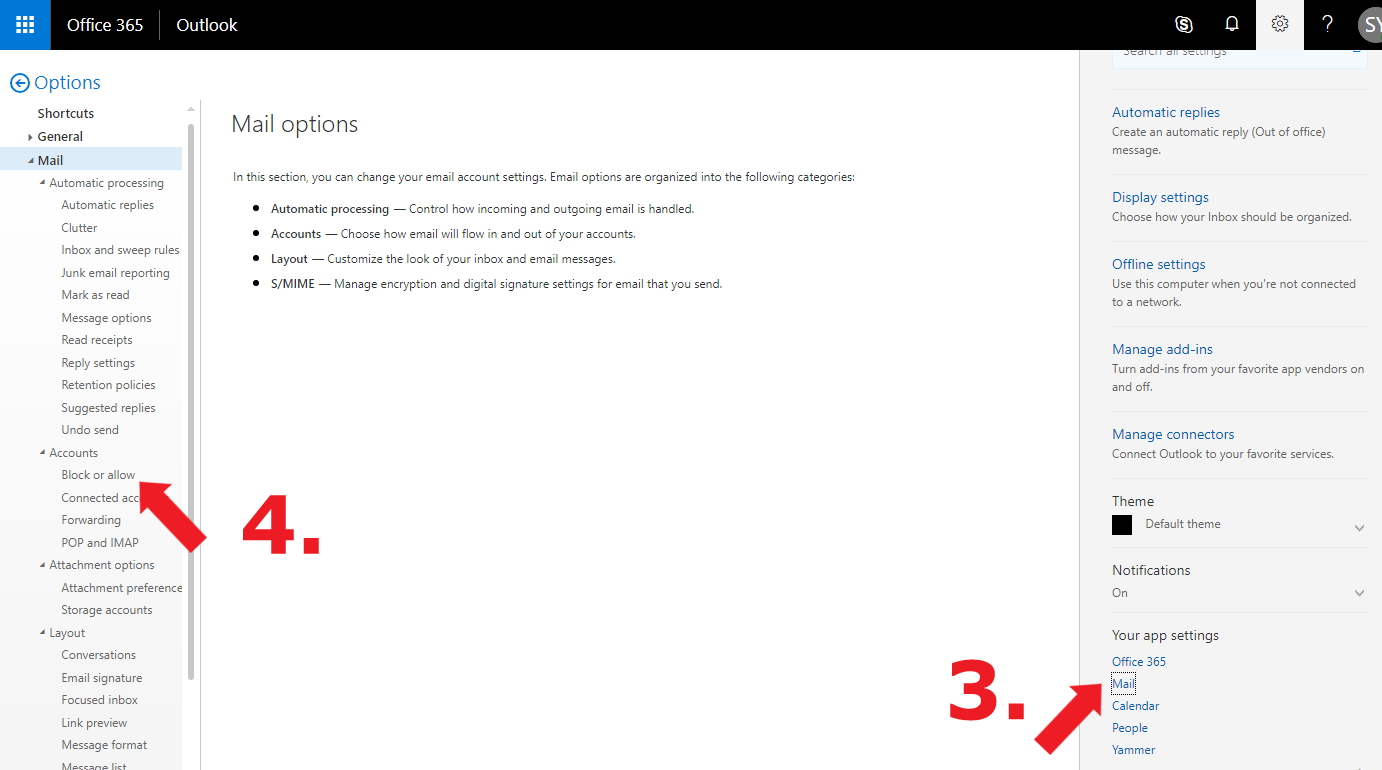
3 & 4. select mail bottom right, then Mail > Accounts > Block or allow on left
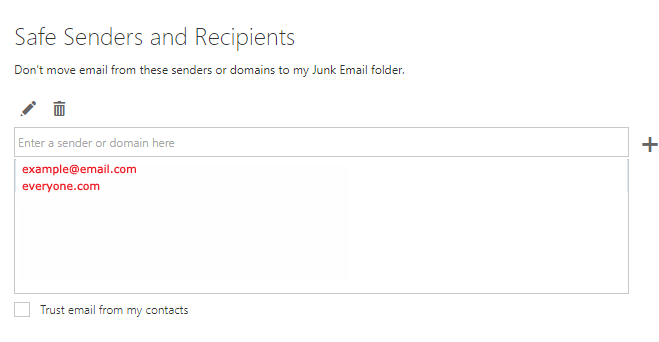
5. Enter your whitelist emails, domains or IP’s
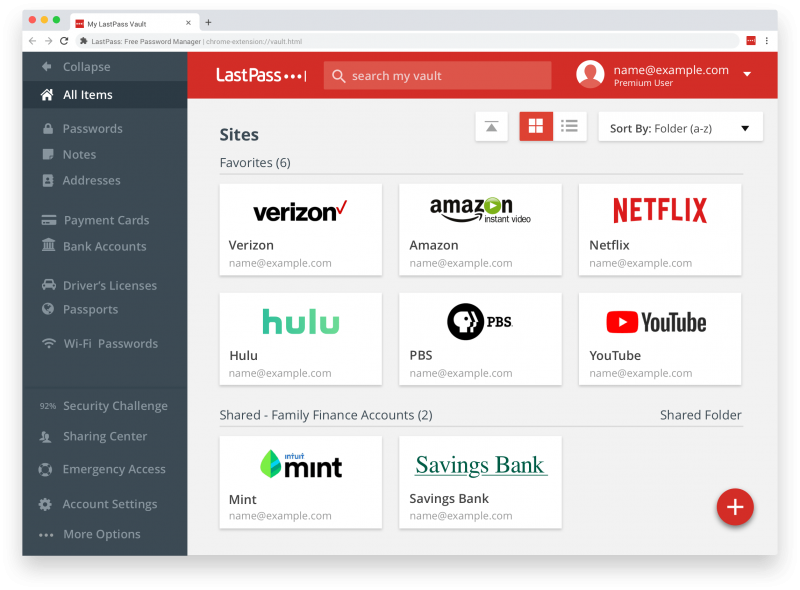
ref: https://bitwarden.com
2019:
If you are interested in an easy way to manage a multitude of passwords, we recommend Lastpass for secure, encrypted password storage and login credential sharing.
It is available as a mobile app and as a browser extension. The free level is usually good enough for most users. They have premium, business and family paid versions too.
A couple videos to let you check it out if you’re interested in learning more
quick: https://www.youtube.com/watch?v=u3tvjNHPmAw
in depth: https://www.youtube.com/watch?v=OLaCE_YmDVo
and some links
website: https://lastpass.com/create-account.php
chrome extension: https://chrome.google.com/webstore/search/lastpass
iphone app: https://itunes.apple.com/in/app/lastpass-password-manager/id324613447
android app: https://play.google.com/store/apps/details?id=com.lastpass.lpandroid
Only the encrypted files are stored at Lastpass and only you have the master key.
https://www.google.com/business/how-it-works/
Then there’s Google Local, Google Places, Google Maps… After they kill G+, apparently G+ for business is going to be a thing.
Google I’m starting to hate you just a bit and I’ve been a enthusiastic user since before most knew who you were. How about this… if you have a new idea you just revise and add to an existing product and stop scrapping and reinventing everything. How many times am I going to need to verify my business and jump through a whole new set of hoops? #sodamnannoying
Innovate, improve, revise, expand, don’t pillage, dismember, kill and start over under a new initiative.
You are damaging your image. Sit in on some good business 101 classes, get back to your original mission, have a clear business plan and get laser focused.
]]> In the wake of the controversy around Apple slowing down older iphones, a friend recently asked if I thought Apple was sleazy
Apple makes great, solid & beautiful hardware. They push technology forward and they can be great innovators. I love this about them.
What I don’t like about Apple is they rarely adopt any open standards. They come at most everything with an attempt to lock you into their ecosystem. They want to make it very hard for you to leave their platform and they want licensing fees on every little proprietary plug and dongle they can create. Frankly, I’m surprised they support bluetooth and more recently USB-C.
I prefer open standards. It is better for consumers and in many ways the environment (use of plugs/wires/chargers… across people and devices). If they hadn’t kept trying to push me into using their proprietary software I would still be using an iPhone.
I see this bad behavior from many of the big companies right now. Amazon won’t allow Google products in their store or allow Google apps on the Fire tablets. Microsoft does a lot of the same. Xbox doesn’t have Google play movies. You can’t rent Amazon movies on the Xbox’s amazon app.
In the end, it is the consumers who pay big for all this fighting to own us and the companies often lose too. I left IOS because of it and I prefer a Roku for streaming because Amazon, Microsoft and Google refuse to play well together while Roku offers access to all services.
So in many ways, I think Apple is truly great but they really don’t need to adopt these lock-you-in practices to get customers. People would be flocking to Apple even if they were more open to allowing the innovations of other corporations on their platform and their customers would probably love them even more.
]]> ]]>
]]>
Mobile-Friendly Websites
<span class="sr-only">(current)</span> for screenreaders, to the appropriate link text.
( function ($) {
    var activenav, matches = document.body.className.match(/(^|\s)page-(\w+)(\s|$)/);
    if (matches) {
        activenav = matches[2];
        $(".navbar-nav .nav-item").each(
            function () {
                if( $(this).hasClass(activenav) ) {
                    $(this).addClass('active').find(".nav-link").append(" <span class='sr-only'>(current)></span>");
                }
            });
        $(".navbar-nav .dropdown-item").each(
            function () {
                if( $(this).hasClass(activenav) ) {
                    $(this).addClass('active').append(" <span class='sr-only'>(current)></span>");
                }
            });
    }
})(jQuery);
Now, all you need to do is on each page, add a ‘page-*‘ class to the <body> tag, which will connect with a matching class that you add on your .nav-item or .dropdown-item, like so (observe the highlighted lines):
<body class="page-team">
    <nav class="navbar navbar-expand-md navbar-dark bg-dark">
        <a class="navbar-brand" href="/"><img src="/assets/images/BIG_COMPANY_Logo.png" class="img-fluid" alt="BIG COMPANY"></a>
        <button class="navbar-toggler" type="button" data-toggle="collapse" data-target="#navbarDefault" aria-controls="navbarDefault" aria-expanded="false" aria-label="Toggle navigation">
            <span class="navbar-toggler-icon"></span>
        </button>
        <div class="collapse navbar-collapse" id="navbarDefault">
            <ul class="navbar-nav row px-2 px-md-0 ml-md-auto mr-1">
                <li class="nav-item dropdown about team certifications guarantee">
                    <a class="nav-link dropdown-toggle" href="/about/" id="dropdown01" data-toggle="dropdown" aria-haspopup="true" aria-expanded="false">About</a>
                    <div class="dropdown-menu dropdown-menu-right" aria-labelledby="dropdown01">
                        <a class="dropdown-item about" href="/about/">About Us</a>
                        <a class="dropdown-item team" href="/about/team.php">Team</a>
                        <a class="dropdown-item certifications" href="/about/certifications.php">Certifications</a>
                        <a class="dropdown-item guarantee" href="/about/guarantee.php">Guarantee</a>
                    </div>
                </li> ...
                <li class="nav-item contact">
                    <a class="nav-link" href="/contact/">Contact</a>
                </li>
                <li class="nav-item home">
                    <a class="nav-link" href="/">Home</a>
                </li>
            </ul>
        </div>
    </nav> ...
</body>
Notice how, in the dropdown markup above, the individual dropdown items get one class each, but the nav-item containing it gets each of them appended, so that both the top level nav gets highlighted as active, as well as its entry in the submenu
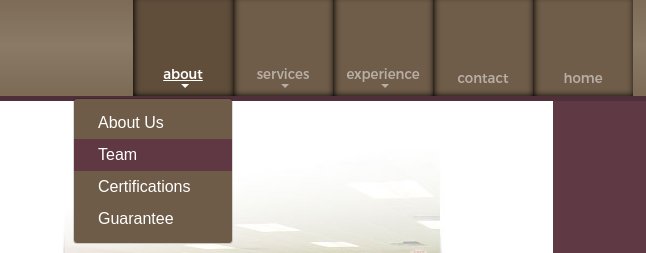
Bootstrap 4 Beta navbar with active dropdowns set via jquery
Now that’s slick. Check it out on Codeply
]]>
I can never really decide where the bulk of the blame lands when it comes to malware and viruses on the windows platform. Of course, the authors of the viruses and malware suck, but after that how much blame lands on MS? Personally, I’ve had little trouble. When I have cleaned other machines it is always traceable down to a stupid “yes” click or shady install of some malware. #malware #viruses #microsoftwindows
My Malware/Virus removal toolbox *
=====
I always download from the original software vendor’s site to avoid fakes and add-on crapware. Here are some of my primary removal tools:
AdwCleaner, https://toolslib.net/downloads/viewdownload/1-adwcleaner/
MalwareBytes, https://www.malwarebytes.org/antimalware/
HitmanPro, http://www.surfright.nl/en/hitmanpro
HijackThis, https://sourceforge.net/projects/hjt/
* The best way to be sure your system is clean is to reinstall the OS, but very few people want to do that out of the gate.
I always run a realtime virus scanner like ESET. You may want to try their free online scanner in a pinch http://www.eset.com/us/online-scanner/ . Your best defense is knowing the software’s source is safe before you click install. Microsoft Security Essentials seems to be pretty good too (and free) but I recently cleaned a machine that supposedly had it running. Of course, no virus software that I know of is going to protect you from manually installing bad software.
]]>Now, with more and more browsers supporting CSS3 transitions, it’s now possible to add fancy fading effects to your sprites without even needing javascript, and with minimal impact to the usual css3 sprites code for rollovers, and a bit of :active for mobile devices to at least catch the fade-in on click.
Starting with a typical sprite used for social media links ; 150×100 with 40px icons centered in a 50px matrix:

The markup is pretty simple:
<div id="socialicons">
    <ul>
        <li class="fb"><a title="Facebook" href="https://www.facebook.com/"><span>Facebook</span></a></li>
        <li class="tw"><a title="Twitter" href="http://www.twitter.com/"><span>Twitter</span></a></li>
        <li class="ln"><a title="LinkedIn" href="https://www.linkedin.com/"><span>LinkedIn</span></a></li>
    </ul>
</div>
But the CSS gets interesting:
#socialicons ul {
    width: 150px;
	height: 50px;
	position: relative;
	background: transparent url(/images/sprites.png) scroll no-repeat 0 0;
	margin: 0 auto;
	padding: 0;
	list-style-type: none;
}
#socialicons span { display: none; }
#socialicons li { position: absolute; top: 0; margin: 0; padding: 0; }
#socialicons li, #socialicons li a { display: block; width: 50px;height: 50px; }
#socialicons .fb { left: 0; }
#socialicons .tw { left: 50px; }
#socialicons .ln { left: 100px; }
#socialicons .fb a:after { background: url(/images/sprites.png) 0 -50px; }
#socialicons .tw a:after { background: url(/images/sprites.png) -50px -50px; }
#socialicons .ln a:after { background: url(/images/sprites.png) -100px -50px; }
/* css3 coolness */
#socialicons .fb a:after, #socialicons .tw a:after, #socialicons .ln a:after {
    content: "";
    position: absolute;
    top: 0; left: 0; bottom: 0; right: 0;
	opacity: 0;
	-webkit-transition: opacity 0.8s;
	-moz-transition: opacity 0.8s;
	-o-transition: opacity 0.8s;
	transition: opacity 0.8s;
}
#socialicons a:hover:after, #socialicons a:active:after { opacity: 1; }
It starts off pretty typical, but around line 20 and 30, instead of repositioning the css sprite on hover we do something a bit different — using the CSS pseudo-class :after to hold the re-positioned image in the same place as the original but with an opacity of 0 (so it’s completely transparent), we adjust the opacity on :hover/:active to 1;
The even fancier bit comes from the new transition property where we adjust it over a 0.8 second span to create the fadein/fadeout effect.
The result? Sexy. (Note: if you cannot see the below icons, and have AdBlock Plus installed, go to AdBlock Plus settings -> Advanced -> Filter Lists, and disable “Fanboy’s Social Blocking List“, and reload the page. )
The CSS for this feels a tad more elegant as well. Plus since this sort of fanciness requires no additional javascript, you save a tad on your website download payload to the client browser.
]]>