Since that time little changed with the website. The site evolved a little over time. There were quick and dirty upgrades to Drupal 5 and 6. In 2019 we stripped the design back to make it more mobile friendly.
Over the last 5 years there have been multiple plans to fix the site. They all failed, most due to lack of time and/or focus. In September 2020 we decided it was time to fix the site. Instead of doing it in house, we leaned on our years of experience managing remote and out sourced teams. We searched for the best people to deliver our new site.
After an extensive search we settled on One Week Wonders Studio. We couldn’t be happier with the results. We worked closely with the OWW team throughout the process. The communication was excellent. They understood the image we wanted to project and they provided a logo and design that fitted the brief. We have no reservations about using them again.
We prepared a brief for the logo including the general concept. The new logo incorporates the business name, while being a valid domain. We retained the orange and green from the original logo but went with stronger shades. The “/>” on the end references HTML and a command prompt.
The new website design is fresh and modern. With more white space and clean illustrations we hope the new site is more engaging. It now works better on all devices. It’s a shame that most people will never see our new 404 page which we love.
OWW didn’t have experience building Hugo sites. That wasn’t a problem. We engaged Ahmad Muhardian to take care of that for us. He did a great job delivering to our high standards. If you need someone to turn HTML into a Hugo theme, Ahmad is your person. He also does some awesome manga art.
We consider this iteration our minimum lovable product. Comments will be back in a future version of the site. More content is in the pipeline too. Hugo makes it easier for us to focus on the content, rather than the CMS and the underlying stack. This makes it easier for us to iterate and push out new content.
When rebuilding the site we wanted to adopt a principle of respecting users privacy. We use Netlify Analytics so your visits here aren’t added to your aggregated Google data profile. We host the fonts for the same reason. Youtube and most other embeds are links, rather than rich content. These privacy respecting features allowed us to implement a simple Content Security Policy.
Once again the builder no longer has the worst looking house in the street.
]]>
I entered the competition.
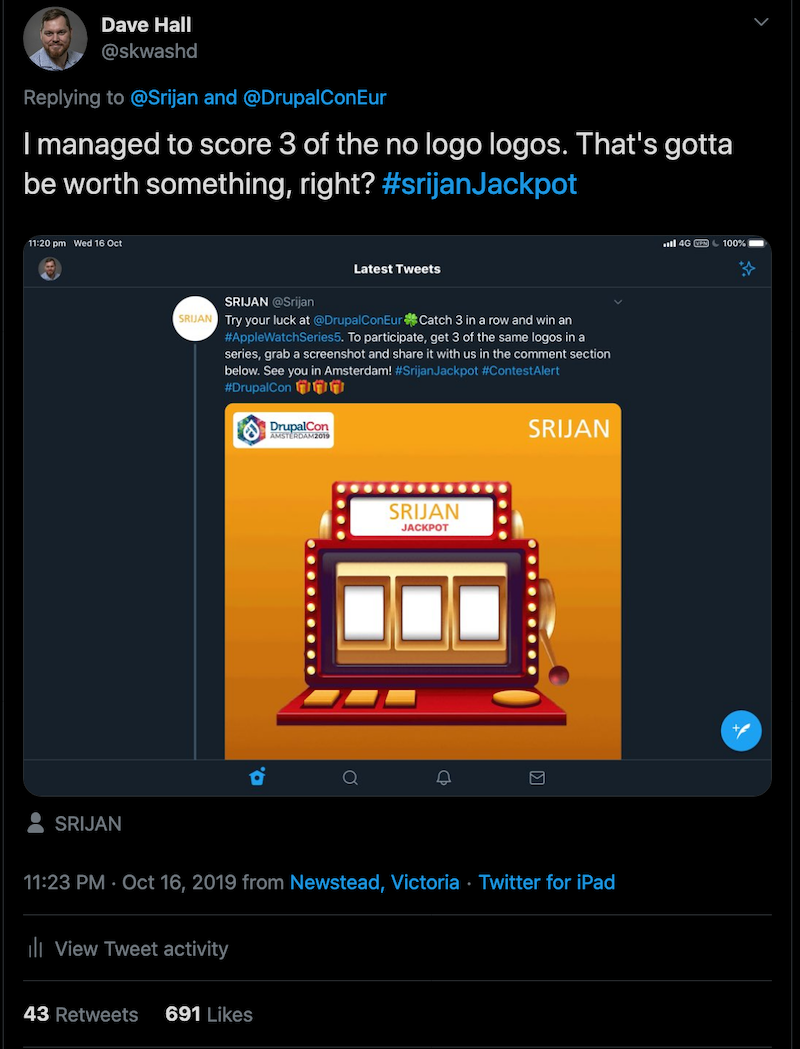
The competition had a flaw. The winner was selected based on likes.
After a week I realised that I wasn’t going to win. Others were able to garner more likes than I could. Then my hacker mindset kicked in.
I thought I’d find how much 100 likes would cost. A quick search revealed likes costs pennies a piece. At this point I decided that instead of buying an easy win, I’d buy a ridiculous number of likes. 500 likes only cost 7USD. Having a blog post about gaming the system was a good enough prize for me.

I was unsure how things would go. I was supposed to get my 500 likes across 10 days. For the first 12 hours I got nothing. I thought I’d lost my money on a scam. Then the trickle of likes started. Every hour I’d get a 2-3 likes, mostly from Eastern Europe. Every so often I’d get a retweet or a bonus like on a follow up comment. All up I got over 600 fake likes. Great value for money.
Today Sirjan awarded me the watch. I waited until after they’ve finished taking photos before coming clean. Pics or it didn’t happen and all that. They insisted that I still won the competition without the bought likes.
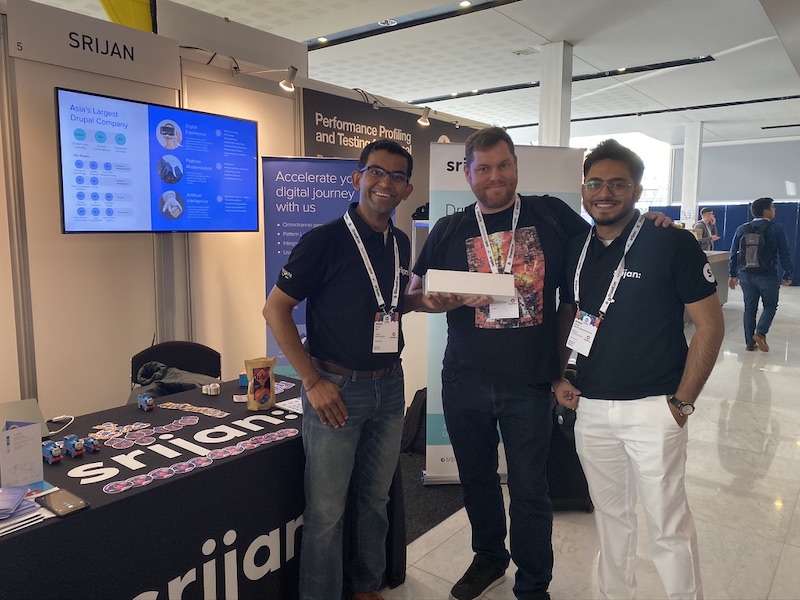
Think very carefully before launching a competition that involves social media engagement. There’s a whole fake engagement economy.
]]>Drupal has a problem. No, not that problem.
We live in a post peak Drupal world. Drupal peaked some time during the Drupal 8 development cycle. I’ve had conversations with quite a few people who feel that we’ve lost momentum. DrupalCon attendances peaked in 2014, Google search impressions haven’t returned to their 2009 level, core downloads have trended down since 2015. We need to accept this and talk about what it means for the future of Drupal.
Technically Drupal 8 is impressive. Unfortunately the uptake has been very slow. A factor in this slow uptake is that from a developer’s perspective, Drupal 8 is a new application. The upgrade path from Drupal 7 to 8 is another factor.
In the five years Drupal 8 was being developed there was a fundamental shift in software architecture. During this time we witnessed the rise of microservices. Drupal is a monolithic application that tries to do everything. Don’t worry this isn’t trying to rekindle the smallcore debate from last decade.
Today it is more common to see an application that is built using a handful of Laravel micro services, a couple of golang services and one built with nodejs. These applications often have multiple frontends; web (react, vuejs etc), mobile apps and an API. This is more effort to build out, but it likely to be less effort maintaining it long term.
I have heard so many excuses for why Drupal 8 adoption is so slow. After a year I think it is safe to say the community is in denial. Drupal 8 won’t be as popular as D7.
Why isn’t this being talked about publicly? Is it because there is a commercial interest in perpetuating the myth? Are the businesses built on offering Drupal services worried about scaring away customers? Adobe, Sitecore and others would point to such blog posts to attack Drupal. Sure, admitting we have a problem could cause some short term pain. But if we don’t have the conversation we will go the way of Joomla; an irrelevant product that continues its slow decline.
Drupal needs to decide what is its future. The community is full of smart people, we should be talking about the future. This needs to be a public conversation, not something that is discussed in small groups in dark corners.
I don’t think we will ever see Drupal become a collection of microservices, but I do think we need to become more modular. It is time for Drupal to pivot. I think we need to cut features and decouple the components. I think it is time for us to get back to our roots, but modernise at the same time.
Drupal has always been a content management system. It does not need to be a content delivery system. This goes beyond “Decoupled (Headless) Drupal”. Drupal should become a “content hub” with pluggable workflows for creating and managing that content.
We should adopt the unix approach, do one thing and do it well. This approach would allow Drupal to be “just another service” that compliments the application.
What do you think is needed to arrest the decline of Drupal? What should Drupal 9 look like? Let’s have the conversation.
]]>- Sensitive data is kept secure
- Variables are correct in each environment
- You are able to track your variables (and when they changed)
The Variables Table
The most common place you’ll find configuration variables is in Drupal’s
variable table (aka {variable}). The values in this table are often
managed via admin forms that use
system_settings_form().
Users enter the values click “Save configuration” and the data is stored
in the database.
If you prefer to manage your configuration via the command line and know
the variable you wish to set you can use drush vset. This
does exactly the same thing as admin form, without needing to click on a
mouse.
$conf Array
While the variables table is great at storing our variables, there are
times when you want to enforce a setting. This might be because you want
to prevent users from changing it (accidentally or otherwise) or because
you need it to be different in each environment. The $conf array in
settings.php always overrides any values in the variable table.
Acquia, Pantheon and platform.sh all provide environment variables so you can use different values in your $conf array depending on the environment.
Exporting Variables
In Drupal 7, the common way to export your variables is by using Strongarm with Features. I’m not going to cover how to do this as there is loads of documentation already available on this topic.
If your variable changes on a per environment basis or if it calculated on the fly, then you won’t want to use strongarm+features as the exported values are static. You will need to put them in settings.php.
Note to self: I should debug and reroll my patch for adding support in alter hooks strongarm.
My settings.php is Out of Control!
This is a common problem, especially on more complex sites. To avoid
this I recommend creating sites/default/settings/settings.[env].php
files. Your settings.php file should check for the environment in an
environment variable and then include the appropriate
settings.[env].php file.
What About Sensitive Data?
You can encrypt variables on a case by case basis using the encrypt
module and some custom code similar
to what I recently implemented in the Acquia SDK
module (see on
store
and on
read
examples). Warning: This doesn’t encrypt the data if you’re using drush vset.
If you are storing sensitive data in your variables table I would
recommend you implement hook_sql_sync_sanitize() which will delete
the sensitive data from your db when drush sql-sanitize or drush sql-sync --sanitize are run.
How to Decide?
This little code snippet should help you decide.
<?php

// Don't try using this code in your Drupal site.

if (!using_version_control()) {
  // Seriously there is no point in doing this without version control.
  abandon_all_hope();
  drupal_exit();
}

if (is_data_sensitive($var)) {
  $var = encrypt_var($var);
  if (!we_use_drush_based_workflows()) {
    learn_and_implement_drush_based_workflows();
    // I'm serious!
    }
  }
  implement_hook_sql_sync_sanitize($var);
}

if (is_unique_per_environment($var)) {
  store_conf_array($var);
}
else {
  store_in_db($var);
  if (!we_use_features_based_workflow()) {
    learn_and_implement_features_based_worflows();
    // I'm serious!
  }
  export_using_strongarm($var);
}
The easiest way to switch installation profiles is using the command line with drush. The following command will do it for you:
drush vset --exact -y install_profile my_profile
An alternative way of doing this is by directly manipulating the database. You can run the following SQL on your Drupal database to switch installation profiles:
UPDATE variable SET value = 'my_profile' WHERE name = 'install_profile';
-- Clear the cache using MySQL only syntax, when DB caching is used.
TRUNCATE cache;
Before you switch installation profiles, you should check that you have all the required modules enabled in your site. If you don’t have all of the modules required by the new installation profile enabled in your site, your are likely to have issues. The best way to ensure you have all the dependencies enabled is to run the following one liner:
drush en $(grep dependencies /path/to/my-site/profiles/my_profile/my_profile.info | sed -n 's/dependencies\[\]=\(.*\)/\1/p')
Even though it is pretty easy to switch installation profiles I would recommend starting your project with a project specific installation profile.
Edit: Jaime Schmidt picked up a missing step in the instructions above. You need to enable the installation profile in the system table. The easiest way to do that is with this drush one liner:
echo UPDATE system SET schema_version = 0 WHERE name = 'my_profile' | drush sqlc && drush cc all
I believe that developers and more experienced site builders should be
using installation profiles as part of their client sites builds. In
Drupal 7 an installation profile is treated like a special module, so it
can implement hooks - including hook_update\_N(). This means that the
installation profile is the best place for controlling turning modules
on and off, switching themes or any other site wide configuration
changes that can’t be handled by features or a module specific update
hook.
In an ideal world you could have 1 installation profile that is used for
all of your projects and you just include it in your base build.
Unfortunately installation profiles tend to evolve into being very
project specific. At the same time you are likely to want a common
starting point. I like to give my installation profiles unique names,
rather than something generic like my_profile, I prefer to use
[client_prefix\]_profile. I’ll cover project prefixes in another
blog post.
After some trial and error, I’ve settled on a solution which I think works for having a common starting point for an installation profile that will diverge overtime using a unique namespace. My solution relies on some basic templates, a bash script with a bit of sed. I could have written all of this in PHP and even made a drush plugin for it, but I prefer to do this kind of thing on the command line with bash. I’m happy to work with someone to port it to a drush plugin if you’re interested.
Here is a simple example of the templates you could use for creating your installation profile. The version on GitHub is closer to what I actually use for clients, along with the build script.
base.info
name = PROFILE_NAME
description = PROFILE_DESCRIPTION
core = 7.x
dependencies[] = block
dependencies[] = dblog
base.install
<?php
/**
 * @file
 * Install, update and uninstall functions for the the PROFILE_NAME install profile.
 */

/**
 * Implements hook_install().
 *
 * Performs actions to set up the site for this profile.
 *
 * @see system_install()
 */
function PROFILE_NAMESPACE_install() {
  // Enable some standard blocks.
  $default_theme = variable_get('theme_default', 'bartik');
  $values = array(
    array(
      'module' => 'system',
      'delta' => 'main',
      'theme' => $default_theme,
      'status' => 1,
      'weight' => 0,
      'region' => 'content',
      'pages' => '',
      'cache' => -1,
    ),
    array(
      'module' => 'user',
      'delta' => 'login',
      'theme' => $default_theme,
      'status' => 1,
      'weight' => 0,
      'region' => 'sidebar_first',
      'pages' => '',
      'cache' => -1,
    ),
    array(
      'module' => 'system',
      'delta' => 'navigation',
      'theme' => $default_theme,
      'status' => 1,
      'weight' => 0,
      'region' => 'sidebar_first',
      'pages' => '',
      'cache' => -1,
    ),
    array(
      'module' => 'system',
      'delta' => 'management',
      'theme' => $default_theme,
      'status' => 1,
      'weight' => 1,
      'region' => 'sidebar_first',
      'pages' => '',
      'cache' => -1,
    ),
    array(
      'module' => 'system',
      'delta' => 'help',
      'theme' => $default_theme,
      'status' => 1,
      'weight' => 0,
      'region' => 'help',
      'pages' => '',
      'cache' => -1,
    ),
  );
  $query = db_insert('block')->fields(array('module', 'delta', 'theme', 'status', 'weight', 'region', 'pages', 'cache'));
  foreach ($values as $record) {
    $query->values($record);
  }
  $query->execute();

  // Allow visitor account creation, but with administrative approval.
  variable_set('user_register', USER_REGISTER_VISITORS_ADMINISTRATIVE_APPROVAL);

  // Enable default permissions for system roles.
  user_role_grant_permissions(DRUPAL_ANONYMOUS_RID, array('access content'));
  user_role_grant_permissions(DRUPAL_AUTHENTICATED_RID, array('access content'));
}

// Add hook_update_N() implementations below here as needed.
base.profile
<?php
/**
 * @file
 * Enables modules and site configuration for a PROFILE_NAME site installation.
 */

/**
 * Implements hook_form_FORM_ID_alter() for install_configure_form().
 *
 * Allows the profile to alter the site configuration form.
 */
function PROFILE_NAMESPACE_form_install_configure_form_alter(&$form, $form_state) {
  // Pre-populate the site name with the server name.
  $form['site_information']['site_name']['#default_value'] = $_SERVER['SERVER_NAME'];
}
Some developers might recognise the code above, it is from the minimal installation profile.
The installation profile builder script is a simple bash script that relies on sed.
build-profile.sh
#!/bin/bash
#
# Installation profile builder
# Created by Dave Hall http://davehall.com.au
#

FILES="base.info base.install base.profile"
OK_NS_CHARS="a-z0-9_"
SCRIPT_NAME=$(basename $0)

namespace="my_profile"
name=""
description="My automatically generated installation profile."
target=""

usage() {
  echo "usage: $SCRIPT_NAME -t target_path -s profile_namespace [-d 'project_descrption'] [-n 'human_readable_profile_name']"
}

while getopts  "d:n:s:t:h" arg; do
  case $arg in
    d)
      description="$OPTARG"
      ;;
    n)
      name="$OPTARG"
      ;;
    s)
      namespace="$OPTARG"
      ;;
    t)
      target="$OPTARG"
      ;;
    h)
      usage
      exit
      ;;
  esac
done

if [ -z "$target" ]; then
  echo ERROR: You must specify a target path. >&2
  exit 1;
fi

if [ ! -d "$target" -o ! -w "$target" ]; then
  echo ERROR: The target path must be a writable directory that already exists. >&2
  exit 1;
fi

ns_test=${namespace/[^$OK_NS_CHARS]//}
if [ "$ns_test" != "$namespace" ]; then
  echo "ERROR: The namespace can only contain lowercase alphanumeric characters and underscores ($OK_NS_CHARS)" >&2
  exit 1
fi

if [ -z "$name" ]; then
  name="$namespace";
fi

for file in $FILES; do
  echo Processing $file
  sed -e "s/PROFILE_NAMESPACE/$namespace/g" -e "s/PROFILE_NAME/$name/g" -e "s/PROFILE_DESCRIPTION/$description/g" $file > $target/$file
done

echo Completed generating files for $name installation profile in $target.
Place all of the above files into a directory. Before you can generate
your first profile you must run chmod +x build-profile.sh to make the
script executable. You need to create the output directory, for testing
we will use ~/test-profile, so run mkdir ~/test-profile to create
the path. To build your profile run ./build-profile.sh -s test -t ~/test-profile. Once the script has run you should have a test
installation profile in ~/test-profile. I will continue to maintain
this as a project on
GitHub.
I’ve setup a few search bookmarks for development resources. This is how I’ve done it:
-
Select Bookmarks > Organise Bookmarks… from the menu.
-
Right click on the bookmarks menu (or any folder) on the left pane
-
Select New Bookmark… from the context menu
-
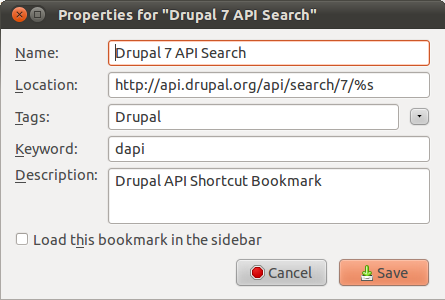
Fill in the information for the bookmark, the import piece is the keyword, that will allow us to search.
-
Click save and return to the browser
Now when we want to search the Drupal 7 API, we can just type
dapi hook_form_alter into the location bar.
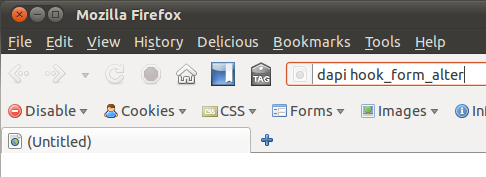
Now we should see the appropriate page from the Drupal API documentation.
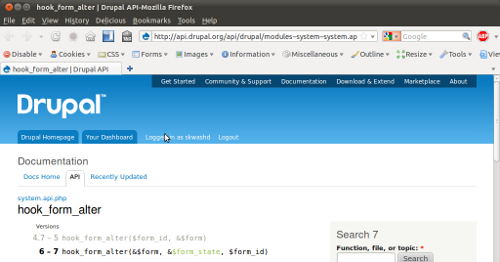
The same method can be used for other PHP web app developer resources, here are some which I’m using.
-
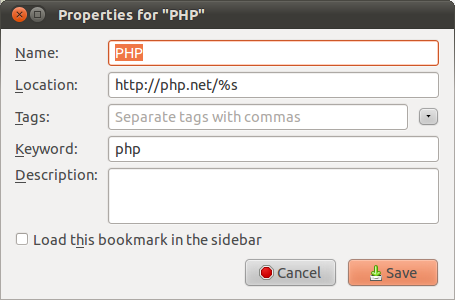
PHP Manual -
https://php.net/%s -
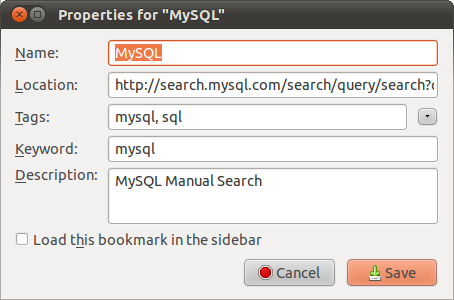
MySQL 5.1 Manual -
https://search.mysql.com/search/query/search?q=%s&group=refman-51&search_p_atname=Language&search_p_op=equals&search_p_val=en -
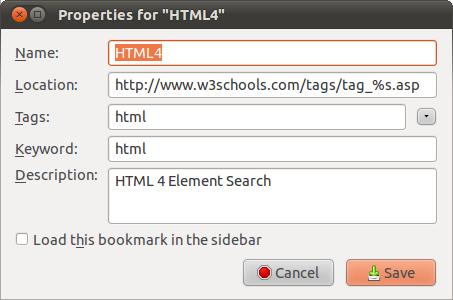
HTML 4 Elements from W3Schools -
https://www.w3schools.com/tags/tag_%s.asp -
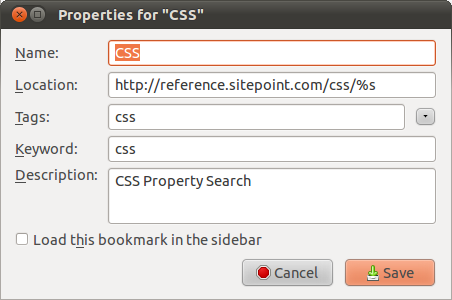
CSS Reference from SitePoint -
https://reference.sitepoint.com/css/%s -
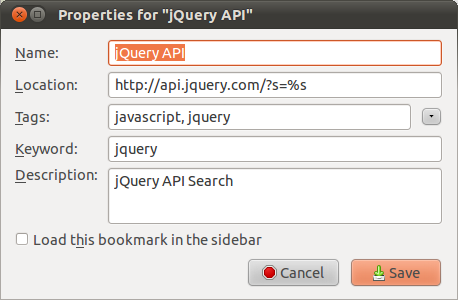
jQuery API -
https://api.jquery.com/?s=%s -
I’ve found Google to be the best resource for getting help with javascript
I could have implemented this using OpenSearch plugins, but that requires changing the search provider every time I want to look for something. By using keyword bookmarks I just type the keyword and the search term into the location bar.
Feel free to share your keyword bookmarks in the comments.
]]>In one instance I have Solr replicating from the primary to a secondary, with the plan to add additional secondary backends if the load justifies it. In order to get Drupal to write to the primary and read from either node I needed a proxy or load balancer. In my case the best lightweight http load balancer that would easily run on the web heads was haproxy. I could have run varnish in front of Solr and had it do the load balancing but that seemed like overkill at this stage.
Now when an update request hits HAProxy it directs it to the primary, but
for reads it balances the requests between the 2 nodes. To get this
setup running on ubuntu 9.10 with HAProxy 1.3.18, I used the following
/etc/haproxy/haproxy.cfg on each of the web heads:
global
    log 127.0.0.1   local0
    log 127.0.0.1   local1 notice
    maxconn 4096
    nbproc 4
    user haproxy
    group haproxy
    daemon

defaults
    log     global
    mode    http
    option  httplog
    option  dontlognull
    retries 3
    maxconn 2000
    balance roundrobin
    stats enable
    stats uri /haproxy?stats

frontend solr_lb
    bind localhost:8080
    acl primary_methods method POST DELETE PUT
    use_backend primary_backend if primary_methods
    default_backend read_backends

backend primary_backend
    server solr-a 192.168.201.161:8080 weight 1 maxconn 512 check

backend secondary_backend
    server solr-b 192.168.201.162:8080 weight 1 maxconn 512 check

backend read_backends
    server solr-a 192.168.201.161:8080 weight 1 maxconn 512 check
    server solr-b 192.168.201.162:8080 weight 1 maxconn 512 check
To ensure the configuration is working properly run
wget http://localhost:8080/solr -O - on each of the web heads.
If you get a connection refused message HAProxy may not be running.
If you get a 503 error make sure solr/jetty/tomcat is running on
the Solr nodes. If you get some html output which mentions Solr,
then it should be working properly.
For Drupal’s apachesolr module to use this configuration, set the hostname to localhost and the port to 8080 in the module configuration page. Rebuild your search index and you should be right to go.
If you had a lot of index updates then you could consider making the primary write only and having 2 read only secondary back ends, just change the IP addresses to point to the right hosts.
For more information on Solr replication refer to the Solr wiki, for more information on configuring HAProxy refer to the manual. Thanks to Joe William and his blog post on load balancing CouchDB using haproxy which helped me get the configuration I needed after I decided what I wanted.
]]>